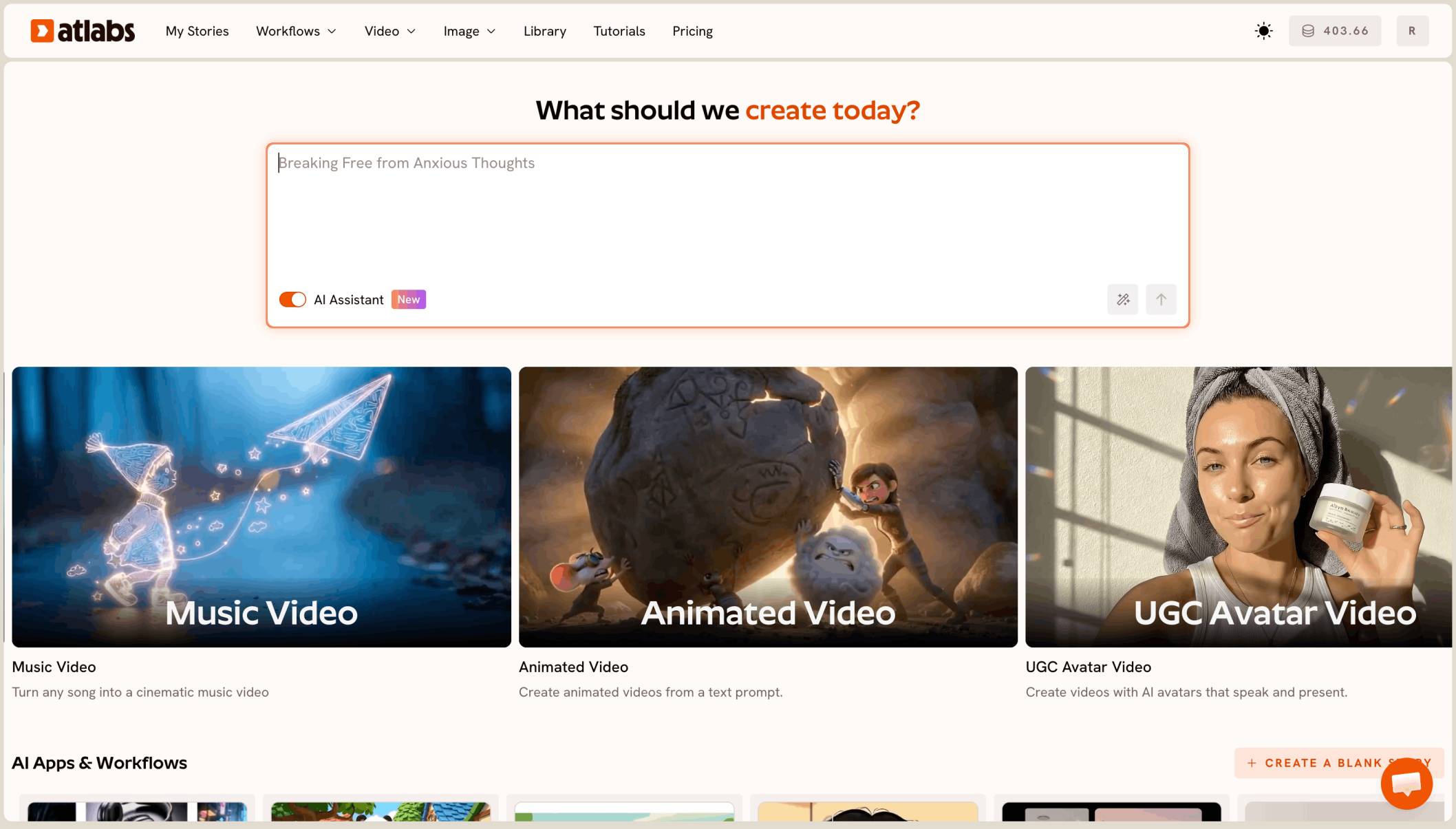
Aquí tienes 100 prompts cinematográficos de cámara que puedes copiar, pegar y empezar a rodar hoy mismo. El movimiento de cámara es la diferencia entre metraje de IA que parece generado y metraje de IA que parece dirigido. Esta biblioteca cubre cada movimiento que un director de fotografía real pediría en el set: push-ins, órbitas, dolly zooms, tomas de grúa, energía cámara en mano, speed ramps y trucos de revelación. Cada prompt funciona en Seedance 2.0, Veo 3.1 y Kling, y puedes probarlos todos dentro de Atlabs.
La fórmula del prompt de cámara cinematográfica
Los modelos de video de IA responden a la estructura, no a las vibras. Escribir la palabra cinematográfico en un prompt casi no sirve de nada. Nombrar un movimiento de cámara real, su velocidad y sobre qué debe posarse lo hace todo. Cada prompt de esta biblioteca sigue la misma fórmula de cinco partes.
[Movimiento de cámara] + [Velocidad] + [Sujeto y encuadre] + [Detalle del entorno] + [Lente o aspecto]
Aquí está la fórmula en acción. Movimiento de cámara: slow push-in. Velocidad: creeping. Sujeto y encuadre: el rostro de un cantante bajo un único foco. Detalle del entorno: polvo flotando a través del haz. Lente o aspecto: shallow depth of field, anamorphic flare. Combina esas cinco partes y el modelo dejará de adivinar. Copia cualquier prompt a continuación tal cual está escrito, o cambia el sujeto y mantén intacto el lenguaje de cámara.
Push-Ins y Pull-Backs (Prompts 1 al 10)
El push-in genera intensidad. El pull-back genera escala. Estos dos movimientos aportan más peso emocional por segundo que cualquier otro lenguaje de cámara, razón por la cual abren y cierran la mayoría de las grandes películas.
1. Slow push-in toward a lone figure standing at the end of a rain soaked alley, neon signs reflecting in puddles, shallow depth of field, anamorphic lens flare.
2. Steady push-in on a singer's face under a single spotlight, dust particles drifting through the beam, background falling into soft black.
3. Creeping push-in through a doorway into a candlelit room, shadows stretching across wooden floorboards, gentle vignette.
4. Fast push-in on a boxer's eyes right before the bell, sweat catching the arena lights, crowd blurred behind.
5. Gentle pull-back from a child's hands folding a paper boat, widening to reveal a flooded street glowing at sunset.
6. Slow pull-back from a single campfire ember, opening up to a mountain valley under a star filled sky.
7. Dramatic pull-back through a shattered window, revealing the full scale of a burning city skyline at dusk.
8. Slow push-in across a banquet table littered with melted candles and spilled wine, ending on an empty throne.
9. Micro push-in on a ticking wristwatch, second hand snapping forward, macro detail, cold blue color grade.
10. Endless pull-back from a rooftop dancer, buildings sliding past the frame edges, city lights spreading below like circuitry.
Órbitas y arcos (Prompts 11 al 20)
Las órbitas envuelven al espectador alrededor de un momento. Son el movimiento característico de los videos musicales y de las revelaciones de personajes porque convierten a un sujeto estático en el centro de atención.
11. Slow 360 degree orbit around two dancers frozen mid spin, confetti suspended in the air, warm tungsten glow.
12. Half orbit around a chef plating a dish, steam curling upward, kitchen flames flaring in the background.
13. Rising orbit around a lighthouse at the peak of a storm, waves crashing white against black rock.
14. Tight orbit around a guitarist's hands during a solo, stage lights strobing red and blue.
15. Lazy arc around a couple slow dancing in an empty diner, jukebox glow painting the checkered floor.
16. Fast orbit around a sprinting athlete, background smearing into streaks of stadium light.
17. Descending orbit around a chess table in a smoky study, pieces casting long shadows across the board.
18. Wide arc around a horse and rider crossing a shallow river at golden hour, spray catching the sun.
19. Slow orbit around an astronaut floating in a station module, Earth rotating past the window behind.
20. Double orbit around a bride spinning in the rain, dress fanning out, streetlamps haloed in mist.
Tomas de seguimiento y travelling (Prompts 21 al 30)
Las tomas de seguimiento crean dinamismo. Llevan al espectador junto a la acción en lugar de verla desde la distancia, razón por la cual dominan las secuencias de acción y las escenas de diálogo caminando.
21. Side tracking shot following a skateboarder through a graffiti covered underpass, wheels sparking off concrete.
22. Smooth dolly alongside a train window, passing fields flickering like film frames.
23. Low tracking shot behind bare feet running through wet sand, the tide erasing each footprint.
24. Tracking shot weaving through a crowded night market, fruit stalls and hanging lanterns brushing past the lens.
25. Slow dolly across a detective's evidence wall, photographs and red string sliding through frame.
26. Front tracking shot of a marching band turning onto a main street, brass flaring in the midday sun.
27. Dolly through a museum hall at closing time, sculptures lit one by one as the camera passes.
28. Tracking shot beside galloping wild horses at dawn, golden dust blooming behind them.
29. Slow dolly down a hospital corridor at night, one flickering light at the far end.
30. Parallel tracking shot of two strangers walking opposite sidewalks, traffic streaking between them.
Movimientos de grúa, pluma y aéreos (Prompts 31 al 40)
El movimiento vertical es la forma más rápida de cambiar la magnitud de una historia. Sube para dar escala y espectáculo, desciende para lograr intimidad. Los modelos de IA manejan esto especialmente bien porque el movimiento es suave y predecible.
31. Crane up from a street musician's open guitar case to a bird's eye view of the plaza crowd forming around him.
32. Slow jib down from cathedral ceiling frescoes to a single figure kneeling in candlelight.
33. Aerial rise over a lavender field at sunrise, rows converging toward a distant farmhouse.
34. Crane shot lifting away from a rooftop chase, revealing the maze of alleys the runner still has to cross.
35. Low drone glide over a frozen lake, cracks in the ice spidering beneath the lens.
36. Aerial pull away from a lone red umbrella crossing a gray, rain slick intersection.
37. Jib arc over a boxing ring at the moment of the knockout, flashbulbs firing from every angle.
38. Sweeping aerial along a coastal cliff road, a vintage convertible hugging every curve.
39. Vertical crane down the glass face of a skyscraper at dusk, each lit floor holding a different life.
40. Slow drone ascent through morning fog, treetops surfacing like islands.
Energía de cámara en mano y documental (Prompts 41 al 50)
La cámara en mano es la textura de la verdad. Una ligera vibración le dice al espectador que esto está sucediendo realmente. Úsalos cuando un movimiento pulido se sienta demasiado limpio para el momento.
41. Handheld follow shot behind a protester moving through a chanting crowd, signs bobbing in and out of frame.
42. Shaky handheld sprint through a subway car as the lights stutter, passengers grabbing for the rails.
43. Intimate handheld close-up of a farmer inspecting cracked soil, fingers sifting the dust.
44. Handheld whip toward a sudden sound off screen, focus hunting before locking onto a slammed door.
45. Loose handheld drift around a band rehearsing in a garage, cables and amps crowding the frame edges.
46. Documentary style handheld interview framing, subject slightly off center, kitchen life continuing softly blurred behind.
47. Handheld chase up a narrow stairwell, breath fogging the lens on each landing.
48. Raw handheld pan across a flood damaged living room, the water line staining the walls.
49. Handheld push through backstage curtains into blinding stage light, applause swelling.
50. Unsteady handheld close-up on trembling hands opening an acceptance letter.
Zooms y trucos focales (Prompts 51 al 60)
Aquí es donde los prompts comienzan a sentirse como dirección cinematográfica. El dolly zoom, el crash zoom y el rack focus son los movimientos que el público puede sentir incluso cuando no sabe cómo nombrarlos.
51. Slow dolly zoom on a man realizing the truth, the background stretching away while his face holds steady, vertigo effect.
52. Crash zoom onto a phone screen lighting up with one unread message.
53. Creeping zoom across a packed stadium to the single fan who is not celebrating.
54. Dolly zoom down a school hallway as the bell rings, lockers warping outward.
55. Snap zoom between two gunslingers' eyes at high noon, heat shimmer rising off the dirt.
56. Slow zoom out from a keyhole view into a full ballroom scene, the waltz already in motion.
57. Rack focus from raindrops on a window to a taxi waiting across the street.
58. Long lens compression shot of commuters packed on a platform, faces stacked like portraits.
59. Split diopter shot with a chess piece razor sharp in the foreground and the opponent's stare equally sharp in the distance.
60. Slow zoom into an oil painting until the brushstrokes become a living landscape.
POV y ángulos inmersivos (Prompts 61 al 70)
Las tomas en primera persona (POV) colocan al espectador dentro del encuadre. Funcionan increíblemente bien en plataformas de formato corto porque el primer segundo ya se siente personal.
61. First person POV pushing through saloon doors, every head in the room turning toward the lens.
62. POV of a cyclist bombing a mountain switchback, handlebars vibrating at the bottom of frame.
63. Worm's eye view lying on the street, skyscrapers spinning slowly overhead as the camera rotates.
64. POV from inside a washing machine drum as laundry tumbles past in slow motion.
65. Over the shoulder POV of a pianist's hands during the final movement, keys reflecting stage light.
66. POV of a paper plane gliding through an open plan office, desks streaking below.
67. Dog height POV trotting through a farmers market, ankles and falling crumbs filling the frame.
68. POV waking up inside a tent as the zipper opens onto a mountain sunrise.
69. Glass elevator POV rising through a hotel atrium, the lobby dropping away in reflection.
70. POV of a diver stepping off the ten meter platform, the water rushing up in total silence.
Speed Ramps y juego con el tiempo (Prompts 71 al 80)
El tiempo también es un movimiento de cámara. Los speed ramps, los congelados y los hiperlapsos son el lenguaje natural de los videos musicales y las ediciones deportivas, y modelos como Seedance 2.0 los manejan con sorprendente precisión cuando el prompt especifica el momento exacto en que la velocidad debe cambiar.
71. Speed ramp from slow motion vinyl drop to real time as the beat kicks in, the party erupting around the turntable.
72. Time slice freeze around a bursting water balloon, the camera arcing through the suspended splash.
73. Slow motion ramp of a matador's cape flaring, arena dust hanging in the air like smoke.
74. Hyperlapse through a neon city at night, taillights braiding into ribbons of red.
75. Speed ramp on a basketball dunk, slowing at the rim, snapping back to full speed on the landing.
76. Timelapse inside a painter's studio from blank canvas to finished mural, shadows sweeping the floor.
77. Reverse motion shot of shattered glass reassembling into a perfect chandelier.
78. Bullet time rotation around a dancer mid leap, rain droplets frozen around her.
79. Extreme slow motion close-up on a sprinter's spikes leaving the blocks, track dust blooming.
80. Day to night timelapse locked on a lighthouse, the beam carving through the falling dark.
Revelaciones y transiciones (Prompts 81 al 90)
Una revelación es el remate de un chiste contado con una lente. Estos movimientos ocultan información y luego se la entregan al espectador en el momento exacto, lo que los convierte en las tomas que más apetece volver a ver en cualquier edición.
81. Whip pan from a laughing crowd to the empty chair where the guest of honor should be sitting.
82. Camera passes behind a stone pillar and emerges into a different decade, costumes and cars completely changed.
83. Match cut move from a spinning coin on a table to a spinning Ferris wheel at night.
84. Tilt up from muddy boots to reveal an armored knight standing in a modern parking lot.
85. Slow reveal through parting stage curtains, a silhouette resolving into the headliner.
86. Foreground wipe as a passing bus reveals the storefront suddenly boarded up.
87. Push-in toward a vanity mirror while the reflection calmly walks away on its own.
88. Pull focus reveal from foggy breath on a window to the figure standing outside in the snow.
89. Camera drops through the apartment floor into the jazz club below, the music swelling on the way down.
90. Iris style reveal opening from pure black onto a single spotlit microphone.
Combinaciones listas para cada género (Prompts 91 al 100)
Los últimos diez combinan dos movimientos en una sola toma. Úsalos con moderación. Una combinación por escena es una declaración de intenciones; tres seguidas es ruido.
91. Music video combo: slow orbit tightening into a push-in on the vocalist during the chorus, stage lights blooming on the key change.
92. Action combo: handheld sprint into a whip pan as the car explodes, debris tracked in slow motion.
93. Horror combo: static wide hold on a dark hallway, then a single slow push-in that begins only after three full seconds of nothing.
94. Romance combo: two parallel tracking shots of two people converging on the same park bench, meeting in one shared frame.
95. Noir combo: venetian blind shadows raking across a slow dolly toward a ringing desk phone.
96. Western combo: extreme wide crane up as two silhouettes face off across a dust blown street.
97. Sci-fi combo: continuous drone flight through a neon city that tilts into zero gravity as the camera rolls fully upside down.
98. Documentary combo: locked tripod interview frame that gently pans only when the subject stands and walks to the window.
99. Kids animation combo: bouncing crane follow behind a paper airplane weaving through a candy colored classroom.
100. Epic finale combo: pull-back from a single raised torch to an aerial wide of ten thousand lights answering across the valley.
¿Qué movimiento de cámara deberías usar? Referencia rápida
Movimiento de cámara | Efecto emocional | Mejor uso |
|---|---|---|
Push-in | Tensión creciente, enfoque | Drama, estribillos de video musical |
Pull-back | Escala, soledad, cierre | Finales, planos de establecimiento |
Órbita | Importancia, celebración | Videos musicales, revelaciones de personajes |
Travelling / Seguimiento | Dinamismo, urgencia | Acción, escenas caminando |
Grúa y aéreos | Asombro, magnitud | Paisajes, finales |
Cámara en mano | Realismo, caos | Documental, thrillers |
Dolly zoom | Temor, revelación repentina | Terror, giros de trama |
Speed ramp | Impacto, ritmo | Deportes, videos musicales |
Tutorial: Cómo usar estos prompts de cámara en Atlabs
Cada prompt de esta biblioteca se ejecuta dentro de Atlabs sin necesidad de edición. Abre la plataforma y elige tu punto de entrada. Para una sola toma, usa la herramienta Image to Video: genera o sube un fotograma fijo, pega el prompt de cámara en el campo de movimiento y selecciona Seedance 2.0 o Veo 3.1 como modelo. Seedance 2.0 es la opción más sólida para movimientos complejos como dolly zooms y speed ramps. Veo 3.1 destaca en tomas aéreas suaves y en una textura realista de cámara en mano. Para un movimiento preciso y repetible, usa la herramienta Motion Control, que te permite asociar cualquiera de estos prompts con una trayectoria de cámara definida. Si estás creando un video musical completo o una pieza animada, el mismo lenguaje de cámara funciona dentro del prompt de movimiento de cada escena en todo el proyecto.
Abre Atlabs y selecciona Image to Video o Motion Control.
Genera o sube el fotograma fijo al que deseas dar movimiento.
Pega un prompt de cámara de esta biblioteca en el campo de prompt de movimiento.
Selecciona Seedance 2.0 para movimientos complejos o Veo 3.1 para un realismo fluido.
Genera, revisa el movimiento y ajusta la palabra de velocidad si es necesario (slow, creeping, fast).
Quizás quieras echar un vistazo a este video:
Tres errores que arruinan los prompts de cámara
Primero, acumular movimientos. Un prompt que pide una órbita más una grúa más un zoom en una sola toma le da al modelo tres órdenes que cumplir a la vez, y no cumple ninguna. Un movimiento por toma, dos como máximo para una combinación diseñada. Segundo, verbos imprecisos. «La cámara se mueve de forma cinematográfica» no significa nada para un modelo. «Slow push-in» lo significa todo. Tercero, olvidar la velocidad. La misma órbita se interpreta como romántica a velocidad lenta y como frenética a velocidad rápida. La palabra que indica la velocidad hace la mitad del trabajo emocional en cada prompt anterior, así que nunca la omitas.
Preguntas frecuentes
¿Estos prompts de cámara funcionan en todos los modelos de video de IA?
Sí, con diferentes puntos fuertes. El lenguaje de cámara de esta biblioteca (push-in, órbita, seguimiento, dolly zoom) es interpretado por Seedance 2.0, Veo 3.1, Kling y Runway. Seedance 2.0 maneja mejor los movimientos complejos y los speed ramps, mientras que Veo 3.1 produce las tomas aéreas más fluidas y la textura de cámara en mano más natural.
¿Cuál es el mejor modelo de IA para prompts de movimiento de cámara?
Seedance 2.0 es actualmente el modelo más potente para movimiento de cámara mediante prompts, especialmente movimientos de varias partes como dolly zooms y speed ramps. Tanto Seedance 2.0 como Veo 3.1 están disponibles dentro de Atlabs, por lo que puedes ejecutar el mismo prompt en cada uno y quedarte con la mejor toma.
¿Puedo combinar dos movimientos de cámara en un solo prompt?
Sí, pero solo dos, y solo cuando uno da paso al otro. Los prompts del 91 al 100 de esta lista muestran el patrón: nombra el primer movimiento, luego el momento desencadenante y después el segundo movimiento. Acumular tres o más movimientos en una sola toma confunde al modelo y genera un movimiento errático y sin rumbo.
¿Cómo uso estos prompts en Atlabs?
Abre la herramienta Image to Video o Motion Control, pega cualquier prompt de esta lista en el campo de prompt de movimiento, elige tu modelo y genera. Puedes cambiar el sujeto en cualquier prompt manteniendo intacto el lenguaje de cámara, que es la forma más rápida de construir un estilo cinematográfico coherente en todo un video.
Empieza ahora
Ahora dispones de un vocabulario cinematográfico completo listo para copiar y pegar. Elige un prompt, colócalo en Atlabs y observa cómo un fotograma estático se transforma en una toma dirigida. Abrir Atlabs