機能
ワークフロー
ソリューション
リソース
戻る

GPT Image 2 プロンプト完全ガイド【2026年版】

GPT Image 2 プロンプト完全ガイド【2026年版】

GPT Image 2 プロンプト完全ガイド【2026年版】

OpenAIのフラッグシップ画像モデルを使いこなすために、8カテゴリー・45の実運用向けプロンプト、完璧なプロンプトの公式、1万件以上のコミュニティ検証済み生成から導き出したプロのテクニックを紹介します。

GPT Image 2とは?

GPT Image 2 (コードネーム「duct-tape」)は、OpenAIの次世代画像生成モデルで、GPT Image 1の後継にあたります。テキストレンダリング、キャラクターの一貫性、デザイン品質の出力が大幅に進化しました。多くの画像モデルがいまだに文字を「それらしいノイズ」として扱うのに対し、GPT Image 2は多言語の文章をピクセル単位で正確に描き出します。また、他のモデルが生成のたびに独立して処理するのに対し、GPT Image 2は何十枚ものフレームにわたって、キャラクターや製品の見た目を同一に保ちます。

主な機能:

  • 🎯 ピクセル単位で正確なテキストレンダリング — 英語、中国語、日本語、韓国語などでネイティブ品質の文字を表現。誤字も、歪んだ文字も、「AI特有の文字化け」もありません。

  • 🎨 画像をまたいだ一貫性 — 同じキャラクター、IP、製品が、シリーズ全体を通してピクセル単位で同一に保たれます。

  • ⚡ 商用品質のイラスト — 手作業での修正なしにそのまま使える出力で、マーケティング、EC、編集用途に最適です。

  • 🌈 アートスタイルの本質的な再現 — 参照画像を見た目だけでなぞるのではなく、アートスタイルの空気感 をとらえます。

  • 🔧 ストーリーボードとマルチパネルレイアウト — ストーリーボード、IPキャラクターシート、マルチパネルの製品ビジュアルを1回の生成で作成できます。

  • 📐 多言語デザイン — SNSカード、バナー、インフォグラフィック、ポスターを、正確な多言語タイポグラフィで1回で生成できます。

AtlabsでGPT Image 2を無料で試す →

「完璧なプロンプト」の公式

画像プロンプトのアドバイスの多くは、段落で書くよう勧めます。しかしGPT Image 2で安定して成果を出しているプロンプトは、文章というよりプロダクトの仕様書 に近く、構造化され階層的で、JSONで書かれていることも少なくありません。1万件以上のコミュニティの優れたプロンプトを分析すると、明確なパターンが見えてきます。

公式:

{
  "type": [poster | infographic | profile | thumbnail | ad | lookbook],
  "subject": [main visual subject],
  "style": [art style + lighting + medium],
  "composition": [layout, framing, focal point],
  "text_elements": {
    "headline": [exact text in quotes],
    "body": [exact text in quotes],
    "language": [en | ja | zh | ko]
  },
  "details": [specific colors, props, atmosphere, brand tokens]

{
  "type": [poster | infographic | profile | thumbnail | ad | lookbook],
  "subject": [main visual subject],
  "style": [art style + lighting + medium],
  "composition": [layout, framing, focal point],
  "text_elements": {
    "headline": [exact text in quotes],
    "body": [exact text in quotes],
    "language": [en | ja | zh | ko]
  },
  "details": [specific colors, props, atmosphere, brand tokens]

{
  "type": [poster | infographic | profile | thumbnail | ad | lookbook],
  "subject": [main visual subject],
  "style": [art style + lighting + medium],
  "composition": [layout, framing, focal point],
  "text_elements": {
    "headline": [exact text in quotes],
    "body": [exact text in quotes],
    "language": [en | ja | zh | ko]
  },
  "details": [specific colors, props, atmosphere, brand tokens]

文字どおりのJSONで書く必要はなく、自然な文章でも問題ありません。ただし、考え方 は構造化しておくことが大切です。GPT Image 2は、画像を自由な描写ではなく、名前の付いたパーツで構成されたレイアウトとして扱うプロンプトを高く評価します。

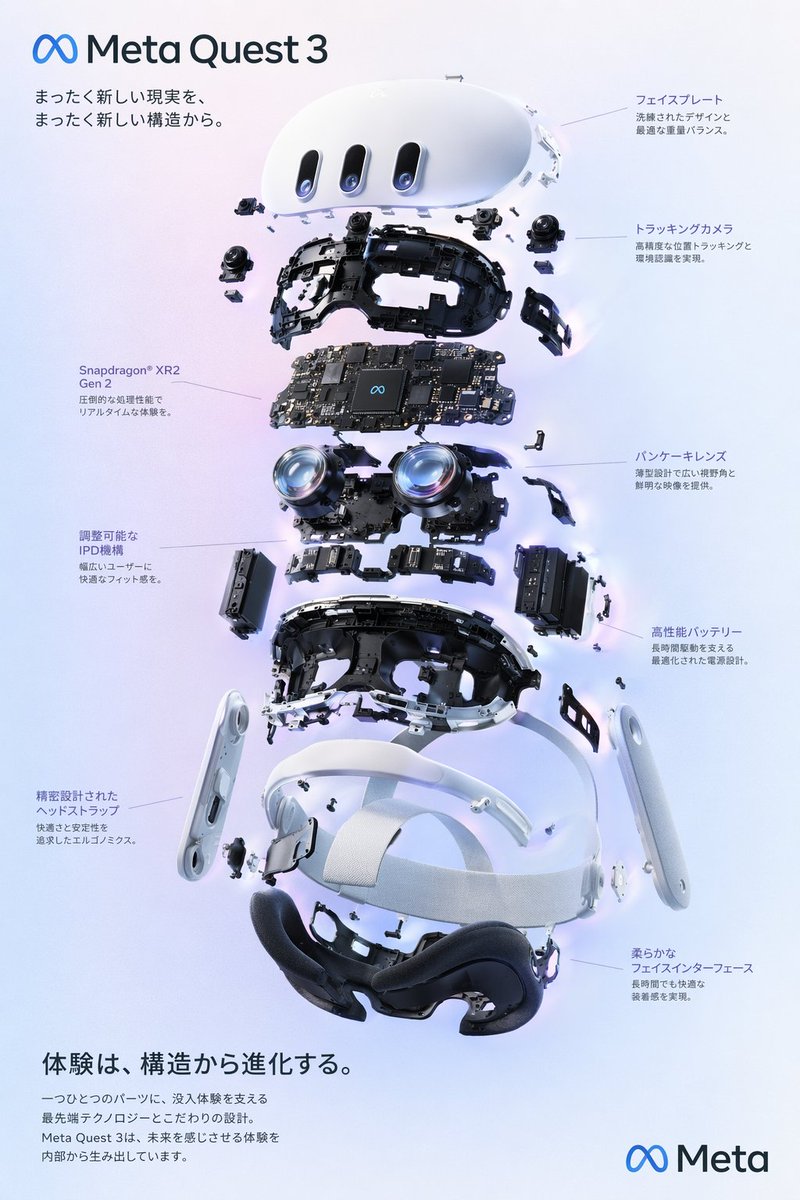
例の分解:「VRヘッドセット分解図ポスター」

コミュニティのプロンプトの名手@wory37303852さんの注目プロンプトが、公式にどう当てはまるかを見てみましょう。

  • タイプ: 分解図スタイルの製品ダイアグラムポスター

  • 被写体: 内部コンポーネントが9層に分かれたVRヘッドセット

  • スタイル: クリーンでハイテクな3Dレンダー、スタジオ照明、光るアクセント

  • 構図: 縦に積み重ねた分解図、8つの説明ラベル(左3つ、右5つ)

  • テキスト要素: 多言語の日本語の見出し+本文コピー、ブランドロゴ、製品名

  • ディテール: 柔らかな紫から青へのグラデーション背景、∞ Metaブランディング

💡 プロのヒント:画像は描写ではなく、レイアウトとして扱いましょう。 GPT Image 2が従来のモデルから最も大きく進化した点は、領域ごとに異なる内容を持つ構造化されたレイアウト(ポスター、インフォグラフィック、UI)を描画できることです。プロンプトの中で「header」「centerpiece」「left_callouts」「footer」のように領域に名前を付けることが、デザイン品質の出力を得るための最も効果の高い方法です。

上級テクニック

1. プロンプトをJSONで書く(必須でなくても)

GPT Image 2は、明らかに構造化されたプロンプトで学習されています。JSONの構文をそのまま使わなくても、名前の付いたセクション(type、subject、style、text_elements)でプロンプトを整理するだけで、流れるような文章よりもはるかに良い結果が得られます。注目されているコミュニティプロンプトの多くが、このパターンを使っています。

2. 正確なテキストを引用符で埋め込む

画像に特定のテキスト(見出し、引用、ブランド名)を入れたいときは、プロンプトの中で引用符に入れてください。GPT Image 2のテキストレンダラーは多言語の文章も確実に描画しますが、描画してほしい正確な 文字列を伝えた場合に限ります。「勇気についての名言」と書くのではなく、"headline": "Stay foolish, stay hungry."のように書きましょう。

3. 多言語出力では言語を指定する

プロンプトに"language": "ja" や"language": "zh" を加えると、モデルに推測させるよりも、英語以外の文字の仕上がりが格段に良くなります。GPT Image 2は英語、日本語、中国語、韓国語でネイティブ品質の描画に達しますが、それは言語を指定した場合に限ります。

4. 時代+メディウムでスタイルを指定する

「アニメ風」「水彩」のような曖昧なスタイル指定では、平凡な出力になりがちです。「1990年代のスタジオジブリの水彩画」「2010年代前半の少女漫画の墨絵風」のように、時代とメディウムを具体的に組み合わせると、モデルの奥深いスタイルの記憶に働きかけられます。指定が具体的であるほど、出力は個性的になります。

🎨 スタイルのヒント: 特定のアーティスト、雑誌、スタジオの名前を挙げると(IPのルールが許す範囲で)、さらに鋭い結果が得られます。たとえば「Wired誌のエディトリアル」「Pixarのコンセプトアート」「鳥山明のキャラクターデザイン」などです。

5. 再利用可能なテンプレートにはRaycast形式の引数を使う

コミュニティの優れたプロンプトの多くは、再利用可能なテンプレートを作るためにRaycast Snippetsの構文を使っています。{argument name="product_name" default="iPhone 16"} Raycast以外でも、このパターンを使えば、プロンプトのどの部分を差し替える想定なのかがわかります。再利用するテンプレートは、パラメーター化しておきましょう。

6. キャラクターの一貫性には画像から画像への変換を使う

GPT Image 2の画像から画像への変換モードは、シリーズ制作のために作られています。キャラクター、製品、ブランド素材の参照画像をアップロードし、新しいシーンを説明するだけです。モデルは生成を重ねてもピクセルレベルで見た目の同一性を保つため、IPやブランドの仕事に本当に使える初のAI画像モデルといえます。

カテゴリー別・実運用向けプロンプト45選

コミュニティから厳選した達人級のプロンプトです。それぞれが、GPT Image 2の可能性の限界を示しています。分解図、ハイブリッドなアートスタイル、本格的なUIモックアップ、多言語タイポグラフィまで、すべて1回の生成で作れます。

⭐ 1. VRヘッドセット分解図ポスター

作者: wory@ホッピング中

VRヘッドセットのハイテクな分解図を、詳細な部品の説明ラベルとプロモーション用テキスト付きで生成します。


VR Headset Exploded View Poster

🎬 Xで見る

プロンプト:

{
  "type": "exploded view product diagram poster",
  "subject": "VR headset",
  "style": "clean high-tech 3D render, studio lighting, glowing accents",
  "background": "{argument name=\"background color\" default=\"soft purple and blue gradient\"}",
  "header": {
    "logo": "∞ {argument name=\"product name\" default=\"Meta Quest 3\"}",
    "subtitle": "{argument name=\"main catchphrase\" default=\"まったく新しい現実を、まったく新しい構造から。\"}"
  },
  "layout": {
    "centerpiece": "vertically stacked exploded view of a VR headset showing 9 distinct layers of internal components: outer shell, camera sensors, motherboard with chip, pancake lenses, internal frame, battery packs, side straps, top strap, and facial interface cushion.",
    "callout_labels": {
      "count": 8,
      "left_side": [
        "Snapdragon® XR2 Gen 2\n圧倒的な処理性能でリアルタイムな体験を。",
        "調整可能なIPD機構\n幅広いユーザーに快適なフィット感を。",
        "精密設計されたヘッドストラップ\n快適さと安定性を追求したエルゴノミクス。"
      ],
      "right_side": [
        "フェイスプレート\n洗練されたデザインと最適な重量バランス。",
        "トラッキングカメラ\n高精度な位置トラッキングと環境認識を実現。",
        "パンケーキレンズ\n薄型設計で広い視野角と鮮明な映像を提供。",
        "高性能バッテリー\n長時間駆動を支える最適化された電源設計。",
        "柔らかなフェイスインターフェース\n長時間でも快適な装着感を実現。"
      ]
    },
    "footer": {
      "left_text_block": {
        "headline": "{argument name=\"bottom headline\" default=\"体験は、構造から進化する。\"

{
  "type": "exploded view product diagram poster",
  "subject": "VR headset",
  "style": "clean high-tech 3D render, studio lighting, glowing accents",
  "background": "{argument name=\"background color\" default=\"soft purple and blue gradient\"}",
  "header": {
    "logo": "∞ {argument name=\"product name\" default=\"Meta Quest 3\"}",
    "subtitle": "{argument name=\"main catchphrase\" default=\"まったく新しい現実を、まったく新しい構造から。\"}"
  },
  "layout": {
    "centerpiece": "vertically stacked exploded view of a VR headset showing 9 distinct layers of internal components: outer shell, camera sensors, motherboard with chip, pancake lenses, internal frame, battery packs, side straps, top strap, and facial interface cushion.",
    "callout_labels": {
      "count": 8,
      "left_side": [
        "Snapdragon® XR2 Gen 2\n圧倒的な処理性能でリアルタイムな体験を。",
        "調整可能なIPD機構\n幅広いユーザーに快適なフィット感を。",
        "精密設計されたヘッドストラップ\n快適さと安定性を追求したエルゴノミクス。"
      ],
      "right_side": [
        "フェイスプレート\n洗練されたデザインと最適な重量バランス。",
        "トラッキングカメラ\n高精度な位置トラッキングと環境認識を実現。",
        "パンケーキレンズ\n薄型設計で広い視野角と鮮明な映像を提供。",
        "高性能バッテリー\n長時間駆動を支える最適化された電源設計。",
        "柔らかなフェイスインターフェース\n長時間でも快適な装着感を実現。"
      ]
    },
    "footer": {
      "left_text_block": {
        "headline": "{argument name=\"bottom headline\" default=\"体験は、構造から進化する。\"

{
  "type": "exploded view product diagram poster",
  "subject": "VR headset",
  "style": "clean high-tech 3D render, studio lighting, glowing accents",
  "background": "{argument name=\"background color\" default=\"soft purple and blue gradient\"}",
  "header": {
    "logo": "∞ {argument name=\"product name\" default=\"Meta Quest 3\"}",
    "subtitle": "{argument name=\"main catchphrase\" default=\"まったく新しい現実を、まったく新しい構造から。\"}"
  },
  "layout": {
    "centerpiece": "vertically stacked exploded view of a VR headset showing 9 distinct layers of internal components: outer shell, camera sensors, motherboard with chip, pancake lenses, internal frame, battery packs, side straps, top strap, and facial interface cushion.",
    "callout_labels": {
      "count": 8,
      "left_side": [
        "Snapdragon® XR2 Gen 2\n圧倒的な処理性能でリアルタイムな体験を。",
        "調整可能なIPD機構\n幅広いユーザーに快適なフィット感を。",
        "精密設計されたヘッドストラップ\n快適さと安定性を追求したエルゴノミクス。"
      ],
      "right_side": [
        "フェイスプレート\n洗練されたデザインと最適な重量バランス。",
        "トラッキングカメラ\n高精度な位置トラッキングと環境認識を実現。",
        "パンケーキレンズ\n薄型設計で広い視野角と鮮明な映像を提供。",
        "高性能バッテリー\n長時間駆動を支える最適化された電源設計。",
        "柔らかなフェイスインターフェース\n長時間でも快適な装着感を実現。"
      ]
    },
    "footer": {
      "left_text_block": {
        "headline": "{argument name=\"bottom headline\" default=\"体験は、構造から進化する。\"

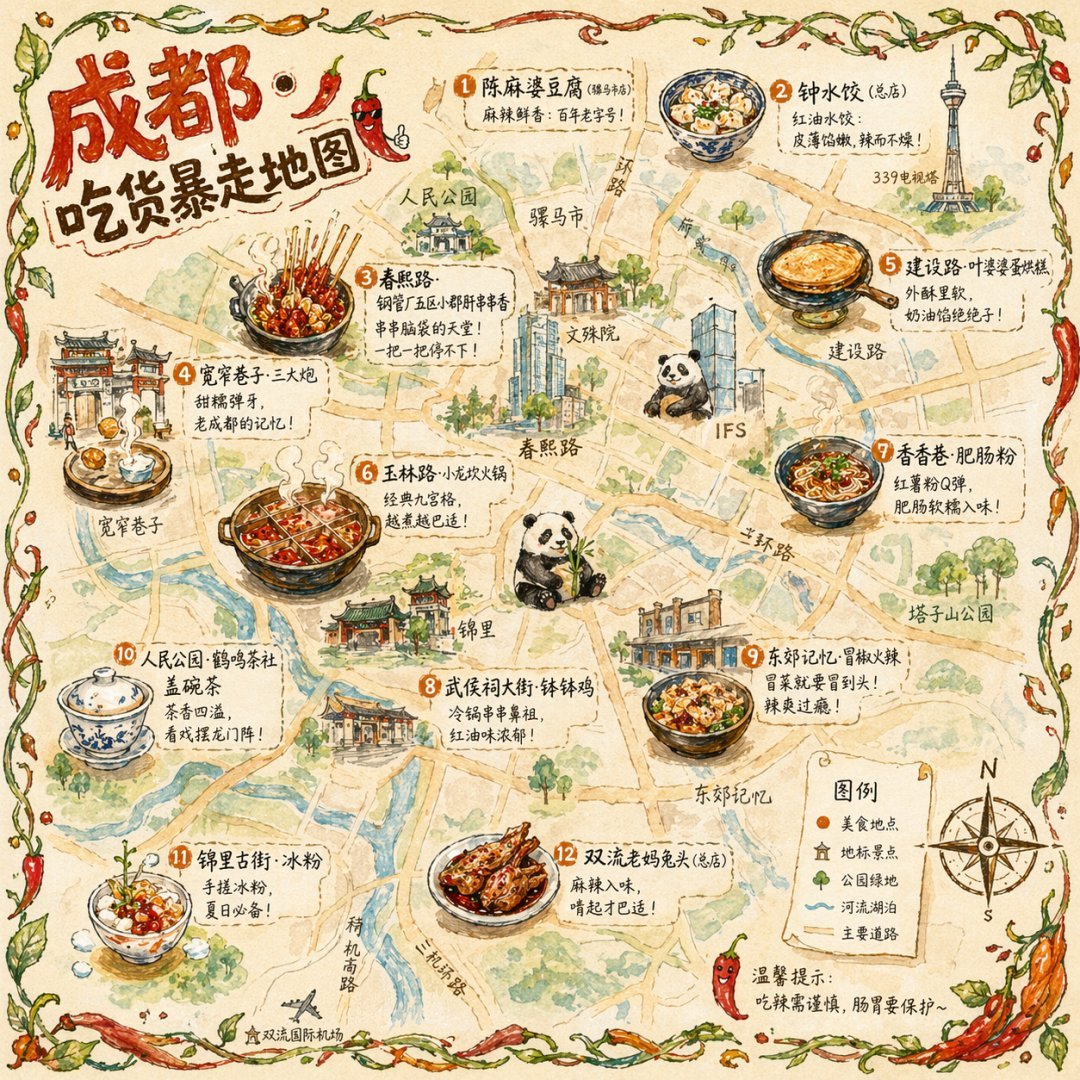
⭐ 2. イラスト風シティフードマップ

作者: 皮皮特

番号付きのご当地グルメ、ランドマーク、凡例を盛り込んだ、手描き風の水彩スタイルの観光マップを生成します。


Illustrated City Food Map

🎬 Xで見る

プロンプト:

{
  "type": "illustrated map infographic",
  "style": "{argument name=\"art style\" default=\"watercolor and ink hand-drawn illustration on vintage parchment\"}",
  "title_section": {
    "text": "{argument name=\"city name\" default=\"成都\"} {argument name=\"map title\" default=\"吃货暴走地图\"}",
    "mascot": "cartoon red chili pepper wearing sunglasses and giving a thumbs up"
  },
  "border": "{argument name=\"border decoration\" default=\"vine of green leaves and red chili peppers\"}",
  "layout": {
    "background": "textured beige parchment paper with yellow roads, blue rivers, and green park areas",
    "sections": [
      {
        "title": "landmarks",
        "count": 6,
        "illustrations": ["traditional pavilion", "traditional monastery", "modern skyscraper with climbing panda", "tall TV tower", "traditional gate", "industrial buildings"],
        "labels": ["人民公园", "文殊院", "IFS", "339电视塔", "宽窄巷子", "东郊记忆"]
      },
      {
        "title": "food_spots",
        "count": 12,
        "illustrations": ["mapo tofu", "dumplings in chili oil", "skewers in pot", "sticky rice balls", "egg baking cake", "nine-grid hotpot", "sweet potato noodles", "cold skewers", "spicy mixed dish", "covered tea bowl", "ice jelly dessert", "spicy rabbit heads"],
        "labels": ["1 陈麻婆豆腐", "2 钟水饺", "3 春熙路", "4 宽窄巷子·三大炮", "5 建设路·叶婆婆蛋烘糕", "6 玉林路·小龙坎火锅", "7 香香巷·肥肠粉", "8 武侯祠大街·钵钵鸡", "9 东郊记忆·冒椒火辣", "10 人民公园·鹤鸣茶社", "11 锦里古街·冰粉", "12 双流老妈兔头"]
      },
      {
        "title": "图例",
        "position": "bottom-right",
        "count": 5,
        "items": ["red dot", "green house", "green tree", "blue line", "yellow double line"],
        "labels": ["美食地点", "地标景点", "公园绿地", "河流湖泊", "主要道路"]
      }
    ],
    "centerpiece": "giant panda sitting and eating bamboo",
    "bottom_right_extras": ["vintage compass rose with N, S, E, W", "disclaimer text '温馨提示:吃辣需谨慎,肠胃要保护~' with a red chili pepper icon"]

{
  "type": "illustrated map infographic",
  "style": "{argument name=\"art style\" default=\"watercolor and ink hand-drawn illustration on vintage parchment\"}",
  "title_section": {
    "text": "{argument name=\"city name\" default=\"成都\"} {argument name=\"map title\" default=\"吃货暴走地图\"}",
    "mascot": "cartoon red chili pepper wearing sunglasses and giving a thumbs up"
  },
  "border": "{argument name=\"border decoration\" default=\"vine of green leaves and red chili peppers\"}",
  "layout": {
    "background": "textured beige parchment paper with yellow roads, blue rivers, and green park areas",
    "sections": [
      {
        "title": "landmarks",
        "count": 6,
        "illustrations": ["traditional pavilion", "traditional monastery", "modern skyscraper with climbing panda", "tall TV tower", "traditional gate", "industrial buildings"],
        "labels": ["人民公园", "文殊院", "IFS", "339电视塔", "宽窄巷子", "东郊记忆"]
      },
      {
        "title": "food_spots",
        "count": 12,
        "illustrations": ["mapo tofu", "dumplings in chili oil", "skewers in pot", "sticky rice balls", "egg baking cake", "nine-grid hotpot", "sweet potato noodles", "cold skewers", "spicy mixed dish", "covered tea bowl", "ice jelly dessert", "spicy rabbit heads"],
        "labels": ["1 陈麻婆豆腐", "2 钟水饺", "3 春熙路", "4 宽窄巷子·三大炮", "5 建设路·叶婆婆蛋烘糕", "6 玉林路·小龙坎火锅", "7 香香巷·肥肠粉", "8 武侯祠大街·钵钵鸡", "9 东郊记忆·冒椒火辣", "10 人民公园·鹤鸣茶社", "11 锦里古街·冰粉", "12 双流老妈兔头"]
      },
      {
        "title": "图例",
        "position": "bottom-right",
        "count": 5,
        "items": ["red dot", "green house", "green tree", "blue line", "yellow double line"],
        "labels": ["美食地点", "地标景点", "公园绿地", "河流湖泊", "主要道路"]
      }
    ],
    "centerpiece": "giant panda sitting and eating bamboo",
    "bottom_right_extras": ["vintage compass rose with N, S, E, W", "disclaimer text '温馨提示:吃辣需谨慎,肠胃要保护~' with a red chili pepper icon"]

{
  "type": "illustrated map infographic",
  "style": "{argument name=\"art style\" default=\"watercolor and ink hand-drawn illustration on vintage parchment\"}",
  "title_section": {
    "text": "{argument name=\"city name\" default=\"成都\"} {argument name=\"map title\" default=\"吃货暴走地图\"}",
    "mascot": "cartoon red chili pepper wearing sunglasses and giving a thumbs up"
  },
  "border": "{argument name=\"border decoration\" default=\"vine of green leaves and red chili peppers\"}",
  "layout": {
    "background": "textured beige parchment paper with yellow roads, blue rivers, and green park areas",
    "sections": [
      {
        "title": "landmarks",
        "count": 6,
        "illustrations": ["traditional pavilion", "traditional monastery", "modern skyscraper with climbing panda", "tall TV tower", "traditional gate", "industrial buildings"],
        "labels": ["人民公园", "文殊院", "IFS", "339电视塔", "宽窄巷子", "东郊记忆"]
      },
      {
        "title": "food_spots",
        "count": 12,
        "illustrations": ["mapo tofu", "dumplings in chili oil", "skewers in pot", "sticky rice balls", "egg baking cake", "nine-grid hotpot", "sweet potato noodles", "cold skewers", "spicy mixed dish", "covered tea bowl", "ice jelly dessert", "spicy rabbit heads"],
        "labels": ["1 陈麻婆豆腐", "2 钟水饺", "3 春熙路", "4 宽窄巷子·三大炮", "5 建设路·叶婆婆蛋烘糕", "6 玉林路·小龙坎火锅", "7 香香巷·肥肠粉", "8 武侯祠大街·钵钵鸡", "9 东郊记忆·冒椒火辣", "10 人民公园·鹤鸣茶社", "11 锦里古街·冰粉", "12 双流老妈兔头"]
      },
      {
        "title": "图例",
        "position": "bottom-right",
        "count": 5,
        "items": ["red dot", "green house", "green tree", "blue line", "yellow double line"],
        "labels": ["美食地点", "地标景点", "公园绿地", "河流湖泊", "主要道路"]
      }
    ],
    "centerpiece": "giant panda sitting and eating bamboo",
    "bottom_right_extras": ["vintage compass rose with N, S, E, W", "disclaimer text '温馨提示:吃辣需谨慎,肠胃要保护~' with a red chili pepper icon"]

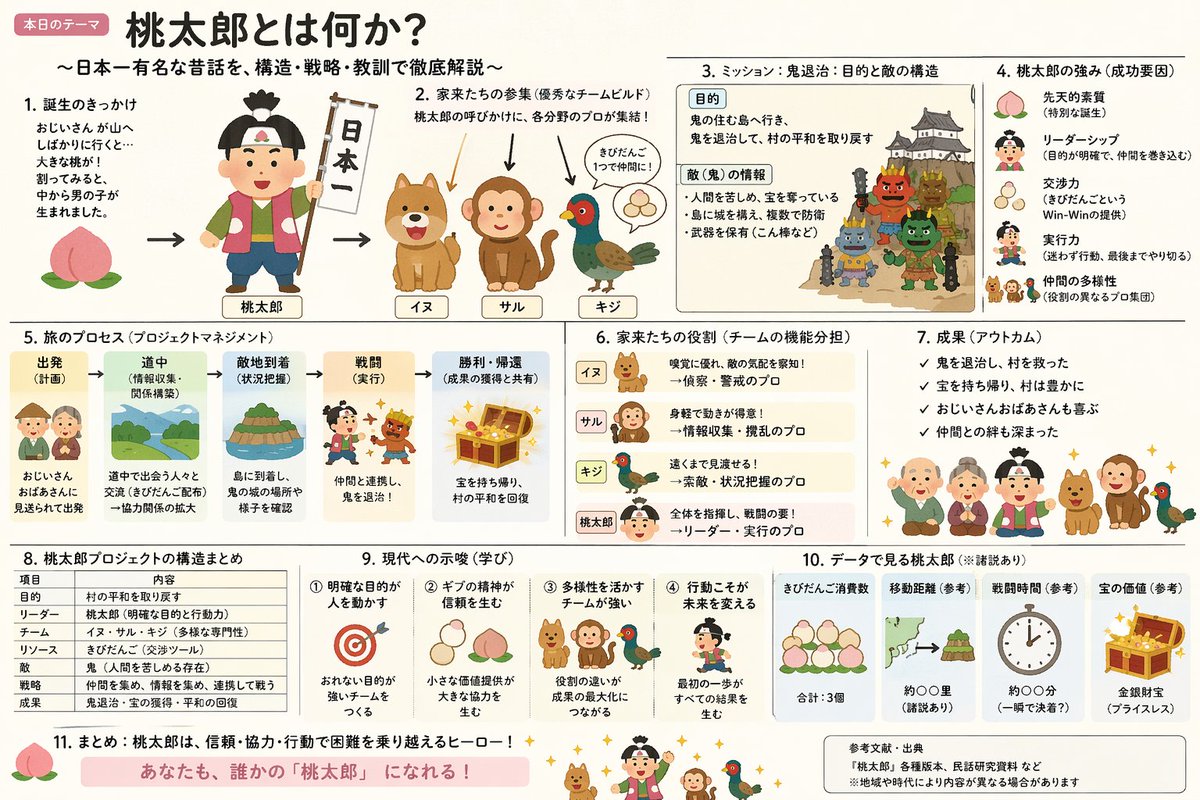
⭐ 3. ハイブリッドスタイルの桃太郎解説スライド

作者: やまもん

「いらすとや」のイラストが持つシンプルで温かみのある美学と、日本の官公庁スライドならではの情報密度の高さを組み合わせたプロンプトです。


Momotaro Explainer Slide in Hybrid Style

🎬 Xで見る

プロンプト:

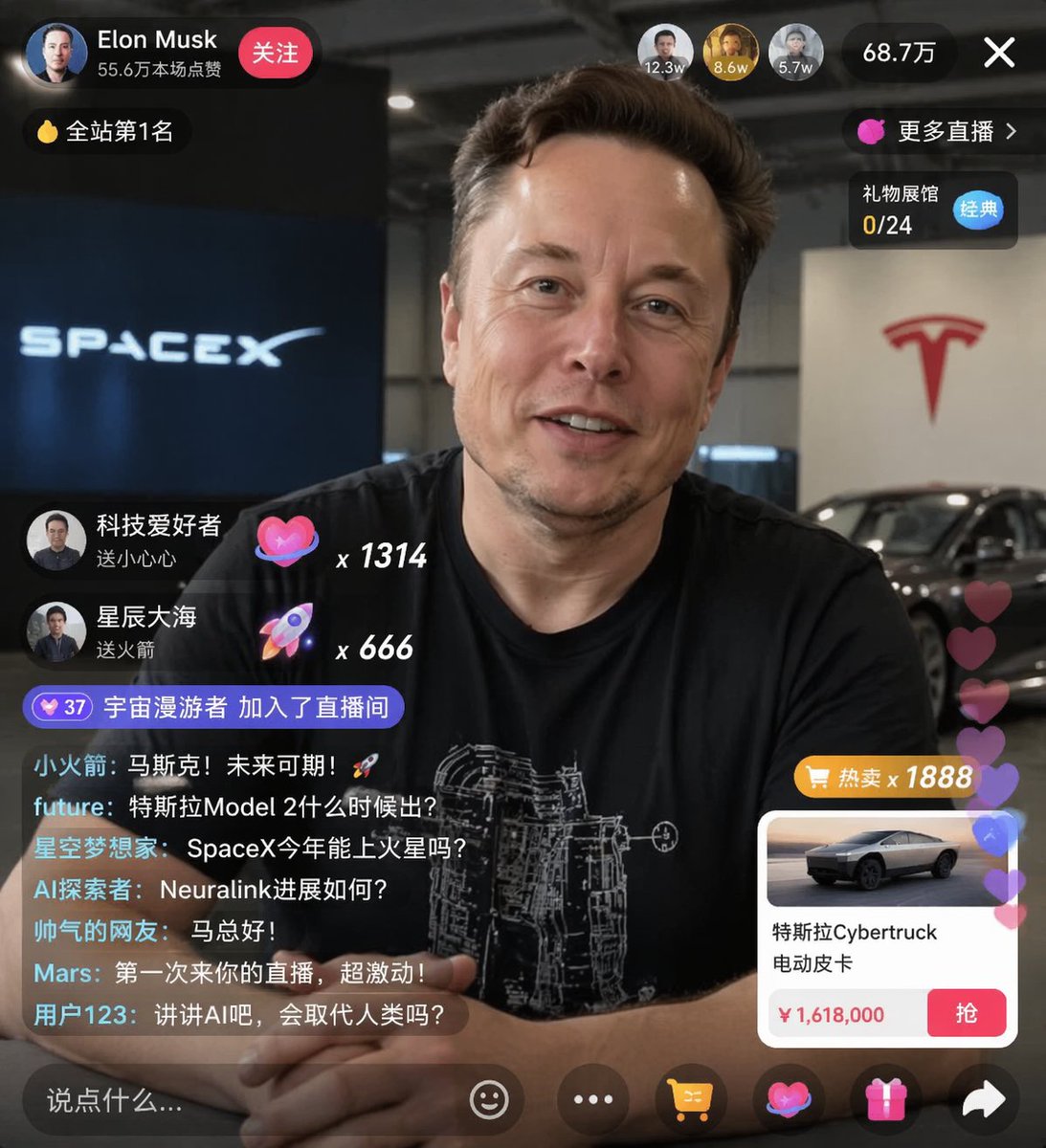
⭐ 4. ECライブ配信UIモックアップ

作者: 神经病不想好转

ポートレートに重ねて、チャットメッセージ、ギフトのポップアップ、商品購入カードをカスタマイズできる、リアルなSNSライブ配信画面を生成します。


E-commerce Live Stream UI Mockup

🎬 Xで見る

プロンプト:

{
  "type": "live stream UI mockup",
  "subject": {
    "description": "portrait of {argument name=\"host name\" default=\"Elon Musk\"}, smiling, wearing a black t-shirt with a white technical schematic graphic",
    "background": "left side shows a screen with '{argument name=\"left background logo\" default=\"SPACEX\"}' text, right side shows a red '{argument name=\"right background logo\" default=\"Tesla T logo\"}' and a dark car"
  },
  "ui_overlay": {
    "top_header": {
      "host_info": "avatar, name '{argument name=\"host name\" default=\"Elon Musk\"}', subtext '55.6万本场点赞', red '关注' button",
      "rank_badge": "gold coin icon with '全站第1名'",
      "viewer_stats": "3 top viewer avatars with '12.3w', '8.6w', '5.7w', total '68.7万', 'X' close button",
      "right_links": "'更多直播 >', '礼物展馆 0/24' with blue '经典' tag"
    },
    "mid_left_gifts": {
      "count": 2,
      "items": [
        "avatar '科技爱好者', '送小心心', heart icon x 1314",
        "avatar '星辰大海', '送火箭', rocket icon x 666"
      ]
    },
    "bottom_left_chat": {
      "system_message": "level 37 badge '宇宙漫游者 加入了直播间'",
      "message_count": 7,
      "messages": [
        "小火箭: 马斯克!未来可期!🚀",
        "future: 特斯拉Model 2什么时候出?",
        "星空梦想家: SpaceX今年能上火星吗?",
        "AI探索者: Neuralink进展如何?",
        "帅气的网友: 马总好!",
        "Mars: 第一次来你的直播,超激动!",
        "用户123: 讲讲AI吧,会取代人类吗?"
      ]
    },
    "bottom_right_product_card": {
      "hot_tag": "orange '热卖 x 1888'",
      "image": "Tesla Cybertruck",
      "title": "{argument name=\"product name\" default=\"特斯拉Cybertruck 电动皮卡\"}",
      "price": "{argument name=\"product price\" default=\"¥ 1,618,000\"}",
      "button": "red '抢' button",
      "floating_animation": "translucent hearts floating up the right edge"
    },
    "bottom_bar": {
      "input_field": "'说点什么...'",
      "icons": ["smiley face", "three dots", "shopping cart", "gift box", "share"]

{
  "type": "live stream UI mockup",
  "subject": {
    "description": "portrait of {argument name=\"host name\" default=\"Elon Musk\"}, smiling, wearing a black t-shirt with a white technical schematic graphic",
    "background": "left side shows a screen with '{argument name=\"left background logo\" default=\"SPACEX\"}' text, right side shows a red '{argument name=\"right background logo\" default=\"Tesla T logo\"}' and a dark car"
  },
  "ui_overlay": {
    "top_header": {
      "host_info": "avatar, name '{argument name=\"host name\" default=\"Elon Musk\"}', subtext '55.6万本场点赞', red '关注' button",
      "rank_badge": "gold coin icon with '全站第1名'",
      "viewer_stats": "3 top viewer avatars with '12.3w', '8.6w', '5.7w', total '68.7万', 'X' close button",
      "right_links": "'更多直播 >', '礼物展馆 0/24' with blue '经典' tag"
    },
    "mid_left_gifts": {
      "count": 2,
      "items": [
        "avatar '科技爱好者', '送小心心', heart icon x 1314",
        "avatar '星辰大海', '送火箭', rocket icon x 666"
      ]
    },
    "bottom_left_chat": {
      "system_message": "level 37 badge '宇宙漫游者 加入了直播间'",
      "message_count": 7,
      "messages": [
        "小火箭: 马斯克!未来可期!🚀",
        "future: 特斯拉Model 2什么时候出?",
        "星空梦想家: SpaceX今年能上火星吗?",
        "AI探索者: Neuralink进展如何?",
        "帅气的网友: 马总好!",
        "Mars: 第一次来你的直播,超激动!",
        "用户123: 讲讲AI吧,会取代人类吗?"
      ]
    },
    "bottom_right_product_card": {
      "hot_tag": "orange '热卖 x 1888'",
      "image": "Tesla Cybertruck",
      "title": "{argument name=\"product name\" default=\"特斯拉Cybertruck 电动皮卡\"}",
      "price": "{argument name=\"product price\" default=\"¥ 1,618,000\"}",
      "button": "red '抢' button",
      "floating_animation": "translucent hearts floating up the right edge"
    },
    "bottom_bar": {
      "input_field": "'说点什么...'",
      "icons": ["smiley face", "three dots", "shopping cart", "gift box", "share"]

{
  "type": "live stream UI mockup",
  "subject": {
    "description": "portrait of {argument name=\"host name\" default=\"Elon Musk\"}, smiling, wearing a black t-shirt with a white technical schematic graphic",
    "background": "left side shows a screen with '{argument name=\"left background logo\" default=\"SPACEX\"}' text, right side shows a red '{argument name=\"right background logo\" default=\"Tesla T logo\"}' and a dark car"
  },
  "ui_overlay": {
    "top_header": {
      "host_info": "avatar, name '{argument name=\"host name\" default=\"Elon Musk\"}', subtext '55.6万本场点赞', red '关注' button",
      "rank_badge": "gold coin icon with '全站第1名'",
      "viewer_stats": "3 top viewer avatars with '12.3w', '8.6w', '5.7w', total '68.7万', 'X' close button",
      "right_links": "'更多直播 >', '礼物展馆 0/24' with blue '经典' tag"
    },
    "mid_left_gifts": {
      "count": 2,
      "items": [
        "avatar '科技爱好者', '送小心心', heart icon x 1314",
        "avatar '星辰大海', '送火箭', rocket icon x 666"
      ]
    },
    "bottom_left_chat": {
      "system_message": "level 37 badge '宇宙漫游者 加入了直播间'",
      "message_count": 7,
      "messages": [
        "小火箭: 马斯克!未来可期!🚀",
        "future: 特斯拉Model 2什么时候出?",
        "星空梦想家: SpaceX今年能上火星吗?",
        "AI探索者: Neuralink进展如何?",
        "帅气的网友: 马总好!",
        "Mars: 第一次来你的直播,超激动!",
        "用户123: 讲讲AI吧,会取代人类吗?"
      ]
    },
    "bottom_right_product_card": {
      "hot_tag": "orange '热卖 x 1888'",
      "image": "Tesla Cybertruck",
      "title": "{argument name=\"product name\" default=\"特斯拉Cybertruck 电动皮卡\"}",
      "price": "{argument name=\"product price\" default=\"¥ 1,618,000\"}",
      "button": "red '抢' button",
      "floating_animation": "translucent hearts floating up the right edge"
    },
    "bottom_bar": {
      "input_field": "'说点什么...'",
      "icons": ["smiley face", "three dots", "shopping cart", "gift box", "share"]

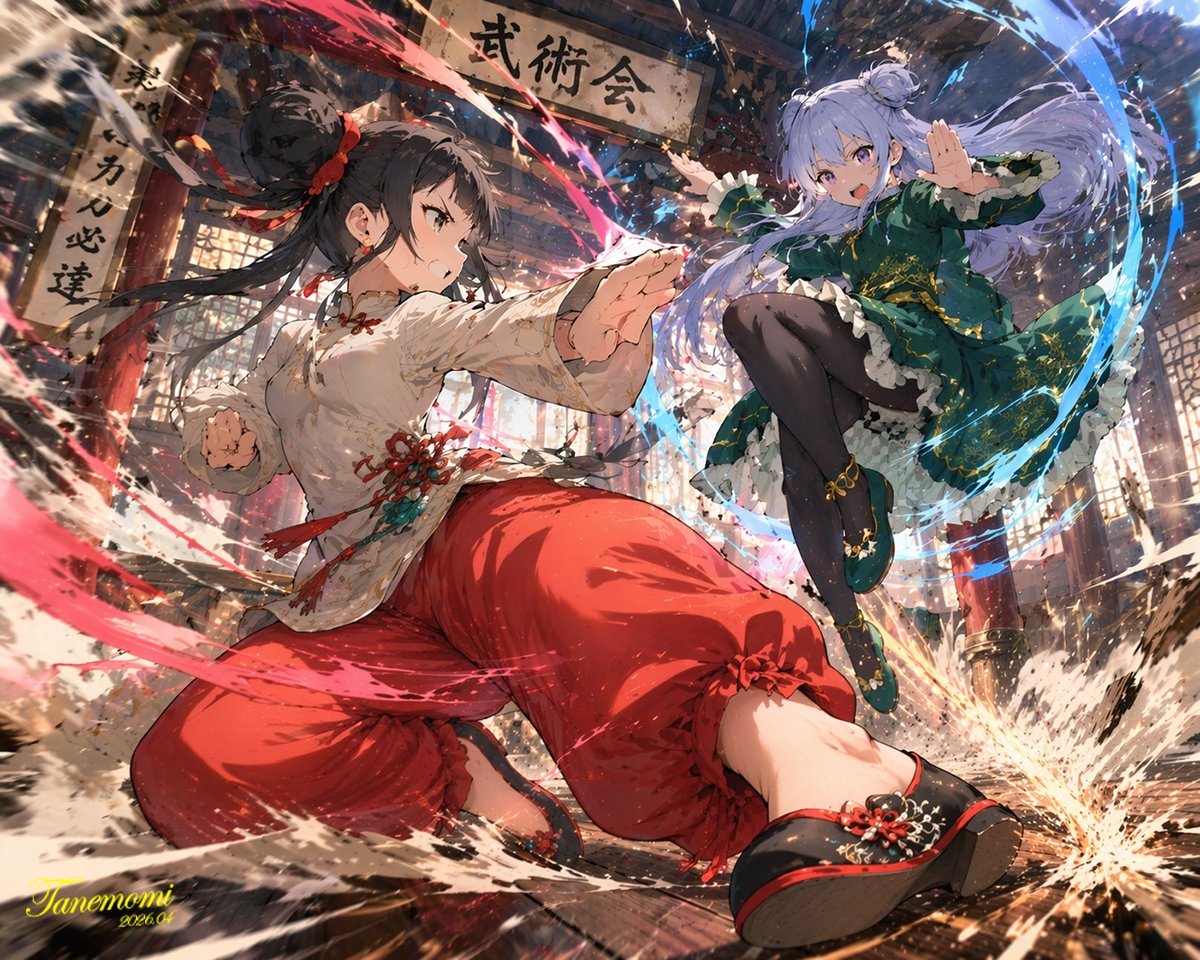
⭐ 5. アニメ風武術バトルイラスト

作者: たねもみ 2.0 / Tanemomi Ver2.0

伝統的な道場で、属性エネルギーのエフェクトとともに2人の女性キャラクターが戦う、迫力あるダイナミックなアニメ風イラストを生成します。


Anime Martial Arts Battle Illustration

🎬 Xで見る

プロンプト:

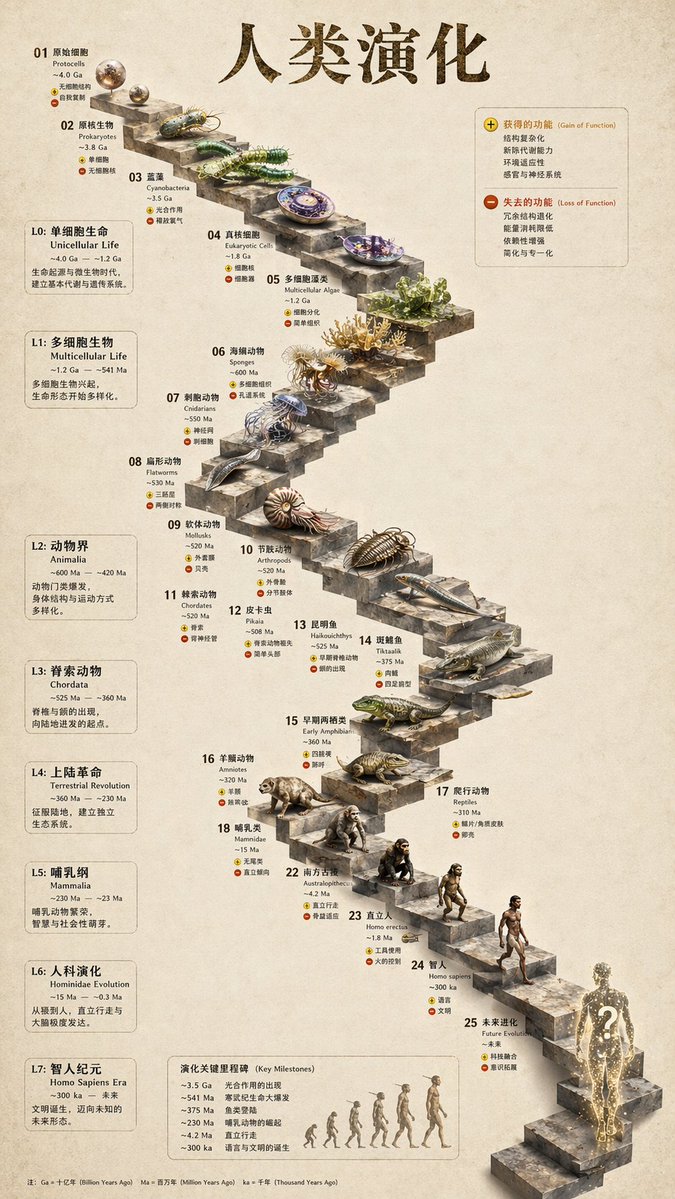
⭐ 6. 3D石の階段で見る進化のインフォグラフィック

作者: 知识猫图解

平面的な進化のタイムラインを、精緻な生物のレンダリングと構造化されたサイドパネルを備えた、リアルな3D石階段のインフォグラフィックに変換します。


3D Stone Staircase Evolution Infographic

🎬 Xで見る

プロンプト:

{
  "type": "evolutionary timeline infographic",
  "instruction": "Using REFERENCE_0 as a structural base, transform the flat vector design into a highly realistic 3D infographic. Replace the smooth ramps with distinct stone steps and upgrade all organisms to photorealistic 3D models.",
  "style": {
    "background": "{argument name=\"background style\" default=\"vintage textured parchment paper\"}",
    "staircase": "{argument name=\"staircase material\" default=\"realistic textured stone blocks\"}",
    "subjects": "{argument name=\"organism style\" default=\"highly detailed photorealistic 3D renders\"}"
  },
  "layout": {
    "main_title": "{argument name=\"main title\" default=\"人类演化\"}",
    "sections": [
      {
        "position": "left sidebar",
        "count": 8,
        "labels": ["L0: 单细胞生命", "L1: 多细胞生物", "L2: 动物界", "L3: 脊索动物", "L4: 上陆革命", "L5: 哺乳纲", "L6: 人科演化", "L7: 智人纪元"]
      },
      {
        "position": "top right",
        "title": "获得的功能 / 失去的功能",
        "description": "Legend with plus and minus icons"
      },
      {
        "position": "bottom center",
        "title": "演化关键里程碑",
        "count": 6,
        "description": "Timeline with a silhouette graphic of 6 figures showing ape-to-human evolution"
      }
    ],
    "centerpiece": {
      "description": "Winding stone staircase with 25 numbered steps featuring specific organisms.",
      "count": 25,
      "notable_elements": [
        "Step 07: Jellyfish",
        "Step 09: Ammonite",
        "Step 10: Trilobite",
        "Step 24: Walking human",
        "Step 25: {argument name=\"future evolution concept\" default=\"glowing cosmic silhouette with a question mark\"}"
      ]

{
  "type": "evolutionary timeline infographic",
  "instruction": "Using REFERENCE_0 as a structural base, transform the flat vector design into a highly realistic 3D infographic. Replace the smooth ramps with distinct stone steps and upgrade all organisms to photorealistic 3D models.",
  "style": {
    "background": "{argument name=\"background style\" default=\"vintage textured parchment paper\"}",
    "staircase": "{argument name=\"staircase material\" default=\"realistic textured stone blocks\"}",
    "subjects": "{argument name=\"organism style\" default=\"highly detailed photorealistic 3D renders\"}"
  },
  "layout": {
    "main_title": "{argument name=\"main title\" default=\"人类演化\"}",
    "sections": [
      {
        "position": "left sidebar",
        "count": 8,
        "labels": ["L0: 单细胞生命", "L1: 多细胞生物", "L2: 动物界", "L3: 脊索动物", "L4: 上陆革命", "L5: 哺乳纲", "L6: 人科演化", "L7: 智人纪元"]
      },
      {
        "position": "top right",
        "title": "获得的功能 / 失去的功能",
        "description": "Legend with plus and minus icons"
      },
      {
        "position": "bottom center",
        "title": "演化关键里程碑",
        "count": 6,
        "description": "Timeline with a silhouette graphic of 6 figures showing ape-to-human evolution"
      }
    ],
    "centerpiece": {
      "description": "Winding stone staircase with 25 numbered steps featuring specific organisms.",
      "count": 25,
      "notable_elements": [
        "Step 07: Jellyfish",
        "Step 09: Ammonite",
        "Step 10: Trilobite",
        "Step 24: Walking human",
        "Step 25: {argument name=\"future evolution concept\" default=\"glowing cosmic silhouette with a question mark\"}"
      ]

{
  "type": "evolutionary timeline infographic",
  "instruction": "Using REFERENCE_0 as a structural base, transform the flat vector design into a highly realistic 3D infographic. Replace the smooth ramps with distinct stone steps and upgrade all organisms to photorealistic 3D models.",
  "style": {
    "background": "{argument name=\"background style\" default=\"vintage textured parchment paper\"}",
    "staircase": "{argument name=\"staircase material\" default=\"realistic textured stone blocks\"}",
    "subjects": "{argument name=\"organism style\" default=\"highly detailed photorealistic 3D renders\"}"
  },
  "layout": {
    "main_title": "{argument name=\"main title\" default=\"人类演化\"}",
    "sections": [
      {
        "position": "left sidebar",
        "count": 8,
        "labels": ["L0: 单细胞生命", "L1: 多细胞生物", "L2: 动物界", "L3: 脊索动物", "L4: 上陆革命", "L5: 哺乳纲", "L6: 人科演化", "L7: 智人纪元"]
      },
      {
        "position": "top right",
        "title": "获得的功能 / 失去的功能",
        "description": "Legend with plus and minus icons"
      },
      {
        "position": "bottom center",
        "title": "演化关键里程碑",
        "count": 6,
        "description": "Timeline with a silhouette graphic of 6 figures showing ape-to-human evolution"
      }
    ],
    "centerpiece": {
      "description": "Winding stone staircase with 25 numbered steps featuring specific organisms.",
      "count": 25,
      "notable_elements": [
        "Step 07: Jellyfish",
        "Step 09: Ammonite",
        "Step 10: Trilobite",
        "Step 24: Walking human",
        "Step 25: {argument name=\"future evolution concept\" default=\"glowing cosmic silhouette with a question mark\"}"
      ]

プロフィール画像とアバター

フォトリアルな自撮り風から、アニメ調のファンタジーキャラクターまで。GPT Image 2のピクセルレベルのキャラクター一貫性は、この分野で他の追随を許しません。パーソナルブランディング、ゲーム用アバター、シリーズコンテンツに最適です。

7. 水彩アニメ風の男性ポートレート

作者: Jahan Zaib

植物の背景と手描きのテクスチャを備えた、柔らかな水彩アニメ風のキャラクターイラストを作る、遊び心あふれるプロンプトです。


Watercolor Anime Male Portrait

🎬 Xで見る

プロンプト:

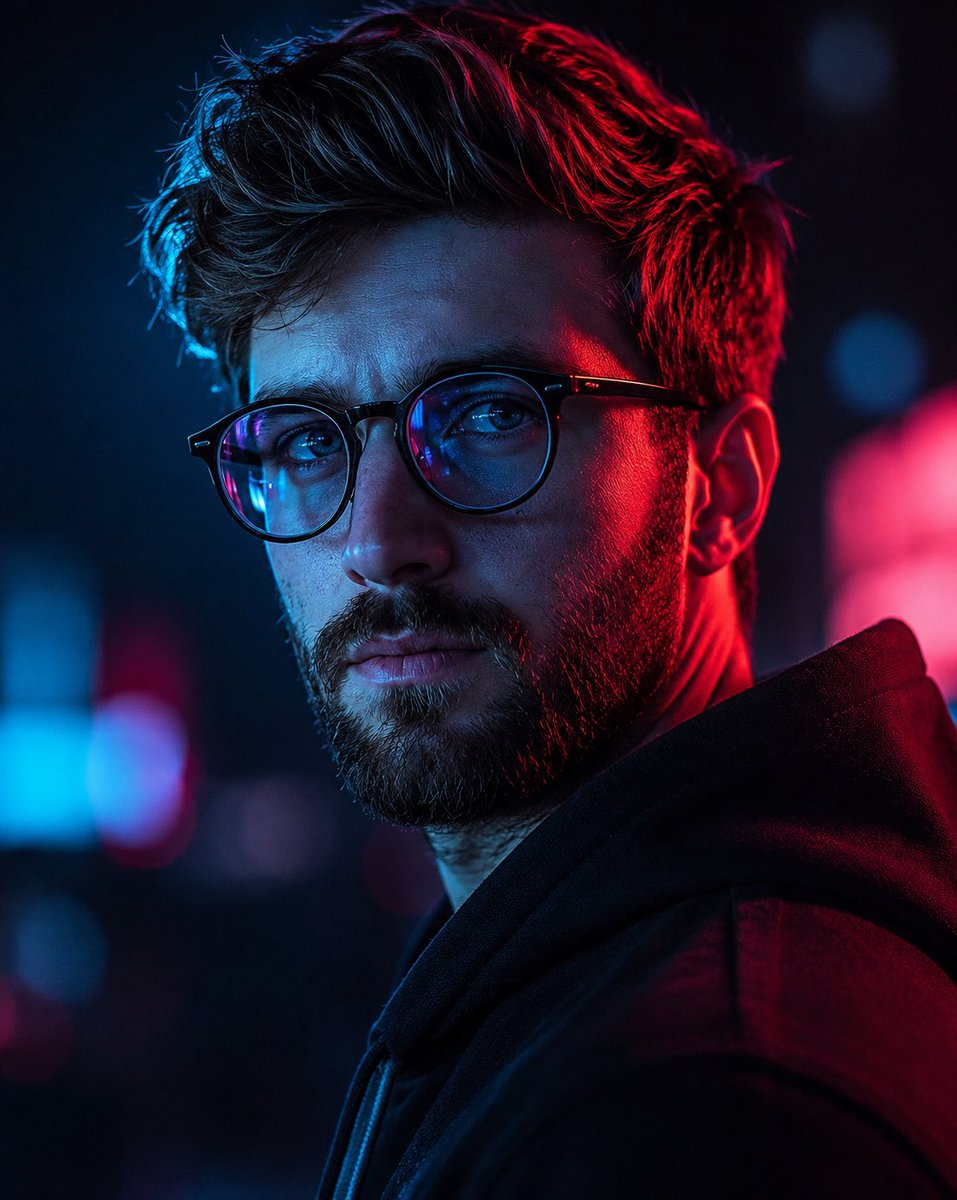
8. サイバーパンクネオンの男性ポートレート

作者: Duet | AI

ドラマチックなネオンライト、浅い被写界深度、雑誌品質の写真表現を備えた、サイバーパンク調の男性ポートレートを作る、コントラストの強いシネマティックなプロンプトです。


Cyberpunk Neon Male Portrait

🎬 Xで見る

プロンプト:

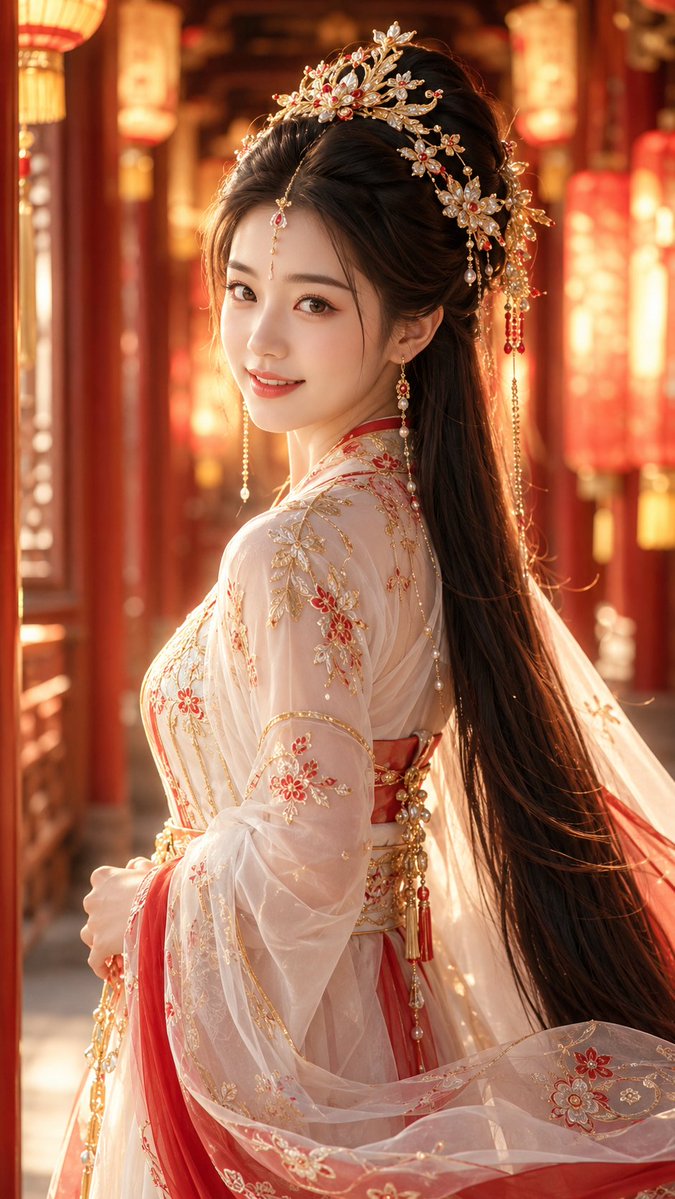
9. 古代中国ファンタジーのキャラクター

作者: 李岳

古代中国のファンタジー風の美学で、優美な女性の9:16縦型ポートレートを作るための高精度なプロンプトです。


Ancient Chinese Fantasy Character

🎬 Xで見る

プロンプト:

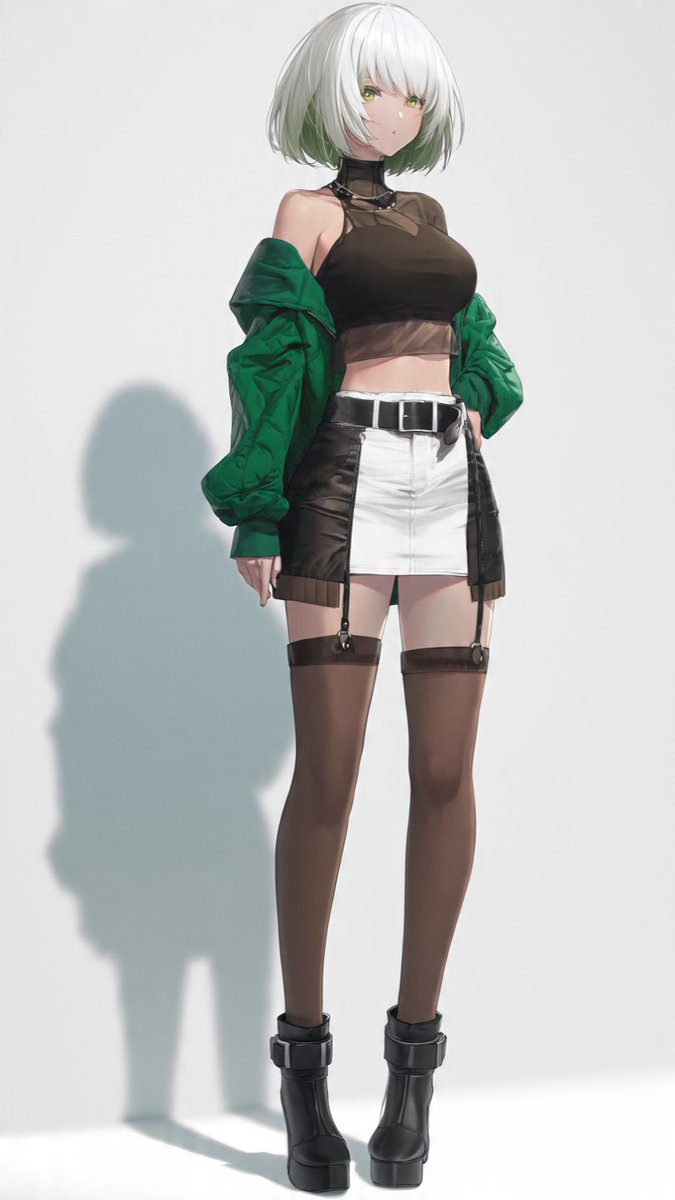
10. スタイリッシュなアニメ風ファッションポートレート

作者: Cia0

詳細なストリートウェアを着た現代的な若いアニメ風の女性の、全身スタジオファッションポートレートを生成します。


Stylish Anime Fashion Portrait

🎬 Xで見る

プロンプト:

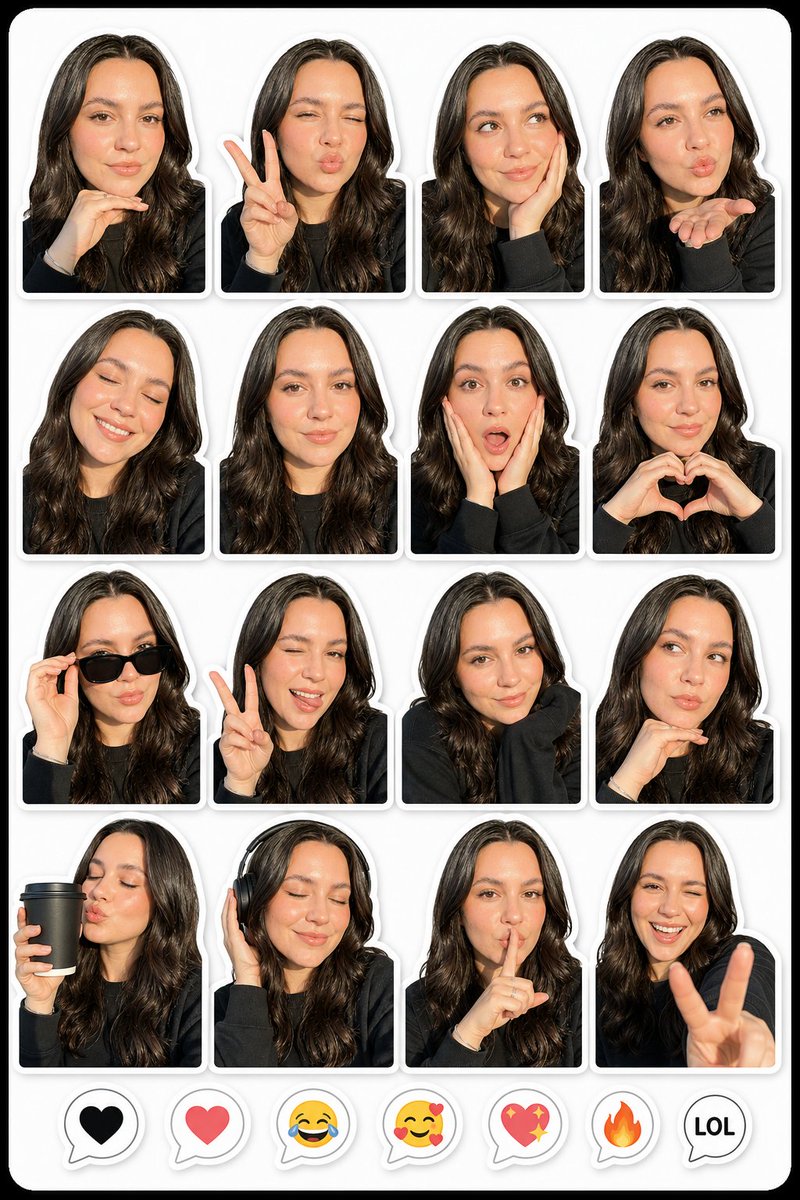
11. 写真からリアルなステッカーパックへ

作者: Virena

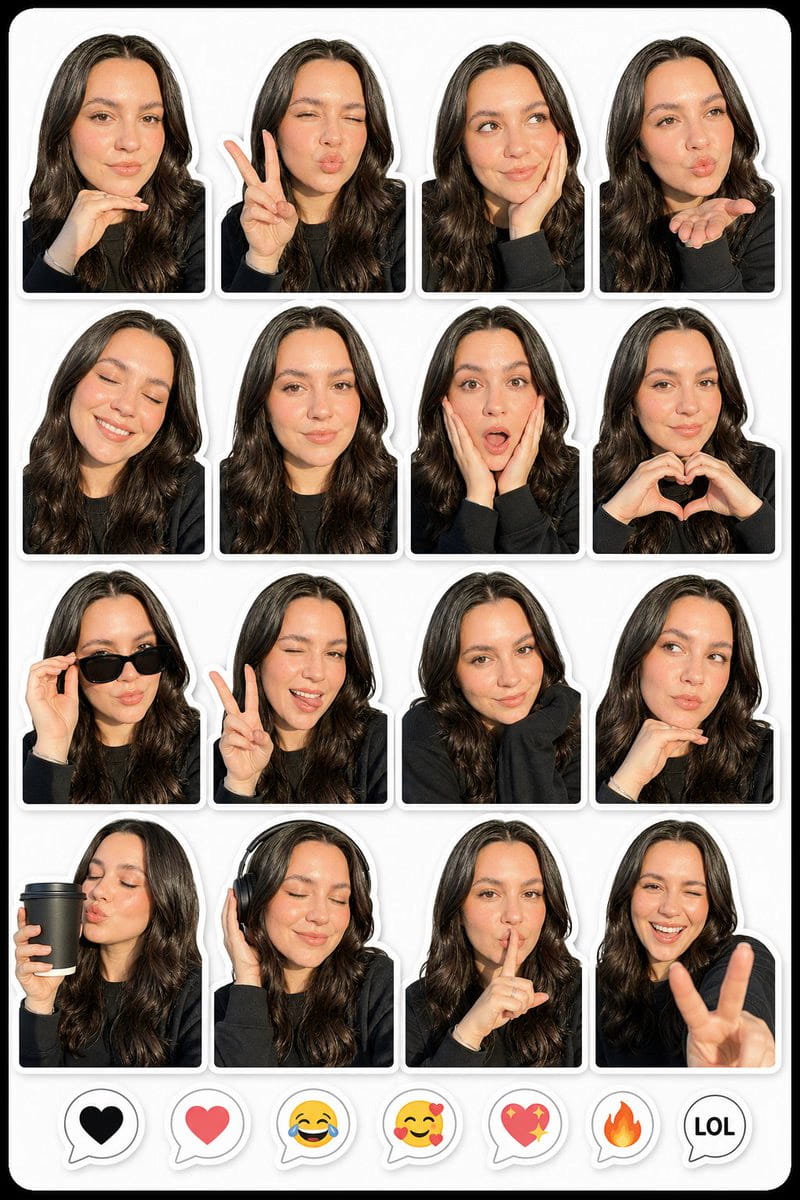
1枚の写真を、さまざまな表情やポーズのリアルなデジタルステッカーセットに変換するプロンプトです。メッセージアプリに最適です。


Photo to Realistic Sticker Pack

🎬 Xで見る

プロンプト:

SNS投稿

Instagram、X、TikTokにそのまま使える、エディトリアル品質の投稿です。GPT Image 2なら、コラージュやマルチフレームレイアウトといった複雑な構図も1回の生成で作れるため、Figmaは不要です。

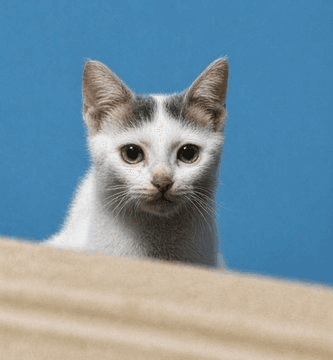
12. シネマティックなペット写真エンハンサー

作者: Geloria

低解像度のペット写真を、個体の特徴と構図を保ったまま、シャープでフォトリアルなシネマティック品質の画像に変換します。


Cinematic Pet Photo Enhancer

🎬 Xで見る

プロンプト:

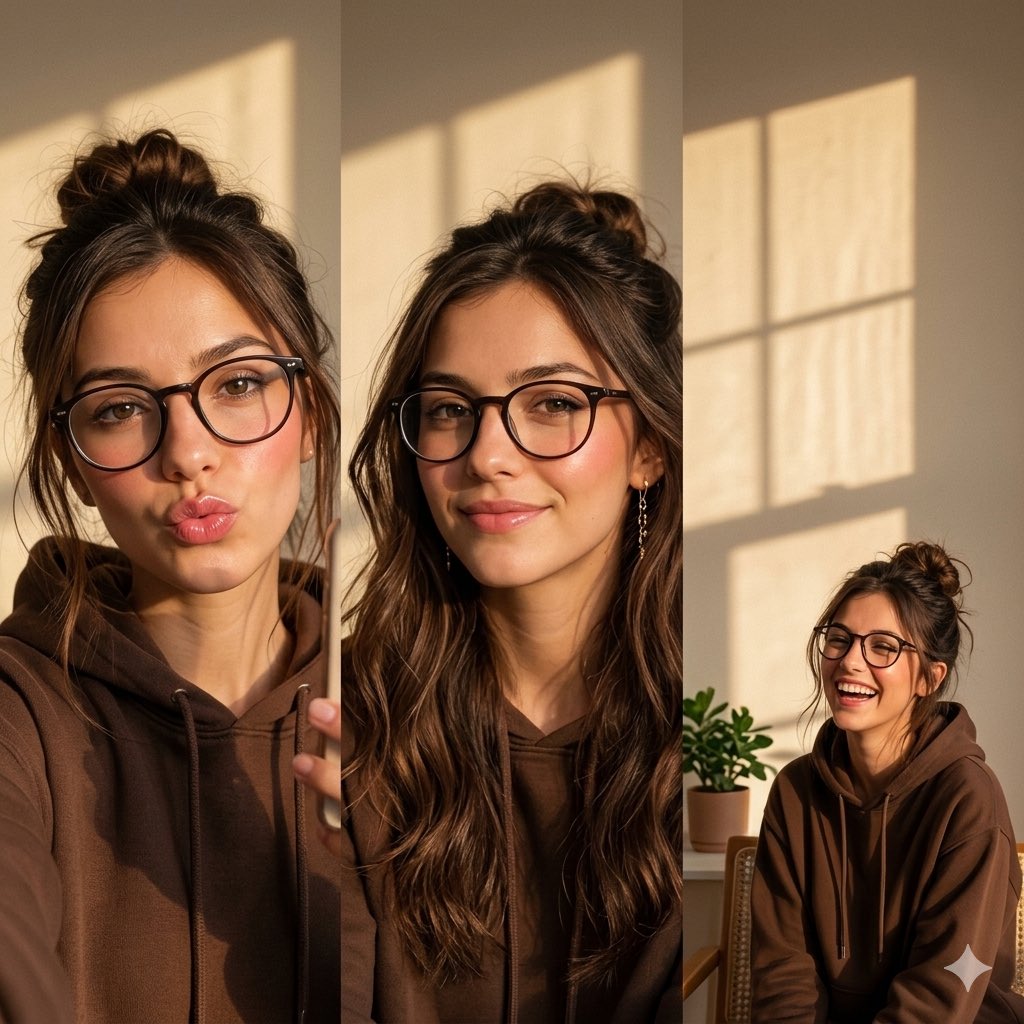
13. 3フレームのポートレートコラージュプロンプト

作者: 🐣

温かなゴールデンアワーの光と柔らかな美的ディテールが特徴の、女性のリアルな3フレームコラージュを生成するための高品質なプロンプトです。


Three Frame Portrait Collage Prompt

🎬 Xで見る

プロンプト:

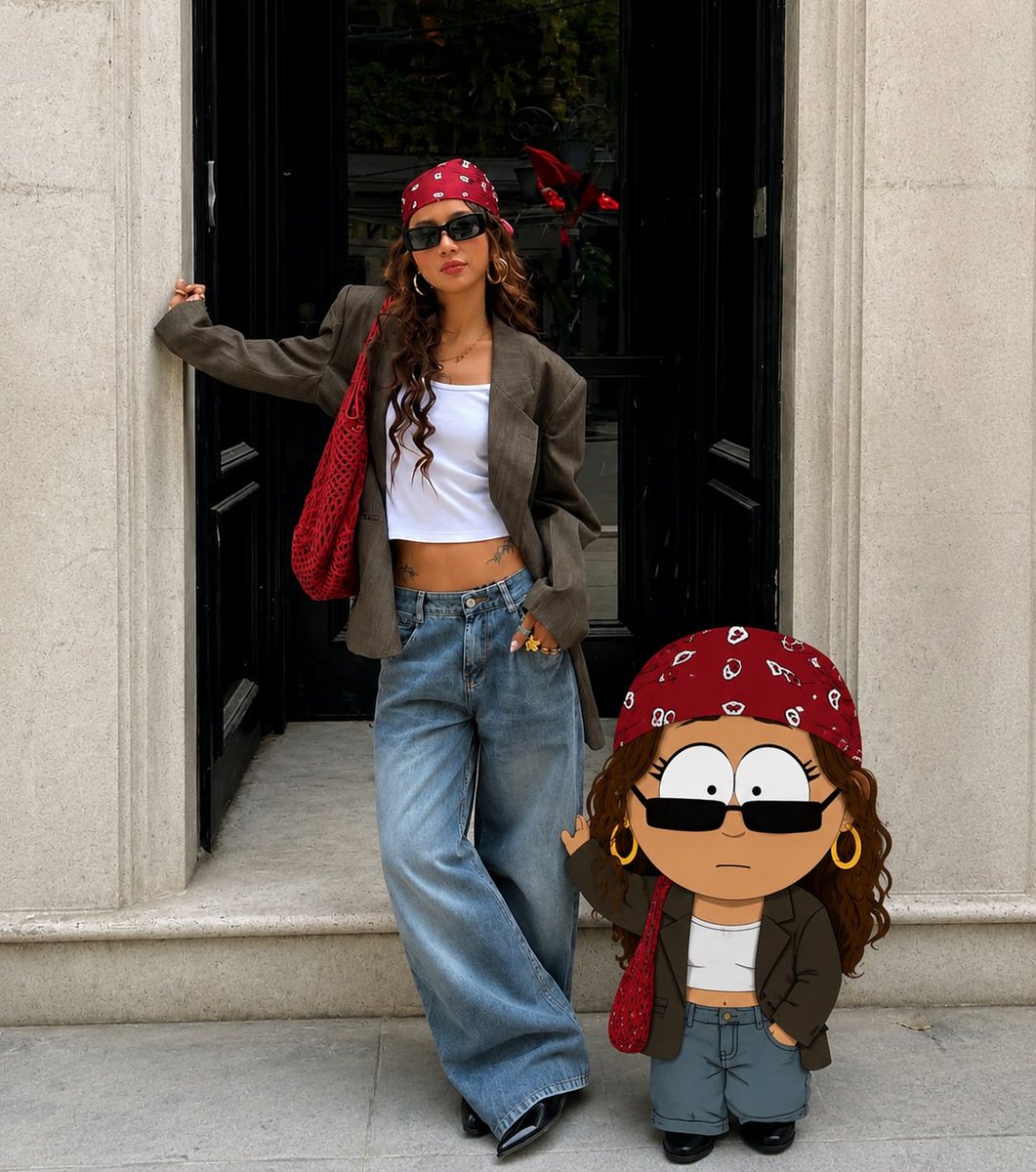
14. リアルな写真とカートゥーンアバター

作者: Smiling Khan

参照写真をもとに、リアルな人物と、その人自身の高品質な3Dカートゥーンキャラクターを並べて配置する、クリエイティブなプロンプトです。


Realistic Photo with Cartoon Avatar

🎬 Xで見る

プロンプト:

15. ノワールなラグジュアリーファッションエディトリアル

作者: Zephyra Leigh

華やかな夜の高層ビルの内部で、仕立ての良いスーツを着た匿名のモデルを描く、シネマティックなファッション写真のプロンプトです。


Noir Luxury Fashion Editorial

🎬 Xで見る

プロンプト:

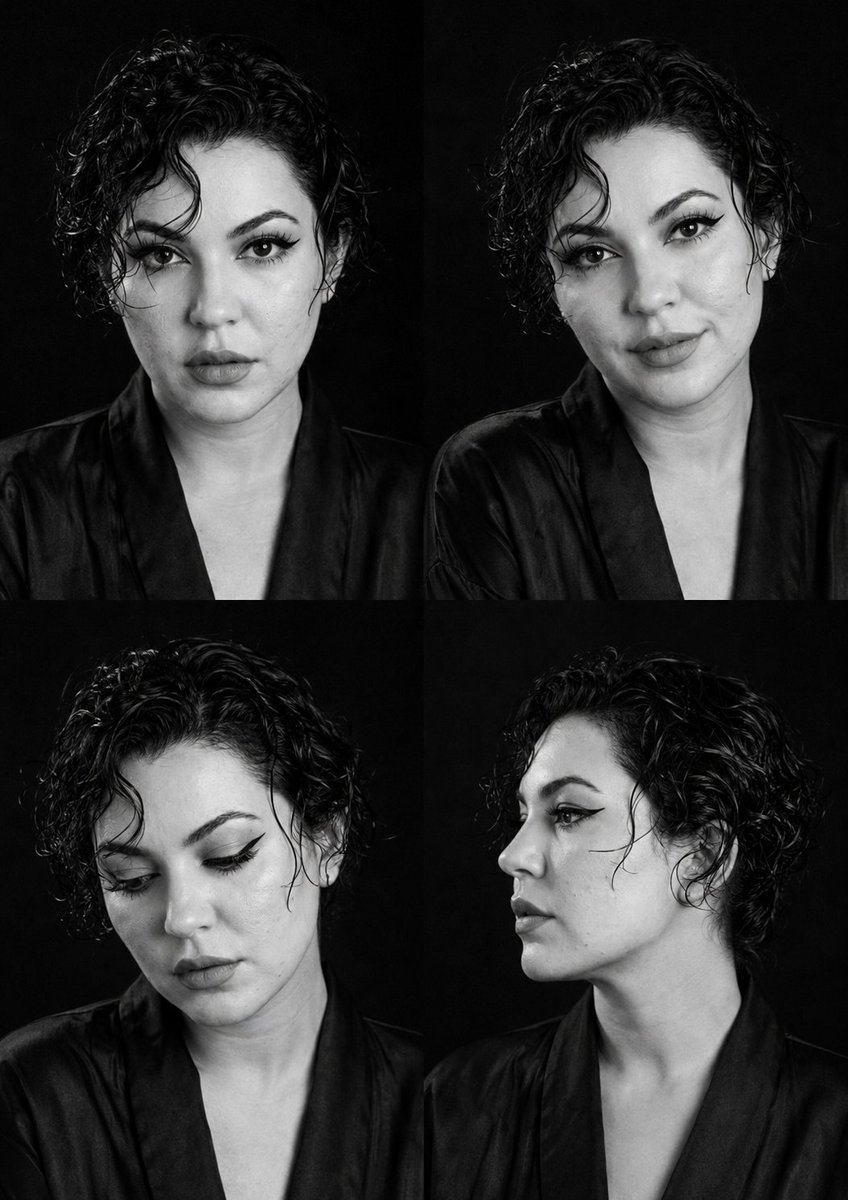
16. モノクロのファッションキャスティング・コンタクトシート

作者: Virena

異なる表情とアングルを2×2のグリッドに並べ、エディトリアルのテスト撮影のような仕上がりにする、モノクロのファッショングリッドのプロンプトです。


B&W Fashion Casting Contact Sheet

🎬 Xで見る

プロンプト:

17. 巨大スマートフォンの机に座るミニチュアの女の子

作者: Mehwish kiran

巨大なスマートフォンの上に、おしゃれな小さな女の子が座っている、居心地のよいパステル調のミニチュアワークスペースのシーンです。遊び心のあるライフスタイルやSNS向けのビジュアルに役立ちます。


Miniature Girl on Giant Smartphone Desk

🎬 Xで見る

プロンプト:

インフォグラフィックと教育用ビジュアル

GPT Image 2が他を圧倒する分野です。ピクセル単位で正確な多言語テキストを備えた図解、科学ポスター、ストーリーボードを、歪んだ文字も誤字もなく、手作業での修正も不要で作れます。

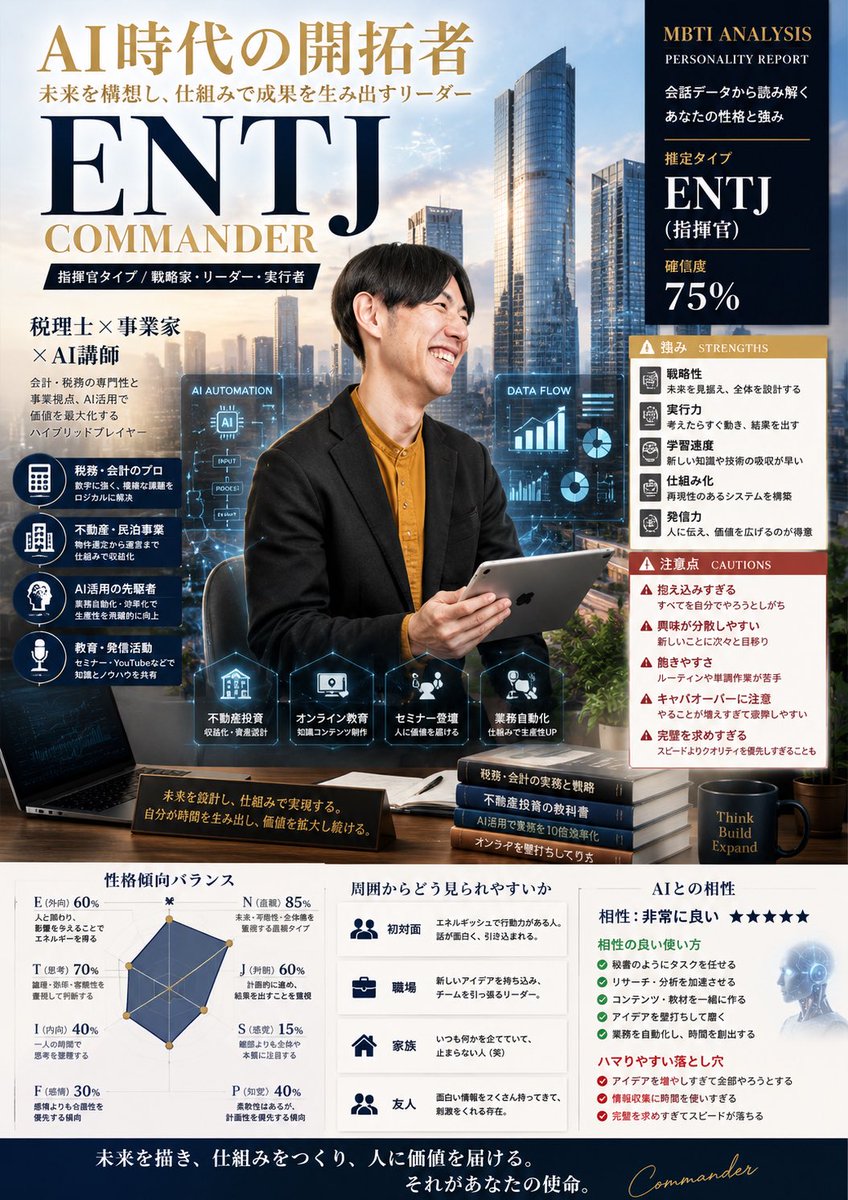
18. MBTI性格タイプのキャラクターカードポスター

作者: 荒井悠輔|税理士×AI実務活用

MBTIの性格タイプを、詳細なインフォグラフィックで可視化する、ハイエンドなビジネス誌風のポスターを作るための充実したプロンプトです。


MBTI Personality Character Card Poster

🎬 Xで見る

プロンプト:

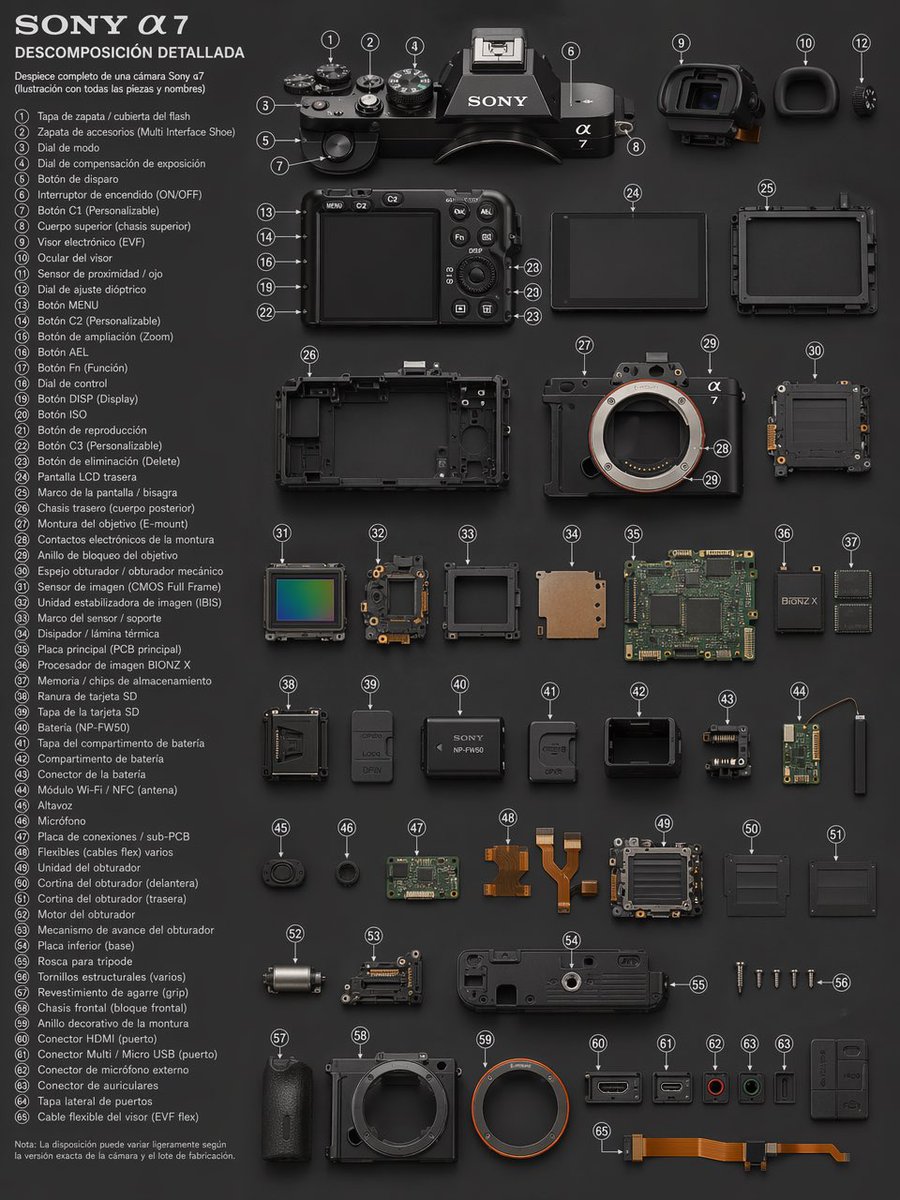
19. カメラの技術的な分解図

作者: PromptLab

内部コンポーネントにラベルを付け、すっきりしたレイアウトでカメラの分解図を作るための、精密な技術イラストのプロンプトです。


Camera Technical Exploded View

🎬 Xで見る

プロンプト:

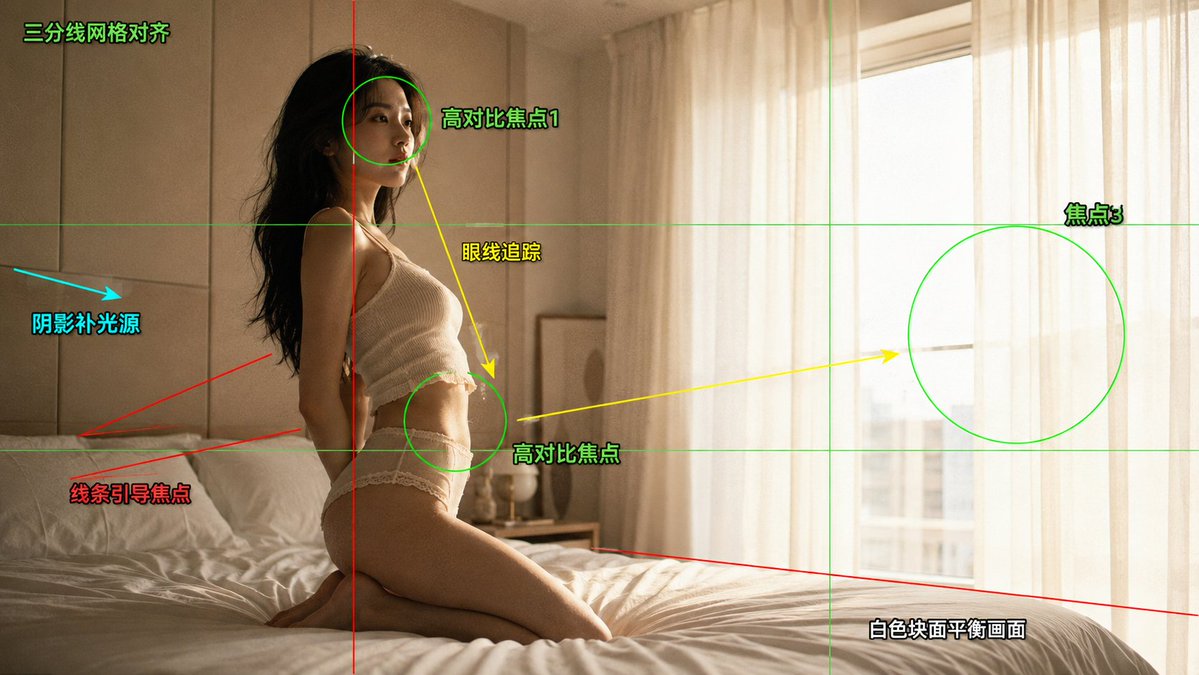
20. シネマティックなファッションエディトリアル写真の構図分析

作者: 摆烂程序媛

グリッド線やフォーカスマーカーなど、シネマティックな構図分析のオーバーレイを重ねた、プロフェッショナルなファッションエディトリアルショットを作るための詳細なプロンプトです。


Cinematic Fashion Editorial Photography Composition Analysis

🎬 Xで見る

プロンプト:

21. 医薬品研究向けの科学インフォグラフィック

作者: PromptLab

医薬品に関する概念、仕組み、実際の研究への応用を可視化するために設計された、詳細な科学インフォグラフィックのプロンプトです。


Scientific Infographic for Pharmaceutical Research

🎬 Xで見る

プロンプト:

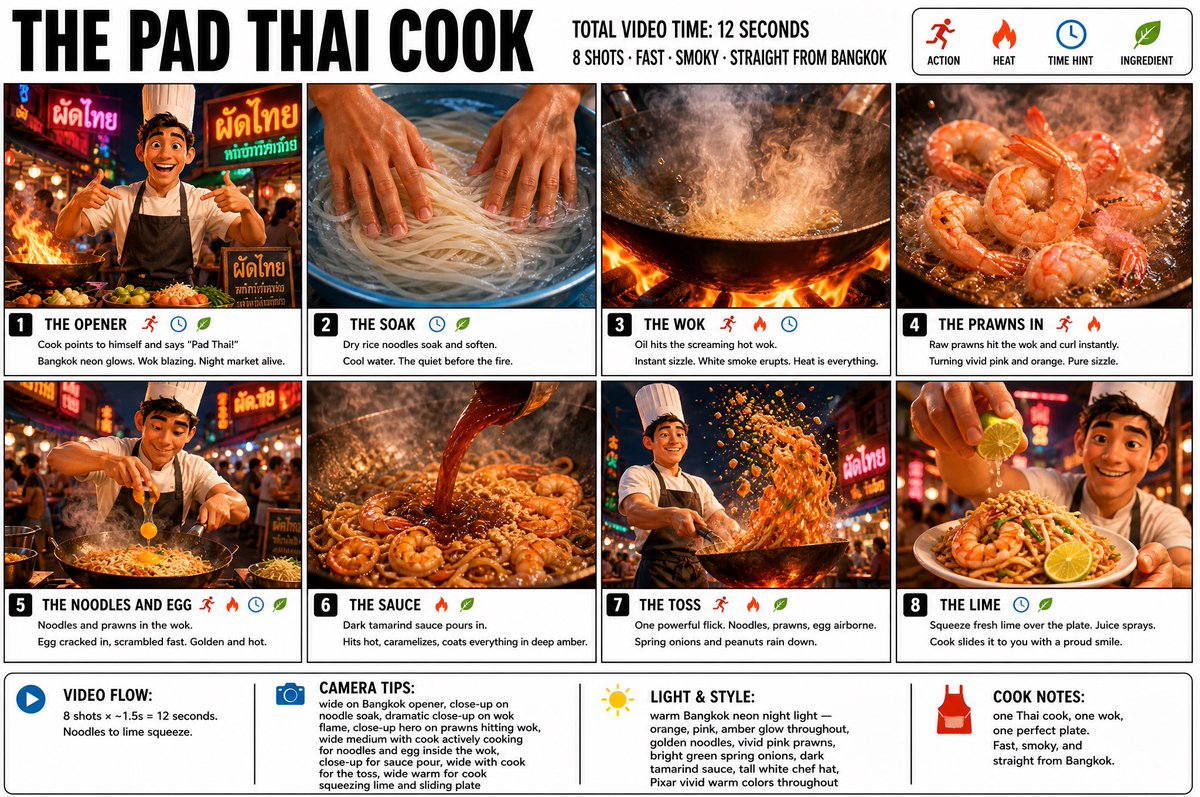
22. パッタイ職人のストーリーボード

作者: TechieSA

料理をテーマに、鮮やかな色彩で3DのPixar風レンダリングを施した、プロフェッショナルですっきりとしたインフォグラフィックのストーリーボードポスターを作成します。


Pad Thai Cook Storyboard

🎬 Xで見る

プロンプト:

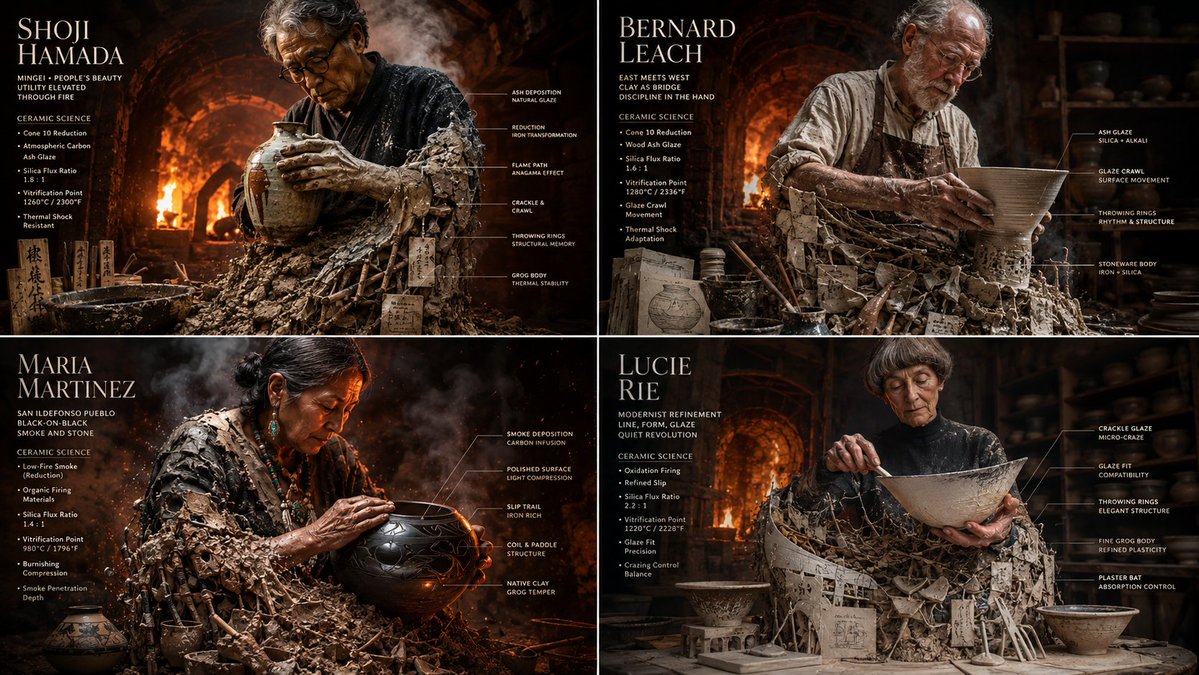
23. 陶芸の巨匠によるセラミックインフォグラフィックグリッド

作者: Gadgetify

シネマティックなスタジオを舞台に、陶芸の巨匠たちを、その陶材や釉薬の化学と融合させて2×2のグリッドで表現する、複雑なプロンプトです。


Master Potter Ceramic Infographic Grid

🎬 Xで見る

プロンプト:

2x2 grid, 16:9 do this for {argument name="number of potters" default="4"} famous master potters   input:   [{argument name="potter data" default="four master potters & their glaze chemistry charts"}]

YouTubeサムネイル

テキストを埋め込んだ、スクロールの手を止めさせるインパクトのあるサムネイルです。顔も正確に描画され、動画が並ぶ視聴ページの中でも勝てるビジュアルの力があります。

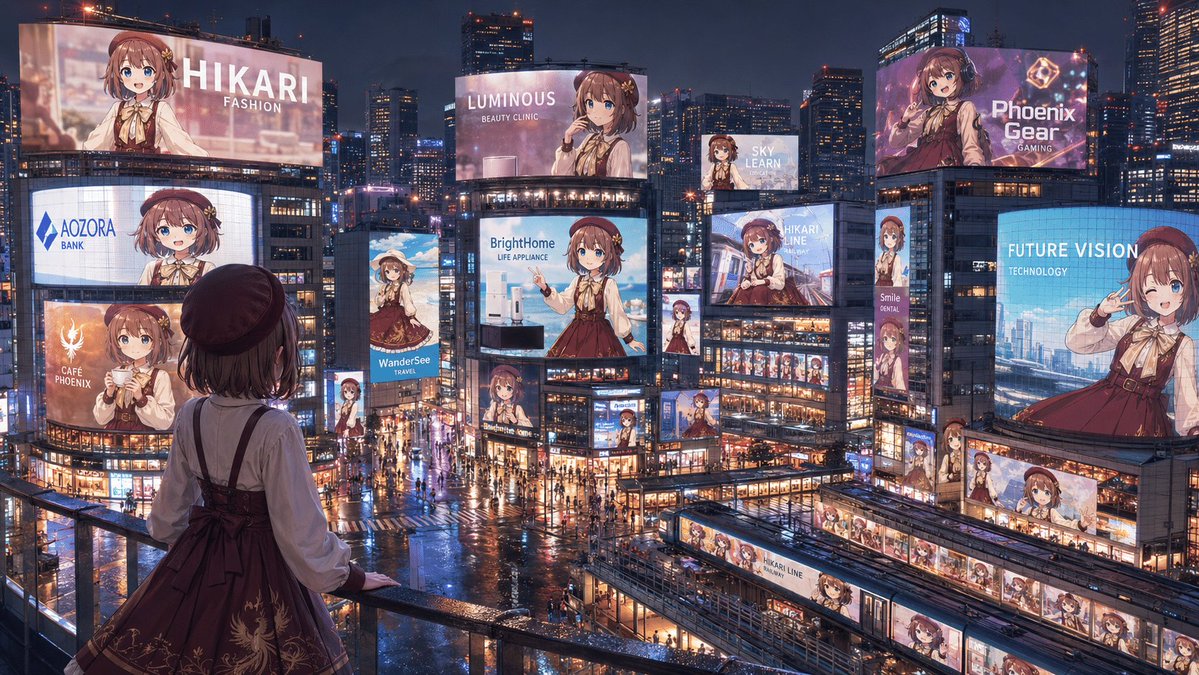
24. アニメアイドルの広告ジャック都市

作者: オオトリヒカリ🐦‍🔥

1人のアニメアイドルキャラクターの広告看板が連動して並ぶ、雨のネオン都市を生成するための、ワイドでシネマティックなプロンプトです。


Anime Idol Advertising Takeover City

🎬 Xで見る

プロンプト:

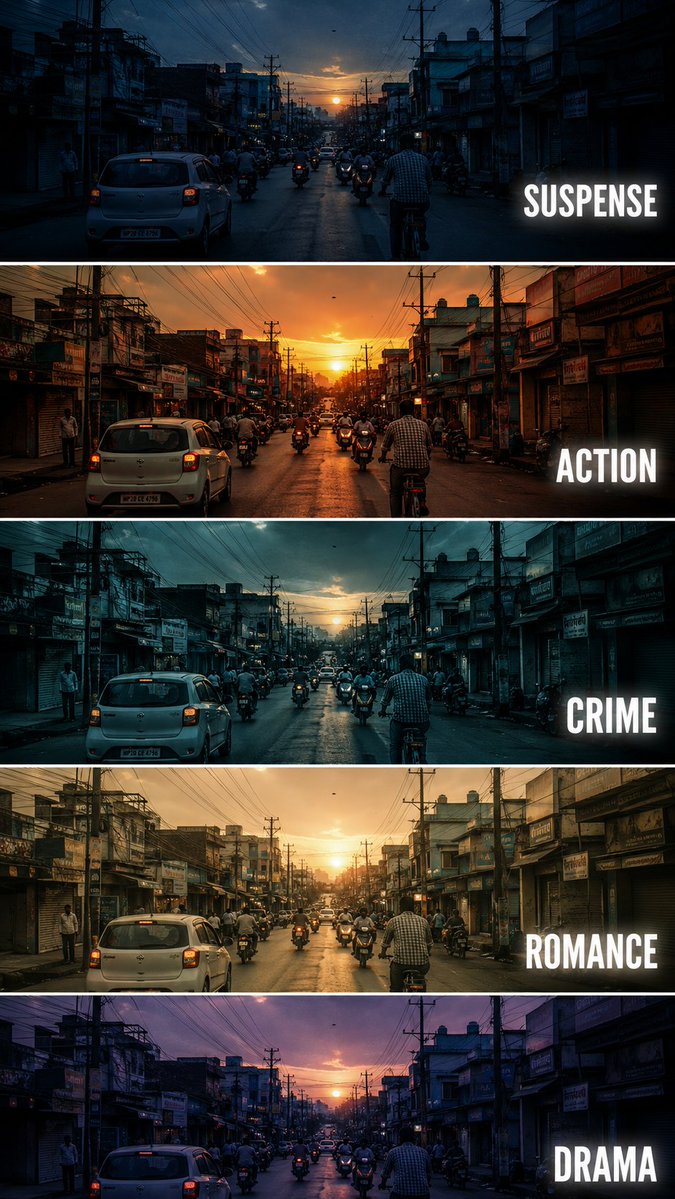
25. シネマティックな映画ジャンル別カラーグレーディング比較

作者: BMX

同じ都会の街角のシーンを、5種類の映画のカラーグレーディングスタイルで比較する、シネマティックな縦型ポスターを作るための詳細なプロンプトです。


Cinematic Film Genre Color Grading Comparison

🎬 Xで見る

プロンプト:


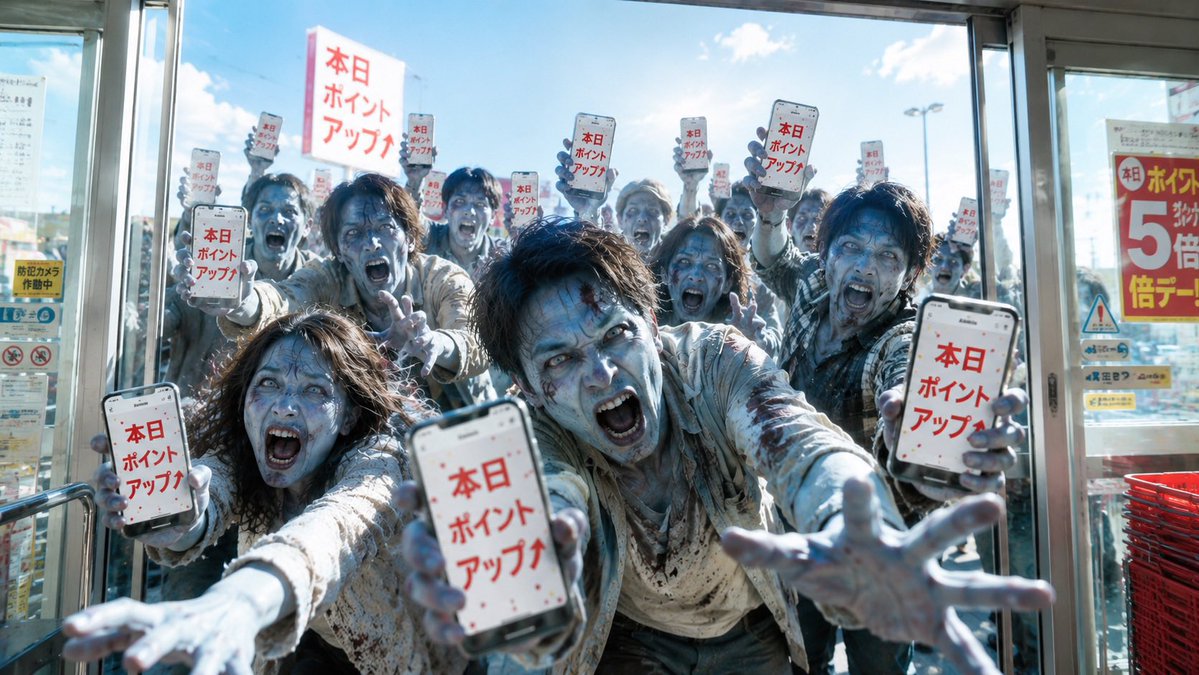
26. ゾンビ化した買い物客のポイントセール告知カバー

作者: おやぎ

ポイントアップを告げるスマートフォンを掲げたゾンビのような買い物客が、店の入口に押し寄せる様子を描いた、フォトリアルな日本語ブログのカバーシーンです。


Zombie Shoppers Point Sale Cover

🎬 Xで見る

プロンプト:

27. 超高層ビルを登るアクションショット

作者: Junaid Mohana

ガラス張りの超高層ビルを登る被写体を、参照画像を正確に反映しながら、超リアルなハイアングルのシネマティックショットで描きます。


Skyscraper Climbing Action Shot

🎬 Xで見る

プロンプト:


28. 未来的なサイバーパンクのクリエイティブリーダーポスター

作者: Zeeshan

ホログラム要素を備えた高級オフィスにいるクリエイティブリーダーを描く、ハイエンドでシネマティックなサイバーパンクポスターを作るためのプロンプトです。


Futuristic Cyberpunk Creative Leader Poster

🎬 Xで見る

プロンプト:

コミックとストーリーボード

キャラクターシート、マンガのコマ、ストーリーボードのフレームを、画像をまたいだ一貫性を保って作成できます。同じキャラクターで何十回もの生成を重ね、世界観そのものを築き上げましょう。

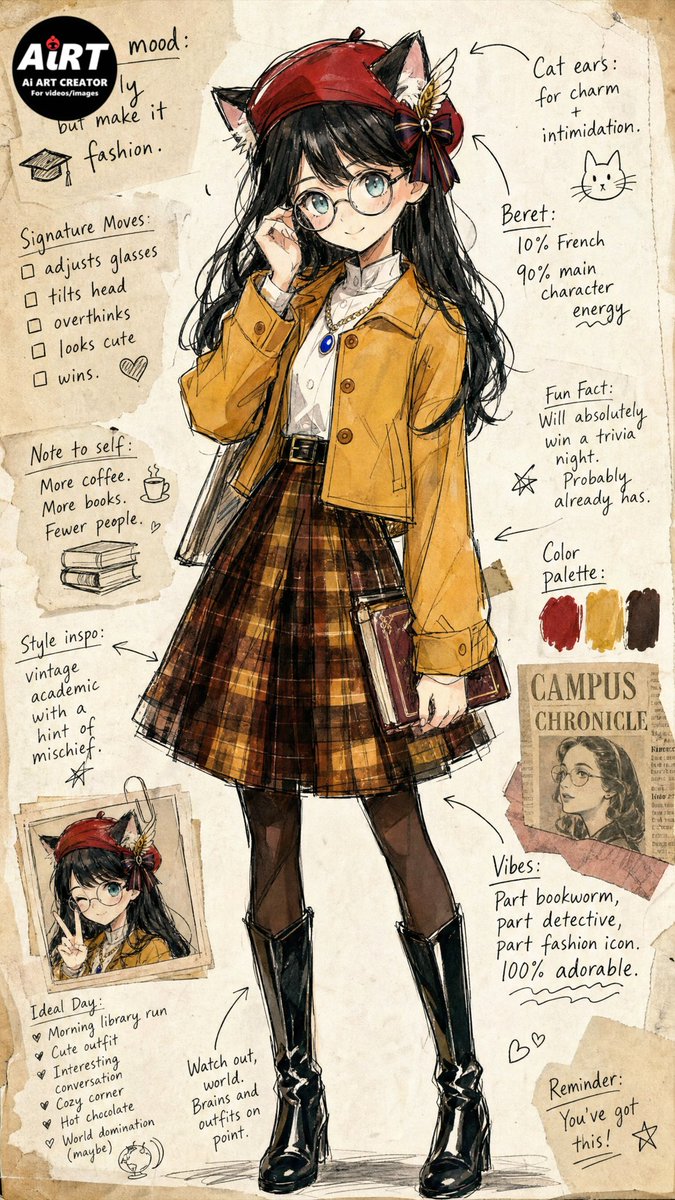
29. ヴィンテージファッション風カリカチュアスケッチ

作者: AiRT🎥生成AI動画を創る人

写真を、ヴィンテージの紙にインクの線と水彩で描いた、ファッションをテーマにした愛らしいカリカチュアスケッチに変換する、詳細なプロンプトです。


Vintage Fashion Caricature Sketch

🎬 Xで見る

プロンプト:

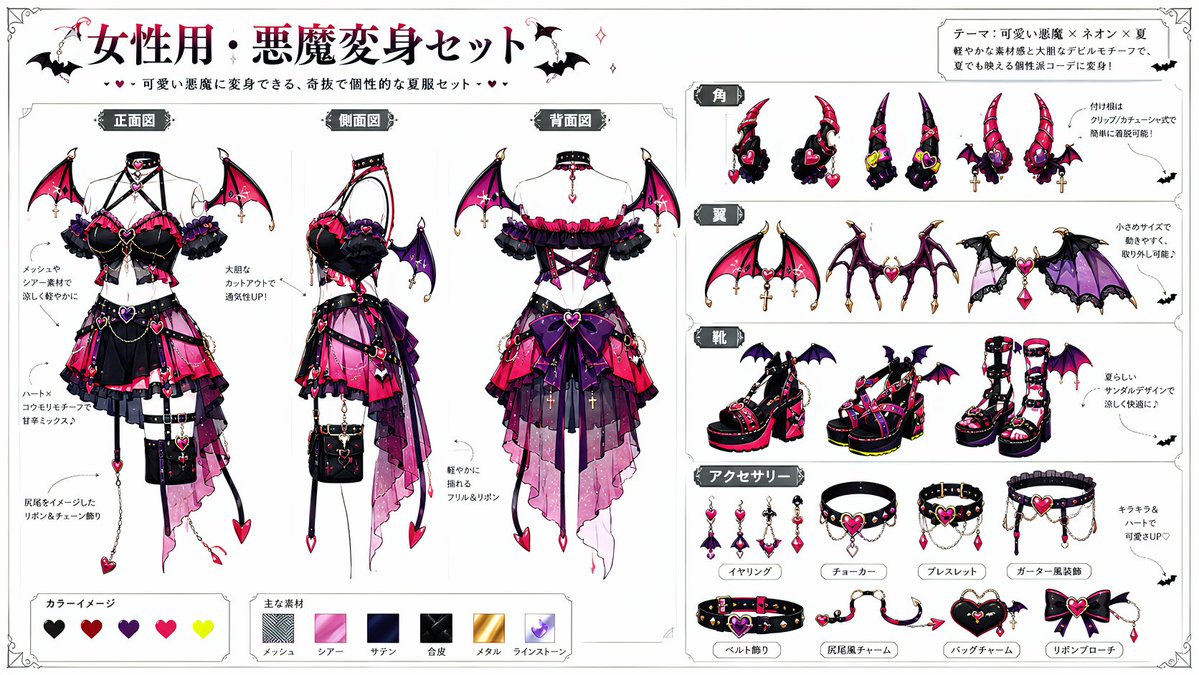
30. 悪魔化キャラクターデザイン

作者: muda22_Sora

既存のキャラクターを、元の特徴を保ったまま、翼や角、テーマに合わせた衣装を加えてダークファンタジーの悪魔バージョンに変換する、洗練されたプロンプトです。


Devil Transformation Character Design

🎬 Xで見る

プロンプト:

[Information Input Field]

Character Name: [{argument name="character name" default=" "}] (Required)

Additional Notes: [{argument name="additional notes" default="optional"}] (Enter if there is anything you want to tell the AI)

-----------------

[Image Generation Instructions]

Based on the character in attached image 1, dress them using the devil transformation set in attached image 2.

Read the character's appearance, atmosphere, age, expression, equipment, and personality traits from the input character name and attached image 1. Automatically devise a background, situation, posing, expression, composition, lighting, and a short phrase within the image.

Maintain the original character's hairstyle, hair color, eye color, physique, facial features, age, atmosphere, and character personality.

Reflect the design elements of the devil transformation set so they blend naturally with the original character. It should not just be layering a costume, but an integrated design showing the original character transformed into a devil.

Pay particular attention to the placement of horns and tails, depicting them to look anatomically and visually natural. Horns should sprout naturally from the head and not look like they are roughly placed on top of the hair. The base of the horns should be at the top of the head, near the forehead, or around the temples in a reasonable position, with balanced symmetry, orientation, length, thickness, and a proper sense of connection. The tail should sprout naturally from the lower back as an extension of the tailbone, and not from unnatural positions like the abdomen, chest, legs, or arms. Adjust the horns and tail to look natural according to the pose and costume, ensuring no awkward connections, floating bases, nonsensical numbers, unnatural curves, or strange growth patterns.

Construct a new background and situation as a scene that strongly conveys the character's charm, without relying on standard compositions. Make the character's expression, costume, pose, gaze, and gestures the main focus, rather than just flashy backgrounds.

Treat the expression as a high-priority item. Do not use expressionless, straight, flatly calm, or standard 'cool' faces. Create an impressive expression that looks like multiple emotions are layered, rather than a single simple emotion.

Add variety to the expression using eyebrows, eye direction, pupil highlights, corners of the mouth, cheeks, face angle, and neck tilt. Make it a natural expression that is slightly broken rather than perfectly symmetrical. Create an expression that makes viewers want to imagine the character's inner thoughts.

For posing, prioritize showing the entire costume while creating a dynamic composition that conveys the character's personality and the atmosphere after transformation. Do not use a pose where the character is just standing. Emphasize character traits using weapons, wings, horns, tails, chains, accessories, hand gestures, and gaze direction.

Utilize the eccentricity of the devil transformation set but do not crush the original character's individuality. Ensure the original character does not look like a different person.

In the top-left or bottom-right of the screen, automatically generate a title with decorations, with the first line being the '[Character Name]

[Information Input Field]

Character Name: [{argument name="character name" default=" "}] (Required)

Additional Notes: [{argument name="additional notes" default="optional"}] (Enter if there is anything you want to tell the AI)

-----------------

[Image Generation Instructions]

Based on the character in attached image 1, dress them using the devil transformation set in attached image 2.

Read the character's appearance, atmosphere, age, expression, equipment, and personality traits from the input character name and attached image 1. Automatically devise a background, situation, posing, expression, composition, lighting, and a short phrase within the image.

Maintain the original character's hairstyle, hair color, eye color, physique, facial features, age, atmosphere, and character personality.

Reflect the design elements of the devil transformation set so they blend naturally with the original character. It should not just be layering a costume, but an integrated design showing the original character transformed into a devil.

Pay particular attention to the placement of horns and tails, depicting them to look anatomically and visually natural. Horns should sprout naturally from the head and not look like they are roughly placed on top of the hair. The base of the horns should be at the top of the head, near the forehead, or around the temples in a reasonable position, with balanced symmetry, orientation, length, thickness, and a proper sense of connection. The tail should sprout naturally from the lower back as an extension of the tailbone, and not from unnatural positions like the abdomen, chest, legs, or arms. Adjust the horns and tail to look natural according to the pose and costume, ensuring no awkward connections, floating bases, nonsensical numbers, unnatural curves, or strange growth patterns.

Construct a new background and situation as a scene that strongly conveys the character's charm, without relying on standard compositions. Make the character's expression, costume, pose, gaze, and gestures the main focus, rather than just flashy backgrounds.

Treat the expression as a high-priority item. Do not use expressionless, straight, flatly calm, or standard 'cool' faces. Create an impressive expression that looks like multiple emotions are layered, rather than a single simple emotion.

Add variety to the expression using eyebrows, eye direction, pupil highlights, corners of the mouth, cheeks, face angle, and neck tilt. Make it a natural expression that is slightly broken rather than perfectly symmetrical. Create an expression that makes viewers want to imagine the character's inner thoughts.

For posing, prioritize showing the entire costume while creating a dynamic composition that conveys the character's personality and the atmosphere after transformation. Do not use a pose where the character is just standing. Emphasize character traits using weapons, wings, horns, tails, chains, accessories, hand gestures, and gaze direction.

Utilize the eccentricity of the devil transformation set but do not crush the original character's individuality. Ensure the original character does not look like a different person.

In the top-left or bottom-right of the screen, automatically generate a title with decorations, with the first line being the '[Character Name]

[Information Input Field]

Character Name: [{argument name="character name" default=" "}] (Required)

Additional Notes: [{argument name="additional notes" default="optional"}] (Enter if there is anything you want to tell the AI)

-----------------

[Image Generation Instructions]

Based on the character in attached image 1, dress them using the devil transformation set in attached image 2.

Read the character's appearance, atmosphere, age, expression, equipment, and personality traits from the input character name and attached image 1. Automatically devise a background, situation, posing, expression, composition, lighting, and a short phrase within the image.

Maintain the original character's hairstyle, hair color, eye color, physique, facial features, age, atmosphere, and character personality.

Reflect the design elements of the devil transformation set so they blend naturally with the original character. It should not just be layering a costume, but an integrated design showing the original character transformed into a devil.

Pay particular attention to the placement of horns and tails, depicting them to look anatomically and visually natural. Horns should sprout naturally from the head and not look like they are roughly placed on top of the hair. The base of the horns should be at the top of the head, near the forehead, or around the temples in a reasonable position, with balanced symmetry, orientation, length, thickness, and a proper sense of connection. The tail should sprout naturally from the lower back as an extension of the tailbone, and not from unnatural positions like the abdomen, chest, legs, or arms. Adjust the horns and tail to look natural according to the pose and costume, ensuring no awkward connections, floating bases, nonsensical numbers, unnatural curves, or strange growth patterns.

Construct a new background and situation as a scene that strongly conveys the character's charm, without relying on standard compositions. Make the character's expression, costume, pose, gaze, and gestures the main focus, rather than just flashy backgrounds.

Treat the expression as a high-priority item. Do not use expressionless, straight, flatly calm, or standard 'cool' faces. Create an impressive expression that looks like multiple emotions are layered, rather than a single simple emotion.

Add variety to the expression using eyebrows, eye direction, pupil highlights, corners of the mouth, cheeks, face angle, and neck tilt. Make it a natural expression that is slightly broken rather than perfectly symmetrical. Create an expression that makes viewers want to imagine the character's inner thoughts.

For posing, prioritize showing the entire costume while creating a dynamic composition that conveys the character's personality and the atmosphere after transformation. Do not use a pose where the character is just standing. Emphasize character traits using weapons, wings, horns, tails, chains, accessories, hand gestures, and gaze direction.

Utilize the eccentricity of the devil transformation set but do not crush the original character's individuality. Ensure the original character does not look like a different person.

In the top-left or bottom-right of the screen, automatically generate a title with decorations, with the first line being the '[Character Name]

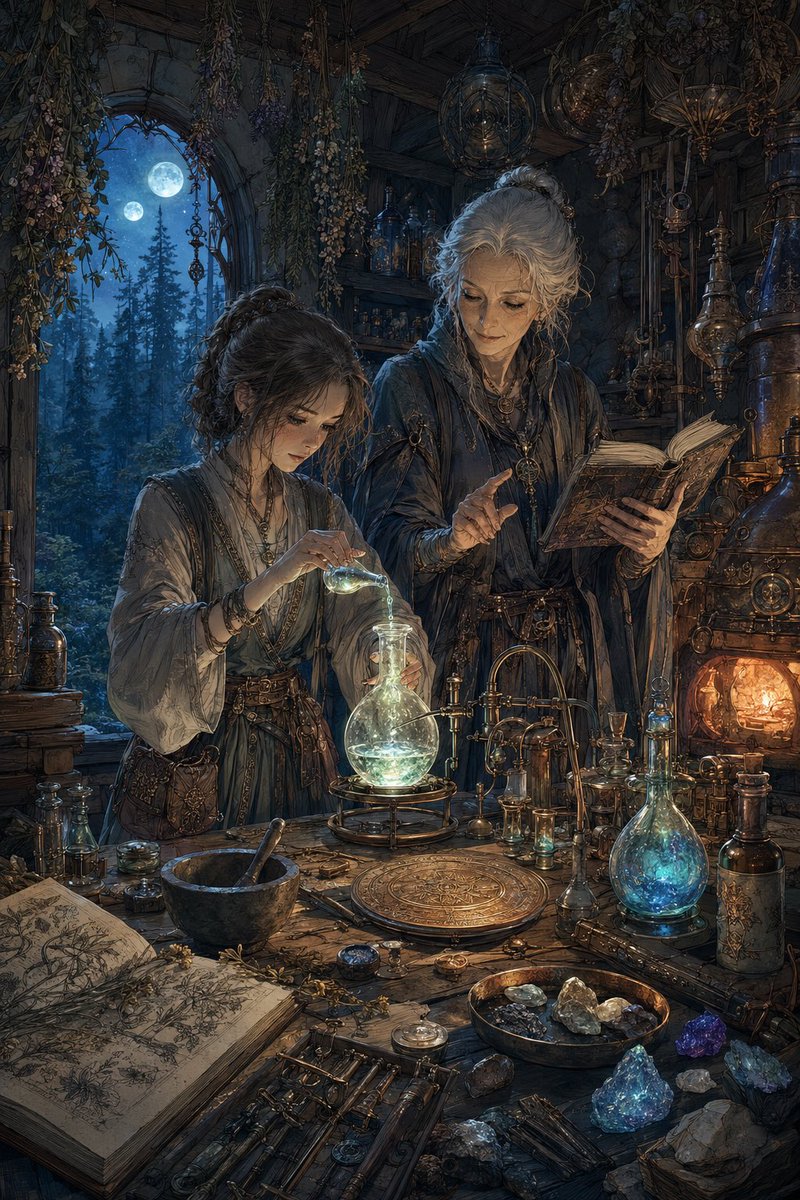
31. 月明かりのファンタジー錬金術工房

作者: おやぎ

ローブ姿の2人の人物、光る薬瓶、古書、月明かりのゴシックな雰囲気を備えた、ダークファンタジーの錬金術師の研究室シーンを生成するための詳細なプロンプトです。


Moonlit Fantasy Alchemy Workshop

🎬 Xで見る

プロンプト:

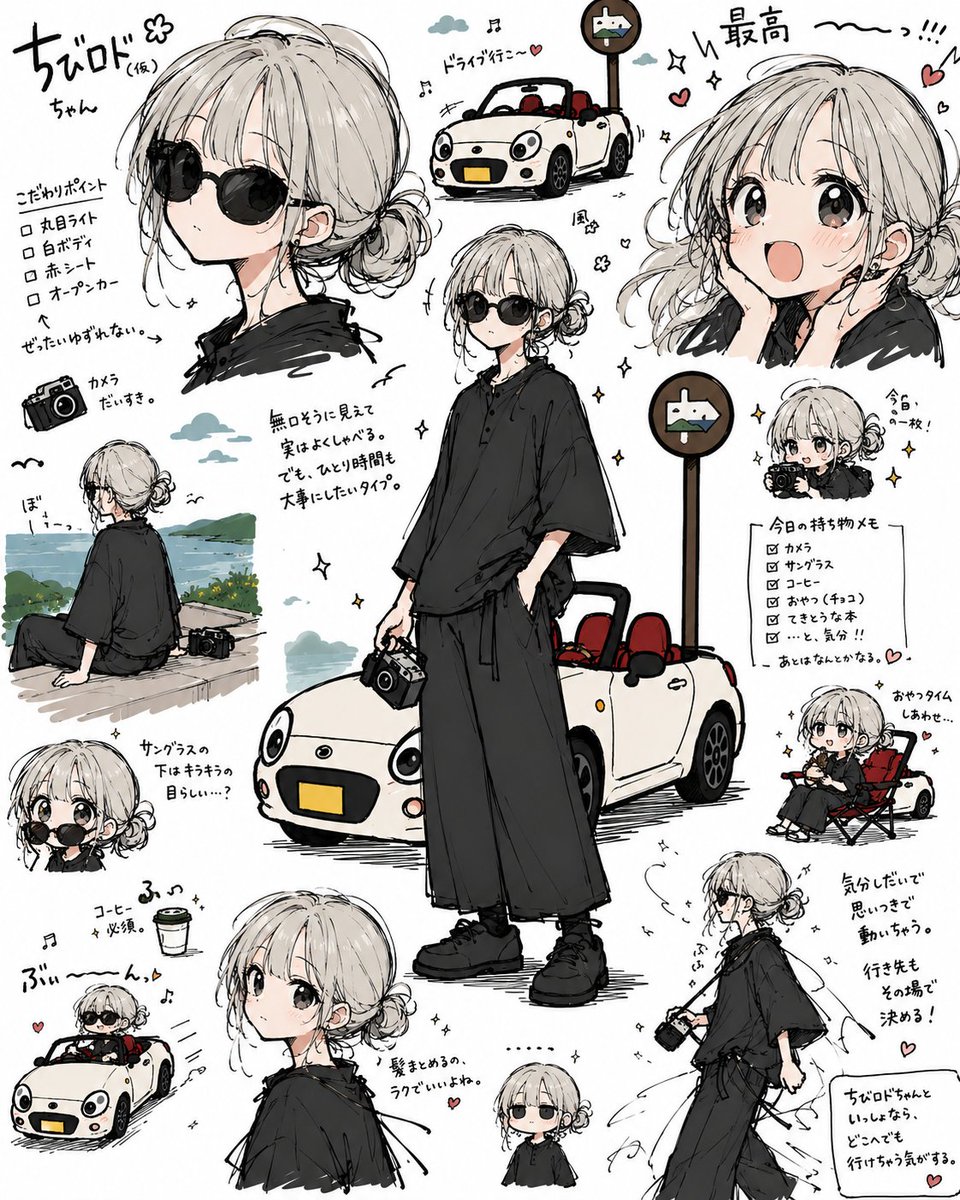
32. アニメ風トラベルキャラクターシートコラージュ

作者: あきを

キャラクターと車の画像から、遊び心のあるマンガ風の設定資料コラージュを作ります。1枚のイラストを、かわいい旅行日記のようなポーズ集に変えるのに便利です。


Anime Travel Character Sheet Collage

🎬 Xで見る

プロンプト:


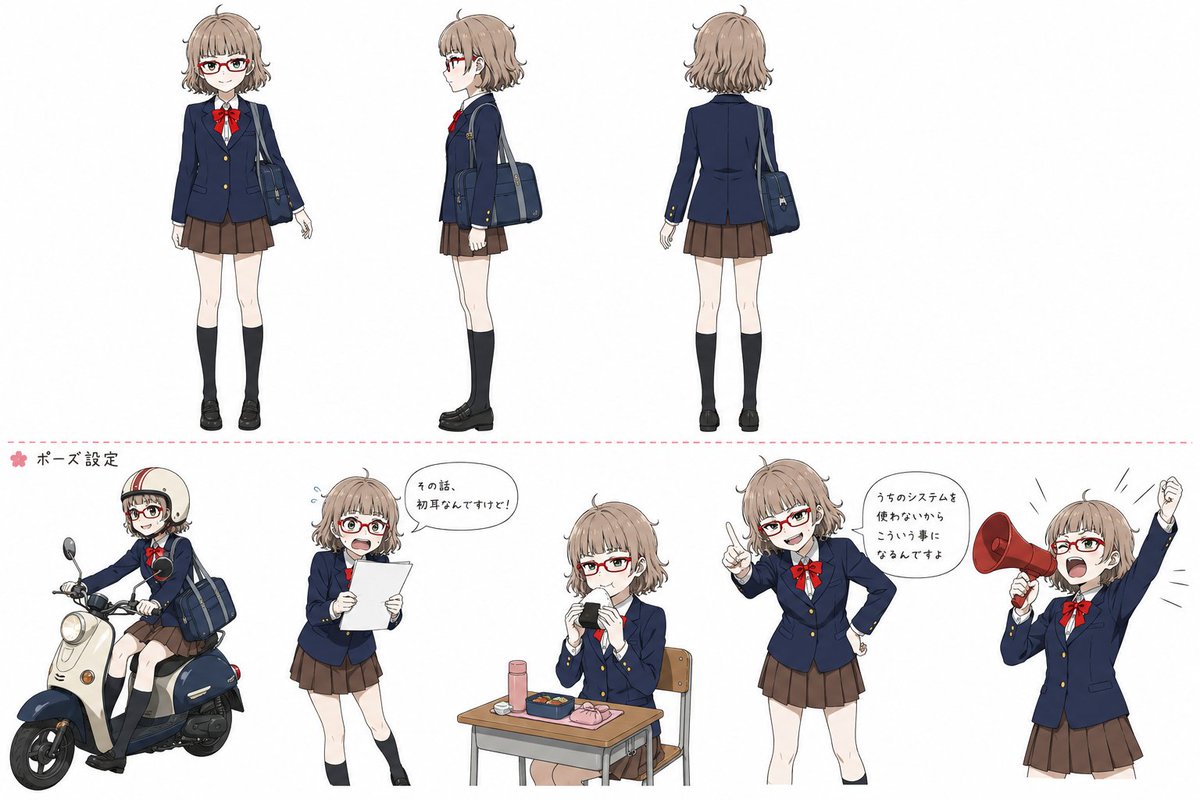
33. アニメ風女子高生キャラクター設定資料

作者: Jump Tnt

キャラクターコンセプトアート向けに、ターンアラウンドビューと5つのポーズ例を備えた、洗練されたアニメ風女子高生のデザインシートを作成します。


Anime Schoolgirl Character Reference Sheet

🎬 Xで見る

プロンプト:


プロダクトマーケティングと広告

雑誌品質の広告キャンペーン、スポーツポスター、ラグジュアリーブランドのビジュアル。見出しと本文コピーを画像に埋め込んだ、そのまま使える出力です。

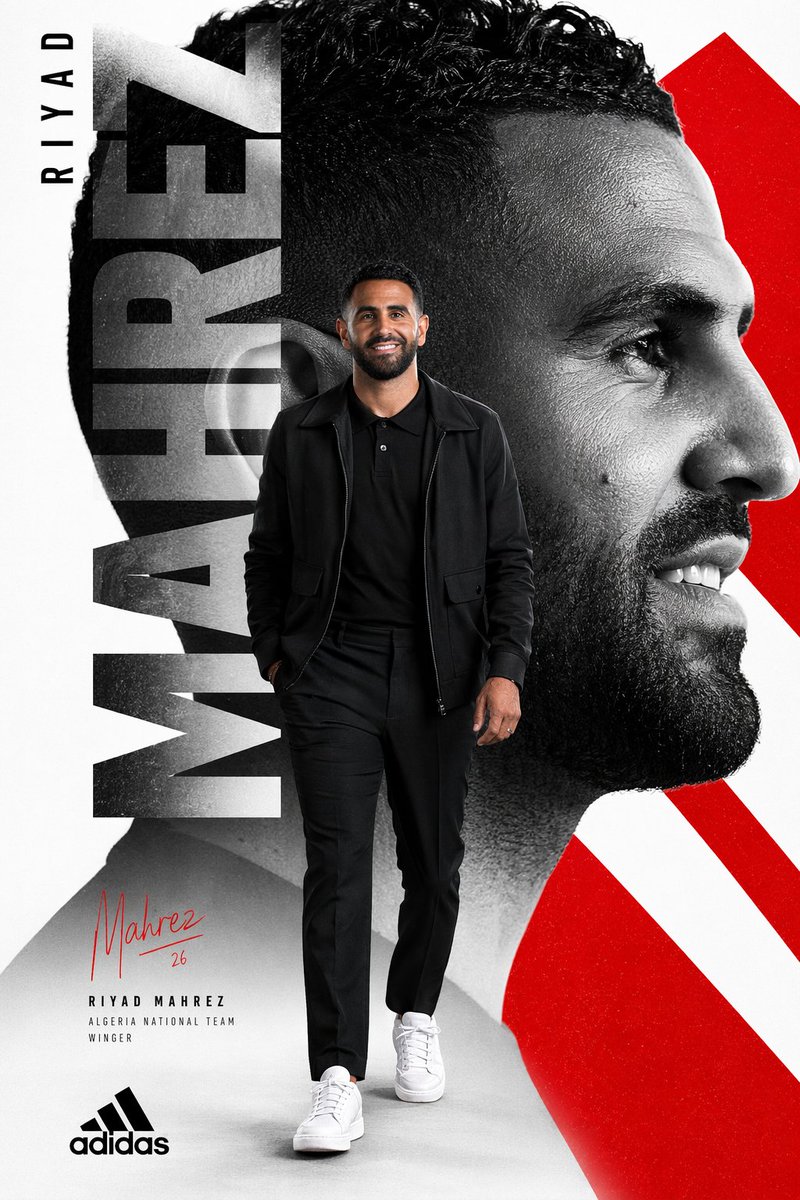
34. エディトリアル風リヤド・マフレズのスポーツポスター

作者: Ayyoub Ai

全身のアスリート、特大の縦書きタイポグラフィ、モノクロのポートレートコラージュ、赤い幾何学的なアクセントを備えた、大胆なAdidas風のサッカーポスターです。


Editorial Riyad Mahrez Sports Poster

🎬 Xで見る

プロンプト:


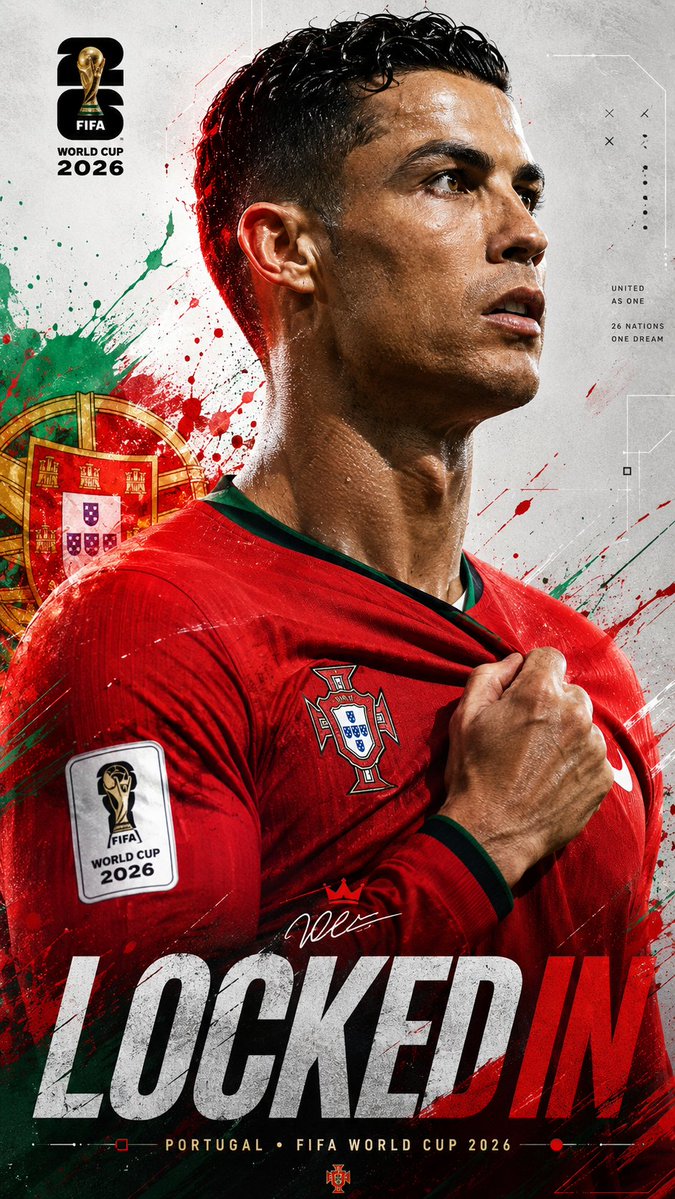
35. FIFAワールドカップ2026 スポーツポスター

作者: Saul Goodman

ダイナミックなエネルギーエフェクトと、選手や国の詳細をカスタマイズできる、2026年ワールドカップのためのハイエンドでシネマティックなスポーツポスターのプロンプトです。


FIFA World Cup 2026 Sports Poster

🎬 Xで見る

プロンプト:

type: image_generation_prompt

{
  "title": "Universal FIFA World Cup 2026 Locked In Poster",
  "aspect_ratio": "9:16",
  "style": "ultra-realistic cinematic sports poster",
  "quality": "16K UHD premium realism",
  "subject": {
    "identity": "{argument name="player name" default="[PLAYER_NAME or uploaded player]"}",
    "pose": "powerful side-profile portrait with intense focus",
    "expression": "determined, locked-in, championship mentality",
    "gesture": "one hand gripping the national team jersey near the badge"
  },
  "wardrobe": {
    "kit": "{argument name="country" default="[COUNTRY_NAME]"} official home jersey",
    "details": "authentic textures, federation crest, official FIFA World Cup 2026 sleeve patch, realistic fabric folds and stitching"
  },
  "environment": {
    "background": "clean light grey textured sports poster canvas with futuristic geometric lines, subtle technical graphics and premium editorial composition",
    "effects": "dynamic paint splashes, energy streaks and particles inspired by the national colors of {argument name="national colors" default="[COUNTRY_NAME]"}",
    "national_elements": "subtle stars, symbols and graphic motifs inspired by the country's identity",
    "atmosphere": "high-energy tournament anticipation"
  },
  "lighting": {
    "type": "dramatic cinematic lighting",
    "rim_light": "colored rim lighting matching the country's flag",
    "highlights": "glossy skin reflections and realistic sweat details",
    "contrast": "strong sports-poster contrast"
  },
  "composition": {
    "camera_angle": "close-up side profile",
    "framing": "upper body portrait",
    "depth_of_field": "shallow",
    "focus": "face, badge and jersey grip"
  },
  "branding": {
    "tournament": "FIFA World Cup 2026",
    "logo": "official FIFA World Cup 2026 logo integrated elegantly",
    "color_palette": "official FIFA World Cup 2026 tournament colors combined with [COUNTRY_NAME] national colors",
    "headline": "\"LOCKED IN\" displayed in large modern typography",
    "subtitle": "[COUNTRY_NAME] • FIFA WORLD CUP 2026"
  },
  "mood": [
    "focused",
    "elite",
    "fearless",
    "national pride",
    "championship energy"
  ]

type: image_generation_prompt

{
  "title": "Universal FIFA World Cup 2026 Locked In Poster",
  "aspect_ratio": "9:16",
  "style": "ultra-realistic cinematic sports poster",
  "quality": "16K UHD premium realism",
  "subject": {
    "identity": "{argument name="player name" default="[PLAYER_NAME or uploaded player]"}",
    "pose": "powerful side-profile portrait with intense focus",
    "expression": "determined, locked-in, championship mentality",
    "gesture": "one hand gripping the national team jersey near the badge"
  },
  "wardrobe": {
    "kit": "{argument name="country" default="[COUNTRY_NAME]"} official home jersey",
    "details": "authentic textures, federation crest, official FIFA World Cup 2026 sleeve patch, realistic fabric folds and stitching"
  },
  "environment": {
    "background": "clean light grey textured sports poster canvas with futuristic geometric lines, subtle technical graphics and premium editorial composition",
    "effects": "dynamic paint splashes, energy streaks and particles inspired by the national colors of {argument name="national colors" default="[COUNTRY_NAME]"}",
    "national_elements": "subtle stars, symbols and graphic motifs inspired by the country's identity",
    "atmosphere": "high-energy tournament anticipation"
  },
  "lighting": {
    "type": "dramatic cinematic lighting",
    "rim_light": "colored rim lighting matching the country's flag",
    "highlights": "glossy skin reflections and realistic sweat details",
    "contrast": "strong sports-poster contrast"
  },
  "composition": {
    "camera_angle": "close-up side profile",
    "framing": "upper body portrait",
    "depth_of_field": "shallow",
    "focus": "face, badge and jersey grip"
  },
  "branding": {
    "tournament": "FIFA World Cup 2026",
    "logo": "official FIFA World Cup 2026 logo integrated elegantly",
    "color_palette": "official FIFA World Cup 2026 tournament colors combined with [COUNTRY_NAME] national colors",
    "headline": "\"LOCKED IN\" displayed in large modern typography",
    "subtitle": "[COUNTRY_NAME] • FIFA WORLD CUP 2026"
  },
  "mood": [
    "focused",
    "elite",
    "fearless",
    "national pride",
    "championship energy"
  ]

type: image_generation_prompt

{
  "title": "Universal FIFA World Cup 2026 Locked In Poster",
  "aspect_ratio": "9:16",
  "style": "ultra-realistic cinematic sports poster",
  "quality": "16K UHD premium realism",
  "subject": {
    "identity": "{argument name="player name" default="[PLAYER_NAME or uploaded player]"}",
    "pose": "powerful side-profile portrait with intense focus",
    "expression": "determined, locked-in, championship mentality",
    "gesture": "one hand gripping the national team jersey near the badge"
  },
  "wardrobe": {
    "kit": "{argument name="country" default="[COUNTRY_NAME]"} official home jersey",
    "details": "authentic textures, federation crest, official FIFA World Cup 2026 sleeve patch, realistic fabric folds and stitching"
  },
  "environment": {
    "background": "clean light grey textured sports poster canvas with futuristic geometric lines, subtle technical graphics and premium editorial composition",
    "effects": "dynamic paint splashes, energy streaks and particles inspired by the national colors of {argument name="national colors" default="[COUNTRY_NAME]"}",
    "national_elements": "subtle stars, symbols and graphic motifs inspired by the country's identity",
    "atmosphere": "high-energy tournament anticipation"
  },
  "lighting": {
    "type": "dramatic cinematic lighting",
    "rim_light": "colored rim lighting matching the country's flag",
    "highlights": "glossy skin reflections and realistic sweat details",
    "contrast": "strong sports-poster contrast"
  },
  "composition": {
    "camera_angle": "close-up side profile",
    "framing": "upper body portrait",
    "depth_of_field": "shallow",
    "focus": "face, badge and jersey grip"
  },
  "branding": {
    "tournament": "FIFA World Cup 2026",
    "logo": "official FIFA World Cup 2026 logo integrated elegantly",
    "color_palette": "official FIFA World Cup 2026 tournament colors combined with [COUNTRY_NAME] national colors",
    "headline": "\"LOCKED IN\" displayed in large modern typography",
    "subtitle": "[COUNTRY_NAME] • FIFA WORLD CUP 2026"
  },
  "mood": [
    "focused",
    "elite",
    "fearless",
    "national pride",
    "championship energy"
  ]

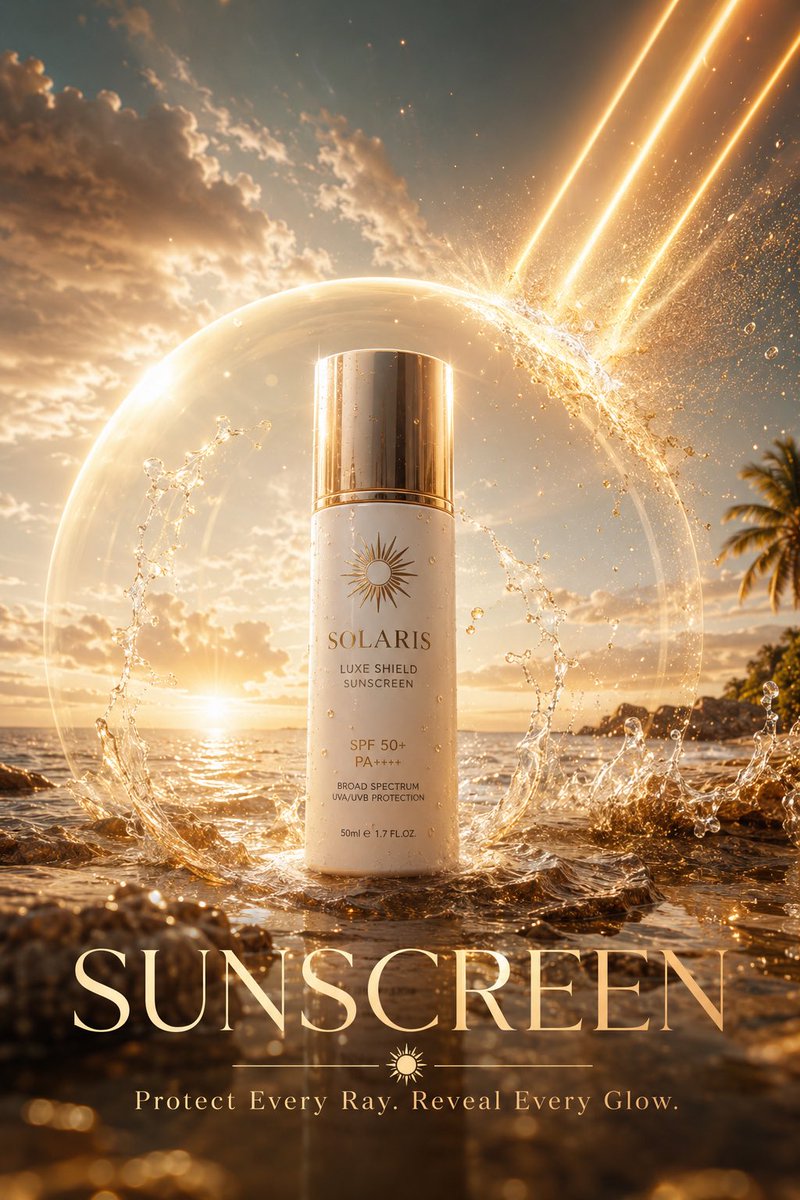
36. 高級スキンケア日焼け止め広告キャンペーン

作者: Snow

シネマティックな南国の光と保護エネルギーの演出を盛り込んだ、高級日焼け止め製品向けのプロ品質の広告プロンプトです。


Luxury Skincare Sunscreen Ad Campaign

🎬 Xで見る

プロンプト:


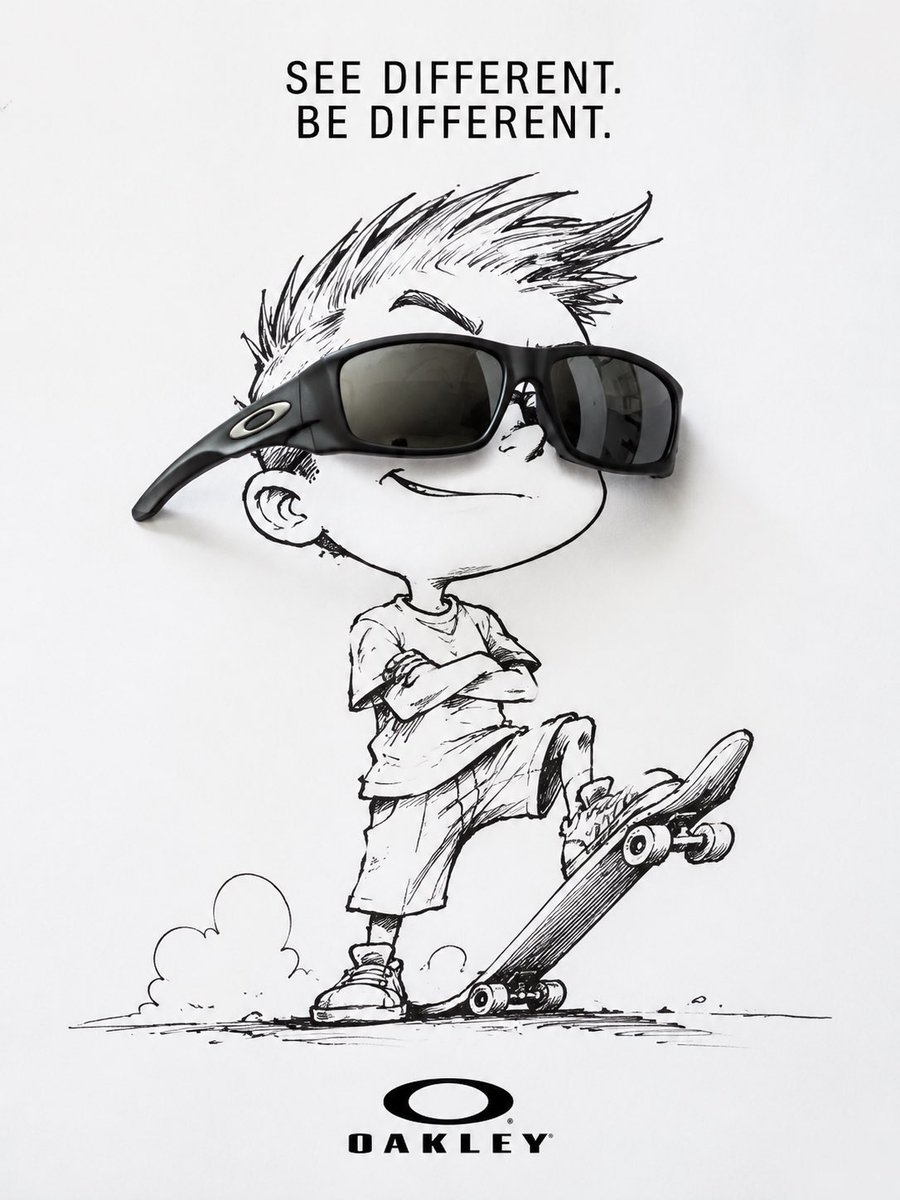
37. Oakleyのスケーター サングラス広告

作者: Ilia Kitchenko

手描きのスケーターのイラストにリアルなサングラスを組み合わせ、大胆でミニマルなコピーを添えた、ミクストメディア調のアイウェアブランド広告です。


Oakley Skater Sunglasses Ad

🎬 Xで見る

プロンプト:

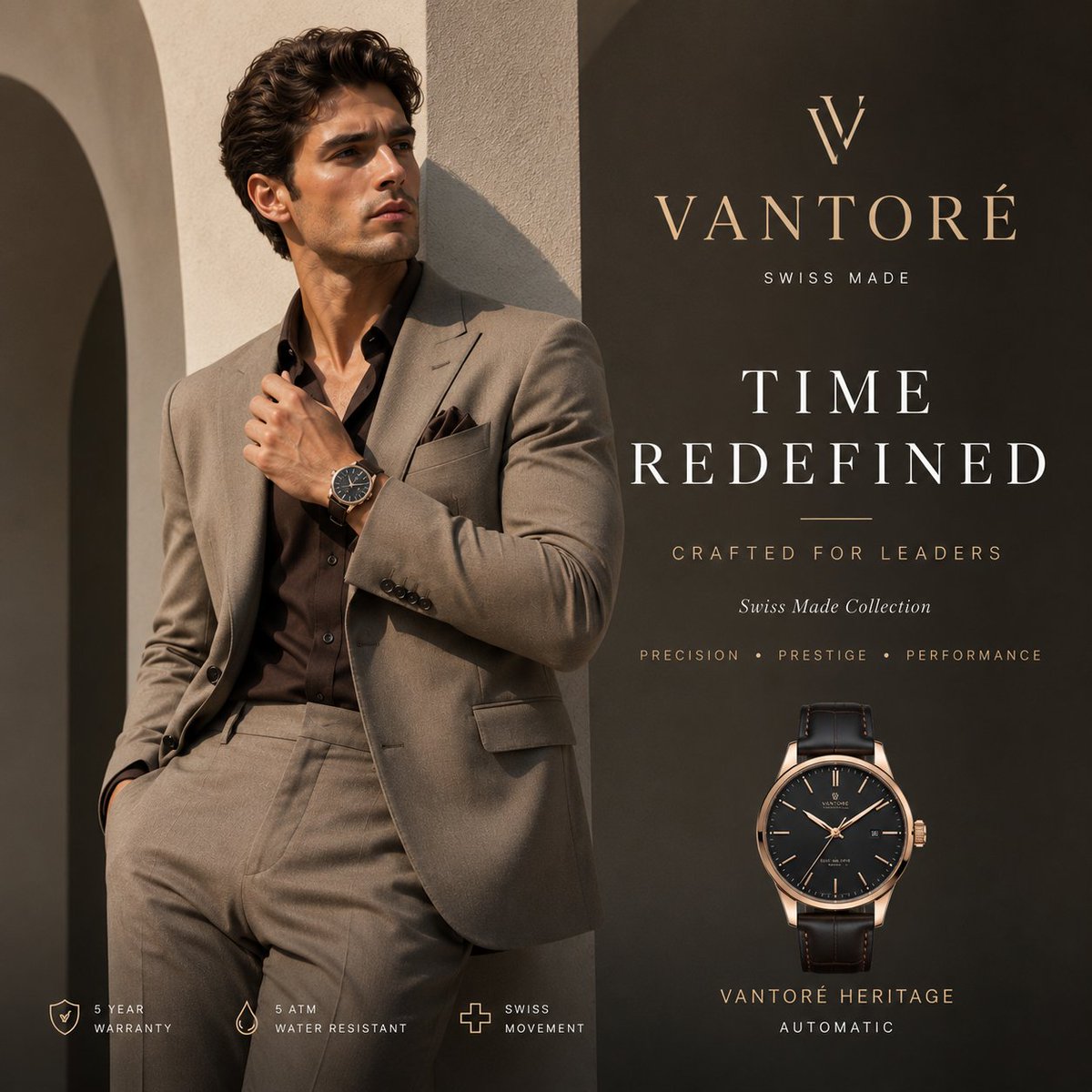
38. 高級時計VANTORÉの広告

作者: shah_zadii

スーツ姿の男性モデルと高級スイス製腕時計のブランディングを描いた、ハイエンドな時計キャンペーン向けのプレミアムなスクエアのファッション広告です。


Luxury VANTORÉ Watch Advertisement

🎬 Xで見る

プロンプト:


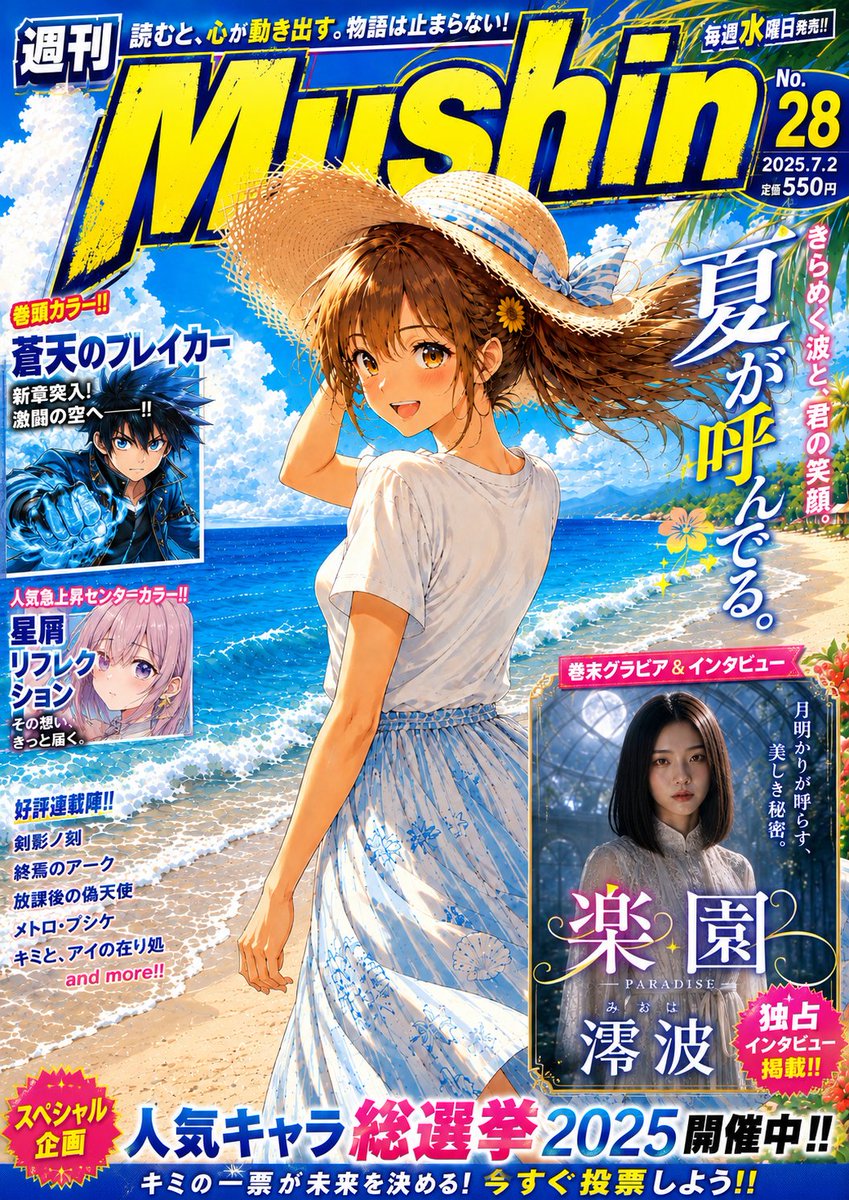
39. 架空の夏の漫画雑誌の表紙

作者: 無心 Mushin

ビーチの少女、大胆な誌名ロゴ、特集パネル、少年漫画らしい密度の高い表紙の文字組みを備えた、鮮やかな架空の日本の週刊漫画雑誌の表紙を生成します。


Fictional Summer Manga Magazine Cover

🎬 Xで見る

プロンプト:


Eコマース&商品撮影

スタジオ品質の商品写真、ルックブック、エディトリアルのファッショングリッド。カタログやD2Cブランドの撮影を丸ごと置き換えます。

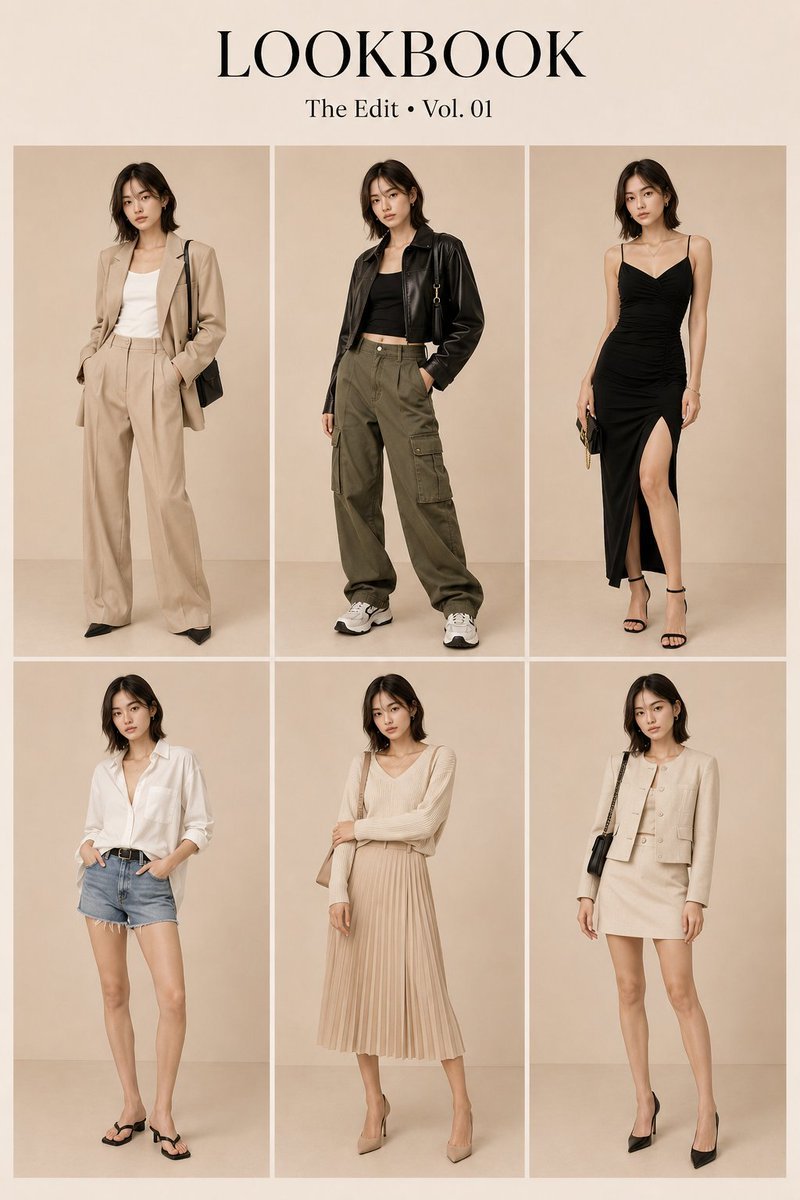
40. 韓国ファッションのルックブックグリッドのプロンプト

作者: MatteoCruz

6種類の異なる衣装とポーズにわたり、人物の一貫性を厳密に保った2×3グリッドのエディトリアル ルックブックを生成します。


Korean Fashion Lookbook Grid Prompt

🎬 Xで見る

プロンプト:

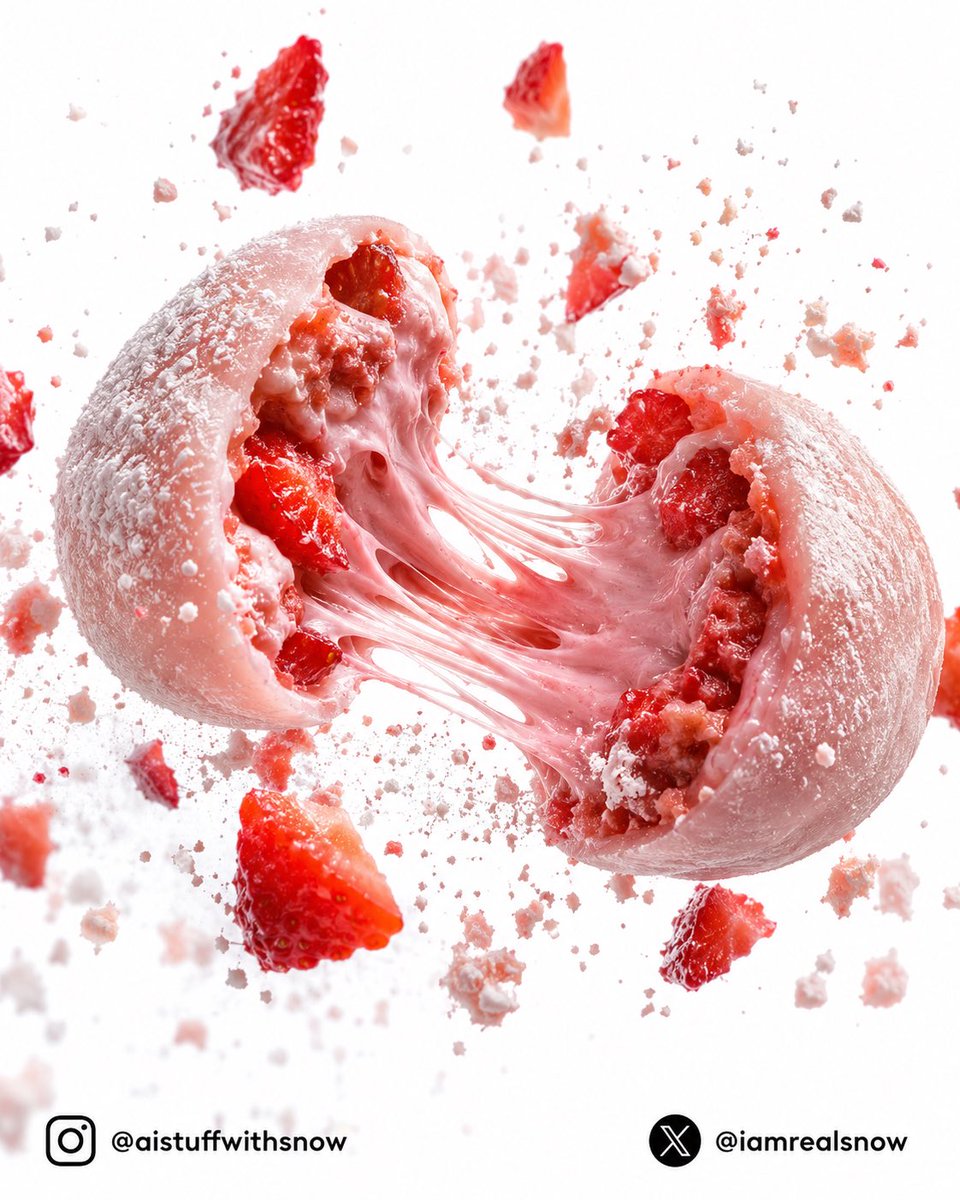
41. ストロベリーラバ モチ爆発フォトグラフィー

作者: Snow

とろけるフィリングときらめく砂糖の結晶とともに、半分に引き裂かれたいちご大福を描いた、ハイエンドな商業フード写真のプロンプトです。


Strawberry Lava Mochi Explosion Photography

🎬 Xで見る

プロンプト:

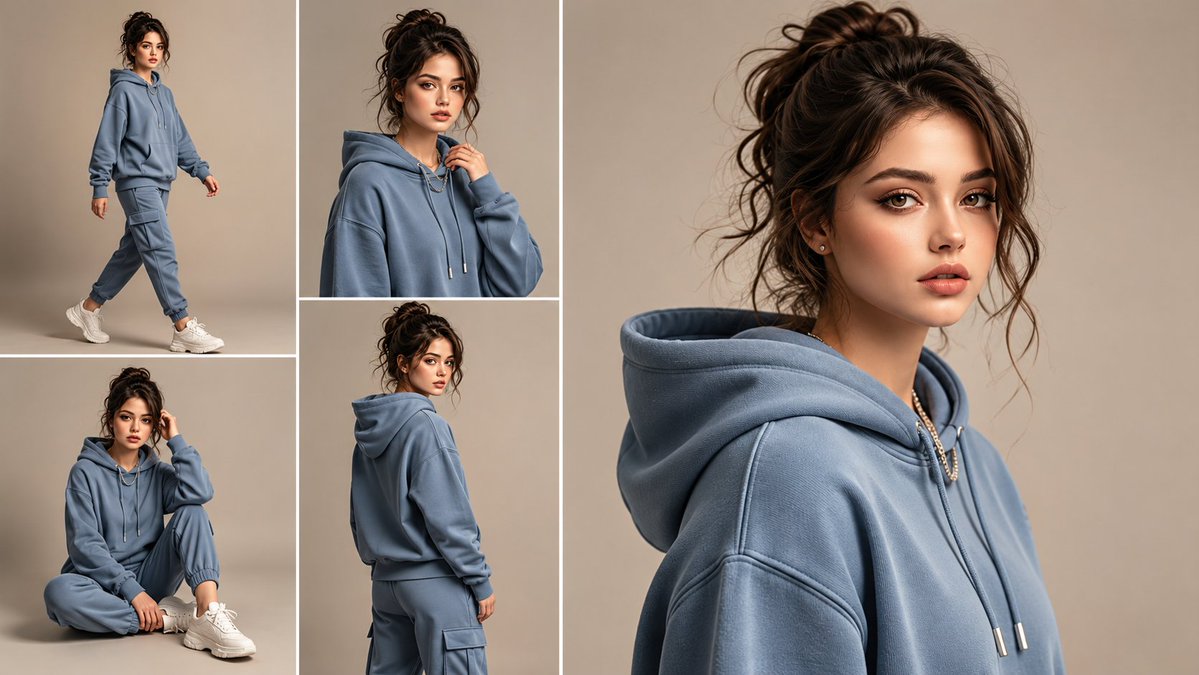
42. 匿名のトラックスーツ ルックブックのコラージュ

作者: Cherry 2.O

女性用のフーディとジョガーのトラックスーツを、さまざまな角度から見せる、リアルな5パネルのスタジオ ファッションコラージュを生成します。


Anonymous Tracksuit Lookbook Collage

🎬 Xで見る

プロンプト:


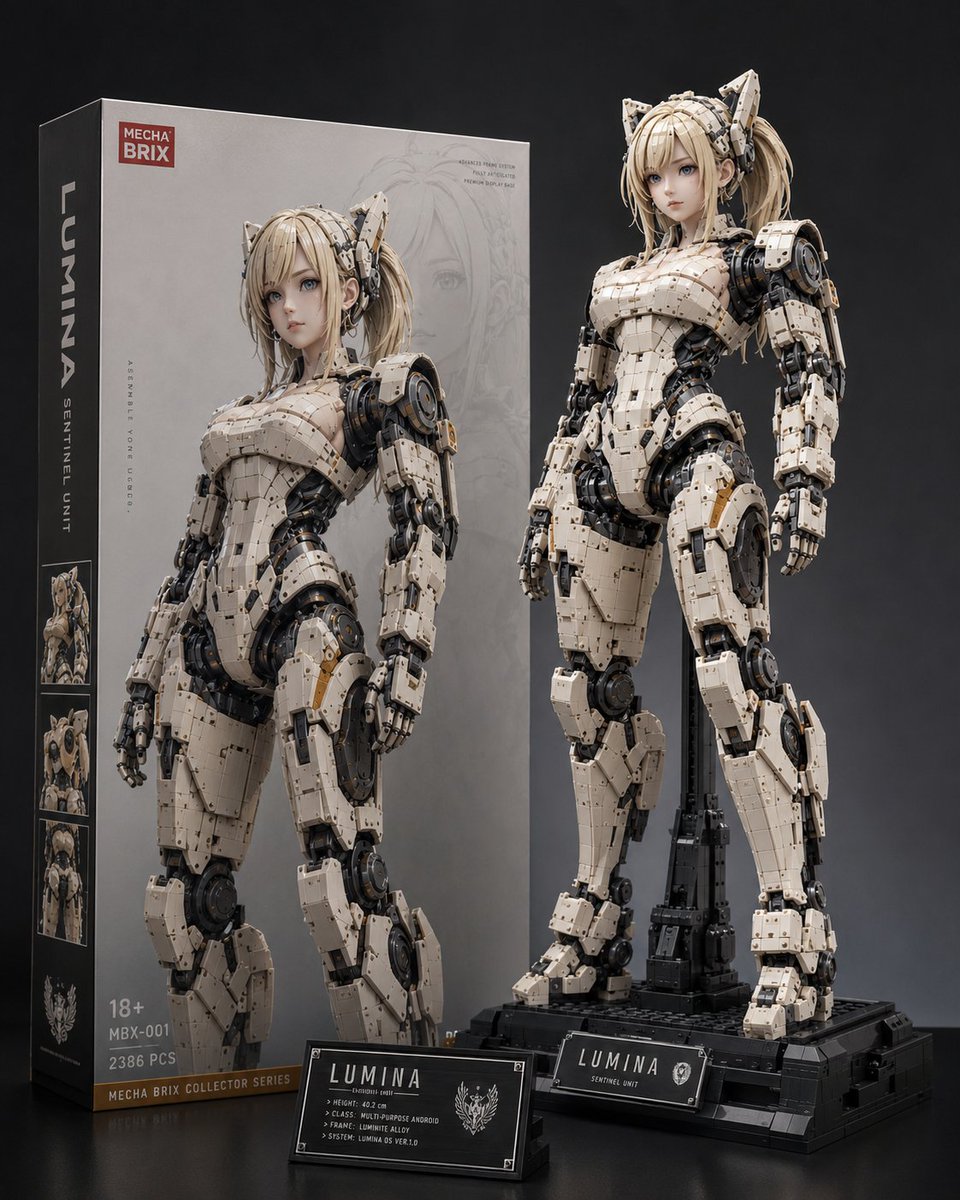
43. Lumina メカフィギュアの商品写真

作者: カーブミラー

Luminaという名前の、箱入りのアニメ調アーマード アンドロイドのプラモデルを生成するための、フォトリアルなプレミアムトイ写真のプロンプトです。


Lumina Mecha Figure Product Shot

🎬 Xで見る

プロンプト:

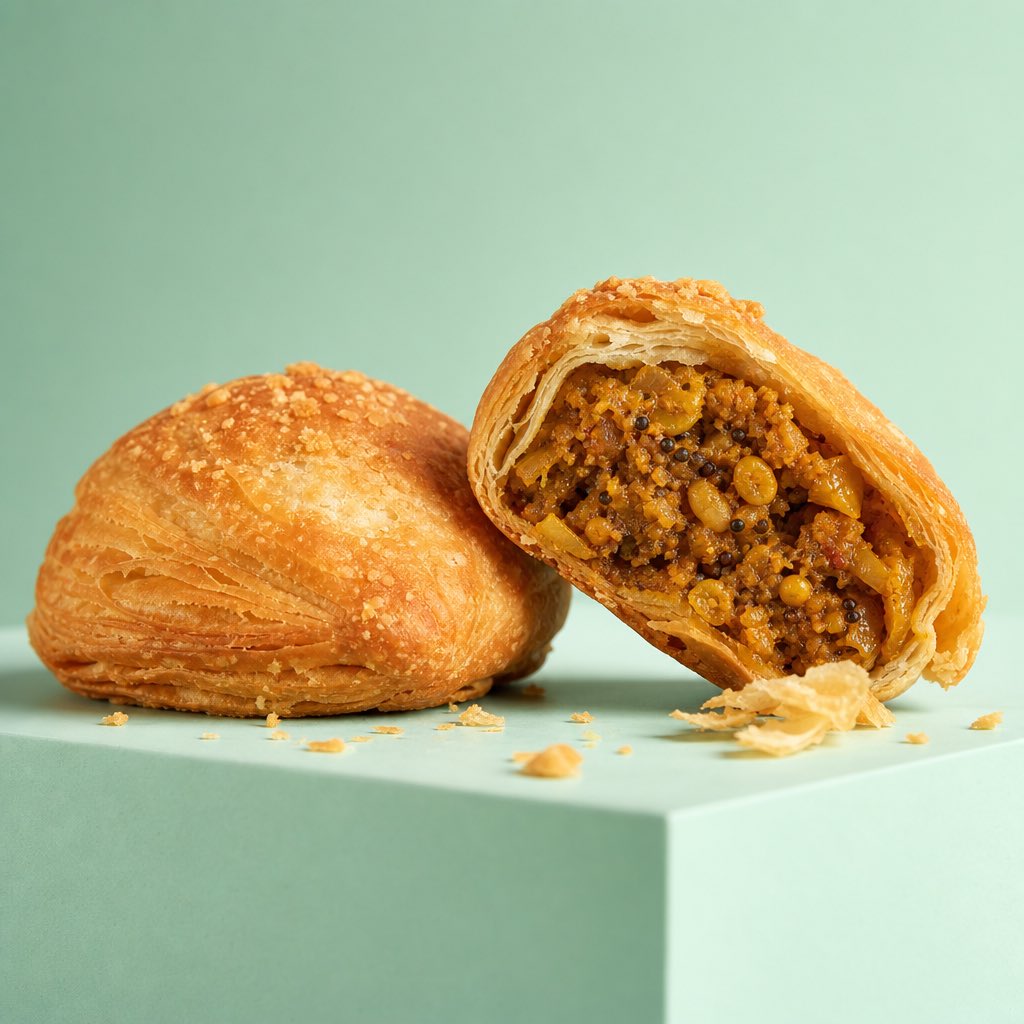
44. プレミアムな商業フード写真

作者: Al-Shamus

ハイエンドな照明とハイパーリアルな質感を備えた、高級広告キャンペーン向けのマクロフード写真のプロンプトです。


Premium Commercial Food Photography

🎬 Xで見る

プロンプト:

45. 高級キャンドルの商品写真

作者: Kami AI

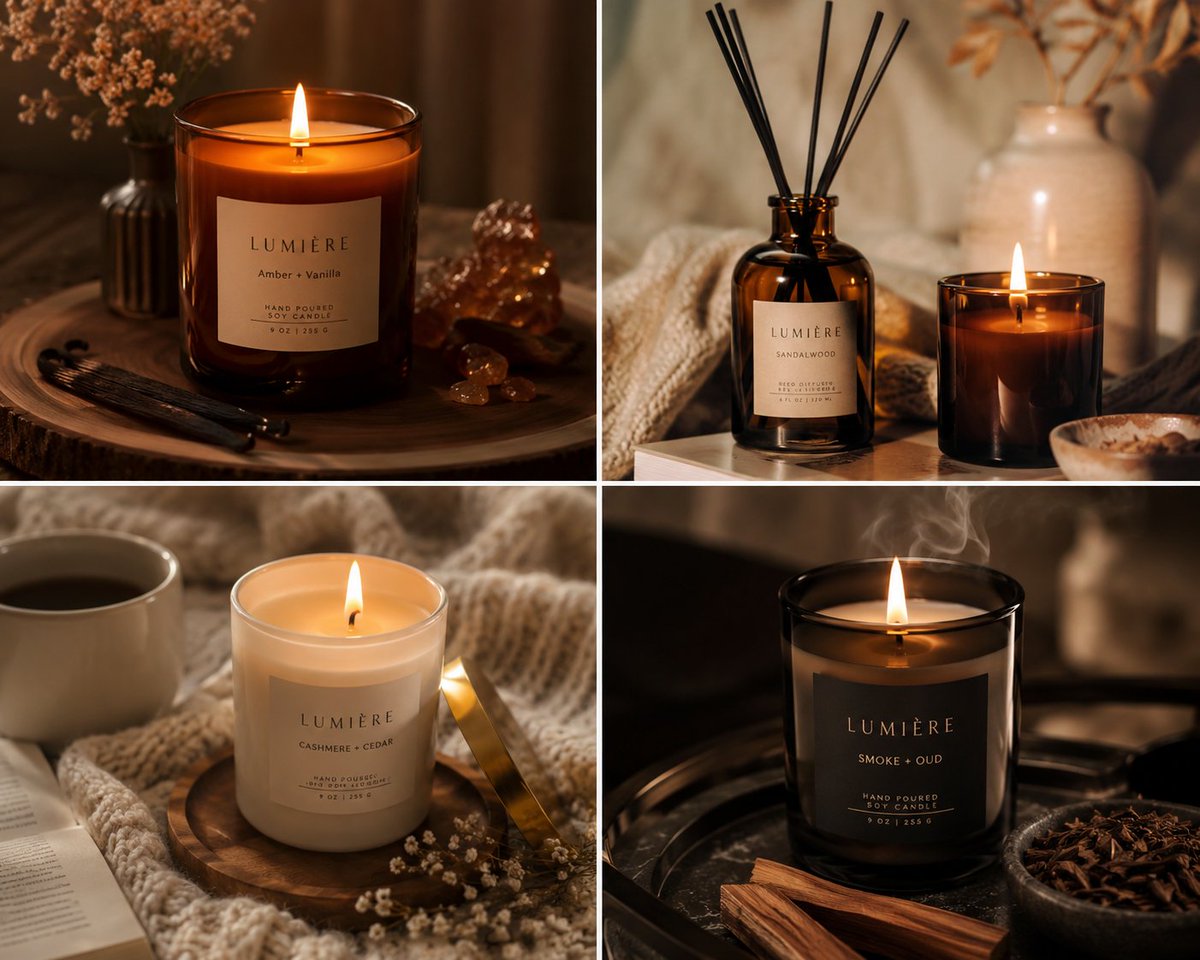
キャンドルやホームフレグランス向けに、とろけたワックスの質感と居心地の良い高級感のあるライフスタイルの雰囲気に焦点を当てた、温かみがあって雰囲気のある商品画像を生成します。


Luxury Candle Product Photography

🎬 Xで見る

プロンプト:

避けるべきよくある間違い

01. プロンプトをひと続きの段落として書く。 GPT Image 2は構造化されたプロンプトで学習されています。200語の説明的な段落では平凡な出力になりますが、同じ内容を名前の付いたセクション(被写体、スタイル、レイアウト、テキスト)に整理すれば、プロ品質の仕上がりになります。

02. 入れたいテキストを書かずに、説明してしまう。 「成功についてのモチベーションを高める名言」では、意味不明な文字になります。 "headline": "Mountains move when you do." と書けば、きれいで正確なタイポグラフィが生成されます。必ず正確な文字列を引用符で囲んで書きましょう。
03. 英語以外の出力で言語を指定し忘れる。 GPT Image 2は、日本語、中国語、韓国語でもネイティブ品質のタイポグラフィを実現しますが、それは言語を明示的に指定した場合に限ります。指定しないと、ローマ字表記になったり、AI特有の崩れた文字になったりすることがあります。

04. 一般的なスタイルの言葉を使う。 「アニメ風」「水彩画」「シネマティック」では広すぎます。「1990年代のセーラームーン時代の少女漫画」「エドワード・ホッパーに着想を得た油絵」「ARRI Alexaのアナモルフィックレンズのフィルムスチル」のように具体的にしましょう。具体性が、モデルの深いスタイルの記憶を引き出します。
05. 画像から画像への変換のほうが適している場合に、すべてを1つのプロンプトで生成しようとする。 複数のシーンにわたってキャラクターが必要な場合は、まずキャラクターを一度生成し、その後は画像から画像への変換でバリエーションを作ります。GPT Image 2の一貫性は最大の競争優位です。ぜひ活用してください。

GPT Image 2と他の画像モデルの比較

機能

GPT Image 2

Nano Banana Pro

Midjourney v7

テキストレンダリング

ピクセル単位で完璧、多言語対応

優秀(英語)

改善されたが誤りが出やすい

画像間の一貫性

ネイティブ、ピクセルレベル

強い

限定的

多言語タイポグラフィ

ネイティブ対応(EN/JA/ZH/KO)

英語中心

英語中心

商用対応の出力

✅ そのまま公開可能

✅ そのまま公開可能

仕上げが必要なことが多い

レイアウト/インフォグラフィックデザイン

最高クラス

強い

弱い

フォトリアリズム

優秀

優秀

業界最高水準

アートスタイルの幅

優秀

優秀

業界最高水準

最適な用途

デザイン、ブランディング、多言語、シリーズもの

エディトリアル、ミクストメディア

アート表現、フォトリアルなヒーローショット

よくある質問

Q:GPT Image 2は利用できますか? A:GPT Image 2はAtlabs AI で利用できます。画像を生成して試してみてください。有料プランでは、より高い解像度、バッチ生成、商用利用の権利が利用できます。

Q:GPT Image 2を商用プロジェクトで使えますか? A:はい。Atlabs AIの有料プランのユーザーは、生成した画像に対する完全な商用利用の権利を持ちます。

Q:GPT Image 2は画像から画像への変換や編集に対応していますか? A:はい。GPT Image 2の画像から画像へのモードは最も強力な機能のひとつで、編集やバリエーションをまたいでピクセルレベルのキャラクターの一貫性を維持するため、シリーズものやブランド素材に最適です。

Q:GPT Image 2はどの言語を適切に描画できますか? A:英語、日本語、中国語(簡体字と繁体字)、韓国語でネイティブ品質のタイポグラフィに対応しています。他の多くのラテン文字の言語もうまく扱えます。プロンプトでは必ず、対象の言語を明示的に指定してください。

Q:GPT Image 2はDALL-Eとどう違いますか? A:GPT Image 2はOpenAIの次世代画像モデルで、DALL-Eの系譜を置き換えるものです。テキストレンダリング、キャラクターの一貫性、レイアウトベースのデザイン(ポスター、インフォグラフィック、UI)において、どのDALL-Eモデルよりも大幅に優れています。

作成を始めませんか?

Photoshop不要で、GPT Image 2を使ってデザイン品質の画像を生成できます。

→ Atlabs AIで無料で作成を始める

あなたの物語を伝える準備はできましたか?

あなたの物語を伝える準備はできましたか?

あなたの物語を伝える準備はできましたか?