功能
工作流
解决方案
资源
返回

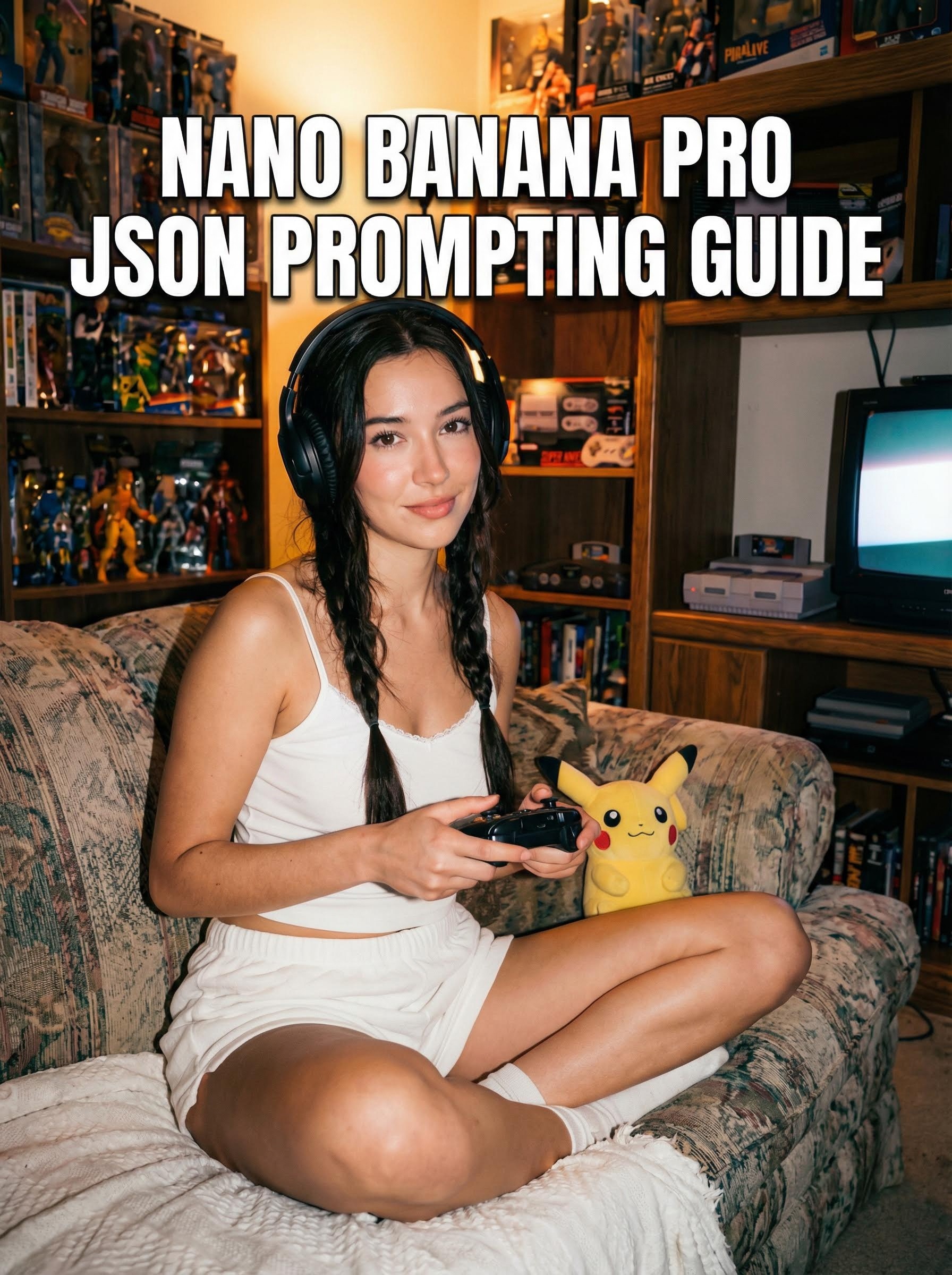
Nano Banana Pro JSON 提示词指南:精通结构化 AI 图像生成

Nano Banana Pro JSON 提示词指南:精通结构化 AI 图像生成

Nano Banana Pro JSON 提示词指南:精通结构化 AI 图像生成

引言:为什么大段文字已经过时

在不断演进的 AI 图像生成世界里,传统的“文字墙”式提示词正在失去优势。对于 Nano Banana Pro 用户而言,解锁一致、高保真结果的秘诀在于 JSON 提示词.

与标准提示词中形容词常常相互“串味”(造成“概念渗漏”)不同,JSON 结构会迫使 AI 对信息进行分类。本指南将介绍如何运用 Nano Banana Pro 的 JSON 结构,隔离光线、构图和主体细节等变量,从而获得无与伦比的控制力。

什么是 Nano Banana Pro 中的 JSON 提示词?

JSON(JavaScript Object Notation)提示词是一种格式化输入的方法,让 AI 模型理解不同的类别。你不再写 “一个女孩在房间里,使用闪光灯拍摄”, 而是把这些概念拆分成特定的 键值对.

核心优势:

  • 关注点分离: 防止背景的颜色意外渗透到主体的衣服上。

  • 加权聚焦: 模型会对特定键中定义的细节给予特别关注(例如:Camera 与 Subject)。

  • 可复现性: 它允许你替换单个元素(比如背景),而不破坏主体的一致性。

完美 JSON 提示词的结构解析

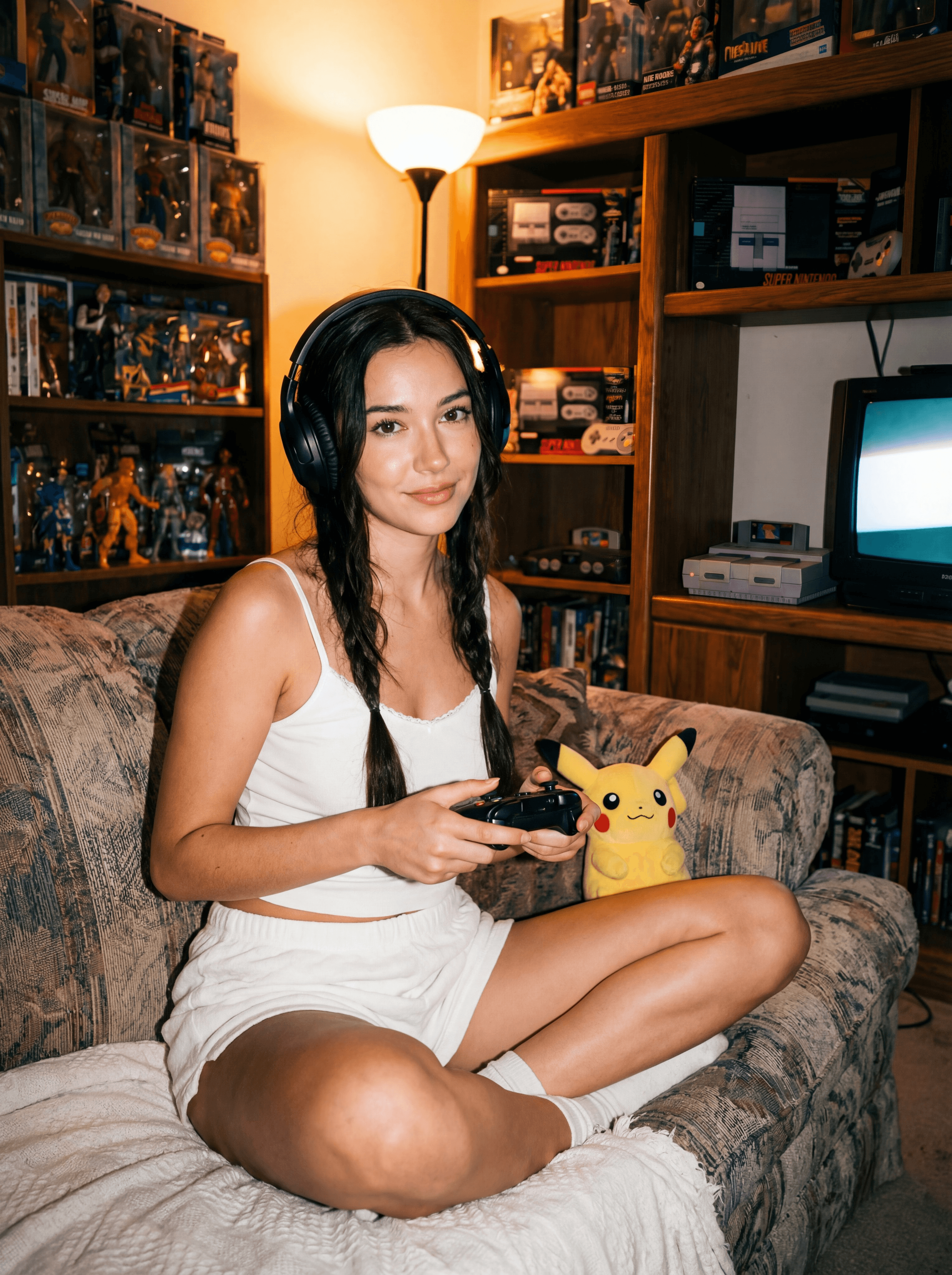
要获得理想的结果,你必须理解每个“键”的作用。下面基于“Direct Flash Gamer Girl”模板,对标准的 Nano Banana Pro 结构进行拆解。

1. 核心标识

  • label:你的提示词的简短内部名称。(例如:“direct-flash-gamer-girl”)。

  • tags:高层级的关键词。它们是整体美学的锚点。

    • 用法: 用于“film-aesthetic”或“retro”这类宽泛的概念。

2. 主体模块

这里用来定义主要角色。

  • 主体(Subject):描述身体特征的列表(年龄、皮肤、头发、表情)。

    • 提示: 把它拆成具体的几行,而不是写成一个长句。


  • MadeOutOf:专门定义材质和质感。

    • 为什么重要: 这能避免塑料感的皮肤或织物。指定“棉质吊带”还是“氨纶”,会改变光线的反射。


  • Arrangement:姿势和身体位置。

    • 用法: “主体居中盘腿而坐。”

3. 环境

  • Background:整体场景(例如:“光线昏暗的复古游戏房”)。

  • RoomObjects:填充场景的具体物品。

    • 提示: 在这里列出“复古 CRT 显示器”,能确保它出现在背景中,而不是主体手里。

  • Accessories:连接主体与背景的小细节(例如:“皮卡丘玩偶”、“耳机”)。

4. 技术控制(“专业”部分)

这正是 Nano Banana Pro 的闪光之处。

  • 灯光:描述光源、方向和质感(例如:“强烈的直射闪光灯”、“钨丝灯”)。

  • ColorRestriction: 对整体协调至关重要。 它限制色板,避免出现“彩虹呕吐”般的杂乱色彩。

    • 示例: “整体色调以温暖的钨丝灯色调为基础。”


  • 镜头(Camera):一个嵌套对象,定义“虚拟设备”。

    • lens:焦距(例如:环境人像用“35mm”)。

    • aperture:景深(例如:背景虚化用“f/2.0”)。

    • iso / grain:控制质感。

示例:拆解“Gamer Girl”提示词

下面是结构化 JSON 提示词的样子。复制这个结构,即可实现“Direct Flash”美学。
  {

  "label": "direct-flash-gamer-girl",

  "tags": [

    "direct-flash", "90s-photography", "film-aesthetic"

  ],

  "Style": [

    "direct-flash-photography-3",

    "documentary-candid-style-2"

  ],

  "Subject": [

    "young woman, early 20s, fair skin",

    "long dark hair, loose braids",

    "eyes looking directly into camera"

  ],

  "MadeOutOf": [

    "white cotton camisole",

    "high-waisted shorts",

    "plastic gaming controller"

  ],

  "Arrangement": "subject sits cross-legged on couch, holding controller",

  "Background": "dimly lit retro room, crowded shelves",

  "ColorRestriction": [

    "warm tungsten tones",

    "white outfit for contrast",

    "red and black accents"

  ],

  "Lighting": "strong direct on-camera flash, hard shadows",

  "Camera": {

    "type": "digital rangefinder",

    "lens": "35mm",

    "aperture": "f/2.0",

    "flash": "high intensity direct"

  },

  "OutputStyle": "photorealistic snapshot, visible texture, film grain",

  "Mood": "intimate, nostalgic"

}
  {

  "label": "direct-flash-gamer-girl",

  "tags": [

    "direct-flash", "90s-photography", "film-aesthetic"

  ],

  "Style": [

    "direct-flash-photography-3",

    "documentary-candid-style-2"

  ],

  "Subject": [

    "young woman, early 20s, fair skin",

    "long dark hair, loose braids",

    "eyes looking directly into camera"

  ],

  "MadeOutOf": [

    "white cotton camisole",

    "high-waisted shorts",

    "plastic gaming controller"

  ],

  "Arrangement": "subject sits cross-legged on couch, holding controller",

  "Background": "dimly lit retro room, crowded shelves",

  "ColorRestriction": [

    "warm tungsten tones",

    "white outfit for contrast",

    "red and black accents"

  ],

  "Lighting": "strong direct on-camera flash, hard shadows",

  "Camera": {

    "type": "digital rangefinder",

    "lens": "35mm",

    "aperture": "f/2.0",

    "flash": "high intensity direct"

  },

  "OutputStyle": "photorealistic snapshot, visible texture, film grain",

  "Mood": "intimate, nostalgic"

}
  {

  "label": "direct-flash-gamer-girl",

  "tags": [

    "direct-flash", "90s-photography", "film-aesthetic"

  ],

  "Style": [

    "direct-flash-photography-3",

    "documentary-candid-style-2"

  ],

  "Subject": [

    "young woman, early 20s, fair skin",

    "long dark hair, loose braids",

    "eyes looking directly into camera"

  ],

  "MadeOutOf": [

    "white cotton camisole",

    "high-waisted shorts",

    "plastic gaming controller"

  ],

  "Arrangement": "subject sits cross-legged on couch, holding controller",

  "Background": "dimly lit retro room, crowded shelves",

  "ColorRestriction": [

    "warm tungsten tones",

    "white outfit for contrast",

    "red and black accents"

  ],

  "Lighting": "strong direct on-camera flash, hard shadows",

  "Camera": {

    "type": "digital rangefinder",

    "lens": "35mm",

    "aperture": "f/2.0",

    "flash": "high intensity direct"

  },

  "OutputStyle": "photorealistic snapshot, visible texture, film grain",

  "Mood": "intimate, nostalgic"

}

如何编辑以获得你想要的结果

要改变结果,不要重写整个提示词。只需修改负责该元素的特定键。

场景 A:更换地点

如果你想要同一个女孩,但置身于 赛博朋克城市:

  1. 保持 Subject、Camera 和 Lighting 完全不变。

  2. 将 Background 改为: “霓虹灯照亮的湿滑街道,未来感摊位。”

  3. 将 ColorRestriction 改为: “赛博朋克色板,青色与洋红色霓虹,深黑色。”

场景 B:把氛围改为“柔和电影感”

  1. 保持 Subject 和 Background。

  2. 将 Lighting 改为: “柔和的窗光漫射,黄金时刻,无闪光灯。”

  3. 将 Camera > flash 改为: “Off”.

  4. 将 Camera > aperture 改为: “f/1.4” (获得更多焦外虚化)。

常见问题:Nano Banana Pro 提示词

问:我需要会写代码才能使用 JSON 提示词吗?
答:不需要。你只是用这种格式来组织文字。你不需要了解编程逻辑,只需注意括号 { } 和引号 " " 即可。

问:为什么 JSON 格式能提升图像质量?
答:它减少了“token 混淆”。通过明确告诉 AI“红色”属于 RoomObjects 而不是 Subject,你会得到更干净、色彩分离更好的图像。

问:我可以把这个结构用于非照片写实的风格吗?
答:可以。只需把 OutputStyle 键改为“Oil Painting”、“3D Render”或“Anime”,并调整 Subject 描述以匹配该艺术风格即可。

结论

精通 Nano Banana Pro JSON 结构 ,是从随机生成迈向专业、精心打磨的 AI 艺术的最快途径。把你的提示词当作结构化的数据集来对待,你就能完全掌控最终图像的构图、光线和情绪。

准备好讲述你的故事了吗?

准备好讲述你的故事了吗?

准备好讲述你的故事了吗?




