O guia definitivo de prompts do GPT Image 2 [2026]
O guia definitivo de prompts do GPT Image 2 [2026]
O guia definitivo de prompts do GPT Image 2 [2026]
Domine o principal modelo de imagem da OpenAI com 45 prompts prontos para produção em 8 categorias, a fórmula do prompt perfeito e técnicas profissionais extraídas de mais de 10.000 gerações testadas pela comunidade.
O que é o GPT Image 2?
GPT Image 2 (codinome "duct-tape") é o modelo de geração de imagens de próxima geração da OpenAI, sucessor do GPT Image 1, com avanços substanciais em renderização de texto, consistência de personagens e resultados em nível de design. Enquanto a maioria dos modelos de imagem ainda trata texto como "ruído sofisticado", o GPT Image 2 lida com parágrafos inteiros de tipografia multilíngue com precisão de pixel. Enquanto eles tratam cada geração como independente, o GPT Image 2 mantém um personagem ou produto visualmente idêntico ao longo de dezenas de quadros.
Principais recursos:
🎯 Renderização de texto com precisão de pixel — Texto com qualidade nativa em inglês, chinês, japonês, coreano e mais. Sem erros de digitação, sem glifos deformados, sem "texto ininteligível de IA".
🎨 Consistência entre imagens — O mesmo personagem, IP ou produto permanece idêntico ao longo de uma série inteira, até o pixel.
⚡ Ilustração de nível comercial — O resultado está pronto para uso sem retoques manuais, perfeito para marketing, e-commerce e uso editorial.
🌈 Indução fiel de estilo artístico — Captura a essência de um estilo artístico em vez de apenas aproximar visualmente imagens de referência.
🔧 Storyboards & layouts multipainel — Storyboards, fichas de personagens de IP e visuais de produto multipainel em uma única geração.
📐 Design multilíngue — Cards para redes sociais, banners, infográficos e pôsteres com tipografia multilíngue precisa — de uma só vez.
A maioria dos conselhos sobre prompts de imagem manda você escrever um parágrafo. Com o GPT Image 2, os prompts que vencem de forma consistente se parecem mais com especificações de produto do que com prosa — estruturados, hierárquicos, muitas vezes escritos em JSON. Analisando os mais de 10.000 melhores prompts da comunidade, surge um padrão claro.
A fórmula:
{
  "type": [poster | infographic | profile | thumbnail | ad | lookbook],
  "subject": [main visual subject],
  "style": [art style + lighting + medium],
  "composition": [layout, framing, focal point],
  "text_elements": {
    "headline": [exact text in quotes],
    "body": [exact text in quotes],
    "language": [en | ja | zh | ko]
  },
  "details": [specific colors, props, atmosphere, brand tokens]
Você não precisa usar JSON literal — prosa natural também funciona. Mas o raciocínio deve ser estruturado: o GPT Image 2 recompensa prompts que tratam a imagem como um layout com partes nomeadas, não como uma descrição livre.
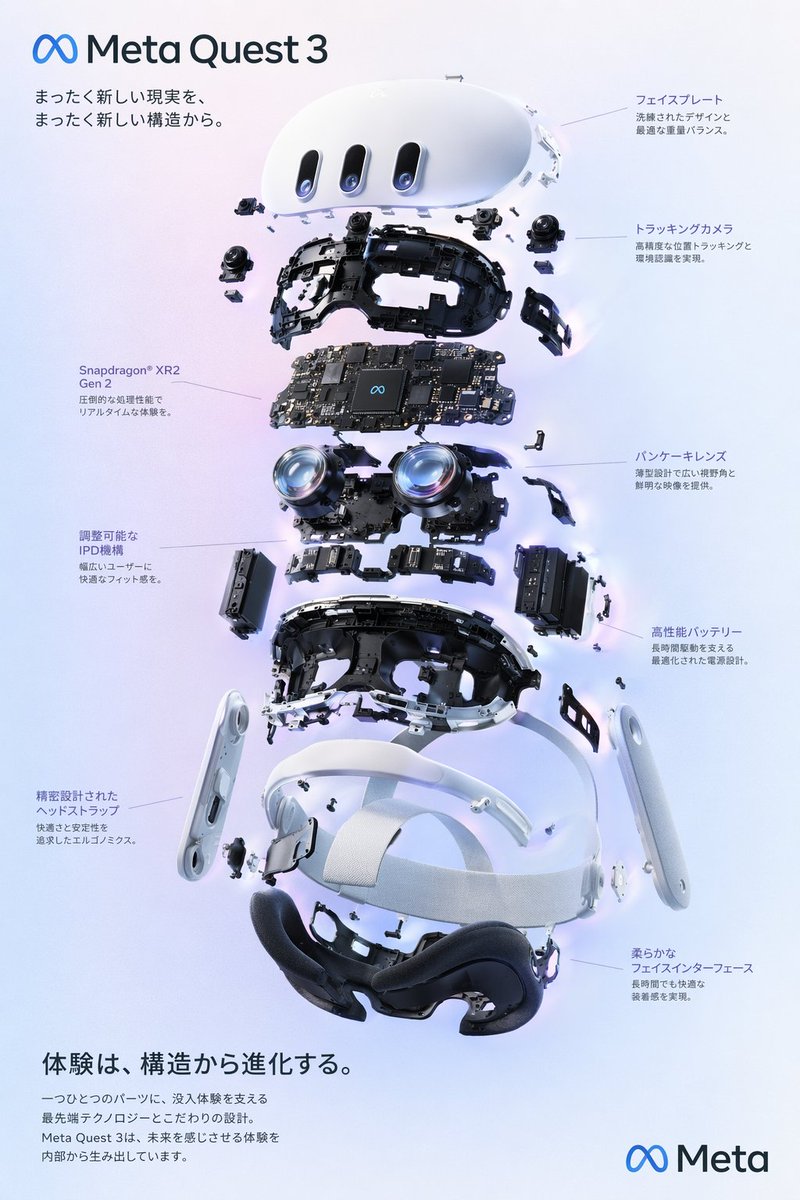
Exemplo detalhado: "Pôster de vista explodida de um headset de VR"
Veja como o prompt em destaque do especialista da comunidade @wory37303852 se encaixa na fórmula:
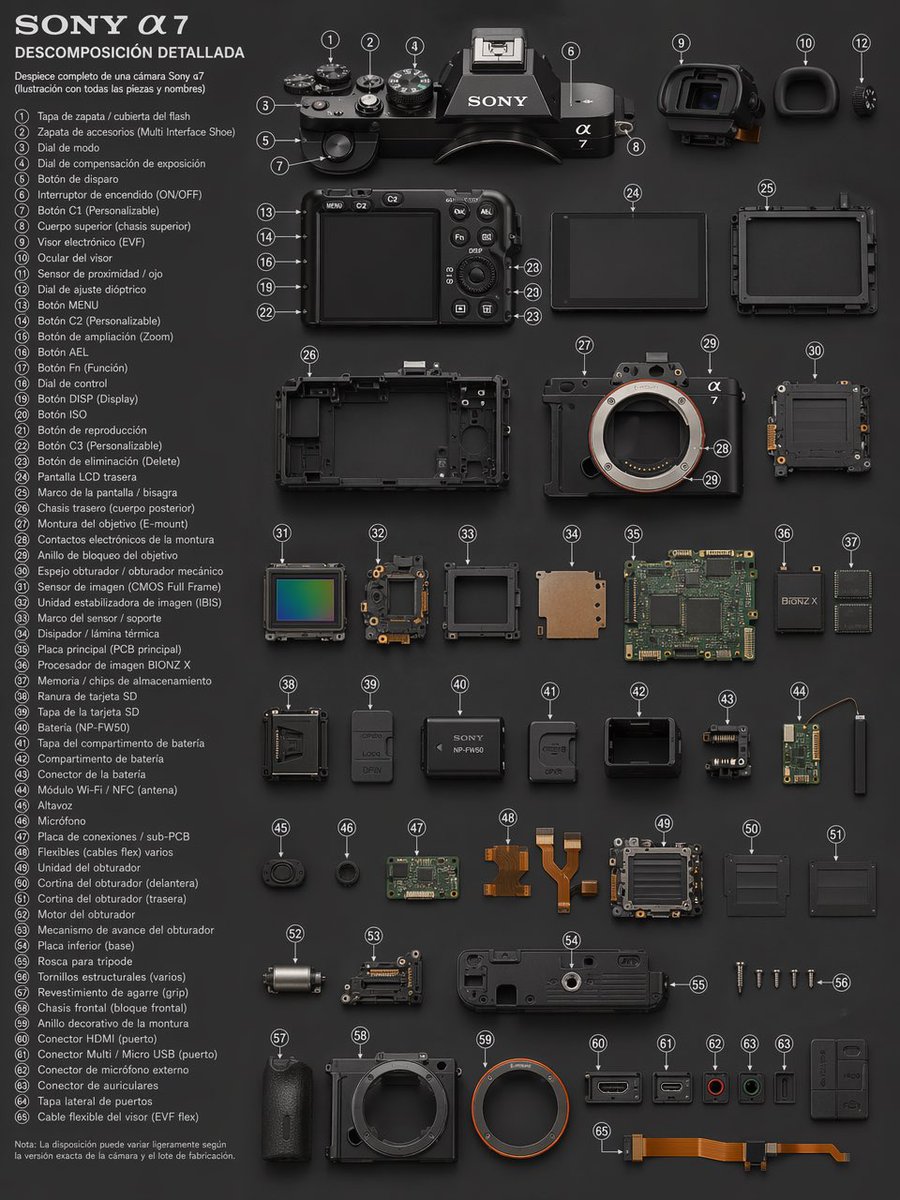
Tipo: Pôster de diagrama de produto em vista explodida
Sujeito: Headset de VR com 9 camadas internas de componentes distintas
Estilo: Render 3D limpo e de alta tecnologia, iluminação de estúdio, detalhes brilhantes
Composição: Vista explodida empilhada na vertical, 8 legendas de destaque (3 à esquerda, 5 à direita)
Elementos de texto: Títulos e texto corrido multilíngues em japonês, logotipo da marca, nome do produto
Detalhes: Fundo com gradiente suave de roxo a azul, marca ∞ Meta
💡 Dica profissional: trate a imagem como um layout, não como uma descrição. O maior avanço do GPT Image 2 em relação aos modelos anteriores é a capacidade de renderizar layouts estruturados (pôsteres, infográficos, interfaces) em que cada região tem seu próprio conteúdo. Nomear essas regiões no prompt — "header", "centerpiece", "left_callouts", "footer" — é a medida de maior impacto para obter resultados com qualidade de design.
Técnicas avançadas
1. Escreva prompts como JSON (mesmo quando não precisa)
O GPT Image 2 foi claramente treinado com prompts estruturados. Mesmo quando você não usa a sintaxe JSON literalmente, organizar seu prompt com seções nomeadas (type, subject, style, text_elements) produz resultados muito melhores do que prosa corrida. A maioria dos prompts em destaque da comunidade usa esse padrão.
2. Inclua o texto exato entre aspas
Quando você quiser um texto específico na imagem — um título, uma citação, o nome de uma marca — coloque-o entre aspas dentro do prompt. O renderizador de texto do GPT Image 2 lida com parágrafos inteiros de tipografia multilíngue de forma confiável, mas só se você informar a string exata a ser renderizada. Não escreva "uma frase motivacional sobre coragem" — escreva "headline": "Stay foolish, stay hungry.".
3. Especifique o idioma para resultados multilíngues
Adicionar "language": "ja" ou "language": "zh" ao seu prompt produz uma tipografia não inglesa muito melhor do que deixar o modelo adivinhar. O GPT Image 2 atinge renderização com qualidade nativa em inglês, japonês, chinês e coreano — mas só quando você especifica o idioma.
4. Referencie um estilo por época + meio
Referências de estilo vagas ("estilo anime", "aquarela") produzem resultados medianos. Combinações específicas de época + meio ("aquarela do Studio Ghibli dos anos 1990", "aquarela de tinta nanquim de mangá shoujo do início dos anos 2010") acessam a memória de estilo profunda do modelo. Quanto mais específica a referência, mais marcante o resultado.
🎨 Dica de estilo: Citar um artista, uma revista ou um estúdio específico (quando as regras de propriedade intelectual permitirem) gera resultados ainda mais precisos — "editorial da revista Wired", "concept art da Pixar", "design de personagem de Akira Toriyama".
5. Use argumentos no estilo Raycast para templates reutilizáveis
Muitos dos melhores prompts da comunidade usam a sintaxe de Snippets do Raycast — {argument name="product_name" default="iPhone 16"} — para criar templates reutilizáveis. Mesmo fora do Raycast, esse padrão mostra quais partes do seu prompt devem ser trocadas. Mantenha seus templates reutilizáveis parametrizados.
6. Use imagem para imagem para manter a consistência dos personagens
O modo imagem para imagem do GPT Image 2 foi feito para trabalhos em série. Envie uma imagem de referência do seu personagem, produto ou ativo de marca e depois descreva novas cenas. O modelo mantém a identidade visual em nível de pixel ao longo das gerações — o que o torna o primeiro modelo de imagem com IA realmente adequado para trabalhos de IP e de marca.
45 prompts prontos para produção por categoria
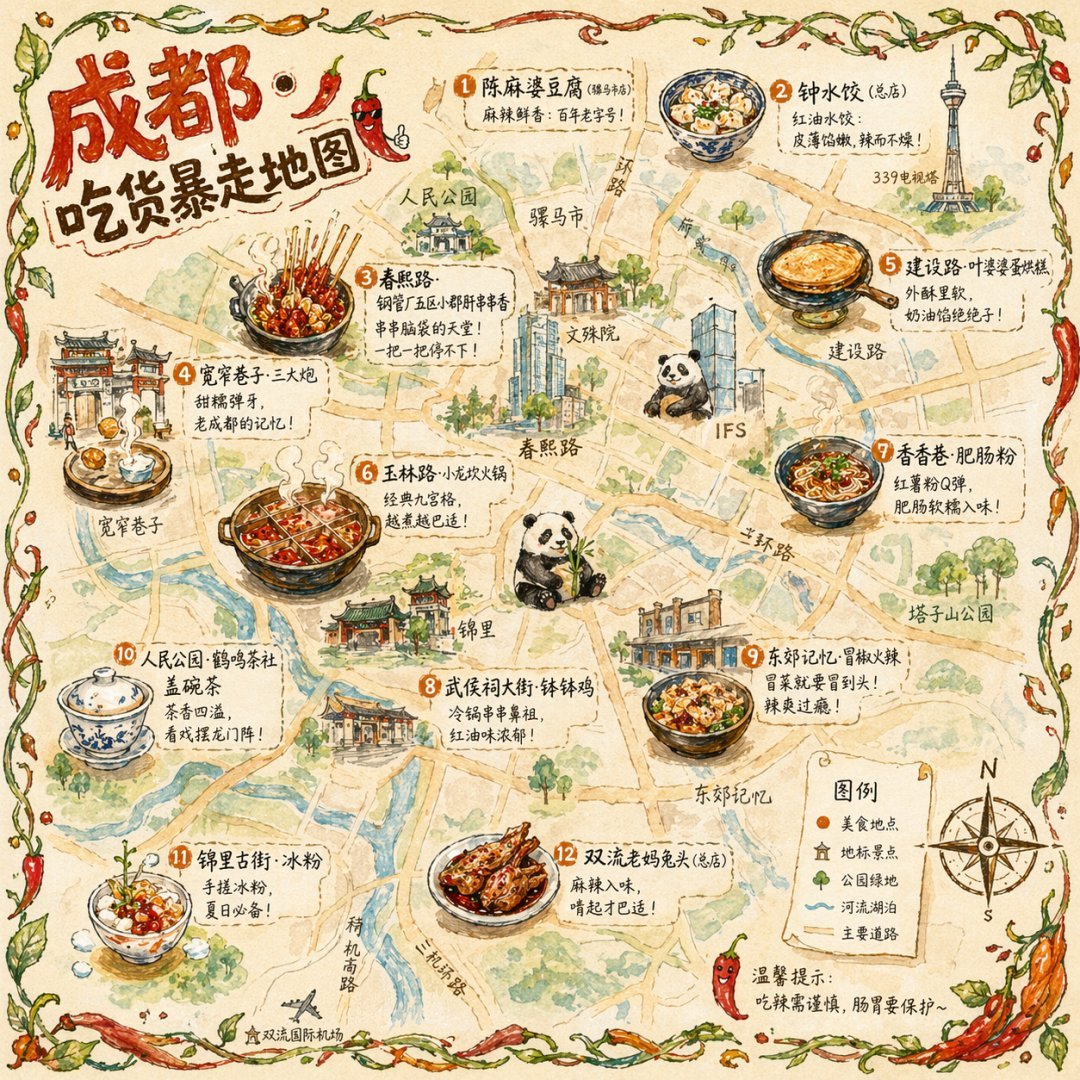
Prompts de masterclass escolhidos a dedo na comunidade — cada um mostra o GPT Image 2 no limite do que é possível. Vistas explodidas, estilos de arte híbridos, mockups de interface completos, tipografia multilíngue, tudo em uma única geração.
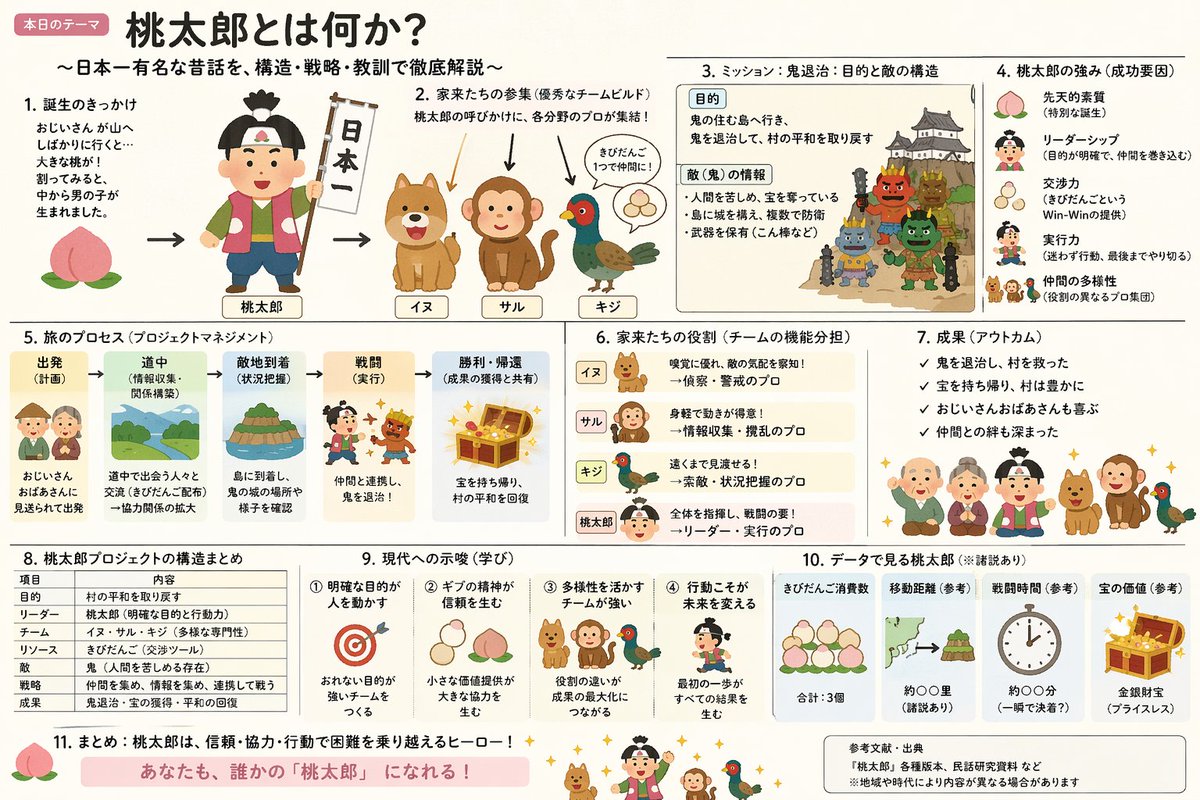
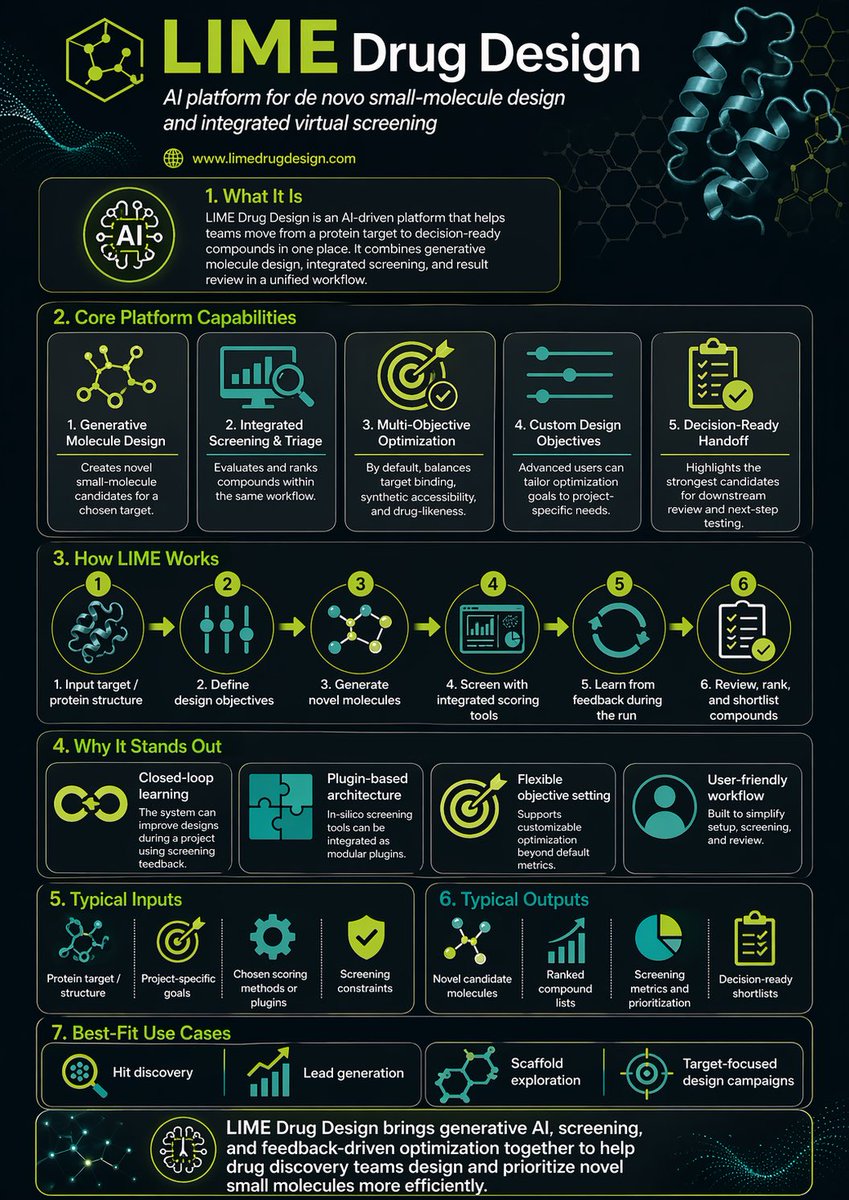
Um prompt que combina a estética simples e acolhedora das ilustrações Irasutoya com a alta densidade de informação característica dos slides do governo japonês.
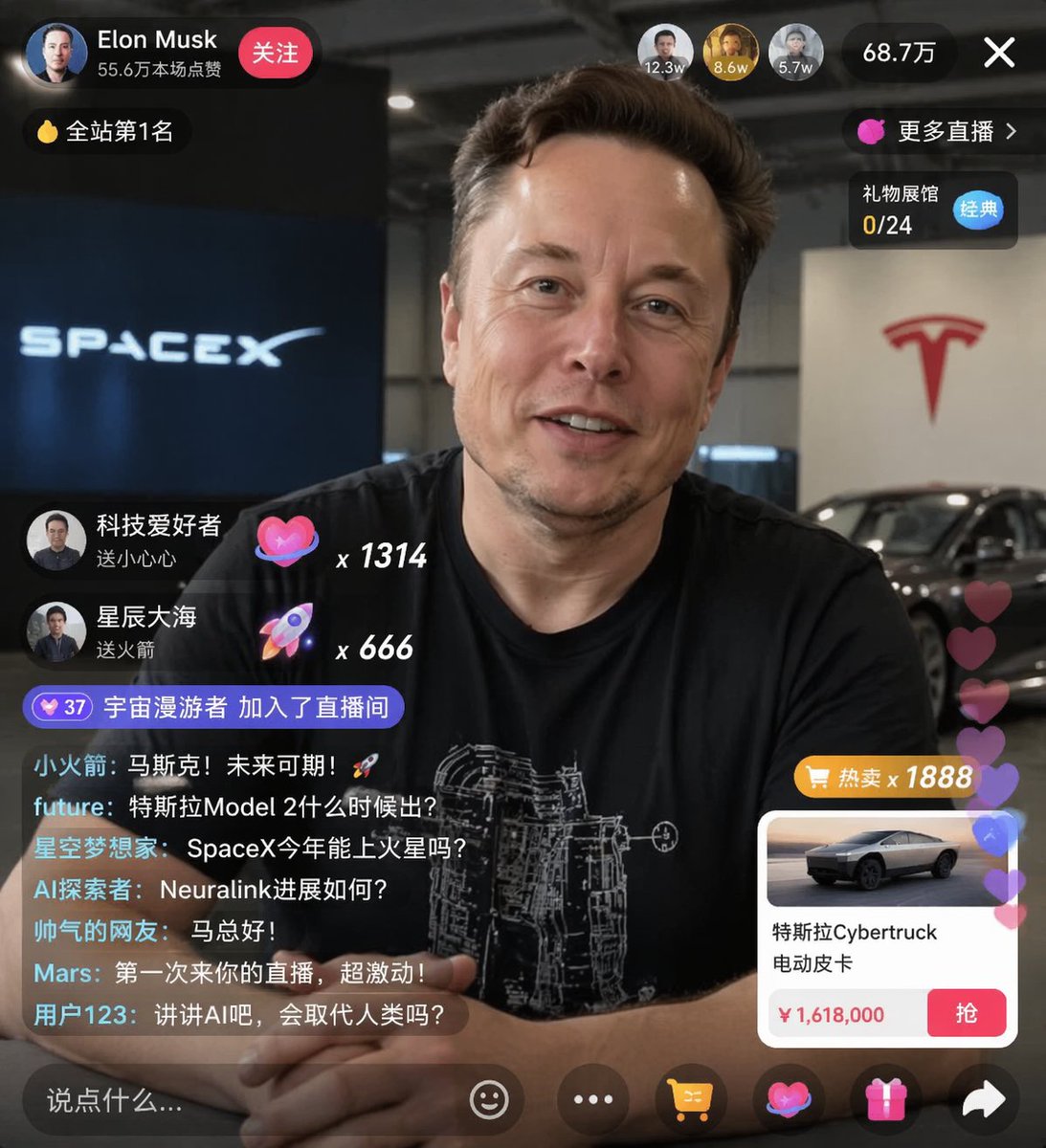
Gera uma interface realista de transmissão ao vivo de rede social sobreposta a um retrato, com mensagens de chat personalizáveis, pop-ups de presentes e um card de compra do produto.
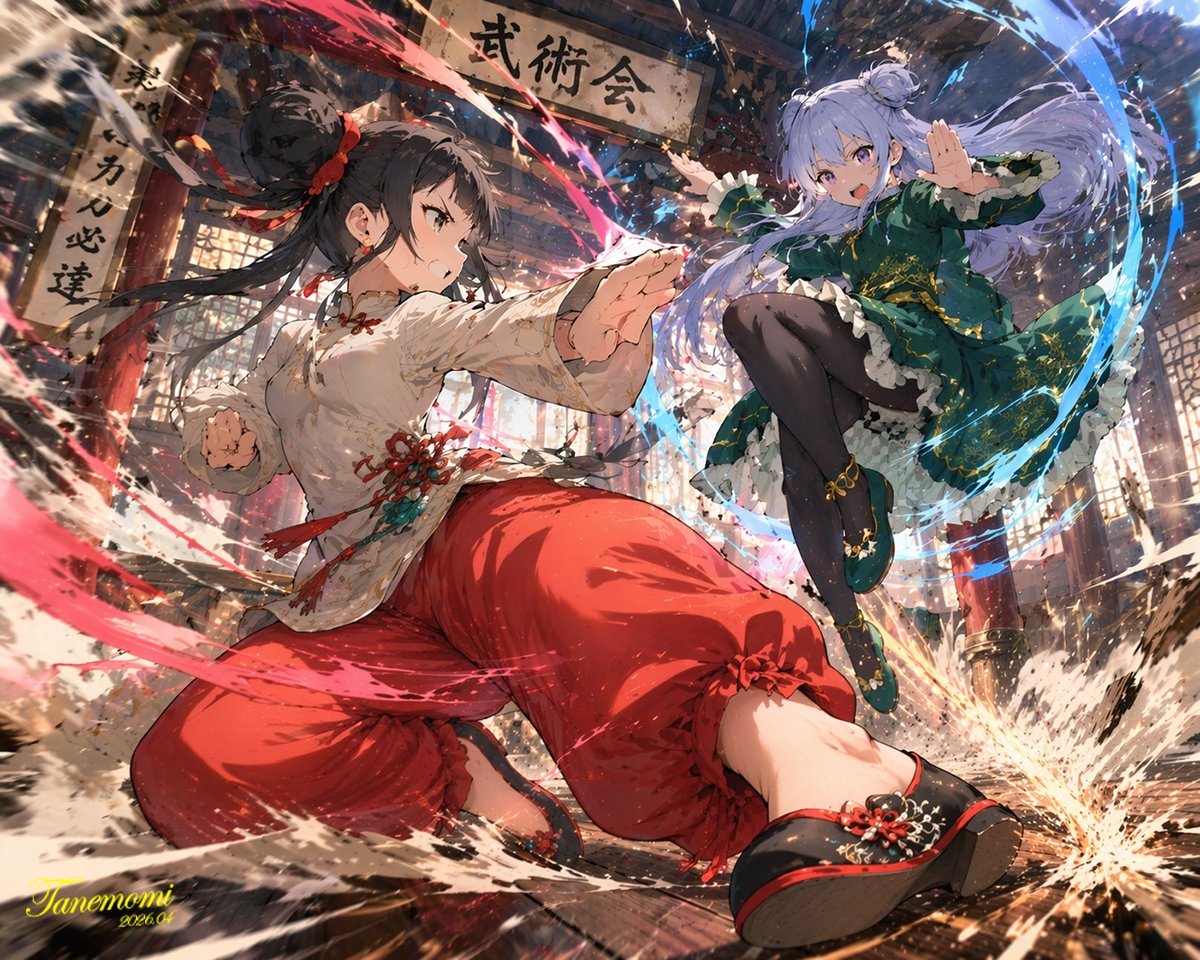
Gera uma ilustração de anime dinâmica e de grande impacto de duas personagens femininas lutando em um dojo tradicional, com efeitos de energia elemental.
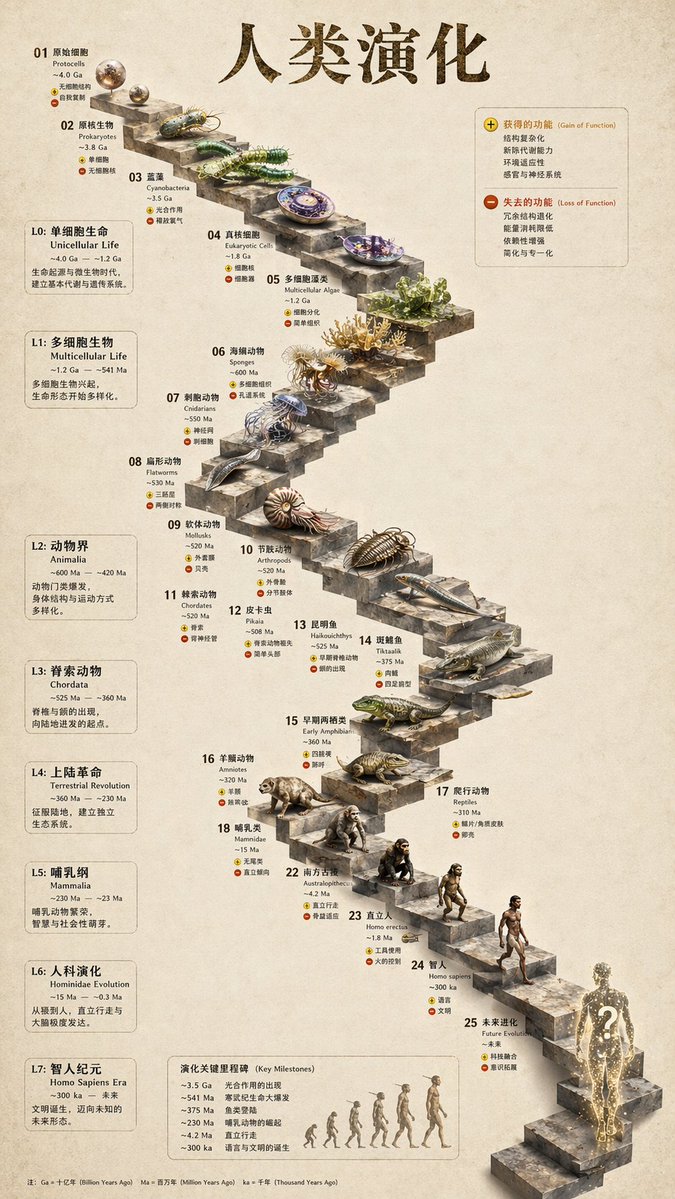
Transforma uma linha do tempo evolutiva plana em um infográfico realista de escadaria de pedra em 3D, com renders detalhados de organismos e painéis laterais estruturados.
{
  "type": "evolutionary timeline infographic",
  "instruction": "Using REFERENCE_0 as a structural base, transform the flat vector design into a highly realistic 3D infographic. Replace the smooth ramps with distinct stone steps and upgrade all organisms to photorealistic 3D models.",
  "style": {
    "background": "{argument name=\"background style\" default=\"vintage textured parchment paper\"}",
    "staircase": "{argument name=\"staircase material\" default=\"realistic textured stone blocks\"}",
    "subjects": "{argument name=\"organism style\" default=\"highly detailed photorealistic 3D renders\"}"
  },
  "layout": {
    "main_title": "{argument name=\"main title\" default=\"人类演化\"}",
    "sections": [
      {
        "position": "left sidebar",
        "count": 8,
        "labels": ["L0: 单细胞生命", "L1: 多细胞生物", "L2: 动物界", "L3: 脊索动物", "L4: 上陆革命", "L5: 哺乳纲", "L6: 人科演化", "L7: 智人纪元"]
      },
      {
        "position": "top right",
        "title": "获得的功能 / 失去的功能",
        "description": "Legend with plus and minus icons"
      },
      {
        "position": "bottom center",
        "title": "演化关键里程碑",
        "count": 6,
        "description": "Timeline with a silhouette graphic of 6 figures showing ape-to-human evolution"
      }
    ],
    "centerpiece": {
      "description": "Winding stone staircase with 25 numbered steps featuring specific organisms.",
      "count": 25,
      "notable_elements": [
        "Step 07: Jellyfish",
        "Step 09: Ammonite",
        "Step 10: Trilobite",
        "Step 24: Walking human",
        "Step 25: {argument name=\"future evolution concept\" default=\"glowing cosmic silhouette with a question mark\"}"
      ]
Fotos de perfil & avatares
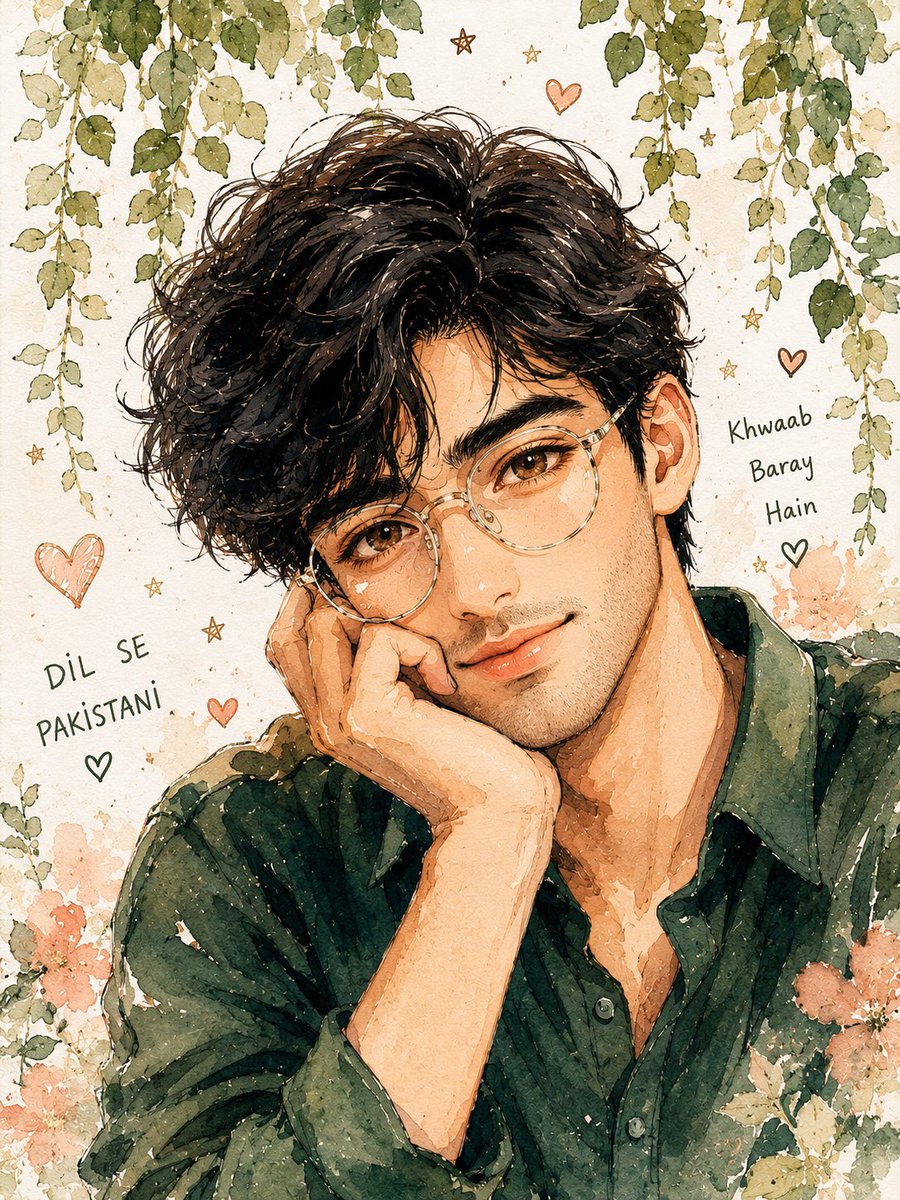
De selfies fotorrealistas a personagens de fantasia em estilo anime. A consistência de personagens em nível de pixel do GPT Image 2 é incomparável aqui — perfeita para marca pessoal, avatares de games e conteúdo em série.
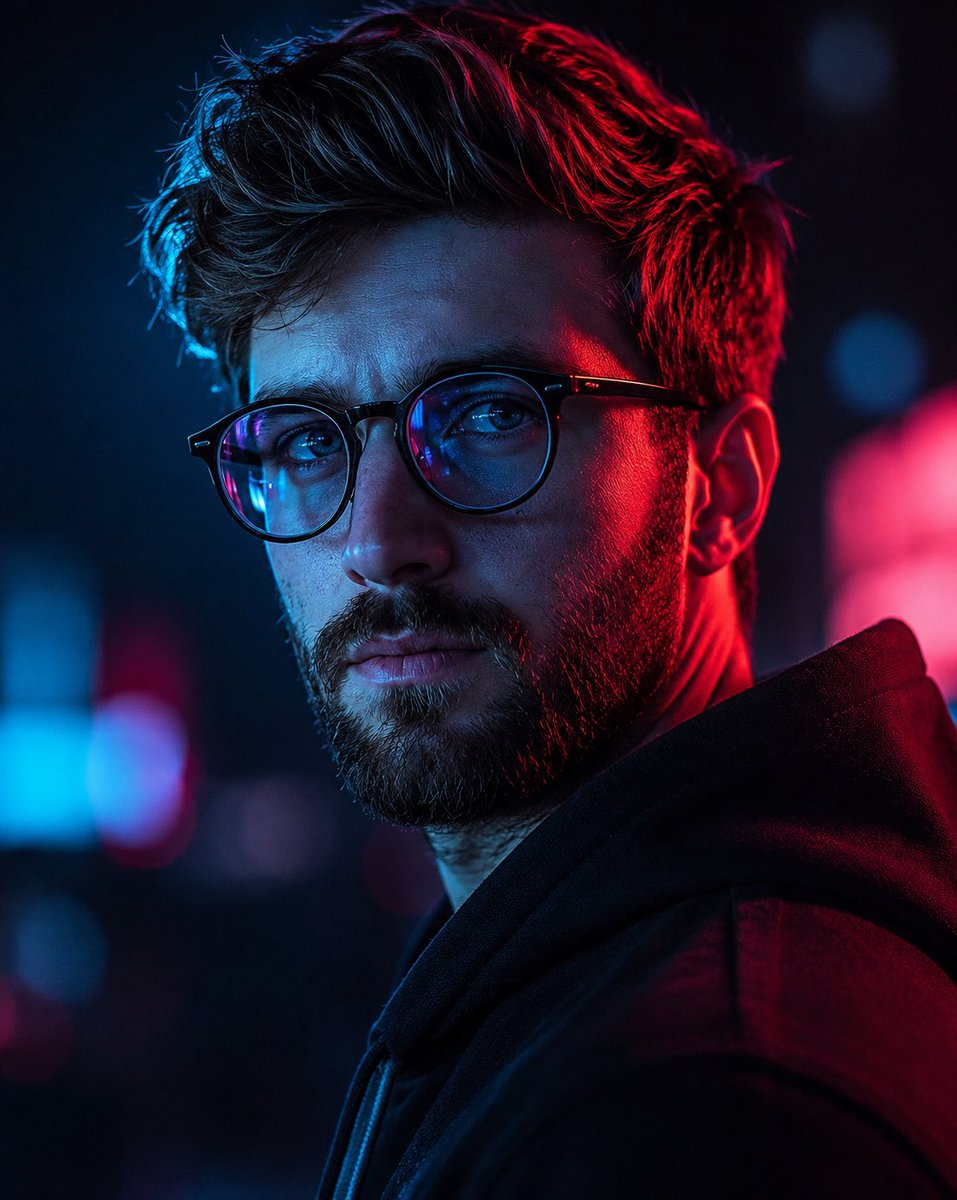
Um prompt cinematográfico de alto contraste para um retrato masculino em estilo cyberpunk, com iluminação neon dramática, baixa profundidade de campo e fotografia com qualidade de revista.
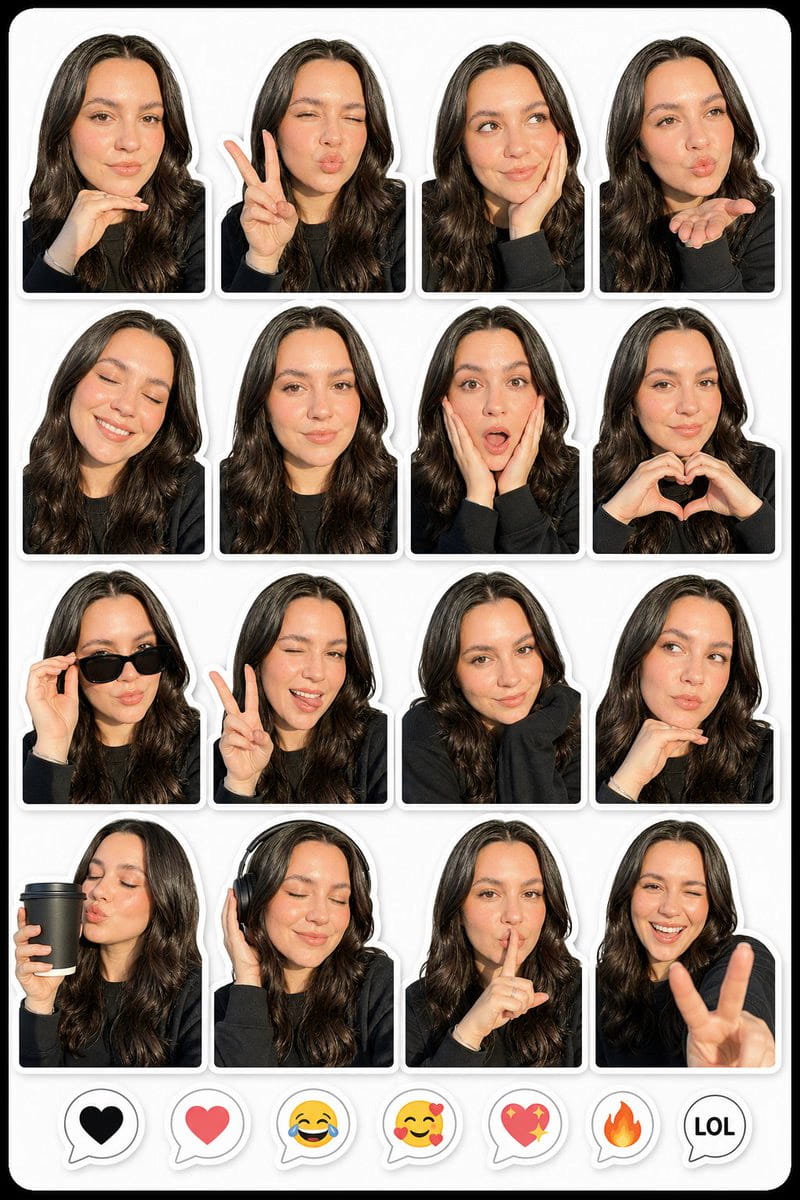
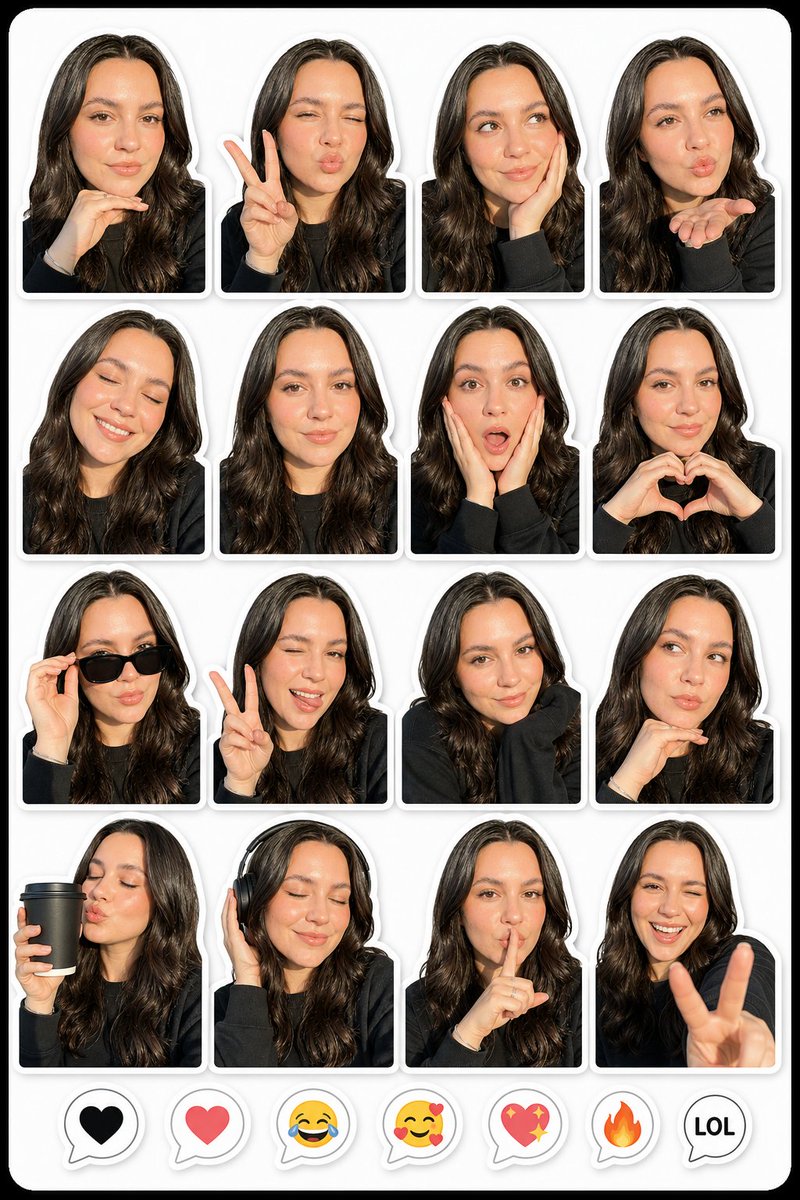
Um prompt que converte uma única foto em um conjunto de stickers digitais realistas com várias expressões e poses, perfeito para aplicativos de mensagens.
Posts com qualidade editorial prontos para Instagram, X e TikTok. O GPT Image 2 lida com composições complexas (colagens, layouts com vários quadros) de uma só vez — sem precisar do Figma.
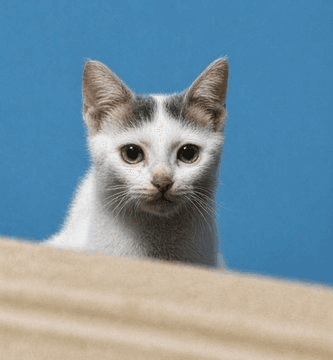
Transforma uma foto de pet em baixa resolução em uma imagem nítida, fotorrealista e com qualidade cinematográfica, preservando a identidade e a composição.
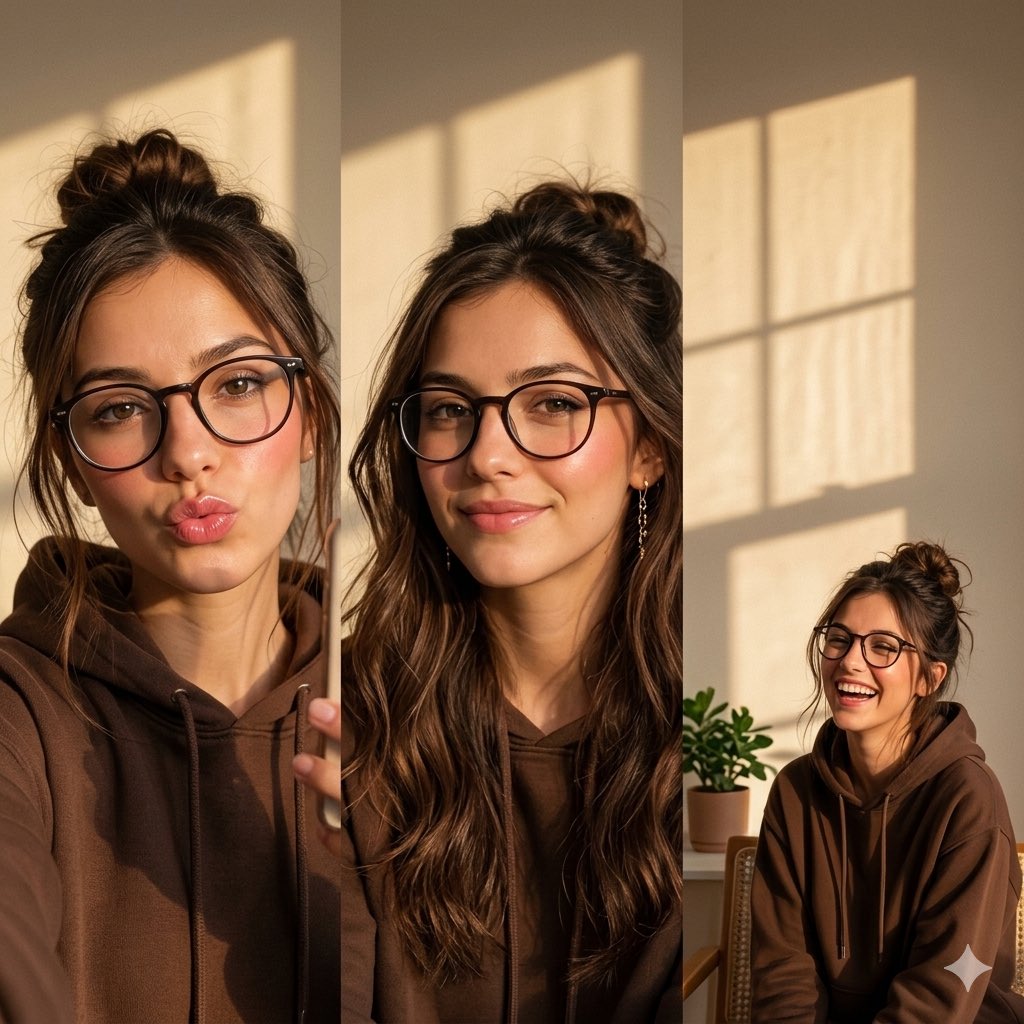
Um prompt de alta qualidade para gerar uma colagem realista de três quadros de uma mulher, com iluminação quente de golden hour e detalhes estéticos suaves.
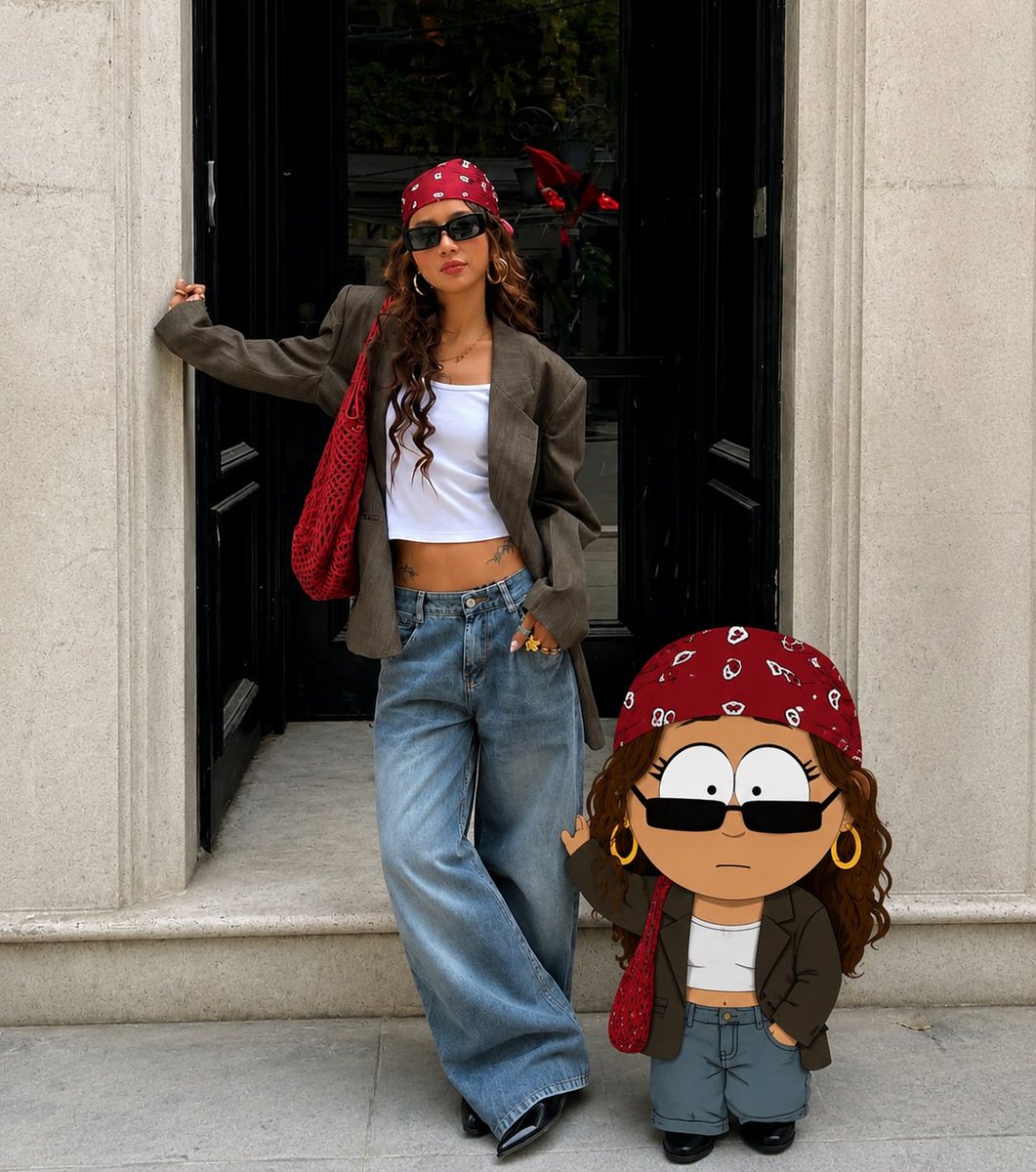
Um prompt criativo que coloca uma pessoa realista ao lado de sua própria versão em personagem de desenho animado 3D de alta qualidade, com base em uma foto de referência.
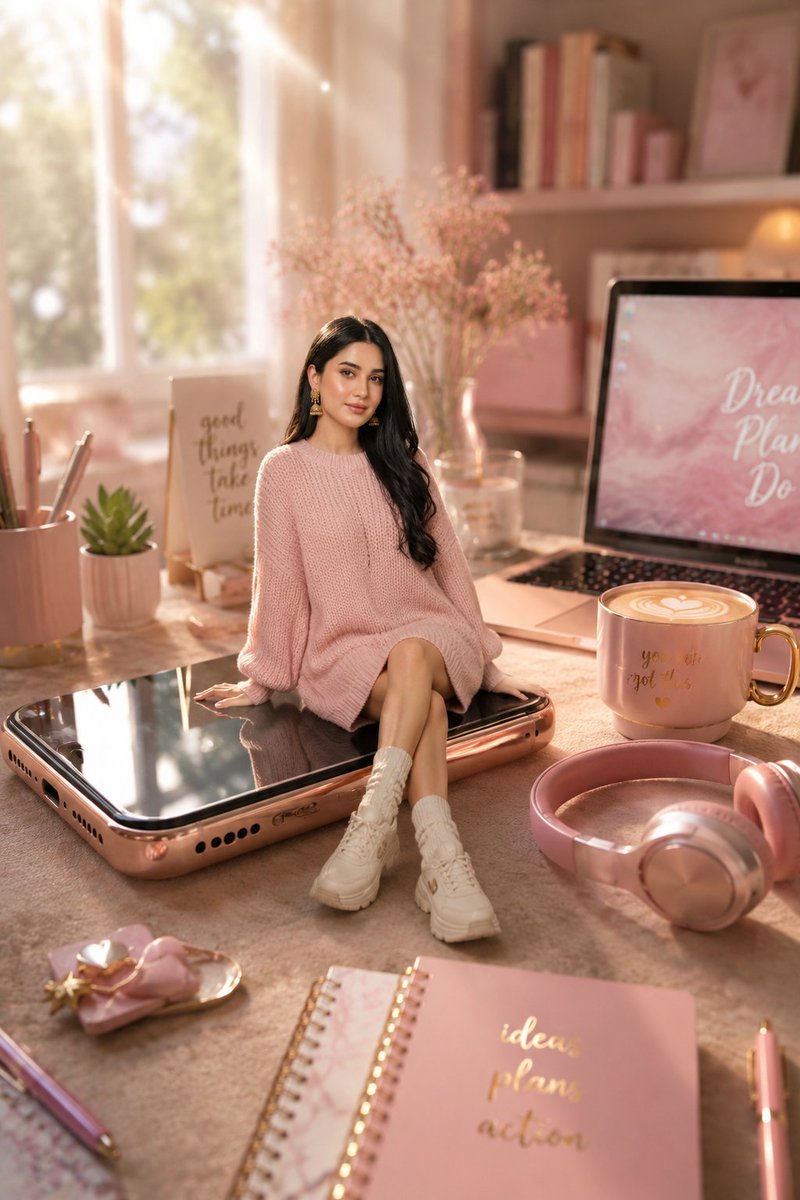
Uma aconchegante cena de espaço de trabalho em miniatura em tons pastel, com uma garotinha estilosa sentada em um smartphone gigante, útil para visuais lúdicos de estilo de vida e redes sociais.
Onde o GPT Image 2 realmente deixa a concorrência para trás. Diagramas, pôsteres científicos e storyboards com texto multilíngue com precisão de pixel — sem glifos deformados, sem erros de digitação, sem correções manuais.
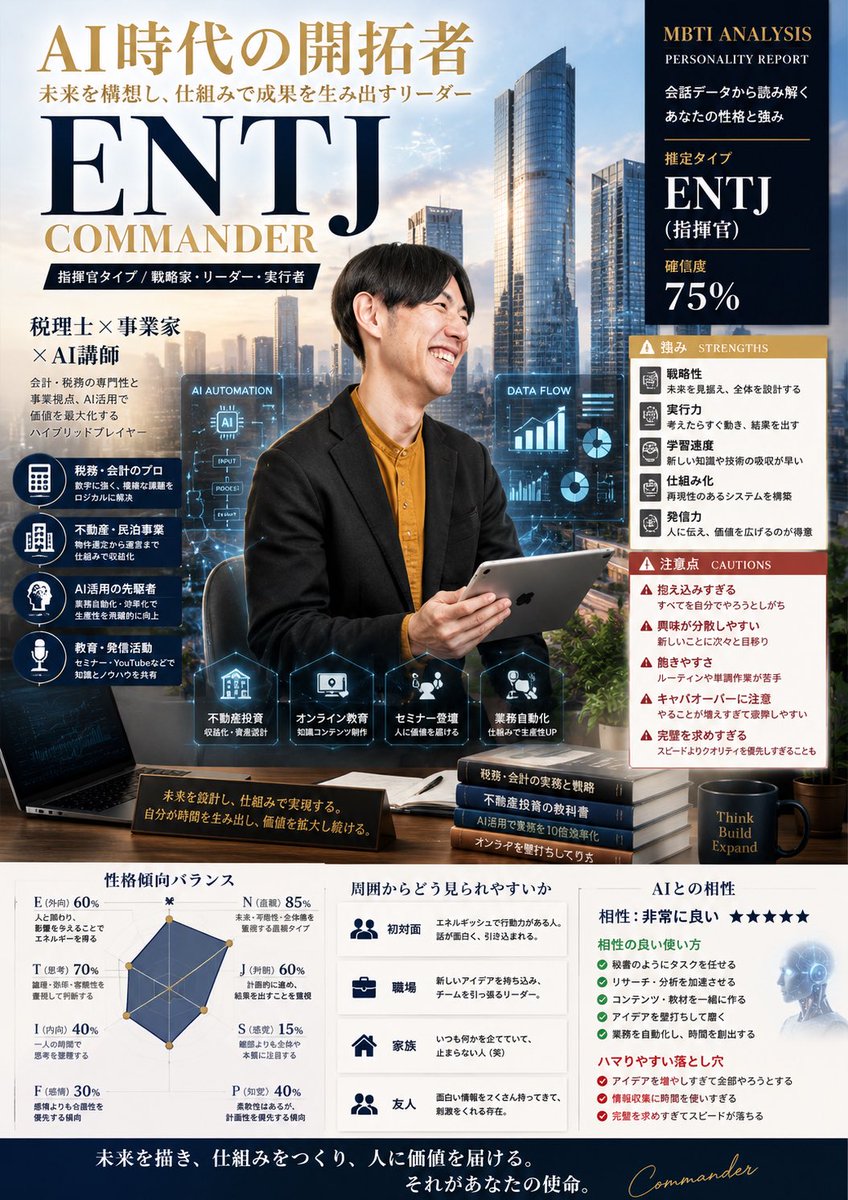
18. Pôster de cards de personagens de personalidade MBTI
Um prompt abrangente para criar um pôster sofisticado em estilo de revista de negócios que visualiza os tipos de personalidade MBTI com infográficos detalhados.
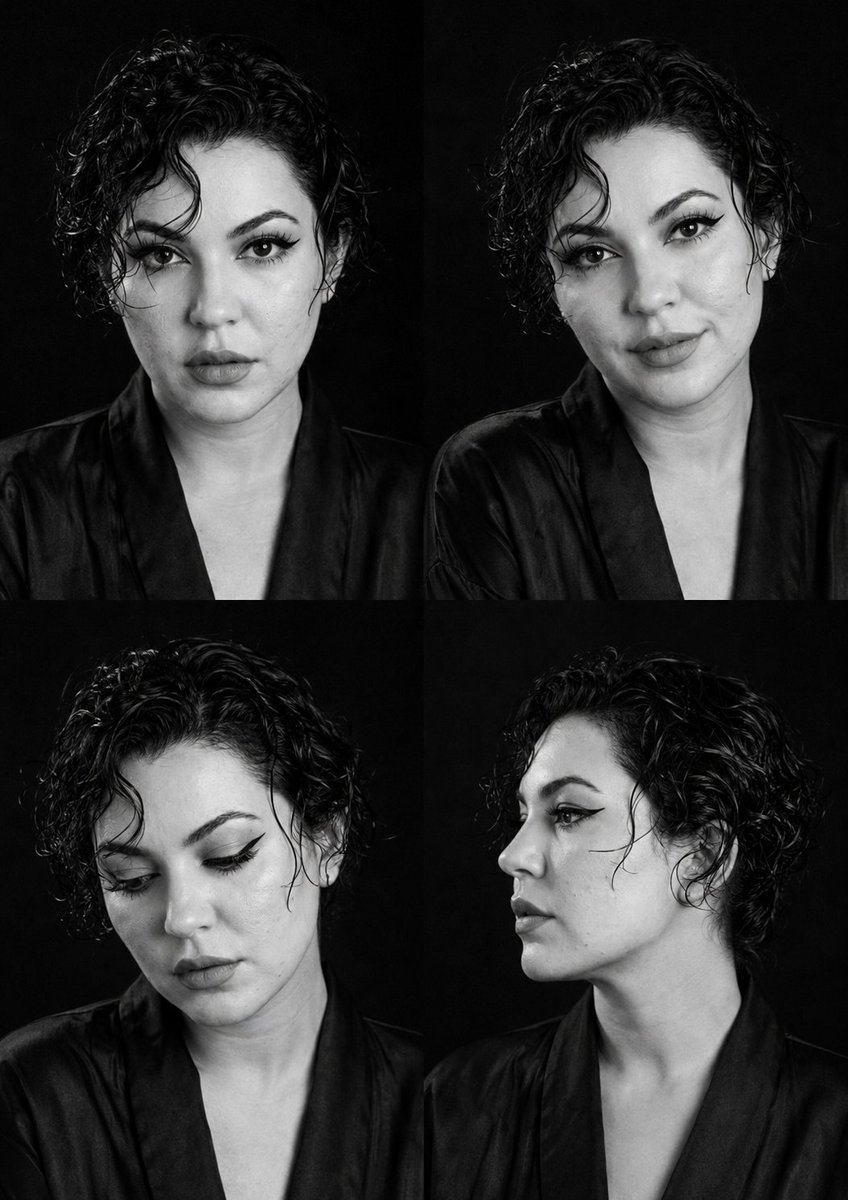
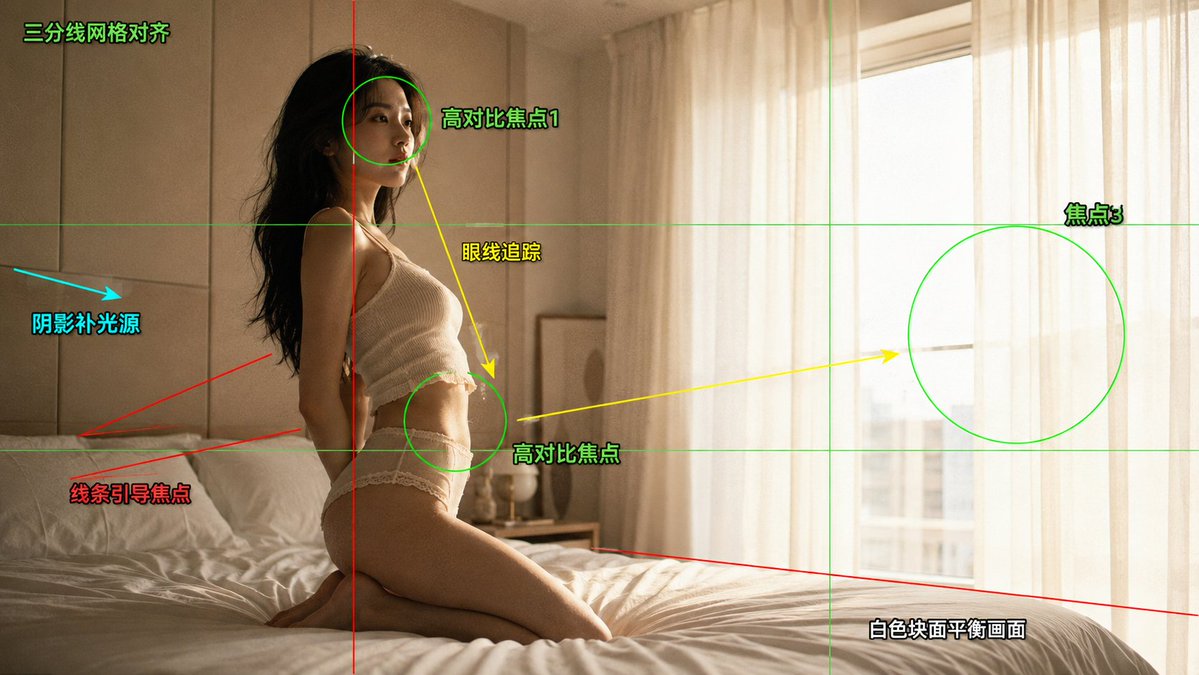
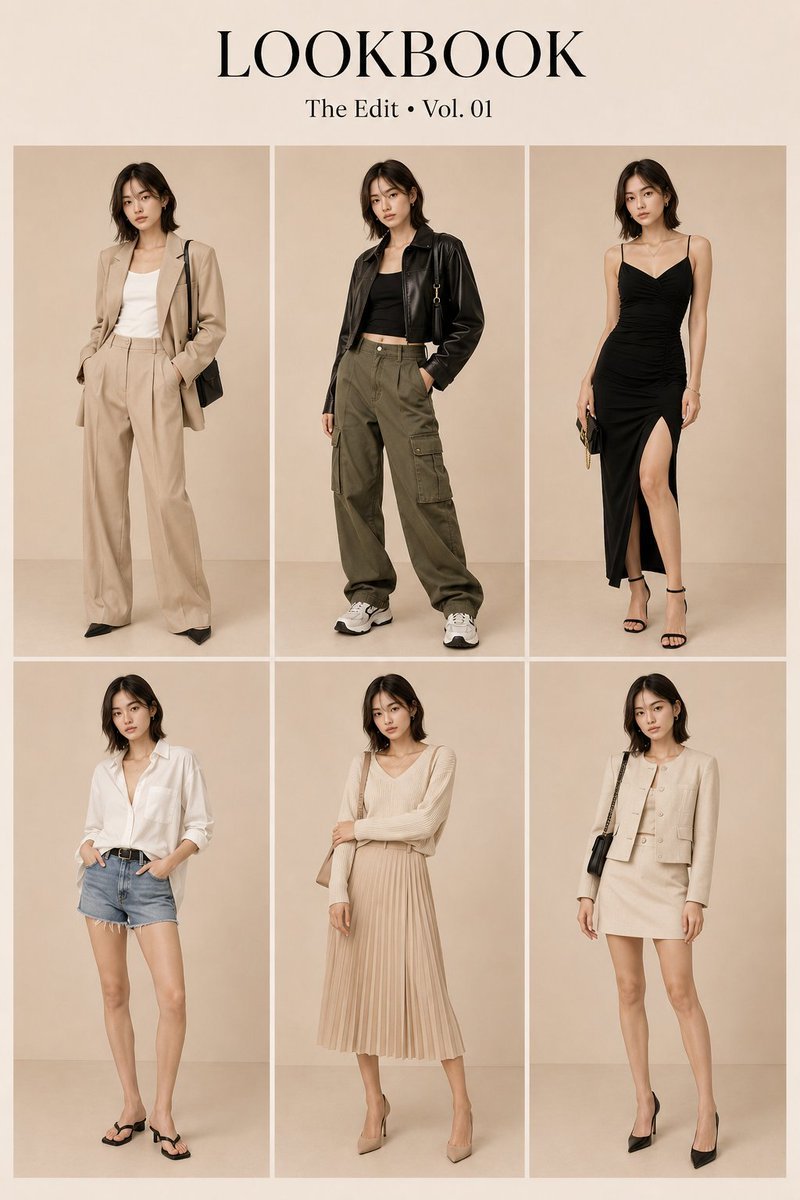
Um prompt detalhado para criar fotos editoriais de moda profissionais com uma sobreposição de análise de composição cinematográfica, incluindo linhas de grade e marcadores de foco.
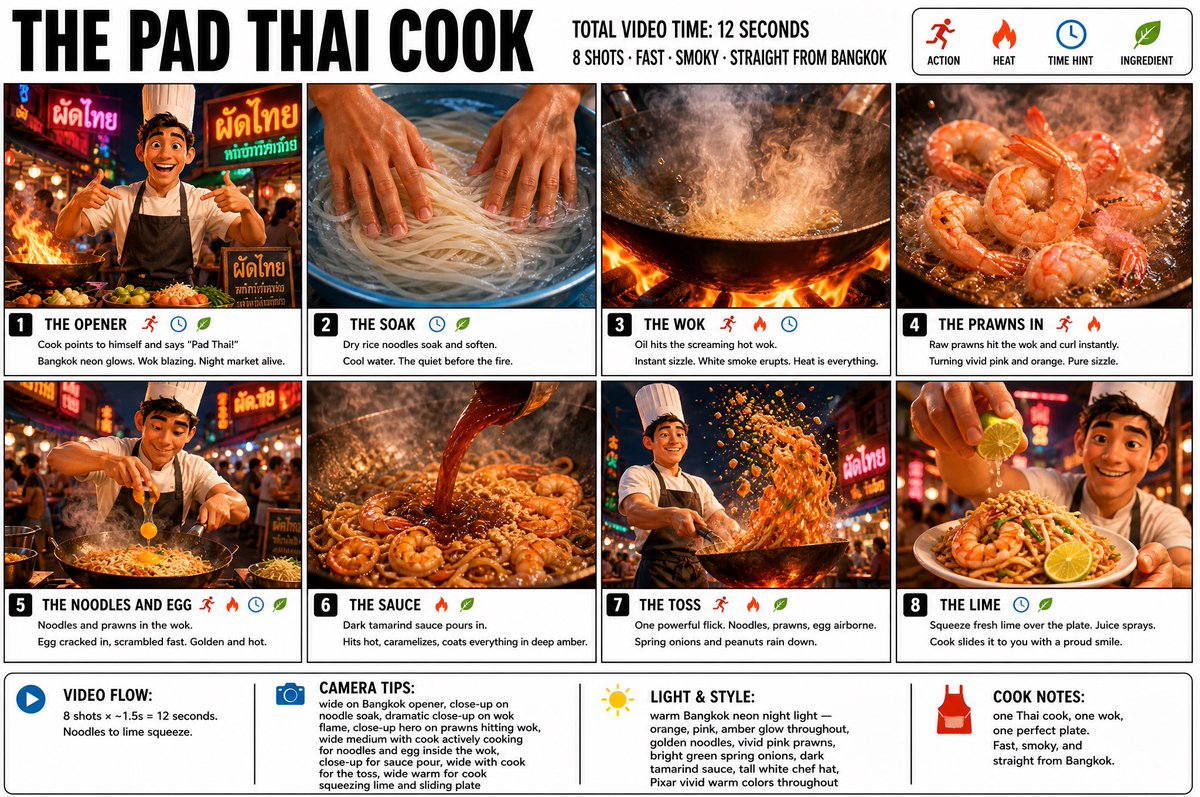
Cria um pôster de storyboard em formato de infográfico, profissional e limpo, com renderização 3D em estilo Pixar, focado em temas culinários e cores vibrantes.
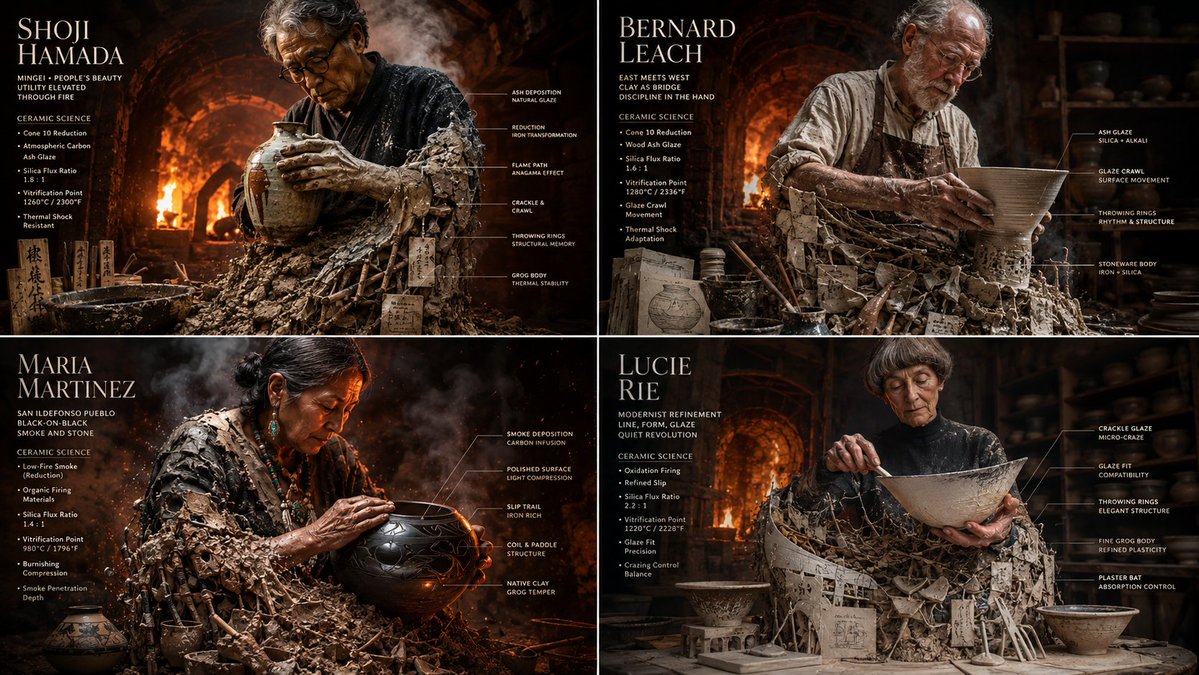
Um prompt complexo que cria uma grade 2x2 de mestres ceramistas mesclados com seus materiais cerâmicos e a química dos esmaltes em um cenário de estúdio cinematográfico.
2x2 grid, 16:9 do this for {argument name="number of potters" default="4"} famous master potters input: [{argument name="potter data" default="four master potters & their glaze chemistry charts"}]
2x2 grid, 16:9 do this for {argument name="number of potters" default="4"} famous master potters input: [{argument name="potter data" default="four master potters & their glaze chemistry charts"}]
2x2 grid, 16:9 do this for {argument name="number of potters" default="4"} famous master potters input: [{argument name="potter data" default="four master potters & their glaze chemistry charts"}]
Thumbnails do YouTube
Thumbnails ousadas, que param a rolagem, com texto embutido, rostos renderizados com precisão e o tipo de impacto visual que vence em uma página de exibição lotada.
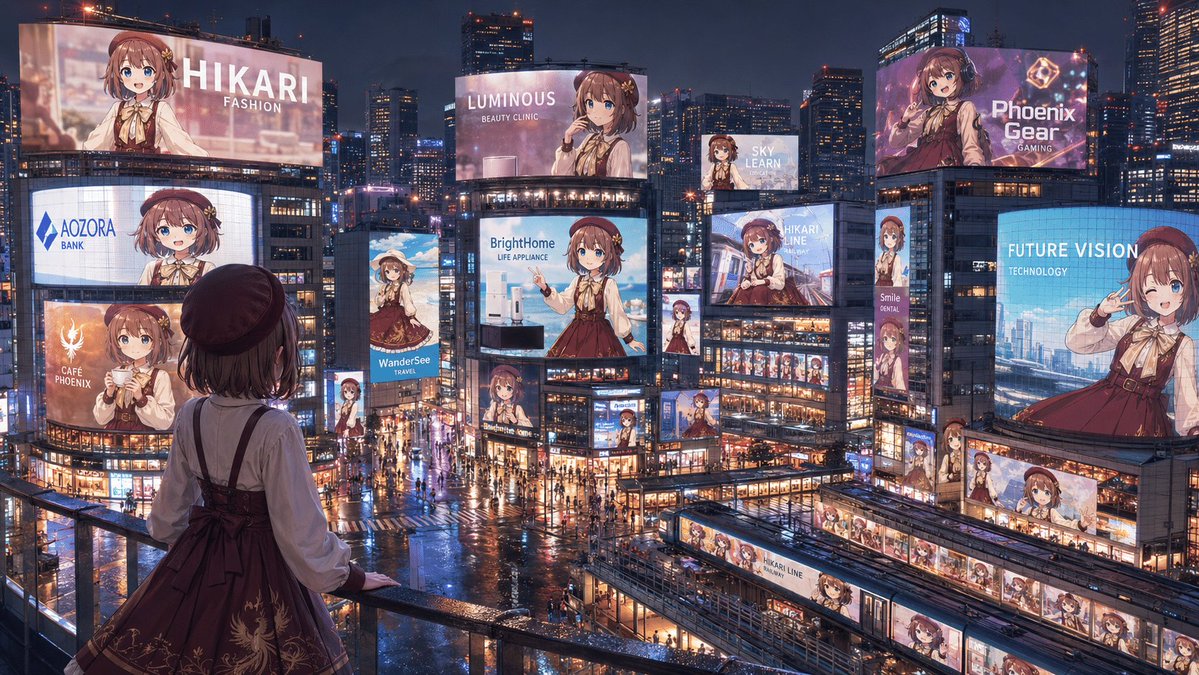
24. Cidade tomada por anúncios de uma idol de anime
Um prompt cinematográfico em formato widescreen para gerar uma cidade neon sob chuva cheia de anúncios coordenados em outdoors de uma personagem idol de anime.
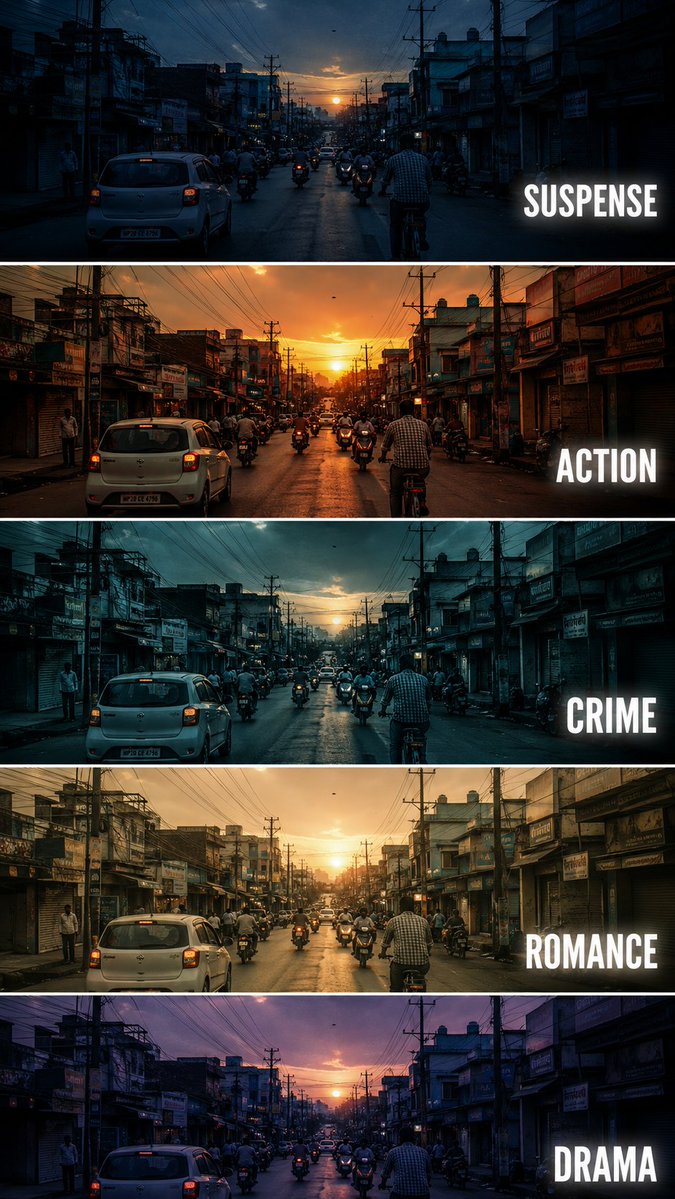
Um prompt detalhado para criar um pôster vertical cinematográfico que compara cinco estilos diferentes de color grading de cinema para a mesma cena de rua urbana.
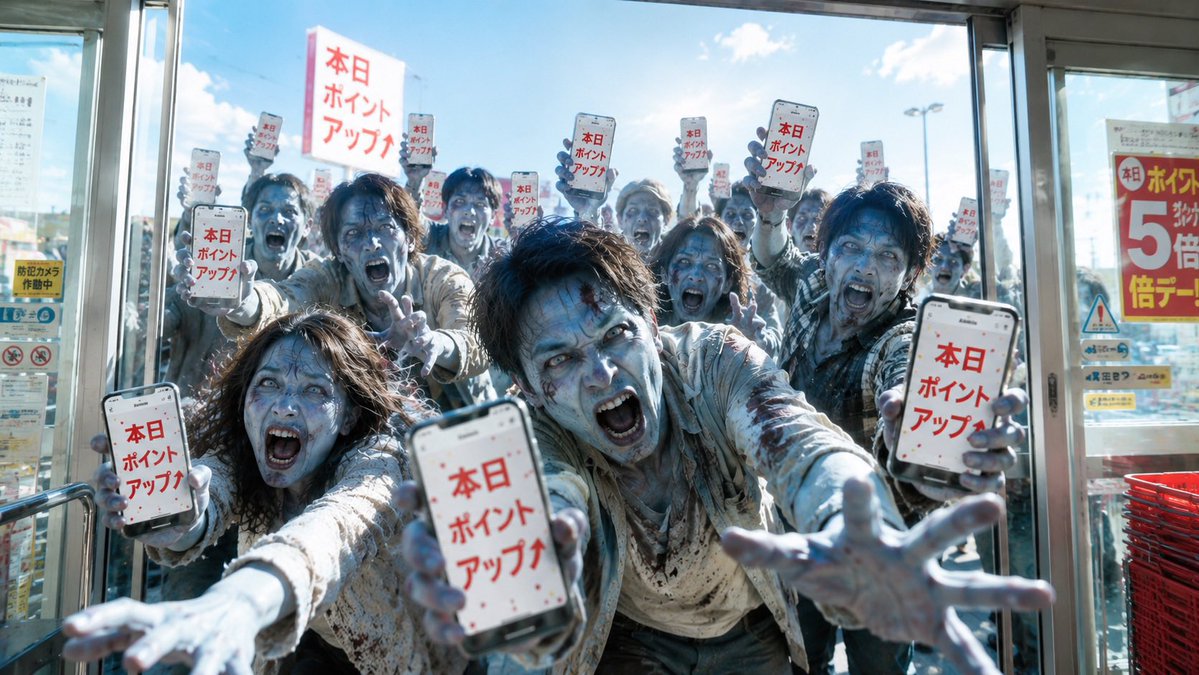
Uma cena fotorrealista de capa de blog japonês com compradores que parecem zumbis aglomerados na entrada de uma loja, segurando smartphones com pontos de liquidação.
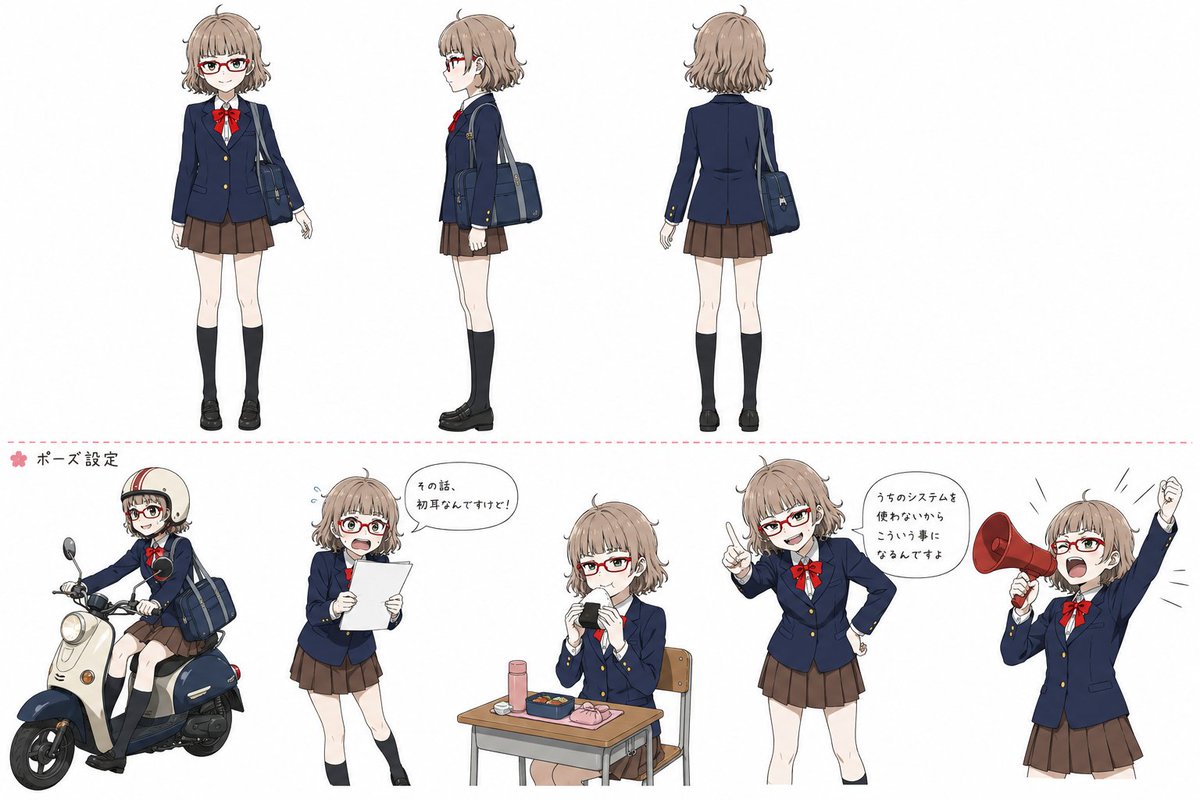
Fichas de personagens, painéis de mangá e quadros de storyboard com consistência entre imagens. Construa universos inteiros com o mesmo personagem ao longo de dezenas de gerações.
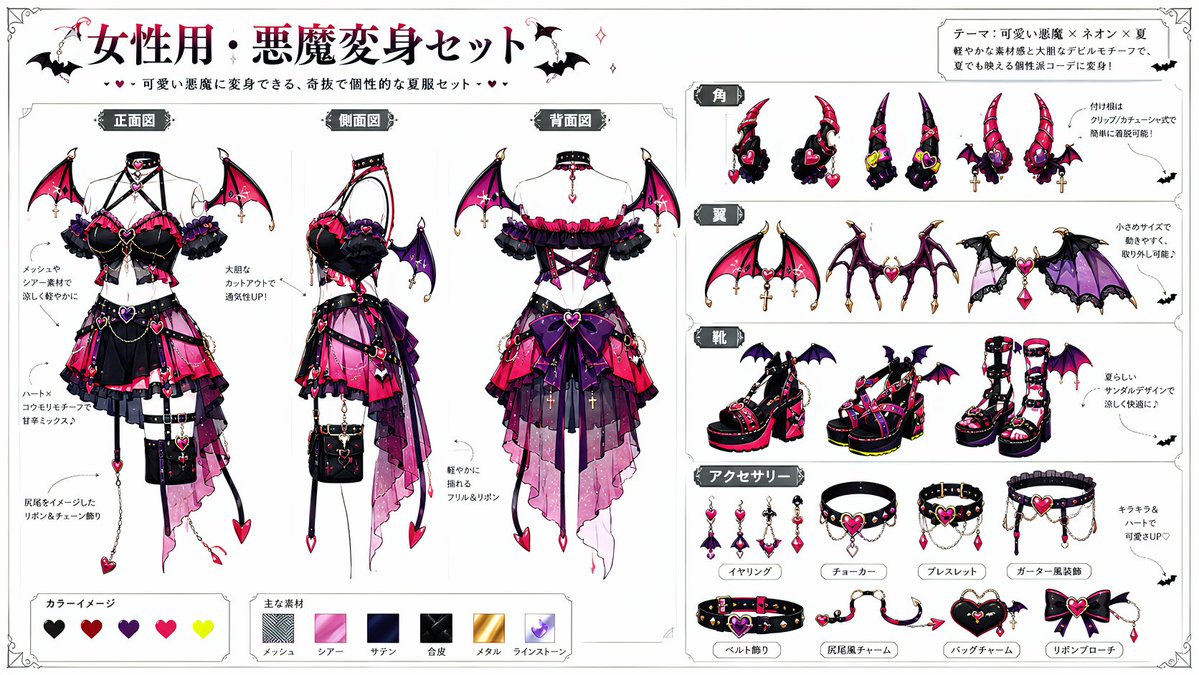
Um prompt sofisticado para transformar um personagem existente em uma versão demônio de fantasia sombria, preservando as características do personagem original e adicionando asas, chifres e roupas temáticas.
[Information Input Field]

Character Name: [{argument name="character name" default=" "}] (Required)

Additional Notes: [{argument name="additional notes" default="optional"}] (Enter if there is anything you want to tell the AI)

-----------------

[Image Generation Instructions]

Based on the character in attached image 1, dress them using the devil transformation set in attached image 2.

Read the character's appearance, atmosphere, age, expression, equipment, and personality traits from the input character name and attached image 1. Automatically devise a background, situation, posing, expression, composition, lighting, and a short phrase within the image.

Maintain the original character's hairstyle, hair color, eye color, physique, facial features, age, atmosphere, and character personality.

Reflect the design elements of the devil transformation set so they blend naturally with the original character. It should not just be layering a costume, but an integrated design showing the original character transformed into a devil.

Pay particular attention to the placement of horns and tails, depicting them to look anatomically and visually natural. Horns should sprout naturally from the head and not look like they are roughly placed on top of the hair. The base of the horns should be at the top of the head, near the forehead, or around the temples in a reasonable position, with balanced symmetry, orientation, length, thickness, and a proper sense of connection. The tail should sprout naturally from the lower back as an extension of the tailbone, and not from unnatural positions like the abdomen, chest, legs, or arms. Adjust the horns and tail to look natural according to the pose and costume, ensuring no awkward connections, floating bases, nonsensical numbers, unnatural curves, or strange growth patterns.

Construct a new background and situation as a scene that strongly conveys the character's charm, without relying on standard compositions. Make the character's expression, costume, pose, gaze, and gestures the main focus, rather than just flashy backgrounds.

Treat the expression as a high-priority item. Do not use expressionless, straight, flatly calm, or standard 'cool' faces. Create an impressive expression that looks like multiple emotions are layered, rather than a single simple emotion.

Add variety to the expression using eyebrows, eye direction, pupil highlights, corners of the mouth, cheeks, face angle, and neck tilt. Make it a natural expression that is slightly broken rather than perfectly symmetrical. Create an expression that makes viewers want to imagine the character's inner thoughts.

For posing, prioritize showing the entire costume while creating a dynamic composition that conveys the character's personality and the atmosphere after transformation. Do not use a pose where the character is just standing. Emphasize character traits using weapons, wings, horns, tails, chains, accessories, hand gestures, and gaze direction.

Utilize the eccentricity of the devil transformation set but do not crush the original character's individuality. Ensure the original character does not look like a different person.

In the top-left or bottom-right of the screen, automatically generate a title with decorations, with the first line being the '[Character Name]
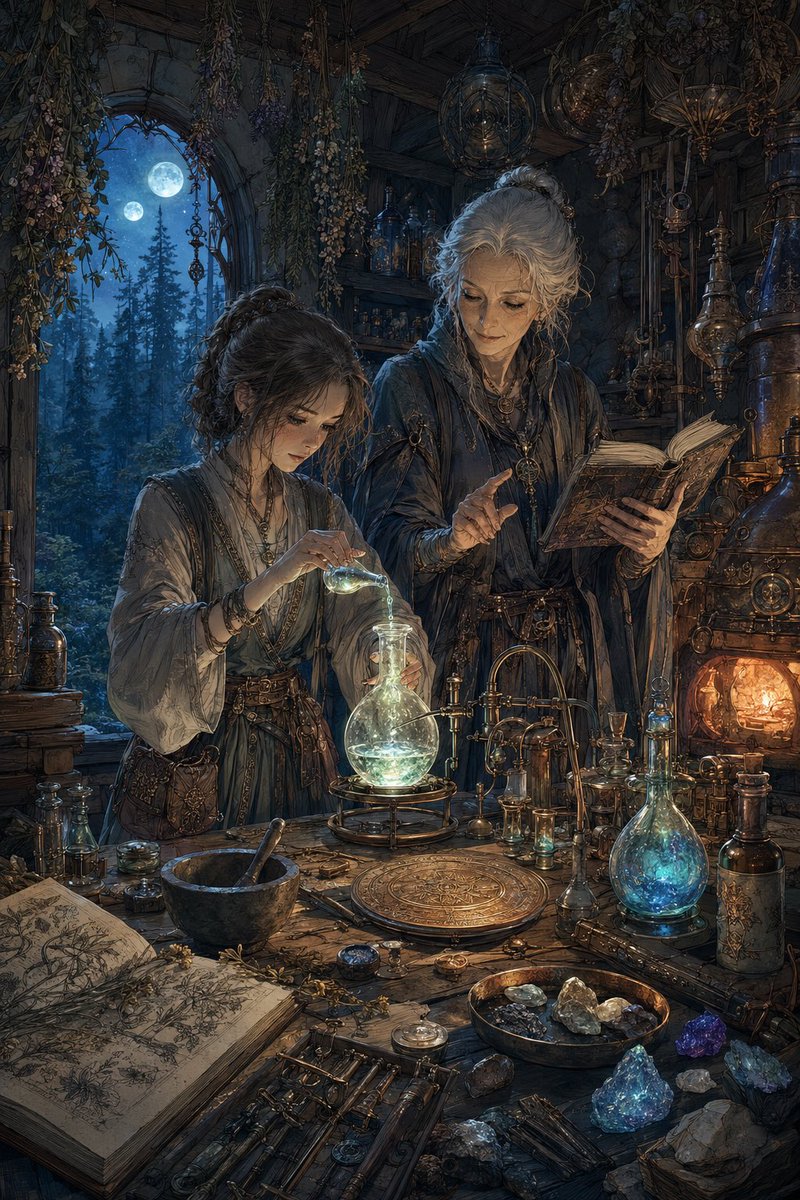
Um prompt detalhado para gerar uma cena de laboratório de alquimista em fantasia sombria, com duas figuras de manto, poções brilhantes, livros antigos e uma atmosfera gótica ao luar.
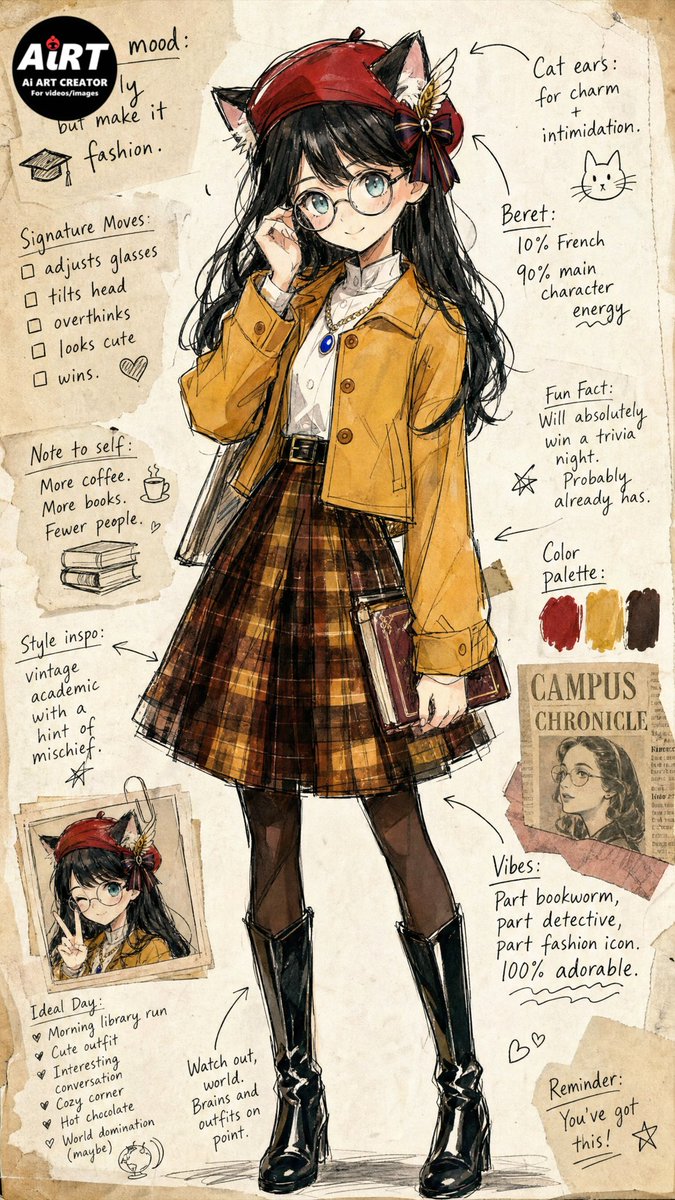
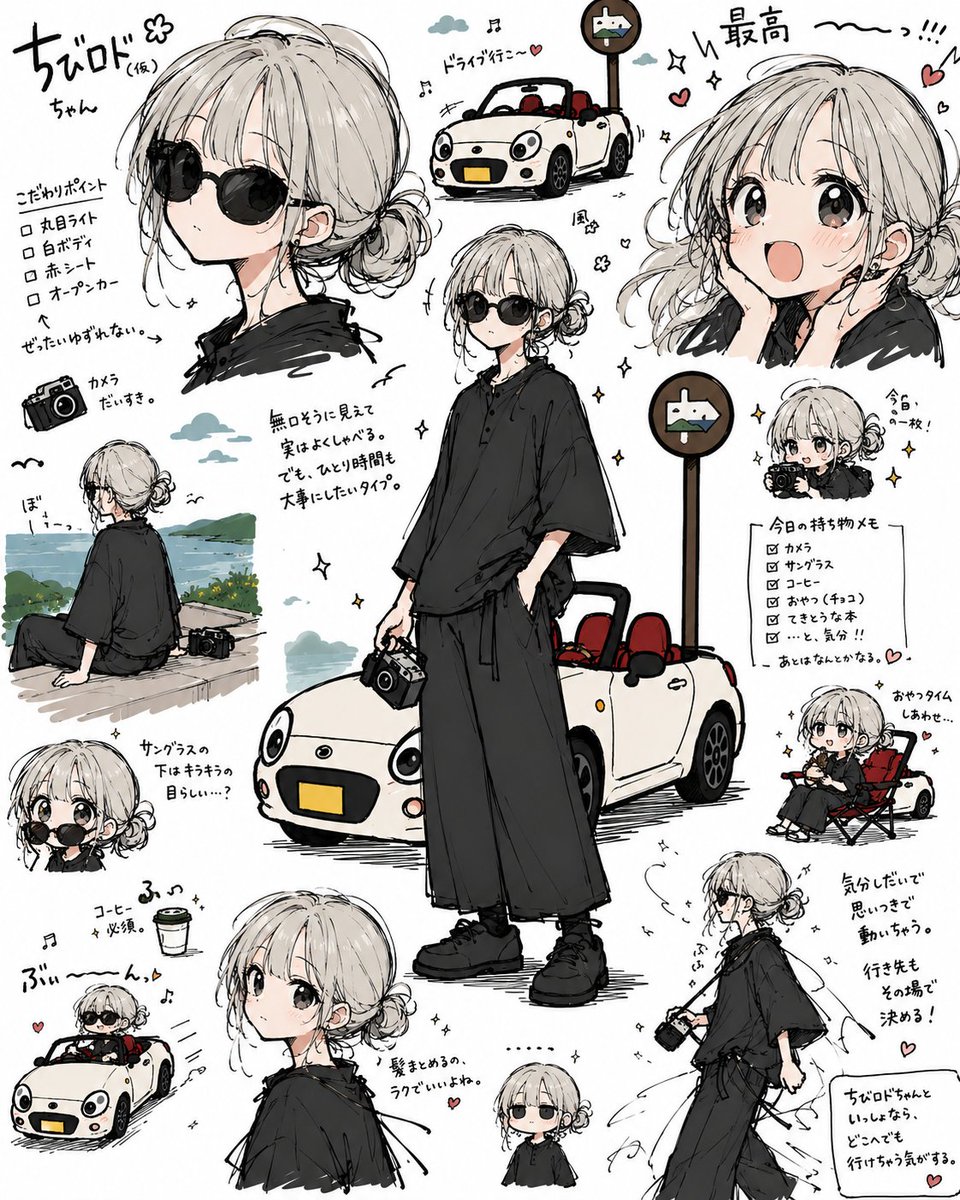
Cria uma colagem divertida de ficha de referência em estilo mangá a partir de uma imagem de personagem e carro, útil para transformar uma única ilustração em várias poses fofas de diário de viagem.
Campanhas publicitárias com qualidade de revista, pôsteres esportivos e visuais de marcas de luxo. Resultado pronto para publicar, com título e texto corrido completos embutidos na imagem.
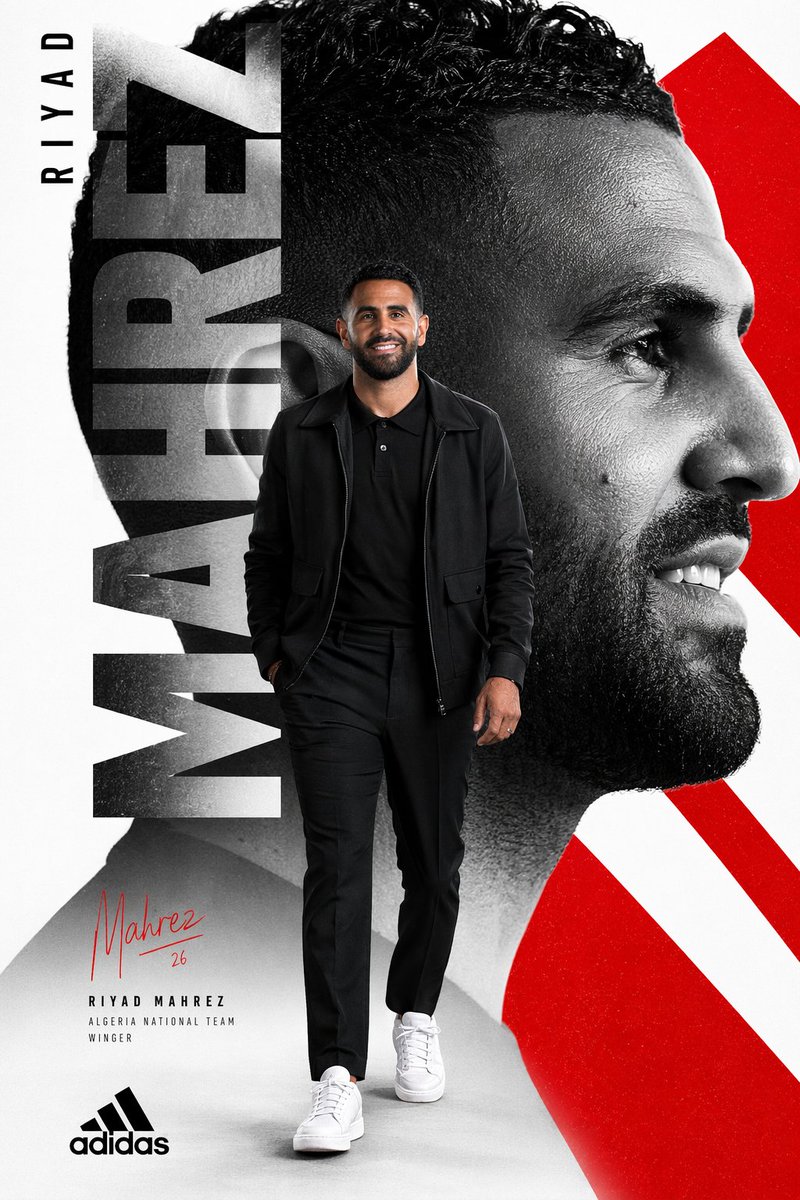
Um pôster de futebol ousado em estilo Adidas, com um atleta de corpo inteiro, tipografia vertical superdimensionada, colagem de retratos monocromáticos e detalhes geométricos em vermelho.
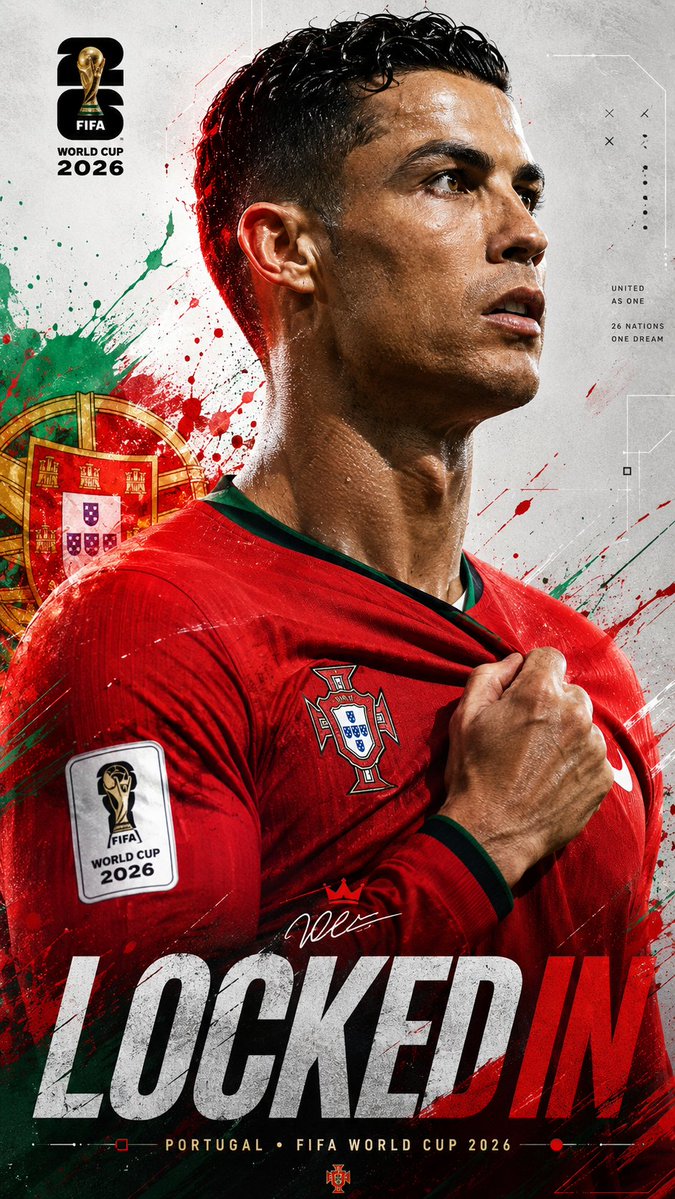
Um prompt de pôster esportivo cinematográfico sofisticado para a Copa do Mundo de 2026, com efeitos de energia dinâmicos e detalhes personalizáveis de jogador e país.
type: image_generation_prompt

{
  "title": "Universal FIFA World Cup 2026 Locked In Poster",
  "aspect_ratio": "9:16",
  "style": "ultra-realistic cinematic sports poster",
  "quality": "16K UHD premium realism",
  "subject": {
    "identity": "{argument name="player name" default="[PLAYER_NAME or uploaded player]"}",
    "pose": "powerful side-profile portrait with intense focus",
    "expression": "determined, locked-in, championship mentality",
    "gesture": "one hand gripping the national team jersey near the badge"
  },
  "wardrobe": {
    "kit": "{argument name="country" default="[COUNTRY_NAME]"} official home jersey",
    "details": "authentic textures, federation crest, official FIFA World Cup 2026 sleeve patch, realistic fabric folds and stitching"
  },
  "environment": {
    "background": "clean light grey textured sports poster canvas with futuristic geometric lines, subtle technical graphics and premium editorial composition",
    "effects": "dynamic paint splashes, energy streaks and particles inspired by the national colors of {argument name="national colors" default="[COUNTRY_NAME]"}",
    "national_elements": "subtle stars, symbols and graphic motifs inspired by the country's identity",
    "atmosphere": "high-energy tournament anticipation"
  },
  "lighting": {
    "type": "dramatic cinematic lighting",
    "rim_light": "colored rim lighting matching the country's flag",
    "highlights": "glossy skin reflections and realistic sweat details",
    "contrast": "strong sports-poster contrast"
  },
  "composition": {
    "camera_angle": "close-up side profile",
    "framing": "upper body portrait",
    "depth_of_field": "shallow",
    "focus": "face, badge and jersey grip"
  },
  "branding": {
    "tournament": "FIFA World Cup 2026",
    "logo": "official FIFA World Cup 2026 logo integrated elegantly",
    "color_palette": "official FIFA World Cup 2026 tournament colors combined with [COUNTRY_NAME] national colors",
    "headline": "\"LOCKED IN\" displayed in large modern typography",
    "subtitle": "[COUNTRY_NAME] • FIFA WORLD CUP 2026"
  },
  "mood": [
    "focused",
    "elite",
    "fearless",
    "national pride",
    "championship energy"
  ]
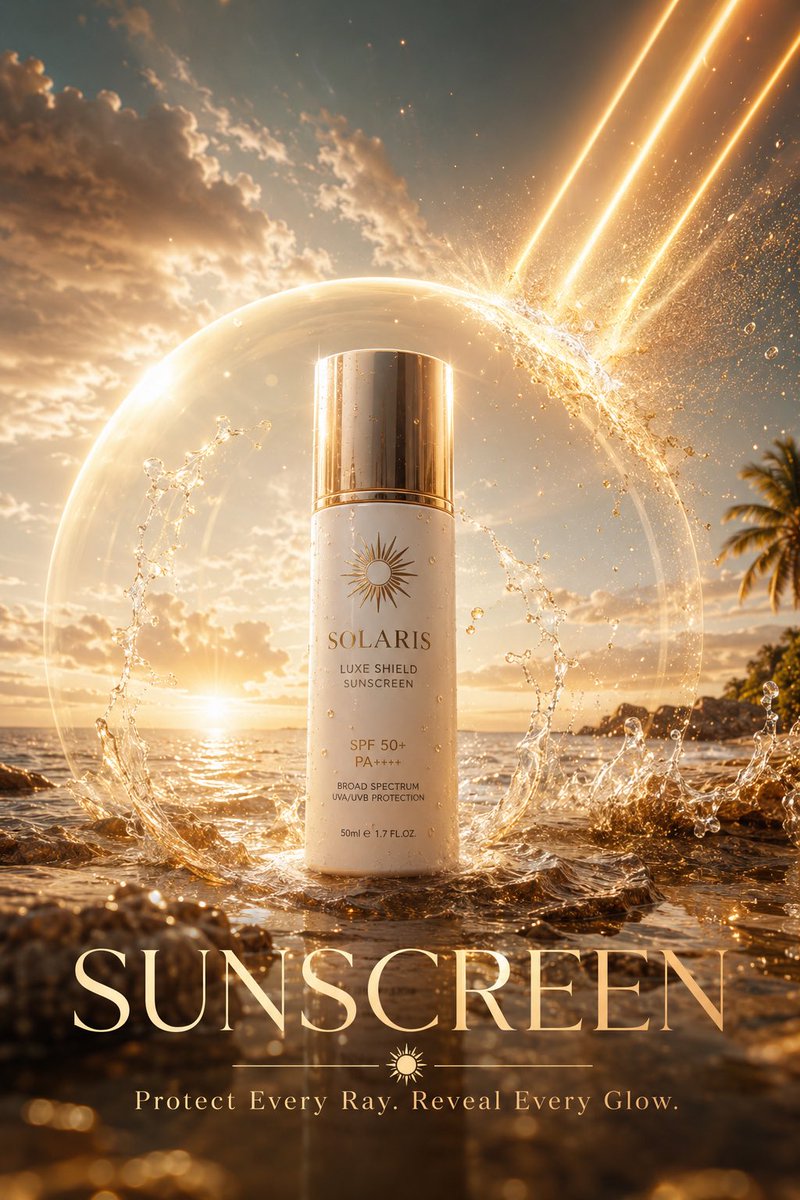
36. Campanha publicitária de protetor solar de luxo
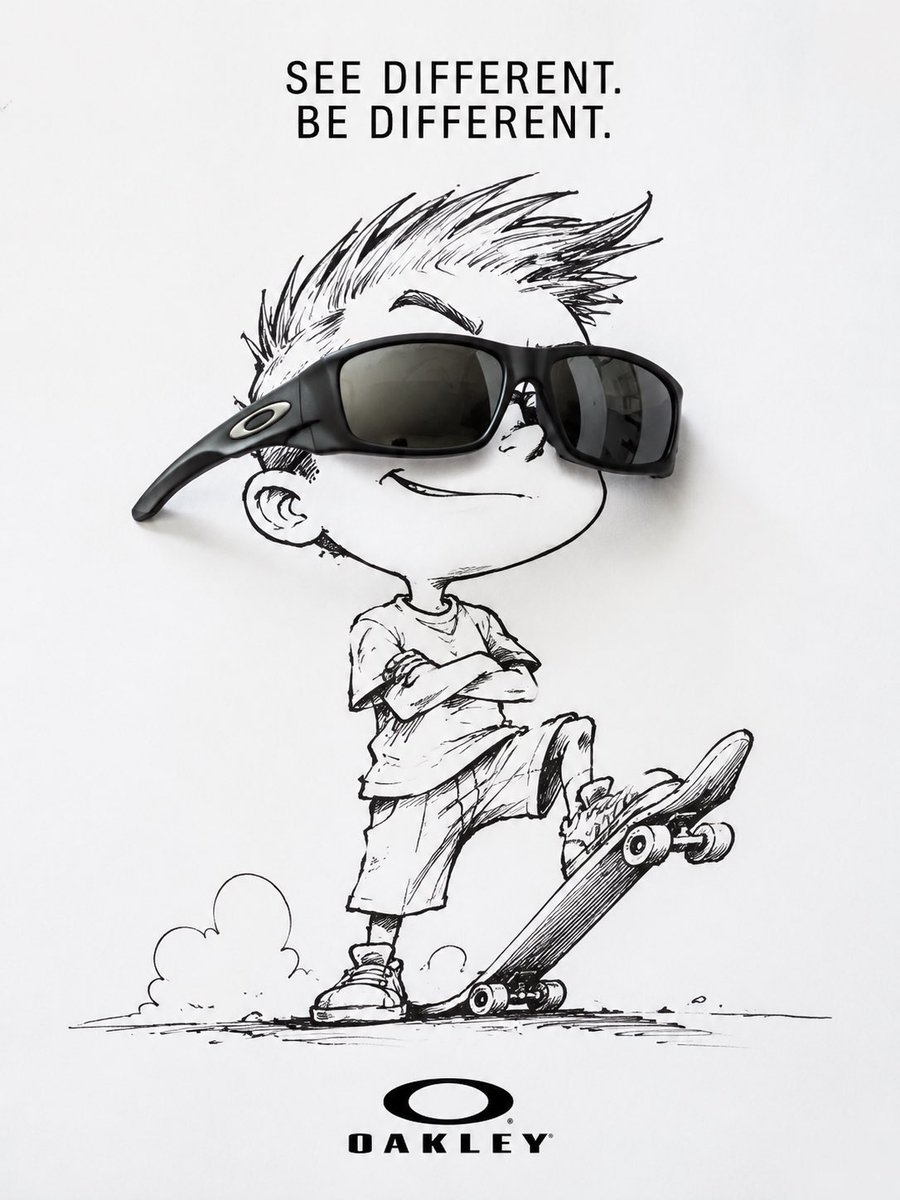
Um anúncio de marca de óculos em mídia mista, combinando um desenho de skatista feito à mão com óculos de sol realistas e um texto minimalista e ousado.
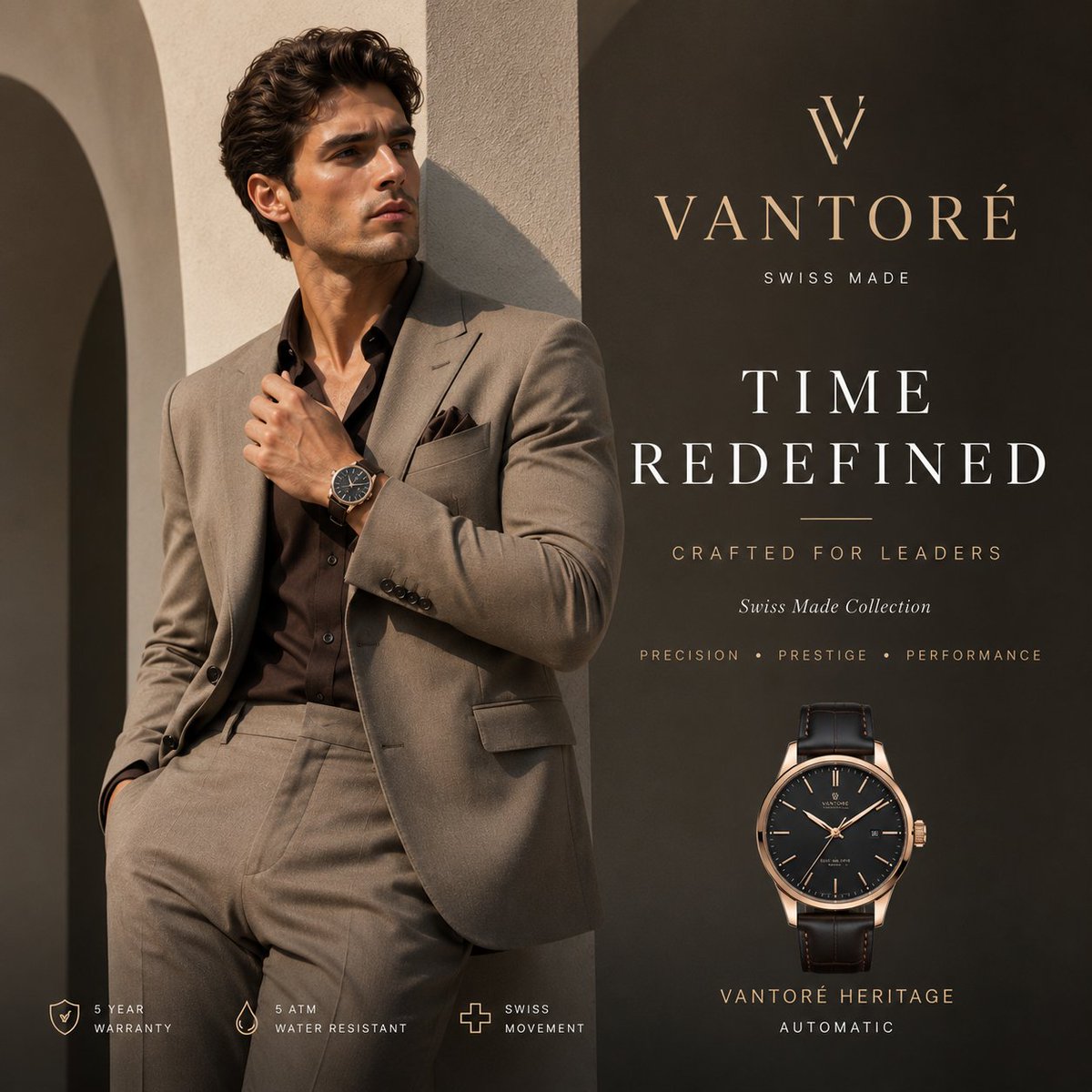
Um anúncio de moda premium em formato quadrado, mostrando um modelo masculino de terno e a marca de um relógio de pulso suíço de luxo, para uso em campanhas de relógios de alto padrão.
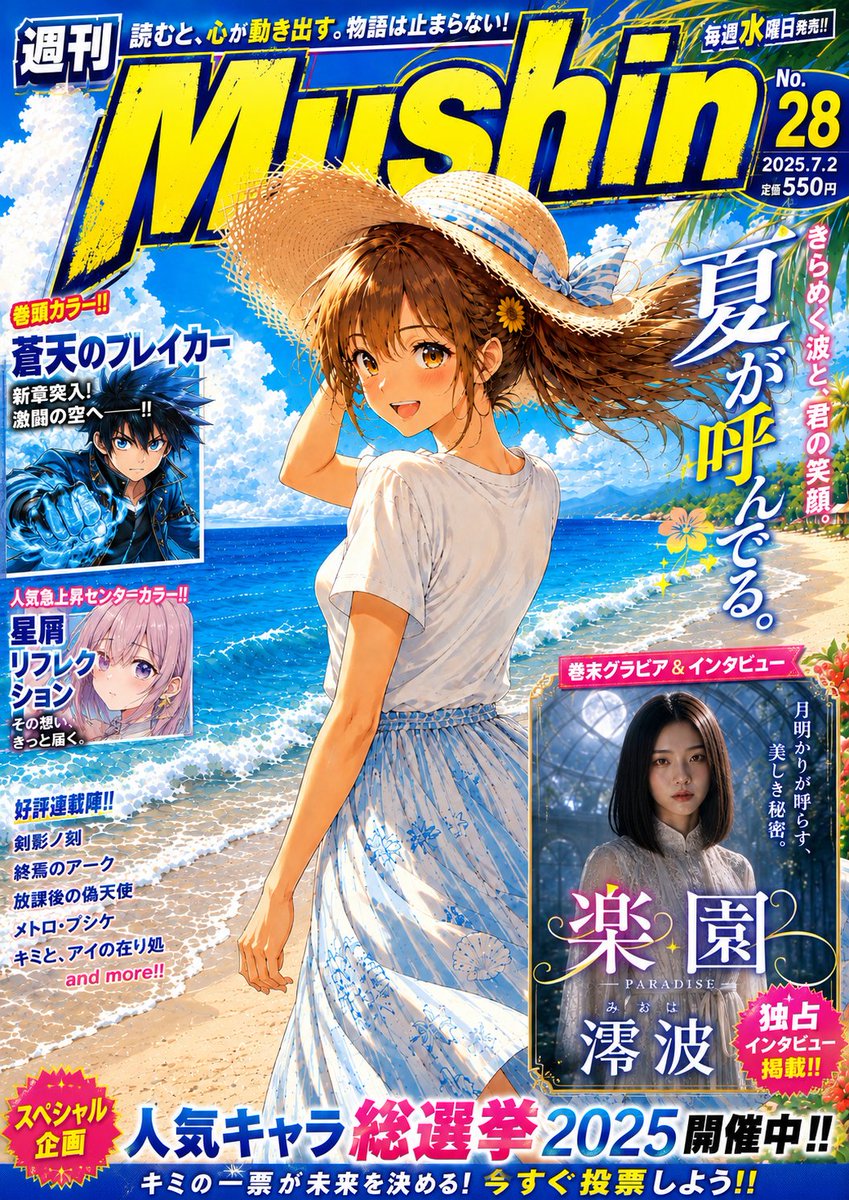
Gera uma vibrante capa fictícia de revista semanal de mangá japonesa, com uma heroína na praia, logotipo em destaque, painéis de destaque e tipografia de capa densa em estilo shonen.
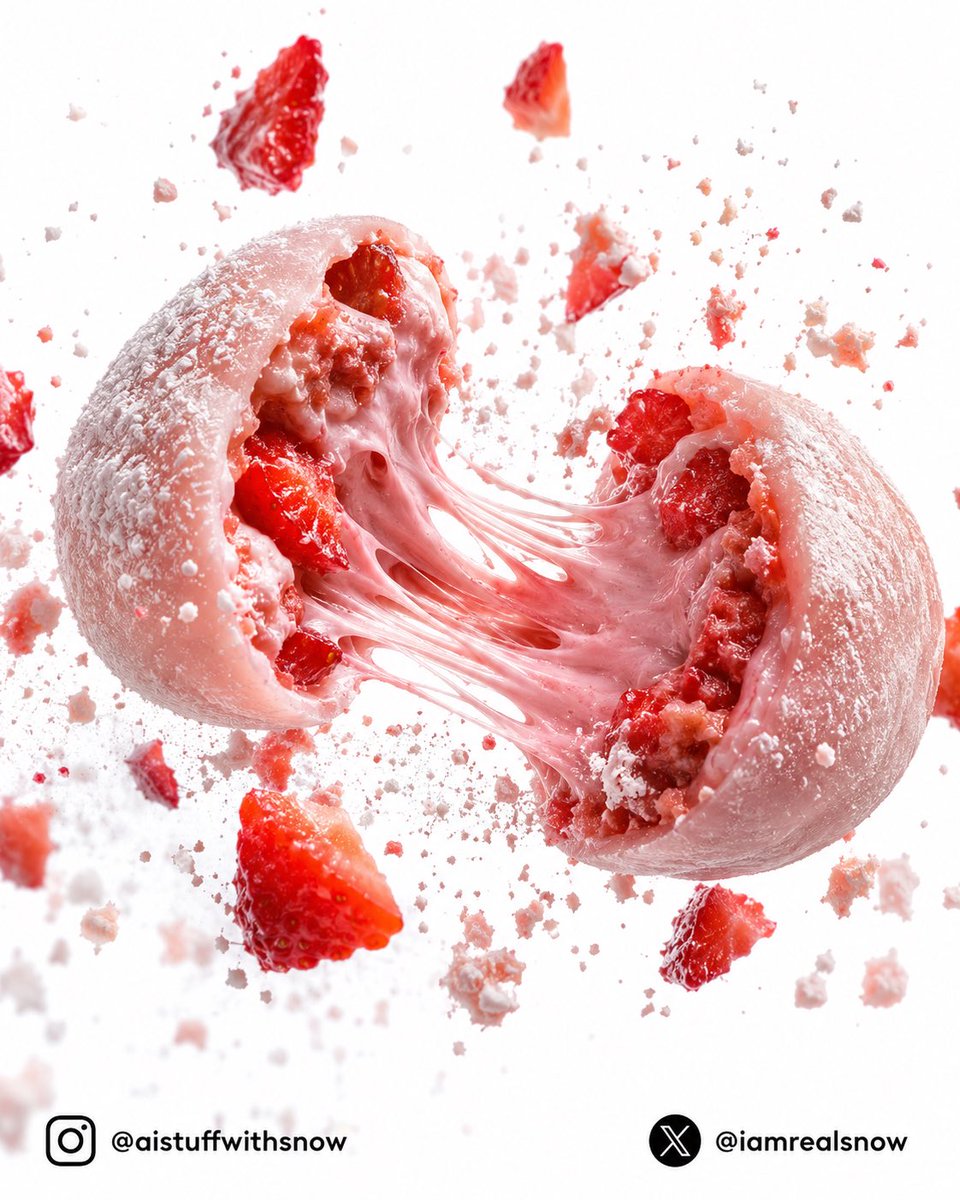
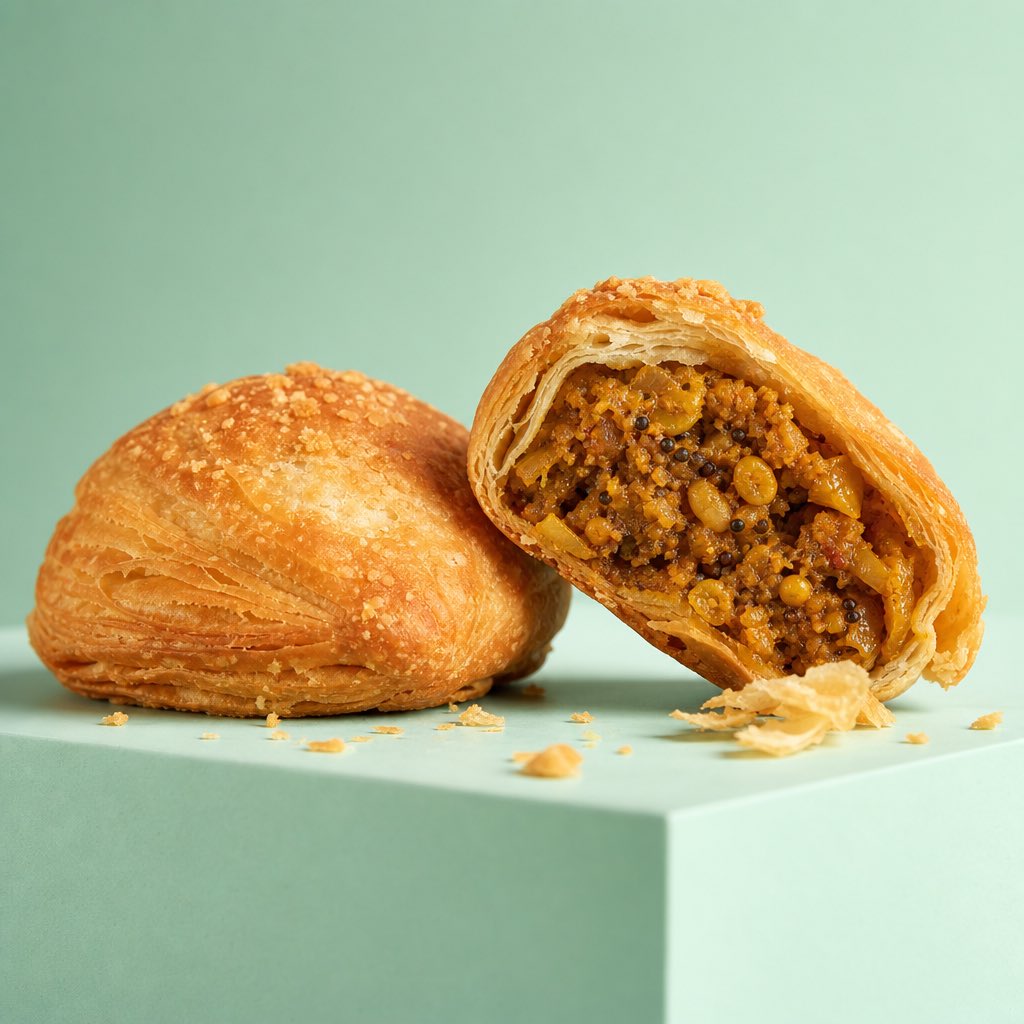
Um prompt sofisticado de fotografia comercial de comida, com um mochi de morango partido ao meio, com recheio derretido e cristais de açúcar cintilantes.
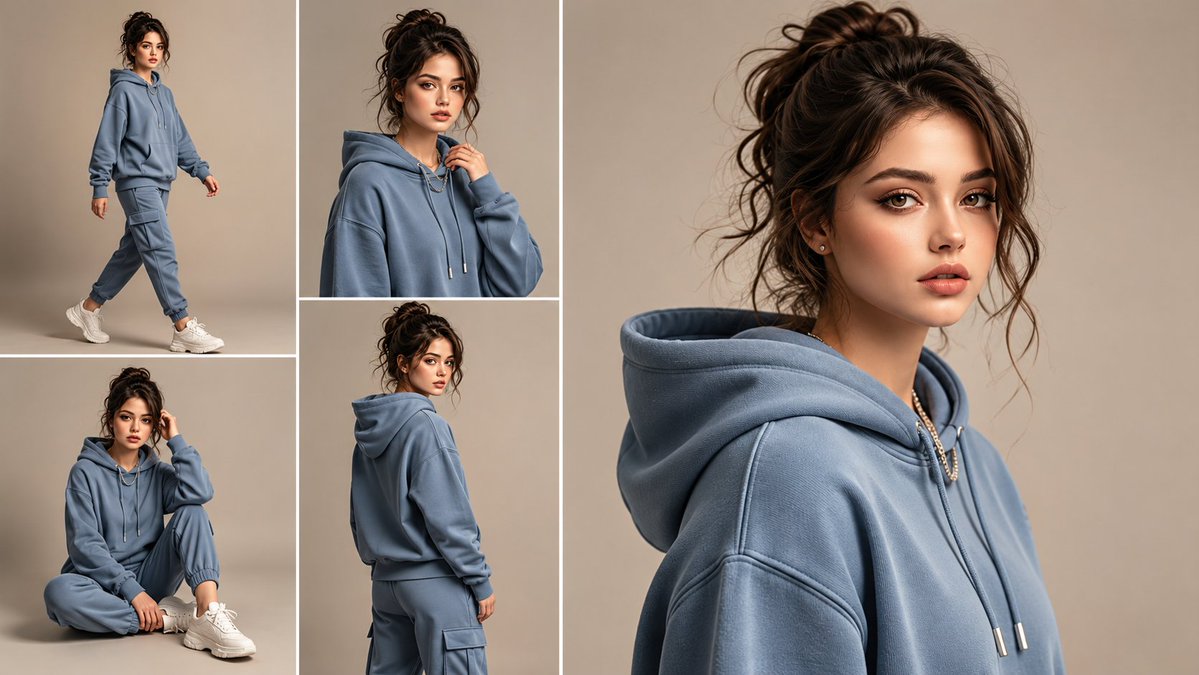
Gera uma colagem realista de moda em estúdio com cinco painéis para apresentar um conjunto de agasalho feminino com moletom e calça jogger de vários ângulos.
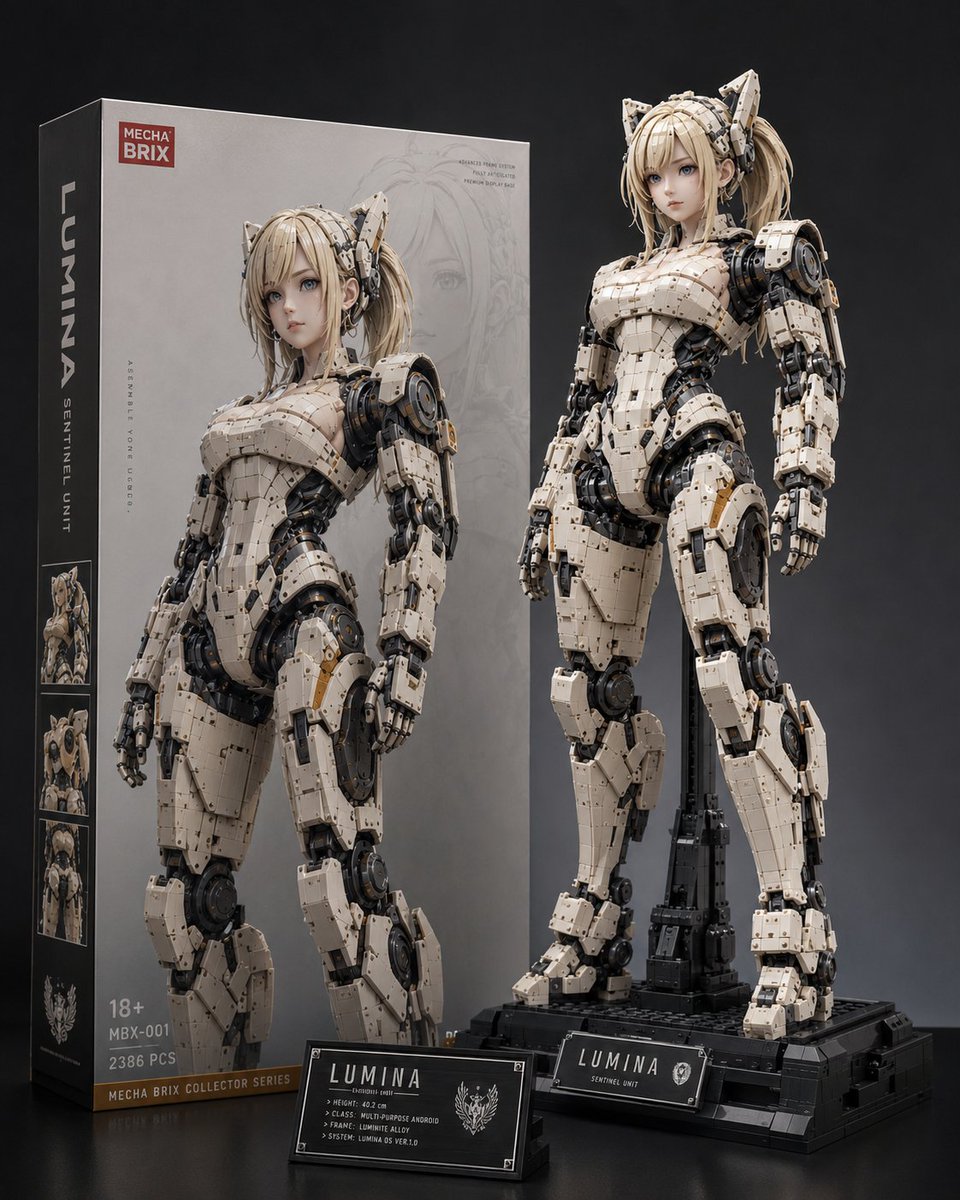
Um prompt de fotografia fotorrealista de brinquedo premium para gerar um kit de montagem encaixotado de um androide com armadura em estilo anime chamado Lumina.
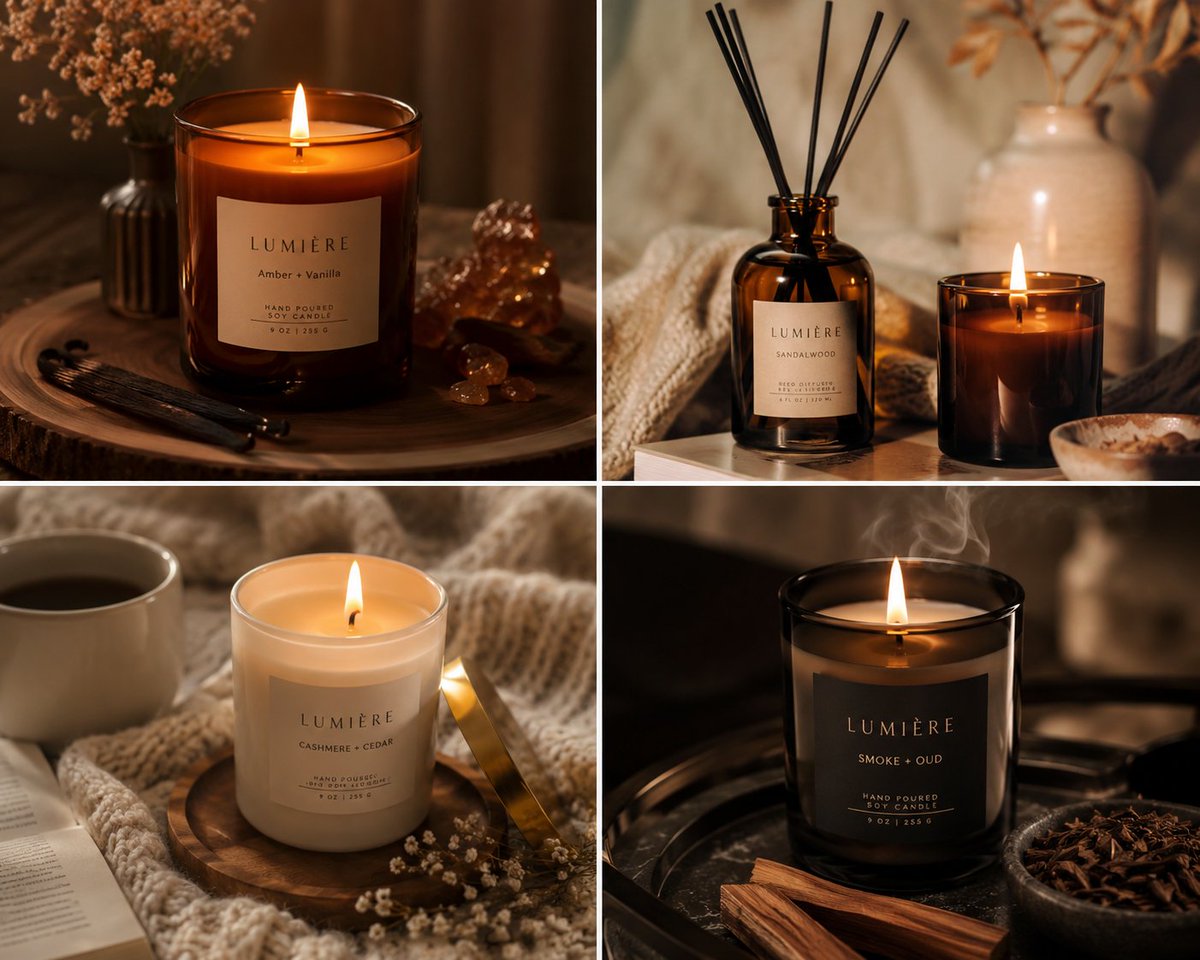
Gera imagens de produto quentes e atmosféricas para velas e fragrâncias para o lar, com foco em texturas de cera derretida e um clima aconchegante de estilo de vida sofisticado.
01. Escrever prompts como um único parágrafo corrido. O GPT Image 2 foi treinado com prompts estruturados. Um parágrafo descritivo de 200 palavras gera um resultado medíocre; o mesmo conteúdo organizado em seções nomeadas (sujeito, estilo, layout, texto) gera um trabalho de nível profissional.
02. Descrever o texto que você quer em vez de escrevê-lo. "Uma frase motivacional sobre sucesso" produz ilegibilidade. "headline": "Mountains move when you do." produz uma tipografia limpa e precisa. Sempre coloque a string exata entre aspas.
03. Esquecer de especificar o idioma para resultados que não são em inglês. O GPT Image 2 atinge tipografia com qualidade nativa em japonês, chinês e coreano — mas só quando você define o idioma explicitamente. Caso contrário, ele pode recorrer a romanização ou a glifos com falhas de IA.
04. Usar palavras de estilo genéricas. "Estilo anime", "aquarela", "cinematográfico" são amplos demais. Seja específico: "mangá shoujo da era Sailor Moon dos anos 1990", "pintura a óleo inspirada em Edward Hopper", "still de filme anamórfico com ARRI Alexa". A especificidade destrava a memória de estilo profunda do modelo.
05. Tentar gerar tudo em um único prompt quando imagem para imagem funcionaria melhor. Se você precisa de um personagem em várias cenas, gere o personagem uma vez e depois use imagem para imagem para as variações. A consistência do GPT Image 2 é sua maior vantagem competitiva — aproveite.
GPT Image 2 vs. outros modelos de imagem
Recurso
GPT Image 2
Nano Banana Pro
Midjourney v7
Renderização de texto
Precisão de pixel, multilíngue
Excelente (inglês)
Melhorou, mas sujeito a erros
Consistência entre imagens
Nativa, em nível de pixel
Forte
Limitada
Tipografia multilíngue
Nativa (EN/JA/ZH/KO)
Predominantemente em inglês
Predominantemente em inglês
Resultado pronto para uso comercial
✅ Pronto para publicar
✅ Pronto para publicar
Muitas vezes precisa de retoques
Design de layout / infográfico
Melhor da categoria
Forte
Fraco
Fotorrealismo
Excelente
Excelente
Líder do setor
Variedade de estilos artísticos
Excelente
Excelente
Líder do setor
Ideal para
Design, branding, multilíngue, séries
Editorial, mídia mista
Artístico, hero shots fotorrealistas
Perguntas frequentes
P: O GPT Image 2 está disponível para uso? R: O GPT Image 2 está disponível no Atlabs AI — você pode gerar imagens para testá-lo. Os planos pagos liberam resolução mais alta, geração em lote e direitos de uso comercial.
P: Posso usar o GPT Image 2 em projetos comerciais? R: Sim, usuários de planos pagos no Atlabs AI têm direitos comerciais completos sobre as imagens geradas.
P: O GPT Image 2 é compatível com imagem para imagem e edição? R: Sim. O modo imagem para imagem do GPT Image 2 é um de seus recursos mais fortes — ele mantém a consistência de personagens em nível de pixel entre edições e variações, sendo ideal para trabalhos em série e ativos de marca.
P: Quais idiomas o GPT Image 2 renderiza bem? R: Tipografia com qualidade nativa em inglês, japonês, chinês (simplificado & tradicional) e coreano. Ele também lida bem com muitos outros idiomas de escrita latina. Sempre especifique o idioma de destino de forma explícita no prompt.
P: Qual é a diferença entre o GPT Image 2 e o DALL-E? R: O GPT Image 2 é o modelo de imagem de próxima geração da OpenAI, que substitui a linhagem DALL-E. Ele é substancialmente melhor em renderização de texto, consistência de personagens e design baseado em layout (pôsteres, infográficos, interfaces) do que qualquer modelo DALL-E.
Pronto para criar?
Gere imagens com qualidade de design usando o GPT Image 2 — sem precisar do Photoshop.