
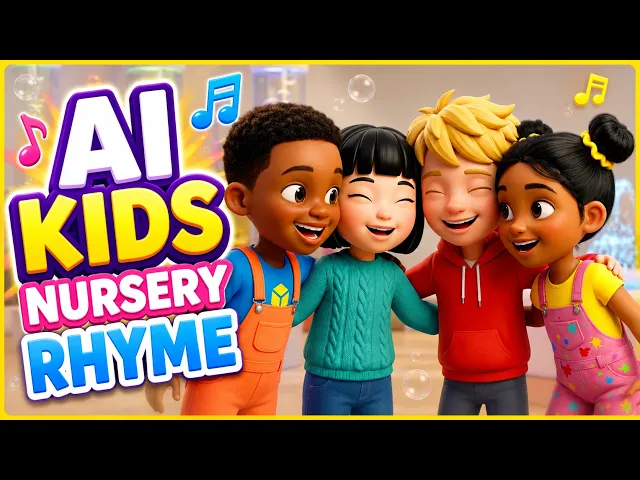
Treat each song as an episode with the same cast, opening and style. Upload the same character images for every song, open each episode with a short theme sting, keep one visual style, and publish on a fixed schedule with numbered titles and a playlist. Tools like Atlabs keep uploaded characters consistent across videos.

You have a folder of songs. Maybe you're a songwriter with a catalogue built over years, or a teacher with a song for every unit of the school year. Each one works on its own. But a folder of songs is not a show. Kids come back to a show because they know who they'll meet, how it starts and when the next one arrives.
This guide shows how to turn that folder into Season 1 with the Atlabs Kids Music Video workflow: the same characters in every episode, a repeatable opening, clear episode names and a playlist that keeps kids watching. Atlabs is also covered in a MarketersMEDIA syndicated roundup of AI kids music video generators.
What makes a series
A series is three things: a cast, a format and a schedule.
The cast is the same characters in every episode. Kids attach to characters before they attach to songs. If Lily wears a rainbow sweater in Episode 1, she wears it in Episode 9. Among paying creators on Atlabs, 57% upload their own cast rather than generating new characters each time, which is the simplest way to keep faces and outfits locked.
The format is the same shape every time: the same opening, the same visual style, the same kind of ending. Repetition is a feature for young viewers, not a flaw.
The schedule is when episodes arrive. A fixed day each week trains your audience, and your own production, to expect the next one.
Season planning: 8 to 12 songs, grouped by topic
Pick 8 to 12 songs for Season 1. That is enough to feel like a show and small enough to finish. Group them by topic so the season has a shape: a counting season, a feelings season, a seasons and weather season, or, for teachers, one season per term with a song for each unit.
Put the strongest, catchiest song first. Episode 1 is the one most new viewers find, so it has to show the characters at their best. Then order the rest so neighbouring episodes connect: numbers 1 to 5, then 6 to 10, or morning songs before bedtime songs.
Before you make anything, prepare three things for the whole season:
Your audio files. Each song as an .mp3 or .wav under 200MB, with clear vocals.
Your cast images. One image per recurring character. These are what keep the series consistent.
One visual style. Decide now, and don't change it mid-season.
The episode template
Every episode follows the same template: theme sting, song, 5-second outro.
Theme sting. A short musical opening, a few seconds long, that plays at the start of every episode. Kids learn it fast, and it tells them the show is starting. The simplest way to make it identical every time is to add the same sting to the start of each song's audio file before you upload it.
The song. The full original track, animated scene by scene.
The 5-second outro. A short, consistent ending, such as the characters waving goodbye over the last bars. Like the sting, adding the same 5-second musical tail to every audio file keeps it the same across episodes.
How to make each episode in Atlabs
Run every song through the same four steps with the same settings.
Step 1: Upload the song in Music. Open the Kids Music Video workflow, click Upload Audio, and add the episode's track with the sting and outro already on it. Check the transcription and fix any misheard lyrics before moving on.

Music: upload each episode's track, with the theme sting and outro already added to the audio.
Step 2: Use the same look in Set Style. Choose the same aspect ratio and the same kid-friendly style, such as 3D Cartoon, Claymation or Cozy Plush, for every episode.

Set Style: pick one style for Season 1 and use it in every episode.
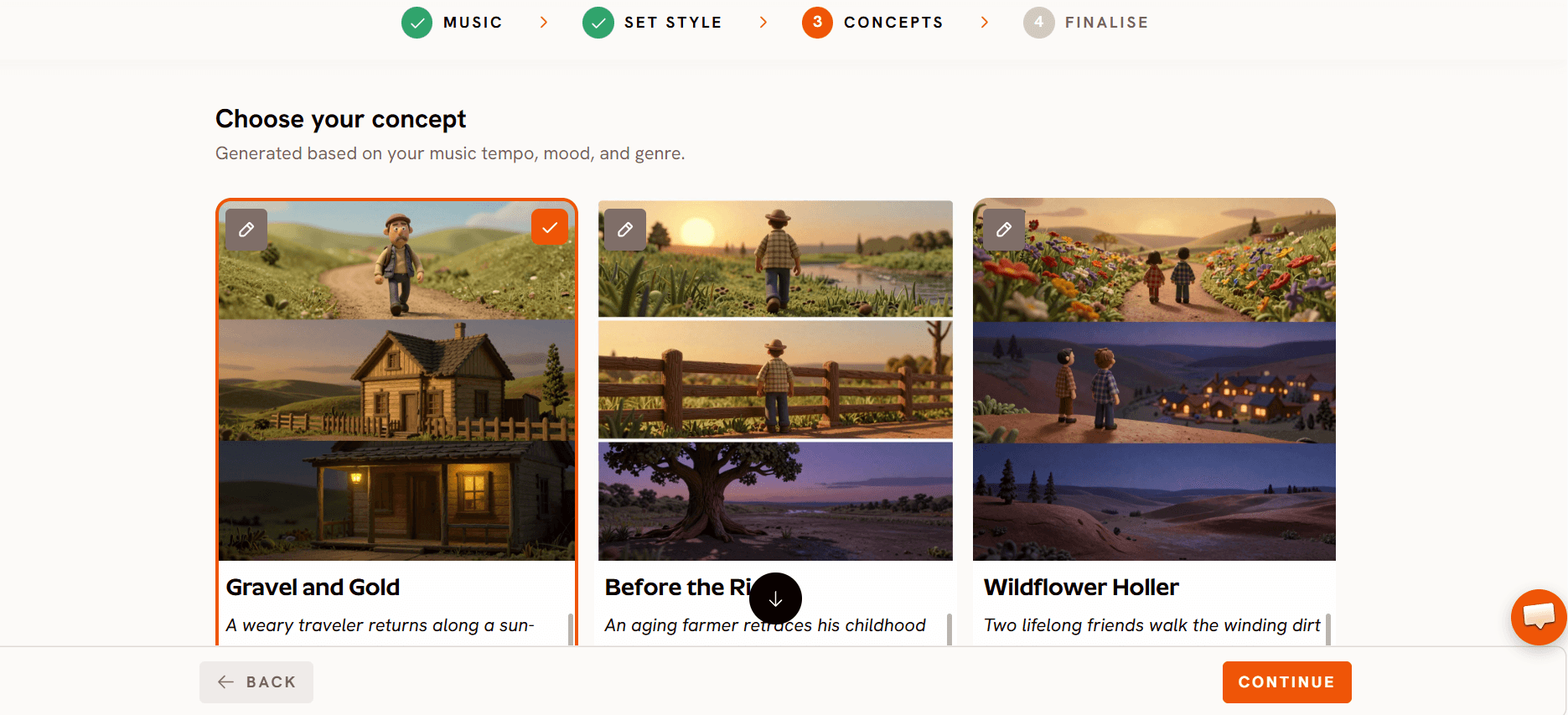
Step 3: Shape the episode in Concepts. Pick a generated concept or choose Describe your content and write one or two lines about what happens in this episode.
Step 4: Reuse your cast in Finalise. For each character card, use the Library tab to pick your saved character, or Upload your own image and choose Keep Uploaded Look. Assign the singer role in the cast panel. Using the same saved characters in every episode is what turns separate videos into a series.

Finalise: pull the same characters from your Library for every episode.
Then click Finalise Video. Check the credit estimate, preview the opening first, and render the full episode once it looks right.
Watch the full Kids Music Video walkthrough
Naming and playlists
Give every episode a number, the topic and the show name in the title, in the same order every time. For example: "Episode 3: Counting Apples | Lily and Mochi Songs". The number tells parents there are more, the topic tells them what their child will learn, and the show name ties it all together.
Keep one playlist per season, in episode order. When a child finishes Episode 3, the next one should already be lined up.
When an episode is ready, export it straight to YouTube from Atlabs. Click Export, then the YouTube icon under Other Actions, and connect your channel. Uploads are private by default, so you can add the title, description and thumbnail, then publish or schedule. Create Thumbnail in the same panel makes a thumbnail from your video's own scenes, which keeps every episode's thumbnail in the same style. Scheduling all of Season 1 ahead of time is the easiest way to keep a fixed release day.
Once you have five or more episodes, publish a compilation video of the season as well. Longer compilations give parents an easy option for car rides and quiet time, and point viewers back to the single episodes.
Story songs make the best episodes
Songs with named characters and a small plot make the strongest episodes. "Lily lost her red balloon, and Mochi helps her find it" gives every scene something to show and gives kids a reason to watch the next episode. A song that only lists colors or numbers works too, but it gives the animation less to do.
Story songs are already popular with creators who make series: 67 paying creators on Atlabs have made story songs. If you are writing new songs for Season 2, give each one a named character, a small problem and a happy ending, and use the Storyline field when you upload the music to set the order of the scenes.
FAQ
How do I make my songs feel like one show?
Use the same characters, visual style and opening for every episode.
How many episodes should a first season have?
Eight to twelve short songs is a manageable first season.
Can the characters stay the same across episodes?
Yes, if you upload the same character images for every song.
Should each episode be a separate video?
Yes, plus a compilation video once you have five or more.
Final verdict
A folder of children's songs becomes a series when three things stay the same: the cast, the format and the schedule. Plan a season of 8 to 12 songs grouped by topic, give every episode the same theme sting, song and 5-second outro, and run each song through the Kids Music Video workflow with the same style and the same saved characters from your Library. Number your titles, keep one playlist per season, schedule your releases and add a compilation once you have five episodes. Lead with story songs where you can. Do that, and your songs stop being separate videos and start being a show kids come back to.
New to the workflow? Watch the tutorial first.








