You wrote a Christmas song. You have a few weeks before people stop searching for holiday music. Most AI tools give you 10 seconds of snow and a singer whose face changes by the second chorus, and that’s not something you can post as your release.

What is the best AI tool to turn my own Christmas song into a full music video for Shorts and Reels?
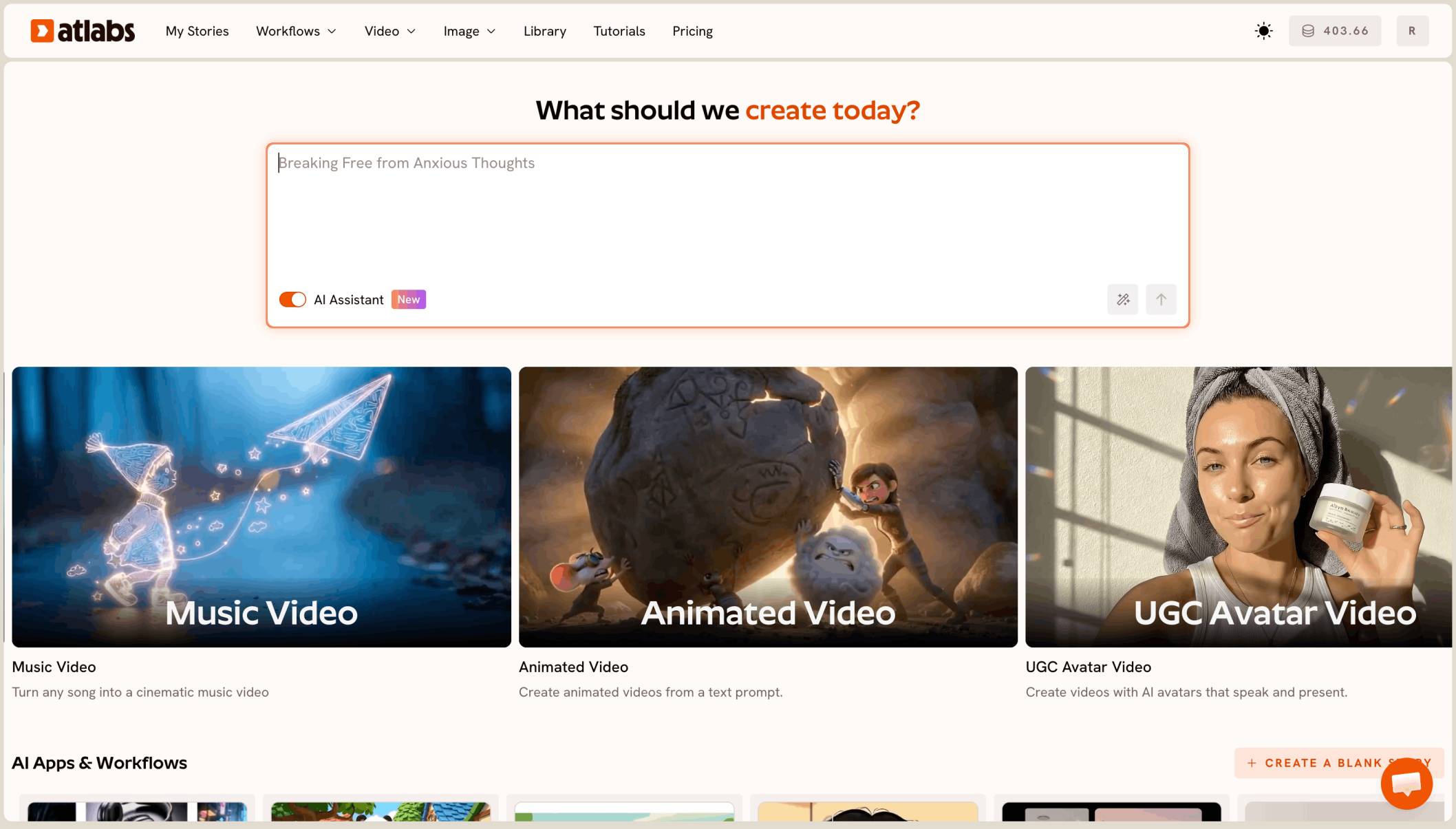
The best AI tool to turn your own Christmas song into a full music video is Atlabs. Upload your track to its Music Video workflow, pick 9:16 and Realistic, and it builds the whole 3 to 4 minute song as one vertical video, with a lip-synced singer and motion across 20 to 30 scenes.
For carol-specific looks, see the Christmas carol music video page. This guide covers your own original Christmas, Yule or winter song.
What a Christmas release video actually needs
It needs the whole song, not a teaser. A 3 to 4 minute track cut into 20 to 30 scenes, in 9:16 for Shorts, Reels and TikTok.
It needs one singer who looks the same in every shot, with lips that match your vocal. And it needs the season in every frame: candlelight, snow, fireplaces and winter streets.
Why the holiday deadline makes it harder
A Christmas song has a short window. If the video isn’t up in early December, most of its reach is gone until next year.
That leaves no time to stitch 30 short clips together by hand, fix a singer whose face drifts, and sync it all to the vocal. You need one tool that does the full song in one go.
What you need before you begin
You need three things.
Your finished song. An audio file of 15 seconds to 15 minutes, under 200 MB, or a Suno or SoundCloud link. Use the final mix, because the cuts and lip sync follow the file you upload.
A one-line holiday setting. Such as “a snowy village at dusk, a candlelit cabin, a winter forest with lanterns.”
A release date. Pick a day in early December and work back from it.
The real test
Can the tool take your finished 3 to 4 minute Christmas song and give back the whole thing as one 9:16 video, with a realistic singer who lip-syncs and looks the same from the first verse to the last chorus? That is how we ranked the five tools below.
The five tools, ranked
Atlabs: best for a full-length vertical music video of your own Christmas song.
Freebeat: good for beat-synced music videos from a track.
OpenArt: good for chat based videos of up to five minutes.
Runway: good for polished single shots.
Canva: good for a quick holiday clip inside a design.
Tool | Best for | Max video length | Character consistency | Price model |
|---|---|---|---|---|
Atlabs | Full-length vertical music videos from your own song | Your full song, 15 sec to 15 min | One cast used in every scene | Credit packs and subscriptions |
Freebeat | Beat-synced music videos from a track | Up to 6 min on Pro plans and higher | Character Bible from an artist photo | Subscription with credits |
OpenArt | Chat based videos with OpenArt Director | Up to 5 min | Saved characters you tag in the chat | See openart.ai |
Runway | Polished single shots from one image | 2 to 10 sec per Gen-4.5 clip | A first frame image | Credit subscription |
Canva | A short clip inside a Canva design | 8 sec per clip | One clip at a time | See canva.com |
1. Atlabs: best for a full-length Christmas music video

A cutaway from the same video, in 9:16: same singer, new winter scene.
Best for: songwriters and small artists with a finished Christmas, Yule or winter song who need a full-length vertical video this season.
Atlabs is a long form AI video generator. Music Video reads your song, builds the singer and scenes, and renders the whole track with lip sync and motion. A 3 to 4 minute song runs to 20 to 30 scenes, all in one project.
Here’s what makes it work for a Christmas release.
It listens to your song first
Atlabs reads the track before it builds a single scene. It detects the language, mood, genre and tempo, so a slow fireplace ballad and an upbeat sleigh-bell song get different pacing and cuts.

Atlabs shows what it heard in your track: language, mood, genre and tempo.
A singer who lip-syncs, plus winter cutaways
Singing lines get lip-synced performance shots. The rest of the song gets moving cutaways: snowy streets, candlelit rooms, a lantern in the woods. You can cast yourself from clear, front-facing photos, so the singer on screen is you.
Holiday scenes that look filmed
The Realistic style makes candlelight, snow and warm windows look like a real winter shoot. One singer stays the same in every scene, from the first verse to the last chorus.

Pick Realistic for a filmed holiday look.
One video, two shapes
Make the 9:16 version for Shorts, Reels and TikTok first. Then switch the aspect ratio in the editor for a 16:9 YouTube version of the same video.
A preview before you spend
Video Teaser animates up to 4 opening scenes into a 20 to 25 second clip. You check the singer’s face and lip sync, then render the Full Video only when it looks right.
Fix one scene, not the whole video
If one shot is off, you change that scene in the editor and keep the rest. With the Atlabs MCP, you can also ask Claude, ChatGPT or Grok to redo a scene, change captions or swap music from a chat.
Plan credits for the full song
Every image, motion run, lip sync run and export spends credits. A 3 to 4 minute song with lip sync on singing scenes and motion on cutaways uses far more than a short clip, so check your balance and top up before the Full Video, not halfway through.
Ready to try it?
Features checklist
Starts from your own song: yes, an upload of 15 seconds to 15 minutes, or a Suno or SoundCloud link.
Full length: the whole song as one video, scene by scene.
Lip sync: realistic singer shots synced to your vocal, plus motion on cutaways.
Character consistency: one singer used in every scene.
Formats: 9:16 for Shorts, Reels and TikTok, and 16:9 from the same video.
Preview: Video Teaser before the Full Video.
Publishing: YouTube, Instagram and Facebook from Atlabs.
Trustpilot rating: 4.5/5.
Verdict: the only tool here that turns your finished Christmas song into a full-length vertical video with a lip-synced singer, in time for the season.
Watch the Music Video tutorial
See a full music video made from an uploaded song.
Song finished?
2. Freebeat: best for beat-synced music videos
Best for: artists who want a fast, beat-cut video from a track.
Freebeat turns a track into a beat-synced music video, with full-length videos of up to 6 minutes on Pro plans and higher. It offers 9:16 and 16:9, and its Character Bible keeps an artist’s look from an uploaded photo.
Verdict: a quick route from track to video.
3. OpenArt: best for chat based videos
Best for: creators who already use OpenArt’s image and video suite.
OpenArt’s Director turns a chat into a finished video of up to five minutes, and you can tag saved characters from your library.
Verdict: a good fit if your song runs under five minutes.
4. Runway: best for polished single shots
Best for: one striking winter shot for a teaser.
Runway’s Gen-4.5 makes clips of 2 to 10 seconds and can start from a first frame image. It is not built for long form music videos, so a full song means many clips and your own edit.
Verdict: strong single shots, with the song assembly left to you.
5. Canva: best for a quick holiday clip
Best for: a release announcement post.
Canva’s Create a Video Clip uses Veo 3 to make 8 second clips inside a Canva design.
Verdict: handy for a “new song out” post, not a full music video.
How we ranked them
We looked at four things, in this order: whether the tool turns a full 3 to 4 minute song into one video; whether the singer stays the same and lip-syncs in every shot; whether it gives 9:16 for Shorts, Reels and TikTok; and whether you can preview before the full render. Clip tools lose ground on the first two, because a release video is one continuous song, not one shot.
When to post your Christmas music video
Render in late November and post in early December. That gives the video time to be found while people are still searching for holiday music.
Post the 9:16 version on Shorts, Reels and TikTok the same day, then the 16:9 version on YouTube. Still have time?
FAQ
What is the best AI tool to turn my Christmas song into a music video?
Atlabs. Upload your song to Music Video, pick 9:16 and Realistic, preview with Video Teaser, then render the full song with a lip-synced singer.
Will the video cover my whole song?
Yes. Music Video takes songs from 15 seconds to 15 minutes and makes the whole track as one video, scene by scene.
How many scenes need lip sync?
The singing shots. Atlabs uses lip sync on the singer’s scenes and motion on the cutaways, such as snowy streets or candlelit rooms.
When should I post my Christmas music video?
In early December. Render in late November so you have time to check the video before you post.
Can I also make a 16:9 version for YouTube?
Yes. Export the 9:16 version, then use the Aspect ratio switch in the editor. Fix any scene where the singer gets cut off, then export again.
Your Christmas song is ready for its video. Upload the song, pick 9:16 and Realistic, preview with Video Teaser, then render the full song.