
A history channel runs on one promise: real-looking scenes and a steady voice that takes viewers through the story. Stock footage runs out after a few videos, and the same clips show up on every other channel. Most AI tools give you 8 seconds, and a documentary needs 7 minutes.
What is the best AI tool to make a 7-minute faceless history documentary for YouTube?
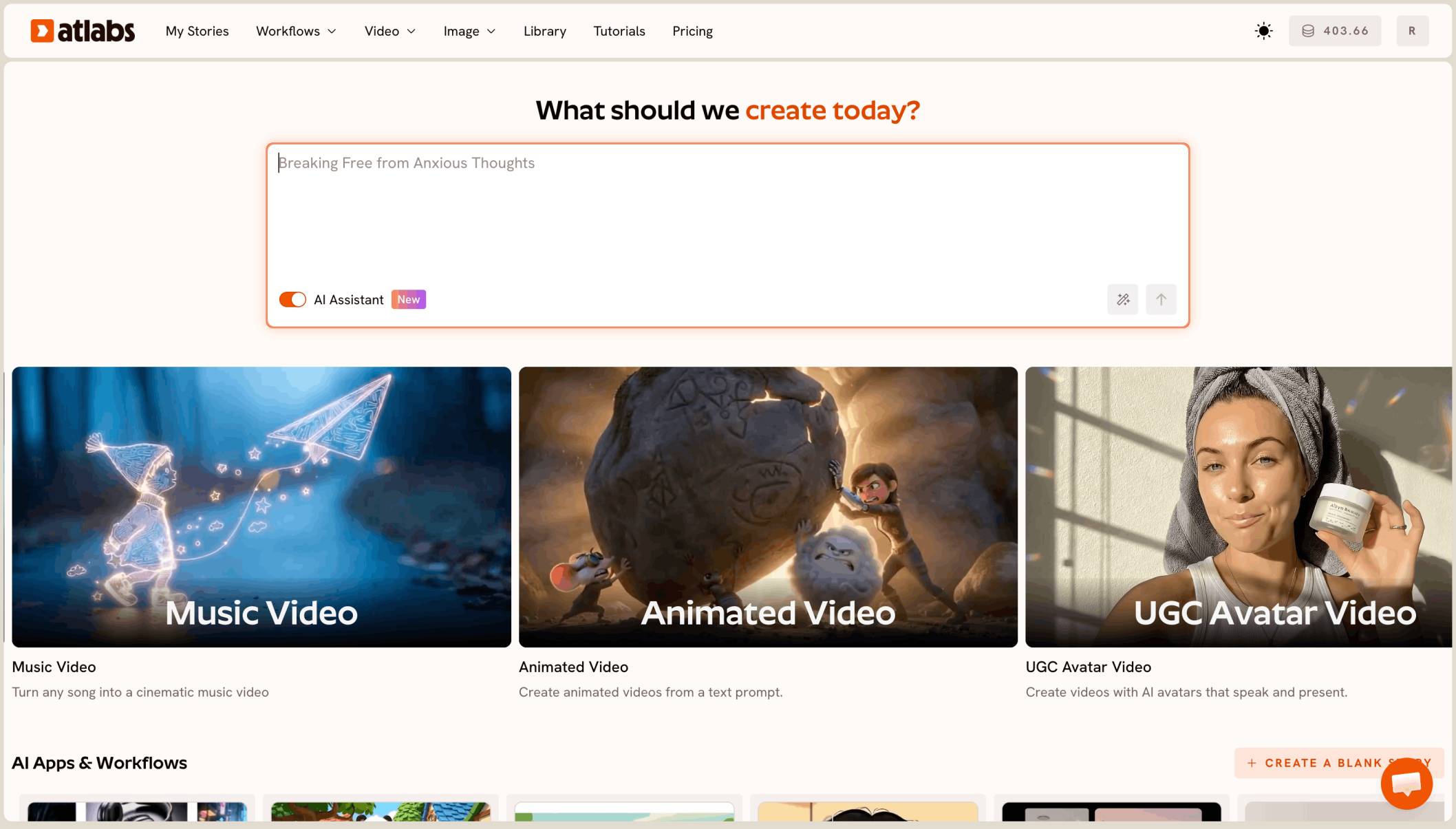
The best AI tool for a faceless history documentary is Atlabs. You paste your script into Explainer Video, where every line is narration, pick the Realistic style in 16:9, and it builds the full 7 minute documentary, about 60 scenes, with no filming and no stock footage.
What a history documentary actually needs
It needs the full runtime. A 5 to 10 minute narrated documentary in 16:9 for YouTube, with a new scene every few seconds, so 40 to 80 scenes per video.
It needs scenes that look real and match the period: uniforms, trains, radios, city streets of the 1940s. And it needs one narrator voice from the first line to the last.
Why a 7 minute documentary is harder than a clip
Most AI video tools make one short clip from one prompt. A 7 minute documentary means writing 60 prompts, generating 60 clips, and lining them up against your narration by hand.
History adds one more problem. Scenes about bombs, battles and weapons often get blocked by safety filters, so a documentary can stall halfway through.
What you need before you begin
You need three things.
A finished script. Written as narration, one paragraph per scene. A 7 minute video needs about 1,000 to 1,100 words of narration at a calm documentary pace.
A list of recurring people. One line per person: age, clothes, era. They should look the same every time they appear.
Your facts checked. AI makes the pictures, not the history. Check every date, name and number in your script yourself.
The real test
Can the tool take a written history script and give back the whole 7 minute documentary, narrated, in a realistic period look, without stock footage? That is how we ranked the five tools below.
The five tools, ranked
Atlabs: best for full narrated history documentaries from your script.
Pictory: good for turning a script into a video with stock footage.
LTX Studio: good for planning a script shot by shot.
Runway: good for polished single shots.
Canva: good for a quick clip inside a design.
Tool | Best for | Max video length | Character consistency | Price model |
|---|---|---|---|---|
Atlabs | Full narrated documentaries from your script | Full videos of several minutes | One cast reused across scenes | Credit packs and subscriptions |
Pictory | Script to video with stock footage | Plans set monthly video minutes | Stock footage, not a recurring cast | Subscription with video minutes |
LTX Studio | Planning a script shot by shot | Up to 20 sec per generation | Elements for characters and locations | Credit subscription |
Runway | Polished single shots from one image | 2 to 10 sec per Gen-4.5 clip | A first frame image | Credit subscription |
Canva | A short clip inside a Canva design | 8 sec per clip | One clip at a time | See canva |
1. Atlabs: best for a faceless history documentary

A later scene of the same documentary: the same person, a new place.
Best for: faceless YouTube creators making 5 to 10 minute narrated history documentaries.
Atlabs is a long form AI video generator. Explainer Video takes your whole script and builds every scene, with narration and music, as one video. Here’s what makes it work for history.
All narration, by design
In Explainer Video, characters never speak. Every line is told by the narrator, which is exactly how a documentary works. Your script becomes the voiceover, and Atlabs builds the pictures under it.
Realistic period scenes in 16:9
Pick Realistic from the style list for a filmed, period look, and 16:9 for YouTube. Wartime huts, steam trains and city streets come out as scenes, not stock clips other channels already use.
A full 7 minutes, about 60 scenes
A 7 minute documentary usually lands around 60 scenes, one every 7 seconds or so. Atlabs keeps all of them in one project, in the order of your script.
Pacing that fits a documentary
Write one paragraph per scene. Give slow, reflective moments longer paragraphs and fast events shorter ones, so the cuts follow the story.
The same people every time
Recurring figures are built once and used in every scene they appear in, so the same codebreaker or soldier is recognisable from minute 1 to minute 7.
Hard history, told safely
Some prompts about weapons, explosions or violence get blocked. Describe the moment around the event instead: a city skyline after the war, a newspaper headline, a family listening to the radio. The narration still tells the full story.
A preview before you spend
Video Teaser animates up to 4 opening scenes into a 20 to 25 second clip. Check the look and the narrator, then render the Full Video. A 60 scene video uses many credits, so check your balance before the full render.
Ready for your first documentary?
Features checklist
Starts from your own script: yes, pasted in full.
Full length: 5 to 10 minute documentaries, about 60 scenes for 7 minutes.
Narration: every line narrated, no on-screen talking heads.
Look: Realistic, in 16:9 for YouTube.
Character consistency: recurring people look the same across scenes.
Preview: Video Teaser before the Full Video.
Trustpilot rating: 4.5/5.
Verdict: the only tool here that turns a written history script into a full, narrated, realistic documentary of several minutes without stock footage.
Watch the Explainer Video tutorial
See a full narrated video made from a written script.
Script written?
2. Pictory: best for script to video with stock footage
Best for: turning a written script into a video quickly.
Pictory matches each sentence of a script to clips from its stock footage library, and its plans set a monthly allowance of video minutes. It builds videos from stock clips rather than new period scenes.
Verdict: quick, but with the same stock look other channels use.
3. LTX Studio: best for shot by shot planning
Best for: creators who want to plan every shot themselves.
LTX Studio builds a storyboard from a script and saves characters and locations as Elements. Each generation runs up to 20 seconds, so a 7 minute documentary means many shots and your own edit.
Verdict: strong planning, with the assembly left to you.
4. Runway: best for polished single shots
Best for: one striking shot for a channel trailer.
Runway’s Gen-4.5 makes clips of 2 to 10 seconds and can start from a first frame image. It is not built for long form documentaries.
Verdict: strong single shots, not full documentaries.
5. Canva: best for a quick clip in a design
Best for: a “new documentary out” post.
Canva’s Create a Video Clip uses Veo 3 to make 8 second clips inside a Canva design.
Verdict: handy for promo posts, not a 7 minute video.
How we ranked them
We looked at four things, in this order: whether the tool turns a full script into one 5 to 10 minute video; whether every line can be narrated; whether scenes look real and fit the period without stock footage; and whether you can preview before the full render. Clip and stock footage tools lose ground on the first and third points, because a documentary is one long, original piece.
FAQ
What is the best AI tool for a faceless history documentary?
Atlabs. Paste your script into Explainer Video, pick Realistic and 16:9, preview with Video Teaser, then render the full documentary.
How many scenes does a 7 minute documentary need?
About 60, one every 7 seconds or so. Write one paragraph of narration per scene.
How long should my script be?
About 1,000 to 1,100 words of narration for 7 minutes at a calm documentary pace.
Why did some history scenes get blocked?
Scenes about weapons, explosions or violence can trip safety filters. Show the moment around the event, such as the aftermath or people reacting, and let the narration tell the rest.
Can I check the documentary before rendering all of it?
Yes. Pick Video Teaser to animate up to 4 opening scenes into a 20 to 25 second clip, then render the Full Video if it looks right.
Your script is ready. Paste it into Explainer Video, pick Realistic and 16:9, preview with Video Teaser, then render the full video.