A label doesn't make one music video. It makes one per single, for three or four artists, and every one has to land on Shorts, Reels and TikTok. Most AI tools fall apart at the same point: the song is 6 minutes long, the tool makes 10 second clips, and by the second chorus the singer has a different face.

What is the best AI tool for an independent record label to make vertical music videos from its artists' finished songs?
The best AI tool for an independent record label is Atlabs. Its Music Video workflow turns each artist's finished track, even a 6 minute song, into a full-length 9:16 video in the Realistic style, with lip-synced singer shots, story cutaways and the same look across every song in a release.
For how Atlabs fits a label's wider release work, see the music labels and managers page. This guide covers the vertical music video itself.
What a label music video actually needs
A label video is the whole song, not a teaser. A 5 to 6 minute single cut into 50 or more scenes, in 9:16 for Shorts, Reels and TikTok, and in 16:9 for YouTube.
The singer has to look like the same person in every shot. Same face, same hair, same jacket, from the first verse to the last chorus, and the lips have to match the vocal.
Why a release makes it harder
One video is a single problem. A release is three or four videos that should look like they belong together. The style, the lighting and the artist's look all have to repeat from single to single, or the release reads as random clips.
Volume matters too. You are making videos for other people's songs, on a schedule, without a video crew, so every hour spent stitching clips is an hour not spent on the next artist.
What you need before you begin
You need three things.
The finished master. An audio file of 15 seconds to 15 minutes, under 200 MB, or a Suno or SoundCloud link. Use the final mix, because the cuts and lip sync follow the file you upload.
Clear photos of the artist. A few front-facing, evenly lit photos, with no sunglasses or heavy shadows, if the artist should appear as the singer.
A short release brief. Two or three lines on setting, colours and wardrobe, such as night city streets, teal and amber light, dark green jacket. You'll reuse it for every song in the release.
The real test
Can the tool take a finished 6 minute track and give back the whole song as one 9:16 video, with a lip-synced singer who looks the same in every shot, and do it again for the next single in the same look? That is how we ranked the five tools below.
The five tools, ranked
Atlabs: best for full-length vertical music videos from your artists' finished tracks.
Freebeat: good for beat-synced music videos from a track.
OpenArt: good for chat based videos of up to five minutes.
Runway: good for polished single shots.
Canva: good for a quick clip inside a design.
Tool | Best for | Max video length | Character consistency | Price model |
|---|---|---|---|---|
Atlabs | Full-length vertical music videos from your artists' tracks | Your full song, 15 sec to 15 min | One cast used in every scene | Credit packs and subscriptions |
Freebeat | Beat-synced music videos from a track | Up to 6 min on Pro plans and higher | Character Bible from an artist photo | Subscription with credits |
OpenArt | Chat based videos with OpenArt Director | Up to 5 min | Saved characters you tag in the chat | See openart |
Runway | Polished single shots from one image | 2 to 10 sec per Gen-4.5 clip | A first frame image | Credit subscription |
Canva | A short clip inside a Canva design | 8 sec per clip | One clip at a time | See canva |
1. Atlabs: best for a label's full-length vertical music videos
Best for: independent labels and artist managers who release several artists' finished tracks and need full-length 9:16 videos.
Atlabs is a long form AI video generator. Music Video reads your track, builds the cast and scenes, and renders the full song with lip sync and motion. A 6 minute song can run to 50 or more scenes, all in one project, and you can switch the finished video between 9:16 and 16:9.
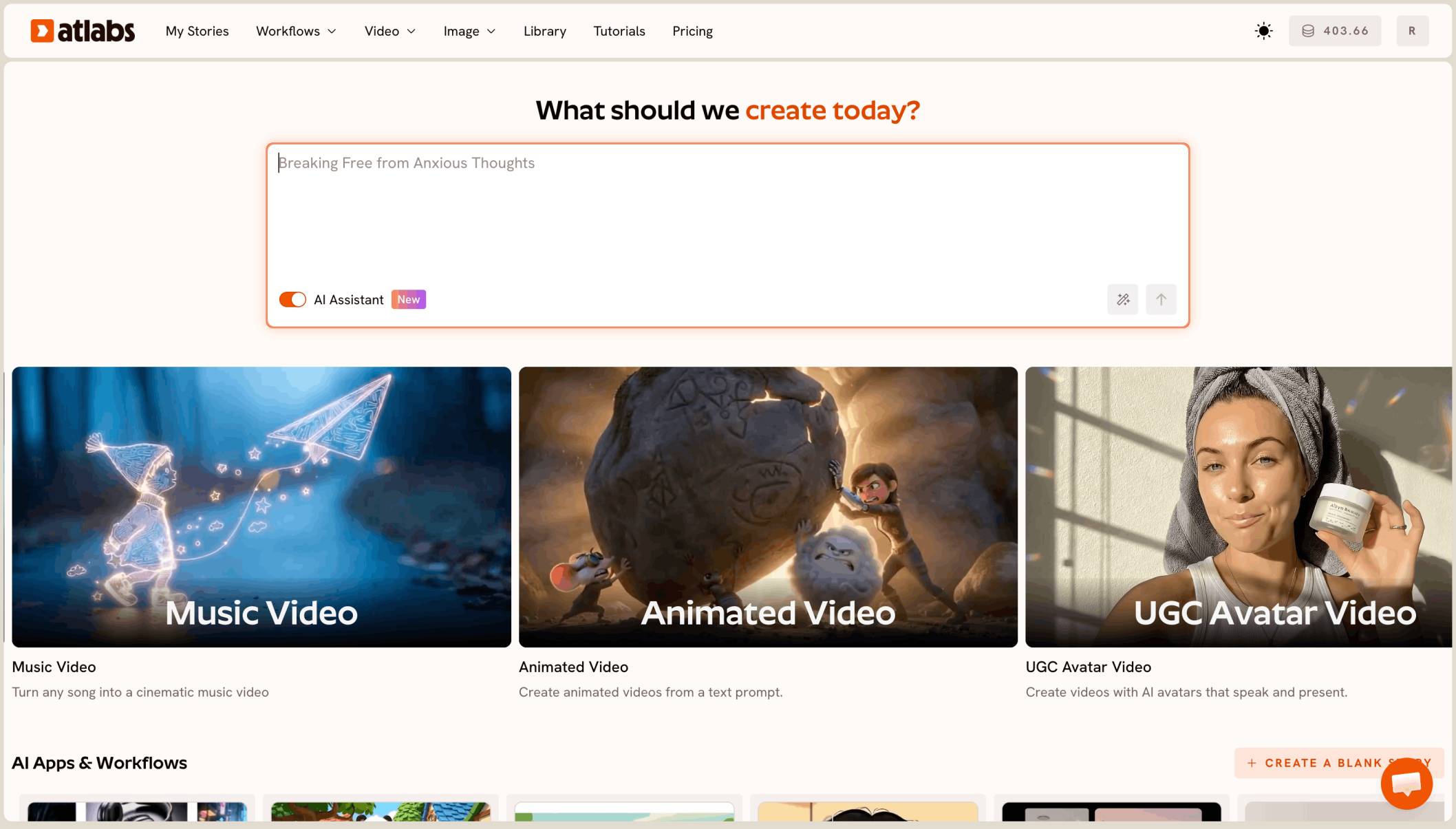
The Music Video workflow has 4 steps: Music, Set Style, Concepts and Finalise.
Atlabs Music Video workflow The Music Video workflow, where a finished track becomes a full music video.

Plan credits before a 6 minute render
Every image, motion run, lip sync run and export spends credits, and a 6 minute song with lip sync across 50 or more scenes uses far more than a short track. Count the scenes after Concepts, preview with Video Teaser, and top up before you render the Full Video, so no scenes stay unfinished.
Keep one look across the release
Pick Realistic for every track, use the same artist photos, and paste the same release brief as the storyline for each song. Check each teaser against the last video: hair, jacket and lighting should match before you render.
Features checklist
Starts from your own track: yes, an uploaded master of 15 seconds to 15 minutes, or a Suno or SoundCloud link.
Full length: the whole song as one video, scene by scene.
Formats: 9:16 for Shorts, Reels and TikTok, and 16:9 from the same video with the Aspect ratio switch.
Lip sync: lip-synced singer shots, plus story cutaways.
Character consistency: your artist cast from photos and used in every scene.
Preview: Video Teaser before the Full Video.
Publishing: YouTube, Instagram and Facebook from Atlabs.
Trustpilot rating: 4.5/5.
Verdict: the only tool here that turns a label's finished 6 minute tracks into full-length 9:16 videos with lip-synced singers and one look across a release.
Watch the Music Video tutorial
Watch the full Music Video walkthrough →
2. Freebeat: best for beat-synced music videos
Best for: labels that want a fast, beat-cut video from a track.
Freebeat turns a track into a beat-synced music video, with full-length videos of up to 6 minutes on Pro plans and higher. It offers 9:16 and 16:9, and its Character Bible keeps an artist's look from an uploaded photo.
Verdict: a quick route from track to video for a single release.
3. OpenArt: best for chat based videos
Best for: teams that already use OpenArt's image and video suite.
OpenArt's Director turns a chat into a finished video of up to five minutes, and you can tag saved characters from your library. A 6 minute single runs past that limit.
Verdict: a good fit for tracks under five minutes.
4. Runway: best for polished single shots
Best for: one hero shot for a release teaser.
Runway's Gen-4.5 makes clips of 2 to 10 seconds and can start from a first frame image. It is not built for long form music videos, so a full song means many clips and your own edit.
Verdict: strong single shots, with the song assembly left to you.
5. Canva: best for a quick clip in a design
Best for: a release announcement post.
Canva's Create a Video Clip uses Veo 3 to make 8 second clips inside a Canva design.
Verdict: handy for promo graphics, not a full music video.
How we ranked them
We looked at four things, in this order: whether the tool turns a full 5 to 6 minute track into one video; whether it gives 9:16 with a 16:9 version from the same video; whether the singer stays the same and lip-syncs in every shot; and whether you can repeat the same look across a release with a preview before each full render. Clip tools lose ground on the first and last points, because a label makes many full songs, not one shot.
Got the next artist's track? Start their video in Music Video and pick Realistic.
FAQ
What is the best AI tool for a record label to make vertical music videos?
Atlabs. Upload the master to Music Video, pick 9:16 and Realistic, cast your artist, preview with Video Teaser, then render the full song.
Can I make a 16:9 version of the same video?
Yes. Export the 9:16 version, then use the Aspect ratio switch in the editor. Fix any scene where the singer gets cut off, then export again.
How do I keep one look across a whole release?
Pick Realistic for every track, use the same artist photos, and paste the same short release brief as the storyline for each song.
How should a label plan credits for a 50 scene video?
Check your balance before you render. Preview with Video Teaser, then render the Full Video once, with enough credits for lip sync and motion on every scene.
Can I use photos of my artist as the singer?
Yes. Cast the artist from clear, front-facing photos on the Concepts step, and they appear as the singer across the scenes.
The next release is ready. Turn it into vertical music videos in Music Video: upload the master, pick 9:16 and Realistic, preview with Video Teaser, then render the full song.