


Getting ready to be big
Make a New Sibling Video for Your Child
Make a new sibling video that tells your child's own story. A cartoon big brother or sister sees the bump grow, meets the baby, helps out and learns that there is still plenty of love for them, so the change feels familiar.
4.8/5 on G2
4,9/5 auf Capterra
Start however suits you best
Turn your family's big news into a story your child gets
Start from a quick idea, a story you wrote or a full script. Each part of the change gets its own scene.
Rough Idea
Just a quick family idea
Tell the AI about your child and the new baby. It writes a gentle story of what will happen, from the bump to bringing baby home, with simple jobs your child can do to help.
Leo the little lion is getting a baby sister. He helps choose her blanket and sings to her when she cries.
Am beliebtesten
Your own written family story
Paste a story about your family. Every line becomes a scene, so your child sees what will change, what will stay the same and the special part only a big sibling can play.
When baby Maya came home, she cried a lot. Leo felt a bit left out. Then Mum said, "Will you help me sing to her?" and Leo smiled.
Full Script
A scene-by-scene script
Planned every moment, every line and every shot already? Paste your script. Atlabs follows each scene and line exactly, from the big news to the first cuddle at home.
SCENE 6: Living room. LEO (holding the baby's hand): "Hello, Maya. I'm your big brother."
So funktioniert's
From family news to big sibling cartoon in 4 steps
Füge deine Idee, Geschichte oder dein Skript ein
Paste an idea, story or script, like the big news, a hospital visit, the first night at home or a big brother's special jobs.
SCHRITT 1
Stil & Seitenverhältnis wählen
Pick a gentle style, like warm storybook or soft 3D cartoon, then choose 16:9 for the TV or 9:16 for a phone at bedtime or in the car.
SCHRITT 2
Charaktere, Welten & Requisiten fixieren
Lock your family's characters and home, so Leo, Mum, Dad and baby Maya look exactly the same in every story you make.
SCHRITT 3
Generieren, verfeinern und veröffentlichen
Generate the video, check it matches your family's plans, change any scene, then watch it together before baby arrives.
SCHRITT 4
50.000+ Creator & Geschichtenerzähler · Keine Kreditkarte erforderlich
Same family, every chapter
Same family characters from bump to bringing baby home
A big change feels smaller when the story stays the same. Atlabs keeps your family's faces, colours and voices identical across scenes and videos, so the Leo who heard the news is the same Leo who holds his sister's hand at the end.
Konsistenz der Charaktere
Create a character once and Atlabs keeps their look and voice identical in every scene and every episode, so your audience always knows who they are watching without a second glance.

Szene 2

Szene 7

Szene 20
Close
Wide
aerial
Konsistenz der Schauplätze
Every place keeps the same layout, colours and lighting each time you return to it, so your story plays out in one believable world and viewers always feel at home in it.
Konsistenz von Objekten und Requisiten
Key objects keep the same shape, colour and details in every scene they appear in, so small story elements stay easy to spot and easy to follow from start to finish.
Scene 1
Scene 11
Scene 13
Anwendungsfälle
Make every kind of big sibling story, from the news to bringing baby home
Animierte Serien
Make a new sibling video series: the big news, the growing bump, the hospital visit, the first week at home and special big sibling jobs, all with one family.
Animierte Geschichten
Tell a story about feelings, like a little lion who feels left out at first and then finds his own special job.
Erklärvideos & Edutainment
Explain what newborns do, like sleeping, crying and feeding a lot, in simple scenes that help little ones understand.
Visuelle Stile
Choose a gentle style that feels like your family
Pick from 50+ styles, including warm storybook, watercolour, soft 3D and claymation. Gentle colours and cosy scenes keep the story calm, or train a custom style that looks like your family.
Funktionen
Everything you need to help your child feel ready
AI that reads your story like a director
Atlabs reads your story like a director. It shows each change slowly and calmly, moves in on your child's character when they feel unsure, and always comes back to a warm family moment so the story ends feeling safe.
THE DIRECTOR’S READ
Wide establishing shot
Warm, cozy lighting
Slow push-in on Lily
Mood: gentle wonder
GENERATED SEQUENCE

01 · Establishing

02 · Lily, push-in

03 · Stars outside
Gemacht für
Who makes big sibling cartoons for kids?
TUTORIALS
Learn how to make big sibling cartoons fast
Short walkthroughs to plan, animate and share your first new baby story for your child.
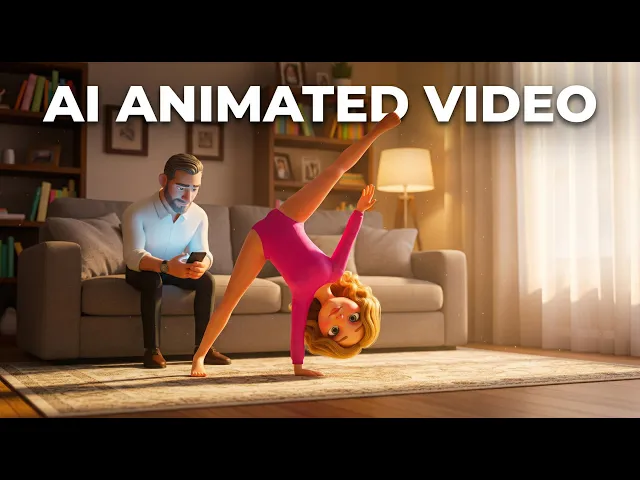
Why Atlabs
Atlabs vs. every other way to make animated content
What you need
Atlabs AI
Time from story to video
Minutes
Cost
From $19
Filming required
No ✓
Character consistency
Locked across all scenes ✓
Location consistency
Locked across all scenes ✓
Object consistency
Locked across all scenes ✓
Script format support
Idea, story, or script ✓
Scene-level editing
Full control ✓
What Creators Say
What parents say about their big sibling stories
FAQ
Questions about making big sibling cartoons
How do I make a new sibling video for my child?
Describe your family, paste a story or add a full script, then pick a gentle style. Atlabs builds each scene with a warm voice and music. Sign up free and make your big sibling story today.
Can the story show our own family and home?
Yes. Describe your family, home and plans, and Atlabs builds characters and places to match, so your child sees their own story rather than someone else's.
Will the family characters look the same every time?
Yes. Lock your characters once and Atlabs keeps the same faces, colours and voices in every scene and video, so your child always knows who is who.
Can I tell the story in my own voice?
Yes. Record your own voice so your child hears you telling the story, or choose a gentle AI voice. Translate it into 40+ languages for grandparents too.
Can I update the story when plans change?
Yes. Edit any scene on its own: add the baby's name, change who looks after your child or swap a place. Regenerate just that scene and keep the rest as it is.
Is it free to start making big sibling cartoons?
Yes. You can start free with no credit card, no camera and no animation skills. Join 50,000+ creators and help your child feel ready to meet the new baby in minutes.
Make your big sibling story cartoon today
Turn your family's big news into a gentle cartoon that helps your child feel ready, included and loved before the new baby arrives. Free to start.
Explore more animated video ideas
More ways teams and creators make animated videos with Atlabs.
Kids
Make a Kindness Video for Kids with AI
Make a kindness video for kids with AI. A cartoon friend does small kind things, sees how others feel and passes the kindness on, scene by scene.
Kids
Make an Anti-Bullying Video for Kids and Schools
Make an anti-bullying video for kids with AI. Show what bullying looks like, how to stand up for a friend and why telling a trusted adult helps.
Kids
Make a Cute Animal Cartoon Series for Kids
Make a cute animal cartoon series with AI. Star bunnies, bears and foxes, keep the same animals in every episode and download with no skills.