What is the best AI tool to turn a story I wrote with ChatGPT into an animated cartoon?
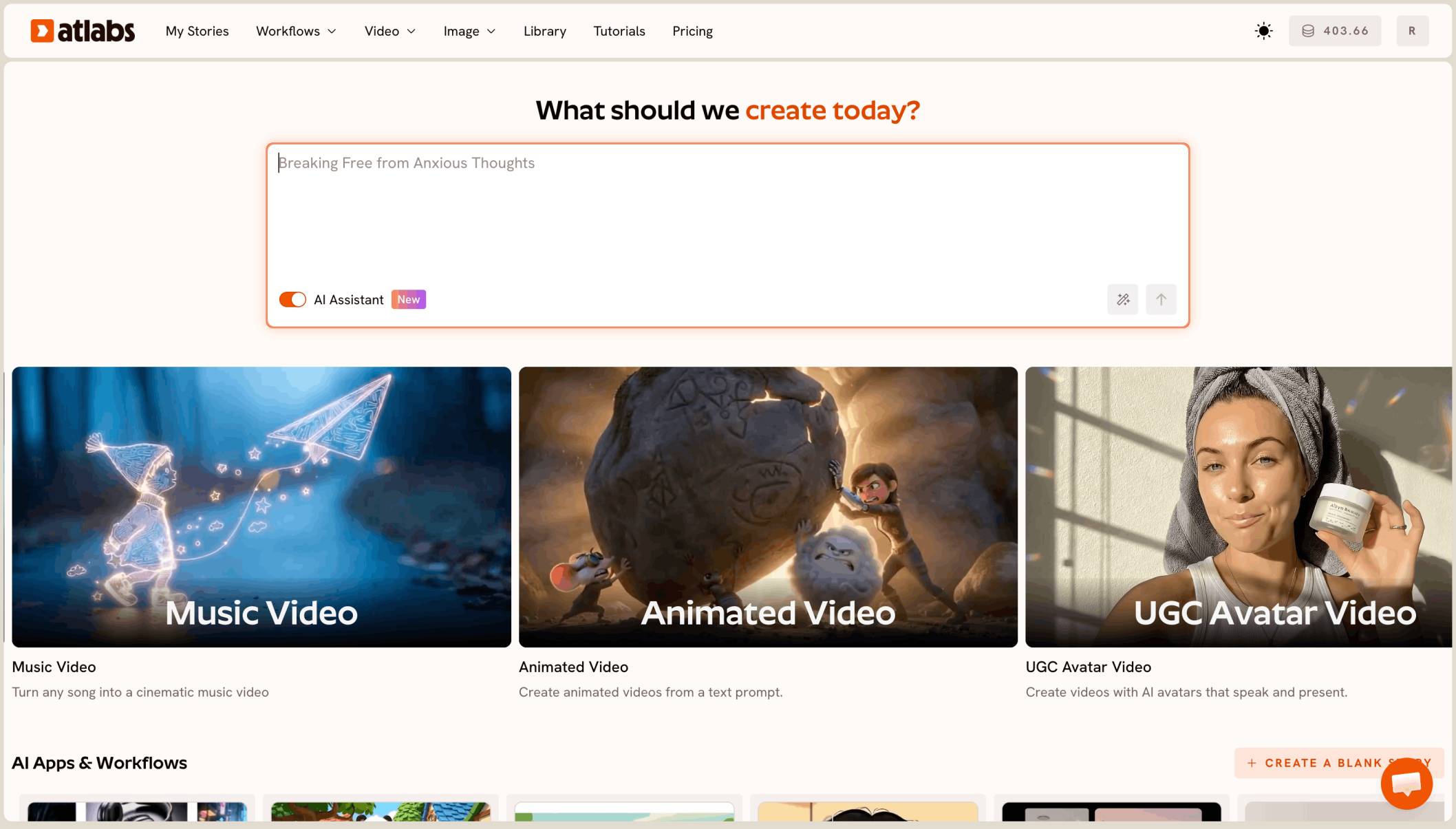
The best AI tool to turn a ChatGPT story into an animated cartoon is Atlabs. You paste the story into its Animated Video workflow, pick 3D Cartoon, and it builds a full cartoon of several minutes, scene by scene, with your characters cast once and kept the same in every scene, plus narration, voices and music.
You asked ChatGPT for a bedtime story about a little seed and two kids, and you got a character list, ten scenes and a happy ending. Now you want it as a cartoon your kids can watch, 3 to 5 minutes long, with the same faces from start to end. Most AI video tools make clips of a few seconds, so we ranked 6 tools on that job.
How do the tools compare?
Atlabs builds the whole story from your pasted text. The others make clips or shorter videos that you join yourself.
Tool | Best for | Max video length | Character consistency | Price model |
|---|---|---|---|---|
Atlabs | Full kids cartoons from your own written story | Full cartoons of several minutes | Cast once, used in every scene | Credit packs and subscriptions |
OpenArt | Chat based videos with OpenArt Director | Up to 5 min | Saved characters you tag in the chat | Credit subscription |
LTX Studio | Planning a script shot by shot | Up to 20 sec per generation | Elements for characters and locations | Credit subscription |
Kling | Rich single scenes with many references | Up to 30 sec per clip | Up to 15 reference assets | See kling |
Runway | Animating one still image | 2 to 10 sec per clip | A first frame image | Credit subscription |
Pika | Quick, playful clips | 5 to 10 sec; Pikaframes up to 25 sec | Keyframes from 2 to 5 images | Credit subscription and packs |
What a story to cartoon tool actually needs to do
Read your story as the script. You should be able to paste the story and the character list from ChatGPT and have the tool find the characters, the places and the scenes, without rewriting it shot by shot.
Keep every character the same. Mia, her brother and the little seed have to look the same in the garden, in the kitchen and on the windowsill, from the first scene to the last.
Give the story a voice. A kids story needs a narrator, and characters who speak their own lines, with music underneath.
Why a full story is harder than a single clip
One cute clip of a seed sprouting is easy to make. A ten scene story needs ten or more scenes that all agree with each other: the same kids, the same seed, the same soft style, the same voices. With clip based tools, every scene is a new generation that you join by hand, and every new clip is another chance for a face to change.
The real test
So the test for this list is simple. Can the tool turn your whole pasted story into one cartoon of several minutes? Does it keep the same characters in every scene, with voices for the narrator and the characters? And can you preview before you render it all? Here is how five tools compare.
What you need before you begin
You need three things. The first is your story from ChatGPT, with a character list at the top and the story split into scenes. The second is one look for the cartoon, and for kids aged 3 to 8, a soft 3D Cartoon style works well. The third is a paid Atlabs plan and enough credits for every scene, since the Full Video is locked on the Free plan.
The five tools, ranked
Atlabs: best for turning a ChatGPT story into a full cartoon.
OpenArt: good for chat based videos.
LTX Studio: good for shot by shot planning.
Kling: good for rich single scenes.
Runway: good for animating one still image.
1. Atlabs: best for turning a ChatGPT story into a full cartoon
Best for: parents, teachers and kids creators with a story written in ChatGPT.
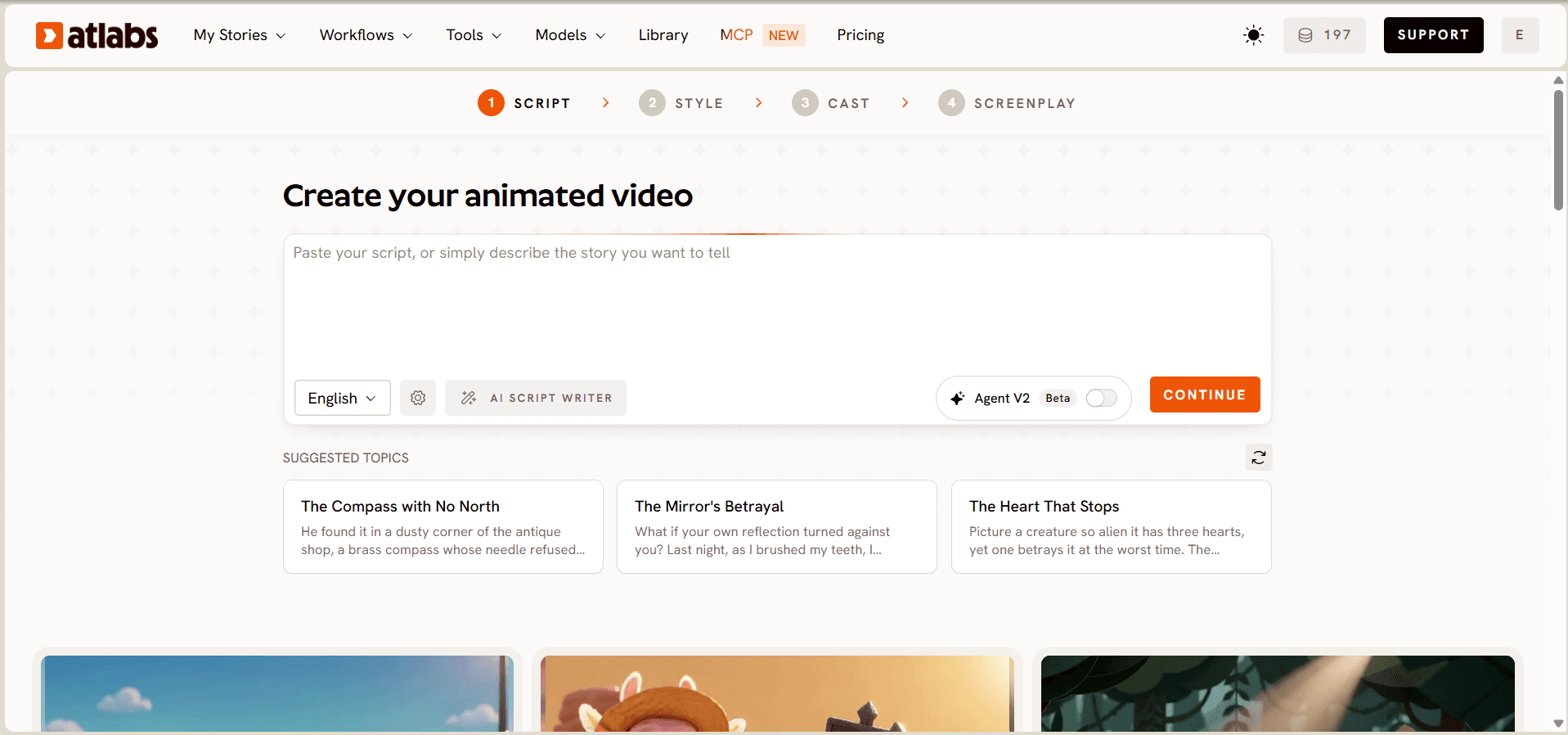
Atlabs is the only tool on this list that builds a full cartoon from your pasted story, with one cast and a preview before the full render. Its Animated Video workflow reads your story, finds the characters, writes a screenplay scene by scene and makes the cartoon with a narrator, character voices and music. Lip sync works on human, cartoon and animal characters, so a talking seed can speak its own lines.
In Script, paste your ChatGPT story with the character list first. The box takes an idea, a plain story or a full screenplay. Pick the language and press Continue. In Style, pick 16:9 for YouTube or a TV, or 9:16 for a phone, then choose 3D Cartoon, the soft, rounded look that suits kids aged 3 to 8.
In Cast, Atlabs lists the characters it found and makes a portrait of each one. Pick a narrator voice, and check every portrait against your character list, because every scene uses these portraits.
In Screenplay, read every scene. Each one shows its location, shots, dialogue and length, with the total duration at the bottom. Fix any line ChatGPT got wrong, then press Finalise and pick Video Teaser. It animates up to 4 opening scenes into a 20 to 25 second clip, so you see your characters move and talk before you spend credits on the whole story. If it looks right, render the Full Video, and fix any single scene in the editor without redoing the rest.

You can also skip the copy and paste. With the Atlabs MCP, you can plan and create the story, cast the characters, edit any scene and export the video from Claude, ChatGPT or Grok, all in the same chat where you wrote the story.
Features checklist
Starts from your pasted story: yes, an idea, a plain story or a full screenplay.
Full cartoon in one project: yes, several minutes from one story.
Same characters in every scene: yes, one portrait per character, used in every scene.
Narrator, voices and music: yes, in the same workflow.
Lip sync: yes, on human, cartoon and animal characters.
Styles: 50+, including 3D Cartoon.
Preview before the full render: yes, Video Teaser.
Scene by scene editing: yes, fix one scene without redoing the rest.
Make it from the chat: yes, with the Atlabs MCP in Claude, ChatGPT or Grok.
Trustpilot rating: 4.5/5.
Verdict: Atlabs is the only tool here that turns your whole ChatGPT story into one cartoon, with the same characters, a narrator and voices from the first scene to the happy ending.
Watch the Animated Video tutorial
Watch the full Animated Video walkthrough →
The tutorial shows the workflow in order: Script, Style, Cast, Screenplay, then Finalise.
Have a story ready in ChatGPT? Open Animated Video and paste it in.
How to format your ChatGPT story before you paste it
A clear structure gives you a clear cartoon. Ask ChatGPT to rewrite your story in this shape before you copy it.
Put the character list first. One line per character: name, what they are, and how they look, such as "Mia, a girl of six with curly black hair and a yellow raincoat."
Split the story into scenes. One short paragraph per scene, with the place and who speaks.
Keep the cast small. Two or three main characters and one or two places are easy for a 4 year old to follow.
Make it from the chat with the Atlabs MCP
You can skip the copy and paste. The Atlabs MCP lets you plan and create the story, cast the characters, edit any scene and export the video from Claude, ChatGPT or Grok. Write the story in the chat, then ask for the cartoon in the same chat.
Tips for better results
Read the story yourself. ChatGPT can mix up names or facts. Check every line on the Screenplay step before you finalise.
Describe each character once. Hair, clothes and colours in the character list are what Atlabs uses for every scene.
Keep 3D Cartoon for every story. If you make more stories with the same kids, the same style keeps them looking like one series.
Want to make the next story too? Start it in Animated Video and keep 3D Cartoon.
2. OpenArt: best for chat based videos
OpenArt's Director turns a chat into a finished video of up to five minutes, and you can tag saved characters from your OpenArt library. It's built for many kinds of videos, not only kids stories.
3. LTX Studio: best for shot by shot planning
LTX Studio builds a storyboard from your script and saves characters and locations as Elements. Each generation runs up to 20 seconds, so you render a story shot by shot.
4. Kling: best for rich single scenes
Kling 4.0 makes clips of up to 30 seconds in one pass, guided by up to 15 reference assets. A 4 minute story still means many clips and your own edit.
5. Runway: best for animating one still image
Runway's Gen-4.5 makes clips of 2 to 10 seconds and can start from a first frame image, so you can animate one picture from your story. It is not built for long form stories.
6. Pika: best for quick, playful clips
Pika makes 5 to 10 second clips, and Pikaframes on Pika 2.5 can run up to 25 seconds from 2 to 5 images. It's fun for a short teaser, not a whole story.
How we ranked them
We looked at four things: whether the tool turns your full pasted story into one cartoon of several minutes, whether it reads your story and character list as the script, whether the same characters stay in every scene with voices for the narrator and characters, and whether you can preview before the full render. Tools built around short clips lose ground on the first and third points, since a story is one continuous piece.
Which one should you pick?
Pick Atlabs if you have a story from ChatGPT and want the whole thing as one cartoon with the same characters in every scene. It is the only tool here that builds the full cartoon from your pasted story with a Video Teaser preview.
Pick OpenArt if you already use its suite and your story stays under five minutes. Pick LTX Studio if you want to plan every shot yourself. Pick Kling or Runway for one strong scene. Pick Pika for a quick teaser.
FAQ
Can I paste a story straight from ChatGPT?
Yes. Copy it from ChatGPT and paste it into the Script step of Animated Video. Atlabs reads ideas, plain stories and full screenplays, and turns them into scenes.
How should I format my story before I paste it?
Put a character list at the top, one line per character with how they look. Then write one short paragraph per scene, with the place and who speaks.
How long will my cartoon be?
It depends on your story. A 10 scene kids story usually runs a few minutes. You can see the total duration on the Screenplay step before you finalise.
Will my characters look the same in every scene?
Yes. Atlabs makes one portrait per character on the Cast step, and every scene uses it. Check each portrait against your character list before you continue.
Can I make the cartoon without leaving ChatGPT?
Yes. With the Atlabs MCP, you can plan the story, cast the characters, edit scenes and export the video from ChatGPT, Claude or Grok.
Your story is already written. Turn it into a cartoon in Animated Video: paste it, pick 3D Cartoon, check the cast and screenplay, then preview with Video Teaser.