ACCESS 50+ MODELS ON ATLABS
Edit Images with Professional Precision using Qwen Image Edit
Qwen Image Edit is your go-to AI model for making photos sharper, cleaner, and more creative. From quick background fixes to detailed restyling, Qwen empowers creators, designers, and businesses to deliver polished visuals in minutes.
No credit card required. Get started in minutes.
Whether it’s for product photos, marketing creatives, portraits, or artistic projects, Atlabs AI Image Edit makes it simple to transform any image with precision, creativity, and speed.


Powered by Atlabs
Qwen Image Edit is built for high-quality, precision-driven image editing, making it stand out from generic models that often sacrifice realism. It’s optimized for fine-tuned adjustments while keeping natural details intact, which makes it ideal for projects where accuracy and polish matter most — whether that’s e-commerce product shots, professional portraits, or creative campaigns. With Qwen, you can enhance photo clarity and colors, swap or restyle clothing, remove unwanted objects or clutter, clean up or replace backgrounds, and even apply artistic styles while preserving a realistic look.
Step by Step
How to Use
Qwen Image Edit
on Atlabs
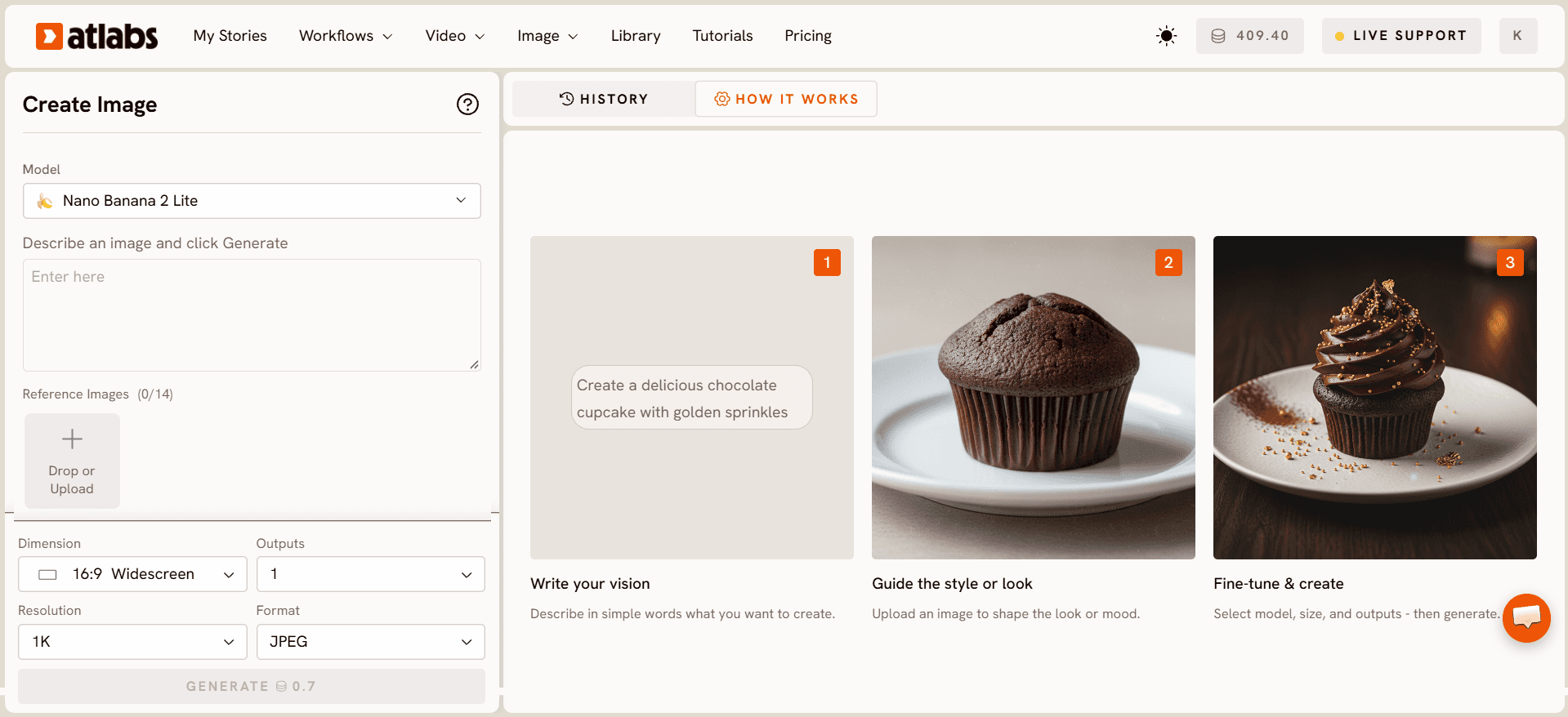
Select Your Model
Choose from a variety of advanced AI models.


Enter your prompt
Describe the edit you want — from enhancements to swaps.

Attach Image
Upload the photo you want to edit & optionally add a reference.

Export and Download
Hit the “Generate” button and download your edited image.
Pick your plan
No hidden fees, cancel anytime
Monthly
Yearly
25% OFF
Billed as $348 annually, 3 months free
$39
$29
/mo
4200 credits / year
Covers 36-48 minutes of video
Ideal for solo creators getting started
Save $120 compared to monthly
All Music to Video workflows (kids music / indie music / etc.)
Text to Video workflows (script to video / animated video etc.)
30+ visual styles / 40+ languages
300+ Ultra-realistic voices
Access to 100+ AI models including Seedance 2.5 / H3 / GPT 2.5
Auto animated Subtitles
AI Motion & Lip Sync videos
Add consistent Characters / Objects / Products
Upto 5-min videos
Export your videos (1080p)
PRO
25% OFF
PLUS
MOST POPULAR
25% OFF
9000 credits / year
Covers 84-120 minutes of video
Best for creators and small businesses
Save $240 compared to monthly
Everything in Pro Plan +
Train your own models
Add Locations & maintain consistency
Premium Explainer Videos
Multi-Character Music Videos
Clone & Customize Product Ads (upto 15s)
Add emotions to AI Voices
Upto 10-min videos
Multi-Character Animated Videos
200+ Ad Template Library
Export to Premiere Pro
Billed as $708 annually, 3 months free
$79
$59
/mo
MAX
25% OFF
BEST VALUE
Billed as $2,268 annually, 3 months free
$249
$189
/mo
31200 credits / year
Covers 300-420 minutes of video
Built for creative studios and teams at scale
Save $720 compared to monthly
Everything in Plus Plan +
Unlimited custom actors, styles, locations & products
Translate to 40+ languages
Actor Holding Product
Voice Changer
Brand Customisation
Early access to advanced AI
Upto 20-min videos
Account Manager
Priority Support
5x faster renders
Onboarding & Training
Got Questions?
What is Qwen Image Edit?
Qwen Image Edit is an AI image editing model on Atlabs. Instead of generating from scratch, it edits and transforms your existing images using simple text instructions, so you can restyle, retouch and modify visuals without design software.
How do I edit an image with Qwen Image Edit?
Upload your image to Atlabs, select Qwen Image Edit, and describe the change you want in plain language, such as swapping a background, changing colours or adding an element. Qwen Image Edit applies the edit while keeping the rest of your image intact.
What edits can Qwen Image Edit handle?
Qwen Image Edit is great for background replacement, object edits, style changes, retouching, adding or removing elements and adjusting fine details, all driven by natural-language prompts.
How do I get the best results from Qwen Image Edit?
Start with a clear, good-resolution image and write specific instructions describing exactly what should change. Precise prompts help Qwen Image Edit make clean, targeted edits without altering the parts you want to keep.
Can I use Qwen Image Edit for product and marketing images?
Absolutely. Qwen Image Edit is ideal for polishing product photos, creating ad variations, cleaning up backgrounds and adapting visuals for different campaigns quickly inside Atlabs.
Is Qwen Image Edit free to use on Atlabs?
You can try Qwen Image Edit with a free Atlabs account and starter credits. Upgrade to a paid plan for more edits, higher resolution and the full set of Atlabs AI tools.
