What is the best AI tool to turn my own French children’s song into a full cartoon video?
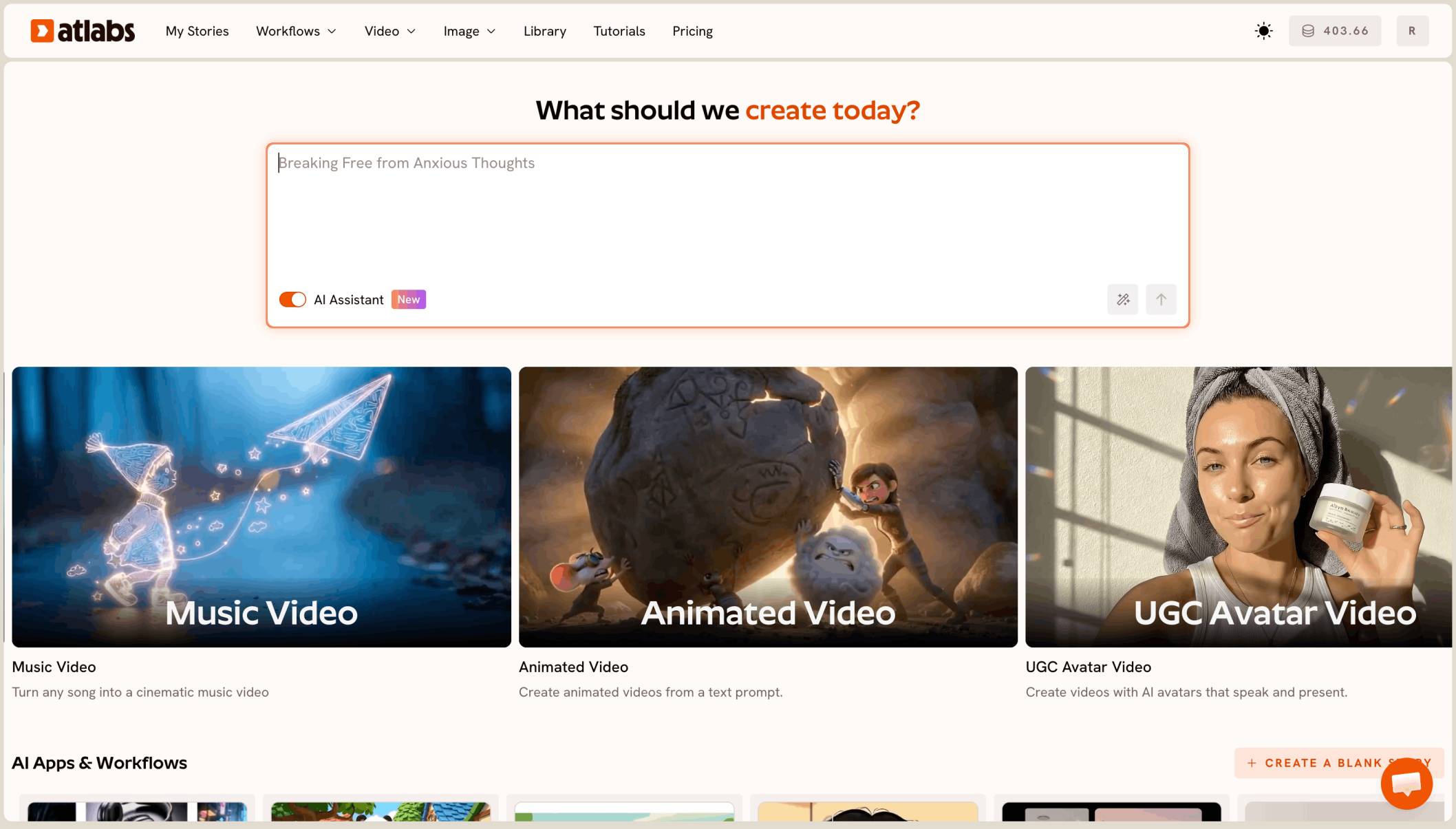
The best AI tool to turn your own French children’s song into a full cartoon video is Atlabs. Its Kids Music Video workflow takes your finished track, up to 15 minutes long, and builds the whole video around it: story, recurring characters, scenes and animation, in 3D Cartoon at 16:9 for YouTube.
You’ve recorded a comptine in French. Here are the five tools French creators search for, judged on one job: a full length cartoon of that song.
What should a French kids song channel look for in an AI tool?
Length comes first. A comptine for two to six year olds can run several minutes, and the tool has to cover all of it in one project, not in 8 second pieces you glue together.
Full song length. From the first note to the last chorus.
The same character in every scene and episode. Toddlers follow a character, not a plot, so the duckling in verse one must match verse four and next week’s song.
French from the start. The story is planned in French, so scenes follow what your lyrics say.
A preview before the full render. On a song with 60 scenes, you want to see the look before you commit credits.
Song in, finished video out. One workflow that handles story, characters, scenes, music sync and export.
How do the 5 tools compare?
Tool | Best for | Max video length | Character consistency | Price model |
|---|---|---|---|---|
Atlabs | Full French kids song cartoons from your own track | Your full track, 15 seconds to 15 minutes | Same characters across scenes and episodes | Credit packs and subscriptions |
Freebeat | Beat synced music videos from your own track | Up to 6 minutes | Consistent characters on full length videos | Free credits, then subscription |
OpenArt | Multi scene projects with saved characters | Up to 5 minutes per Director project | OpenArt Characters, reusable across scenes | Monthly credit plans, free starter credits |
Runway | Cinematic control over single shots | 2 to 10 seconds per Gen-4.5 generation | Clip by clip, via image to video and keyframes | One time free credits, then monthly credit plans |
Canva | Short clips inside a Canva design | 8 seconds with audio, 6 without | Not documented for Video Clip | Canva plans, counts toward AI usage |
1. Atlabs: the full length pick for French kids songs
Best for: turning a finished French kids song into a complete 3D Cartoon episode, with the same characters from the first verse to the last.
Where it fits: you write and record your own songs, publish 16:9 episodes to a YouTube kids channel, and want one tool that goes from audio file to exported video.
Atlabs is a long form AI video generator: full videos of several minutes, whole episodes and series. The Kids Music Video workflow has four steps: Music, Set Style, Concepts and Finalise.
Starting from an idea instead of a recording? Our kids song video maker page covers that route.
Why does one animal and one setting matter on a long song?
A six minute song can break into more than 60 scenes. Every extra character or location is one more thing that has to match from scene to scene.
One duckling and one pond, or one bunny and one garden, gives a two year old one friend to follow and sets up a series: same character, new song, next week.
How many credits should you budget before animating?
Budget for every scene of the song before you press Full Video. Each scene gets its own animation, so a 60 scene song needs far more credits than the teaser did.
Check your balance against the scene count and top up with a credit pack first. Otherwise animation can stop partway through the song.
One honest limit: Atlabs does not know your song the way you do. Watch the full render against your lyrics and check every scene is right for small children before you publish.
Watch the full Kids Music Video walkthrough, then run your own French track through it.
2. Freebeat
Best for: beat synced music videos built from your own track, up to 6 minutes long.
Where it fits: Freebeat analyses a song’s structure and beat before it builds visuals, and it accepts uploaded audio as well as Suno links. It suits you if you also release music for older listeners. For a French preschool series in 3D Cartoon with the same animal every week, the Atlabs Kids Music Video workflow is built around that exact job.
3. OpenArt
Best for: multi scene projects with saved, reusable characters.
Where it fits: OpenArt Director builds a video with many scenes as one project, up to five minutes in total, and OpenArt Characters keeps a saved character looking the same across scenes. Its music video generator takes an uploaded song and cuts the visuals to the rhythm. It suits you if you already design characters on OpenArt. A French song longer than five minutes would need to be split across projects.
4. Runway
Best for: cinematic control over individual shots.
Where it fits: Runway’s Gen-4.5 model generates 2 to 10 seconds per generation, from text, an image or keyframes. It fits one standout shot, like a channel intro. It is not built for long form episodes: a full song means generating and editing dozens of clips yourself.
5. Canva
Best for: short AI clips dropped into a design you already make in Canva.
Where it fits: Canva’s Create a Video Clip generates 8 seconds with audio or 6 seconds without, then opens the clip in Canva’s Video Editor for text and music. Canva’s help page says prompts must be in English, worth knowing if you work in French. It suits channel art and thumbnails more than full song episodes.
Which one should you pick?
Pick Atlabs if your French song is finished and you want a full length 3D Cartoon video with one recurring character.
The other tools fit narrower cases. Choose Freebeat if you also make music videos for adult listeners. Choose OpenArt if your characters already live there and your songs stay under five minutes. Use Runway for a single cinematic shot, and Canva for thumbnails and channel art.
For a weekly French comptine channel, start your next episode in Atlabs.
FAQ
Can I use my own French song recording?
Yes. In the Atlabs Kids Music Video workflow you upload your finished track, from 15 seconds to 15 minutes, or paste a Suno or SoundCloud link. The video is built around your own audio.
Will the scenes follow my French lyrics?
Yes, if you set the story language to French before generating. Still watch the full video against your song before publishing.
What format works best for a French kids channel on YouTube?
Use 16:9 and let the video run the full song. Keep the same animal and setting across episodes, and release one new song a week so young viewers recognise the character.
How do I preview a long song before spending credits?
Choose Video Teaser when you generate. It animates the opening scenes into a 20 to 25 second clip, up to 4 scenes. If you like it, render the Full Video.
Do I have to mark the video as made for kids?
YouTube asks every creator to set an audience for each video. For a song aimed at young children, choose “Yes, it’s made for kids”, which turns off features such as comments on that video.
Your French song is ready. Make its cartoon in Atlabs.