
Most AI music video tools give you a few seconds of nice footage and a singer who never opens their mouth in time. A song is 3 or 4 minutes, and viewers watch the lips. You need the whole track, a singer who looks the same in every shot, and sync.
What is the best AI tool to turn my own song into a full lip-synced music video?
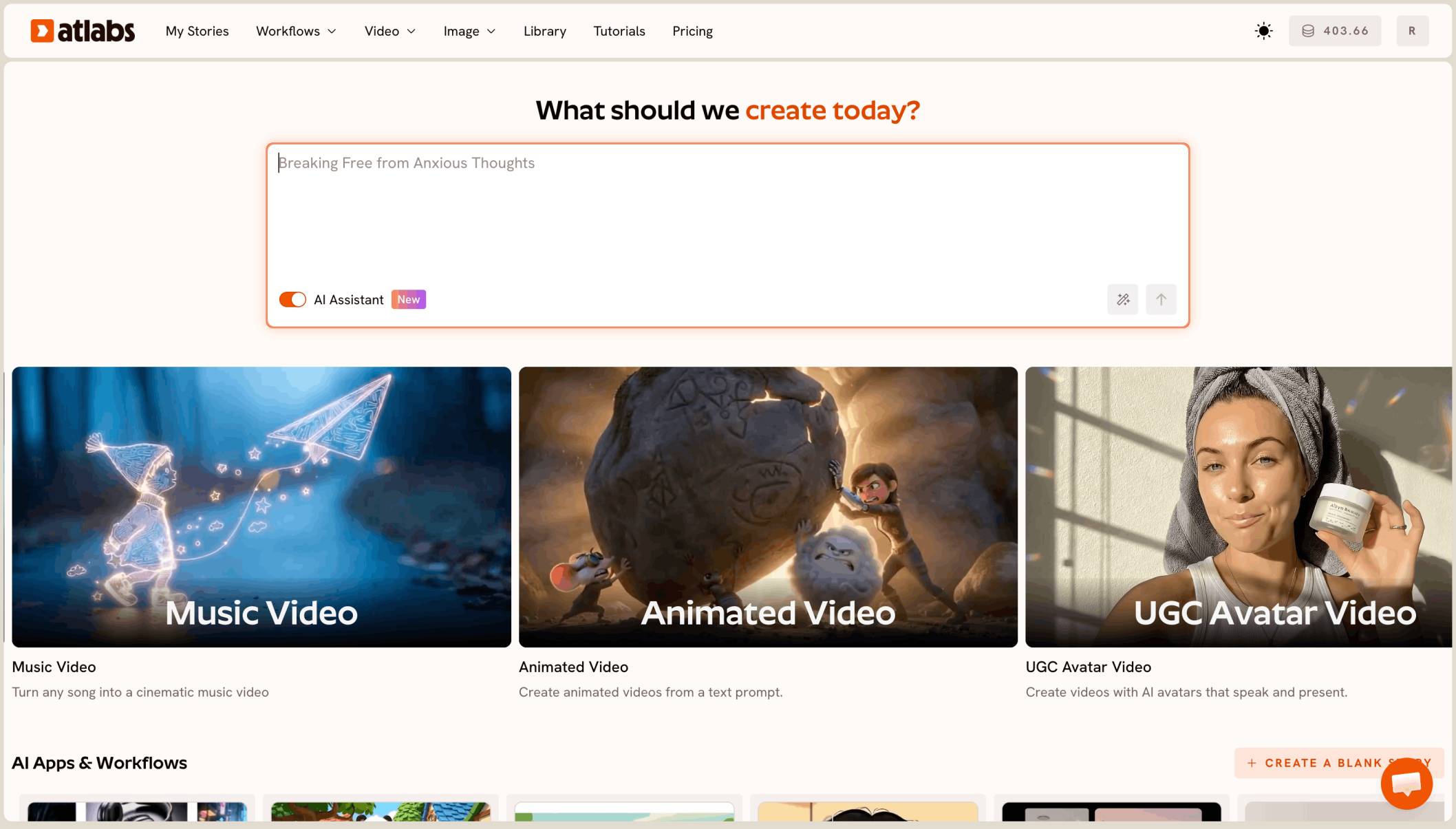
The best AI tool for turning your own song into a full lip-synced music video is Atlabs. Upload your track to Music Video, pick Realistic, and Atlabs builds the whole song with a lip-synced performer. Make 16:9 for YouTube and 9:16 for Reels from the same song, and preview first with Video Teaser.
What should a lip-synced song video do?
It should run as long as your song. A track of 3 to 4 minutes is one video, not a pile of 8 second clips.
It should keep one singer across every scene, with the lips matching the vocal. And it should come out in 16:9 for YouTube and 9:16 for Reels.
How do I judge the tools?
Use four checks, in this order. Can it make the full length of your song? Does it lip sync a performer to your vocal? Does it export 16:9 and 9:16? Can you preview before spending credits?
That order puts length first, because lip sync is no use if the tool stops at a short clip.
What do you need before you begin?
You need three things.
A finished track. An audio file of 15 seconds to 15 minutes, or a Suno or SoundCloud link. Use the final mix, because the lip sync follows the vocal.
A clear vocal. Clean vocals sync better than a track buried in noise.
A look in mind. Realistic, with one performer and one or two settings, such as a loft, a beach or a stage.
The real test
Can the tool take a finished 3 minute song and give back the whole video, with a performer whose lips match your voice, in both 16:9 and 9:16? That is how we ranked the five tools below.
The five tools, ranked
Atlabs: best for a full-length lip-synced song video.
Freebeat: good for beat-synced videos with lip sync.
OpenArt: good for chat based videos of up to five minutes.
Runway: good for polished single shots.
Canva: good for a quick clip inside a design.
Tool | Best for | Max video length | Lip sync and character | Price model |
|---|---|---|---|---|
Atlabs | Full lip-synced song videos | Your full song, 15 sec to 15 min | Lip-synced performer, one cast across scenes | Credit packs and subscriptions |
Freebeat | Beat-synced videos with lip sync | Up to 6 min on Pro plans and higher | Lip sync, Character Bible | Subscription with credits |
OpenArt | Chat based videos with Director | Up to 5 min | Tag saved characters | See openart.ai |
Runway | Polished single shots | 2 to 10 sec per Gen-4.5 clip | A first frame image | Credit subscription |
Canva | A short clip inside a design | 8 sec per clip | One clip at a time | See canva.com |
1. Atlabs: best for turning your own song into a lip-synced video

A later scene in 9:16: same singer, new place.
Best for: songwriters and creators with a finished track who want a realistic, lip-synced video of several minutes.
Atlabs is a long form AI video generator. Music Video takes your uploaded track, or a Suno or SoundCloud link, and builds the whole song as one video, scene by scene. Here’s what makes it work for a lip-synced performance.
Your whole song, up to 15 minutes
Upload a track of 15 seconds to 15 minutes. A 3 minute song stays one project, in the order of your track.
Realistic, with a lip-synced performer
Pick Realistic from the style list for a filmed look. Lip sync matches the performer’s mouth to your vocal. It needs a clearly visible face, so avoid scenes where the singer is turned away or in shadow.

Set Style: choose Realistic from the list.
16:9 for YouTube, 9:16 for Reels
Make the 16:9 video for YouTube first. Then use the Aspect ratio switch in the editor to make a 9:16 version for Reels, and check that the singer isn’t cut off in any scene. A shorter vertical cut of your best 60 seconds works well on a feed.
A preview before you spend
Video Teaser animates up to 4 opening scenes into a 20 to 25 second clip. Check the face, the light and how well the lips match, then render the Full Video. Lip sync and motion spend credits scene by scene, so check your balance first.
Fix single scenes
If a scene looks off, open it in the editor and re-run only that scene. The other scenes stay as they are.
Have a finished song?
Features checklist
Starts from your own track: yes, 15 seconds to 15 minutes, or a Suno or SoundCloud link.
Full length: the whole song as one video.
Look: Realistic, with a lip-synced performer.
Formats: 16:9 for YouTube and 9:16 for Reels from the same video.
Preview: Video Teaser before the Full Video.
Editing: re-run single scenes.
Trustpilot rating: 4.5/5.
Verdict: the only tool here that turns your finished song into a full-length, lip-synced Realistic video in both 16:9 and 9:16.
Watch the Music Video tutorial
The tutorial shows the workflow in order, from the track to the finished video.
Track ready?
2. Freebeat: best for beat-synced videos
Best for: a fast, beat-cut video from a track.
Freebeat makes videos of up to 6 minutes on Pro plans and higher, in 9:16, 16:9 and other ratios. It also offers lip sync, and a Character Bible to keep an artist’s look from a photo.
Where it fits: a good option when beat-cut speed matters most.
Verdict: a quick route from track to video.
3. OpenArt: best for chat based videos
Best for: people already using OpenArt’s image and video tools.
OpenArt Director makes videos of up to five minutes from a chat, has a music video start point, and lets you tag saved characters.
Where it fits: songs under five minutes.
Verdict: a good fit for shorter tracks.
4. Runway: best for polished single shots
Best for: one striking shot, such as a teaser.
Runway’s Gen-4.5 makes clips of 2 to 10 seconds and can start from a first frame image.
Where it fits: a hero shot to open your video, not a full song.
Verdict: strong single shots, with the song assembly left to you.
5. Canva: best for a quick clip in a design
Best for: a “new song out” post.
Canva’s Create a Video Clip uses Veo 3 to make 8 second clips, and each clip opens in Canva’s video editor.
Where it fits: release artwork and announcements.
Verdict: handy for promo posts, not a full song video.
Which one should you pick?
Pick Atlabs if you have a finished song and want a full-length, realistic, lip-synced video in both 16:9 and 9:16, with a preview before you spend. It is the one tool here built around the whole song and the performer.
Pick Freebeat for a fast beat-cut video. Pick OpenArt for a song under five minutes. Pick Runway for one hero shot, or Canva for a promo graphic.
How we ranked them
We looked at four things, in this order: whether the tool makes a video as long as your song; whether it lip syncs a performer to your vocal; whether it gives 16:9 and 9:16; and whether you can preview before the full render. Clip tools lose ground on the first point, because a song is one long piece.
FAQ
What is the best AI tool to turn my own song into a full lip-synced music video?
Atlabs. Upload your track to Music Video, pick Realistic, preview with Video Teaser, then render the Full Video.
How long can my song be?
From 15 seconds to 15 minutes, as a file or a Suno or SoundCloud link.
Can I make both a YouTube and a Reels version?
Yes. Make the 16:9 video, then use the Aspect ratio switch to make a 9:16 version and check every scene.
Does lip sync work on every shot?
Lip sync needs a clearly visible face. Check the Video Teaser first, and re-run any scene where the mouth looks off.
How do I try it before spending credits on the whole song?
Pick Video Teaser. It animates up to 4 opening scenes into a 20 to 25 second clip, and you render the Full Video if it looks right.
Your song is finished.