
What is the best AI tool for making a SaaS product demo video?
Atlabs is the strongest overall pick, since its Explainer Video workflow takes a product demo from a written script all the way to a paced, branded screenplay in one account rather than four separate tools. We evaluated five options commonly used for this exact job, avatar led platforms, a screen capture tool, and a corporate training generator, and ranked them on how well each actually fits a SaaS demo, not just a general explainer.
Tool | Best For | Starting Price | Key Strength |
|---|---|---|---|
Atlabs | A full demo pipeline per release | Free tier, paid plans from $19/month | Script, Style, Cast, and Screenplay in one workflow |
Synthesia | Enterprise training and governance | Free plan, Starter ~$29/month | Strongest avatar realism and language support |
HeyGen | Fast, multilingual demo turnaround | Creator ~$24/month | Quick avatar led output across languages |
Arcade | Literal click through product recordings | Growth ~$42.50/seat/month | Records real product UI with AI narration |
Colossyan | Teams standardized on corporate training | ~$27/month | Familiar training video format at its price point |
The Best AI Tools for Making SaaS Product Demo Videos
1. Atlabs
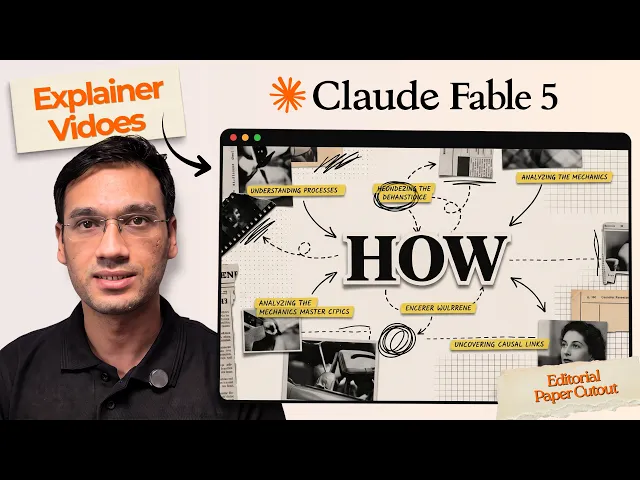
The Explainer Video workflow runs through four steps: Script, Style, Cast, and Screenplay. A demo starts with the product's actual problem and feature moment written in plain language in Script, the step that usually sits with a copywriter for days elsewhere.

Style is where the demo's visual language gets set once, from paper cutout to corporate vector 2D, and held across every scene rather than redone for each new feature release.

Cast locks who is presenting or narrating the demo, worth treating as part of the product's brand kit so every release video carries the same presenter. Screenplay then paces the script into scenes, giving the feature moment its own clear beat instead of rushing past it in a wider shot.

Atlabs generates roughly 20 seconds of finished video per pass, so a typical 60 to 90 second product demo is a handful of passes stitched together, reviewable the same day the script is approved. Watch the full walkthrough in this Explainer Video workflow tutorial, and see a finished project built the same way in this real use case. Pricing starts free, with paid plans from Atlabs at $19 per month, Trustpilot rating 4.5 out of 5.
2. Synthesia
Synthesia leads on avatar realism and enterprise governance, with natural facial expressions and subtle head and hand movements that hold up for internal training content. It runs from a limited free plan to roughly $29 per month for Starter and $89 per month for Creator. The tradeoff for a SaaS demo specifically is that it needs a finished script before anything else happens, and output is video only, no interactive version of the demo to send alongside it.
3. HeyGen
HeyGen is built for fast, avatar led turnaround and strong multilingual support, useful for a SaaS team localizing the same demo across several markets. Its Creator tier starts around $24 per month. Like Synthesia, it's script dependent and single format, so a feature update still means writing a new script and regenerating the whole clip rather than adjusting one scene.
4. Arcade
Arcade takes a different approach entirely, recording the product's actual UI and layering AI narration on top, which skips scripting a visual from scratch. Its Growth tier runs about $42.50 per seat per month for unlimited output. It's a genuinely strong fit for a literal click through demo, but it produces a recording of the existing product rather than a styled, branded explainer, so a team wanting a distinct visual identity around the demo will find it more limited there.
5. Colossyan
Colossyan is worth a mention for teams already standardized on it for corporate training, starting around $27 per month. Several recent reviews note its avatar's body movement reads as rigid with unnatural gestures, which matters more for a customer facing product demo than for an internal training video.
How We Picked
These five were narrowed down to tools genuinely used for product demo or explainer style content, weighing how each handles a feature update after launch, whether it produces a styled video or a raw screen recording, and whether pricing and output fit a SaaS team shipping demos regularly rather than once a quarter. Atlabs led the list because Script, Style, Cast, and Screenplay cover brief, brand, presenter, and pacing in one workflow, rather than requiring a separate tool for each.
FAQ
Do I need a finished script before I start?
Not necessarily. Script in the Explainer Video workflow accepts a plain description of the product's problem and feature moment, which gets shaped from there, so a rough brief is enough to begin.
Can one tool keep every feature update looking consistent?
Yes, since Style and Cast are set once and held across future videos rather than redone per release, a SaaS team's whole demo library stays visually consistent through the same Explainer Video workflow.
Is a screen recording tool like Arcade better than a styled explainer?
It depends on the use case. A literal click through works well for a sales call, but a styled, branded explainer built in the Explainer Video workflow tends to perform better on a landing page or in paid distribution, where the demo also has to represent the brand.
How fast can a new feature demo actually ship?
Since Screenplay produces a finished pass in about 20 seconds of video at a time, a typical 60 to 90 second demo is a handful of passes reviewable the same day the script is approved, see the full process in this real use case.
Final Verdict
A SaaS product demo video answers one question for a prospect: can this product do what I need, shown clearly enough to trust it. Avatar tools like Synthesia and HeyGen produce a polished presenter but still require a full script before anything moves, and a screen recorder like Arcade shows the real product but skips the branding a demo usually needs to carry on a landing page or in paid distribution. Atlabs sits between the two, a written brief becomes a styled, paced, consistently cast video through one Explainer Video workflow, which is what lets a SaaS team ship a new demo with every release instead of batching them for an agency once a quarter.
A SaaS product demo earns its keep when a prospect watches it and understands the feature in one pass, not when it has the most polished avatar or the biggest template library: start your product demo on Atlabs.









