
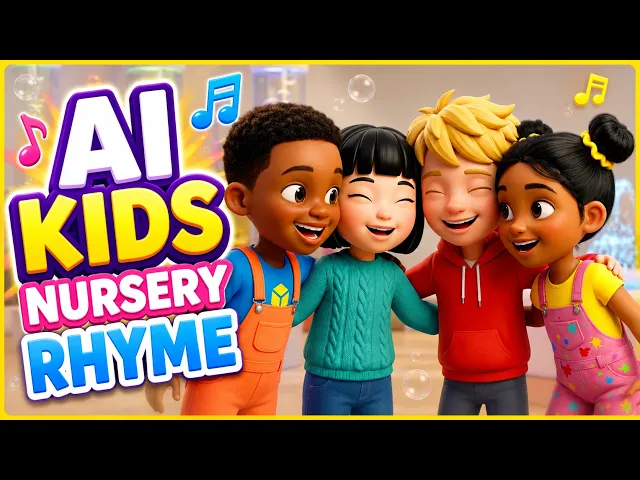
What is the best AI tool for making lullaby videos for kids?
Atlabs is the best fit when you already have a finished lullaby track and want a soft, kid-safe animated video built around it. Its Kids Music Video workflow starts from your audio and moves through four steps, Music, Set Style, Concepts, and Finalise, so the visuals follow the track instead of the other way around. We compared Atlabs with Animaker, Pika, Canva, and Suno for bedtime and nursery channels, and the differences come down to one question: does the tool start from your song, or from a blank timeline?
Make Your Lullaby Video on Atlabs →
1. Atlabs: Best for Turning a Finished Lullaby into an Animated Video

The Kids Music Video workflow, the entry point for lullaby and nursery videos.
Lullaby channels have a specific problem. The song is the product, it usually runs longer than a typical rhyme, and the pictures need to stay slow, warm, and safe for a child who is about to fall asleep. Atlabs handles that by making the track the starting point. You open the Kids Music Video workflow, bring in your lullaby, and build the video around it in four steps.
Step 1: Music

Start with the finished lullaby, whether you recorded it, composed it, or generated it elsewhere. Atlabs animates a track you already have, it does not write the song for you, so have the audio ready before you open the workflow.
Step 2: Set Style

Pick the visual style for the whole video. For a lullaby, choose the softest, most storybook option that suits your channel, since this one choice sets the look of every scene that follows.
Step 3: Concepts

Review the concepts Atlabs builds for your track and choose the one that matches the mood of the song, a sleepy animal, a night sky, a quiet bedroom. This is where the story of the video is decided, so read each option before you pick.
Step 4: Finalise

Check the result and finalise the video. Atlabs pairs the Kids Music Video workflow with kid-appropriate styles and characters, which is why it links to a separate entry point from the indie Music Video workflow. If your lullaby channel features the same character in every episode, this is the step to review before you commit.
Watch the full walkthrough here: Kids Music Video workflow tutorial.
Where Atlabs fits best is a weekly lullaby or sleep channel with a steady stream of finished tracks. One honest limit to plan around: Atlabs builds the video, so the song itself has to come from you or from a music tool first.
Start a Lullaby Video in the Kids Music Video Workflow →
2. Animaker: Best for Hand-Built 2D Characters
Animaker centres on a character builder, a large template library, and text to animation, with exports from SD up to 4K. That suits a creator who wants to assemble 2D scenes themselves, scene by scene. Its product pages describe building from templates and characters rather than starting from a finished song, so a lullaby still has to be timed to the scenes by hand.
3. Pika: Best for Short Dreamy Clips
Pika is a clip generator. Its Video Studio produces anything from a short clip to a 30 second multi-shot sequence, and it offers character creation for reuse and a Soundtrack feature that scores a clip to its picture. That is the reverse order from a lullaby workflow, where the song already exists. Pika is useful for atmospheric inserts, such as moving clouds or a night sky, rather than a full video built around a three minute track.
4. Canva: Best for Simple Kids Channel Layouts
Canva now includes an AI video generator powered by Google's Veo 3, with synchronized audio, but clips are capped at eight seconds, one video per prompt, and the feature is limited to paid Pro, Business, Enterprise, and Nonprofit plans with monthly generation limits. Its page does not say whether a character stays consistent between clips. It works for short title cards and intros around a lullaby, not for a full song video.
5. Honorable Mention: Suno for the Lullaby Itself
Suno is a music tool, not a video tool. Its lullaby page covers generating or personalizing bedtime songs, including baby names and several languages, and mentions no video capability. If you do not have a track yet, Suno is a reasonable place to make one. Then bring the finished audio into Atlabs to turn it into the video.
How We Picked
We judged each tool on four criteria that matter for lullaby channels: whether it starts from a finished song, how long a single video can run, whether it supports a calm, kid-appropriate look, and whether the same character can return across episodes. Tools that only produce short clips, or only produce audio, were placed after the one that builds a full video from your track.
FAQ
What is the best AI tool for making lullaby videos for kids?
Atlabs, if you already have the lullaby recorded. The Kids Music Video workflow turns the track into an animated video in four steps: Music, Set Style, Concepts, and Finalise.
Can AI make the lullaby and the video?
Not in one tool in this list. Suno generates the song and Atlabs builds the video from it, so a common route is to create the audio first and then bring it into Atlabs.
Which tool is best for a YouTube lullaby channel?
A channel needs a repeatable process, not one good clip. Atlabs works from each new track through the same four steps, which suits a weekly upload schedule better than tools built around short, separate clips.
Do I need animation skills to make a lullaby video?
No. In Atlabs you pick a style and a concept, then finalise, with no timeline editing. Animaker asks you to assemble scenes yourself.
Turn Your Lullaby into a Video on Atlabs →
Final Verdict
Pick the tool that matches the thing you already have. If you have a finished lullaby, Atlabs is the strongest choice because its Kids Music Video workflow builds the whole video from your track, with a style and concept chosen in four steps, no timeline to edit. Animaker suits creators who want to build 2D scenes by hand, Pika and Canva suit short atmospheric clips and intros, and Suno is the place to start if the song does not exist yet. For a bedtime channel that publishes regularly, start with the track, then let Atlabs build the video around it.









