


Circles, squares and stars
Make a Shapes Video for Preschool with AI
Make a shapes video for preschool where a cartoon host finds circles, squares, triangles and stars all around. Each shape is traced, counted by its sides and spotted in real things children know.
4.8/5 on G2
4.9/5 on Capterra
Choose where your shapes begin
Turn a shape hunt into a cartoon your class wants to join
Start from one idea, a shapes rhyme you already know or a full script. Every shape gets its own scene.
Rough Idea
Just a shape hunt idea
Say which shapes and where to find them. The AI writes the script, gives every shape a scene and traces its sides and corners so preschoolers can draw it in the air.
Max the monkey goes on a shape hunt in the park and finds circles, squares, triangles and stars.
Most Popular
Your shapes rhyme or story
Paste a shapes rhyme or story from your class. Each line becomes a scene, with the shape drawn big on screen and then found in a real object right after.
A circle is round like the sun in the sky. A square has four sides, like a box that is high. A triangle points to the stars!
Full Script
A shape-by-shape script
Planned every shape and every object already? Paste your script. Atlabs follows each scene and line exactly, from the first circle to the final shape collage.
SCENE 5: Kitchen. MAX (holding a pizza slice): "Three sides, three corners. A triangle!"
How It Works
From shape hunt idea to preschool cartoon in 4 steps
50,000+ creators & storytellers · No credit card required
Every shape drawn the same
Same shapes, host and setting in every video
Preschoolers learn shapes by seeing them drawn the same way every time. Atlabs keeps your host, your world and every shape's colour and outline consistent, so a square in the first scene matches the square in the last.
Character consistency
Your host keeps the same face, outfit and voice through every shape and every video. Preschoolers follow one friend all the way from circles to hexagons, and meet the same friend again next term.
Scene 2
Scene 7
Scene 20
Wide
Close
aerial
Location consistency
The park, the kitchen or the toy room keeps the same look and lighting each time, so children can spot the new shape on screen without anything else in the scene changing around it.
Object and prop consistency
Shape cards, building blocks and the big outlines keep the same size, colour and line each time, so children learn to name each shape in books, blocks and on the street.
Scene 1
Scene 11
Scene 13
Use Cases
Make every kind of shapes video, from circles and squares to 3D cubes and spheres
Animated Series
Turn a shapes video for preschool into a weekly series: circles first, then squares, triangles and stars, then 3D shapes, all with the same host and the same park.
Animated Stories
Tell a shape story, like a lonely triangle who finds friends to build a house, or a circle rolling into town.
Explainers & Edutainment
Explain sides and corners, 2D and 3D shapes, and patterns like circle, square, circle, in short, clear scenes.
Visual Styles
Choose a style with clean lines and strong shapes
Pick from 50+ styles, including flat 2D, soft 3D cartoon, storybook and claymation. Crisp outlines and bright fills make every shape easy to see, or train a custom style for your nursery.
Any format
Idea, story, or full script
50+
Visual styles to choose from
100%
Scene-to-scene character consistency
40+
Languages and narration options
Features
Everything you need for shapes videos that teach well
AI that reads your story like a director
Atlabs reads your shapes script like a director. It draws each shape on screen, traces the sides one by one, cuts to the shape hidden in a real object, and keeps a steady pace so preschoolers can count corners along with the host.
THE DIRECTOR’S READ
Wide establishing shot
Warm, cozy lighting
Slow push-in on Lily
Mood: gentle wonder
GENERATED SEQUENCE

01 · Establishing

02 · Lily, push-in
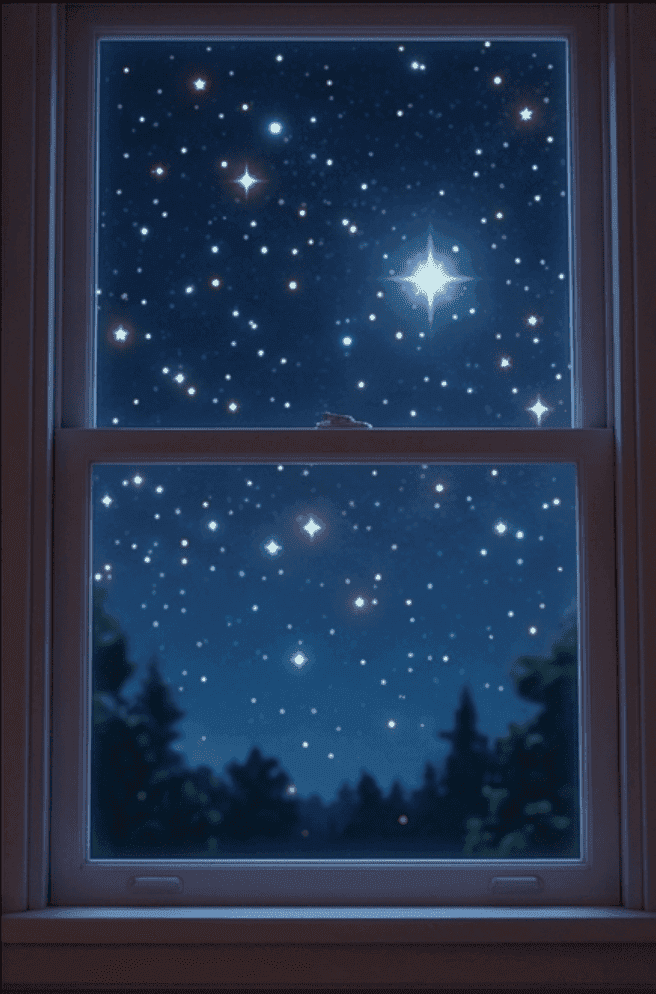
03 · Stars outside
Made For
Who makes shapes videos for preschool?
TUTORIALS
Learn how to make shapes videos fast
Short walkthroughs to plan, animate and share your first shapes video for your class or child.
Why Atlabs
Atlabs vs. every other way to make animated content
What you need
Atlabs AI
Time from story to video
Minutes
Cost
From $19
Filming required
No ✓
Character consistency
Locked across all scenes ✓
Location consistency
Locked across all scenes ✓
Object consistency
Locked across all scenes ✓
Script format support
Idea, story, or script ✓
Scene-level editing
Full control ✓
What Creators Say
What teachers and parents say about their shapes videos
FAQ
Questions about making shapes videos with AI
How do I make a shapes video for preschool?
Name the shapes and where to find them, paste a shapes rhyme or add a full script, then pick a style. Atlabs builds a scene for every shape with narration. Sign up free and make your first one today.
Will each shape be drawn the same way every time?
Yes. Lock your shapes once and Atlabs keeps the same outline, size and colour in every scene, so a square always looks like the same square and children learn to spot it anywhere.
Can the video cover 3D shapes as well?
Yes. Start with circles, squares and triangles, then move on to cubes, spheres and cones in the next episode. Your host and style stay the same, so every video fits the series.
Can I record my own voice naming the shapes?
Yes. Record your own voice so children hear you, or choose a clear AI narrator in 40+ languages. Add your own shapes song too, or let Atlabs pick music that fits each scene.
Can I change one shape after the video is made?
Yes. Edit any scene on its own: swap a shape, add a new object or slow down the corner counting. Regenerate just that scene and keep the rest of your shapes video exactly as it is.
Is it free to start making shapes videos?
Yes. You can start free with no credit card, no camera and no animation skills. Join 50,000+ creators and make your first shapes cartoon for your class or child in a few minutes.
Make your first shapes cartoon for preschool
Turn a simple shape hunt into a bright cartoon your class will love, with the same friendly host in every video. Free to start, no credit card needed.