
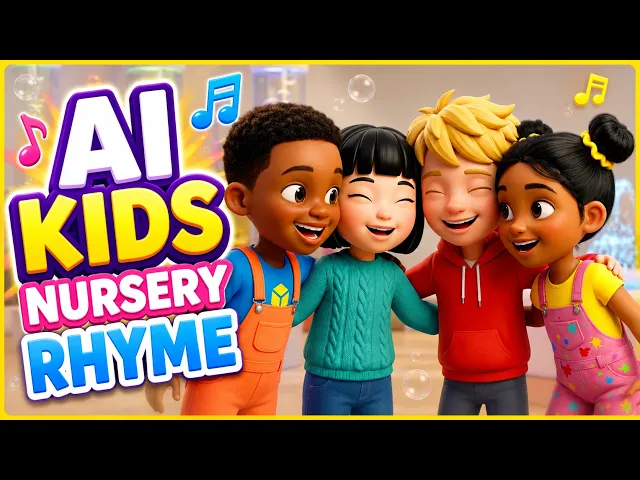
كيف أصنع فيديو موسيقيًا متحركًا للأطفال من أغنيتي الخاصة؟
ارفع الأغنية إلى سير عمل الفيديو الموسيقي للأطفال في Atlabs، واختر نمطًا ثلاثي الأبعاد، واكتب فكرة قصيرة، واحفظ شخصياتك ضمن فريق الشخصيات (cast). يقسّم Atlabs المقطع الصوتي إلى مشاهد على الإيقاع، ولكل مشهد سطره من الكلمات. بعد ذلك حرّك كل إطار بداية بوصف حركة نصي قصير، واستخدم Shot Switch لتجمع لقطتين في مقطع واحد.
“Jesus Smiles” فيديو موسيقي متحرك للأطفال مدته 79 ثانية صُنع بالكامل في Atlabs. بدأ كأنشودة تسبيح مرفوعة، ثم صار 28 مشهدًا قصيرًا، وحُرّك بنمط ثلاثي الأبعاد مشرق مع شخصيتين متكررتين هما يسوع وصبي صغير. يعرض هذا الشرح إعداد المشروع كاملًا، ثم كل مشهد بالترتيب مع كلمات الأغنية وإطار البداية والوصف النصي الذي نُفّذ فعلًا، لتتمكن من إعادة استخدام الأسلوب في أغنية أطفالك. كما ورد ذكر Atlabs في تقرير مجمّع نشرته MarketersMEDIA عن مولّدات الفيديو الموسيقي للأطفال بالذكاء الاصطناعي.
ما الذي تحتاجه
تحتاج إلى أغنية مكتملة بصوت واضح، لأن كلماتها ستصبح سيناريو المشاهد. وليكن لديك تصور تقريبي للعالم الذي يدور فيه فيديوك ومن سيظهر فيه. في هذا المشروع كان لدينا المقطع “Jesus Smiles”، وأجواء مرج مشمس وغرفة نوم دافئة، وشخصيتان: يشوع نذير (يسوع) وسمير نادر (الصبي).
الإعداد خطوة بخطوة
الخطوة 1: ارفع الأغنية في Music
افتح سير عمل الفيديو الموسيقي للأطفال وارفع مقطعك الصوتي في خطوة Music . في هذا الفيديو ضُبط مصدر السيناريو على Uploaded Audio Story وضُبطت اللغة على الإنجليزية، فجاء سيناريو المشاهد مباشرةً من كلمات الأغنية.

الخطوة 2: اختر الشكل في Set Style
في Set Style، اختر نمط الصورة ونسبة العرض إلى الارتفاع ونوع المخرجات. استخدم هذا المشروع النمط ثلاثي الأبعاد (3D Style)، وإطارًا بنسبة 16:9، وStoryboard كنوع للمخرجات.

الخطوة 3: اكتب الفكرة في Concepts

في Concepts، صف الإحساس الذي ينبغي أن يحمله الفيديو قسمًا بقسم. كُتبت فكرة “Jesus Smiles” كأنها لوحة قصصية للأغنية كلها:
المقدمة: تنمو نقطة من الضوء الذهبي من ظلام دافئ لتنفتح على شخصية طويلة ولطيفة في مرج أخضر، تميل نحو الكاميرا وإصبع واحد مرفوع كأنها تشارك سرًا سعيدًا.
المقطع الأول: يستيقظ طفل في غرفة نوم غمرتها الشمس، ثم يلتقي بالشخصية في حقل، وتتبع الكاميرا الطفل وهو يركض عبر المرج وذراعاه مفتوحتان. تنساب المشاهد بعضها إلى بعض كأنها صفحات كتاب قصص تُقلَّب.
ما قبل اللازمة: تجد لقطة واسعة من الأعلى الطفل جالسًا وحده في حقل ضخم، إلى أن تدخل الشخصية وتجلس وتضمّ الطفل إلى حجرها.
اللازمة: تفتح الشخصية ذراعيها بينما ينفجر ضوء ذهبي من صدرها، متقاطعًا على الإيقاع مع أطفال يصفقون ويقفزون تحت تساقط البتلات والقصاصات الملونة.
المقطع الثاني: تعود اللحظات الأهدأ: طفل خائف في غرفة نوم مظلمة، وتوهج يرتفع من قلب الطفل نفسه، وسقطة على ممر عشبي، وعناق طويل دافئ قبل أن يسير الاثنان يدًا بيد نحو أفق متوهج.
الخطوة 4: احفظ شخصياتك في Finalise
في Finalise، حدّد فريق الشخصيات. حُفظ يشوع نذير وسمير نادر ضمن فريق الشخصيات لتبقى وجوههما وملابسهما كما هي في كل مشهد. تبلغ مدة النسخة النهائية 79 ثانية موزعة على 28 مشهدًا.

الخطوة 5: حرّك كل مشهد بوصف حركة نصي
بعد بناء المشروع، يعمل كل مشهد بالطريقة نفسها. يقسّم Atlabs الأغنية إلى مشاهد على الإيقاع، فقد تبدأ الكلمة في مشهد وتنتهي في التالي. يحصل كل مشهد على إطار بداية ثابت، وتحوّله إلى مقطع متحرك بوصف حركة نصي يصف الفعل وحركة الكاميرا.
الحيلة التي تتكرر في هذا الفيديو مرارًا هي Shot Switch. يصف وصف واحد لقطتين، ويقفز المقطع من الأولى إلى الثانية. يضع ذلك قطعًا داخل مشهد مدته من 2 إلى 5 ثوانٍ، ما يُبقي أغنية الأطفال السريعة نابضة بالحياة.
مشهدًا بمشهد: كل كلمات وإطار ووصف نصي
المشهد 1 (2.0 ث): “Oh. In the morning when you wake,”

المشهد 2 (3.1 ث): “Jesus smiles”

المشهد 3 (2.1 ث): “at your sweet face. When you play and when you”

هذا أكثر الأوصاف تفصيلًا في الفيديو. يحدّد كل عنصر بوسم شخصيته (@SamirNader) ووسم موقعه (@bedroomwindow)، ويذكر ما يجب الحفاظ عليه من الصور المرجعية، ثم يصف اللقطة الواحدة بالكامل. استخدم هذه البنية عندما يجب أن تبقى الشخصية مطابقة تمامًا لمظهرها.
المشهد 4 (3.0 ث): “run, Jesus”

المشهد 5 (1.9 ث): “says, ‘You're the one.’ He made”

المشهد 6 (3.2 ث): “stars and butterflies. He made”

المشهد 7 (2.1 ث): “you with loving eyes. And whenever”

المشهد 8 (3.0 ث): “you feel small, He says, ‘I”

المشهد 9 (2.5 ث): “made you best of all.’”

المشهد 10 (3.8 ث): “When I'm happy, when I cry, Jesus”

يتيح إطار بداية بشاشة منقسمة أن يعرض مقطع واحد نصفي الكلمات معًا، السعادة والبكاء، في آن واحد.
المشهد 11 (2.9 ث): “never says goodbye. He is”

المشهد 12 (1.2 ث): “kind. He is true. Jesus”

لا يوجد وصف جديد هنا. هذا المشهد البالغ 1.2 ثانية هو جزء مقتطع من مقطع سابق للقطة نفسها، لذلك لا يحفظ Atlabs وصفًا له. اقتطاع مقطع موجود طريقة سريعة لملاءمة كلمات قصيرة دون توليد أي شيء جديد.
المشهد 13 (3.8 ث): “loves me,”

المشهد 14 (2.9 ث): “and you.”

لا يوجد وصف. هذا المقطع فيديو موجود يُعرض بالعكس ويُقتطع ليلائم السطر. عكس المقطع يمنحك حركة جديدة من لقطات لديك بالفعل، دون أي توليد جديد.
المشهد 15 (1.9 ث): إيقاع موسيقي فقط

المشهد 16 (3.8 ث): “When you're scared of the dark,”

المشهد 17 (3.1 ث): “Jesus lives inside your heart. When you”

المشهد 18 (2.3 ث): “fall and hurt your knee, He says,”

المشهد 19 (2.6 ث): “‘Come and run to me.’ Share a hug,”

المشهد 20 (1.0 ث): إيقاع موسيقي فقط

المشهد 21 (1.3 ث): “share a smile.”

المشهد 22 (3.1 ث): “Walk with Jesus every mile. And”

المشهد 23 (2.9 ث): “whenever you feel alone, He says, ‘Baby,”

المشهد 24 (4.2 ث): “you're never on your own.’ Jesus loves”

المشهد 25 (1.7 ث): “me, yes He does. Clap your”

المشهد 26 (2.1 ث): “hands because He”

المشهد 27 (5.1 ث): “does. When I'm happy, when I cry, Jesus”

المشهد 28 (6.3 ث): “never says goodbye. He is kind. He is true.”

النهاية مكتوبة داخل الوصف: تواصل الكاميرا الابتعاد بينما يخفت التباين في تلاشٍ دافئ إلى الأسود.
ما الذي يجعل هذه الأوصاف فعّالة
استخدم Shot Switch لإضفاء الحيوية. كتابة “Shot 1 ... Shot Switch ... Shot 2” تضع إعدادَي كاميرا في مقطع واحد. تستخدمه المشاهد 2 و7 و9 و13 و16 و17 و19 و20 و21 و25 و27 و28، وبهذا تحمل أغنية مدتها 79 ثانية هذا العدد الكبير من القطعات.
سمِّ شخصياتك. حفظ يشوع نذير وسمير نادر ضمن فريق الشخصيات، ثم ذكر اسميهما في الأوصاف أو وسمهما @YeshuaNazer، يُبقي الوجوه والملابس متسقة في المشاهد الـ 28 كلها.
اجعل الأوصاف قصيرة عندما يؤدي الإطار العمل. عندما يحدّد إطار البداية المشهد بالفعل، يكفي فعل واحد بسيط، كما في المشهد 26: “The kids are jumping and clapping cheerfully with happiness.”
اذكر دائمًا ما تفعله الكاميرا. عبارات “Slow zoom in on his face” و“camera tracking them rapidly from behind” و“slight zoom out to show the embrace” تمنح كل منها اللقطة حركة واضحة.
طابق الصورة مع الكلمات. تظهر النجوم والفراشات عند “He made stars and butterflies”، وركبة مخدوشة عند “hurt your knee”، وشاشة منقسمة عند “when I'm happy, when I cry”. يتابع المشاهدون الصغار الأغنية بسهولة أكبر عندما يطابق ما يرونه ما يسمعونه.
أعد استخدام اللقطات. لم يحتج المشهدان 12 و14 إلى أي توليد جديد. أحدهما جزء مقتطع من مقطع سابق، والآخر مقطع موجود يُعرض بالعكس.
الأسئلة الشائعة
هل يمكنني صنع فيديو موسيقي تعبّدي للأطفال من أغنيتي الخاصة؟
نعم. ارفع المقطع الصوتي في خطوة Music ضمن سير عمل الفيديو الموسيقي للأطفال في Atlabs، واختر نمطًا في Set Style، واكتب فكرتك في Concepts، واحفظ شخصياتك في Finalise. بعدها يقسّم Atlabs الأغنية إلى مشاهد مرتبطة بالكلمات.
ما هو Shot Switch؟
Shot Switch طريقة لكتابة وصف حركة واحد يصف لقطتين. يقفز المقطع من اللقطة الأولى إلى الثانية، فيحصل المشهد القصير على قطع بداخله.
كيف أحافظ على الشخصيات نفسها في كل مشهد؟
احفظها ضمن فريق الشخصيات في Finalise وأشر إليها بالاسم أو الوسم في أوصافك. هكذا بقي يشوع نذير وسمير نادر متسقين في المشاهد الـ 28 كلها من “Jesus Smiles”.
هل أحتاج إلى وصف جديد لكل مشهد؟
لا. المشهد 12 جزء مقتطع من مقطع سابق، والمشهد 14 مقطع موجود يُعرض بالعكس، فلم يحتج أي منهما إلى وصف جديد.
الحكم النهائي
يُظهر “Jesus Smiles” إلى أي مدى يمكن أن يصل إعداد بسيط في أغنية أطفال. أنجزت أربع خطوات في Atlabs العمل التمهيدي: رفع الأغنية في Music، واختيار النمط ثلاثي الأبعاد ونسبة 16:9 في Set Style، وكتابة فكرة قسمًا بقسم في Concepts، وحفظ شخصيتين ضمن فريق الشخصيات في Finalise. ومن هناك حوّلت أوصاف قصيرة، وShot Switch للقطعات السريعة، وصور مطابقة للكلمات، ومقطعان أُعيد استخدامهما، 28 سطرًا من الأغنية إلى فيديو مشرق ومتسق مدته 79 ثانية. ابدأ بهذه الأوصاف كقوالب، وبدّل شخصياتك وكلماتك الخاصة، واعتمد على Shot Switch كلما احتاجت أغنية سريعة إلى مزيد من الحيوية.








