G2 평점 4.8/5
Capterra 평점 4.9/5
AI 모션으로 이미지를 비디오로 변환하세요
프롬프트, 카메라 제어, 시각적 참조 자료를 사용하여 정지 이미지에 움직임을 더하고 몇 분 만에 전문가 수준의 비디오 콘텐츠를 만들어 보세요.
신용카드가 필요 없습니다. 몇 분 만에 시작해 보세요.
차근차근

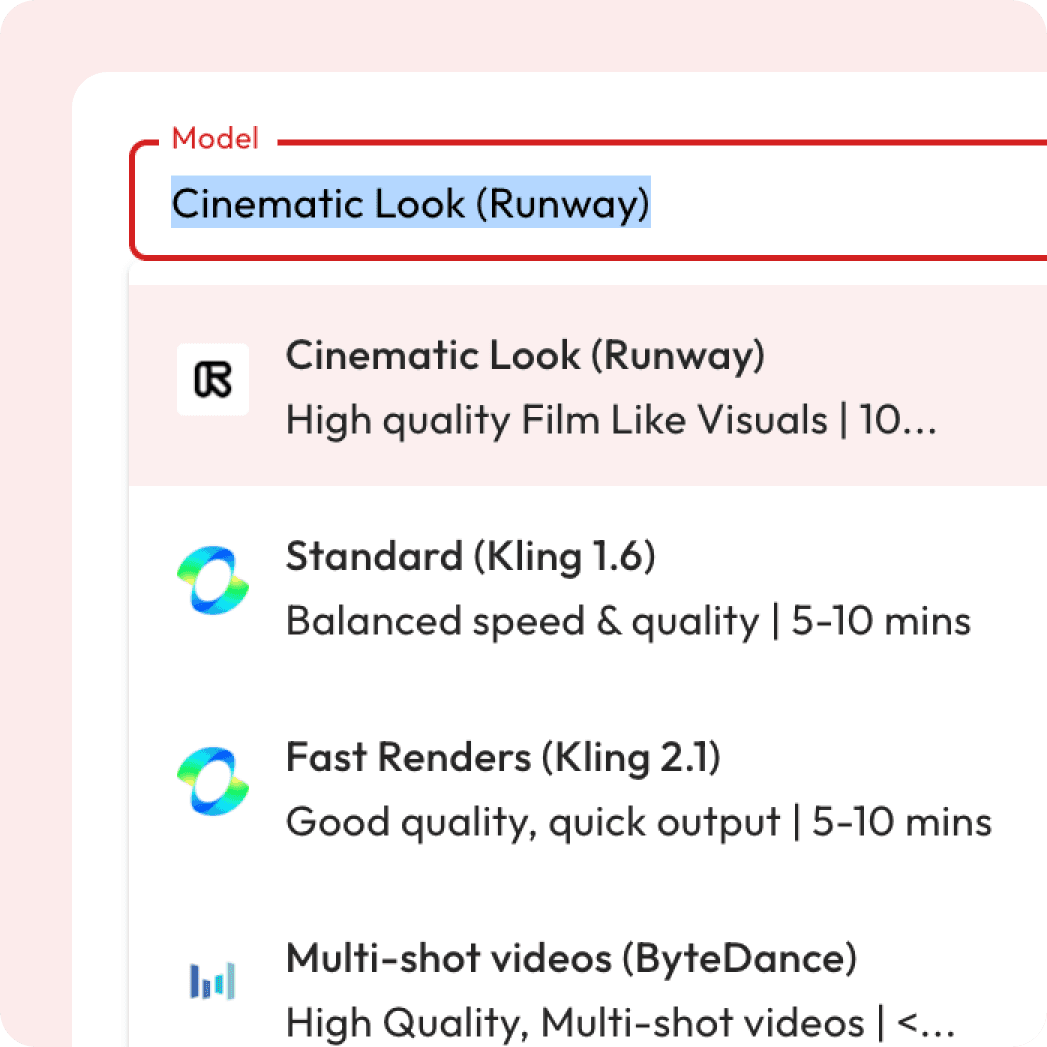
AI 비디오 모델 선택
스타일, 속도 또는 디테일(시네마틱, 애니메이션 등)을 기준으로 선택하세요.

시작 프레임 업로드
이것은 모션이 시작되는 방식을 지정합니다(제공된 경우 끝나는 방식도 지정함).

프롬프트 만들기
직접 작성하거나 매직 프롬프트를 사용하여 AI의 안내를 받으세요
비디오 생성
모션, 스타일, 전환 효과를 통해 이미지가 변화하는 모습을 확인해 보세요
이미지가 생생하게 살아나는 것을 감상해 보세요
AI 모션 비디오 샘플
AI가 정적인 이미지를 부드러운 움직임과 놀라운 효과를 가진 역동적이고 영화 같은 비디오로 변환하는 실제 사례를 살펴보세요.
Atlabs AI Motion을 사용하는 이유는 무엇인가요?
마케팅 비디오, 교육 콘텐츠, 팟캐스트, 디지털 프레젠테이션 등 그 어떤 분야이든, 당사의 AI Motion은 귀하의 메시지가 명확성, 감정, 영향력을 담아 전달되도록 보장합니다.
이미지로 영화 같은 비디오 만들기




클릭 한 번으로 연출하는 영화 같은 카메라 샷
다양한 사전 설계된 시네마틱 숏 템플릿 중에서 선택하여 비디오에 전문적인 카메라 무브먼트를 추가해 보세요. 고급 편집 기술은 필요하지 않습니다.
데뷔
위쪽 기울기
하향 기울기
좌선회
우선회
왼쪽으로 걷기
우측 보행
풍경 사진
무대 좌측
무대 우측
자유

외 다수
궁금한 점이 있으신가요?
What is AI motion generation?
AI motion generation turns your uploaded images into videos by adding cinematic camera movements, effects, and AI-generated prompts.
Is it free to use?
Yes! New users get free credits when they sign up, which you can use for a certain number of generations at no cost. Once your free credits run out, you can purchase more or subscribe for unlimited access.
Can I control the camera movements?
Yes, you can control the camera movements using Director Mode (Minimax model). Choose from pre-templated cinematic shots or fine-tune the movements to fit your creative direction.
Can I preview before exporting?
You can view to your generated videos before final download.
What aspect ratios are supported?
You can generate videos in 1:1, 16:9, or 9:16 aspect ratios.
Are captions included?
Trendy, accurate captions are generated automatically with each video for accessibility.
Can I revert to previous video generations?
Yes, you can easily revert to any previous video generation and adjust settings as needed.
Will the video have audio?
Not all models generate audio, but models like Google Veo 3 Fast and Google Fast will include audio along with the video.
Do I need any special software or skills to use the tool?
No, the tool is designed to be user-friendly and doesn’t require any professional video editing skills or additional software. Simply upload your image and follow the easy steps to generate a video.
What is the Magic Prompt?
The Magic Prompt feature is an AI-powered tool that automatically generates detailed, cinematic prompts based on a simple description or image. Instead of writing the full prompt manually, you can use Magic Prompt to instantly create a well-tailored description for your image, enhancing the video generation process with minimal effort.
Can I upload multiple images and create a video from them?
Currently, the tool is optimized for single-image-to-video generation. However, you can optionally add an end frame along with the start frame to create a more dynamic video effect, but generating a sequence of multiple images for video creation is not yet supported. We are working on expanding this feature.