
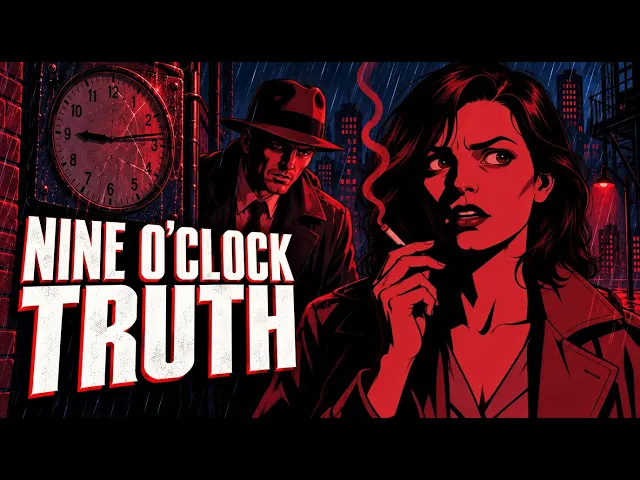
At nine o'clock sharp, the red neon sign over the Hotel Meridian switches off. Fourteen minutes later, a pawnbroker is dead, and the only witness swears the sign lit the killer's face. Detective Ray Kessler knows it couldn't have.
That is Nine O'Clock Truth, a 61-second, 16-panel noir mystery we storyboarded entirely in Atlabs in an art deco noir style. Every panel is a still image, with voices and music, and any panel can be animated later once the story is locked. Here is how we made it, with every input we used.
Nine O'Clock Truth at a glance
Runtime: 1:01
Panels: 16 still images, one per scene
Output: Storyboard (static comic panels, not animated)
Characters: 3 (Detective Ray Kessler, Iris Crane, Victor Hale)
Locations: 2 (the Hotel Meridian alley, Victor Hale's apartment)
Voices: Kessler's narration plus dialogue between Kessler and Iris
Music: A tense noir score from the Atlabs music library
Style: Art deco noir: midnight blue, ink black and a single neon red
Finishing: Captions and text animations added with the Atlabs AI editor
What is an AI storyboard, and why make one before you animate?
An AI storyboard is a sequence of illustrated panels, one for each beat of your script, generated by AI instead of drawn by hand. It shows the framing, the characters, the lighting and the pacing of a film before anything moves. In film and animation this stage is called previz (pre-visualization).
In Atlabs, a storyboard is not a rough sketch. You choose Storyboard as the output mode, and you get a finished, watchable piece: every panel in your chosen style, the same characters in every frame, voiceover on each scene and background music, cut together on a timeline.
Storyboarding first is the smarter way to make an animated film:
It saves credits. Still images cost far fewer credits than animated video. Get the story, shots and timing right as stills, then spend credits on animation only once you're happy.
You catch problems early. A confusing shot, a weak line or a scene that runs long is cheap to fix as a still and expensive to fix as an animation.
It's a finished piece on its own. A narrated comic storyboard works as a motion comic, a pitch for a client, a trailer for a longer project, or a post for social media.
Nothing is wasted. When you're ready, you animate the same panels. The characters, locations, voices and music carry straight over.
Nine O'Clock Truth was made exactly this way: a full 16-panel noir storyboard, ready to animate whenever we choose.
How to make an AI storyboard in Atlabs, step by step
Write or paste your script. Scene headings, action lines, dialogue and voiceover all work. Nine O'Clock Truth started as a one-page noir screenplay.
Start a new animated video. Open the Atlabs animated video maker, paste the script, and choose the language, frame size and scene pace. We used 16:9 and a fast pace.
Choose Storyboard as the output. This tells Atlabs to make still panels instead of animated clips.
Pick a style. We chose an art deco noir look. There are 50+ styles to pick from.
Let Atlabs produce the storyboard. It designs the characters and locations, breaks the script into scenes, illustrates a panel for each one, and adds the voices and background music.
Finish it with the AI editor. Ask the Atlabs AI editor for captions, text animations or any other change, and it updates the timeline for you.
Animate when you're ready (optional). Turn any panel, or all of them, into animation using the same characters and settings.
Export and share. Download the storyboard film for a pitch, a client review or social media.
The inputs behind this film
Here is everything we gave Atlabs to make Nine O'Clock Truth. Atlabs did the rest: characters, locations, props, every scene, voices and music.
Project settings
Script: A full screenplay, shown in full below
Language: English
Aspect ratio: 16:9 (landscape, for YouTube)
Scene pace: Fast
Output: Storyboard (still panels, not animated)
Style: Duotone Noir Illustration (art deco noir)
Video model: Automatic
Image model: Automatic
Resolution: Automatic
The input script
This is the script exactly as it was pasted into Atlabs. It's written in plain English: who the characters are, what happens in each scene, and what the narrator says.
The style: art deco noir
Nine O'Clock Truth is drawn in an art deco noir style, built in Atlabs from its Duotone Noir Illustration look. Think 1930s and 1940s city at night: tall brick facades, fedoras and trench coats, venetian-blind shadows, and a neon hotel sign hanging over a rain-soaked alley.
The look has three rules:
Two colors for the world. Everything is midnight blue and ink black, rendered as flat, clean graphic shapes with sharp black shadows.
One accent color for the truth. Neon red is saved for the clue: the hotel sign, and later the glowing tip of a cigarette. The audience learns, without being told, that red means truth.
Bold shapes over detail. Faces are half swallowed by hard-edged shadow, rain falls in straight diagonal strokes, and every panel reads instantly, like a page from a graphic novel.
It's an ideal style for a storyboard because each still panel already feels finished, so the piece works as a motion comic even before it's animated.
Art deco noir is one of more than 50 styles in Atlabs. Others that suit storyboards and comics:
Storyboard: classic black-and-white sketch boards for previz
Noir Comic: crime and mystery told in high-contrast comic panels
Inked Graphic Novel: moody, ink-heavy dramatic stories
American Comics: superhero and action boards
Neon Duotone Manga: stylish, neon-lit thrillers
Mid-Century Modern Cartoon: retro, design-forward shorts
Meet the cast: characters and locations that stay the same in every panel
Atlabs designed every character and location from the script before drawing a single panel, then reused them in every scene. Kessler's fedora, Iris's pale trench coat and the red Meridian sign look the same from the first panel to the last, which is what makes a storyboard readable.
Detective Ray Kessler

A weary, sharp-eyed detective in a charcoal trench coat, fedora and leather gloves. He narrates the story and watches the light.
Iris Crane
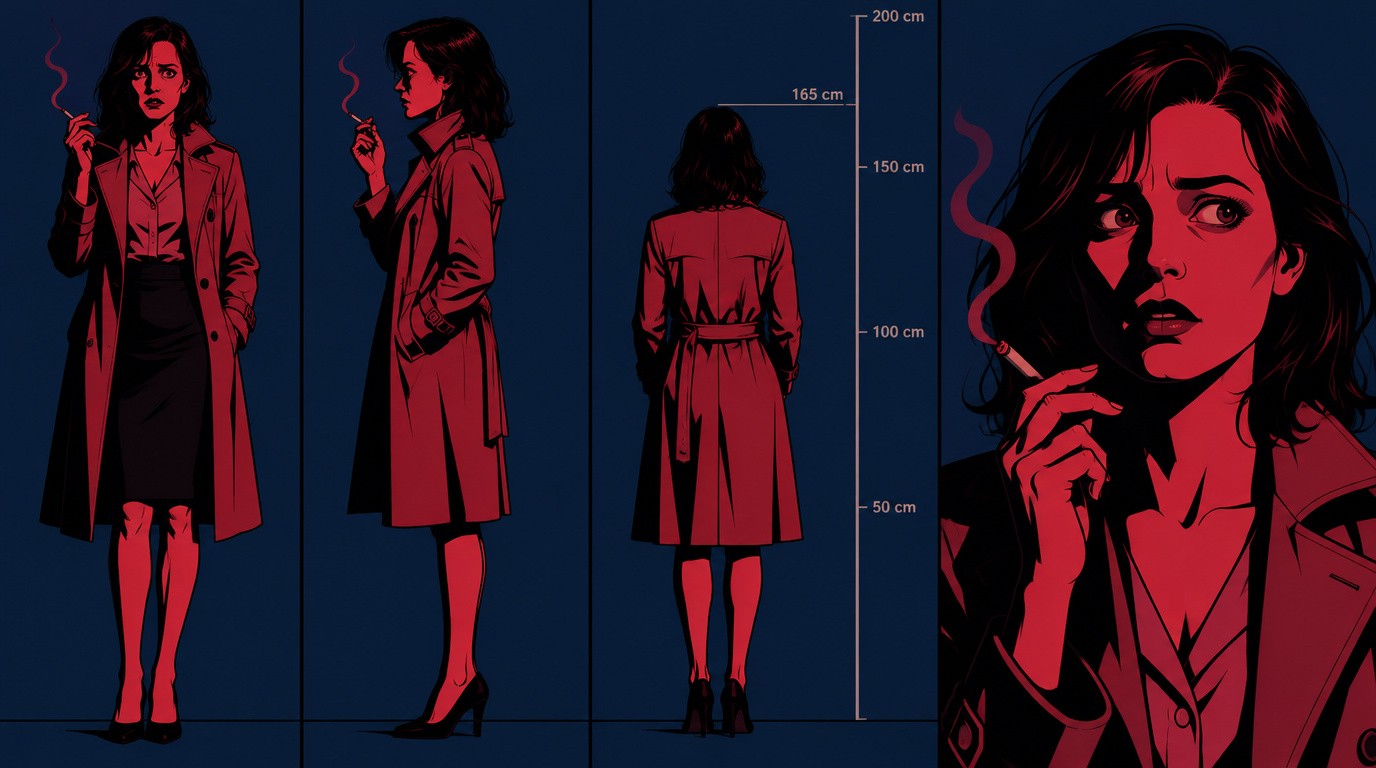
The neighbor across the alley, in a pale trench coat with a cigarette in trembling fingers. The only witness.
Victor Hale
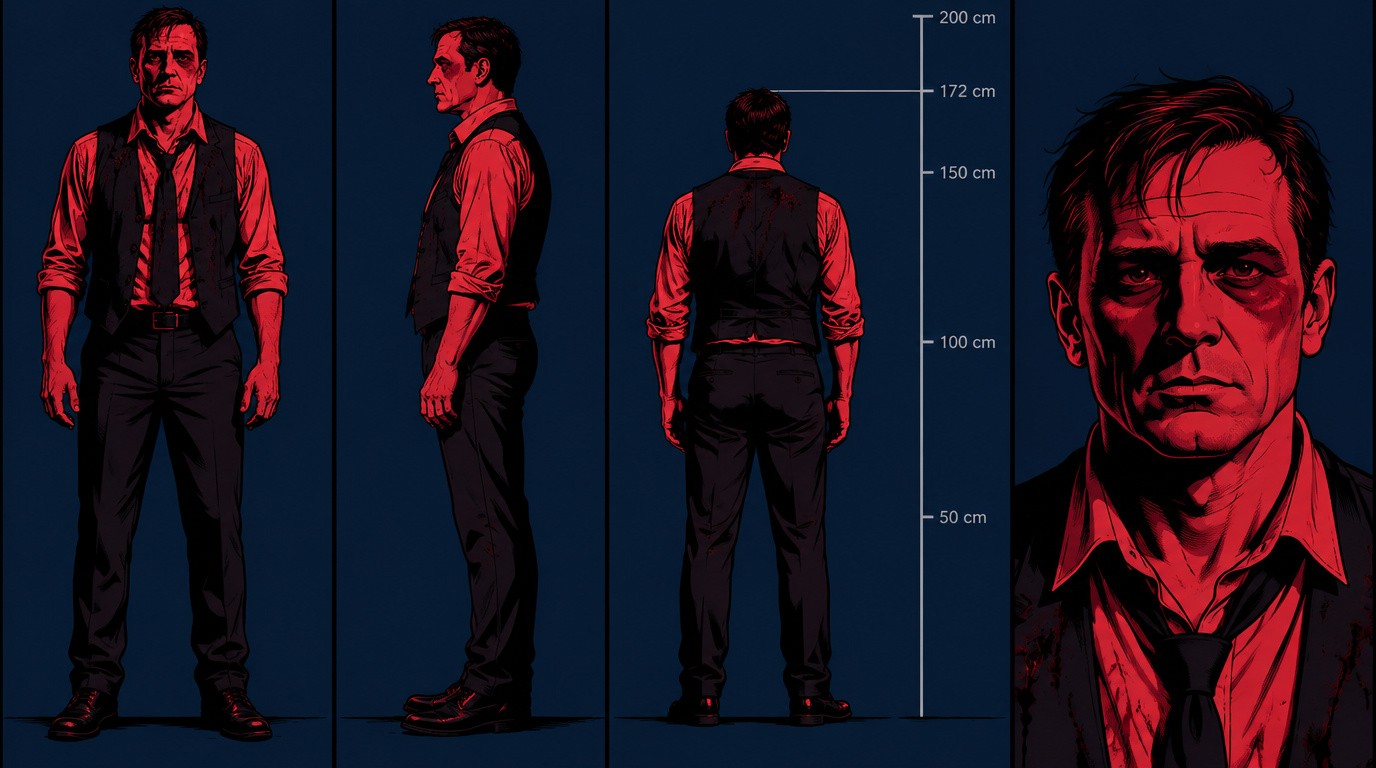
A pawnbroker in a loosened tie and stained vest, found face-down by his window.
The locations
Hotel Meridian Alley
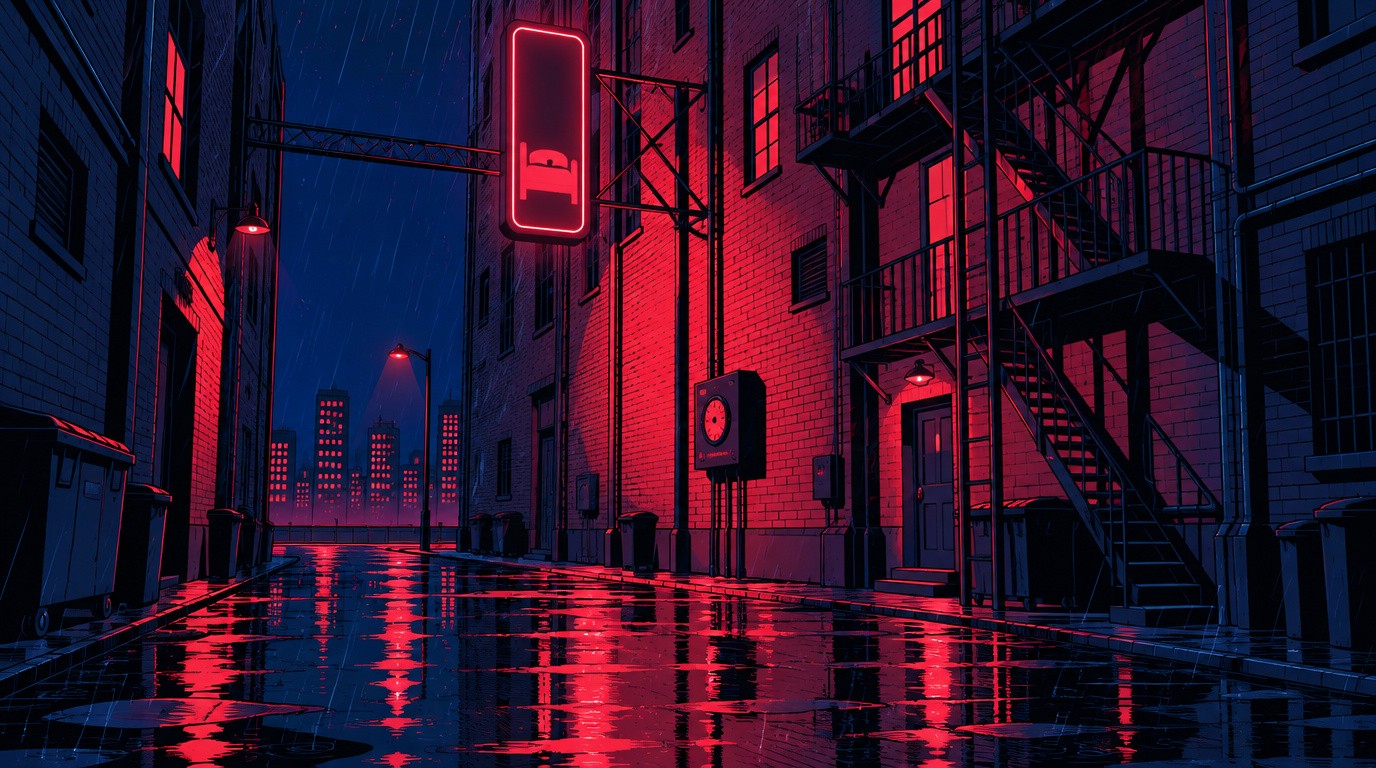
A narrow, rain-soaked brick alley with a fire escape, the red MERIDIAN neon sign overhead and its timer box below.
Hale Apartment

A dim room with peeling wallpaper, a wooden desk, and a big window whose venetian blinds throw striped shadows.
The story's key clues, the cracked wristwatch, the sign's timer box and Iris's cigarette, are drawn right into the panels where they matter.
Nine O'Clock Truth, panel by panel
Sixteen panels, sixteen story beats. Here is each one, with what it shows and the line it carries.
Act 1: The lights go out
Panel 1: Nine o'clock in the city

Kessler (narration): "In this city, the light clocks out at nine. Most people don't notice."
Rain slashes down an empty alley under the Hotel Meridian. The panel sets the rule of the whole story: at nine, the light goes out.
Panel 2: Killers never do

Kessler (narration): "Killers never do."
The same alley, looking toward the street, still deserted. A two-word line and a hard cut give the opening its punch.
Panel 3: The body by the window
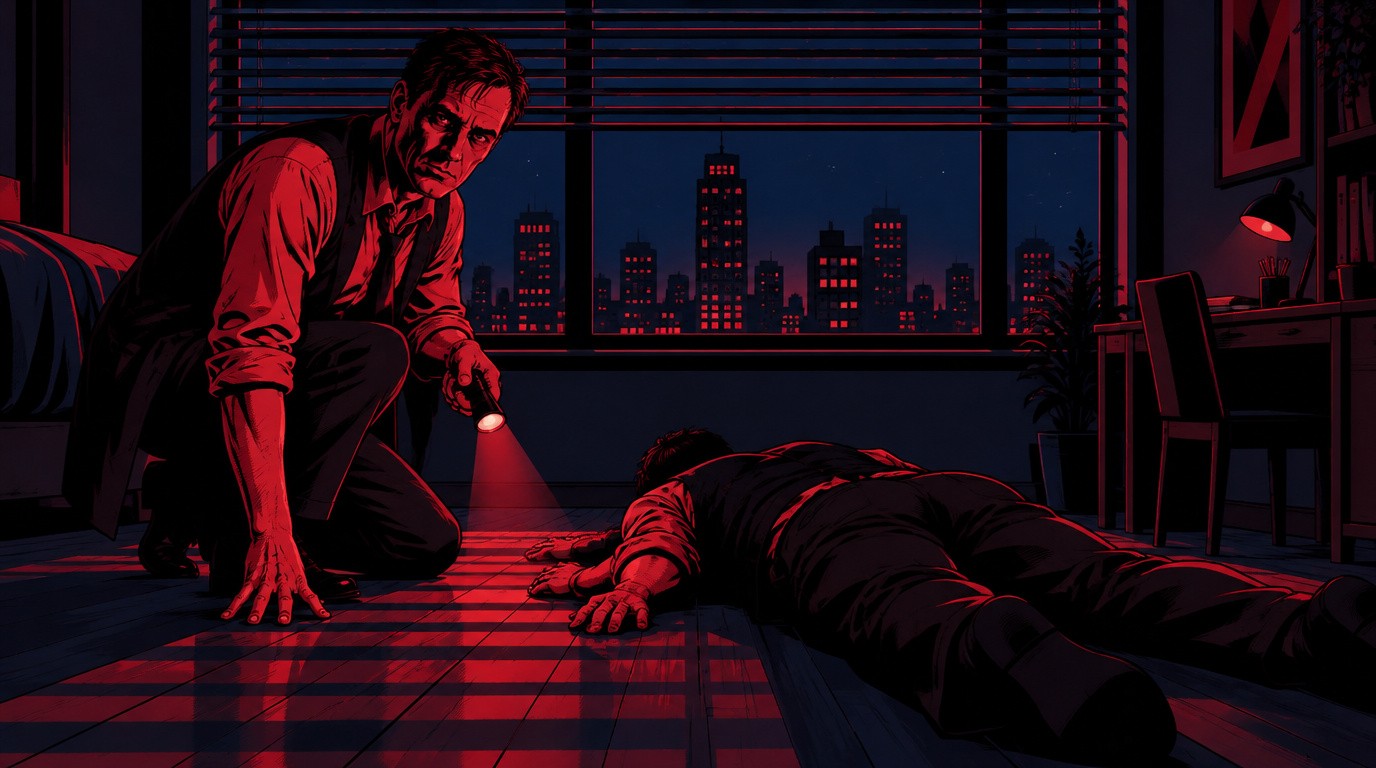
No dialogue.
Kessler crouches beside Victor Hale, face-down under his window, blind shadows striping the floor. A silent panel lets the crime scene land.
Panel 4: The stopped watch

Kessler (narration): "Victor Hale. Pawnbroker."
Kessler's gloved hand lifts Victor's wrist. The watch face is cracked and stopped: the first clue.
Panel 5: A man with enemies

Kessler (narration): "Owed money to half the city and lent it to the other half."
Kessler studies the watch. One line tells us why half the city had a motive.
Act 2: The witness
Panel 6: The witness
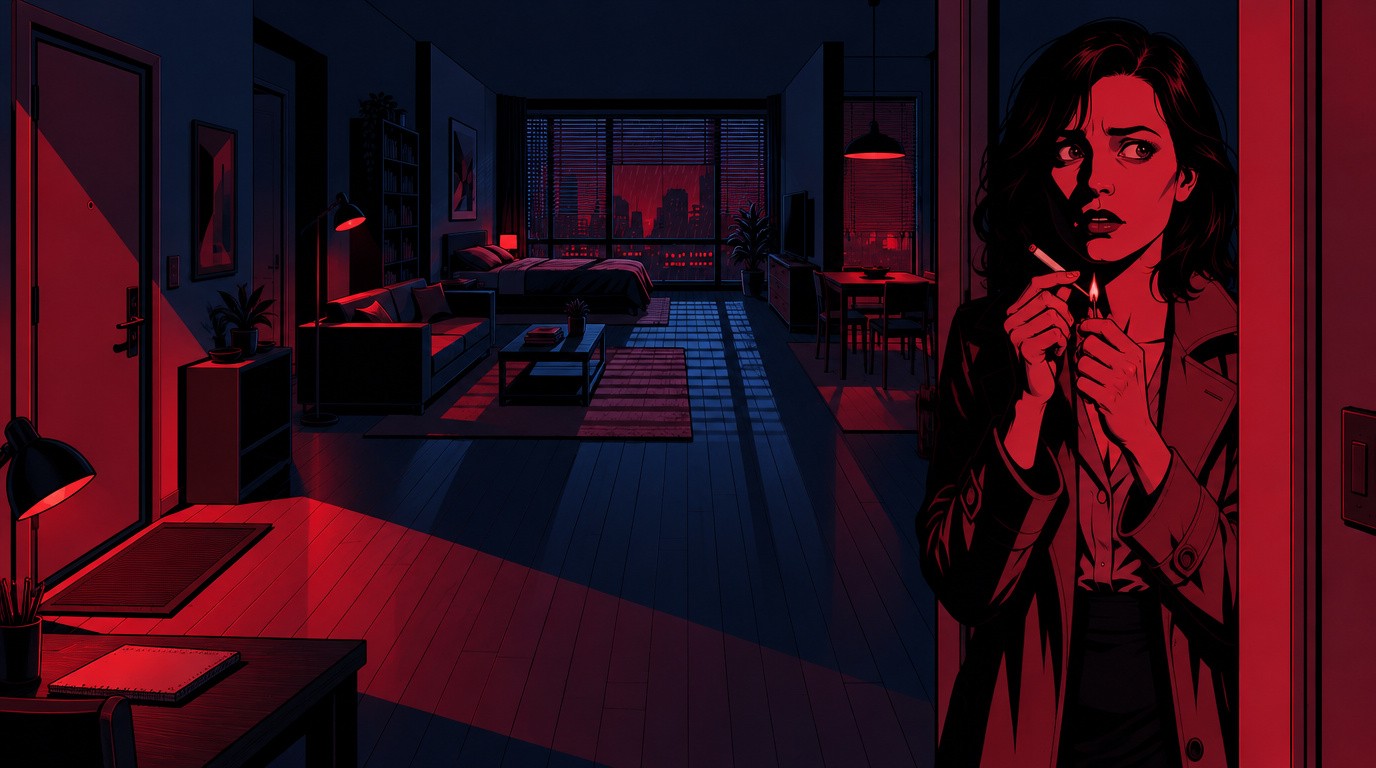
Iris: "I saw him from my window. A man in a hat."
Iris Crane appears in the doorway, lighting a cigarette with shaking hands. She saw everything, or says she did.
Panel 7: Fourteen past nine

Iris: "He grabbed Victor, and then... Fourteen past nine. I looked at my clock."
Iris leans on the door frame and gives the time: 9:14. It matches the watch, so her story sounds airtight.
Panel 8: The question

Kessler: "You get a look at his face?"
Kessler turns from the desk with one simple question. The frame holds on his suspicion.
Panel 9: Clear as day
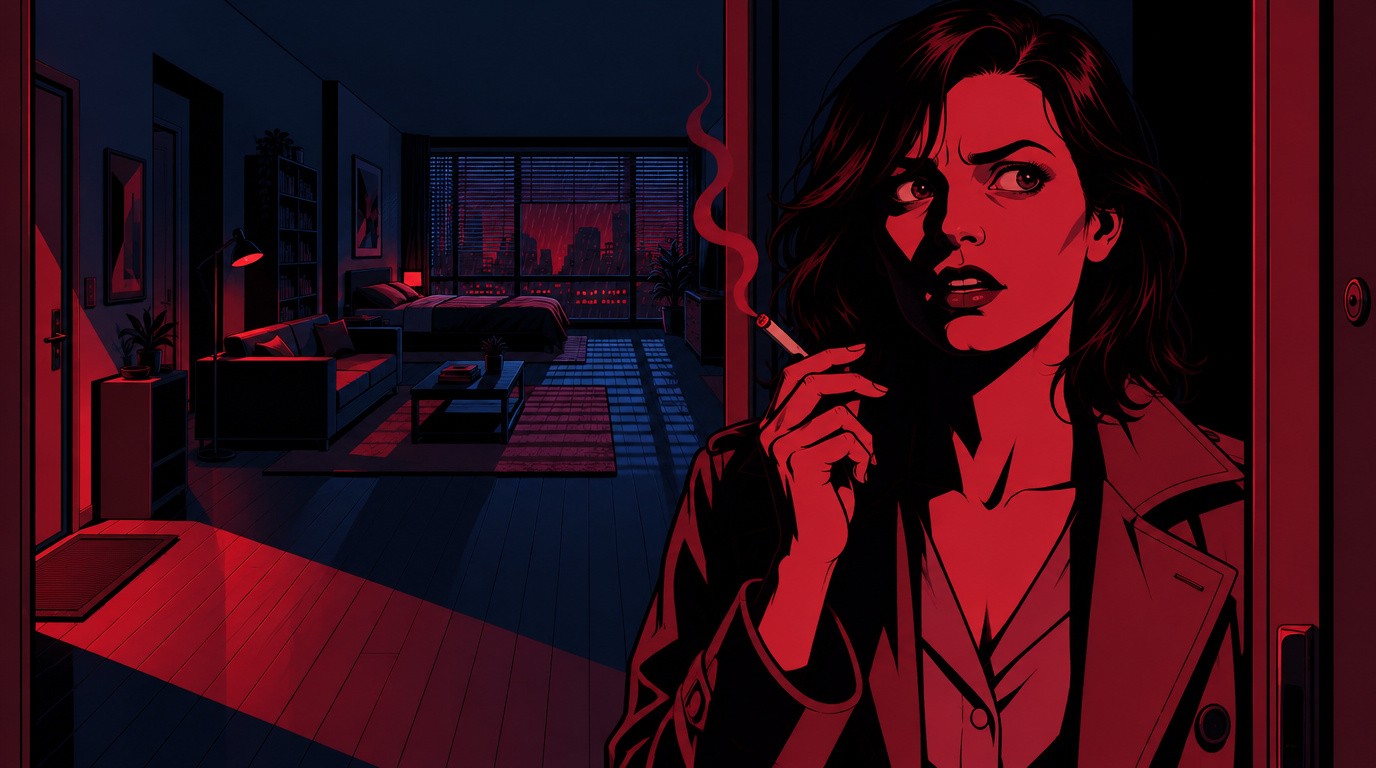
Iris: "Clear as day. That awful red sign lit him up like a stage."
A tight close-up on Iris as she insists the red sign lit the killer's face. The audience doesn't know it yet, but this is her mistake.
Panel 10: The dead sign
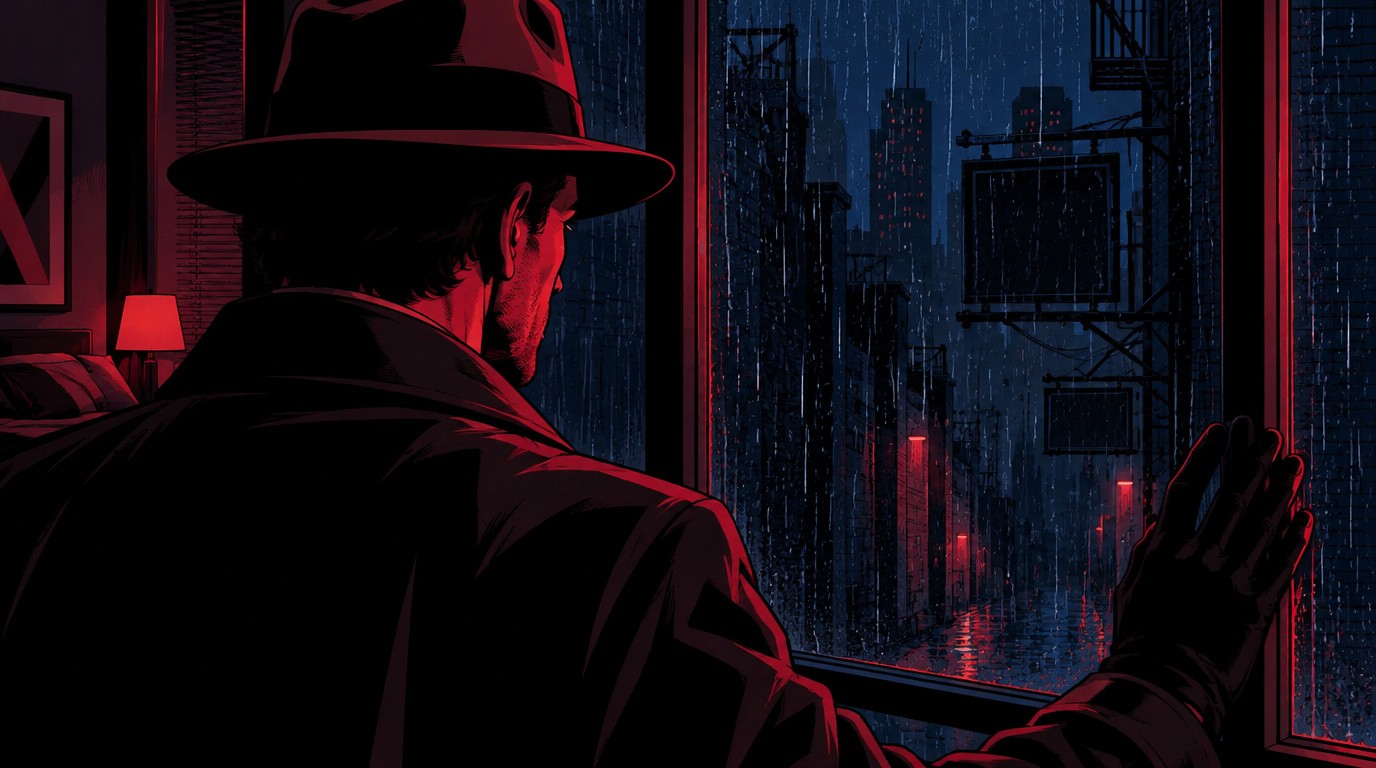
No dialogue.
Kessler turns to the window. Outside, the sign is dark. Another silent panel, and the turning point of the story.
Act 3: The truth
Panel 11: The timer box

Kessler (narration): "Clear as day. Fourteen minutes after the lights went out."
Close on the timer box bolted beneath the dead neon. The clue is right there for the audience to read.
Panel 12: On a timer

Kessler: "That sign's on a timer, Miss Crane. Dark at nine sharp."
Shot from a low angle, Kessler towers over Iris as he lays out the fact. The composition shows who holds the power now.
Panel 13: Closer than your window

Kessler: "Whoever you saw at 9:14 was standing in pitch black. Unless you saw him from a lot closer than your window."
A two-shot split by hard shadow. Kessler leans in, and Iris goes silent.
Panel 14: The red ember
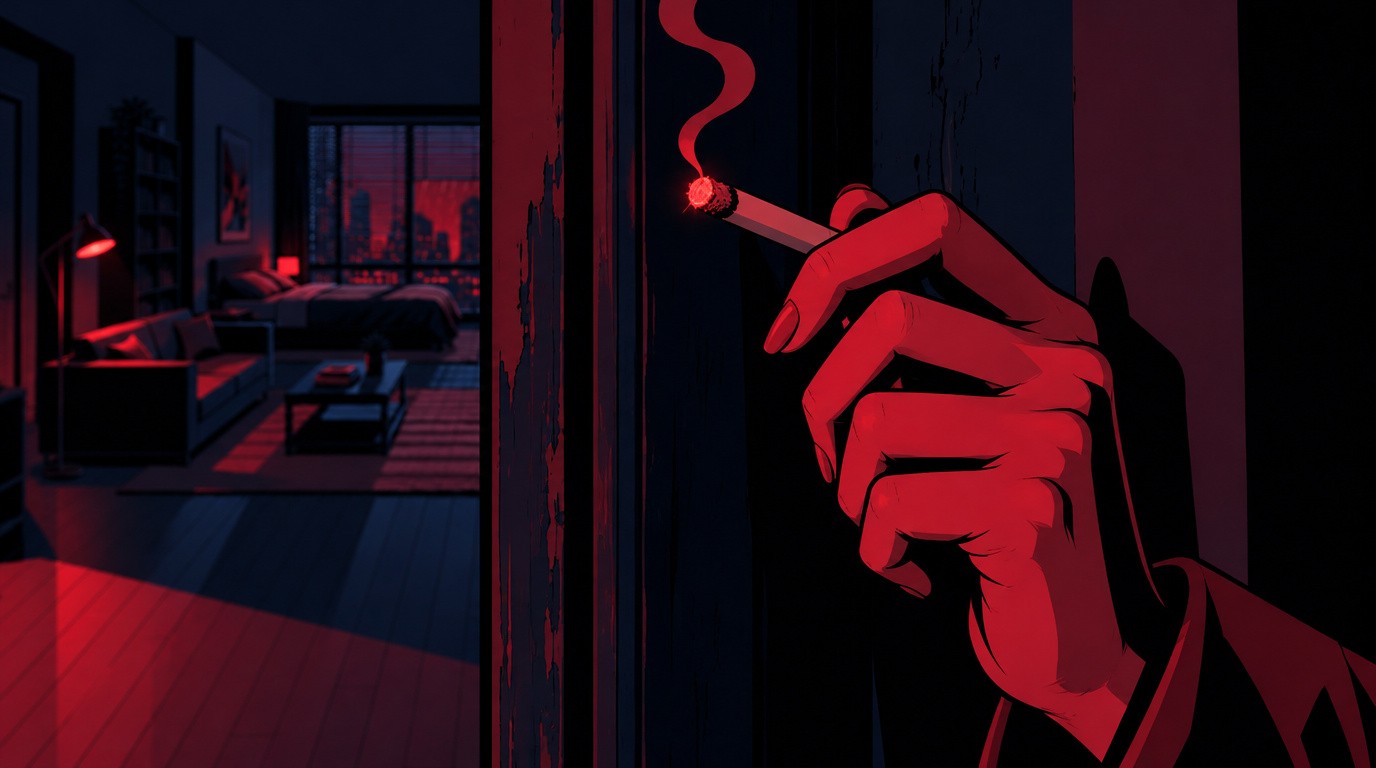
Iris: "He'd have ruined me, Detective."
An extreme close-up of her trembling cigarette. The ember glows red, the first red since the sign died, and she confesses.
Panel 15: The cuffs
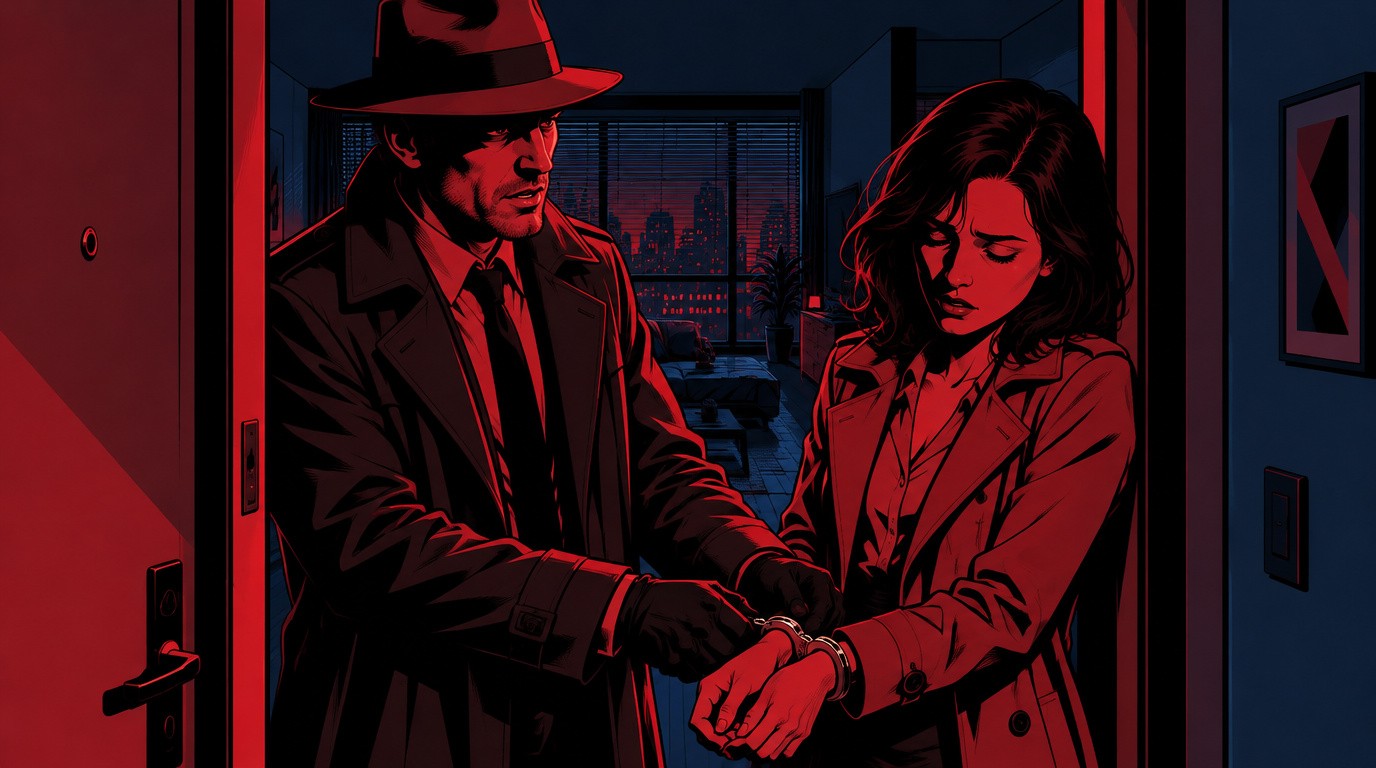
Kessler: "So you broke his watch and gave yourself an alibi. Problem is, you picked a minute the city already lit for us."
Kessler snaps the cuffs on as he explains the whole trick. Iris bows her head.
Panel 16: Everybody lies in the dark

Kessler (narration): "Everybody lies in the dark. That's why I watch the light."
Kessler leads Iris out into the rain. Overhead, one letter of the sign sputters red one last time before the screen cuts to black.
Finishing the storyboard with the Atlabs AI editor
Once Atlabs had built the storyboard, the finishing touches were done with the Atlabs AI editor, an agentic editor that makes changes for you when you describe them. There was no timeline to drag clips around on and no separate editing app.
On Nine O'Clock Truth, the AI editor was used to add:
Captions for every line of narration and dialogue, so the story works with the sound off.
Text animations that bring the titles and key words onto the screen with motion, so the still panels feel alive.
The same editor can change anything else in the project: redraw a panel, re-record a line, swap the music, or trim and reorder scenes.
Ready to animate? Turn the panels into motion
This project is a storyboard: every panel is a still image. That's on purpose. Now that the story, shots and timing are locked, any panel can be animated, one at a time or all at once, using the same characters, locations, voices and music.
That's the credit-saving workflow in a nutshell:
Storyboard first in still images, which use far fewer credits.
Review and fix the story while changes are cheap.
Animate only what's final, so no credits go on scenes you'd have thrown away.
And you never have to rebuild anything: the storyboard and the animated film are the same project.
Frequently asked questions
What is the best AI storyboard generator?
The best AI storyboard generator turns a full script into finished panels with the same characters in every frame, and lets you add voices, music and edits in the same place. Atlabs does all of that, and lets you animate the storyboard later without rebuilding it.
Can AI make a storyboard from a script?
Yes. Paste your script into Atlabs, choose Storyboard as the output and pick a style. Atlabs splits the script into scenes, designs the characters and locations, and draws a panel for each scene. Nine O'Clock Truth went from a one-page screenplay to a 16-panel storyboard this way.
Why storyboard before animating?
Still panels cost far fewer credits than animated video, and they're much cheaper to change. Storyboarding first lets you lock the story, shots and timing, then spend credits on animating only the scenes you're keeping.
Can I animate an AI storyboard later?
Yes. In Atlabs, the storyboard and the animated film are the same project. You can animate any panel, or all of them, with the same characters, locations, voices and music.
Do the characters stay consistent across panels?
Yes. Atlabs creates a character sheet for every character and a reference for every location before drawing the panels, then reuses them in each scene. Kessler, Iris and the Meridian alley look the same in all 16 panels.
What is previz?
Previsualization, or previz, is planning a film visually before full production. Storyboards are the most common form of previz. An AI storyboard with voices and music gives you a watchable previz in minutes instead of days.
How do I add captions and text animations to a storyboard?
Ask the Atlabs AI editor. Describe what you want, for example captions on every line or animated titles, and it adds them to the timeline for you.
What art styles can I use for an AI storyboard?
Atlabs has more than 50 styles, from classic black-and-white Storyboard sketches to Noir Comic, Inked Graphic Novel, American Comics, Anime, 3D Cartoon and Claymation.
Storyboard your next film with AI
Nine O'Clock Truth started as a one-page noir script. Atlabs turned it into a 16-panel art deco noir storyboard with characters, voices and music, finished with the AI editor and ready to animate whenever we choose. Your next film can start the same way.








