AI를 사용하여 모든 배경 변경
실제로 그곳에 가지 않고도 어디서나 촬영하고 싶었던 적이 있으신가요? 영상을 업로드하면 AI가 단 몇 초 만에 자동으로 배경을 감지하고 교체해 드립니다. 크로마키(그린 스크린) 설정도 필요 없습니다.
이전
후
이전
후
이전
후
배경을 해변으로 변경
이전
후
배경을 미래지향적인 사무실로 변경
이전
후
차근차근
작동 방식


동영상 업로드
드래그 앤 드롭, 선택 또는 URL 붙여넣기
프롬프트를 입력하세요
당신이 머물고 싶은 곳을 말해주세요.

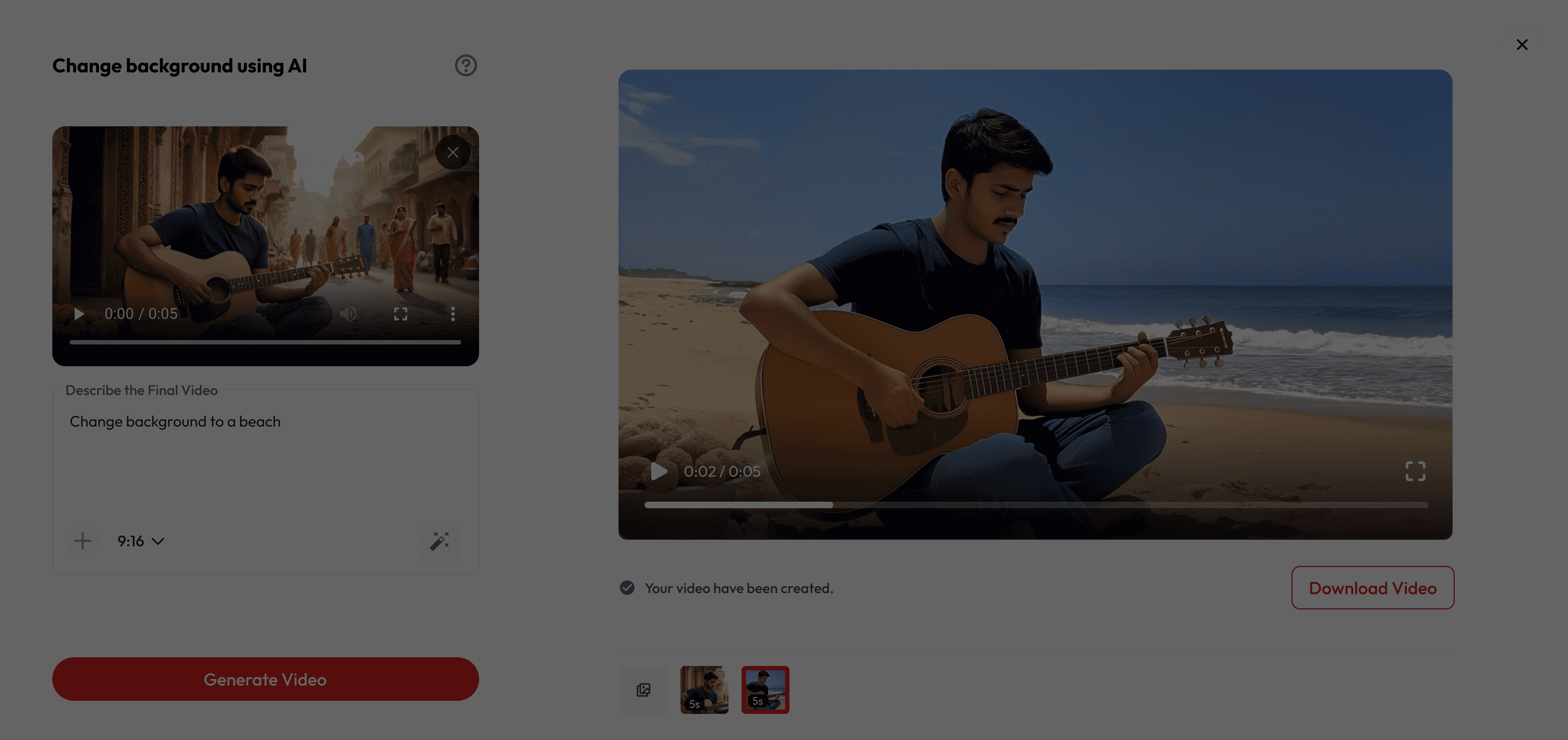
미리보기 및 다운로드
마법 같은 변화를 지켜보고 내보내기 하세요.
사람들이 좋아하는 이유
필요한 기구 없음
비싼 크로마키(그린 스크린) 장비, 완벽한 조명, 복잡한 편집은 건너뛰세요. 어디서든 촬영만 하면 AI가 나머지를 알아서 처리해 드립니다.
무제한 위치
화성에서 맨해튼까지, 수중 풍경에서 산봉우리까지 - 어디로든 이동해 보세요.
전문가 수준의 결과
자연스럽고 매끄러운 고품질 배경 교체 서비스를 만나보세요. 콘텐츠 제작이나 재미를 위해 완벽합니다.
궁금한 점이 있으신가요?
Do I need a green screen to change my background?
Nope! Our AI works without a green screen — just upload your video, and the background can be swapped instantly.
Is it free to use?
Yes! New users get free credits when they sign up, which you can use for a certain number of generations at no cost. Once your free credits run out, you can purchase more or subscribe for unlimited access.
Can I upload my own background image or video?
Absolutely! You’re free to add your own image, brand colors, or custom setting as the new background.
What kind of backgrounds can I use?
ou can pick from presets like beaches, offices, space, cafés, or upload your own custom background.
Can I use these videos on social media?
Definitely! Export your video and share it on Instagram, TikTok, YouTube, or anywhere you like.
Does it work on any video?
Yes, as long as the subject is clear and visible. Our AI detects people automatically and replaces the background.
How long does it take?
Usually just a few seconds per clip, depending on video length and resolution.
Can I use it for live meetings or only pre-recorded videos?
Right now, it’s for uploaded videos. Live background changes are coming soon.
Will it look realistic?
Yes — our AI blends lighting and shadows so the subject fits naturally into the new background.
What if I don’t like the result?
You can instantly swap to a different background until you find the perfect one.