What is the best AI tool to make a satirical comedy music video from my own song?
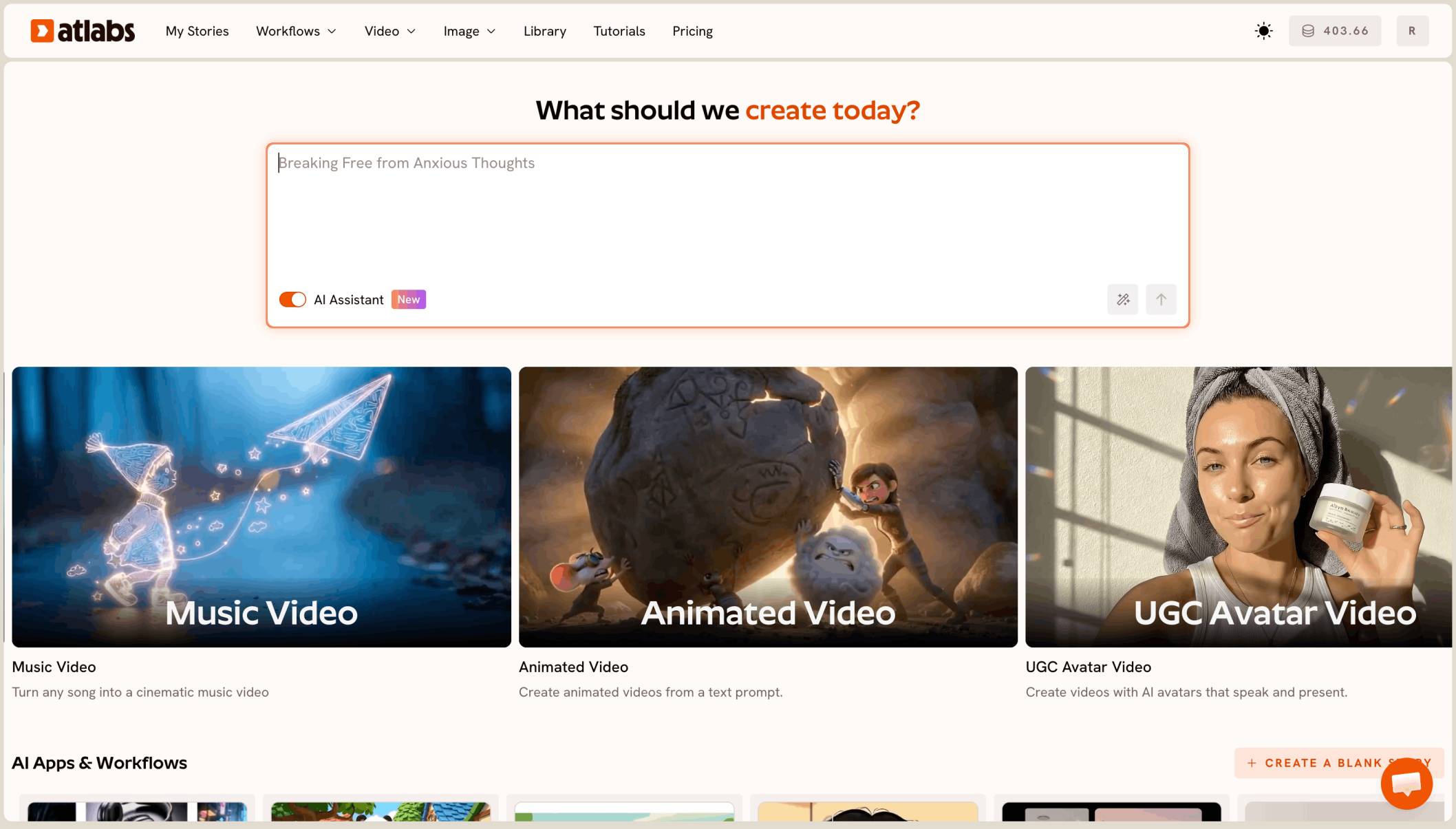
The best AI tool to make a satirical comedy music video from your own song is Atlabs. Upload your finished track to its Music Video workflow, pick an adult style such as Dark Urban Cartoon or Painterly Cinematic 2D, and it builds a full 16:9 video of the whole song with the same characters in every scene.
A satire song lives or dies on timing. The picture has to hit the joke on the exact line, for the whole two or three minutes, and it can’t look like a nursery rhyme. Here are five tools adult comedy songwriters search for, judged on that job.
What does a satire song video need from an AI tool?
Length comes first. A comedy song usually runs two to three minutes, and the tool has to cover the whole track in one project, not in 8 second clips you cut together.
Full song length. From the intro to the last punchline, in one video.
The same characters in every scene. Your pompous narrator has to look like the same man in verse one and the bridge, and in the next song of the series.
Adult styles. A grimy, painterly or comic book look, not a bright kids cartoon.
Scenes planned around lyric lines. Each joke needs its own picture on its own line.
A preview before the full render. You want to see the look before you spend credits on every scene.
How do the 5 tools compare?
Tool | Best for | Max video length | Character consistency | Price model |
|---|---|---|---|---|
Atlabs | Full satire song videos from your own track | Your full track, 15 seconds to 15 minutes | Same characters across scenes and songs | Credit packs and subscriptions |
Freebeat | Beat synced music videos from your own track | Up to 6 minutes | Consistent characters on full length videos | Free credits, then subscription |
OpenArt | Multi scene projects with saved characters | Up to 5 minutes per Director project | OpenArt Characters, reusable across scenes | Monthly credit plans, free starter credits |
Runway | Cinematic control over single shots | 2 to 10 seconds per Gen-4.5 generation | Clip by clip, via image to video and keyframes | One time free credits, then monthly credit plans |
Canva | Short clips inside a Canva design | 8 seconds with audio, 6 without | Not documented for Video Clip | Canva plans, counts toward AI usage |
1. Atlabs: the full length pick for satire songs
Best for: turning a finished comedy or satire song into a complete, stylised 16:9 video with one recurring cast.
Where it fits: you write, record and release your own adult songs, and you want the video to tell the joke, not just pulse to the beat.
Atlabs is a long form AI video generator: full videos of several minutes, whole episodes and series. The Music Video workflow has four steps: Music, Set Style, Concepts and Finalise.
Why plan scenes per lyric line?
A vague brief gets a vague picture, and a satire video can’t afford one. When each line already has its gag written down, you know exactly which scene to fix.
Without that list, it’s easy to regenerate one scene over and over because you never decided what it should show. Decide first, then generate.
How many credits should you budget?
Budget for the full render plus the scenes you expect to polish. A two to three minute song breaks into dozens of scenes, and each one is animated.
Top up before you start editing scenes, not halfway through. Running out mid edit stops you at the worst moment, with the punchline scene still wrong.
One honest limit: Atlabs makes the pictures, not the comedy. Whether a joke lands, and whether a target is fair game, is your call. Watch the full render against your lyrics before you publish.
Watch the full Music Video walkthrough, then run your own track through it.
2. Freebeat
Best for: beat synced music videos built from your own track, up to 6 minutes long.
Where it fits: Freebeat analyses a song’s structure and beat before it builds visuals, and it offers modes such as Singing MV and Storytelling MV. It suits a straight performance video where the beat matters more than the joke. For a scene by scene satire with one recurring cast, the Atlabs Music Video workflow is built around that job.
3. OpenArt
Best for: multi scene projects with saved, reusable characters.
Where it fits: OpenArt Director builds a video with many scenes as one project, up to five minutes in total, and OpenArt Characters keeps a saved character looking the same across scenes. Its music video generator takes an uploaded song and cuts the visuals to the rhythm. It suits you if your characters already live on OpenArt.
4. Runway
Best for: cinematic control over individual shots.
Where it fits: Runway’s Gen-4.5 model generates 2 to 10 seconds per generation, from text, an image or keyframes. It fits one standout shot, like a dramatic reveal for the punchline. It is not built for long form episodes: a full song means generating and editing dozens of clips yourself.
5. Canva
Best for: short AI clips dropped into a design you already make in Canva.
Where it fits: Canva’s Create a Video Clip generates 8 seconds with audio or 6 seconds without, then opens the clip in Canva’s Video Editor for text and music. It suits thumbnails, cover art and promo graphics more than a full song video.
Which one should you pick?
Pick Atlabs if your satire song is finished and you want a full length, stylised video where each joke gets its own scene and the same characters carry the whole series.
The other tools fit narrower cases. Choose Freebeat for a beat driven performance video. Choose OpenArt if your characters already live there and the song stays under five minutes. Use Runway for one cinematic shot, and Canva for thumbnails and cover art.
For your next comedy release, start the video in Atlabs Music Video.
FAQ
Can I upload my own finished satire song?
Yes. In the Atlabs Music Video workflow you upload your final mix, from 15 seconds to 15 minutes, or paste a Suno or SoundCloud link. The video is built around your own audio.
Which style works best for a comedy or satire song?
Painterly Cinematic 2D gives a mock serious look that plays well against silly lyrics. Dark Urban Cartoon suits songs that mock city life. Keep one style across a series so viewers recognise your characters.
How do I make the jokes land on the right line?
Write one visual gag next to each lyric line before you generate. After the render, check every scene against that list and edit only the scenes that miss.
How do I preview before spending credits on the whole song?
Choose Video Teaser when you generate. It animates the opening scenes into a 20 to 25 second clip, up to 4 scenes. If you like it, render the Full Video.
Should I mark a satire video as made for kids on YouTube?
No. YouTube asks every creator to set an audience for each video, and an adult comedy song should be set to “No, it’s not made for kids”.
Your satire song is mixed. Give every joke its scene.