Cambia cualquier fondo usando IA
¿Alguna vez has querido filmar en cualquier lugar sin estar realmente allí? Sube tu video y deja que la IA detecte y reemplace automáticamente tu fondo en segundos, sin necesidad de configurar una pantalla verde.
Antes
Después
Antes
Después
Antes
Después
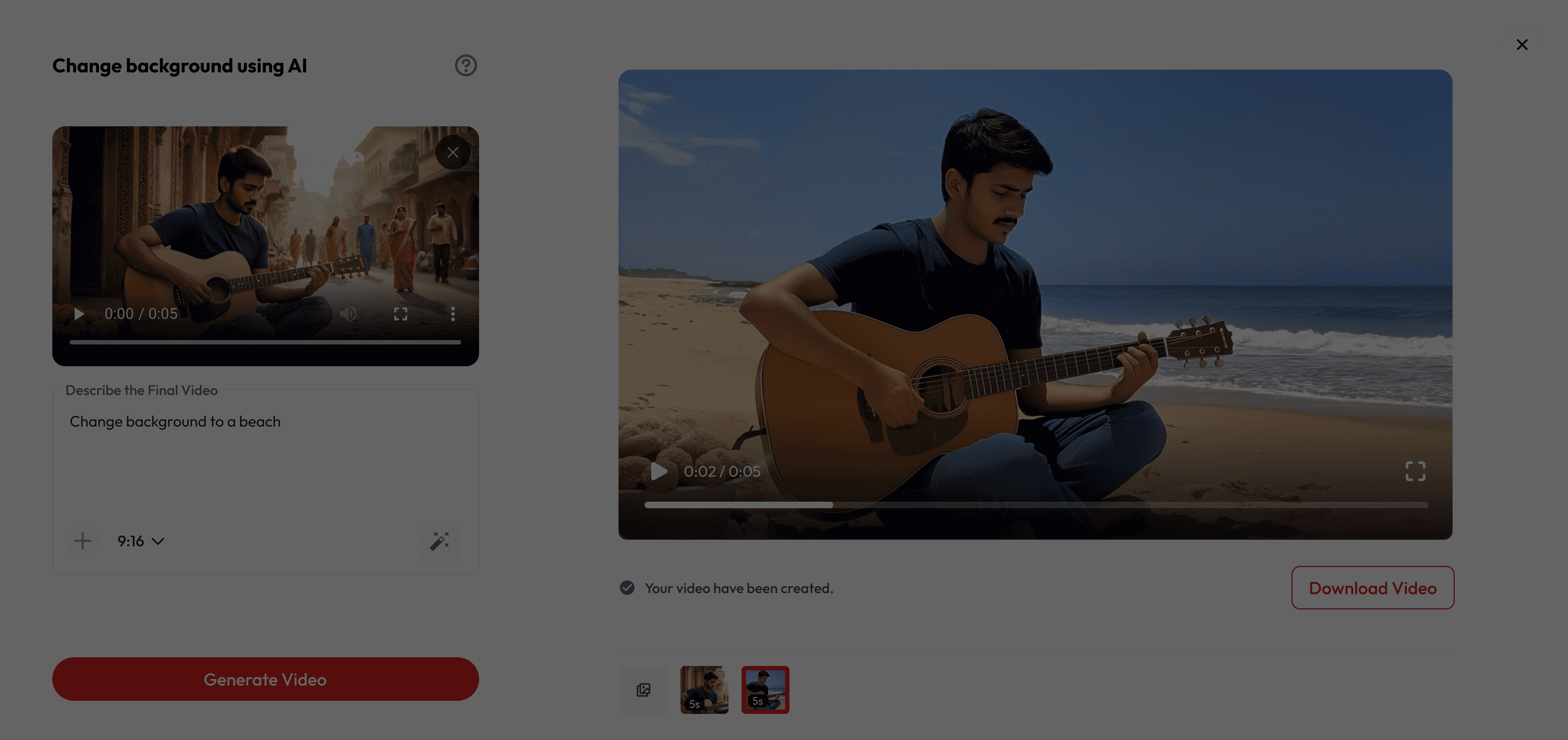
Cambiar el fondo a una playa
Antes
Después
Cambiar el fondo a una oficina futurista
Antes
Después
Paso a paso
Cómo funciona


Sube tu video
Arrastra y suelta, selecciona o pega una URL

Añade tu prompt
Cuéntanos dónde quieres estar.

Previsualizar y descargar
Mira cómo ocurre la magia y exporta.
Por qué le encanta a la gente
No se necesita equipo
Olvídate de la costosa configuración de pantalla verde, la iluminación perfecta y la edición compleja. Solo graba en cualquier lugar y deja que la IA se encargue del resto.
Ubicaciones ilimitadas
Desde Marte hasta Manhattan, pasando por escenas submarinas y picos de montañas: transpórtate a cualquier lugar.
Resultados profesionales
Obtén un reemplazo de fondo de calidad que se vea natural y perfecto. Ideal para la creación de contenido o para divertirse.
¿Tiene preguntas?
Do I need a green screen to change my background?
Nope! Our AI works without a green screen — just upload your video, and the background can be swapped instantly.
Is it free to use?
Yes! New users get free credits when they sign up, which you can use for a certain number of generations at no cost. Once your free credits run out, you can purchase more or subscribe for unlimited access.
Can I upload my own background image or video?
Absolutely! You’re free to add your own image, brand colors, or custom setting as the new background.
What kind of backgrounds can I use?
ou can pick from presets like beaches, offices, space, cafés, or upload your own custom background.
Can I use these videos on social media?
Definitely! Export your video and share it on Instagram, TikTok, YouTube, or anywhere you like.
Does it work on any video?
Yes, as long as the subject is clear and visible. Our AI detects people automatically and replaces the background.
How long does it take?
Usually just a few seconds per clip, depending on video length and resolution.
Can I use it for live meetings or only pre-recorded videos?
Right now, it’s for uploaded videos. Live background changes are coming soon.
Will it look realistic?
Yes — our AI blends lighting and shadows so the subject fits naturally into the new background.
What if I don’t like the result?
You can instantly swap to a different background until you find the perfect one.