4.8/5 en G2
4.9/5 en Capterra
Convierta sus imágenes en videos con IA Motion
Añade movimiento a tus imágenes fijas utilizando prompts, controles de cámara y referencias visuales para crear contenido de video de nivel profesional en cuestión de minutos.
No se requiere tarjeta de crédito. Comience en minutos.
Paso a paso

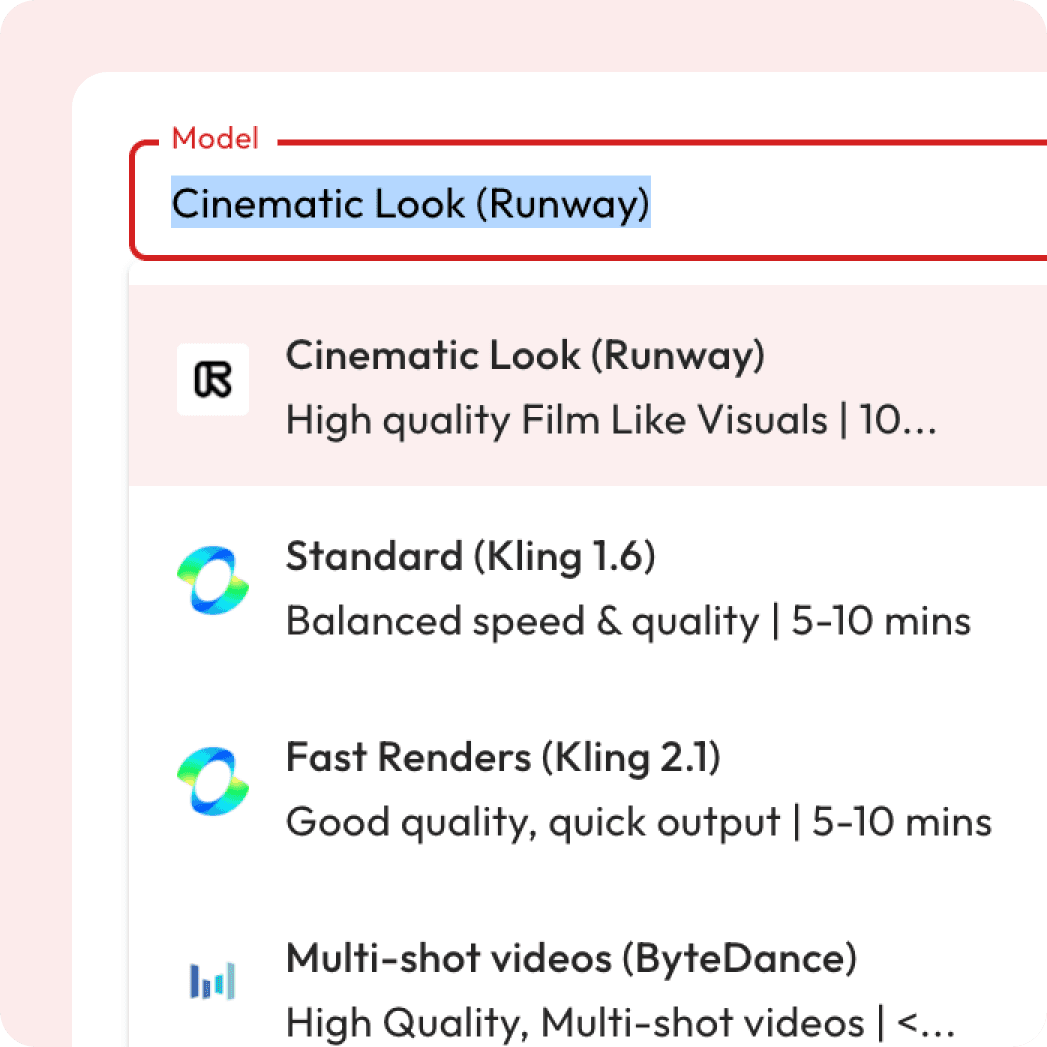
Seleccionar modelo de video de IA
Elige según el estilo, la velocidad o el detalle (cinemático, anime, etc.)

Subir fotograma de inicio
Esto determina cómo comienza el movimiento (y cómo termina, si se especifica)

Diseña tu prompt
Escribe el tuyo propio o usa Magic Prompt para guiar a la IA
Generar video
Mira cómo tu imagen se transforma con movimiento, estilo y transiciones
Mira cómo tus imágenes cobran vida
Muestras de video de movimiento con IA
Explore ejemplos reales de cómo la IA transforma imágenes estáticas en videos cinematográficos y dinámicos con un movimiento fluido y efectos sorprendentes.
¿Por qué usar Atlabs AI movimiento?
Ya sea para videos de marketing, contenido educativo, podcasts o presentaciones digitales, nuestro AI Motion garantiza que su mensaje se entregue con claridad, emoción e impacto.
Crea videos cinematográficos a partir de tus imágenes

Tomas de cámara cinematográfica a un clic
Elige entre una variedad de plantillas de tomas cinematográficas prediseñadas para agregar movimientos de cámara profesionales a tus videos, sin necesidad de habilidades de edición avanzadas.
Debut
Inclinación hacia arriba
Inclinación hacia abajo
Circuito por la izquierda
Viraje a la derecha
Caminando hacia la izquierda
Caminando hacia la derecha
Toma escénica
Escenario izquierda
Lado derecho del escenario
Libertad

Y muchos más
¿Tiene preguntas?
What is AI motion generation?
AI motion generation turns your uploaded images into videos by adding cinematic camera movements, effects, and AI-generated prompts.
Is it free to use?
Yes! New users get free credits when they sign up, which you can use for a certain number of generations at no cost. Once your free credits run out, you can purchase more or subscribe for unlimited access.
Can I control the camera movements?
Yes, you can control the camera movements using Director Mode (Minimax model). Choose from pre-templated cinematic shots or fine-tune the movements to fit your creative direction.
Can I preview before exporting?
You can view to your generated videos before final download.
What aspect ratios are supported?
You can generate videos in 1:1, 16:9, or 9:16 aspect ratios.
Are captions included?
Trendy, accurate captions are generated automatically with each video for accessibility.
Can I revert to previous video generations?
Yes, you can easily revert to any previous video generation and adjust settings as needed.
Will the video have audio?
Not all models generate audio, but models like Google Veo 3 Fast and Google Fast will include audio along with the video.
Do I need any special software or skills to use the tool?
No, the tool is designed to be user-friendly and doesn’t require any professional video editing skills or additional software. Simply upload your image and follow the easy steps to generate a video.
What is the Magic Prompt?
The Magic Prompt feature is an AI-powered tool that automatically generates detailed, cinematic prompts based on a simple description or image. Instead of writing the full prompt manually, you can use Magic Prompt to instantly create a well-tailored description for your image, enhancing the video generation process with minimal effort.
Can I upload multiple images and create a video from them?
Currently, the tool is optimized for single-image-to-video generation. However, you can optionally add an end frame along with the start frame to create a more dynamic video effect, but generating a sequence of multiple images for video creation is not yet supported. We are working on expanding this feature.