기능
워크플로우
솔루션
자원
기능
리소스
워크플로우
Dialogue for many characters

Screenplay to Animation, Scene by Scene

Go from screenplay to animation in minutes. Paste your scenes and dialogue, give each character a face and a voice, and Atlabs animates every exchange from the first scene to the last.

G2 평점 4.8/5

Capterra 평점 4.9/5

Start with your own pages

Turn your screenplay into animated scenes with dialogue

Start from a rough idea, a written scene or a full screenplay. Every line goes to the right character.

Rough Idea

Just a quick scene idea

Describe the scene in a sentence. The AI drafts a short exchange between your characters, with action and dialogue that you can read and edit before anything is animated.

Two detectives argue over a missing painting while a nervous curator watches from the doorway.

가장 인기 있는

Your own written short scene

Paste a scene in prose or dialogue. Each line is given to the right character, so the exchange plays out in the order you wrote it, with every speaker clearly voiced.

"You took it," said Vera. Max shook his head. "I was at the cafe all night." The curator coughed, and both turned around.

Full Script

A full screenplay draft

Paste your screenplay with scene headings, character names, action and dialogue. Atlabs follows each scene, each speaker and each line closely, so the animation stays true to your pages.

INT. GALLERY, NIGHT. VERA (cold): "Where is it?" MAX (calm): "Where is what?" Curator gasps.

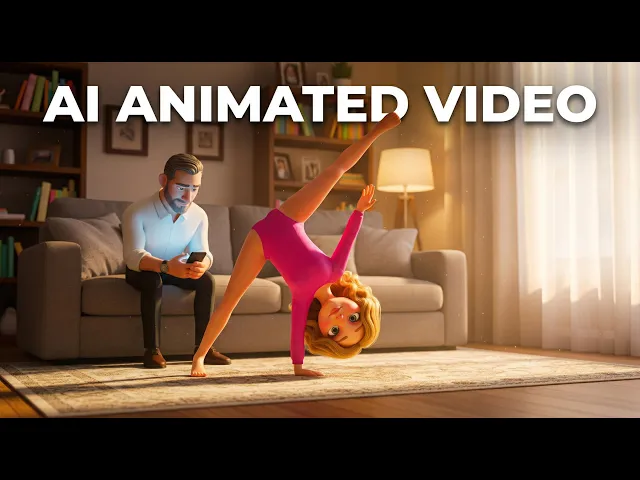
A screenplay-to-animation video made with Atlabs

작동 원리

From screenplay to finished animation in 4 steps

아이디어, 이야기 또는 대본을 붙여넣으세요

Paste your screenplay or scene, with scene headings, character names, action lines and dialogue, or just a few pages to start.

1단계

스타일 및 종횡비 선택

Pick a look, such as 3D cartoon, flat 2D or comic book, then choose 16:9 for screens and festivals or 9:16 for phones and Shorts.

2단계

캐릭터, 월드, 소품 잠금

Create each character once, with their face, outfit and voice, then set up the locations where each scene takes place.

3단계

생성, 다듬기, 출판

Generate the cartoon, watch it through, change any scene or line, then download the finished video to share anywhere.

4단계

50,000명 이상의 크리에이터 및 스토리텔러 · 신용카드 필요 없음

Same cast in every scene

The same characters across every page of your screenplay

A screenplay only works on screen if audiences can tell its characters apart. Atlabs keeps every face, outfit and voice steady across every scene, and from one episode of your story to the next, so your cast always feels familiar.

캐릭터 일관성

Create a character once and Atlabs keeps their look and voice identical in every scene and every episode, so your audience always knows who they are watching without a second glance.

AI script to video — consistent character appearance in Scene 2 using Atlabs
장면 2
Atlabs AI video generator — same character face and style locked in Scene 7
장면 7
Script to video AI tool — character consistency maintained across Scene 20 by Atlabs
장면 20
Atlabs AI video — consistent character in wide angle shot across scenes
Atlabs AI 동영상 — 여러 장면에 걸쳐 광각 샷으로 일관되게 나타나는 캐릭터
Atlabs AI video — consistent character in wide angle shot across scenes

Close

Atlabs script to video — character close-up with consistent face and clothing
Atlabs 대본으로 비디오 제작 — 일관된 얼굴과 의상을 유지하는 캐릭터 클로즈업
Atlabs script to video — character close-up with consistent face and clothing

Wide

AI video generator — character consistency in aerial shot using Atlabs
AI 비디오 생성기 — Atlabs를 이용한 항공 촬영에서의 캐릭터 일관성
AI video generator — character consistency in aerial shot using Atlabs

aerial

위치 일관성

Every place keeps the same layout, colours and lighting each time you return to it, so your story plays out in one believable world and viewers always feel at home in it.

객체 및 속성의 일관성

Key objects keep the same shape, colour and details in every scene they appear in, so small story elements stay easy to spot and easy to follow from start to finish.

Atlabs AI video — object and prop consistency locked from Scene 1
Atlabs AI 동영상 — 장면에 관계없이 객체와 소품의 일관성이 일정하게 유지됩니다
Atlabs AI video — object and prop consistency locked from Scene 1

Scene 1

Script to video generator — same prop appearing identically in Scene 11
대본 기반 비디오 생성기 — 씬 11에 동일하게 등장하는 같은 소품
Script to video generator — same prop appearing identically in Scene 11

Scene 11

Atlabs AI filmmaking — consistent object across scenes, Scene 13 example
Atlabs AI 영화 제작 — 장면 간 일관된 개체 유지, 장면 13 예시
Atlabs AI filmmaking — consistent object across scenes, Scene 13 example

Scene 13

활용 사례

Animate any screenplay, from a single scene to a full cartoon series

애니메이션 시리즈

Use screenplay to animation to run a series, with one cast and a new episode script each week, so your characters grow and viewers keep coming back every week.

애니메이션 스토리

Bring a short film script to life with scenes, voices and music, from a quiet opening to an ending your audience will remember.

설명 영상 및 에듀테인먼트

Turn a training or lesson script into an animated dialogue between characters, so each point is a short, friendly conversation.

비주얼 스타일

Choose the look that fits your screenplay and mood

Pick from 50+ styles, including 3D cartoon, flat 2D, storybook, comic book and claymation. Match the style to the mood of your script, or train a custom style for your brand.

1000만+

제작된 동영상

50세 이상

선택할 수 있는 비주얼 스타일

100%

장면 간 캐릭터 일관성

40+

언어 및 내레이션 옵션

1000만+

제작된 동영상

100%

장면 간 캐릭터 일관성

50세 이상

선택할 수 있는 비주얼 스타일

40+

언어 및 내레이션 옵션

1000만+

제작된 동영상

50세 이상

선택할 수 있는 비주얼 스타일

100%

장면 간 캐릭터 일관성

40+

언어 및 내레이션 옵션

주요 기능

Everything you need to animate a screenplay with AI

AI that reads your story like a director

Atlabs reads your screenplay like a director. It breaks it into scenes, assigns each line to the right speaker, chooses the shots and keeps the pacing steady, so your pages play out as a smooth, clear animation.

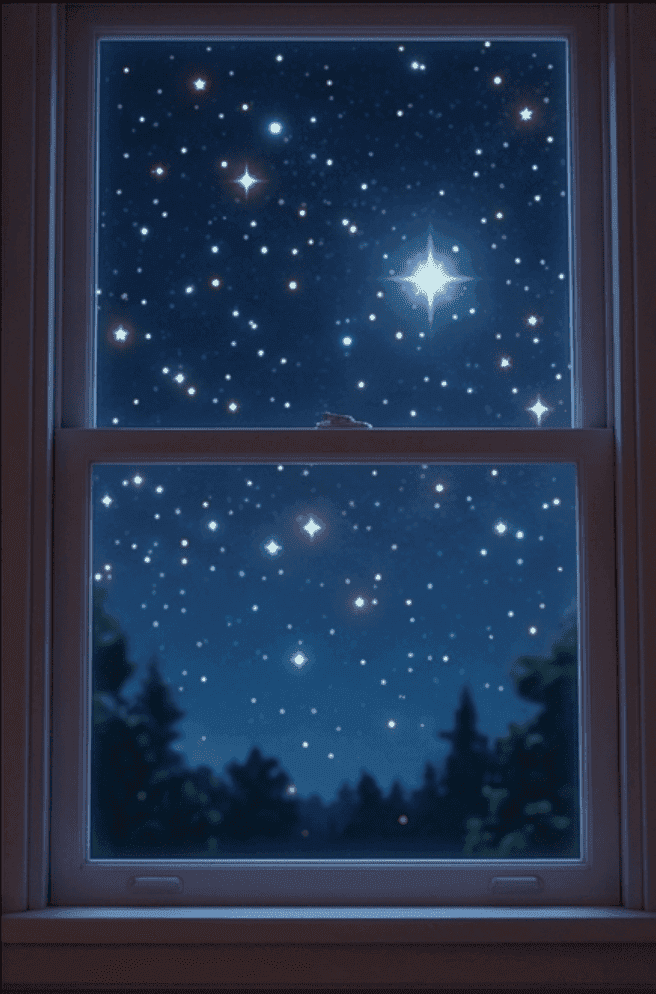
장면 — 침실, 밤. 릴리는 잠을 이룰 수 없다. 창밖으로 별들이 빛난다. 릴리는 자신을 부르는 부드럽고 친근한 목소리를 듣는다…

장면 — 침실, 밤. 릴리는 잠을 이룰 수 없다. 창밖으로 별들이 빛난다. 릴리는 자신을 부르는 부드럽고 친근한 목소리를 듣는다…

THE DIRECTOR’S READ

Wide establishing shot

Warm, cozy lighting

Slow push-in on Lily

Mood: gentle wonder

GENERATED SEQUENCE

Atlabs AI 시나리오 리더 — 각본을 기반으로 생성된 전체 전경 샷

01 · Establishing

AI 대본을 비디오로 — 장면 묘사로 생성된 캐릭터 마라의 푸시인 샷

02 · Lily, push-in

Atlabs AI 비디오 생성기 — 작성된 스크립트로 생성된 영화 같은 도시 장면

03 · Stars outside

Built-in AI story writer

Stuck on a scene? The AI writer turns "two detectives argue over a missing painting" into a short exchange with dialogue and an ending, which you can edit line by line before animating.

Translate your video to 40+ languages

Share your cartoon in English, Spanish, Hindi, Portuguese and more. Translate a finished video in a few clicks and keep the same characters, timing and story.

Background music that matches the mood

Royalty-free music follows each scene, tense for chases, light for jokes and warm for endings. You can also add your own tune or theme to open every episode.

Auto lip-sync

Each character's mouth matches every line of dialogue, so fast conversations, arguments and jokes look natural on screen, in any language you choose to use.

Ultra-realistic narration

Give each character a voice that fits, add a narrator for your action lines, or record your own voice, so every line of the script sounds the way you hear it.

Full scene-level editing control

Fix one scene without starting over. Rewrite a line, swap the setting, adjust the music or regenerate one shot, while every other scene stays just as you approved it.

Built-in AI story writer

Stuck on a scene? The AI writer turns "two detectives argue over a missing painting" into a short exchange with dialogue and an ending, which you can edit line by line before animating.

Auto lip-sync

Each character's mouth matches every line of dialogue, so fast conversations, arguments and jokes look natural on screen, in any language you choose to use.

Translate your video to 40+ languages

Share your cartoon in English, Spanish, Hindi, Portuguese and more. Translate a finished video in a few clicks and keep the same characters, timing and story.

Ultra-realistic narration

Give each character a voice that fits, add a narrator for your action lines, or record your own voice, so every line of the script sounds the way you hear it.

Background music that matches the mood

Royalty-free music follows each scene, tense for chases, light for jokes and warm for endings. You can also add your own tune or theme to open every episode.

Full scene-level editing control

Fix one scene without starting over. Rewrite a line, swap the setting, adjust the music or regenerate one shot, while every other scene stays just as you approved it.

위한

Who turns screenplays into animation?

Script Writers

See your scenes played out by animated characters with their own voices, then adjust the dialogue after watching it on screen. Great for testing a scene.

Aspiring Storytellers

Test a story or pitch as an animated scene, so you can see how the dialogue lands before you invest more time in it.

Indie Film Makers

Make an animated pre-visualisation of your scenes before you shoot, so your team can see the timing, the shots and the pace.

Training Leaders

Turn a customer or staff scenario script into an animated conversation your team can watch, with clear voices for each role.

Class Teachers

Turn a lesson dialogue into a short animated scene your class can watch, with characters who explain each point in turn. Reuse the same cast in every lesson.

Hobbyist Creators

Make your first animated project from a scene you wrote, without learning animation software or hiring anyone to help.

Script Writers

See your scenes played out by animated characters with their own voices, then adjust the dialogue after watching it on screen. Great for testing a scene.

Class Teachers

Turn a lesson dialogue into a short animated scene your class can watch, with characters who explain each point in turn. Reuse the same cast in every lesson.

Training Leaders

Turn a customer or staff scenario script into an animated conversation your team can watch, with clear voices for each role.

Indie Film Makers

Make an animated pre-visualisation of your scenes before you shoot, so your team can see the timing, the shots and the pace.

Aspiring Storytellers

Test a story or pitch as an animated scene, so you can see how the dialogue lands before you invest more time in it.

Hobbyist Creators

Make your first animated project from a scene you wrote, without learning animation software or hiring anyone to help.

Script Writers

See your scenes played out by animated characters with their own voices, then adjust the dialogue after watching it on screen. Great for testing a scene.

Indie Film Makers

Make an animated pre-visualisation of your scenes before you shoot, so your team can see the timing, the shots and the pace.

Class Teachers

Turn a lesson dialogue into a short animated scene your class can watch, with characters who explain each point in turn. Reuse the same cast in every lesson.

Aspiring Storytellers

Test a story or pitch as an animated scene, so you can see how the dialogue lands before you invest more time in it.

Training Leaders

Turn a customer or staff scenario script into an animated conversation your team can watch, with clear voices for each role.

Hobbyist Creators

Make your first animated project from a scene you wrote, without learning animation software or hiring anyone to help.

TUTORIALS

Learn how to turn a screenplay into animation

Short walkthroughs to format your screenplay, build your cast and export your first animated scene.
Why Atlabs

Atlabs vs. every other way to make animated content

What you need
Atlabs AI
Traditional production
Other AI video tools

Time from story to video

Minutes

Weeks to months

Hours but inconsistent

Cost

From $19

$10,000 to millions

Varies

Filming required

No ✓

Full production crew

No ✓

Character consistency

Locked across all scenes ✓

Controlled by continuity team

Rarely supported ✗

Location consistency

Locked across all scenes ✓

Real locations or sets

Not available ✗

Object consistency

Locked across all scenes ✓

Props managed on set

Not available ✗

Script format support

Idea, story, or script ✓

Full script required

Basic prompt only

Scene-level editing

Full control ✓

Expensive reshoots

Limited

What Creators Say

What creators say about animating their screenplays

I paste a scene, give each character a voice and watch the dialogue play out. Hearing my lines spoken showed me two exchanges that needed a rewrite, and I fixed them in minutes.

Short Film Screenwriter, Glasgow, United Kingdom

We use it to preview scenes before a shoot. The same characters appear in every scene, which makes it easy to share with the crew. It is a real time saver for the whole crew.

Indie Filmmaker, Portland, OR, USA

I wrote a short dialogue for our staff training. Seeing it animated, with a different voice for each person, made the scenario far clearer than a page of text could.

Learning and Development Lead, Leeds, United Kingdom

I paste a scene, give each character a voice and watch the dialogue play out. Hearing my lines spoken showed me two exchanges that needed a rewrite, and I fixed them in minutes.

Short Film Screenwriter, Glasgow, United Kingdom

We use it to preview scenes before a shoot. The same characters appear in every scene, which makes it easy to share with the crew. It is a real time saver for the whole crew.

Indie Filmmaker, Portland, OR, USA

I wrote a short dialogue for our staff training. Seeing it animated, with a different voice for each person, made the scenario far clearer than a page of text could.

Learning and Development Lead, Leeds, United Kingdom

I paste a scene, give each character a voice and watch the dialogue play out. Hearing my lines spoken showed me two exchanges that needed a rewrite, and I fixed them in minutes.

Short Film Screenwriter, Glasgow, United Kingdom

We use it to preview scenes before a shoot. The same characters appear in every scene, which makes it easy to share with the crew. It is a real time saver for the whole crew.

Indie Filmmaker, Portland, OR, USA

I wrote a short dialogue for our staff training. Seeing it animated, with a different voice for each person, made the scenario far clearer than a page of text could.

Learning and Development Lead, Leeds, United Kingdom

FAQ

Questions about turning a screenplay into animation

How does screenplay to animation work?

Paste your screenplay, set up your characters and pick a style. Atlabs gives each line to the right character with voices and music, and you review before downloading. Sign up free and try it today.

Can I paste dialogue for several characters?

Yes. Use scene headings, character names and dialogue, and Atlabs gives each character their own voice and follows the lines closely. A simple scene or a few lines work too.

Will my characters look the same in every scene?

Yes. Create each character once and Atlabs keeps the same face, clothes and voice in every scene and every later episode, so viewers always know who is speaking.

Can I make the cartoon in other languages?

Yes. Translate a finished cartoon into 40+ languages in a few clicks, with the same characters and timing, so your story can reach viewers around the world.

Can I change a scene after it is made?

Yes. Edit one scene, whether that is a line, the setting or the music, and regenerate just that part. The rest of your cartoon stays exactly as it was.

Is it free to start animating a screenplay?

Yes. You can start free, with no credit card and no animation skills. Join 50,000+ creators and animate your first scene from a screenplay this week, in just a few minutes.

Animate your first screenplay with Atlabs

Paste your screenplay and watch each scene come to life with the same characters and voices from the first page to the last, then write the next one. Free to start.