The #1 VidMuse Alternative
The Best VidMuse Alternative for Professional AI Music Videos
VidMuse is great for generating quick, storyboarded clips from your Suno or Udio tracks. Atlabs takes those tracks and gives you a professional studio - complete with frame-by-frame editing, true 4K exports, integrated Text-to-Music, and 40+ language localization to scale your content globally.
:) 아웃그로잉
VidMuse
크리에이터들이 찾는 이유
VidMuse
대안
VidMuse is fast and conversational - great for one quick clip. But the moment you need the same character across every scene, the same location across angles, frame-level edits, and a 4K master that lands in Premiere - VidMuse hits a ceiling.
Great Storyboards. Frustrating Editing Loops.
VidMuse keeps you locked in a chat loop, burning credits every time a single frame needs a do-over. Atlabs gives you a real editing timeline with frame-by-frame precision and the ability to edit isolated scenes. Stop chatting with your video generator - start directing it.
Stuck in 1080p
No matter which VidMuse plan you use, your final music video renders in 1080p. If you are uploading to a professional YouTube channel, pitching brands, or playing visuals on a festival screen, you need the studio-grade 4K rendering and Premiere Pro handoffs that Atlabs provides.
Impractical for Long Tracks
Reviewing conversational prompts is fine for a 30-second TikTok reel. But if you're producing a full 4-minute track - or an EP visualizer up to 15 minutes long - VidMuse's workflow gets exhausting. Atlabs uses AI agents to structure your entire video instantly, letting you tweak the details frame by frame.
전환하기 :)
출발지
VidMuse
Atlabs로
VidMuse is fast and conversational - great for one quick clip. But the moment you need the same character across every scene, the same location across angles, frame-level edits, and a 4K master that lands in Premiere - VidMuse hits a ceiling.
자산을 이체해 오세요
이미 생성한 이미지와 클립을 업로드하세요. Atlabs 프로젝트 내에서 캐릭터, 참조 프레임 또는 장면 에셋으로 사용할 수 있습니다.
캐릭터를 한 번 캐스팅해 보세요
기존 캐릭터 이미지를 출연진으로 전환해 보세요. 설정한 이후부터는 프로젝트의 모든 장면과 향후 진행할 프로젝트 전체에서 해당 캐릭터가 일관되게 유지됩니다.
프롬프트가 아니라 스크립트에서 시작하세요
이것이 바로 변화를 만드는 습관입니다. 장면마다 일일이 프롬프트를 입력하는 대신, 대본, 노래 또는 제품 요약서를 붙여넣고 생성된 장면들을 조정하기만 하면 됩니다.
해당 위치에 오디오 추가
목소리를 선택하고, 립싱크를 생성하고, 맞춤형 텍스트 기반 음악을 생성한 후 1080p로 내보내거나, 전문 편집자가 마무리 작업을 할 수 있도록 프로젝트를 Premiere Pro로 내보내세요.
Atlabs 대
VidMuse
Platform Type
AI Model access
Creative Range
Editing Granularity
Max Video Length
Up to 15 minutes
Character Consistency
Location Consistency
Beat-Synced Visuals
Audio & Lip-Sync
Visual Styles
Export Options
Best For
24/7 Support
Yes
크리에이터들의 한마디
뮤지션들은 자신들의 발매 곡을 위한 Atlabs의 작업에 열광합니다
아이디어에서 비디오까지 단 몇 분 만에
AI 비디오 제작 작동 방식
1
아이디어에서 시작하세요
대본, 오디오, 제품 브리프 또는 대략적인 콘셉트만 넣어보세요. Atlabs가 의도를 파악하고 자동으로 동영상 구조를 만들어 드립니다.
2
동영상 맞춤 설정
AI 에이전트가 복잡하고 힘든 작업을 처리해 주는 동안, 프레임 단위로 장면, 비주얼, 모션, 캐릭터, 음성, 음악을 세밀하게 조정할 수 있습니다.
3
내보내기 및 공유
광고, 소셜 미디어부터 설명 영상, 장편 콘텐츠까지 바로 전송할 수 있는 최종 영상을 렌더링하고 어디에나 게시해 보세요.
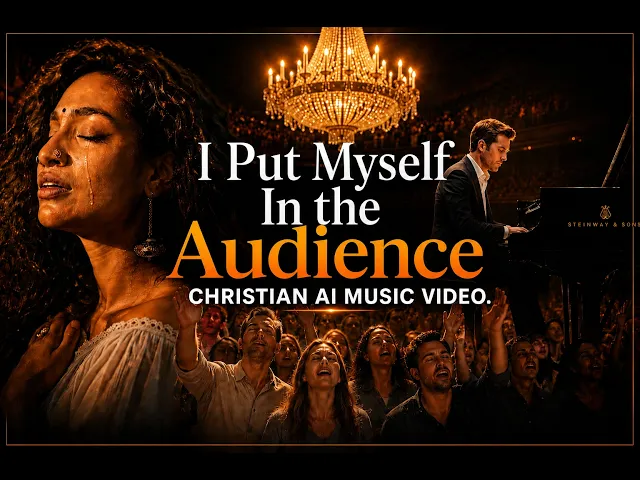
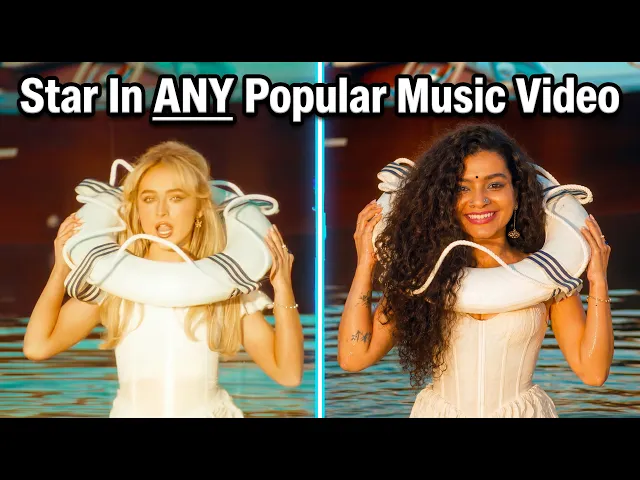
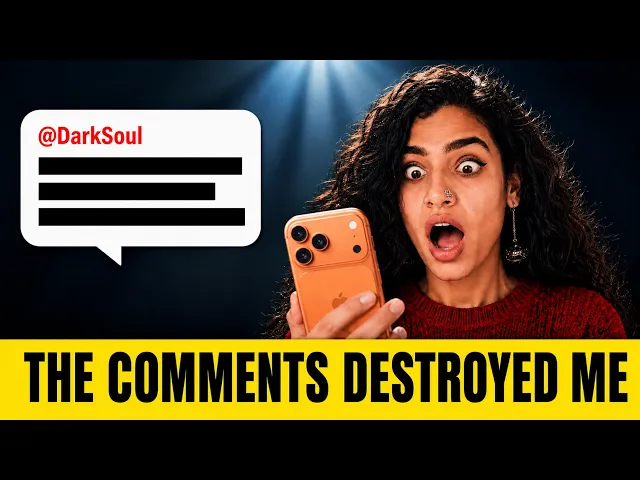
점심 한 끼 가격으로 만나는 스튜디오급 고화질 동영상
귀하의 목표에 맞는 요금제를 선택하세요. 언제든 취소하실 수 있습니다.
Monthly
Yearly
25% OFF
Billed as $180 annually, 3 months free
$19
$15
/mo
1800 credits / year
Enough for 24 minutes of video
For individuals exploring AI video
Save $48 compared to monthly
Everything in Free +
All Text to Video workflows (script to video / animated video / etc.)
All AI video tools (Reframe / Upscale / etc.)
30+ unique visual styles
300+ Ultra-realistic voices
Access to 100+ AI models including Seedance 2.5, H3 Pro & Flux 3
Auto animated Subtitles
Upto 2-min videos
Commercial Use
Export your videos (720p)
LITE
25% OFF
Billed as $348 annually, 3 months free
$39
$29
/mo
4200 credits / year
Covers 36-48 minutes of video
Ideal for solo creators getting started
Save $120 compared to monthly
Everything in Lite Plan +
All Music to Video workflows (kids music / indie music / etc.)
AI Motion & Lip Sync videos
Cast Characters & keep them consistent
Add Objects / Products & maintain consistency
Create video in 40+ languages
Kids Edutainment Music videos
Upto 5-min videos
Music Analysis Pro
Discounted credit packs
Export your videos (1080p)
PRO
25% OFF
PLUS
MOST POPULAR
25% OFF
9000 credits / year
Covers 84-120 minutes of video
Best for creators and small businesses
Save $240 compared to monthly
Everything in Pro Plan +
Train your own models
Add Locations & maintain consistency
Premium Explainer Videos
Multi-Character Music Videos
Clone & Customize Product Ads (upto 15s)
Add emotions to AI Voices
Upto 10-min videos
Multi-Character Animated Videos
200+ Ad Template Library
Export to Premiere Pro
Billed as $708 annually, 3 months free
$79
$59
/mo
MAX
25% OFF
BEST VALUE
Billed as $2,268 annually, 3 months free
$249
$189
/mo
31200 credits / year
Covers 300-420 minutes of video
Built for creative studios and teams at scale
Save $720 compared to monthly
Everything in Plus Plan +
Unlimited custom actors, styles, locations & products
Translate to 40+ languages
Actor Holding Product
Voice Changer
Brand Customisation
Early access to advanced AI
Upto 20-min videos
Account Manager
Priority Support
5x faster renders
Onboarding & Training
궁금한 점이 있으신가요?
What is the main difference between Atlabs and VidMuse?
VidMuse is an AI music video agent that uses a chat-based storyboard process to generate visuals for your songs. Atlabs is a full timeline-based AI video studio that offers the same import speed, but adds frame-by-frame editing, native Text-to-Music generation, and 4K exports.
Can VidMuse keep my characters consistent across the whole video?
VidMuse uses prompt-based character anchoring, which can limit your camera angles and flexibility. Atlabs locks character identity perfectly across unlimited scenes and multiple videos on a professional timeline.
Does VidMuse support location consistency?
No. VidMuse does not lock locations, so environments shift between scenes. Atlabs locks the same room, alley, stage, or world across every shot.
Is there a VidMuse alternative that exports in 4K?
Yes. While VidMuse is currently capped at 1080p resolution across its plans, Atlabs allows creators and studios to export their finished music videos in crisp 4K resolution.
Can I edit individual frames or scenes in VidMuse?
VidMuse is chat-driven; you re-prompt to change things. Atlabs gives you frame-by-frame and scene-level control. Regenerate one shot, fix lip-sync on one scene, swap a background, without re-rendering the entire track.
Can I localize my music videos for different GEOs?
Absolutely. Atlabs features a 1-Click Localization tool that translates and perfectly lip-syncs your AI performers into 40+ languages, a feature crucial for global reach that standard clip generators don't offer.
How many visual styles does each platform offer?
VidMuse is limited to preset music-video aesthetics. Atlabs ships with 30+ curated styles (including cinematic, anime, 3D, illustrated, performance, narrative), plus custom style training for your artist brand.
Does Atlabs accept Suno and Udio links like VidMuse?
Yes. You can paste your Suno, Udio, YouTube, or SoundCloud links directly into Atlabs, or upload an MP3/WAV. Atlabs will analyze the track, auto-detect the beat, and sync your cinematic visuals instantly.
Is VidMuse easier to use than Atlabs?
VidMuse leans on a conversational interface. Atlabs offers the same paste-link simplicity for fast generation, plus deeper controls when you need them. Power and simplicity aren't trade-offs.
Which tool is better for long music videos?
For full-length tracks or visualizers (up to 15 minutes), Atlabs is far superior.


