


Hola, bonjour and marhaba
Make a Language Learning Video for Kids
Make a language learning video for kids in English, Spanish, French, Arabic and more. One friendly host says each new word clearly and shows what it means, so children hear it, see it and say it back.
4.8/5 on G2
4.9/5 on Capterra
Start however suits you best
Turn a word list into a cartoon lesson children repeat
Start from a quick idea, a short dialogue or a full script. Each new word gets its own scene.
Rough Idea
Just a quick word list
Name the language and the words you want to teach. The AI writes the script, gives each word a scene, says it slowly and leaves a pause so children can repeat it.
Luna the fox teaches ten Spanish words for things in the kitchen, from manzana to vaso.
Most Popular
Your written dialogue or story
Paste a short dialogue or story you already use in class. Every line becomes a scene, with the host acting out each phrase as it is said so children understand without a translation.
Luna: Bonjour! Je m'appelle Luna. Comment tu t'appelles? Max: Je m'appelle Max! Luna: Enchantée, Max!
Full Script
A word-by-word lesson script
Planned every word and every line already? Paste your script. Atlabs follows each scene and line exactly, from the first hello to the goodbye song at the very end.
SCENE 2: Market. LUNA (holding up a red apple): "Tuffaha! Can you say tuffaha?"
How It Works
From word list to cartoon lesson in 4 steps
Paste your idea, story, or script
Paste an idea, dialogue or script, like greetings, colours, food or family words in the language you are teaching.
STEP 1
Choose a style & aspect ratio
Pick a bright, friendly style, like 3D cartoon or flat 2D, then choose 16:9 for the class screen or 9:16 for phones and tablets.
STEP 2
Lock characters, worlds, & props
Lock your host character and the classroom or market, so Luna looks exactly the same in every single lesson you make.
STEP 3
Generate, refine, and publish
Generate the video, check each word sounds right, change any scene, then watch and repeat the words together.
STEP 4
50,000+ creators & storytellers · No credit card required
Same host, every lesson
Same host and voice, so new words feel familiar
Children speak up more when the teacher feels familiar. Atlabs keeps your host's face, outfit and voice identical across scenes and lessons, so the fox who taught "hello" this week is back to teach "thank you" next week.
Character consistency
Your host keeps the same face, colours and voice in every scene and lesson. Children greet the friendly fox by name and know it is time to listen, copy and answer back in the new language.
Scene 2
Scene 7
Scene 20
Wide
Close
aerial
Location consistency
The classroom, the market and the park keep the same look and lighting each time, so children link each place to a set of words, like food at the market and colours in the park.
Object and prop consistency
The picture cards, the shopping basket and the little world map look the same in every scene, so children focus on the new word they hear and not on a new picture.
Scene 1
Scene 11
Scene 13
Use Cases
Make every kind of first words lesson, from greetings to food and family
Animated Series
Turn one language learning video for kids into a series: greetings first, then numbers, colours, food and family, all with the same friendly host.
Animated Stories
Tell a story in the new language, like a fox who gets lost on holiday and asks the locals for help to find the beach.
Explainers & Edutainment
Explain simple grammar and everyday phrases, like asking for water or saying your name, in short and clear scenes.
Visual Styles
Choose a bright style that keeps lessons fun
Pick from 50+ styles, including 3D cartoon, flat 2D, warm storybook and anime. Clear shapes and bold colours keep young eyes on the word, or train a custom style for your school or channel.
50,000+
creators
50+
Visual styles
100%
Scene-to-scene character consistency
40+
Languages and narration options
Features
Everything you need for language lessons kids enjoy
AI that reads your story like a director
Atlabs reads your lesson script like a director. It shows the object as each word is said, frames the host's face for pronunciation, then holds the shot long enough for children to repeat the word before the next one.
THE DIRECTOR’S READ
Wide establishing shot
Warm, cozy lighting
Slow push-in on Lily
Mood: gentle wonder
GENERATED SEQUENCE

01 · Establishing

02 · Lily, push-in

03 · Stars outside
Made For
Who makes first words videos for children?
TUTORIALS
Learn how to make cartoon language lessons fast
Short walkthroughs to plan, animate and share your first cartoon lesson in a new language.
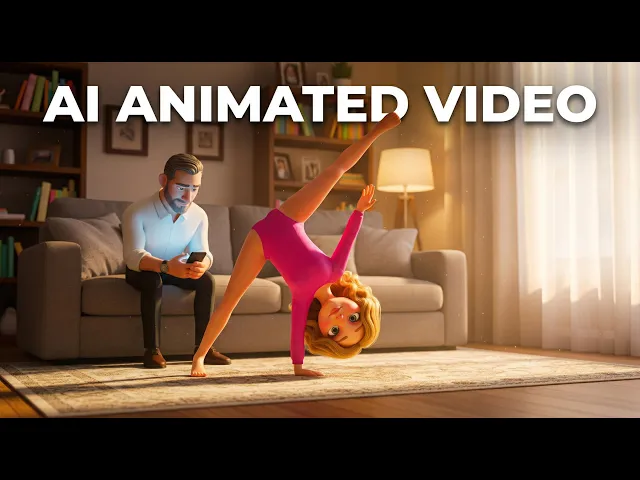
Why Atlabs
Atlabs vs. every other way to make animated content
What you need
Atlabs AI
Time from story to video
Minutes
Cost
From $19
Filming required
No ✓
Character consistency
Locked across all scenes ✓
Location consistency
Locked across all scenes ✓
Object consistency
Locked across all scenes ✓
Script format support
Idea, story, or script ✓
Scene-level editing
Full control ✓
What Creators Say
What parents and teachers say about their language lessons
FAQ
Questions about making cartoon language lessons
How do I make a language learning video for kids?
Name the language, add a word list, paste a dialogue or a full script, then pick a style. Atlabs builds a scene for each word with a clear voice. Sign up free and make your first lesson today.
Which languages can my cartoon speak?
Atlabs narrates in 40+ languages, including English, Spanish, French, Arabic, Hindi and Mandarin. Make a lesson once and translate it in a few clicks, with the same host and scenes.
Will my host character look the same in every lesson?
Yes. Lock your host once and Atlabs keeps the same face, outfit and voice in every scene and lesson, so children always know who is teaching them and feel ready to join in.
Can I record my own voice for the new words?
Yes. Record your own voice so children hear your accent and your family's way of speaking, or pick a native-sounding AI narrator. Add your own songs too, or let Atlabs pick the music.
Can I fix a word after the video is made?
Yes. Edit any scene on its own: change a word, fix a pronunciation or slow a phrase down. Regenerate just that scene and keep the rest of your lesson exactly as it is.
Is it free to start making language lessons?
Yes. You can start free with no credit card, no camera and no animation skills. Join 50,000+ creators and turn your first word list into a cartoon lesson in minutes.
Make your first cartoon language lesson today
Turn a short word list into a friendly cartoon that helps children hear, see and say new words in any language, with the same host every time. Free to start.