


No studio, no animator needed
Make 3D Nursery Rhyme Animation with AI
Make 3D nursery rhyme animation without hiring an animator. Paste a rhyme, pick a 3D look and your characters act out every line, with soft lighting, bouncy movement and the same faces in every video.
4.8/5 on G2
4.9/5 on Capterra
Start however suits you best
Turn any classic rhyme into a 3D cartoon in minutes
Start from a quick idea, the words of a rhyme or a full script. Each line of the rhyme gets its own scene.
Rough Idea
Just a quick rhyme idea
Name the rhyme or describe a new one. The AI writes the script, splits it into lines, plans a 3D scene for each and gives your characters actions that match the words.
Twinkle Twinkle Little Star sung by a baby owl who flies up to meet the stars before bedtime.
Most Popular
Your written rhyme or song words
Paste the words of any rhyme, classic or your own. Every line becomes a 3D scene, with your characters acting out each word right as it is sung, so children follow the rhyme from start to end.
Hickory dickory dock, the mouse ran up the clock. The clock struck one, the mouse ran down. Hickory dickory dock!
Full Script
A line-by-line rhyme script
Planned every shot, action and camera move already? Paste your script. Atlabs follows each scene and line exactly, from the opening line of the first verse to the very last note of the final chorus.
LINE 3: Farmyard. SHEEP (holding three bags): "Yes sir, yes sir, three bags full!"
How It Works
From rhyme to 3D cartoon in 4 simple steps
Paste your idea, story, or script
Paste an idea, the words of a rhyme or a script, like Humpty Dumpty, Baa Baa Black Sheep or a brand new rhyme of your own.
STEP 1
Choose a style & aspect ratio
Pick a 3D style, like soft 3D cartoon or 3D animated-movie style, then choose 16:9 for YouTube and the TV or 9:16 for Shorts and Reels.
STEP 2
Lock characters, worlds, & props
Lock your 3D characters and their world, so the baby owl and her friends look exactly the same in every rhyme you make.
STEP 3
Generate, refine, and publish
Generate the video, check each line matches the music, change any scene, then publish or press play.
STEP 4
50,000+ creators & storytellers · No credit card required
Same 3D cast, every rhyme
Same 3D characters and world in every rhyme
3D rhyme channels grow when children know the characters. Atlabs keeps your cast's faces, fur, outfits and voices identical across scenes and videos, so the owl who sang Twinkle Twinkle is the same owl in Rock-a-Bye Baby next week.
Character consistency
Your 3D characters keep the same face, colours and voice in every line and every rhyme. Children recognise them from the thumbnail and start singing before the first verse begins.

Scene 2

Scene 7

Scene 20
Wide
Close
aerial
Location consistency
The farmyard, the nursery bedroom and the starry sky keep the same 3D look and lighting each time, so every rhyme feels part of one cosy world that children want to visit again and again.
Object and prop consistency
The clock, the wall and the three bags of wool look the same in every scene, so the props from each rhyme stay recognisable and children link them to the right words every time.
Scene 1
Scene 11
Scene 13
Use Cases
Make every kind of rhyme video, from bedtime classics to brand new rhymes
Animated Series
Build a weekly run of 3D nursery rhyme animation for your channel: classic rhymes, bedtime rhymes and counting rhymes, all sung by the same 3D cast.
Animated Stories
Turn a rhyme into a short story, like what happened to Humpty Dumpty after the king's men put him back together.
Explainers & Edutainment
Teach counting, animals, colours and good habits through rhymes children already know and love to sing along to.
Visual Styles
Choose a soft 3D look that little kids adore
Pick from 50+ styles, including soft 3D cartoon, 3D animated-movie style and claymation, or switch to 2D and storybook. Train a custom style so every rhyme carries your channel's signature look.
50,000+
creators
50+
Visual styles
100%
Scene-to-scene character consistency
40+
Languages and narration options
Features
Everything you need to make 3D rhymes every week
AI that reads your story like a director
Atlabs reads your rhyme like a director. It plans a 3D scene for each line, moves the camera smoothly round your characters, cuts on the beat and gives every word a clear action, so the whole video looks studio-made.
THE DIRECTOR’S READ
Wide establishing shot
Warm, cozy lighting
Slow push-in on Lily
Mood: gentle wonder
GENERATED SEQUENCE

01 · Establishing

02 · Lily, push-in
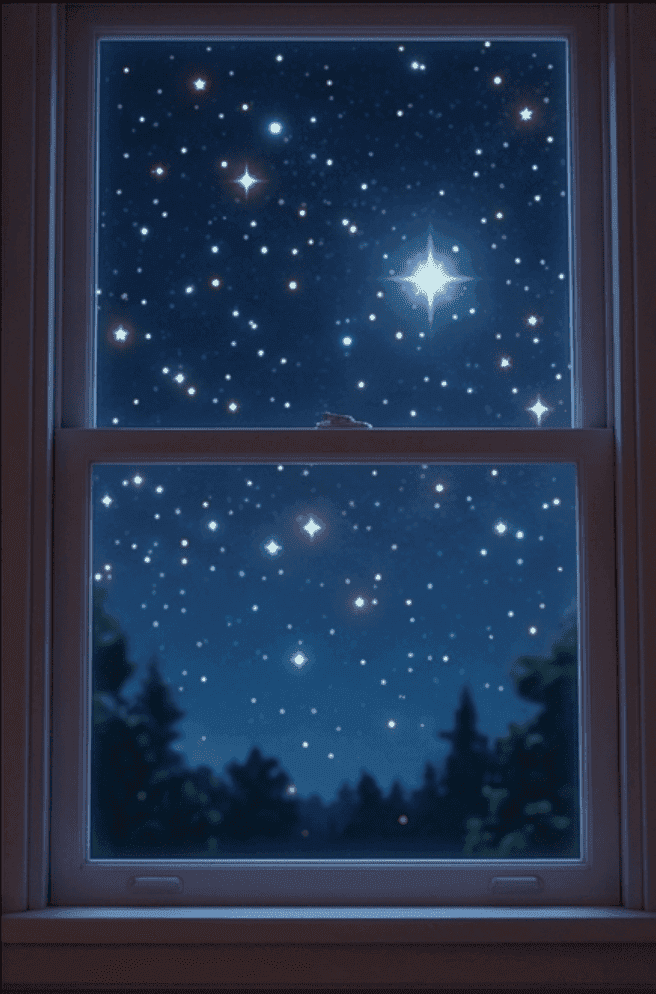
03 · Stars outside
Made For
Who makes 3D rhyme cartoons for kids?
TUTORIALS
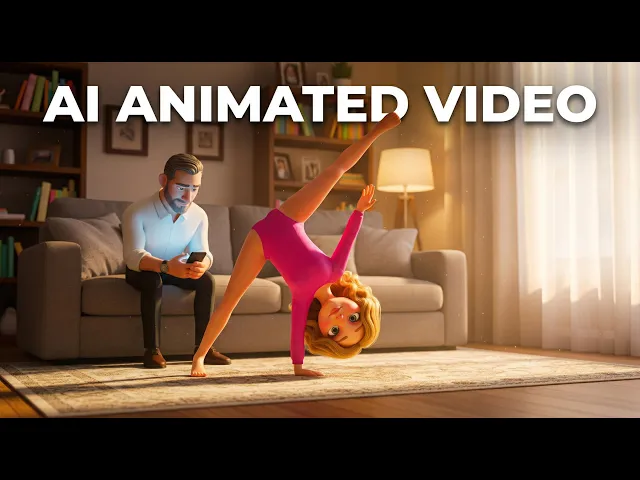
Learn how to make 3D rhyme cartoons fast
Short walkthroughs to plan, animate and publish your very first 3D nursery rhyme video.
Why Atlabs
Atlabs vs. every other way to make animated content
What you need
Atlabs AI
Time from story to video
Minutes
Cost
From $19
Filming required
No ✓
Character consistency
Locked across all scenes ✓
Location consistency
Locked across all scenes ✓
Object consistency
Locked across all scenes ✓
Script format support
Idea, story, or script ✓
Scene-level editing
Full control ✓
What Creators Say
What creators and parents say about their 3D rhyme videos
FAQ
Questions about making 3D rhyme cartoons for kids
How do I make 3D nursery rhyme animation?
Paste the words of a rhyme or add a full script, then pick a 3D style. Atlabs builds a 3D scene for each line with your characters, music and lip-sync. Sign up free and make your first rhyme today.
Do I need any animation or 3D skills?
No. You type or paste the rhyme and pick a style, and Atlabs does the 3D animation for you. There is no software to learn, no rigging and no rendering to wait for overnight.
Will my 3D characters look the same in every rhyme?
Yes. Lock your cast once and Atlabs keeps the same faces, colours and voices in every scene and video, so your channel builds characters children recognise and come back for.
Can I use my own recording of the rhyme?
Yes. Upload your own recording and Atlabs builds the 3D video around it, or start from the words and pick music from the library. Translate it into 40+ languages too.
Can I change one line after the video is made?
Yes. Edit any scene on its own: swap a character, fix the timing or change the lighting. Regenerate just that line and keep the rest of your rhyme video exactly as it is.
Is it free to start making 3D rhyme videos?
Yes. You can start free with no credit card, no camera and no animation skills. Join 50,000+ creators and turn your favourite rhyme into a 3D cartoon in minutes.
Make your first 3D rhyme cartoon today
Turn any nursery rhyme into a soft 3D cartoon with characters children love, ready for YouTube, the TV or your class screen. Free to start.