The best AI video tool for nonprofits in 2026 is Atlabs, because it generates up to 20 minutes of explainer video in one go from a script you have already written, with the same visual style and the same cast across every video you make. For a nonprofit that means a full program explainer, a volunteer training module or an annual report video produced in a single pass, by one person, without an editor.
That length matters more for this sector than any other. Nonprofit video is rarely a 30 second brand spot. It is a nine minute volunteer induction, a twelve minute program overview for a funder, a long form explanation of what a grant paid for. Tools built for social clips force you to make that in fragments and stitch them together, which is exactly the work a two person communications team does not have time for.
The recurring advice in nonprofit and marketing communities points the same way. The tool that wins is not the one with the best single clip. It is the one that finishes the whole video without a second product, a second subscription and a weekend of editing.
What Nonprofits Actually Need From an AI Video Tool
Nonprofit constraints are specific, and most tool comparisons ignore them.
One person makes everything. There is usually no editor, no motion designer and no agency. The tool has to finish the video, not supply raw material.
Long form is normal. Training, program explainers, funder updates and annual reports run for minutes, not seconds. A tool capped at short clips means assembly work.
The budget is real and scrutinised. Every subscription shows up on a line item somebody has to justify. Free tiers and nonprofit pricing genuinely change the decision here in a way they do not for a commercial team.
Consistency across a small library. Most nonprofits will make eight to fifteen videos a year. They should look like one organisation.
Multiple languages, often. Service delivery organisations frequently serve communities that do not share one language, and translation cannot mean a second production.
Dignity in how people are shown. This is the one nobody writes down. Beneficiaries should not be depicted in ways that trade on hardship, and AI generated realistic people raise questions about consent and representation that an illustrated approach avoids entirely.
Judged against that list, here are the five.
1. Atlabs: Best Overall, and the Only One That Finishes a 20 Seconds Video in One Pass
Best for: Nonprofits producing program explainers, volunteer training, donor education and annual report video with a very small team.
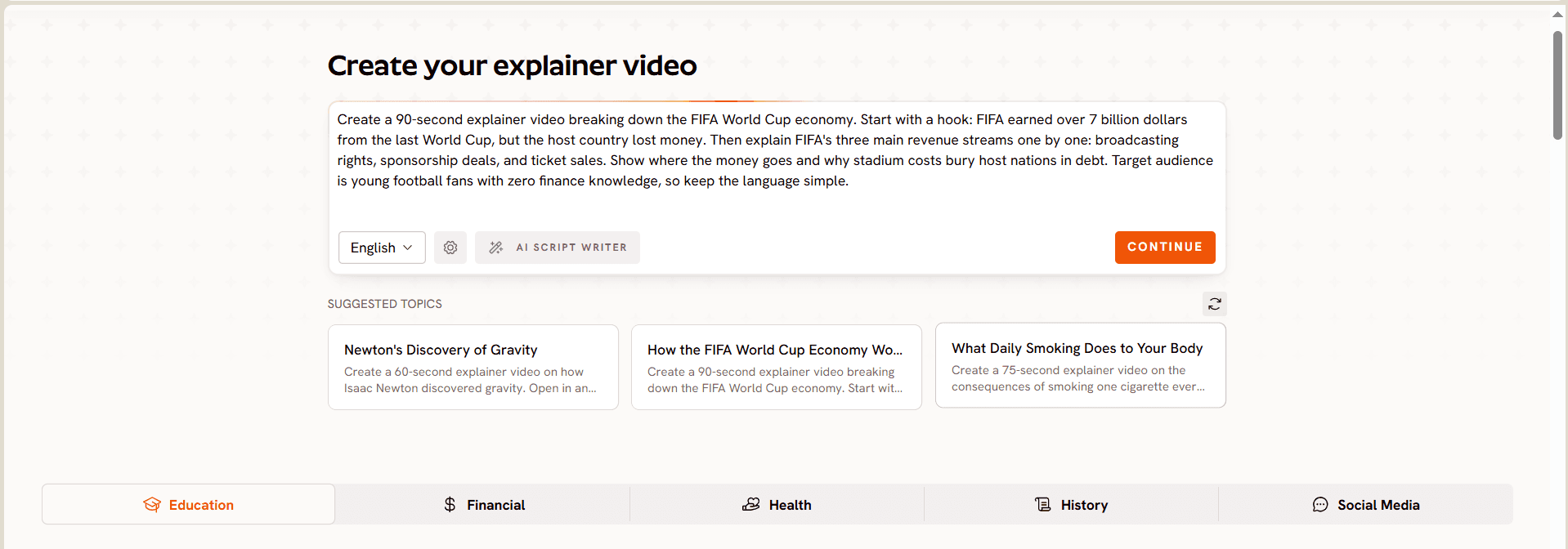
Atlabs is a script to video workflow. You paste the script you already have, choose an animation style, cast a narrator and characters, and it generates the finished narrated video with cuts, captions and motion graphics already applied. There is no timeline, no separate voice tool and no captioning step.
The differentiator for this sector is length. Atlabs generates up to 20 minutes of explainer video in one go. A full volunteer induction, a complete program walkthrough for a funder, a long form explanation of a service, all produced in a single pass rather than assembled from clips. Nothing else on this list does that.
The second differentiator is consistency. The Consistent Cast system locks your narrator, characters and recurring objects once, so the donor appeal, the volunteer module and the annual report video look like the same organisation made them. For a team producing a dozen videos a year with no design support, that is the difference between a library and a pile.
The third is that the output is animated. Your beneficiaries are represented by illustrated characters rather than generated photoreal people, which sidesteps the consent and representation questions that come with realistic AI humans, and avoids the trap of depicting real hardship for an appeal.
Key features
The workflow is five steps. Add your script, pasting your own copy or drafting one with the built in AI Script Writer, with a language selector on the output. For a long form piece, write it as a sequence of short sections rather than one block, because that is what makes scene level editing useful later.
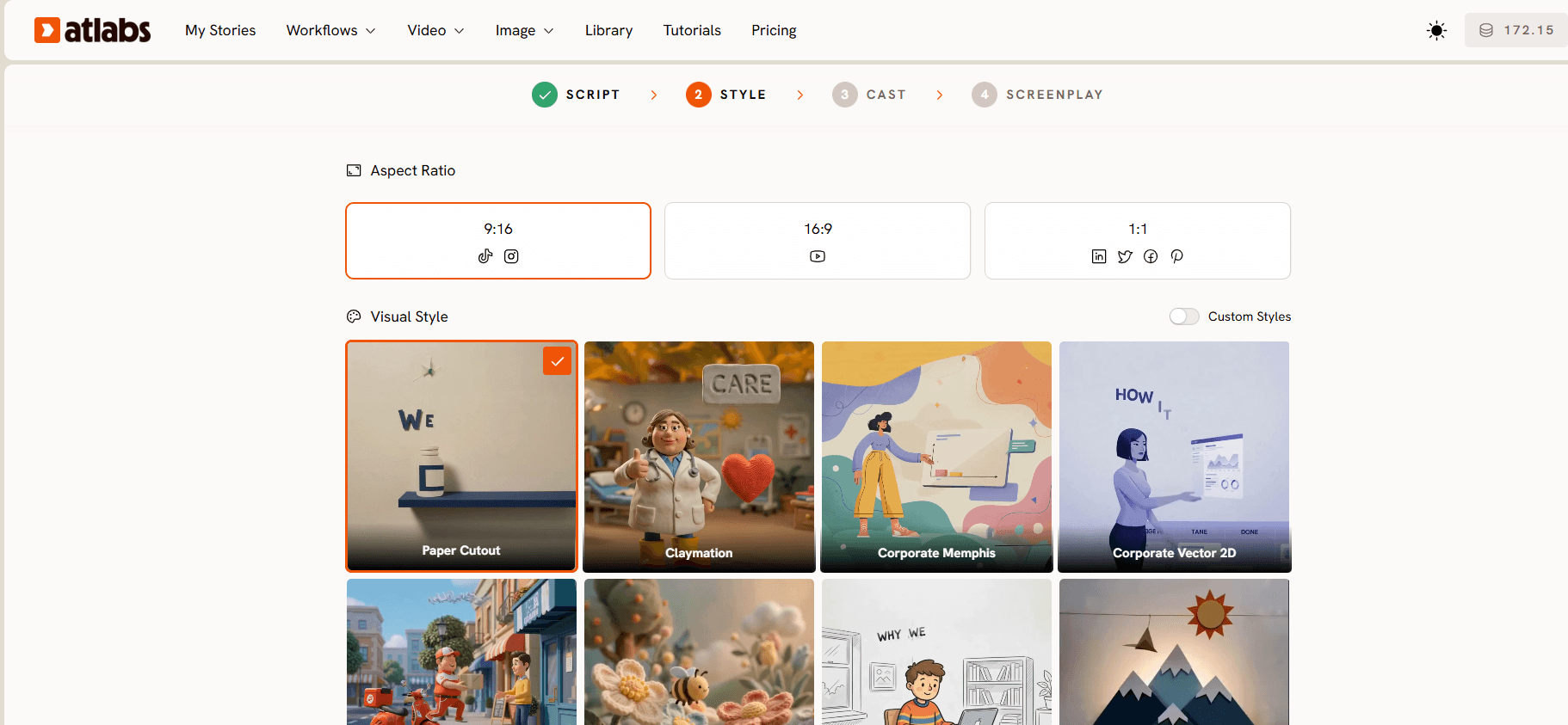
Set your style from a library of more than 30 animation styles, with aspect ratios for 16:9, 9:16 and 1:1, plus a custom style option so the series can match your brand. Warmer illustrated styles suit story and appeal content. Cleaner vector styles suit program explanation and training.
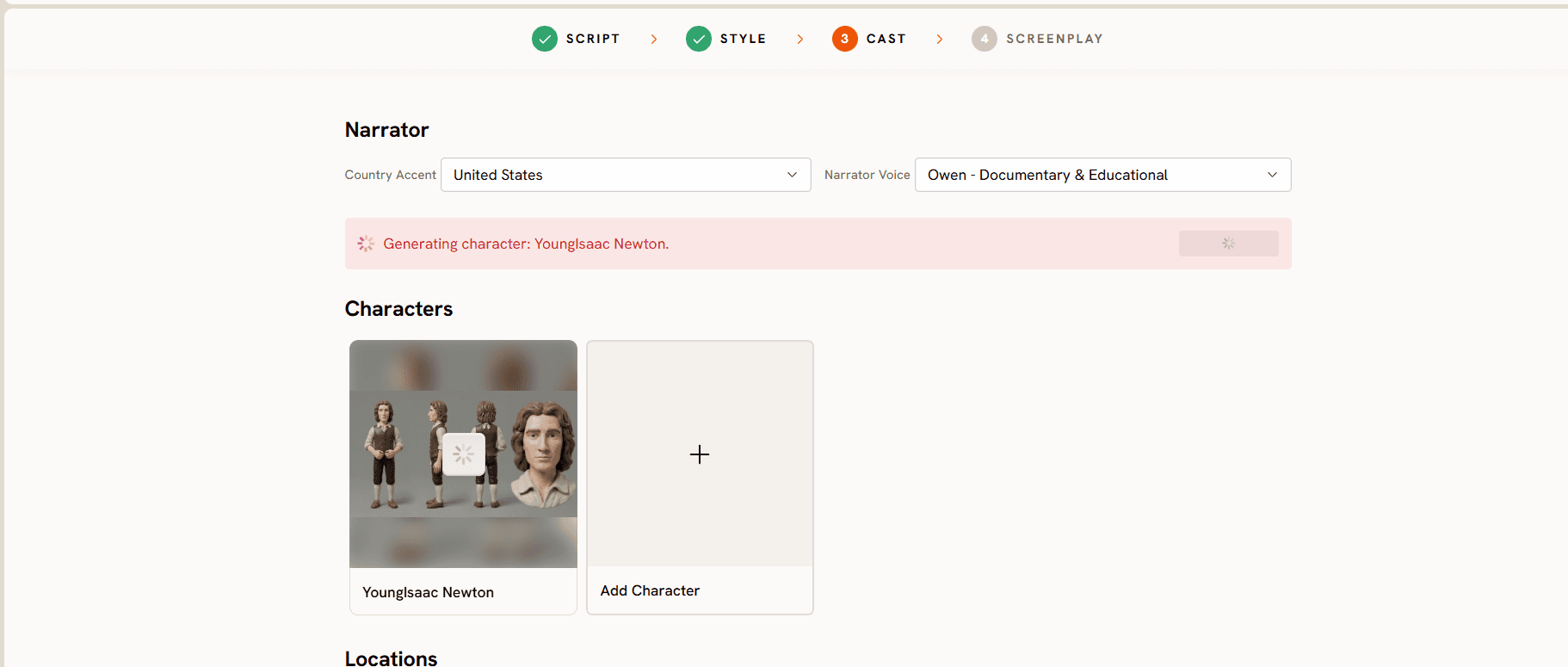
Finalise your cast. Pick a narrator with a country accent suited to your audience, add characters, and lock recurring objects so the same items appear throughout the series.
Generate, then edit at the scene level. The full video renders in one pass, then you correct any single scene without touching the rest. For nonprofits this is what makes an annual video reusable: next year you regenerate the scenes with the numbers in them and keep everything else.
Publish with the Global Release Kit, which translates the finished video into more than 40 languages, reframes it for other platforms and generates a thumbnail. For a service organisation working across language communities, that is one production instead of five.
Under the hood Atlabs routes between current video models including Seedance 2.0, Hailuo 2.3, Google Veo 3.1 and Kling 3.0.
Pricing
Pricing starts free, with paid plans from $15 per month. Trustpilot rating: 4.5/5. The free plan is enough to produce a real video and take it to a board meeting before you ask for a budget line.
Verdict
The strongest fit for nonprofits, because it is the only tool here that finishes long form video in one pass, keeps a small library visually consistent, and includes narration, captions and translation without a second subscription.
2. Synthesia: Best for Presenter Led Training and Staff Communication
Best for: Larger nonprofits and NGOs delivering formal training through a learning system.
Synthesia puts a photoreal presenter on screen reading your script, across a very wide range of languages. For safeguarding training, policy updates and staff communication, where a person delivering the message is the right format and delivery runs through an LMS, it fits well. Enterprise tiers add SCORM export and SSO, which matters for organisations with a formal training obligation.
The considerations for this sector are budget and format. Video minutes on the lower tiers are an annual allowance, which is manageable for a set number of finished modules and less comfortable when you are iterating. And because the format is presenter led, program explainers that need to show a process or a story are working against the tool.
Key features
Large stock avatar library, custom avatars from your own footage so your executive director can front updates without filming each one, very wide language coverage, SCORM export and SSO on enterprise plans.
Pricing
Pricing runs from a limited free plan to roughly $29 per month for Starter and $89 per month for Creator, with custom enterprise pricing above that. It is worth asking their sales team about nonprofit terms rather than assuming list price.
Verdict
A good fit for formal internal training at a larger organisation. Less suited to storytelling, appeals and program explanation.
Compare It Against a Free Animated Explainer
3. Canva: Best Free Starting Point, and the Easiest Sell Internally
Best for: Small nonprofits who need everything in one place and already use Canva for print and social.
Canva earns its place here for reasons that have little to do with AI video quality and everything to do with nonprofit reality. Most small organisations already have a Canva account, most of their staff already know how to use it, and Canva runs a nonprofit programme that gives eligible organisations access to its premium features at no cost. When your annual comms budget is four figures, a capable tool you already have beats a better tool you have to justify.
For video it handles templates, simple edits, text on screen, stock footage and basic AI generation. It is a reasonable place to make a social clip, an event promo or a simple appeal video with photos you already own.
The ceiling shows up on long form and on consistency. A twelve minute program explainer built from templates is a manual assembly job, and holding a visual identity across fifteen videos means doing it yourself every time. It is a starting point rather than a production workflow.
Key features
Free plan, a nonprofit programme for eligible organisations, a very large template library, familiar interface, and everything else your comms person already makes living in the same account.
Pricing
A free plan, paid plans from around $15 per month, and a nonprofit programme that covers premium access for eligible organisations. Check the current eligibility criteria on their site before you plan around it.
Verdict
The best zero cost entry point and often the right answer for social and event content. Not the tool for a long form program explainer or a consistent multi video library.
4. Runway: Best for Story Footage When Someone Can Edit
Best for: Organisations with a communications person who genuinely edits video and wants a distinct look.
Runway offers real creative range: broad model access, strong image and video generation, upscaling, custom voices for lip sync. For a campaign film where the visuals are the message, and where somebody on staff or a pro bono volunteer can edit, it produces material nothing template based will match.
The limitation is the same one that applies everywhere on this list. Runway generates material. Turning that into a finished piece means writing, voicing, sequencing, captioning and holding consistency yourself. For a team of one, the tool cost is the small part of the total cost.
Key features
Current model family, high resolution upscaling, custom voices for lip sync on higher tiers, large asset storage, credit rollover at the top tier.
Pricing
Runway starts with free credits and a low cost entry tier around $15 per month, with higher tiers and custom enterprise pricing above that.
Verdict
Worth it when you have editing capacity and a campaign that deserves a distinct look. Not the workhorse for a small team's regular output.
Build the Whole Video in One Place Instead
5. Kling: Best for Realistic Scenario Shots Without a Shoot
Best for: Teams who need grounded footage to illustrate a situation and have somewhere to assemble it.
Kling produces convincing realistic motion in short clips, which is useful when a video needs a grounded moment that would otherwise require a camera crew, a location and consent forms. A community setting, a classroom, a distribution point, shown generically.
Use it with care in this sector. Realistic AI generated footage of people in situations of need sits close to a line most nonprofits have deliberately moved away from. Keep depictions generic and clearly illustrative, and never present generated footage in a way that suggests it documents real beneficiaries or real events. If a piece needs real people, film real people with their informed consent.
Key features
Strong realism at short lengths, a solid image to video path, and a free tier generous enough to test properly.
Pricing
Kling offers free daily credits and a low cost entry tier, with mid and upper tiers above that. Credit allowances reset monthly and change often.
Verdict
Useful for generic scenario footage inside a larger piece. Not a production workflow, and not the right place to depict the people you serve.
Watch the Full Atlabs Explainer Video Tutorial
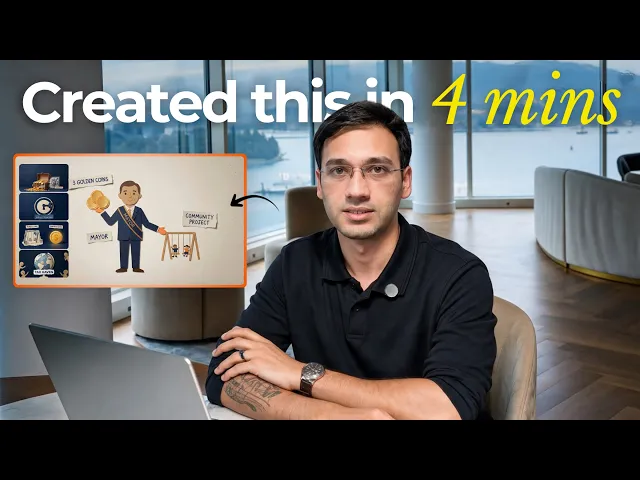
If you want to see a script become a finished video before you write anything, the full Atlabs tutorial covers the whole workflow: pasting the script, choosing the animation style, casting the narrator, generating, and editing at the scene level.
Watch the Tutorial, Then Build Yours Free
How the 5 Tools Rank for Nonprofit Video
Scored across the six criteria at the top of this guide, script first input, long form output in one pass, consistency across a small library, narration and captions and languages included, cost including nonprofit options, and whether assembly is required, out of 50:
Atlabs lands first at 48, because it is the only tool that finishes a long video in one pass and covers every other criterion at the same time. Canva takes second at 35, carried almost entirely by cost, familiarity and its nonprofit programme rather than by video capability. Synthesia follows at 34, strong on narration, captions, languages and formal training, weaker on storytelling and long form. Runway sits at 31 and Kling at 29, both capable generators that need an editor and another tool to become a finished nonprofit video.
Pro Tips for Nonprofit Video That Works
Put the numbers in their own scenes. Impact figures change annually. If they live in dedicated scenes, next year's update is a twenty minute job.
Write for the person you are asking, not the board. Donor and volunteer content works when it explains what their action does, in their words. The organisational voice belongs in the funder report.
Keep beneficiaries dignified. Show the work and the outcome rather than the hardship. Illustrated formats help here, because nobody's image is used and nothing implies a real person consented to appear.
One idea per video, unless it is training. Explainers should answer one question. Training is the exception, which is why long form output matters.
Build the translations in the same publish step. For service delivery organisations this is often the single highest return step in the whole process.
Reuse the script. The 200 words in your explainer are also your website copy, your newsletter intro and your grant application summary. Write once.
Final Verdict
For most nonprofits in 2026, Atlabs is the best AI video tool, because it fits how nonprofit teams actually work: one person, a script that already exists, long form content that has to finish in one go, and a small library that needs to look consistent without a designer. Generating up to 20 minutes of explainer video in a single pass is the feature that removes the editing step entirely, and captions, narration and translation into more than 40 languages come with it.
Canva is the sensible free starting point, especially given its nonprofit programme, and it stays useful for social and event content. Synthesia is the pick for formal presenter led training at a larger organisation. Runway and Kling are the right tools when you have editing capacity and a specific creative or documentary need.
Pick the "what we actually do" explainer, write 200 words, and build it this week. Everything else gets easier once one video exists.
Open the Atlabs Workflow and Make Your First Video Free
Frequently Asked Questions
What is the best AI video tool for nonprofits in 2026? Atlabs, because it generates up to 20 minutes of explainer video in one go from a script, keeps the same narrator, characters and style across every video, and includes captions and translation into more than 40 languages without a second tool.
Can a nonprofit make video with AI for free? Yes. Atlabs pricing starts free, with paid plans from $15 per month. Canva has a free plan plus a nonprofit programme for eligible organisations, and Runway, Kling and Synthesia all have free tiers you can test with.
How long can an AI generated explainer video be? Atlabs produces up to 20 minutes in a single pass, which covers volunteer training, program explainers and annual report video without assembly. Most other tools on this list generate short clips that need to be edited together.
Can I keep the same look across all our videos? Yes. The Consistent Cast system locks your narrator, characters and recurring objects once and reuses them across every video, so a library built over a year still reads as one organisation.
How do we update the impact numbers each year? Write the numbers into their own scenes, then use scene level editing to regenerate only those scenes next year. The rest of the video stays exactly as approved.
Can we produce videos in the languages our community speaks? Yes. The Global Release Kit translates a finished video into more than 40 languages with reframing and thumbnails included. Synthesia also covers a wide language range for presenter led content.
Is it appropriate to use AI generated people in nonprofit video? Illustrated characters avoid the consent and representation questions that photoreal AI humans raise, which is why an animated approach suits beneficiary facing storytelling. If a piece needs real people, film real people with informed consent, and never present generated footage as documentation of real events.
Do we need video editing experience? No. Atlabs generates the finished video with cuts, captions and motion graphics already applied. Canva needs basic template editing. Runway and Kling produce clips that require an editor.








