
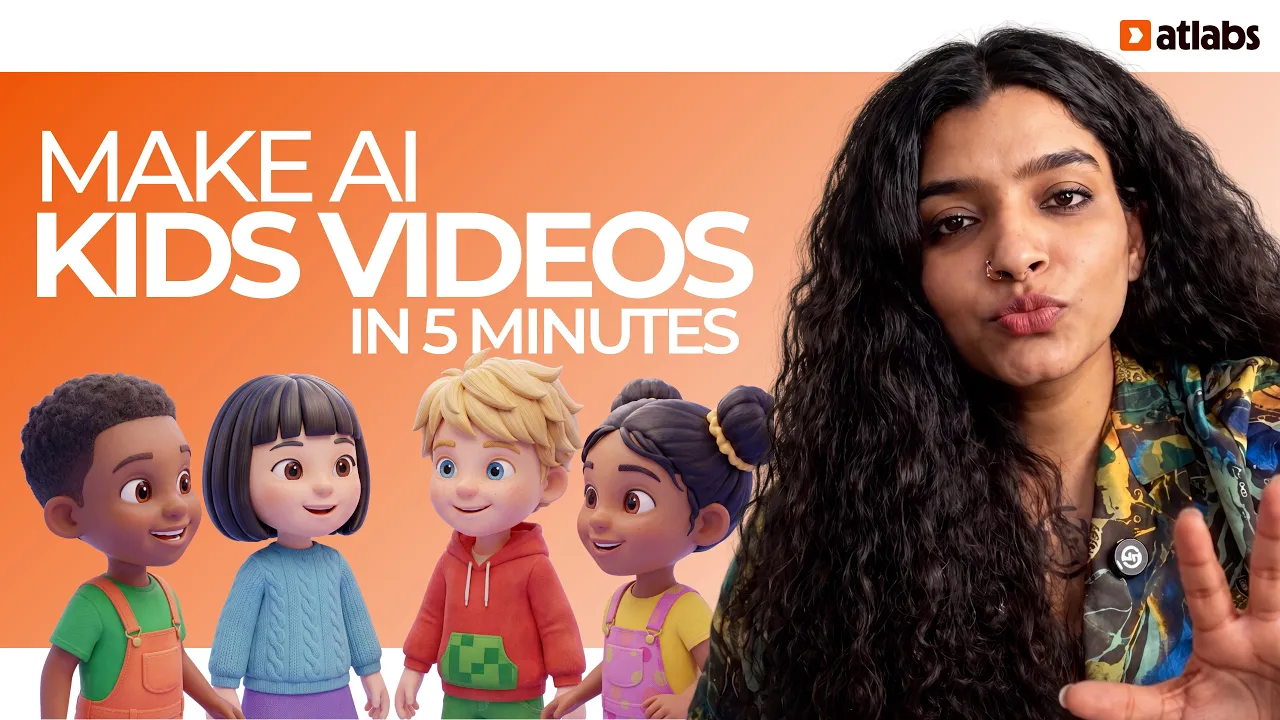
The best AI tool to turn your own kids song recording into a 3D animated music video for YouTube is Atlabs. Its Kids Music Video workflow takes your uploaded track of 15 seconds to 15 minutes, or a Suno or SoundCloud link, and builds one full video in the 3D Cartoon style, with dozens of scenes for a 3 to 6 minute song.

You already did the hard part. The song is written, sung and mixed. Now you need visuals that last the whole track, not an 8 second clip.
We compared 6 tools on that one job: your own original kids song in, one finished 3D cartoon video out. You can upload your song to Atlabs while you read.
Quick Comparison: 6 AI Tools for Your Own Kids Song Side by Side
The table answers one question: does the tool give you a finished video for the whole song, or short clips you join yourself?
Tool | Best for | Longest video | Character consistency | Price model | Link |
|---|---|---|---|---|---|
Atlabs | Full 3D cartoon videos from your own kids song | Songs from 15 sec to 15 min, one video | Characters cast once, same in every scene | Credit packs and subscriptions | |
InVideo | Fast prompt to video for social and YouTube | Not stated in the reviews we checked | Not a listed feature | Free tier, then credit plans | |
Pictory | Turning scripts and blog posts into stock footage videos | Monthly minutes per plan | Not a listed feature | Monthly subscription | |
Runway | Animating one character from a reference image | 5 or 10 sec per Gen-4 clip | Up to 3 reference images per clip | Credit subscription | |
LTX Studio | Storyboarding a video shot by shot | Up to 20 sec per generation | Elements for characters and locations | Credit subscription | |
Canva | A few short AI clips inside a design editor | Up to 8 sec per clip | Prompt per clip | Included in paid Canva plans |
1. Atlabs: Best AI Tool for Your Own Kids Song Overall
Atlabs is a long form AI video generator. The Kids Music Video workflow starts from your audio, so the video follows your song from the first note to the last. A 3 to 6 minute nursery song can come out as dozens of scenes, all in one render.
Atlabs is also covered in syndicated roundups of AI kids music video generators (MarketersMEDIA) and AI nursery rhyme video tools (Pinion Newswire).

The Kids Music Video workflow, where your own song becomes the video.
Key points
Here is how to make the video, in the workflow's 4 steps.
1. Music. Open Kids Music Video and upload your final mix (15 seconds to 15 minutes). If the song lives on Suno or SoundCloud, paste the link instead.

Music: upload your own recording or paste a Suno or SoundCloud link.
2. Set Style. Choose 3D Cartoon. It is the soft, rounded look most preschool channels use, and the one in every image here. Pick 16:9 for a full YouTube video.

Set Style: 3D Cartoon gives you bright, rounded characters for ages 2 to 5.
3. Concepts. Atlabs suggests concepts based on your song. Pick the one that fits your lyrics, like animal friends by a pond for a song about ducks and frogs.

Concepts: choose the idea that matches your lyrics.
4. Finalise. Check your cast, then generate. Pick Video Teaser first instead of Storyboard or Full Video. It animates the opening scenes, up to 4, into a 20 to 25 second clip, so you can check the characters and colors before you render the Full Video.

Finalise: check your characters, then preview with Video Teaser.
Verdict
Pick Atlabs if you have your own recorded kids songs and want a full 3D cartoon video for each one. For a quick look at the feature itself, see the kids song video generator page.
Watch the Atlabs Kids Music Video Tutorial (Step-by-Step)
The tutorial walks through all 4 steps in order: add your song, set the style, pick a concept and finalise.
2. InVideo: Best for Fast Prompt to Video
InVideo turns a text prompt into a video, mainly for social and YouTube content. It bundles models like Sora 2 and Veo 3.1 and pulls from a large stock library.
Verdict
Pick InVideo for quick social videos from a prompt, not for animating your own nursery song.
3. Pictory: Best for Turning Scripts Into Stock Videos
Pictory turns scripts, blog posts and recordings into videos built from stock footage, text and transitions.
Verdict
Pick Pictory for text based videos. It does not make 3D cartoon characters for your song.
4. Runway: Best for Animating One Character
Runway's Gen-4 makes 5 or 10 second clips and keeps a character stable with up to 3 reference images.
Verdict
Pick Runway for one polished scene, not a full song video.
5. LTX Studio: Best for Shot by Shot Planning
LTX Studio builds a storyboard from your script and saves characters and locations as Elements. Each generation runs up to 20 seconds.
Verdict
Pick LTX Studio if you want to plan every shot yourself.
6. Canva: Best for a Few Short Clips
Canva's Create a Video Clip uses Veo 3 to make 16:9 clips of up to 8 seconds, then you edit them in Canva with music and text.
Verdict
Pick Canva for a 15 second channel promo, not the full song.
Which One Should You Pick?
Pick Atlabs if you have your own recorded kids songs of 3 to 6 minutes and want one 3D cartoon video per song, with the same characters in every scene. It is the only tool here built to take your whole track and return a full video.
Pick Runway or LTX Studio if you only need a few scenes and will edit the video yourself. Pick Canva for short promos. Pick InVideo or Pictory for prompt or script based videos, not for your songs.
A simple plan: one 16:9 song video a week for YouTube, plus a 9:16 Short from the same track.
How We Picked These 6 AI Tools
We ranked each tool on five things, in order: full song in, one video out; the same characters in every scene; a preview before the full render; the whole job in one place; and both 16:9 and 9:16 from one song. Every competitor fact was checked against a current review or product page.
FAQ
Can I upload my own recorded kids song?
Yes. In the Atlabs Kids Music Video workflow you upload a track of 15 seconds to 15 minutes, or paste a Suno or SoundCloud link. The video is built around your audio.
How many scenes will a 4 minute song have?
A 3 to 6 minute song usually comes out as dozens of scenes in one render. You don't need to split the song into parts.
Which style should I pick for a preschool audience?
3D Cartoon. It gives soft, rounded, bright characters that suit children ages 2 to 5, and it is the style in every image in this post.
How do I check the video before rendering the whole song?
Choose Video Teaser when you generate. It animates the opening scenes, up to 4, into a 20 to 25 second clip. If you like it, render the Full Video.
Can I make a YouTube video and a Short from the same song?
Yes. Make the main video in 16:9 for YouTube, then make a 9:16 version of the same song for Shorts.
Your song is ready for its video.








