
Stiff, robotic character movement usually comes from three things: a model built for still shots, a flat prompt with no physics, and a frozen face during dialogue. You fix all three inside Atlabs. Pick a motion strong model like Kling 3.0 or Hailuo 2.3, transfer real movement onto your character with Motion Control, write motion rich prompts, and add Lip Sync so faces stay alive. Here is the full step by step fix in about 10 minutes.
Why AI characters move stiffly
A robotic walk or a frozen torso is rarely your fault. Most AI video models are tuned for clean, still framing, so when you ask for action they play it safe and barely move the body. Two other causes pile on. Your prompt may describe how a character looks but never how it moves, so the model has no weight, momentum, or direction to work with. And during speech the face often locks up because the audio was never linked to the mouth. Fix the model, the prompt, and the face, and the stiffness goes away.
What you need to fix it (beginner guide)
You need three things and about 10 minutes. First, a free Atlabs account so you can reach the motion tools in one place. Second, your input asset, which can be a character image, a rough clip, or a text idea. Third, an optional reference video of the movement you want, which is the secret to natural motion. If you only have a still image, that is fine too. The steps below work whether you start from a picture, a prompt, or existing footage.
The step-by-step fix
Work through these in order. Each step targets one cause of stiffness, so even doing the first two makes a visible difference. If your character only needs a small motion boost, steps 2 and 3 are often enough. For talking characters or full body action, run all six for the cleanest result.
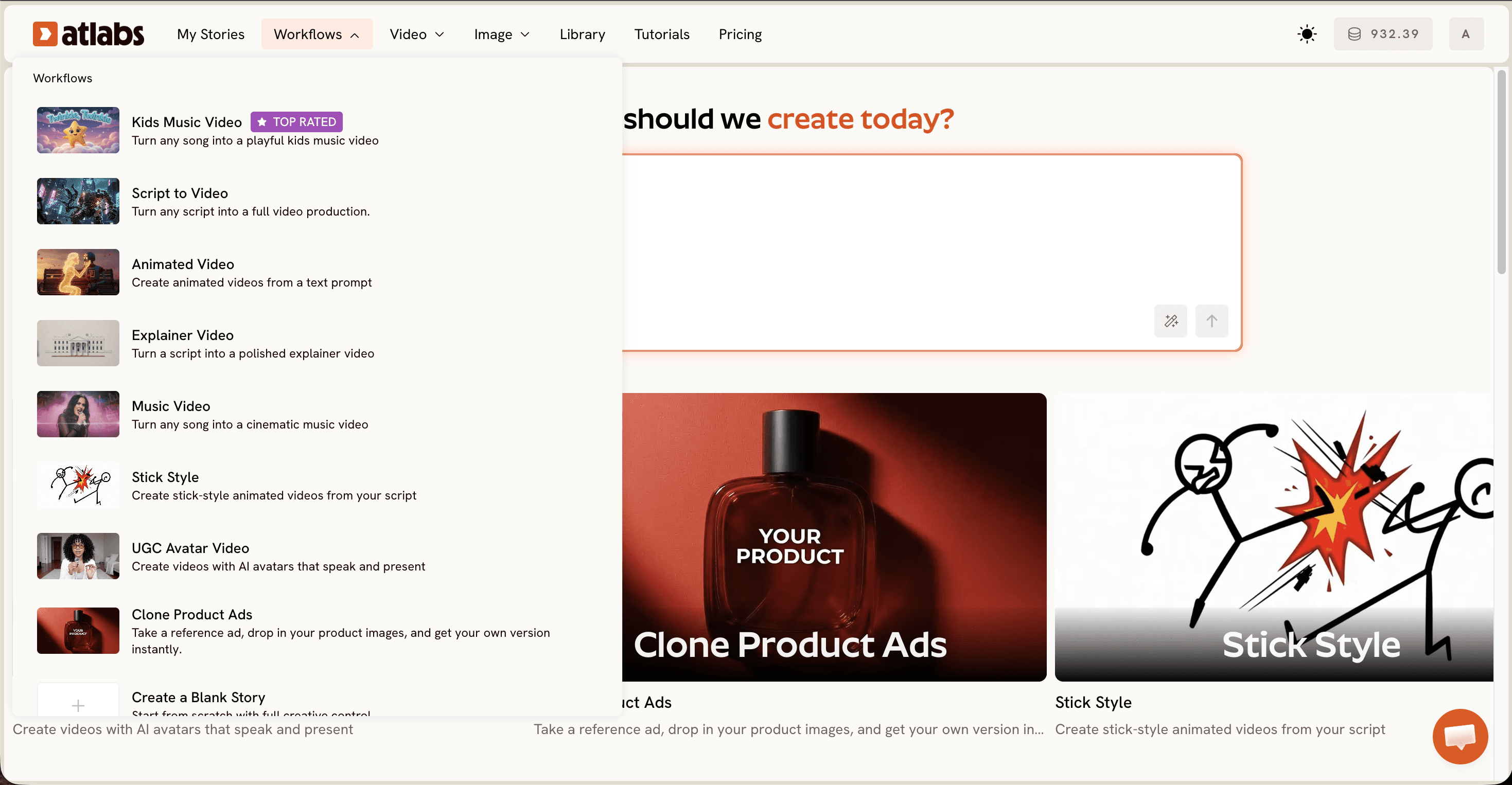
Open the workflow in the Atlabs app. Start on the platform and pick the flow that matches your project, then keep these motion tools within reach for the fixes below.
Pick a motion strong model. Choose Kling 3.0 for smooth, cinematic body motion, or Hailuo 2.3 for high motion fluidity in faster, anime adjacent shots. For stylized character closeups, Seedance 2.0 holds up well. Avoid still first defaults when the shot needs real action.
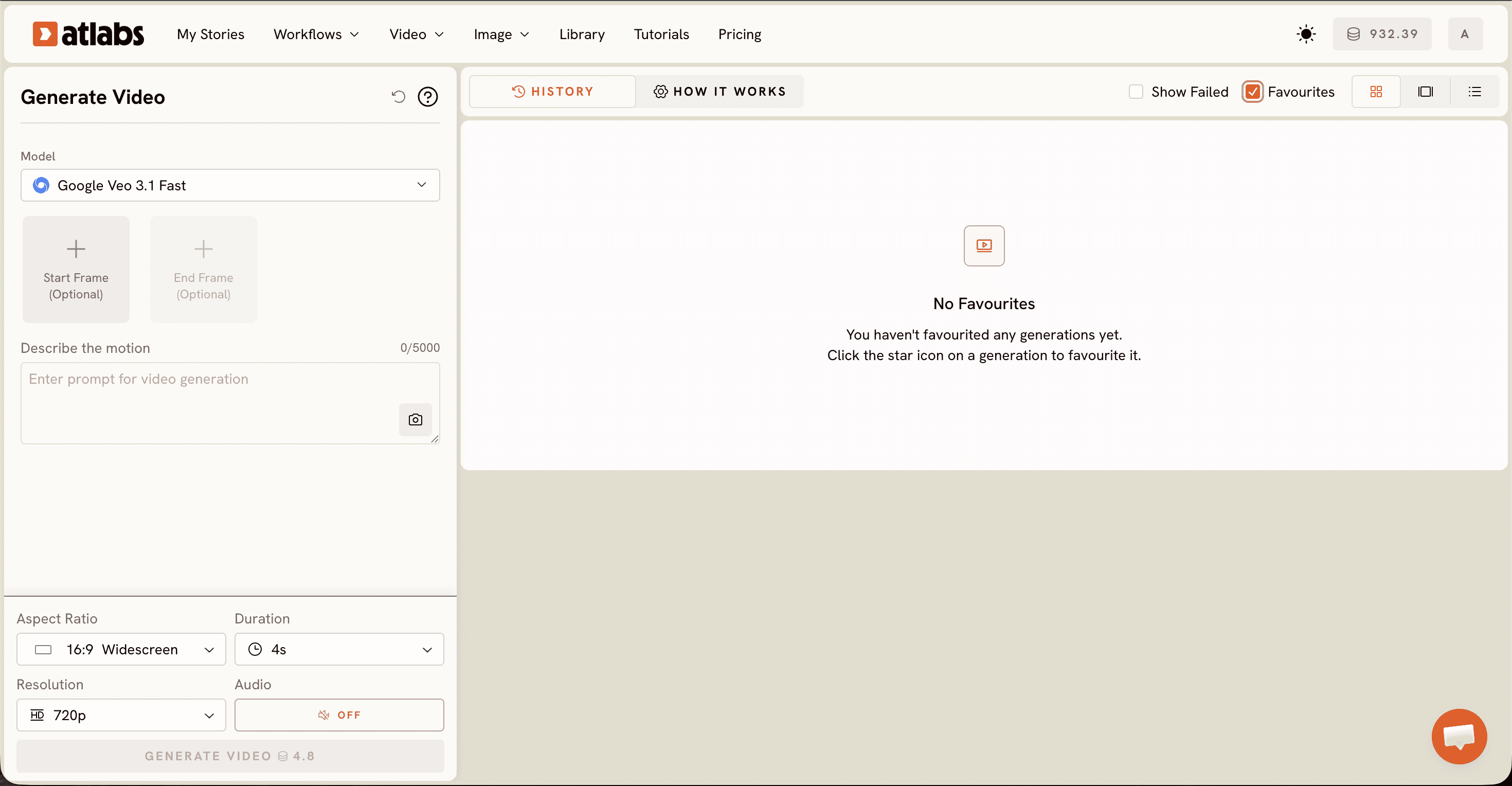
Animate a still with Image to Video. Upload your character image to Image to Video, powered by Google Veo 3.1, and write a motion rich prompt that names weight shift, momentum, and direction instead of a static pose. This alone loosens most stiff results.
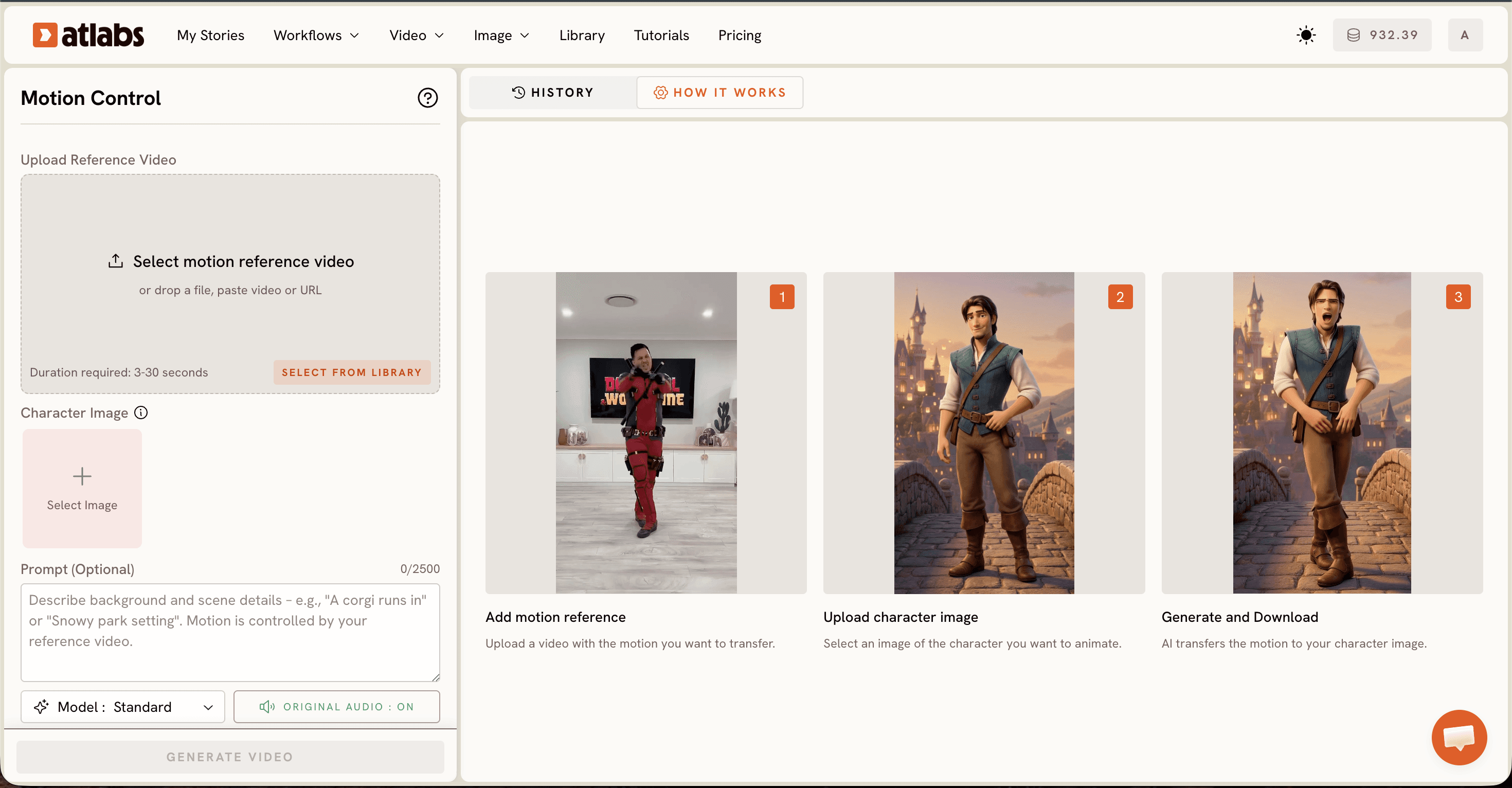
Transfer real motion with Motion Control. Upload a short reference video of the exact movement you want, a walk, a turn, a gesture, and apply it to your character image. Motion Control maps that real performance onto your character, so the body moves like a filmed actor rather than a puppet.
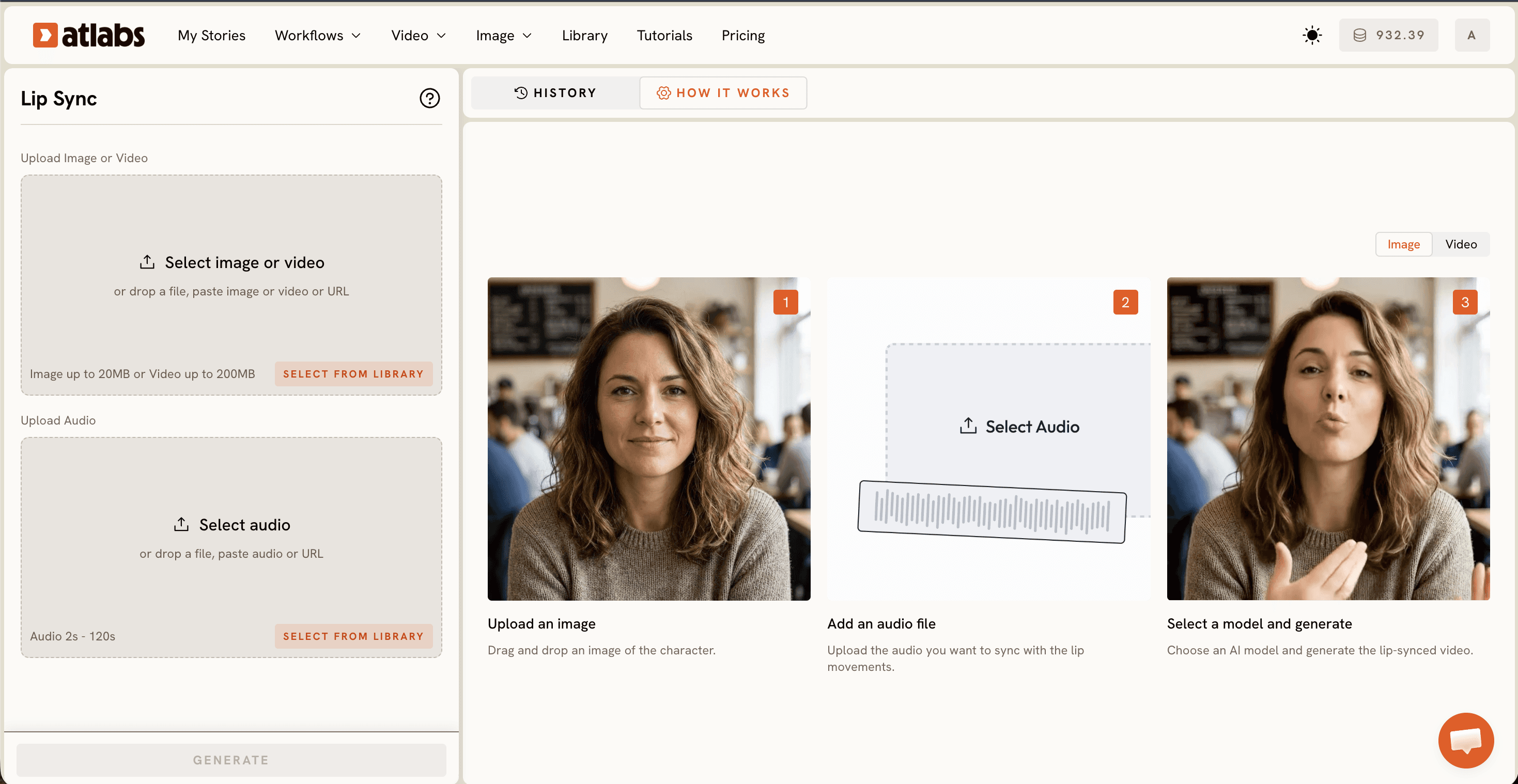
Sync the face with Lip Sync. Add your audio track so the mouth and expression move through the dialogue. A talking character with a still mouth reads as stiff no matter how good the body motion is, and this step removes that instantly.
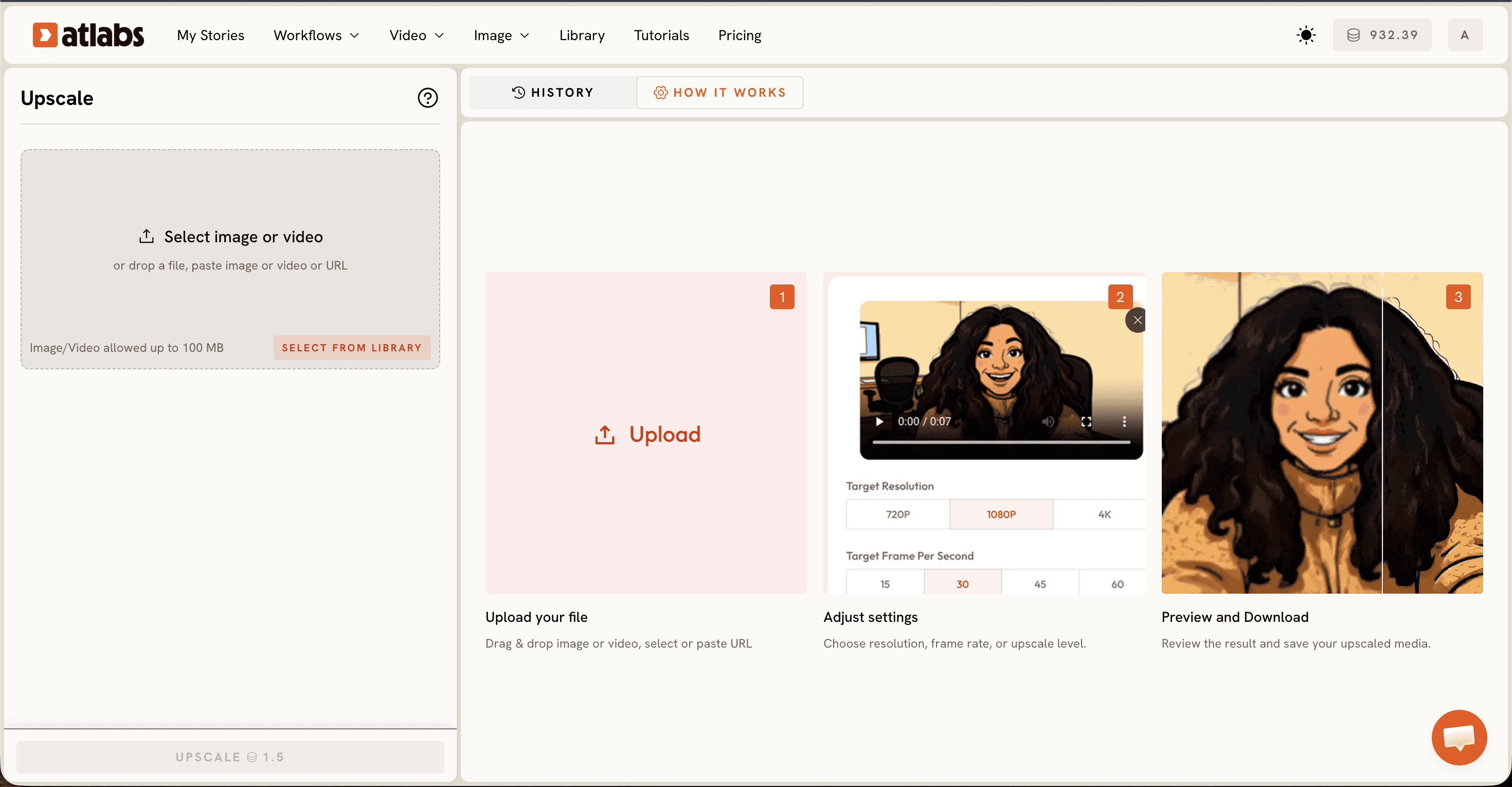
Finish with Reframe and Upscale. Reframe to your platform aspect ratio, 9:16, 16:9, or 1:1, then upscale for a crisp final export ready for YouTube, TikTok, or Instagram.
Fix frozen faces in 10 minutes with Lip Sync
Frozen faces are the fastest giveaway of an AI video, and they are the quickest to fix. Open Lip Sync, upload your character image or clip, then add the audio, anything from 2 seconds to 120 seconds. The mouth, jaw, and micro expressions now track the voice, so a talking head stops looking like a mannequin. Do this last, after the body motion is already smooth, so the face and body read as one performance.
Watch the Atlabs tutorial
Tips for smoother motion (without animation skills)
Prompt for physics, not just looks. Words like weight shift, follow through, and secondary motion tell the model how a body actually moves. Keep shots short, since long single takes tend to drift back into stiffness, so cut and regenerate rather than stretching one clip. Match the model to the shot: Kling 3.0 for realism, Hailuo 2.3 for fast motion, Seedance 2.0 for stylized closeups. And for any choreography or hand gesture, reach for Motion Control first, because copying a real performance beats describing one every time.
Copy-paste motion prompts
Prompt A young courier runs down a rain slicked alley, full body in frame, natural weight shift on each stride, arms swinging with follow through, coat trailing behind, camera tracking alongside at a steady pace, cinematic motion, smooth and grounded.
Prompt Close up of a singer delivering a chorus, head tilting with the beat, shoulders relaxed, hands gesturing on the downbeats, subtle sway, expressive eyes, motion synced to the vocal phrasing, fluid and lifelike.
FAQ
How long does it take to fix stiff character movement? Most fixes take about 10 minutes. Swapping to a motion strong model and adding a clear prompt is instant, and Motion Control plus Lip Sync each take a few minutes to process depending on clip length.
Do I need animation skills to fix this? No. The whole point is to get fluid motion without animation. You upload an image or a reference clip, pick a model, and let Motion Control and Lip Sync handle the movement, so no After Effects or rigging is required.
What file types can I upload? You can upload standard image files for a character still and common video files for a Motion Control reference. Lip Sync accepts audio clips from 2 seconds up to 120 seconds.
Which model is best for smooth character motion? Kling 3.0 is the go to for smooth, cinematic body motion. Hailuo 2.3 is better for fast, high motion shots, and Seedance 2.0 suits stylized character closeups. Test the shot in one, then switch if the motion still feels stiff.
Stiff character movement is a model and prompt problem, not a talent problem. Pick a motion strong model, transfer a real performance, sync the face, and your characters move like they mean it. Open Atlabs and fix your next shot today.








