How do I keep my cartoon character consistent?
By locking the character once in Cast and reusing that same locked version every time, rather than redescribing it from scratch in each new script and hoping the result matches. Most inconsistency doesn't come from the animation itself, it comes from a character being regenerated slightly differently episode to episode. The Kids Animation Video workflow on Atlabs handles this with a script, a consistent cast, and a paced screenplay, in three steps.
What You'll Need
Before opening the workflow, settle on the character's core details once: species or type, color palette, defining feature, and general proportions, since these are what need to survive across every future episode. If the character already exists from a prior video, have that original description or reference on hand rather than trying to recall it from memory, since small drifts in wording are usually where inconsistency creeps in.
Full Step-by-Step Walkthrough
Step 1: Describe the Character the Same Way Every Time in Script

Open the Kids Animation Video workflow and start with Script. Write the character's description exactly the same way every time it appears in a new script, same colors, same defining feature, same phrasing, rather than rewording it from episode to episode. Small changes in how a character is described are one of the most common ways an otherwise consistent character starts drifting.
Step 2: Lock the Character Once in Cast
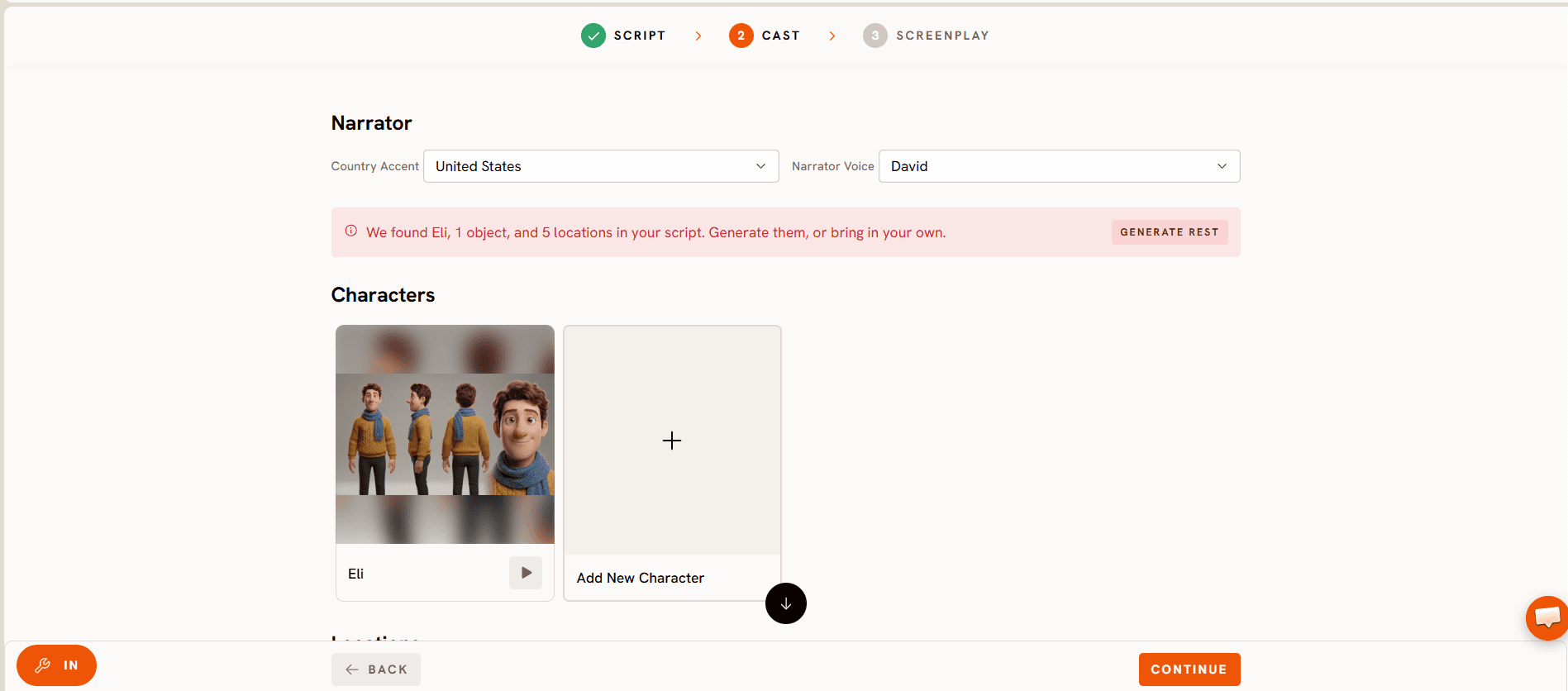
Cast is where the character actually gets locked in for good, and it's the step that solves consistency directly rather than relying on careful wording alone. Once a character is set here, that same locked version carries forward automatically into future videos, instead of being rebuilt from a text description each time.
Step 3: Keep the Same Cast Running Through Screenplay

Screenplay paces the story into scenes using the character already locked in Cast, so every scene draws from the same source rather than a fresh interpretation. This is also where it's worth double-checking that the character shows up the same way across every scene in a longer episode, not just from one episode to the next.
Tips for Better Results
Reuse the exact same Cast entry across every future video for that character instead of creating a new one per episode, since a new Cast entry is a new chance for small details to shift. Keep a short written reference of the character's core details, colors, defining feature, proportions, somewhere outside the workflow too, so there's a ground truth to check against if anything ever looks slightly off. Introduce a second character the same way, locked once in Cast, rather than describing it fresh in text, if the series is going to feature more than one recurring character. Review a new episode's first scene against a past episode before publishing, since it's easier to catch drift early than after several episodes have gone out.
Example Outputs and Prompts
Prompt 1: Locking a New Series Character
Try this in the Kids Animation Video workflow.
Prompt 2: Continuing an Existing Character
Try this in the same Kids Animation Video workflow, reusing the Cast entry rather than creating a new one.

Final Verdict
Consistency isn't a wording problem, it's a workflow problem. Careful, identical phrasing in a script can only get a character so close each time, and small drifts still slip through. Locking the character once in Cast removes that guesswork entirely, since every future episode pulls from the same source instead of a fresh interpretation of a text description. That's the real difference between a character that looks "close enough" episode to episode and one a young viewer recognizes instantly, and it's why Cast, not a more detailed script, is the step that actually solves this inside the Kids Animation Video workflow.
FAQ
Why does my character look slightly different in every episode?
This usually happens when the character is described fresh in each script instead of being locked once. Small wording changes in a text description tend to produce small visual changes, which is exactly what the Cast step is built to prevent.
Do I need to redo Cast for every new episode?
No, that's the point of locking it. Once a character is set in Cast, that same version carries into every future Screenplay without needing to be rebuilt.
Can I keep more than one character consistent at once?
Yes, each character should get its own Cast entry the same way, locked once and reused, rather than describing a whole cast of characters fresh in every script.
What's the fastest way to check if a character has drifted?
Compare a new episode's first scene featuring the character against an earlier episode before publishing. Catching a small drift early is much easier than fixing it after several episodes are already out.
A character a young audience recognizes instantly is worth more than a new design every episode: start locking your character on Atlabs.