이 가이드의 모든 Veo 3.1 기능은 Atlabs AI 내에서 사용할 수 있습니다. atlabs.ai에서 무료로 체험해 보세요.
학생 영화처럼 보이는 Veo 3.1 생성물과 극장용 예고편처럼 보이는 생성물 사이의 격차는 모델이 아니라 프롬프트에 있습니다.
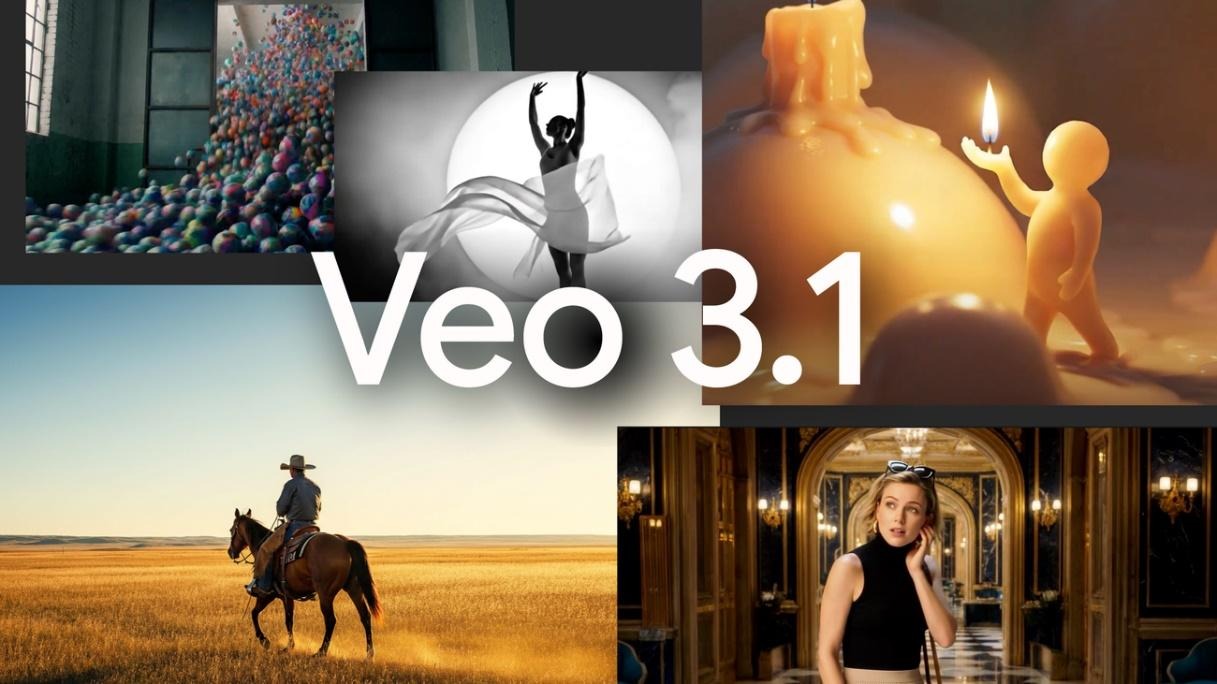
Veo 3.1은 현재 프롬프트 준수, 오디오 동기화, 캐릭터 일관성 및 물리적 현실감 측면에서 시장에서 가장 성능이 뛰어난 AI 비디오 모델입니다. 2026년에 테스트된 다른 모든 모델과 비교했을 때 전반적인 품질, 시각적 충실도, 오디오 동기화 및 물리 법칙의 정확성 전반에 걸쳐 인간 선호도 벤치마크를 선도하고 있습니다. 문제는 대부분의 크리에이터가 이 모델이 할 수 있는 일의 10%만 사용하고 있다는 점입니다.
이 가이드는 모든 주요 Veo 3.1 기능을 다루며 각 기능이 무엇을 하는지, 언제 사용하는지에 대한 쉬운 설명과 바로 복사하여 붙여넣을 수 있는 프롬프트를 제공합니다. 제품 광고, 단편 영화, 교육용 비디오, 소셜 미디어 캠페인 등 무엇을 제작하든, 모든 섹션은 단일 작업 공간에서 Veo 3.1을 다른 모든 최고의 AI 비디오 모델과 함께 사용할 수 있는 Atlabs AI 내에서 오늘 바로 사용할 수 있는 무언가를 제공합니다.
Veo 3.1은 무엇이며 2026년에 왜 중요한가
Veo 3.1은 Google DeepMind의 가장 진보된 텍스트-비디오 및 이미지-비디오 생성 모델입니다. 2026년 1월 주요 업데이트로 출시되면서 4K 업스케일링, 네이티브 세로 비디오 지원, 향상된 Ingredients to Video, Scene Extension 및 모든 제작 모드에서의 전체 오디오 생성이 도입되었습니다.
각 프레임을 독립적으로 처리하던 이전의 AI 비디오 모델과 달리, Veo 3.1은 공간, 시간, 오디오를 동시에 처리합니다. 이러한 통합 아키텍처 덕분에 립싱크, 물리 법칙, 움직임이 겉돌지 않고 현실감 있게 느껴집니다. 캐릭터의 발이 땅에 닿을 때 발자국 소리가 납니다. 움직일 때 옷이 바스락거립니다. 묘사된 환경에서 비가 내리는 것처럼 빗소리가 들립니다.
2026년 1월 업데이트를 통해 Veo 3.1은 네이티브 4K 출력을 지원하는 최초의 주류 AI 비디오 생성기가 되었으며, 2026년 3월 단종되기 전까지 1080p로 제한되었던 OpenAI Sora 2를 능가했습니다. 또한 최초의 완전한 오디오 지원 Ingredients to Video 파이프라인을 도입하여, 이제 단일 워크플로에서 동기화된 사운드와 함께 캐릭터가 일치하는 씬을 생성할 수 있습니다.
Veo 3.1은 Atlabs AI 내에서 Kling 3.0, Nano Banana 및 기타 최고 모델과 함께 사용할 수 있습니다. 별도의 Google 계정, Vertex AI 설정 또는 API 키가 필요하지 않습니다. Atlabs 작업 공간에서 직접 액세스할 수 있습니다.
Veo 3.1 전체 기능 참조
아래 나열된 모든 기능은 추가 설정 없이 Atlabs AI 내에서 액세스할 수 있습니다.
기능
기능 설명
가장 적합한 사용 사례
Atlabs에서 사용 가능 여부
Text to Video
소스 이미지 없이 작성된 프롬프트에서 비디오 생성
새로운 씬 제작, 콘셉트
예
Image to Video
스틸 이미지에 움직임과 오디오를 적용하여 애니메이션화
제품 광고, 캐릭터 애니메이션
예
Ingredients to Video
모든 샷에서 캐릭터, 사물 또는 스타일을 고정
영화, 시리즈, 캠페인
예
First and Last Frame
시작 및 끝 프레임을 정의하면 AI가 전환을 채움
시네마틱 전환, 디스클로저
예
네이티브 오디오 및 대사
동기화된 대사, SFX 및 배경음 생성
말하는 씬, 광고, 내러티브
예
Scene Extension
시각적 연속성을 유지하며 8초 이상 클립 연장
장편 스토리텔링
예
4K 업스케일링
방송 또는 대형 화면 사용을 위해 출력을 4K로 업스케일링
영화, 방송, 상업 광고
예
네이티브 9:16 세로형
소셜용 세로 형식으로 네이티브 생성
TikTok, Instagram Reels, YouTube Shorts
예
일관되게 시네마틱한 결과물을 만들어내는 Veo 3.1 프롬프트 공식
모든 고품질 Veo 3.1 출력물은 동일한 구조적 논리를 따릅니다. 이 공식을 내재화하면 생성 과정이 무작위 추첨이 아닌 예측 가능한 과정이 됩니다.
공식:
[촬영 기법] + [피사체] + [액션] + [컨텍스트] + [스타일 및 분위기]
촬영 기법: 카메라가 어떻게 움직이고 씬을 프레이밍하는지
피사체: 샷의 주요 인물, 제품 또는 환경
액션: 무슨 일이 일어나고 있으며 클립이 진행됨에 따라 어떻게 전개되는지
컨텍스트: 위치, 시간대, 환경 조건
스타일 및 분위기: 조명, 컬러 그레이딩, 무드, 필름 처리 방식
모든 프롬프트에 이 다섯 가지 레이어가 모두 필요한 것은 아닙니다. 강력한 3레이어 프롬프트가 취약한 5레이어 프롬프트보다 낫습니다. 길이가 아닌 정밀도를 높이기 위해 레이어를 추가하세요.
최소 실행 가능 프롬프트 vs 전체 시네마틱 프롬프트
최소 프롬프트 (결과는 나오지만 훌륭하지는 않음)
적합한 용도: 빠른 콘셉트 테스트
A woman walking through a forest.
전체 시네마틱 프롬프트 (원하는 결과를 정확히 얻음)
적합한 용도: 히어로 프레임, 단편 영화, 브랜드 캠페인
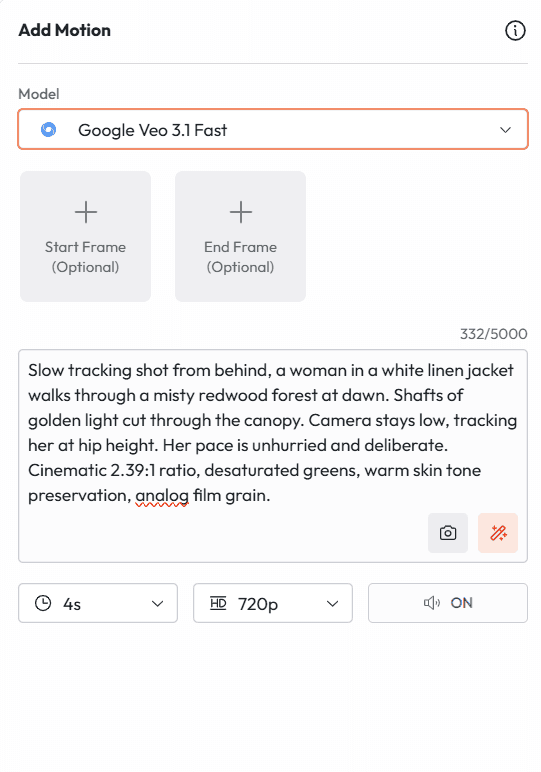
Slow tracking shot from behind, a woman in a white linen jacket walks through a misty redwood forest at dawn. Shafts of golden light cut through the canopy. Camera stays low, tracking her at hip height. Her pace is unhurried and deliberate. Cinematic 2.39:1 ratio, desaturated greens, warm skin tone preservation, analog film grain.
이 두 프롬프트의 차이는 클립과 씬의 차이입니다. 두 번째 프롬프트는 Veo 3.1에 무엇을 담을지뿐만 아니라 샷을 어떻게 연출할지 정확하게 지시합니다.
기능 1: Text to Video
Text to Video가 기본입니다. 프롬프트를 작성하면 Veo 3.1이 클립을 생성합니다. 소스 이미지는 필요하지 않습니다. 모델은 여러분의 설명만을 바탕으로 씬, 캐릭터, 환경, 움직임을 완전히 새로 구축합니다.
아직 어디에도 존재하지 않는 콘셉트, 사진으로 찍을 수 없는 환경, 실제 인물을 참조하기보다 새로 발명하려는 캐릭터 등 맨땅에서 씬을 만들 때 이 모드가 적합합니다.
Text to Video에서 가장 흔히 하는 실수는 설명을 충분히 하지 않는 것입니다. Veo 3.1은 여러분이 비워둔 모든 간극을 자체적인 해석으로 채웁니다. 때로는 좋을 수도 있습니다. 하지만 더 자주, 카메라 위치, 캐릭터 외모, 조명 분위기처럼 가장 중요한 요소들에 대한 구체적인 제어력을 잃게 됨을 의미합니다.
프롬프트 1: 시네마틱 에스타블리싱 샷
적합한 용도: 단편 영화 오프닝, 브랜드 영화, YouTube 인트로
프롬프트 1
적합한 용도: 단편 영화 오프닝, 브랜드 인지도, 시네마틱 콘텐츠
Wide establishing shot. A lone lighthouse on a jagged coastal cliff at the moment before sunrise. The sea below churns with slow heavy swells. The lighthouse beam sweeps once across the frame. No people. Muted teal and slate color palette. Heavy atmospheric fog rolls in from the left. Cinematic, 24fps feel, wide angle lens, static shot.
프롬프트 2: 캐릭터 소개 씬
적합한 용도: 내러티브 비디오, YouTube 채널 인트로, 브랜드 스토리텔링
프롬프트 2
적합한 용도: 캐릭터 중심 내러티브, 브랜드 스토리, 다큐멘터리 스타일
Medium shot. A woman in her mid-thirties stands behind a busy kitchen counter at 6am, methodically grinding coffee. Her posture is focused but relaxed. Natural morning light from a window to her left. The kitchen is lived-in and warm. Camera holds still. No dialogue. Ambient noise: the grinder runs, distant street sounds outside. Authentic and unhurried.
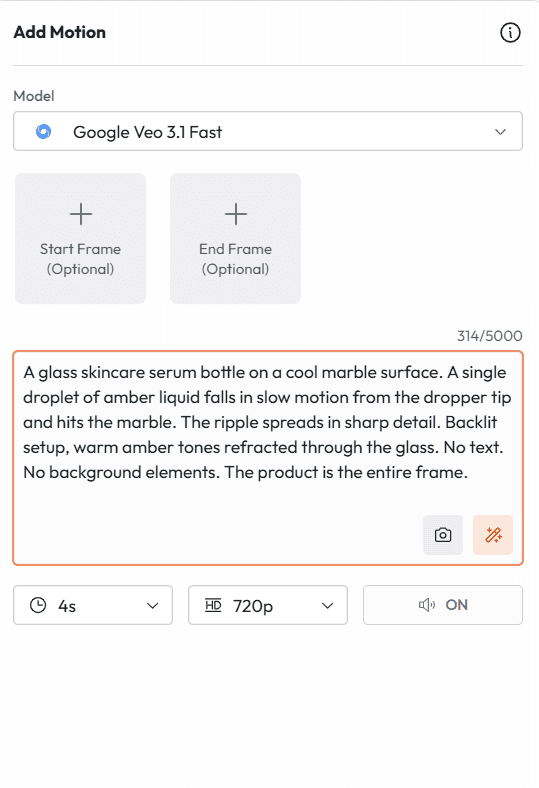
Extreme close-up. A glass skincare serum bottle on a cool marble surface. A single droplet of amber liquid falls in slow motion from the dropper tip and hits the marble. The ripple spreads in sharp detail. Backlit setup, warm amber tones refracted through the glass. No text. No background elements. The product is the entire frame.
프롬프트 4: 액션 및 에너지 샷
적합한 용도: 스포츠 브랜드, 피트니스 콘텐츠, 액티브웨어 광고
프롬프트 4
적합한 용도: 퍼포먼스 브랜드, 피트니스 캠페인, 에너제틱한 광고 크리에이티브
Low angle tracking shot. An athlete in a dark navy seamless running set sprints along an empty coastal road at sunrise. Camera angle sits at ankle height, tracking forward alongside. Motion blur on the road surface. Sharp detail on the fabric and stride. Breathing audible. Footfalls rhythm on asphalt. Warm orange backlight, lens flare at the horizon, no voiceover.
기능 2: Image to Video
Image to Video는 사용자가 제공한 스틸 프레임을 가져와 움직임, 오디오, 시간적 일관성을 추가합니다. 시각적 앵커는 사용자가 제공하고, Veo 3.1은 여기에 생명력을 불어넣습니다.
이 모드는 캐릭터가 많이 등장하는 콘텐츠에서 순수 Text to Video보다 거의 항상 일관성이 더 높습니다. 특정 인물, 특정 제품 또는 특정 환경이 참조 이미지와 시각적으로 동일하게 유지되어야 할 때 Image to Video가 적절한 시작점입니다. 모델은 업로드된 이미지를 신원, 색상, 구도의 기준(ground truth)으로 취급합니다.
Image to Video 모드의 프롬프트는 움직임, 카메라의 동작, 오디오를 설명합니다. 이미지에 보이는 모든 것을 다시 설명할 필요는 없습니다. 무엇이 움직이는지, 어떻게 움직이는지, 카메라가 무엇을 하는지 등 변화하는 부분에 집중하세요.
프롬프트 5: 제품 사진 애니메이션화
적합한 용도: 기존 제품 이미지를 가져와 광고용으로 움직이게 만들기
프롬프트 5
적합한 용도: 기존 사진을 활용한 제품 광고, 이커머스 비디오, 소셜 크리에이티브
Animate this product image. The camera performs a slow orbital move clockwise around the product, starting at the front left and completing a 90-degree arc. The product rotates slightly on its axis as the camera moves. Soft rim lighting from behind catches the edge of the packaging. No background change. No people enter the frame. Ambient audio: subtle product-specific texture sound.
Animate this portrait. The subject turns their head very slightly to the right and a faint smile forms over 3 seconds. Hair moves minimally as if in a light indoor breeze. Eyes are alive and present. Camera holds completely still. Warm studio lighting maintained from the source image. No dramatic changes. Subtle, natural, and human.
프롬프트 7: 환경에 생명력 불어넣기
적합한 용도: 부동산, 여행, 호스피탈리티 브랜드
프롬프트 7
적합한 용도: 부동산 매물 비디오, 여행 브랜드, 호스피탈리티 광고
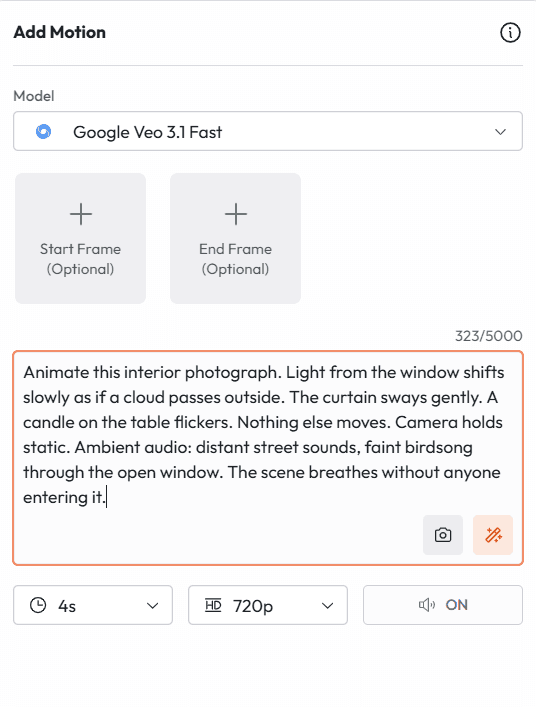
Animate this interior photograph. Light from the window shifts slowly as if a cloud passes outside. The curtain sways gently. A candle on the table flickers. Nothing else moves. Camera holds static. Ambient audio: distant street sounds, faint birdsong through the open window. The scene breathes without anyone entering it.
기능 3: Ingredients to Video
Ingredients to Video는 Veo 3.1에서 상업적으로 가장 중요한 기능입니다. 이 기능은 AI 비디오를 실제 프로덕션 작업에 사용하기 어렵게 만들었던 문제인 '정체성 드리프트(identity drift)'를 해결합니다.
참조 이미지가 없으면, AI가 생성한 캐릭터의 얼굴, 의상, 비율이 샷마다 바뀝니다. 씬 1에서 특정 모습이었던 캐릭터가 씬 3에서는 사촌처럼 보일 수 있습니다. Ingredients to Video는 생성을 고정하는 참조 이미지를 최대 4장까지 업로드할 수 있게 하여 이 문제를 없앱니다. 사용자의 캐릭터는 그대로 사용자의 캐릭터로 유지됩니다. 사용자의 제품은 일관되게 유지됩니다. 시각적 스타일도 일관되게 유지됩니다.
2026년 1월 업데이트를 통해 Ingredients to Video는 완전히 오디오가 지원되도록 바뀌었습니다. 즉, 캐릭터의 정체성이 유지되는 씬에 동기화된 대사, 배경음 및 사운드 효과까지 함께 포함할 수 있게 되었습니다. 이것이 바로 하나의 기능으로 완성되는 완벽한 프로덕션 파이프라인입니다.
프롬프트 8: 멀티 샷 씬 전체에서 일관된 캐릭터 유지
적합한 용도: 단편 영화, 교육용 비디오 시리즈, 브랜드 캠페인
프롬프트 8
적합한 용도: 멀티 샷 내러티브, 단편 영화, 브랜드 앰버서더 캠페인
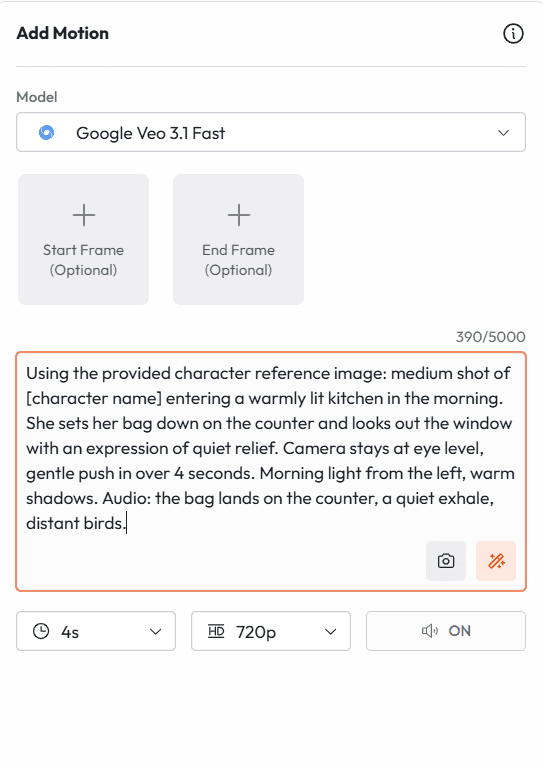
Using the provided character reference image: medium shot of [character name] entering a warmly lit kitchen in the morning. She sets her bag down on the counter and looks out the window with an expression of quiet relief. Camera stays at eye level, gentle push in over 4 seconds. Morning light from the left, warm shadows. Audio: the bag lands on the counter, a quiet exhale, distant birds.
프롬프트 9: 캠페인 샷 전체에서 제품 일관성 유지
적합한 용도: DTC 이커머스 캠페인, 멀티 광고 크리에이티브 세트
프롬프트 9
적합한 용도: 멀티 광고 캠페인, DTC 브랜드, 이커머스 제품 비디오 시리즈
Using the provided product reference image: the product sits centered on a black marble surface. A hand enters from the left, picks it up slowly, examines the label, and sets it back down. Camera holds static at product height. Studio lighting. The product label remains readable and undistorted throughout. No other elements. Clip is 6 seconds.
프롬프트 10: 시각적 일관성을 위한 스타일 참조
적합한 용도: 비디오 시리즈 전체에서 특정 에스테틱 유지하기
프롬프트 10
적합한 용도: 콘텐츠 시리즈, 시각적 스타일이 고정된 브랜드 캠페인
Using the provided style reference image as the visual guide for this entire clip: a man in his early forties sits at a worn wooden desk writing in a journal by lamplight. He pauses, looks up at nothing in particular, then returns to writing. Camera holds static, medium close. Match the color grade, contrast, and grain texture of the reference image exactly.
기능 4: First and Last Frame
First and Last Frame을 사용하면 클립의 시작과 끝 이미지를 정확하게 정의할 수 있습니다. 두 이미지를 모두 제공하면, Veo 3.1이 그 사이의 모든 것(움직임, 카메라 경로, 물리 법칙, 오디오)을 계산합니다.
이 기능은 디렉터와 단순 프롬프트 작성자를 구분 짓는 요소입니다. 전환을 텍스트로 설명하고 모델이 의도한 대로 해석해주기를 바라는 대신, 모델에 씬이 정확히 어디서 시작하고 어디서 끝나는지 직접 보여줍니다. 모델은 그 둘 사이를 잇는 다리를 놓아줍니다.
프롬프트 11: 카메라 디스클로저 전환
적합한 용도: 시네마틱한 디스클로저, 씬 전환, 제품 출시
프롬프트 11 (전환을 설명하세요. 시작 및 끝 프레임은 이미지로 제공합니다)
적합한 용도: 시네마틱 카메라 디스클로저, 제품 출시, 영화 전환
The camera performs a slow upward crane from the first frame to the last. As it rises, the wider scene reveals behind the subject. The motion is smooth and unhurried. Audio: a single sustained musical swell beginning at the first frame and resolving at the last. The atmosphere shifts from intimate to expansive across the 8 seconds.
프롬프트 12: 캐릭터 상태 변화
적합한 용도: 감정적 스토리텔링, 비포앤애프터 내러티브, 광고 전환 아크
프롬프트 12 (포트레이트 이미지를 첫 프레임으로, 다른 표정의 이미지를 마지막 프레임으로 제공하세요)
적합한 용도: 감정적 내러티브, 브랜드 스토리, 변화를 보여주는 광고
Bridge the transition between the two frames naturally. The character's expression evolves continuously without any jump. The shift in emotion reads as internal and genuine, not performed. Camera holds static. Lighting matches both input frames. Audio: ambient room tone, no music, no dialogue. The silence makes the emotional change the entire event.
프롬프트 13: 환경 변화
적합한 용도: 시즌 캠페인, 비포앤애프터 브랜드 콘텐츠, 부동산
프롬프트 13 (상태 A의 환경을 보여주는 첫 프레임과 상태 B의 마지막 프레임을 제공하세요)
적합한 용도: 브랜드 변화 캠페인, 시즌별 콘텐츠, 부동산 마케팅
The space transitions continuously from the first frame state to the last frame state over 8 seconds. The change unfolds as a natural time progression, not a cut or dissolve. Lighting shifts to match the new state. Camera holds static. Audio transitions from the ambient soundscape of the first frame to that of the last. The transformation feels inevitable.
기능 5: 네이티브 오디오 및 대사
Veo 3.1의 오디오 생성은 무성 비디오 위에 나중에 덧씌운 사후 고려사항이 아닙니다. 동일한 통합 아키텍처를 사용하여 시각적 콘텐츠와 동시에 생성됩니다. 그렇기 때문에 오디오가 물리적으로 밀착되어 느껴집니다. 발이 닿을 때 발자국 소리가 나고, 빗소리는 그 특정 환경 안에서 내리는 것처럼 들리며, 대사는 정밀하게 관찰해도 어색하지 않을 수준으로 립싱크가 유지됩니다.
오디오 프롬프트 언어는 세 가지 고유한 구성 요소로 나뉘며, 이를 어떻게 구성하느냐에 따라 오디오가 의도된 사운드로 들릴지, 아니면 우연히 들어간 것처럼 들릴지가 결정됩니다.
대사: 특정 발화 대사에는 따옴표를 사용하세요. 모델은 캐릭터의 움직임과 표정에 맞춰 대사의 타이밍을 맞춥니다.
사운드 효과 (SFX): 타이밍 큐와 함께 구체적인 사운드를 설명하세요. Veo 3.1은 시각적 동작에 맞춰 사운드 효과를 정밀하게 생성합니다.
배경 오디오: 배경의 사운드스케이프를 정의하세요. 이것이 씬을 단순한 배경막이 아닌 실제 장소처럼 느껴지게 만드는 요소입니다.
프롬프트 14: 대사 씬
적합한 용도: 단편 영화 씬, 브랜드 대변인 비디오, 후기 광고
프롬프트 14
적합한 용도: 대사 씬, 단편 영화, 브랜드 대변인, 후기
Medium shot. A man in his late thirties sits across a small cafe table from the camera. He leans forward slightly and says: "I have been doing this for twenty years, and I have never seen anything like it." He pauses and glances down at his coffee before looking back up. Camera holds static. Warm afternoon light from a window behind him. Ambient audio: gentle cafe background noise, distant street sounds.
프롬프트 15: 사운드 효과 중심 씬
적합한 용도: 제품의 소리가 핵심 셀링 포인트인 제품 광고
프롬프트 15
적합한 용도: 제품 광고, 오디오 중심 콘텐츠, ASMR 스타일 제품 비디오
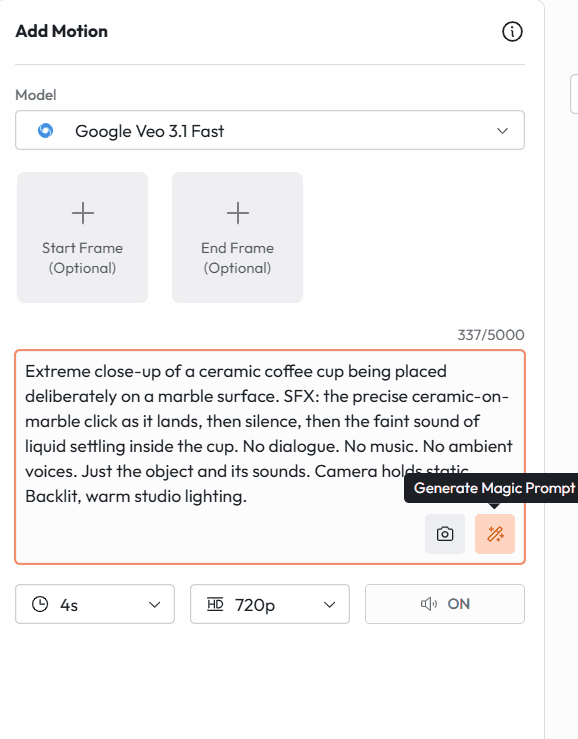
Extreme close-up of a ceramic coffee cup being placed deliberately on a marble surface. SFX: the precise ceramic-on-marble click as it lands, then silence, then the faint sound of liquid settling inside the cup. No dialogue. No music. No ambient voices. Just the object and its sounds. Camera holds static. Backlit, warm studio lighting.
프롬프트 16: 전체 배경 사운드스케이프
적합한 용도: 분위기 있는 브랜드 영화, 여행 콘텐츠, 부동산 비디오
프롬프트 16
적합한 용도: 브랜드 영화, 여행 콘텐츠, 부동산, 분위기 있는 비디오
Wide shot of a mountain meadow at mid-morning in early summer. A single figure sits in the middle distance reading. Camera holds completely static. Ambient audio: wind moving through tall grass, a stream somewhere out of frame, occasional birdsong at natural intervals, no human-made sounds at all. The scene runs for 8 seconds without anyone speaking or moving dramatically.
프롬프트 17: 다국어 대사 씬
적합한 용도: 글로벌 캠페인, 글로벌 브랜드 콘텐츠, 지역 광고
프롬프트 17
적합한 용도: 글로벌 광고 캠페인, 다국어 브랜드 콘텐츠
Medium shot. A woman at a kitchen counter turns to face the camera and says: [insert line in target language]. Her lip sync matches the language exactly. Camera holds static. Natural kitchen morning light. Conversational and warm tone. Generate this prompt separately for each language version required, keeping all other visual parameters identical across versions.
기능 6: Scene Extension
Scene Extension은 AI 비디오의 가장 고질적인 구조적 한계인 '8초의 벽'을 해결합니다. 외부에서 따로 이어 붙여야 하는 짧은 클립들에 갇히는 대신, Scene Extension을 사용하면 기존의 어떤 클립이든 이전 세그먼트와 매끄럽게 연결되는 연장 버전을 생성할 수 있습니다.
실제 작업에서 이는 일관된 시각적 정체성, 일관된 오디오 환경, 일관된 카메라 언어를 유지하면서 Veo 3.1 내에서만 1분 이상의 내러티브를 구축할 수 있음을 의미합니다. 각 연장 클립은 이전 세그먼트의 시각 및 오디오 컨텍스트를 고스란히 상속받습니다.
Scene Extension이 잘 작동하기 위한 핵심은 '중첩 설명(overlap description)'입니다. 연장 프롬프트를 작성할 때, 이전 세그먼트의 구체적인 시각적 디테일(캐릭터의 의상, 조명 조건, 진행 중인 액션 등)을 언급하세요. 이전 클립에 연장 클립을 더 구체적으로 고정할수록 더 매끄럽게 연결됩니다.
프롬프트 18: 내러티브 씬 연장하기
적합한 용도: 단편 영화, 다큐멘터리 콘텐츠, 장편 브랜드 비디오
프롬프트 18
적합한 용도: 단편 영화, 장편 브랜드 내러티브, 다큐멘터리 콘텐츠
Continue from the previous segment where [character in the grey wool coat] was standing at the window looking out. She now turns from the window slowly and walks toward the kitchen doorway. Her expression has shifted from thoughtful to resolved. Camera follows her at medium distance. Lighting remains the same late afternoon interior light. Audio: her footsteps on the wooden floor, then the ambient sounds of the previous scene carry through.
프롬프트 19: 제품 캠페인 씬 연장하기
적합한 용도: 장편 제품 데모, 캠페인 비디오 시리즈
프롬프트 19
적합한 용도: 제품 데모 비디오, 장편 캠페인, 이커머스
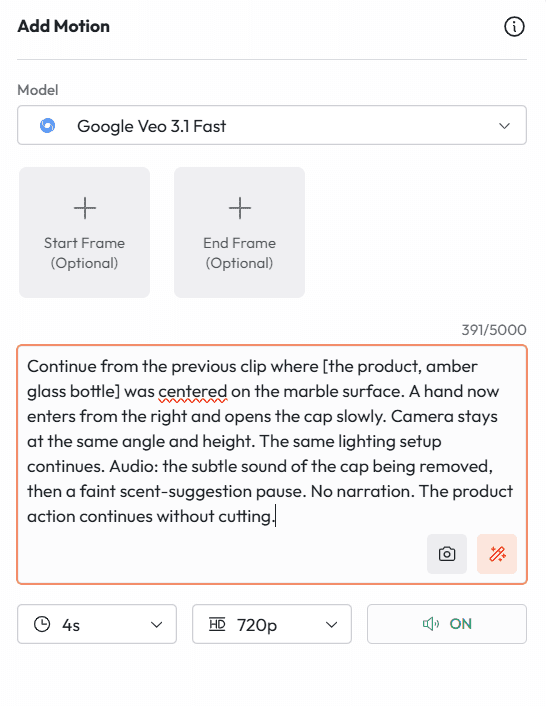
Continue from the previous clip where [the product, amber glass bottle] was centered on the marble surface. A hand now enters from the right and opens the cap slowly. Camera stays at the same angle and height. The same lighting setup continues. Audio: the subtle sound of the cap being removed, then a faint scent-suggestion pause. No narration. The product action continues without cutting.
카메라 언어: 대부분의 크리에이터가 놓치는 프롬프트 레이어
카메라 연출은 AI 비디오 프롬프팅에서 가장 활용도가 낮은 요소입니다. 대부분의 크리에이터는 씬에 무엇이 있는지를 설명합니다. 반면 시네마틱한 결과물을 만드는 크리에이터들은 카메라이가 그것을 어떻게 바라보는지를 설명합니다.
Veo 3.1은 전문가 수준으로 카메라 연출 언어를 해석합니다. 이것들은 단순한 제안이 아닙니다. 명확하게 명시했을 때 모델이 정밀하게 따르는 지시사항입니다.
움직임 프롬프트
카메라이가 공간을 통과하며 수행하는 동작
달리 인 (Dolly in / 밀어 넣기)
적합한 용도: 친밀감 형성, 감정 강조, 씬 진입
CAMERA: SLOW DOLLY IN. The camera moves physically forward toward [subject], closing the distance from wide to medium over 6 seconds. The background perspective widens as the camera advances. The subject does not move.
크레인 업 (Crane up)
적합한 용도: 규모감 설정, 씬 종료, 위쪽의 컨텍스트 노출
CAMERA: CRANE UP. Starting at ground level looking up at [subject], the camera rises vertically and continuously until it reaches overhead height, revealing the full environment below. The motion is steady and unhurried.
오비탈 트랙 (Orbital track / 회전 트래킹)
적합한 용도: 제품 샷, 캐릭터 디스클로저, 공간 스토리텔링
CAMERA: SLOW ORBITAL TRACK. The camera circles [subject] in a clockwise direction, completing a 180-degree arc over 8 seconds. The subject remains centered throughout. The background rotates continuously behind them.
핸드헬드 (Handheld)
적합한 용도: UGC 스타일 콘텐츠, 다큐멘터리 느낌, 정형화되지 않은 자연스러움
CAMERA: HANDHELD. The camera holds on [subject] with natural human movement: slight drift, occasional micro-adjustments, authentic breathing rhythm. The movement is intentional and observational, not shaky. Documentary realism.
프레이밍 프롬프트
카메라가 피사체와 얼마나 가깝고 어떤 각도에 있는지
익스트림 클로즈업 (Extreme close-up)
적합한 용도: 제품 질감, 감정적 강렬함, 디테일 샷
EXTREME CLOSE-UP. The frame contains only [specific detail: the stitching on the collar / the label on the bottle / the eye contact]. Nothing else is visible. The detail fills the entire frame. Shallow depth of field, background completely dissolved.
로우 앵글 (Low angle)
적합한 용도: 권위, 규모 또는 열망 전달
LOW ANGLE SHOT. Camera positioned below [subject's] eye level, looking up at approximately 30 degrees. This makes the subject appear taller and more commanding. The sky or ceiling fills the upper portion of the frame behind them.
오버더숄더 (Over-the-shoulder)
적합한 용도: 대사 씬, 캐릭터가 보고 있거나 하고 있는 일 노출
OVER-THE-SHOULDER SHOT. Camera positioned behind and slightly to the right of [character A], looking past their shoulder toward [character B or object]. Character A's shoulder occupies the lower left of the frame. The focus is on what they are facing.
기능 8: 4K 출력 및 네이티브 세로형 비디오
Veo 3.1 출력물을 다운스트림에서 어떻게 활용할지에 큰 영향을 미치는 두 가지 포맷 사양입니다.
4K 업스케일링
Veo 3.1은 2026년 1월에 4K 출력(3840 x 2160)을 도입하여, 주류 AI 비디오 생성기 중 최초로 이 해상도를 달성했습니다. 실질적인 시사점은 이제 눈에 보이는 화질 저하 없이 방송, 극장 및 대형 포맷 상업용 디스플레이에 출력물을 바로 사용할 수 있다는 것입니다.
대부분의 소셜 미디어 및 웹 애플리케이션의 경우 1080p로도 충분하며 더 빠르게 생성할 수 있습니다. 다음과 같은 경우에는 4K를 사용하세요.
지상파 광고 및 텔레비전 편성용
대형 포맷 디스플레이 광고 (옥외 광고, 이벤트 스크린)
극장 또는 영화제 스크리닝을 겨냥한 고급 브랜드 영화
포스트 프로덕션 단계에서 크게 크롭하거나 줌해야 하는 모든 출력물
프롬프트 20: TikTok 및 Reels용 네이티브 세로형 비디오
적합한 용도: TikTok, Instagram Reels, YouTube Shorts
프롬프트 20
적합한 용도: TikTok 광고, Instagram Reels, YouTube Shorts, 세로형 소셜 콘텐츠
9:16 vertical frame. A lone astronaut in a white suit kneels on a red desert plain and carefully plants a small green seedling in the soil. The camera slowly pulls back to reveal the endless desolate plain around her. At the pull back, thousands of flowers are already blooming across the landscape as far as the frame reaches. Hopeful and cinematic. No dialogue. Ambient audio: wind, the soft sound of soil, then a rising swell of quiet musical tone.
프롬프트 21: 세로형 제품 광고
적합한 용도: TikTok Shop, Reels 간접 광고(PPL), 세로형 유료 소셜 광고
프롬프트 21
적합한 용도: TikTok Shop 광고, Reels 간접 광고, 세로형 소셜 광고 크리에이티브
9:16 vertical frame. A hand holds [product] at center frame against a clean white background. The product rotates slowly a quarter turn. The camera makes a smooth close-up push toward the label detail. Audio: no music, no voiceover, just the ambient texture of the product material. The entire clip is 6 seconds. Clean, minimal, product-first.
고급 워크플로: Atlabs 내에서 멀티 샷 씬 빌드하기
Veo 3.1을 사용하는 가장 강력한 방법은 개별 클립을 따로 생성하는 것이 아닙니다. 각 클립이 일관된 하나의 씬의 일부가 되도록 정교하게 계획된 멀티 샷 시퀀스를 빌드하는 것입니다. 다음은 참조 이미지 생성을 위한 Nano Banana와 비디오 생성을 위한 Veo 3.1을 결합하여 Atlabs 내에서 이를 수행하는 정확한 워크플로입니다.
워크플로 1: 일관된 캐릭터가 등장하는 대사 씬
Atlabs 내에서 Nano Banana를 사용하여 캐릭터 참조 이미지를 생성합니다. 각 캐릭터의 전체적인 외모, 의상, 표정을 보여주는 참조 이미지를 만듭니다. 배경 설정을 위한 환경 참조 이미지도 생성합니다.
모든 참조 이미지를 Veo 3.1의 Ingredients to Video에 업로드합니다. 이렇게 하면 모든 샷에서 캐릭터와 환경의 정체성이 고정됩니다.
샷 1 프롬프트 작성: 씬의 배경을 설정하고 캐릭터들을 소개하는 에스타블리싱 샷 또는 와이드 샷을 작성합니다.
샷 2 프롬프트 작성: 첫 번째 대사 샷입니다. 말하는 대사를 정확히 따옴표 안에 포함하세요. 어떤 캐릭터가 말하는지, 프레임 내 위치는 어디인지 명시합니다.
샷 3 프롬프트 작성: 리액션 샷입니다. 동일한 환경 참조를 사용하되 다른 캐릭터를 전경에 배치합니다. 이 캐릭터의 답변 대사를 포함하세요.
샷 사이에 특정한 카메라 움직임이나 전환이 필요하다면 First and Last Frame을 사용합니다.
씬이 8초 이상 진행되는 경우 Scene Extension을 사용하여 여러 샷을 끊김 없이 더 긴 시퀀스로 연결합니다.
Atlabs 내부에서는 이 모든 단계가 단 하나의 작업 공간에서 일어납니다. 모델을 전환할 때 내보내기, 가져오기 또는 프로젝트를 다시 빌드할 필요가 없습니다. Nano Banana와 Veo 3.1은 동일한 프로젝트 환경을 공유합니다.
워크플로 2: 시각적 일관성을 갖춘 제품 캠페인
성분 폭발 스타일이나 제품 히어로 샷 프롬프트 스타일을 사용하여 Nano Banana에서 히어로 제품 이미지를 생성합니다.
이후 진행되는 모든 Veo 3.1 생성 작업을 위해 해당 이미지를 Ingredients to Video 참조로 업로드합니다. 모든 씬은 해당 제품 이미지를 색상, 형태 및 라벨 디테일의 시각적 기준(visual truth)으로 활용하게 됩니다.
샷 1 생성: 카메라 움직임이 포함된 제품 히어로 샷. 6~8초 분량.
샷 2 생성: 라이프스타일 맥락 속의 제품. 배경은 다르지만 제품의 시각적 정체성은 동일하게 유지됩니다.
샷 3 생성: 제품 특징 클로즈업. 동일한 제품 참조를 사용하되 프레이밍을 다르게 합니다.
캠페인의 타겟 언어로 Atlabs Avatar를 사용하여 나레이션이나 대사를 추가합니다.
각 클립을 필요한 포맷으로 내보냅니다. TikTok용 9:16, Meta 피드용 1:1, YouTube용 16:9 등으로 설정하세요.
부정 프롬프팅 (Negative Prompting): 피해야 할 것과 표현 방법
Veo 3.1은 "흐릿한 배경 금지" 또는 "사람 제외"와 같은 지시형 부정어에 잘 반응하지 않습니다. 대신 원치 않는 요소가 자연스럽게 배제되도록 상황을 묘사하는 방식에 훨씬 더 잘 반응합니다.
아쉬운 예: "No man-made structures in the background."
좋은 예: "A barren wilderness stretching to the horizon in every direction, untouched grassland and sky, no roads, no buildings, no fences, nothing but land and light."
아쉬운 예: "No text on screen."
좋은 예: "Clean visual frame, no overlays, no watermarks, no captions, no graphics. The image is the only element."
아쉬운 예: "Not too dramatic."
좋은 예: "Quiet, understated atmosphere. Minimal contrast. Muted palette. The tone is observational, not theatrical."
바로 복사해서 붙여넣을 수 있는 사용 사례별 Veo 3.1 프롬프트 20개
아래의 모든 프롬프트는 Atlabs 내의 Veo 3.1에 바로 붙여넣을 수 있도록 준비되어 있습니다. 대괄호 안의 디테일을 사용자의 구체적인 콘텐츠에 맞게 변경하여 사용하세요.
단편 영화 및 내러티브
프롬프트 22: 씬 오프닝
적합한 용도: 단편 영화, 내러티브 비디오, YouTube 시리즈 오프닝
Slow dolly in. A kitchen table at 7am with two empty coffee cups and a note folded in half. No people. Morning light through white curtains. Audio: distant sounds of a waking neighborhood. The scene implies someone was just here. 6 seconds.
프롬프트 23: 감정적 클라이맥스
적합한 용도: 단편 영화의 전환점, 감정적인 광고
Close-up on a woman's face. She reads something off-screen. Her expression moves slowly from confusion to realization to something difficult to name. Camera holds completely still. No dialogue. Audio: faint ambient sound fades further. The silence is intentional. 8 seconds.
소셜 미디어 및 오가닉 콘텐츠
프롬프트 24: 브이로그(Day in the life) 오프너
적합한 용도: YouTube 브이로그, TikTok 시리즈, 라이프스타일 브랜드 콘텐츠
POV shot from slightly above. A hand reaches out and silences a phone alarm at 5:47am. The phone screen shows the time clearly. Warm bedroom darkness around it. Audio: the alarm cuts out, then the sound of sheets moving. Handheld feel. Authentic, not staged.
프롬프트 25: 마음이 편안해지는 과정 루프
적합한 용도: TikTok 오가닉, Reels, Pinterest 비디오
Overhead shot of hands shaping a portion of dough on a floured surface. The motion is rhythmic and practiced. The dough responds naturally. Audio: the soft pressure sounds of the process, no music. 6 seconds, loops cleanly.
교육 및 설명용
프롬프트 26: 개념 시각화
적합한 용도: 교육용 비디오, 설명용 콘텐츠, 온라인 강의
Animated isometric diagram of [concept or process]. Clean white background. Elements appear sequentially as if being drawn. Labels appear in clear sans-serif font. Calm, organized, and legible at small screen sizes. No voiceover in the clip, space left for narration overlay.
프롬프트 27: 피사체 소개
적합한 용도: 교육 시리즈, 강사 아바타 소개, 코스 모듈 오프너
Medium shot. [Instructor character] sits at a clean desk facing the camera. They lean slightly forward and say: "In this lesson, we are going to cover [topic], and by the end you will know exactly how to [outcome]." Natural eye contact. Warm but focused energy. Simple background. No distractions.
부동산 및 건축
프롬프트 28: 매물 둘러보기(Walkthrough) 오프너
적합한 용도: 부동산 매물 정보, 부동산 마케팅, 건축 포트폴리오
Steady forward tracking shot entering through the front door of a light-filled open-plan home. The camera moves slowly and continuously through the foyer toward the living area. Morning light fills the space. No people. Audio: the subtle ambient sounds of the house, no music. The space sells itself.
프롬프트 29: 외관 에스타블리싱 샷
적합한 용도: 부동산 매물 정보, 건축 사진 비디오
Wide establishing shot. A modern white residential building on a leafy street in early morning. Camera holds static for 2 seconds then begins a very slow push toward the entrance. Golden hour light. Clean shadows. No people. Audio: birds, a distant car, then quiet. 8 seconds.
여행 및 호스피탈리티
프롬프트 30: 목적지 무드 피스
적합한 용도: 여행 브랜드, 관광 캠페인, 호스피탈리티 브랜드
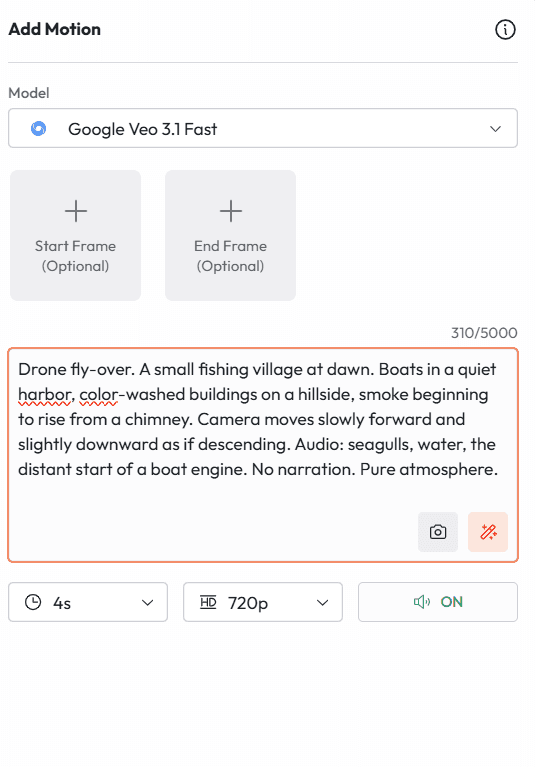
Drone fly-over. A small fishing village at dawn. Boats in a quiet harbor, color-washed buildings on a hillside, smoke beginning to rise from a chimney. Camera moves slowly forward and slightly downward as if descending. Audio: seagulls, water, the distant start of a boat engine. No narration. Pure atmosphere.
프롬프트 31: 호텔 객실 디스클로저
적합한 용도: 호텔 브랜드, 럭셔리 여행, 호스피탈리티 콘텐츠
CAMERA: SLOW DOLLY IN through open balcony doors. A perfectly made hotel bed faces the camera with floor-to-ceiling ocean views behind it. Morning light floods the room. Light curtains drift in a gentle breeze. Audio: ocean waves, wind, absolute quiet. 8 seconds. The view and the room are everything.
헬스 및 웰니스
프롬프트 32: 모닝 리추얼
적합한 용도: 웰니스 브랜드, 영양제 광고, 라이프스타일 콘텐츠
Slow close-up tracking shot following a hand that sets a glass of water, a supplement bottle, and a journal side by side on a white surface. The motion is deliberate and calm. Audio: the sound of the items being placed, then silence. Morning light. No text. No narration. The routine is the message.
프롬프트 33: 움직임과 호흡법
적합한 용도: 피트니스 브랜드, 요가 스튜디오, 정신 건강 앱 콘텐츠
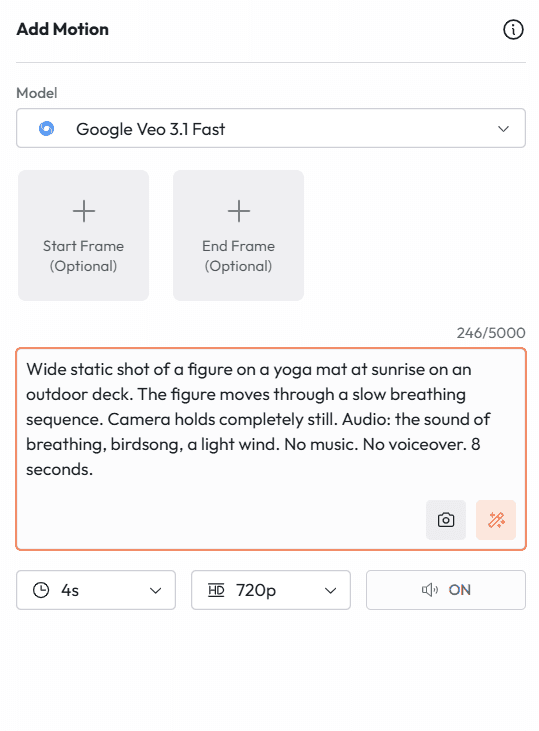
Wide static shot of a figure on a yoga mat at sunrise on an outdoor deck. The figure moves through a slow breathing sequence. Camera holds completely still. Audio: the sound of breathing, birdsong, a light wind. No music. No voiceover. 8 seconds.
금융 및 비즈니스 전문 서비스
프롬프트 34: 신뢰와 크레디빌리티 씬
적합한 용도: 금융 서비스 브랜드, 법률 회사, 비즈니스 전문 서비스
Medium shot. A woman in professional attire sits across a clean desk from the camera and says: "We have helped over [number] families protect what matters most, and we are ready to do the same for you." Calm and direct. Warm neutral background. Soft professional lighting. No motion other than natural speech.
프롬프트 35: 데이터 시각화 디스클로저
적합한 용도: B2B 브랜드, 핀테크, SaaS 제품 비디오
Animated graphic: a clean dashboard with key metrics appears element by element on a dark background. Each data point materializes with a subtle visual emphasis. No voiceover in the clip. Audio: minimal UI sound design. The visual complexity builds to a moment of clarity where the key number occupies the center of the frame.
패션 및 럭셔리
프롬프트 36: 런웨이 에스테틱
적합한 용도: 패션 브랜드 캠페인, 럭셔리 레이블, 에디토리얼 콘텐츠
Extreme slow-motion side tracking shot. A model in a long ivory structured coat walks away from the camera through an empty white gallery space. Fabric moves dramatically with each step. Camera tracks at hip height, perfectly level. High contrast black and white conversion. Audio: silence broken only by amplified fabric sound.
프롬프트 37: 럭셔리 브랜드용 제품 클로즈업
적합한 용도: 럭셔리 제품 출시, 하이엔드 리테일, 시계 또는 주얼리 브랜드
Macro close-up of [product: mechanical watch face]. The second hand advances in real time. Light catches different facets of the dial as the camera performs a microscopic orbital movement. Audio: the precise, amplified tick of the mechanism. No music. The craftsmanship is the entire story.
식음료 및 레스토랑
프롬프트 38: 행동하는 셰프
적합한 용도: 레스토랑 브랜드, 식품 브랜드 캠페인, 컬리너리 콘텐츠
Medium tracking shot following a chef's hands as they move efficiently through a preparation sequence: chopping, arranging, saucing. The camera tracks the hands rather than the face. Audio: the chopping rhythm, a pan sizzle, kitchen ambient. No dialogue. 8 seconds of pure culinary craft.
프롬프트 39: 완벽한 플레이팅 디스클로저
적합한 용도: 레스토랑 마케팅, 음식 배달 브랜드, 레시피 콘텐츠
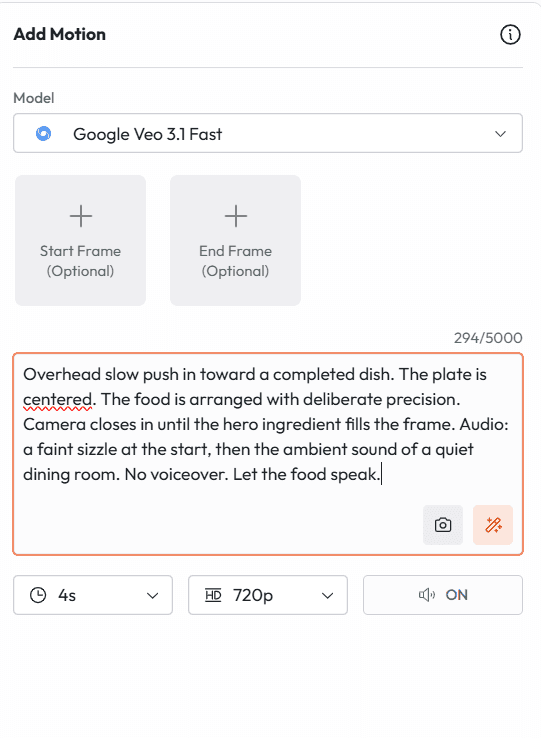
Overhead slow push in toward a completed dish. The plate is centered. The food is arranged with deliberate precision. Camera closes in until the hero ingredient fills the frame. Audio: a faint sizzle at the start, then the ambient sound of a quiet dining room. No voiceover. Let the food speak.
테크놀로지 및 SaaS
프롬프트 40: 제품 인터페이스 둘러보기
적합한 용도: SaaS 제품 마케팅, 앱 출시, B2B 소프트웨어 브랜드
Screen-level tracking shot moving smoothly across a laptop screen showing [product interface]. The cursor moves naturally between interface elements. Audio: subtle UI interaction sounds at each key touchpoint. Warm home office environment reflected faintly in the screen. No voiceover. The interface demonstrates itself.
Atlabs AI 내에서 Veo 3.1을 사용하는 방법
Atlabs AI는 이 가이드에 소개된 모든 Veo 3.1 기능을 Kling 3.0, Nano Banana 및 기타 모든 업계 선도적인 AI 모델과 함께 단일 작업 공간에서 사용할 수 있는 유일한 플랫폼입니다. API 키도, Vertex AI 설정도, 별도의 Google 계정도 필요하지 않습니다.
atlabs.ai로 이동하여 무료 계정을 생성합니다.
새로운 비디오 프로젝트를 열고 모델로 Veo 3.1을 선택합니다.
원하는 모드를 선택합니다: Text to Video, Image to Video, Ingredients to Video, First and Last Frame, 또는 Scene Extension.
Ingredients to Video 또는 First and Last Frame을 사용하는 경우, 동일한 작업 공간에서 Nano Banana를 사용하여 참조 이미지를 먼저 생성합니다.
이 가이드에 소개된 5레이어 공식을 사용하여 프롬프트를 붙여넣습니다.
출력 포맷을 선택합니다: 720p 또는 1080p, 필요시 4K, 가로형의 경우 16:9 또는 세로형의 경우 9:16.
생성합니다. 반복 수정합니다. 동일한 작업 공간을 사용하여 내보내기 전에 목소리 더빙, 자막 및 오디오 믹싱을 추가할 수 있습니다.
프롬프트 입력부터 내보내기 준비가 완료된 비디오가 나오기까지 걸리는 시간: 샷의 수와 반복 횟수에 따라 완성된 씬 하나당 8~20분 정도 소요됩니다.
이 가이드에 나오는 모든 Veo 3.1 기능을 Atlabs AI에서 무료로 테스트해 보세요. 지금 atlabs.ai에서 시작하세요.