ACCESS 50+ MODELS ON ATLABS
Add Lip Sync to Video using Sync Labs
Achieve fast, reliable, and natural lip synchronization for videos using Sync Labs’ advanced AI model, designed for creators who value speed and accuracy.
No credit card required. Get started in minutes.


Whether it's for marketing videos, educational content, podcasts, or digital presentations, our Hedra AI Lip Sync ensure your message is delivered with clarity, emotion, & impact.
Ultra-Realistic Lip Sync
Delivers hyper-realistic speech sync, capturing even the most subtle lip movements naturally.
Voiceover Friendly
Aligns seamlessly with uploaded voiceovers, ensuring smooth and lifelike delivery.
Expression Mapping
Convey genuine emotions and natural micro-expressions, adding depth and realism to every word.
Background Music
Immerse your audience through sound. AI adds the right music and effects to any video.
Trendy Captions
Choose from a wide variety of captions templates to boost views, engagement, and retention.
One click Localisation
Looking to tap multiple geographies? Export the same video to 40+ languages in 1 click.
Step by Step
How it Works

Start with an Idea
Type a prompt or upload your media.

Craft Your Story & Voice
Lock in your script and add your voiceover.

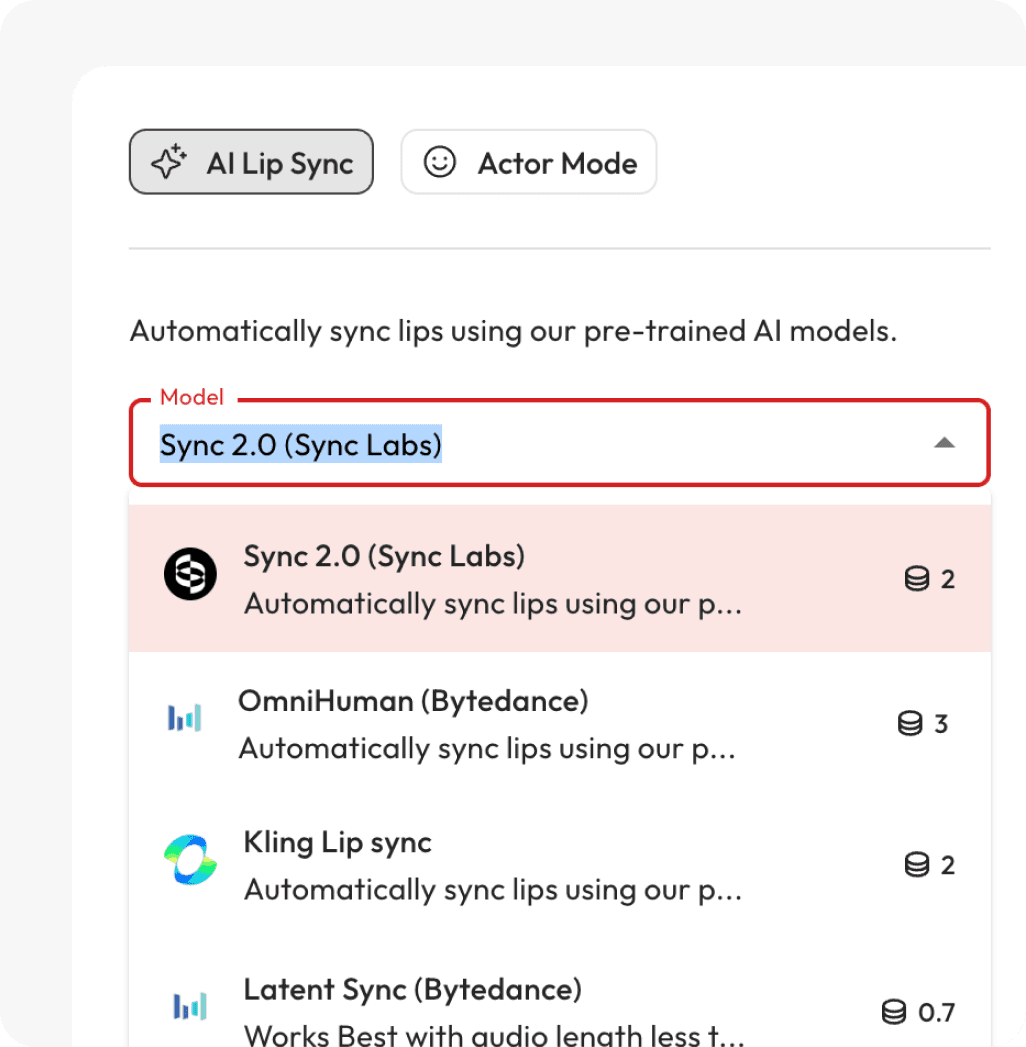
Choose lip sync model
Choose the right model for your video.
Export & Share
Ultra-real lip sync bring your videos to life. Simply export
Powered by Atlabs
Sync Labs 2.0 is a powerful AI lip sync model built for video-based content, offering a balance of speed and high-quality results. It automatically aligns lip movements to your uploaded audio or voiceover, ensuring your video feels polished and lifelike. Optimized for creators, educators, and businesses, Sync Labs makes it easy to generate professional-looking content without long processing times or complex setups.
Seamless Lip Sync, Smarter Videos

Two Modes. Endless Possibilities.
Choose the mode that fits your workflow—fast automation or full control.


Got Questions?
How does Atlabs work?
Atlabs is a video creator built for the AI-era. Simply enter a few words or import existing content, and get a video in less than 5 minutes.
Is it easy to learn?
Atlabs is the first video creator you will actually enjoy using. No creative or technical skills needed.
What kind of videos can I make with Atlabs?
You can produce ads, social media clips, explainer videos, tutorials, corporate films, and even long-form video series — all with consistent visuals and voices.
How does character consistency work?
Atlabs lets you design and maintain characters across scenes or even an entire video series, ensuring professional storytelling continuity.
Are the AI voices realistic and customizable?
Yes, our AI voiceovers sound natural and can be customized for tone, style, and language to fit your project.
What export options do I get?
Export videos as .mp4, share previews directly, or move projects into professional editing tools like adobe premiere pro for advanced tweaks.
