The #1 VidMuse Alternative
The Best VidMuse Alternative for Professional AI Music Videos
VidMuse is great for generating quick, storyboarded clips from your Suno or Udio tracks. Atlabs takes those tracks and gives you a professional studio - complete with frame-by-frame editing, true 4K exports, integrated Text-to-Music, and 40+ language localization to scale your content globally.
4.8/5 on G2
4.9/5 on Capterra
:) OUTGROWING
VidMuse
Why creators go looking for an
VidMuse
alternative
VidMuse is fast and conversational - great for one quick clip. But the moment you need the same character across every scene, the same location across angles, frame-level edits, and a 4K master that lands in Premiere - VidMuse hits a ceiling.
Great Storyboards. Frustrating Editing Loops.
VidMuse keeps you locked in a chat loop, burning credits every time a single frame needs a do-over. Atlabs gives you a real editing timeline with frame-by-frame precision and the ability to edit isolated scenes. Stop chatting with your video generator - start directing it.
Stuck in 1080p
No matter which VidMuse plan you use, your final music video renders in 1080p. If you are uploading to a professional YouTube channel, pitching brands, or playing visuals on a festival screen, you need the studio-grade 4K rendering and Premiere Pro handoffs that Atlabs provides.
Impractical for Long Tracks
Reviewing conversational prompts is fine for a 30-second TikTok reel. But if you're producing a full 4-minute track - or an EP visualizer up to 15 minutes long - VidMuse's workflow gets exhausting. Atlabs uses AI agents to structure your entire video instantly, letting you tweak the details frame by frame.
Making the switch :)
Moving from
VidMuse
to Atlabs
VidMuse is fast and conversational - great for one quick clip. But the moment you need the same character across every scene, the same location across angles, frame-level edits, and a 4K master that lands in Premiere - VidMuse hits a ceiling.
Bring your assets across
Upload the images and clips you've already generated. They can be used as characters, reference frames or scene assets inside an Atlabs project.
Cast your characters once
Turn an existing character image into a cast member. From then on it stays consistent across every scene in the project, and across future projects.
Start from the script, not the prompt
This is the habit that changes. Instead of prompting shot by shot, you paste a script, a song or a product brief and adjust the scenes it generates.
Add the audio in place
Pick a voice, generate lip sync, generate custom text-to-music, and export at 1080p - or export the project to Premiere Pro if a human editor is finishing it.
Atlabs vs.
VidMuse
Platform Type
AI Model access
Creative Range
Editing Granularity
Max Video Length
Up to 15 minutes
Character Consistency
Location Consistency
Beat-Synced Visuals
Audio & Lip-Sync
Visual Styles
Export Options
Best For
24/7 Support
Yes
What Creators Say
Musicians love what Atlabs does for their releases
From Idea to Video in Minutes
How AI Video creation works
1
Start with an idea
Drop in a script, audio, product brief, or just a rough concept. Atlabs understands intent and builds the video structure for you.
2
Customize your video
Fine-tune scenes, visuals, motion, characters, voice, and music at the frame level, with AI agents handling the heavy lifting.
3
Export and share
Render ready-to-ship final videos, from ads and social to explainers and long-form content, and publish anywhere.
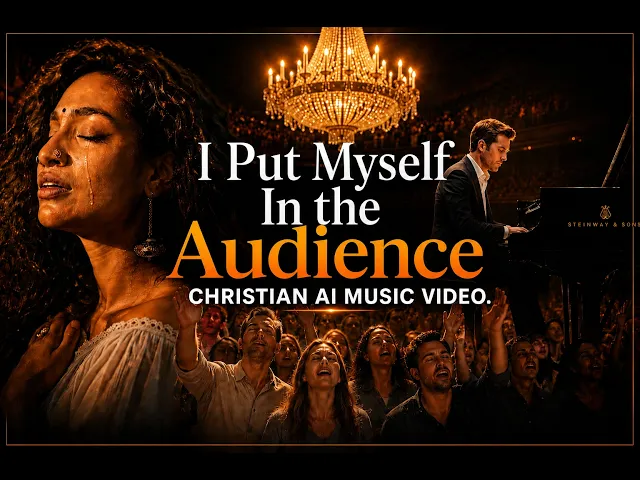
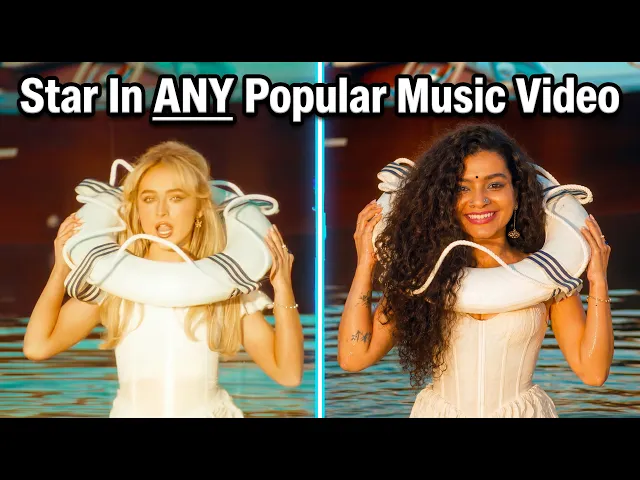
Studio Quality Videos for the Price of Lunch
Choose the plan that fits your ambition. Cancel anytime.
Monthly
Yearly
25% OFF
Billed as $180 annually, 3 months free
$19
$15
/mo
1800 credits / year
Enough for 24 minutes of video
For individuals exploring AI video
Save $48 compared to monthly
Everything in Free +
All Text to Video workflows (script to video / animated video / etc.)
All AI video tools (Reframe / Upscale / etc.)
30+ unique visual styles
300+ Ultra-realistic voices
Access to 100+ AI models including Seedance 2.0, Veo 3.1 & Kling 3
Auto animated Subtitles
Upto 2-min videos
Commercial Use
Export your videos (720p)
LITE
25% OFF
Billed as $348 annually, 3 months free
$39
$29
/mo
4200 credits / year
Covers 36-48 minutes of video
Ideal for solo creators getting started
Save $120 compared to monthly
Everything in Lite Plan +
All Music to Video workflows (kids music / indie music / etc.)
AI Motion & Lip Sync videos
Cast Characters & keep them consistent
Add Objects / Products & maintain consistency
Create video in 40+ languages
Kids Edutainment Music videos
Upto 5-min videos
Music Analysis Pro
Discounted credit packs
Export your videos (1080p)
PRO
25% OFF
PLUS
MOST POPULAR
25% OFF
9000 credits / year
Covers 84-120 minutes of video
Best for creators and small businesses
Save $240 compared to monthly
Everything in Pro Plan +
Train your own models
Add Locations & maintain consistency
Premium Explainer Videos
Multi-Character Music Videos
Clone & Customize Product Ads (upto 15s)
Add emotions to AI Voices
Upto 10-min videos
Multi-Character Animated Videos
200+ Ad Template Library
Export to Premiere Pro
Billed as $708 annually, 3 months free
$79
$59
/mo
MAX
25% OFF
BEST VALUE
Billed as $2,268 annually, 3 months free
$249
$189
/mo
31200 credits / year
Covers 300-420 minutes of video
Built for creative studios and teams at scale
Save $720 compared to monthly
Everything in Plus Plan +
Unlimited custom actors, styles, locations & products
Translate to 40+ languages
Actor Holding Product
Voice Changer
Brand Customisation
Early access to advanced AI
Upto 15-min videos
Account Manager
Priority Support
5x faster renders
Onboarding & Training
Got Questions?
What is the main difference between Atlabs and VidMuse?
VidMuse is an AI music video agent that uses a chat-based storyboard process to generate visuals for your songs. Atlabs is a full timeline-based AI video studio that offers the same import speed, but adds frame-by-frame editing, native Text-to-Music generation, and 4K exports.
Can VidMuse keep my characters consistent across the whole video?
VidMuse uses prompt-based character anchoring, which can limit your camera angles and flexibility. Atlabs locks character identity perfectly across unlimited scenes and multiple videos on a professional timeline.
Does VidMuse support location consistency?
No. VidMuse does not lock locations, so environments shift between scenes. Atlabs locks the same room, alley, stage, or world across every shot.
Is there a VidMuse alternative that exports in 4K?
Yes. While VidMuse is currently capped at 1080p resolution across its plans, Atlabs allows creators and studios to export their finished music videos in crisp 4K resolution.
Can I edit individual frames or scenes in VidMuse?
VidMuse is chat-driven; you re-prompt to change things. Atlabs gives you frame-by-frame and scene-level control. Regenerate one shot, fix lip-sync on one scene, swap a background, without re-rendering the entire track.
Can I localize my music videos for different GEOs?
Absolutely. Atlabs features a 1-Click Localization tool that translates and perfectly lip-syncs your AI performers into 40+ languages, a feature crucial for global reach that standard clip generators don't offer.
How many visual styles does each platform offer?
VidMuse is limited to preset music-video aesthetics. Atlabs ships with 30+ curated styles (including cinematic, anime, 3D, illustrated, performance, narrative), plus custom style training for your artist brand.
Does Atlabs accept Suno and Udio links like VidMuse?
Yes. You can paste your Suno, Udio, YouTube, or SoundCloud links directly into Atlabs, or upload an MP3/WAV. Atlabs will analyze the track, auto-detect the beat, and sync your cinematic visuals instantly.
Is VidMuse easier to use than Atlabs?
VidMuse leans on a conversational interface. Atlabs offers the same paste-link simplicity for fast generation, plus deeper controls when you need them. Power and simplicity aren't trade-offs.
Which tool is better for long music videos?
For full-length tracks or visualizers (up to 15 minutes), Atlabs is far superior.


