
What are the best AI video tools for children's YouTube channels?
Most tools built for kids content fall into one of two camps: template based cartoon makers, or full workflows that take a script all the way to a finished animated short. Atlabs sits in the second camp, and it's the one worth starting with, since a children's channel needs recurring characters and a consistent look far more than it needs a new template every upload.
Start your first kids animated episode on Atlabs →
Tool | Best For | Price Tier | Key Strength |
|---|---|---|---|
Atlabs | Recurring characters across episodes | Free tier, paid plans available | Script, Cast, and Screenplay in one workflow |
Vyond | Detailed, hand animated scenes | Premium, no free plan | Fine grained scene and camera control |
Animaker | Budget conscious template animation | Most affordable of the five | Fast character and prop assembly |
Powtoon | Short, simple animated segments | Free tier available (watermarked) | Familiar drag and drop timeline |
Toonly | Simple 2D cartoons with lip sync | Mid-range | Built in lip sync at its price point |
The Best AI Video Tools for Children's YouTube Channels
1. Atlabs
Step 1: Script
The Kids Animation Video workflow runs through three steps: Script, Cast, and Screenplay. A channel starts with the story itself, written in plain language the way you'd tell it to a child, rather than fitting it into a pre made scene layout.

Step 2: Cast
Cast is where a channel's recurring characters actually get locked in, which matters more here than almost anywhere else on this list, since a children's audience returns for the same characters episode after episode, not a new cast every video.

Step 3: Screenplay
Screenplay paces the story into scenes, giving the moment a lesson lands or a joke pays off its own beat instead of rushing past it.

Try the Kids Animation Video workflow: Script, Cast, Screenplay →
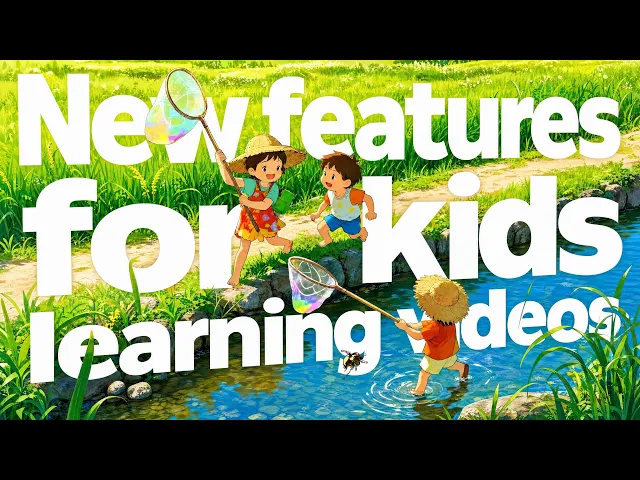
Watch the full Kids Animation Video workflow tutorial below, and see a finished episode built the same way in this real example.
2. Vyond
Vyond gives a channel fine grained control over characters, timing, and camera movement inside each scene, which suits creators who want to hand animate specific comic beats rather than rely on a template. It sits at a premium price tier with no free plan to test first, and its scene builder has a real learning curve, so a solo creator without animation experience will spend real time getting comfortable with it before the first episode ships.
3. Animaker
Animaker is one of the more budget friendly character animation tools around, built on dragging pre made characters and props into a timeline. That affordability comes with a tradeoff: it's template driven, so building anything outside its existing character library takes noticeably more effort, which can slow down a channel that wants a distinct visual identity rather than a generic cartoon look.
4. Powtoon
Powtoon has a free tier to test the format, capped at a lower resolution with a watermark. It works fine for a short, simple animated segment, but several recent reviews note its interface feels dated next to newer AI first tools, and its automation is lighter than tools built around AI generation from the start.
5. Toonly
Toonly specializes in simple 2D cartoon videos with built in lip sync, a genuinely useful feature at its price point since many cheaper cartoon tools skip it entirely. Reviewers note the editor can slow down once an episode runs past about a minute or a scene gets busy with elements, and the character art itself reads as flat and somewhat dated, which limits it for a channel aiming for a more polished, distinct look.
Build your first children's channel episode on Atlabs →
How We Picked
These five were narrowed down to tools genuinely built around animated character content rather than general video editing, with real, current reviews backing up their strengths and limitations rather than marketing copy alone. Atlabs led the list because Cast, the step that keeps a channel's characters consistent from episode to episode, is built into the core workflow rather than bolted on as a template library.
FAQ
Do I need animation or editing experience to make kids' content with AI?
No. Every tool on this list is built around either a script or a template rather than a traditional animation timeline, so no prior animation background is required. The Kids Animation Video workflow in particular starts from a plain written story, the same way a channel would already plan an episode.
How do I keep the same characters across every episode?
This is where Cast matters most. Locking a cast once inside the Kids Animation Video workflow keeps the same characters recognizable across an entire series, rather than resetting the look with a new template each upload.
What makes children's content different from a general animated explainer?
Pacing and repetition matter more. A lesson or joke aimed at a young audience needs its own clear scene rather than being folded into a busy shot, which is what the Screenplay step in the Kids Animation Video workflow is built to handle.
Can one tool cover both storybook style episodes and quick short form clips?
Yes, since a channel's Cast and visual style can be reused across both a full length episode and a shorter cut of the same story through the same workflow, rather than needing a separate tool for each format.
Start a kids animated series on Atlabs: Script, Cast, Screenplay →
Final Verdict
For a channel publishing one animated segment and moving on, a template tool like Powtoon or Animaker is a reasonable, budget friendly choice. But most children's channels aren't one and done, they're a series, and a series lives or dies on whether the same characters show up recognizably from episode ten to episode one. That's the specific gap Vyond's manual control and Toonly's lip sync don't close on their own, and it's why Atlabs leads this list: Cast is a dedicated step in the Kids Animation Video workflow, not an afterthought bolted onto a template library.
A children's channel lives or dies on whether the audience recognizes the characters from one episode to the next, not on how many templates a tool offers: start your first episode on Atlabs.
Sources: Toonly Review 2026: Pricing, Features, Pros and Cons | Pexo








