The AI UGC space is noisy. HeyGen, Creatify, Arcads, and Viralinn all promise the same thing: skip the influencer fees, skip the shipping samples, skip the three-week revision cycle, and get a video ad out the door today. For brands spending $500 to $2,000 per UGC creator per video, that promise is genuinely appealing.
But after you look past the demo videos, the tools diverge sharply. Some give you a clip and hand you back to CapCut. Some hit you with hidden credit limits. Some still cannot answer the most important question a performance marketer has: can I edit this scene without regenerating the entire video?
This comparison covers all five tools honestly. We start with Atlabs AI because this blog is published on Atlabs and you deserve to understand it first and in the most detail. Then we go deep on each competitor so you can make an informed call on where your budget actually goes.
Bottom line up front: Atlabs AI is the only tool in this comparison with a complete, end-to-end UGC workflow, from AI script writing and actor selection through frame-level editing, captions, voiceover, and Premiere Pro export, all inside one platform, starting at $15/month with a free trial and no credit card required.
At a Glance: How All Five Tools Compare
The table below reflects verified features and pricing as of March 2026. Read the full reviews below before making a decision.
Atlabs AI | HeyGen | Creatify | Arcads | Viralinn | |
Best For | Complete UGC + cinematic platform | Enterprise multilingual | E-commerce URL-to-video | Performance ad testing | Beginners / budget |
UGC Workflow | End-to-end in one place | Partial (no B-roll/captions) | Partial (needs editing) | Clip only, needs editor | Basic, undocumented |
3-Step to Final Ad | Yes, script to export | No | No | No | No |
Avatar / AI Actor | AI Actors + custom avatar | 1,100+ avatars | 1,250+ avatars | 300+ motion-capture actors | Limited |
Lip Sync | Frame-perfect lip sync | Industry-leading | Inconsistent | Good | Unclear |
Scene Editing | Frame-level, all scenes | Yes (AI Studio) | Limited | None | Basic |
Script Writer | Built-in AI script writer | Yes (Video Agent) | Yes (AI generated) | Manual or upload | Unknown |
Captions | Auto trending captions | No built-in | Yes | No | Unknown |
Multilingual | 40+ languages | 175+ languages | 29 languages | Multiple | Limited |
Export to Premiere | Yes | No | No | No | No |
Free Trial | Yes, no card needed | 3 videos/mo watermarked | 10 credits watermarked | No free trial | Unclear |
Starting Price | $15/mo (Lite) | $24/mo | $33/mo | ~$110/mo | Undisclosed |
1. Atlabs AI: The End-to-End UGC Production Platform
Best for: Brands, creators, and agencies who need to go from idea to final published ad inside one workflow without stitching together multiple tools
Pricing: Free trial (no credit card) | Lite $15/mo | Pro $29/mo | Plus $59/mo | Max $189/mo
Link: app.atlabs.ai/ugc-ads
Every other tool in this comparison gives you a piece of the UGC production process. Atlabs AI gives you the whole thing. The UGC Ads workflow at app.atlabs.ai/ugc-ads is built specifically to take a brand from zero to a publication-ready video ad in three steps, without leaving the platform once.
That matters enormously for teams who have tried the alternative. The fragmented stack approach, script in one tool, avatar video in another, captions in a third, B-roll in a fourth, export to Premiere for finishing, is how most brands are currently using AI video tools. It is slow, it is error-prone, and every hand-off is a place where quality degrades. Atlabs eliminates every one of those hand-offs.
The Atlabs UGC Workflow: Step by Step
Here is exactly what happens when you open the Atlabs UGC Ads workflow:
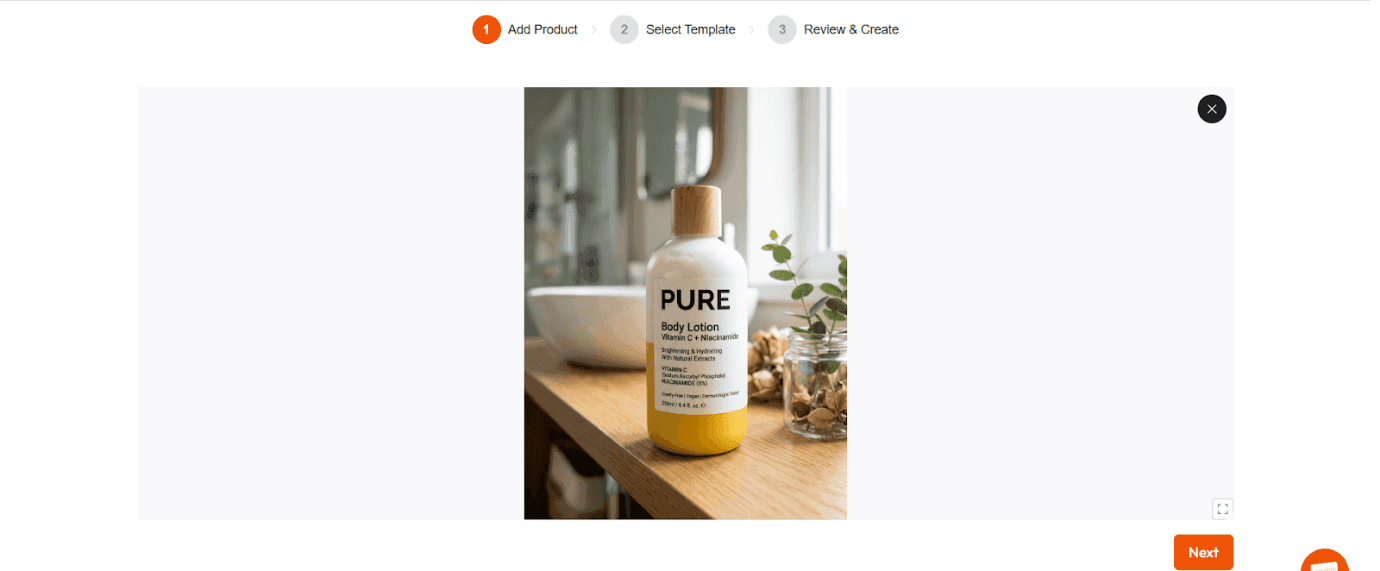
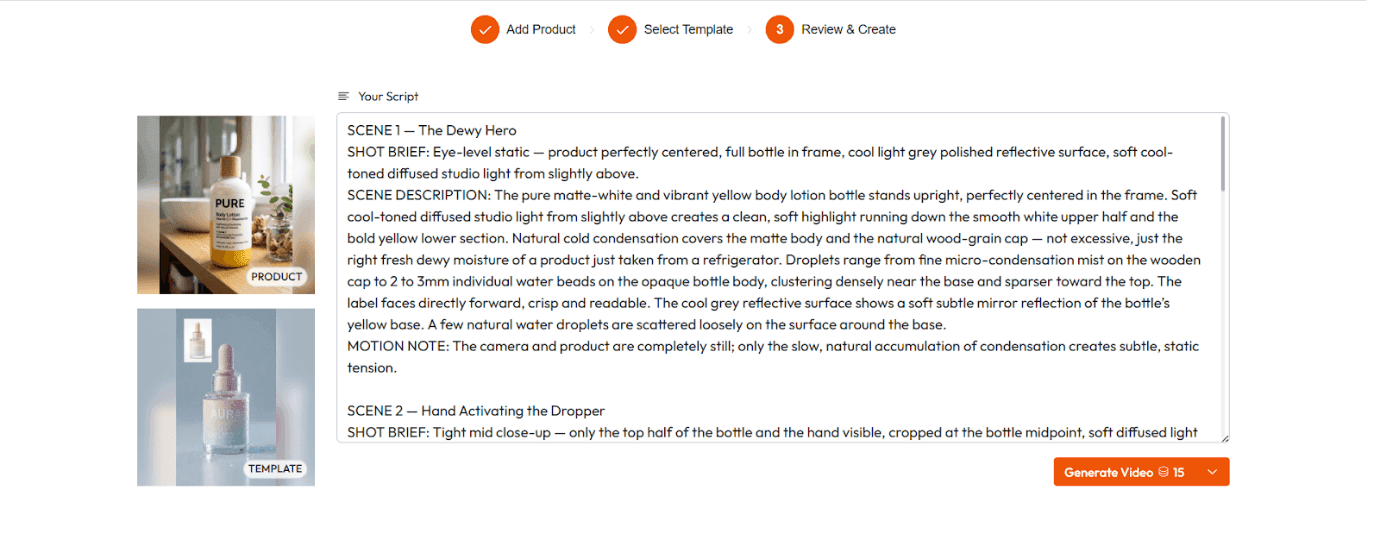
Step 1 Upload Your Product and Script
Drop in an image of your product. Either paste your own script or use the built-in AI Script Writer to generate one from a product description and target audience. The AI Script Writer is not a generic template tool. It writes hooks, benefit-led body copy, and CTAs in the style and length appropriate for the platform you are targeting, whether that is a 15-second TikTok hook or a 45-second Instagram Reel.
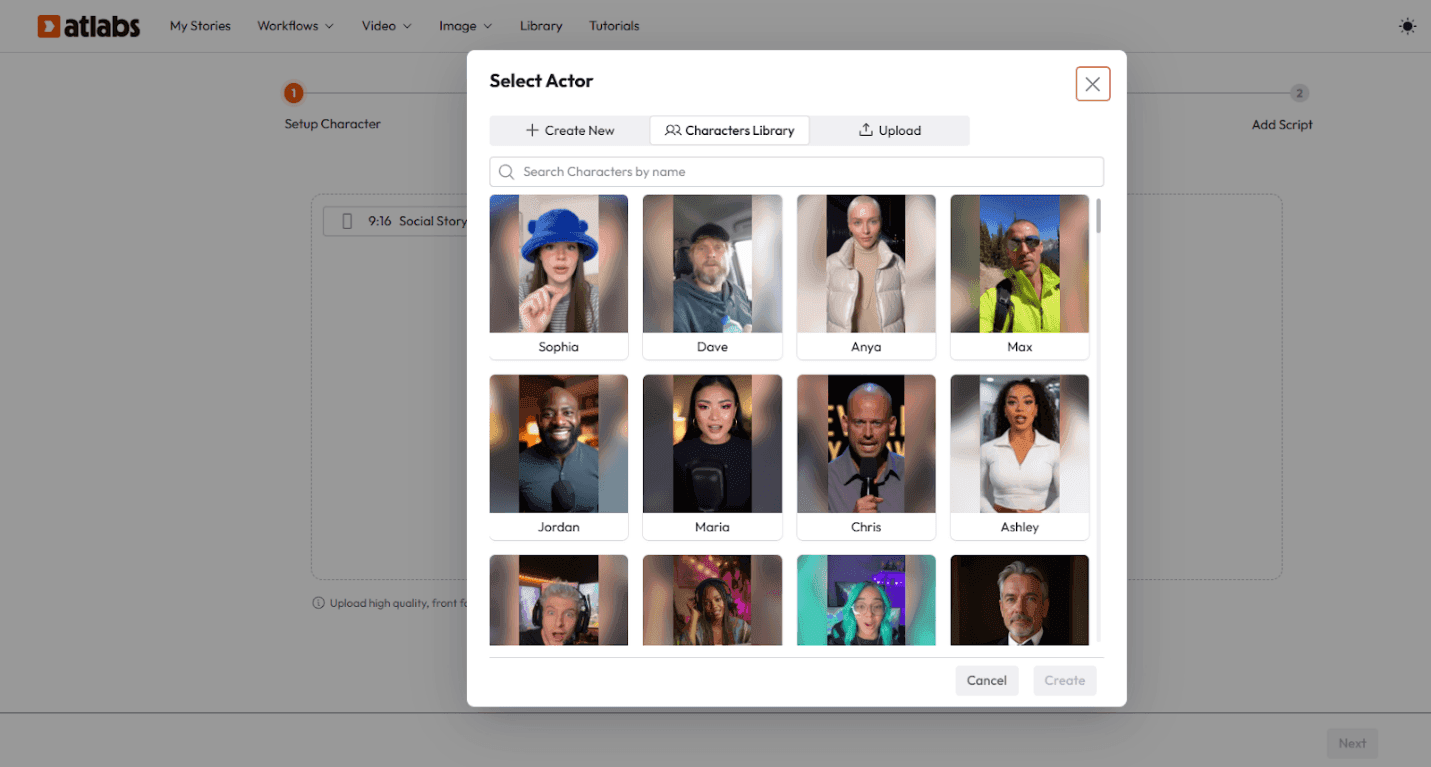
Step 2 Choose Your AI Actor
Select from the Atlabs AI actor library, a curated set of ultra-realistic AI presenters across different ages, ethnicities, and visual styles. Or upload a reference image to create your own custom avatar, an AI version of your brand spokesperson, a fictional character, or a digital influencer that you own and can reuse across every future campaign. Actors maintain consistent appearance, voice, and energy across every video you produce with them. No morphed faces, no uncanny valley glitches between sessions.
Step 3 Generate, Edit, and Export
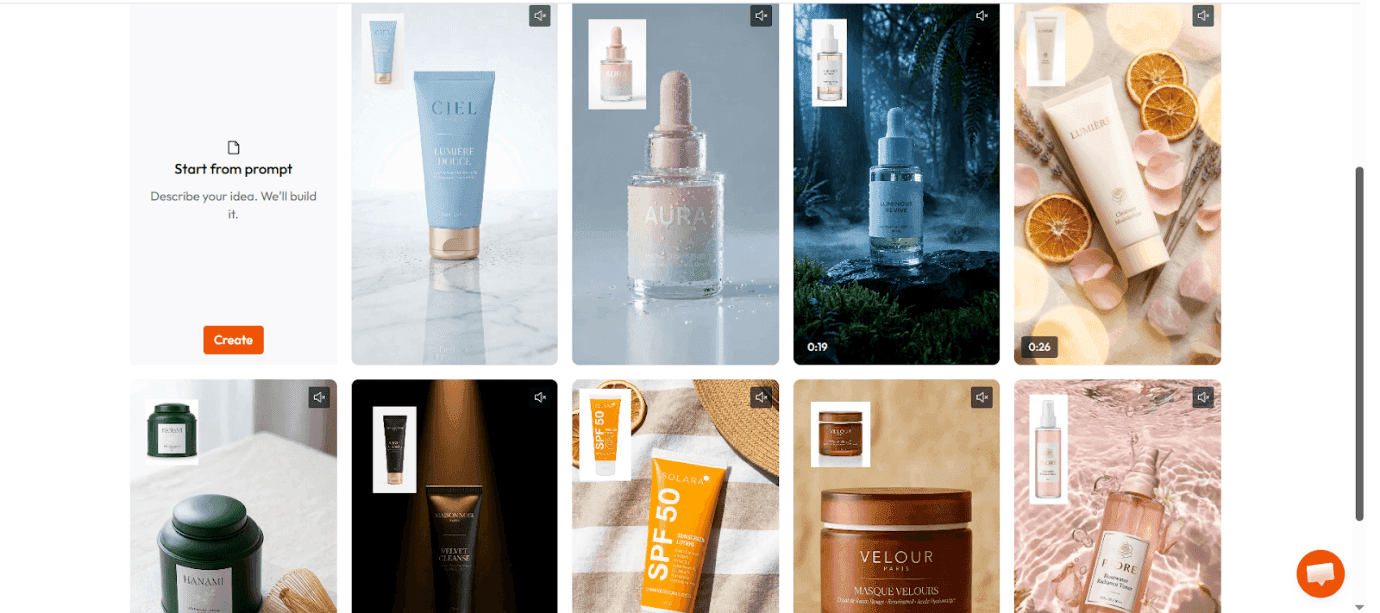
The platform renders your full video with perfect lip-sync, natural emotion, and auto-generated trending captions. Every scene is editable at the frame level after generation. Change the B-roll, adjust timing, swap the background, revise a line of the script, or update the CTA without regenerating the entire video. When you are finished, export directly in 1080p or send the project straight to Premiere Pro for final campaign assembly.
That is the full workflow. Script to actor to finished ad, inside one platform, with every step editable. No other tool in this comparison offers that.
Key Features That Set Atlabs Apart
Frame-Level Editing Control
This is the feature that separates Atlabs from every competitor in this list. When you generate a video in HeyGen, Creatify, or Arcads, the output is largely fixed. You can make surface-level adjustments but you cannot go back into a specific scene and change how it looks without starting over.
In Atlabs, every scene remains a live, editable project. You can target a single 3-second clip that is not landing, change the actor's movement, update the voiceover line, swap the visual, and re-render only that scene. The rest of your video stays exactly as it was. For anyone who has ever had to regenerate a 45-second video because one line of the script changed, this feature alone justifies switching.
Perfect Lip-Sync and Emotion
Atlabs uses a dedicated lip-sync engine that matches mouth movement to audio at the phoneme level, not just the word level. The result is videos where the actor's delivery feels natural because the facial movement matches the rhythm and emphasis of the speech, not just its timing. Emotional inflection in the voiceover is reflected in the actor's expression. The AI notices when a line is excited or concerned and adjusts accordingly.
Consistent AI Actors Across Every Campaign
One of the biggest unsolved problems in AI UGC is actor consistency. If you use a stock avatar from a library, there is no guarantee the same face and voice will be available, or will look the same, six months from now when you launch the next campaign. Atlabs solves this with a character casting system. Define your actor once, save them to your account, and they appear identically in every video you produce in the future. Same face, same voice, same energy. Your AI influencer is yours.
Built-In AI Script Writer
Most AI UGC tools assume you are arriving with a finished script. Atlabs does not. The built-in AI Script Writer generates ad copy from a product description and a few parameters: target audience, desired tone, platform, and video length. The output is structured for conversion, not just information, with a hook designed to stop the scroll, benefit-led body copy, and a CTA built for the platform. For brands testing new products or new audiences, this compresses the creative brief process significantly.
Trending Captions and Multilingual Output
Captions are not an afterthought in Atlabs. The platform automatically generates styled, trending captions that match the visual energy of the video. For brands running content across multiple markets, the same video can be translated and re-dubbed in over 40 languages, with lip-sync recalibrated for the new audio, inside the same project. A campaign that would have required 40 separate production runs now takes one.
Export to Premiere Pro
For agencies and in-house teams with an existing post-production workflow, Atlabs does not force you to stay inside the platform. Direct Premiere Pro export means your AI-generated footage arrives in your existing editing environment as a native project file, not a flat MP4 you have to import and rebuild around. This is the feature that makes Atlabs usable for professional video teams, not just solo creators.
All Top AI Models in One Interface
Atlabs aggregates the best AI video and image models available, including Google Veo 3.1, Kling, and others, into a single interface. You are not locked into one generative engine. A photorealistic product shot may call for a different model than a stylized animation sequence. Atlabs lets you choose the right tool for each scene without leaving the platform or managing multiple API subscriptions. The Pro plan and above include access to 100+ AI models.
Atlabs Pricing
Free: Available, no credit card required. Test the full platform before committing to anything.
Lite: $15/month (billed annually at $180). 1,800 credits/year. AI story videos, 20+ visual styles, ultra-realistic voices, 40+ language export, up to 2-minute videos.
Pro: $29/month (billed annually at $468). 4,200 credits/year. AI motion videos, character casting, lip sync, 100+ AI models including Veo 3.1 and Kling, 1080p export, up to 5-minute videos.
Plus: $59/month (billed annually at $708). 9,000 credits/year. Train your own models, expression transfer, voice mirroring, replace character in video, export to Premiere Pro, up to 10-minute videos.
Max: $189/month (billed annually at $2,268). 31,200 credits/year. Unlimited custom actors and styles, virtual product placement, 3x faster renders, priority support, up to 15-minute videos.
Atlabs verdict: The most complete AI UGC workflow available in 2026. From script writing and actor selection to frame-level editing, multilingual output, and Premiere Pro export, it is the only tool in this comparison that handles the full production arc without sending you somewhere else. Start free at app.atlabs.ai/ugc-ads.
2. HeyGen: Enterprise Avatar Video at Scale
Best for: Large teams producing multilingual corporate content, training videos, and spokesperson campaigns
Starting price: $24/month (billed annually) | $29/month (monthly)
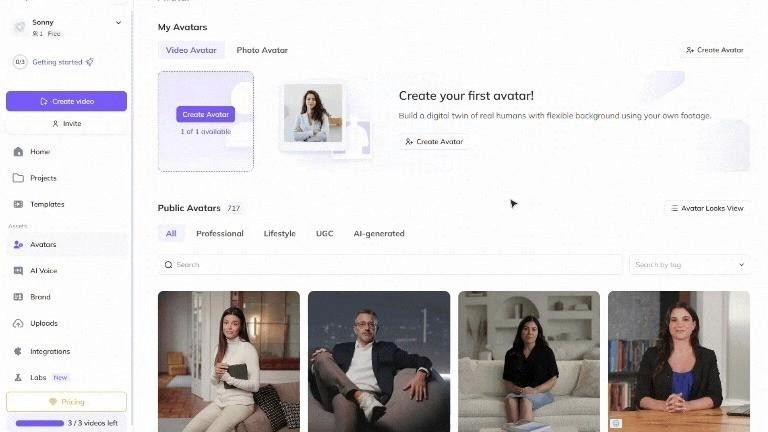
HeyGen is the best-known name in AI avatar video and the most polished enterprise offering in the space. Trusted by over 100,000 businesses and recognized as G2's fastest-growing product in 2025, it is the default recommendation for corporate teams who need multilingual talking-head content at scale.
The Avatar IV model produces genuinely photorealistic results with micro-expressions, natural blink timing, and hand gestures that feel intentional rather than algorithmic. For LinkedIn campaigns, internal training, and multilingual product launches, HeyGen's output quality is the benchmark.
What HeyGen Does Well
Multilingual video is HeyGen's strongest capability and the primary reason large brands use it. Upload any video, select a target language from a list of 175+, and the platform recalibrates lip movements frame by frame to match the translated audio. The output does not sound or look dubbed, which is a meaningful quality threshold that most competitors cannot clear.
The Video Agent 2.0 feature allows users to describe a video concept in a single sentence and receive a complete creative package including script, avatar, visual style, and B-roll suggestions. Every element is editable in AI Studio before the final render, which gives it a degree of post-generation control that is better than most tools in this list.
The Product Placement feature lets you upload a product image and have the avatar hold and interact with it naturally. For e-commerce brands needing spokesperson content without a physical shoot, this is a competent substitute.
Where HeyGen Falls Short
HeyGen's UGC workflow is incomplete compared to Atlabs. The platform does not have a built-in caption system, no B-roll integration, and no direct export to Premiere Pro. You get a finished avatar video, but assembling it into a final publication-ready ad still requires additional tools.
The credit system is a persistent pain point in user reviews. The Creator plan looks affordable at $29/month but the most valuable features, Avatar IV generation and multilingual lip-sync dubbing, consume Premium Credits that run out faster than expected. Real monthly costs for active teams are typically $59 to $99/month before you hit the plan ceiling.
The avatar library, while large at 1,100+ options, skews toward polished, corporate-feeling presenters. Users targeting TikTok and Reels consistently note that HeyGen avatars can look too professional for content where authentic, casual-looking UGC converts better.
HeyGen Pricing
Free: 3 videos/month, 720p, watermarked
Creator: $24/month annually | $29/month monthly
Pro: $99/month, 4K, faster processing, 10x Premium Credit allocation
Business: $149/month + $20/seat, team workspace, SSO, SCORM export
HeyGen verdict: The right tool for enterprise multilingual campaigns and corporate content where polish and spokesperson quality are the primary bar. Not the right tool if you need a complete end-to-end UGC workflow, caption integration, or a free trial before committing.
3. Creatify: URL-to-Video for E-Commerce
Best for: DTC brands and e-commerce stores who need fast first drafts from product URLs
Starting price: $33/month (billed annually) | $39/month (monthly)
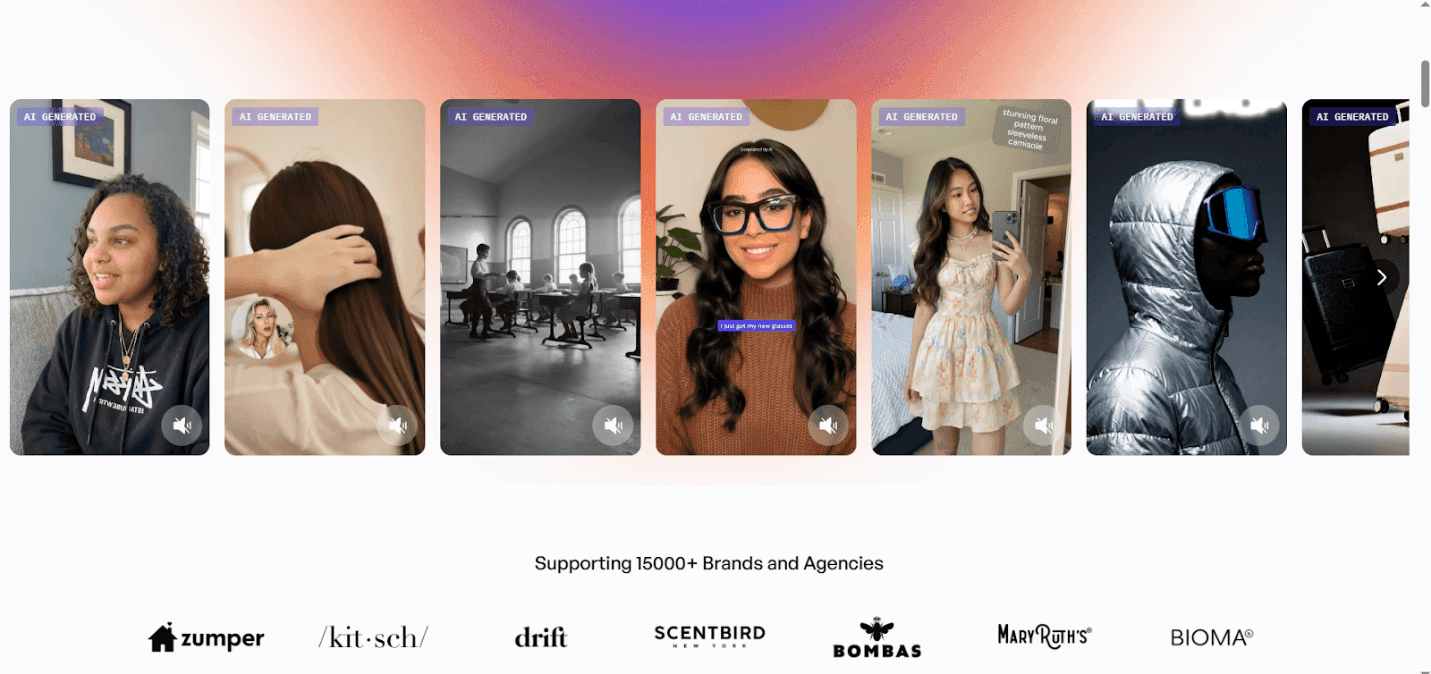
Creatify built its entire product around one workflow: paste in a product URL and receive multiple ad drafts with scripts, avatars, voiceovers, and captions in minutes. For Shopify operators and Amazon sellers with large catalogs, the URL-to-video pipeline is a genuine time compression tool.
Over one million marketers and 10,000 teams use the platform. The Batch Mode feature, which generates 5 to 10 ad variations simultaneously with different hooks and avatar faces, is useful for performance teams who need raw A-B testing volume.
What Creatify Does Well
The URL-to-video workflow is the strongest automated briefing system in this comparison. The platform scrapes product images, benefits, and descriptions from a product link and structures a conversion-focused script without any manual input. For a brand with a 200-SKU catalog that needs to produce ads for every product, this removes a significant amount of creative preparation work.
Multi-format export handles 9:16, 16:9, and 1:1 without manual resizing, and output goes up to 4K. The avatar library at 1,250+ options with 140+ voice variations gives teams meaningful casting flexibility across different audience segments.
Where Creatify Falls Short
The output quality is inconsistent in ways that matter for performance advertising. Lip-sync accuracy, avatar realism, and transition quality vary significantly between generations, and users consistently report needing to manually edit the final video before it is ready to run as a paid ad. The time savings the platform promises are partially recaptured by post-generation editing work.
The credit system does not roll over between months, which means unused credits are lost. For agencies managing multiple client campaigns simultaneously, the per-video economics become less favorable at scale. Multiple users also report billing issues after cancellation, which is a meaningful trust concern for a tool marketed on risk-free creative testing.
Like HeyGen, Creatify delivers a video but not a complete campaign asset. Captions are included, but the workflow does not extend to B-roll integration, branded overlays, or Premiere Pro export. The output is a starting point that typically needs additional finishing.
Creatify Pricing
Free: 10 credits/month, watermarked
Starter: $33/month annually, limited avatars and video length
Pro: $49/month, batch mode, custom avatars, advanced analytics
Enterprise: Custom pricing
Creatify verdict: A solid URL-to-video automation tool for e-commerce brands who need fast first drafts at volume. The inconsistent output quality and incomplete workflow mean it works best as a rapid ideation tool rather than a final production pipeline.
4. Arcads: Motion-Capture UGC for Performance Marketers
Best for: Performance marketers who need maximum authenticity in talking-head ads for paid social
Starting price: ~$110/month (Starter, not publicly listed)
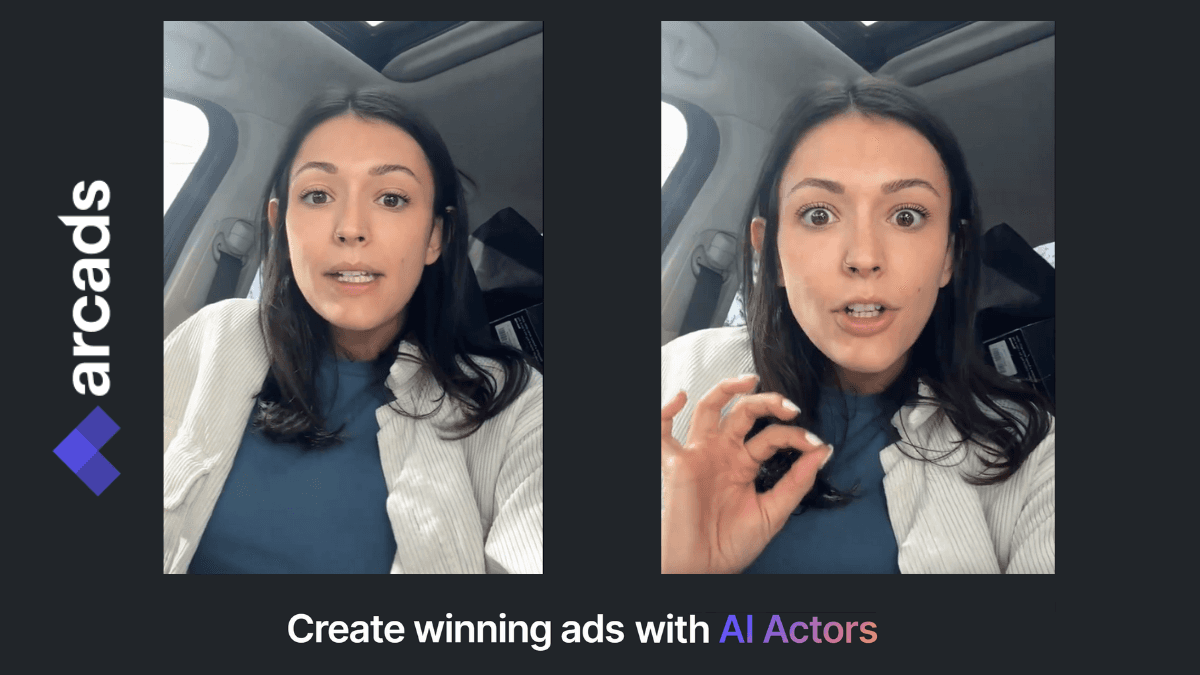
Arcads raised $16 million in December 2025 to build what it describes as the most realistic AI UGC actor system available. The platform uses motion capture data from real, consenting human performers, which produces significantly more natural body language and speech timing than algorithm-only avatar systems.
With 6,000+ clients and approximately 100,000 video assets generated per month, Arcads is the platform of choice for performance marketers who prioritize one thing above everything else: the video needs to not look AI-generated when it is scrolling past someone on TikTok.
What Arcads Does Well
The actor library of 300+ diverse performers, spanning ages from early twenties to late fifties across multiple ethnicities and settings, is purpose-built for the casting decisions that performance marketing requires. A skincare supplement ad needs a different face than a B2B productivity tool demo. Arcads makes that casting choice fast and the output feels credible.
The Speech-to-Speech feature is the standout capability. Record yourself delivering the script with the pacing, emphasis, and emotional delivery you want, and Arcads maps your performance onto the AI actor. The quality of your input carries directly into the output in ways that text-to-speech cannot replicate. For brands that care about the specific energy of a delivery, this is meaningful.
Batch creation at approximately $11 per video on paid plans makes large-scale creative testing economics viable. A brand can generate 50 hook variations of a single product ad and let Meta's algorithm find the winner, at a fraction of the cost of producing that volume with human creators.
Where Arcads Falls Short
Arcads is a talking-head clip generator and nothing else. The platform delivers a clean MP4 with a speaking actor. Captions, motion graphics, brand overlays, product B-roll, and music all require a separate editing tool. Every Arcads video needs another application before it is publication-ready, which means the workflow is never complete inside Arcads itself.
Physical product interaction is not supported. The AI actors cannot hold, use, or demonstrate a product. For categories where showing the item in action drives conversions, Arcads is limited to a voiceover-style approach, which reduces its usefulness for many e-commerce use cases.
The pricing entry point at approximately $110/month with no free trial is the highest barrier to entry in this comparison. You cannot evaluate output quality before committing to a paid plan, which is a significant ask for a tool whose value proposition depends entirely on how the videos look.
Arcads Pricing
No free trial
Starter: ~$110/month (user-reported, not publicly listed on homepage)
Creator: ~$220/month
Annual billing typically saves 15 to 20%
Arcads verdict: The strongest pure UGC talking-head generator for performance marketers who need authentic faces at volume and have an editing workflow already in place. The high entry price, no free trial, and incomplete workflow make it a specialist component rather than a standalone solution.
5. Viralinn: New Entrant, Unverified Track Record
Best for: Beginners exploring AI UGC for the first time with minimal budget
Starting price: Not publicly documented
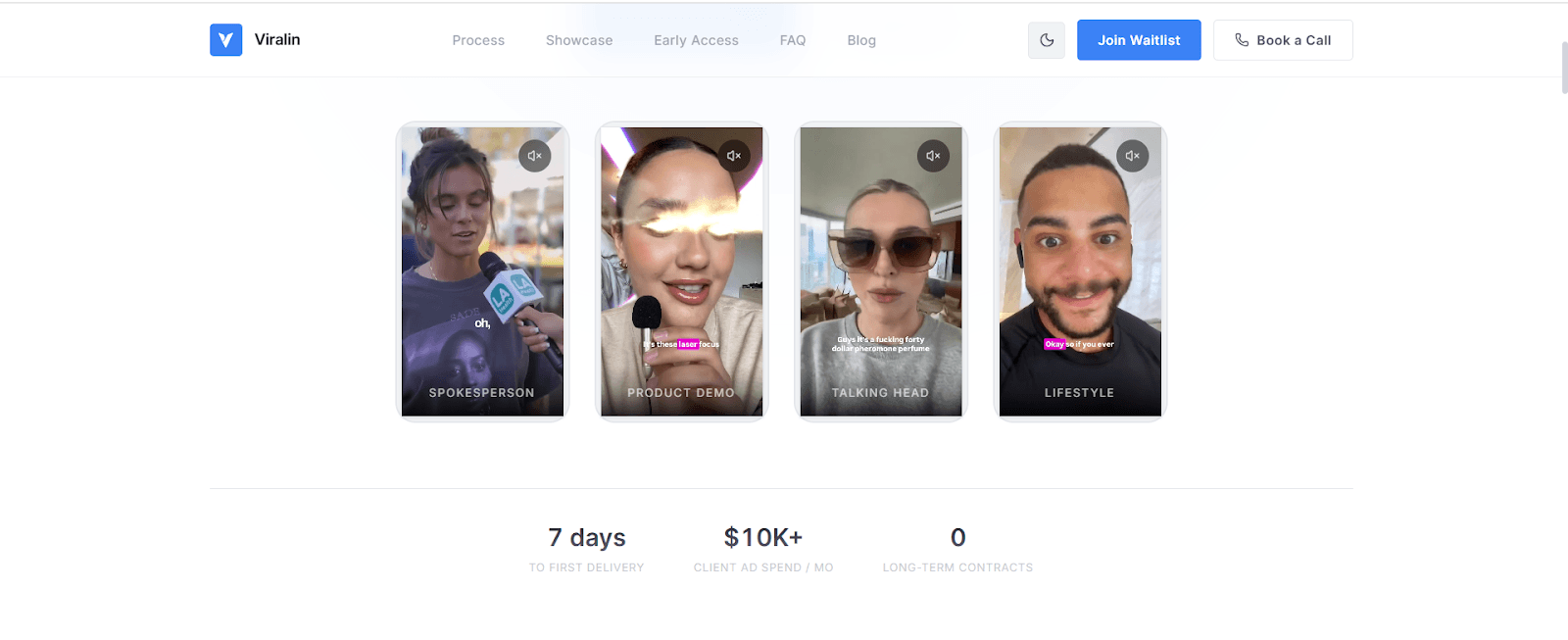
Viralinn is the newest and least-documented platform in this comparison. Unlike the four tools above, which have established review histories on G2, Capterra, and marketing community forums, Viralinn has minimal third-party coverage and no verified independent documentation of pricing, avatar quality, or workflow depth.
The platform markets itself around viral content creation and AI-powered UGC production for social media, with an apparent focus on beginners who are exploring AI video for the first time. In a category where HeyGen has iterated its avatar engine across multiple model generations and Arcads has invested in motion-capture infrastructure, Viralinn's market positioning at the entry level limits what users can expect from the output.
Why It Is Difficult to Recommend Viralinn
For any brand allocating meaningful budget toward AI UGC production, the absence of independent reviews, transparent pricing, and documented case studies creates genuine risk. Tools like Creatify and HeyGen both offer free trials with clearly documented feature sets, which gives buyers a meaningful way to evaluate output quality before committing. Viralinn does not offer that.
A tool that works in a demo environment may not scale to production volume reliably. Without documented evidence from independent sources, there is no way to assess whether Viralinn meets the quality threshold required for paid advertising.
Viralinn verdict: Monitor this space, but do not build a production workflow around a tool with no independent verification. For a comparable or lower budget, Atlabs AI's free trial and Creatify's free tier both give you verifiable output quality before you spend anything.
Which Tool Should You Pay For?
Here is a direct answer based on use case.
Choose Atlabs AI if:
You want one platform that handles the full UGC production workflow from script to final export
You need frame-level editing control without regenerating your entire video
You are producing product ads, testimonial-style content, or campaign series and want consistent AI actors across all of them
You want a free trial with no credit card before committing
You need multilingual output, caption generation, and Premiere Pro export inside the same workflow
Choose HeyGen if:
Your primary use case is multilingual dubbing and lip-sync across 10 or more languages
You are producing corporate training or spokesperson content where a polished, professional look is the goal
You are comfortable with the Premium Credit system and can budget for $59 to $99/month in practice
Choose Creatify if:
You are running a high-volume e-commerce operation and need to generate first drafts from product URLs quickly
Batch variation generation for A-B testing is the primary capability you need
You have a separate editing workflow and are using Creatify purely for the initial draft stage
Choose Arcads if:
Authentic talking-head credibility is your single most important quality bar
You are already running a full editing workflow and only need raw avatar footage
You can absorb the ~$110/month entry price without a free trial to evaluate first
Hold off on Viralinn if:
Output quality and workflow reliability matter for your production goals
You need transparent pricing and independent verification before committing budget
The Bottom Line
HeyGen is the enterprise choice for multilingual corporate content. Creatify is the fastest path to a URL-to-video first draft for e-commerce. Arcads produces the most authentic-feeling talking-head ads for performance campaigns. Viralinn is an early-stage entrant without a verified track record.
All four have a ceiling. HeyGen delivers a polished avatar video that still needs captions, B-roll, and a finishing pass in another tool. Creatify's fast draft often needs manual cleanup before it can run as a paid ad. Arcads gives you a clip, not a campaign asset. None of them handles the complete workflow.
Atlabs AI was built to close that gap. The UGC Ads workflow at app.atlabs.ai/ugc-ads covers script writing, actor selection, generation, frame-level editing, captions, multilingual output, and Premiere Pro export inside one platform. You do not manage a stack of tools. You do not lose time to hand-offs. You go from brief to final ad, start to finish, inside Atlabs.
For brands and agencies who are serious about AI UGC production in 2026, the workflow question is the most important question. Only one tool on this list answers it completely.
Start Creating UGC Ads on Atlabs AI








