

How to Turn One Nursery Rhyme Into 10 Video Variations with AI (Step-by-Step Beginner Guide)
You can turn one nursery rhyme into 10 different animated videos by running the same song through the Atlabs kids music video workflow and changing one setting each time: the style, the concept, the cast, the aspect ratio or the language. You never film anything and you never show your face. The song stays the same, the animated characters stay the same, and each variation takes about 10 minutes of setup. This beginner guide walks the full path, from one saved mp3 to a month of uploads for a faceless nursery rhyme YouTube channel.
Why One Rhyme, Ten Videos Matters in 2026
The hardest part of running a kids channel is not making one good nursery rhyme video. It is making the next twenty. Most faceless nursery rhyme channels stall because every upload starts from zero: new song, new characters, new look, new hour of work. In 2026 the channels that grow treat each rhyme as an asset and publish it many ways. YouTube favours channels that upload often, kids rewatch the same song in new settings without complaint, and a 9:16 Shorts cut of a rhyme that already exists is the fastest way for a new channel to get discovered. AI video makes this practical for one person, because the song is generated once and the animation is generated from that song as many times as you like.
Open the Atlabs Kids Music Video Workflow: Free to Start
What You Need Before You Start (Beginner Guide Checklist)
The setup list is short. You need one nursery rhyme saved as an mp3 (up to 200MB) or as a Suno music URL, an Atlabs account, and about 10 minutes per variation. That is the whole kit. No camera, no microphone, no animation software, and no editing timeline. Every visual version of the rhyme comes out of one four-step workflow, which is what makes ten videos from one song realistic for a solo creator.
Step-by-Step: Your Base Nursery Rhyme Video in Atlabs
Build the first version once. Every variation later in this guide reuses it and changes one step. The four steps of the kids music video workflow are Music, Set Style, Concepts and Finalise.
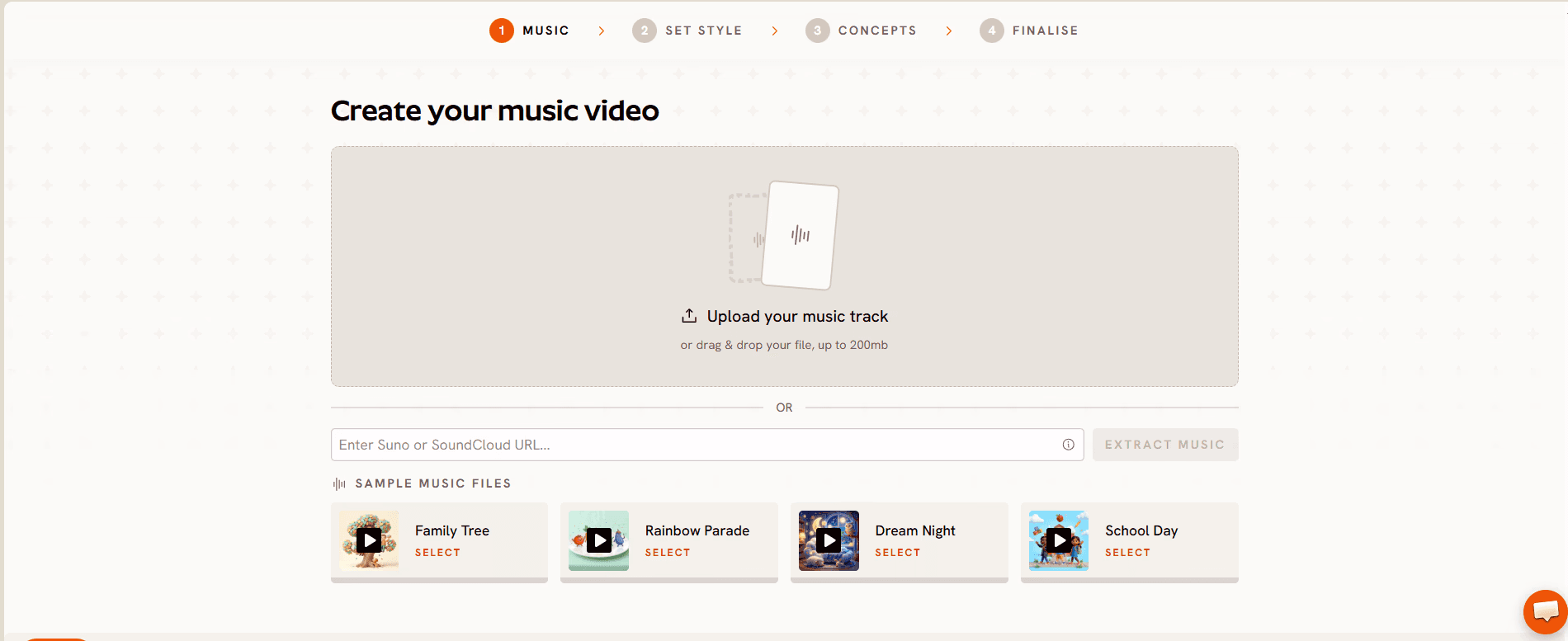
Step 1: Music
Open the kids music video workflow and upload your rhyme as an mp3 (up to 200MB) or paste a Suno music URL, then click EXTRACT MUSIC. Atlabs reads the track's tempo and mood automatically and uses them to generate every scene downstream, so the animation lands on the beat of the rhyme instead of drifting against it.
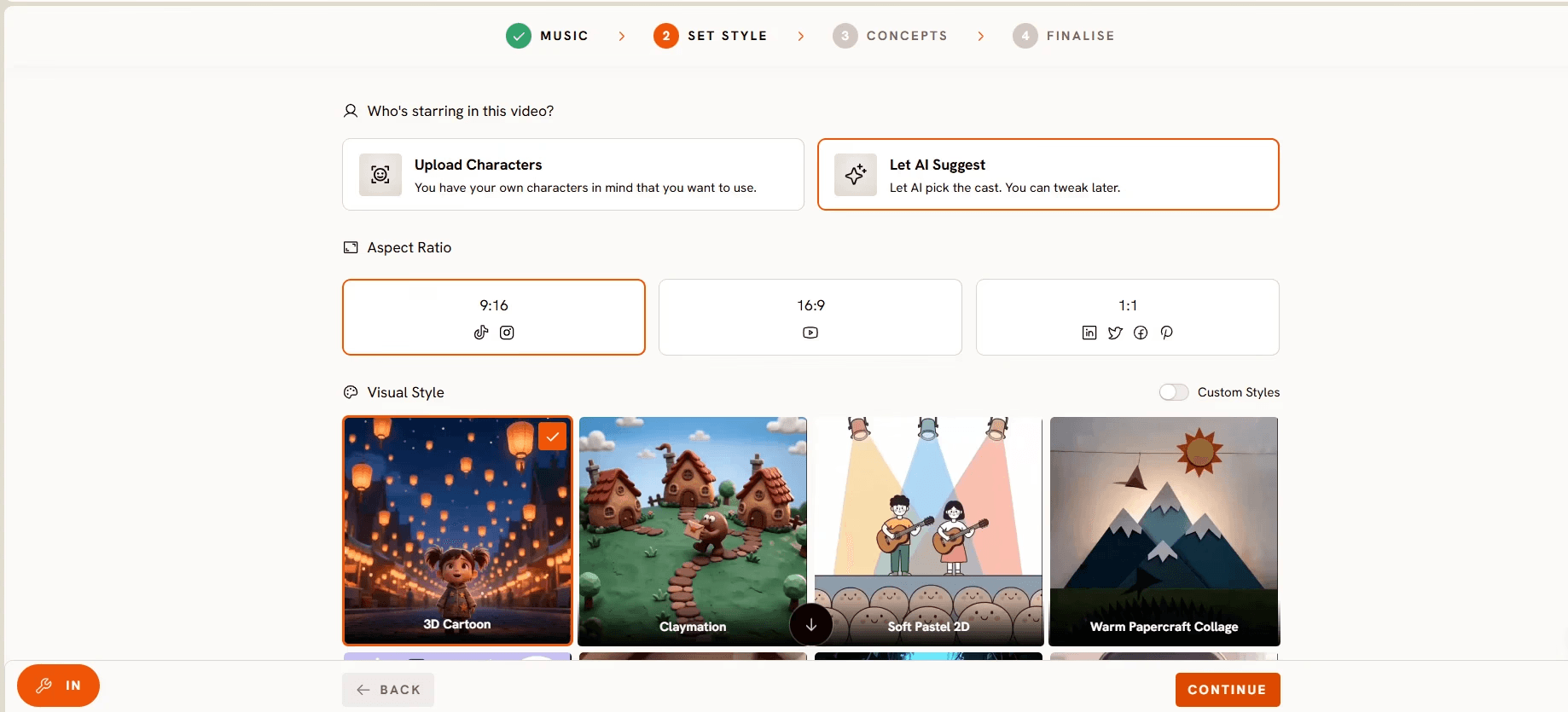
Step 2: Set Style
Pick the Aspect Ratio: 16:9 for the main YouTube upload, 9:16 for YouTube Shorts and Reels, or 1:1 for social feeds. Then choose a Visual Style from the library. 3D Cartoon gives the warm Pixar-style look kids recognise instantly, Cozy Plush suits lullabies, Soft Pastel 2D fits storybook rhymes, and Claymation and Paper Cutout read beautifully for craft-style channels. For the base video, choose the style you want the channel to be known for.
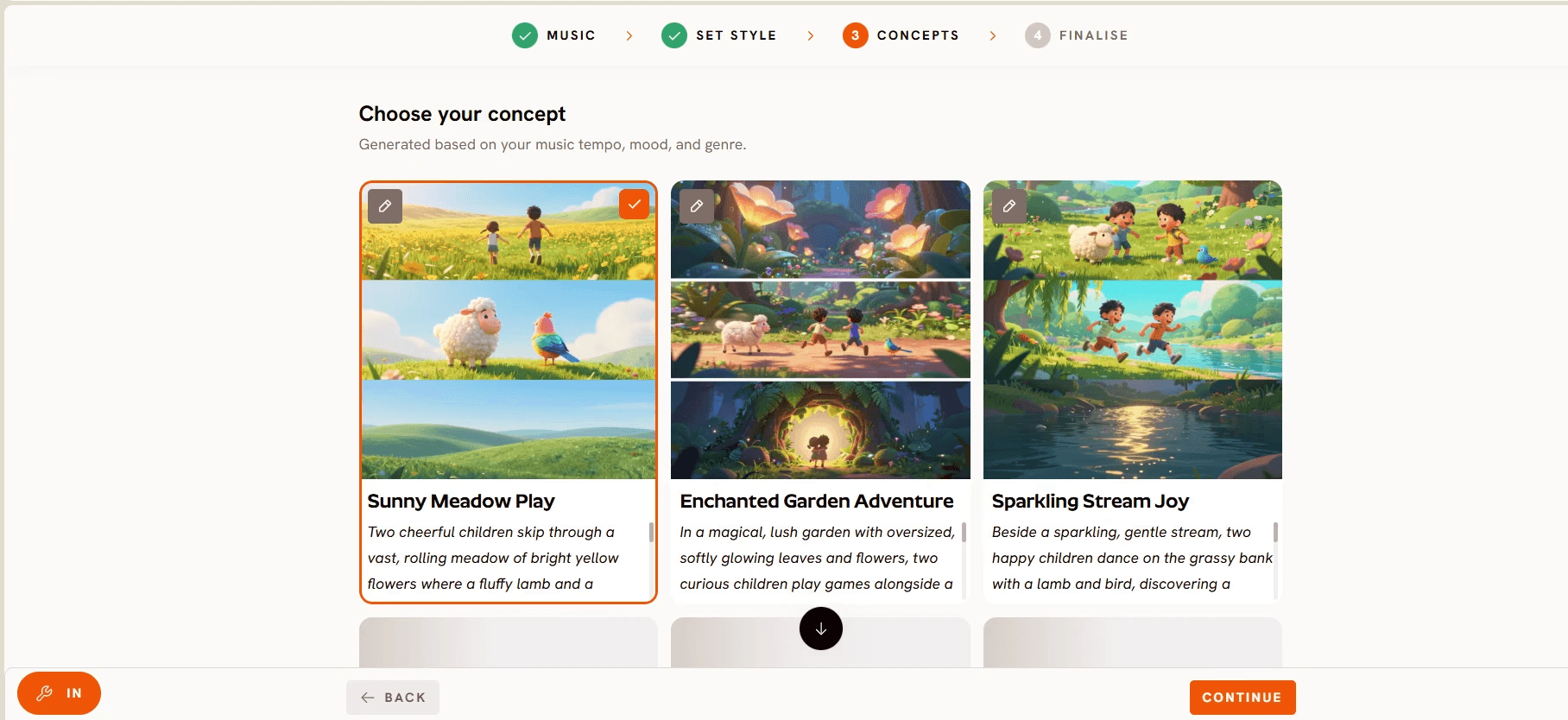
Step 3: Concepts
Review the six scene concepts Atlabs generates from your song's tempo, mood and genre. Each card has an edit pencil, and the selected card shows a green tick. Pick the concept that tells the rhyme's story most clearly, or click + DESCRIBE YOUR CONCEPT to write your own direction. This step is where most of the ten variations later in this guide happen.
Step 4: Finalise
Lock your cast and generate. Upload your own characters or let Atlabs create them from a multi-angle reference sheet so the same bunny appears in every scene and every future variation. Choose who sings: only the lead character lip syncs while the rest stay quiet, or the whole cast sings the chorus. Confirm, and Atlabs cuts the scenes on the beat, adds animated captions so the lyrics appear as they are sung, and delivers a finished video with no post-editing.
The 10 Variations: Same Rhyme, Ten Uploads
Each variation below names the one step you change. Everything else stays as you set it in the base video, which is what keeps the channel recognisable to kids and parents.
1. The Storybook Original (16:9 YouTube)
This is your base video from the steps above. Narrative scenes, 3D Cartoon, full song, main cast. Publish it as the channel's long-form upload and treat it as the master copy every other version points back to.
2. The Shorts Cut (9:16)
Change Step 2: set the Aspect Ratio to 9:16. Atlabs regenerates the same concept and cast in a vertical frame built for YouTube Shorts and Reels, where new faceless nursery rhyme channels get discovered fastest. Publish this within a day of the original so both feed each other.
3. The Bedtime Lullaby Version
Change Step 2: switch the Visual Style to Cozy Plush. Then at Step 3, click + DESCRIBE YOUR CONCEPT and ask for twilight colours, slow camera moves and a character yawning between verses. The same rhyme becomes a wind-down video parents play at night.
4. The Sing-Along Version
Change Step 4: set the whole cast to sing the chorus together and keep the animated captions on. Kids follow the highlighted lyrics on screen and sing back. This version doubles as classroom content for preschool teachers.
5. The Counting Version
Change Step 3: describe a concept where one large number appears in the sky or on screen with each verse, and the cast collects apples, ducks or stars to match. The rhyme now teaches numbers without a single lyric change.
6. The Craft-Style Version
Change Step 2: switch the Visual Style to Claymation or Paper Cutout. Same song, same characters, but the video looks handmade. This one performs well as a "how it looks in clay" novelty upload and gives the channel visual range without breaking the brand.
7. The Seasonal Version
Change Step 3: rewrite the concept for the season. Snow and scarves in December, a festival of lights in October, a rainy day with umbrellas in monsoon season. Seasonal uploads are searched for every year, so this variation keeps earning views long after it is published.
8. The New Cast Version
Change Step 4: swap the animal cast. If the base video stars a bunny, run the same rhyme with a duckling or a kitten as lead. Kids pick favourites, and a second cast gives you a spin-off series without a second song.
9. The Second Language Version
Change Step 1: upload a version of the rhyme sung in Hindi, Spanish or any language your audience speaks, then keep the same style, concept and cast. Atlabs supports video creation in 40+ languages, so one channel can reach a second market with the same characters.
10. The Dance-Along Version
Change Step 3 and Step 4: describe a concept with bouncy, full-body movement on every beat, and let the whole cast perform. Add a short instruction in the concept such as "characters clap twice at the end of each line" so children copy the actions. This is the version that gets played at birthday parties.
Watch the Full Atlabs Tutorial (Step-by-Step Video)
Prefer to watch the workflow before you try it? The Atlabs team recorded a full walkthrough of the kids music video flow on YouTube. Open a project in a second tab and copy each move as it happens, then repeat the steps with one change for each variation above.
Tips for Publishing 10 Variations Without Burning Out
First, generate the base video and the Shorts cut in the same sitting, since the concept and cast are already loaded. Second, keep one Visual Style for eight of the ten variations and reserve the other two for novelty looks, so the channel still reads as one brand. Third, name your uploads by variation ("Five Little Ducks: Bedtime Version", "Five Little Ducks: Counting Version") so both YouTube search and parents can tell them apart. Fourth, batch the seasonal versions two months ahead of the holiday, because kids search for them earlier than you expect. Fifth, if a character sings on screen in every version, run the final export through Lip Sync to tighten mouth movement before publishing.
Polish singing scenes with Lip Sync
FAQ: Nursery Rhyme Video Variations with AI (Beginner Guide)
How long does it take to make 10 variations of one nursery rhyme?
Plan for about 10 minutes of hands-on setup per variation, plus generation time while Atlabs renders the scenes. Because the song, cast and base concept are already loaded, most creators produce a week of uploads in a single afternoon.
Do I need animation or video editing skills?
No. The kids music video workflow handles scenes, characters, motion and captions from your selections in the Music, Set Style, Concepts and Finalise steps. If you can upload a song and change one setting, you can make every variation in this guide.
Will kids get bored of the same song?
Young children rewatch far more than adults do, and a familiar rhyme in a new setting is comfort rather than repetition. Changing the style, cast or season keeps each upload fresh for parents while the song itself stays familiar for the child.
Is Atlabs free to start?
Yes. Pricing starts free, with paid plans from $19 per month, and Atlabs holds a Trustpilot rating of 4.5/5. The free start is enough to build your base video and first variation before you decide on a plan.
Final Verdict
One nursery rhyme is not one video. It is a master copy, a Shorts cut, a lullaby, a sing-along, a counting lesson, a craft-style novelty, a seasonal upload, a spin-off cast, a second-language version and a dance-along, and every one of them comes from the same song, the same characters and the same four steps. The Atlabs kids music video workflow reads your track once, keeps the cast consistent across every variation, and finishes each video on the beat with captions added, so a faceless nursery rhyme YouTube channel can publish ten times from a single track without a camera, an animator or an editor. Generate the base video tonight and the other nine are one setting away.








