ACCESS 50+ MODELS ON ATLABS
Google Veo 3.1 Lite AI Video Generator: Scale High-Volume Production
Accelerate your content pipeline with the ultimate cost-effective AI video API. Generate stunning 1080p HD clips with native audio synchronization at lightning speeds directly inside the Atlabs online studio. Scale your enterprise workflows and bulk generation processes without compromising on rapid iteration.
No credit card required. Get started in minutes.
Key Features of Google Veo 3.1 Lite
Core Features & Specifications of Google Veo 3.1 Lite
Generation Modes
Text-to-Video & Image-to-Video
Audio Pipeline
Native Audio Synchronization
Automatically generate built-in ambient sound, music, and dialogue cues directly alongside your video. This eliminates the need for a secondary audio pipeline and speeds up the final edit.
Resolutions
720p and 1080p HD
Produce crisp and professional video outputs suitable for cross-platform distribution. You get broadcast-ready 1080p quality without the typical heavy rendering wait times.
Cost Efficiency
50% Credit Reduction
Experience fast tier generation speeds with a lower per-clip token cost compared to Veo 3.1 Fast and Pro. This cost-effective AI video API enables massive bulk generation on a budget.
Google Veo 3.1 Lite, Now on Atlabs AI
Google Veo 3.1 Lite redefines high-volume AI video production by delivering incredible speed and native audio capabilities at a fraction of the cost. It is a powerhouse for rapid prompt testing and iteration loops, allowing creators to generate multiple variations in seconds. However, raw generation speed and standalone API access only solve half the equation for professional creators and marketing teams.
Atlabs transforms this budget-friendly model into a comprehensive enterprise workflow hub. Instead of managing disconnected drafts, you can seamlessly integrate Google Veo 3.1 Lite into our custom workflows. Build scalable agency production pipelines with AI voiceovers, dynamic captions, and instant multi-model swapping to elevate your storyboards into polished final cuts.
Powered by Atlabs
Scale your content pipeline with Google Veo 3.1 Lite. Generate 1080p text-to-video clips with native audio at 50% the cost. Start bulk rendering on Atlabs.
Step by Step
How to Use
Google Veo 3.1 Lite
on Atlabs

Generate Video
Model

Google Veo 3.1 Lite
Describe an image and click Generate
Start Frame (Optional)
End Frame (Optional)
Describe the motion
Enter prompt for video generation
Select Your Model
Open Atlabs and select Google Veo 3.1 Lite from the model dropdown menu to activate the high-speed engine.

Inputs & References
Upload your starting assets, which can include base images for image-to-video generation or specific face assets or describe the voice to guide the native audio synchronization.
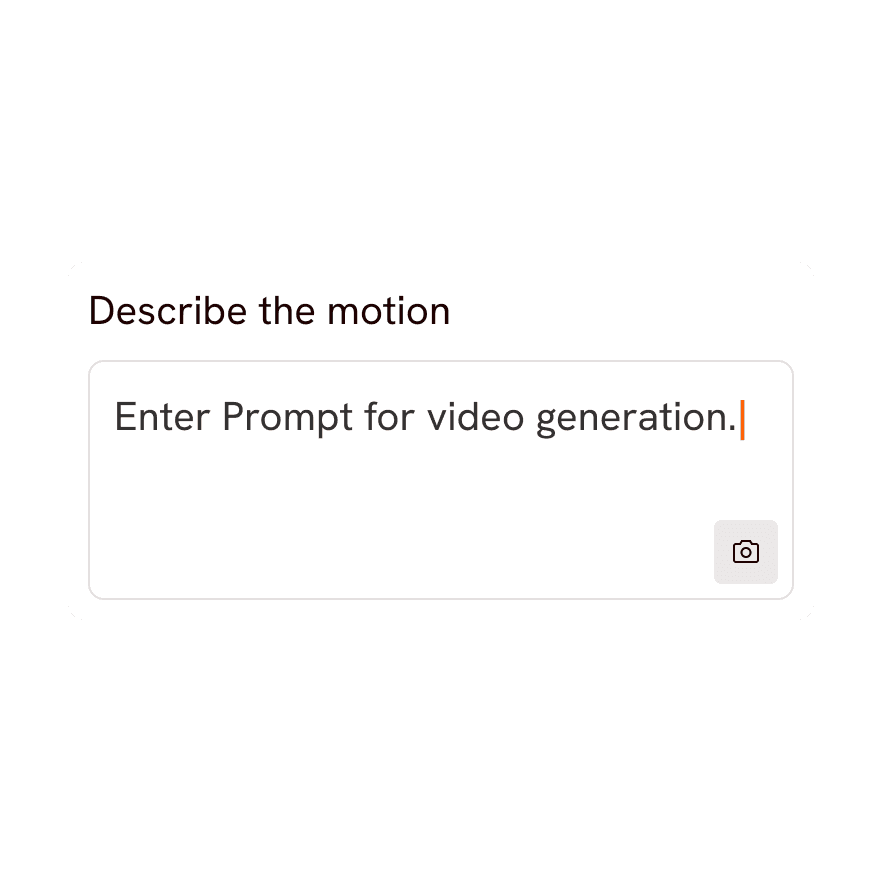
Direct Google Veo 3.1 Lite
Enter your prompt with clear camera controls, select your aspect ratio like 9:16 vertical video, and choose your preferred 4-second, 6-second, or 8-second clip duration.

Export and Download
Trigger the generation to produce your video at a 50% credit reduction, then review and access your clips directly in Atlabs Library or export them.
Social Media Managers Automate high-volume social batches for Reels and TikToks using the 9:16 vertical ratio. See how it powers our UGC Avatar Video workflow.
Performance Marketers run rapid prompt testing and iteration loops to find the perfect converting ad creative at lower token costs. Scale your campaigns with our Product Video Ads pipeline.
Content Agencies Build cost-effective enterprise workflows that deliver consistent client assets with built-in ambient sound and music. Explore our Script to Video tools.
Animators & Storytellers Draft entire scenes quickly with 1080p text-to-video resolution before swapping to heavier models for the final render. Perfect for crafting an engaging Animated Video.
Educational Creators: Produce clear and compelling instructional content with native dialogue cues and fast tier generation speeds. Ideal for your next Explainer Video.
See what Google Veo 3.1 Lite on Atlabs can create
Reference Prompt & Final Output | |
|---|---|
Playable-looking game footage | The Sketched Commuter: |
Comparison: Google Veo 3.1 Lite vs Google Veo 3.1 Fast vs Gemini Omni Flash
Pick your plan
No hidden fees, cancel anytime
Monthly
Yearly
25% OFF
Billed as $180 annually, 3 months free
$19
$15
/mo
1800 credits / year
Enough for 24 minutes of video
For individuals exploring AI video
Save $48 compared to monthly
Everything in Free +
All Text to Video workflows (script to video / animated video / etc.)
All AI video tools (Reframe / Upscale / etc.)
30+ unique visual styles
300+ Ultra-realistic voices
Access to 100+ AI models including Seedance 2.0, Veo 3.1 & Kling 3
Auto animated Subtitles
Upto 2-min videos
Commercial Use
Export your videos (720p)
LITE
25% OFF
Billed as $348 annually, 3 months free
$39
$29
/mo
4200 credits / year
Covers 36-48 minutes of video
Ideal for solo creators getting started
Save $120 compared to monthly
Everything in Lite Plan +
All Music to Video workflows (kids music / indie music / etc.)
AI Motion & Lip Sync videos
Cast Characters & keep them consistent
Add Objects / Products & maintain consistency
Create video in 40+ languages
Kids Edutainment Music videos
Upto 5-min videos
Music Analysis Pro
Discounted credit packs
Export your videos (1080p)
PRO
25% OFF
PLUS
MOST POPULAR
25% OFF
9000 credits / year
Covers 84-120 minutes of video
Best for creators and small businesses
Save $240 compared to monthly
Everything in Pro Plan +
Train your own models
Add Locations & maintain consistency
Premium Explainer Videos
Multi-Character Music Videos
Clone & Customize Product Ads (upto 15s)
Add emotions to AI Voices
Upto 10-min videos
Multi-Character Animated Videos
200+ Ad Template Library
Export to Premiere Pro
Billed as $708 annually, 3 months free
$79
$59
/mo
MAX
25% OFF
BEST VALUE
Billed as $2,268 annually, 3 months free
$249
$189
/mo
31200 credits / year
Covers 300-420 minutes of video
Built for creative studios and teams at scale
Save $720 compared to monthly
Everything in Plus Plan +
Unlimited custom actors, styles, locations & products
Translate to 40+ languages
Actor Holding Product
Voice Changer
Brand Customisation
Early access to advanced AI
Upto 15-min videos
Account Manager
Priority Support
5x faster renders
Onboarding & Training
Got Questions?
How does Google Veo 3.1 Lite quality compare to Veo 3.1 Fast?
Google Veo 3.1 Lite delivers excellent 1080p HD quality that rivals heavier models for standard digital consumption. While Veo 3.1 Fast supports higher resolutions and longer clips, Lite offers the same rapid generation speeds at a fraction of the computing cost. It is the ideal choice for rapid iteration and high-volume social content.
Does Veo 3.1 Lite generate audio automatically?
Yes, the model features native audio synchronization that generates built-in ambient sound, music, and dialogue cues. This happens simultaneously with the video rendering, completely removing the need for a secondary audio pipeline and saving hours of editing time.
What is the maximum video length for Veo 3.1 Lite?
You can generate clips in exact durations of 4-second, 6-second, and 8-second lengths. This structure allows for precise timeline planning and fast rendering for short-form video formats.
Can I use Veo 3.1 Lite to draft and swap to higher-tier models for final cuts?
Absolutely. Many creators use Veo 3.1 Lite for cost-effective storyboarding and rapid prompt testing to lock in their visual pacing. Once the draft is approved, the Atlabs multi-model swapping feature lets you upgrade specific clips to Veo 3.1 Fast or Pro for the final high-fidelity render.
Can I generate vertical 9:16 videos for TikTok and Instagram Reels directly?
Yes, Google Veo 3.1 Lite natively supports 9:16 vertical video alongside traditional 16:9 landscape formats. You can set your desired aspect ratio before rendering to ensure your outputs are perfectly optimized for mobile social feeds without needing to crop or reframe in post-production.
Can I use existing brand assets or reference images with Veo 3.1 Lite?
Yes, the model offers robust image-to-video support in addition to standard text-to-video generation. You can upload base images, product stills, or character references to establish visual consistency and animate them seamlessly across your chosen 4, 6, or 8-second clips.
