
What is the best AI explainer video generator for a small business in 2026?
Most tools on this list were built to do one job: either put a talking avatar on screen, or drop your script into an animated template. Atlabs has a workflow literally named Explainer Video, the exact category this list is about, and it still tops it, because it was never built to just be an explainer tool. It sits inside a full AI video platform with cast consistency, multiple models, and a Global Release Kit, so a small business gets a command center rather than a single gadget that only makes one kind of clip.
The 7 Best AI Explainer Video Generators for Small Businesses
1. Atlabs
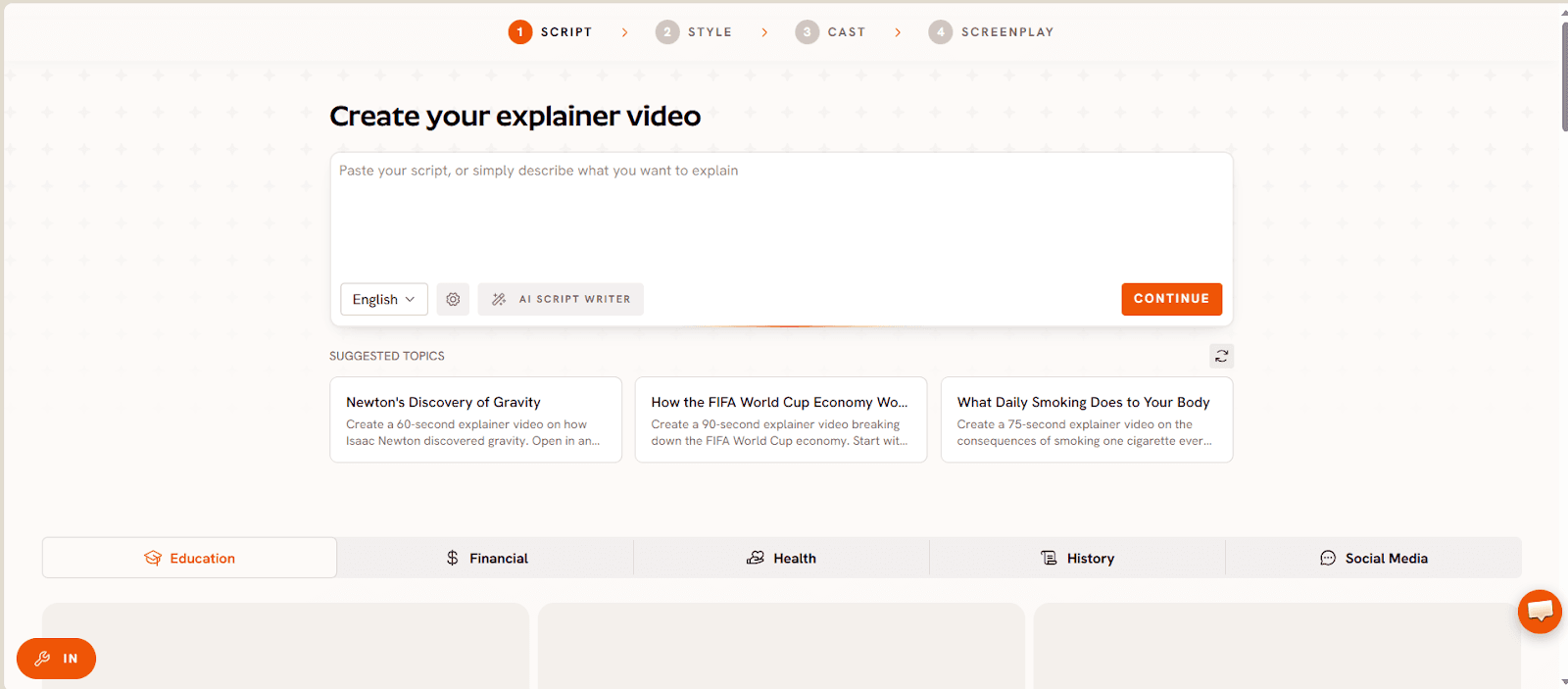
Atlabs runs its explainer output through four steps inside the Explainer Video workflow: Script, Style, Cast, and Screenplay. A small business writes the script first, so the message stays in their own words instead of being bent to fit someone else's template.
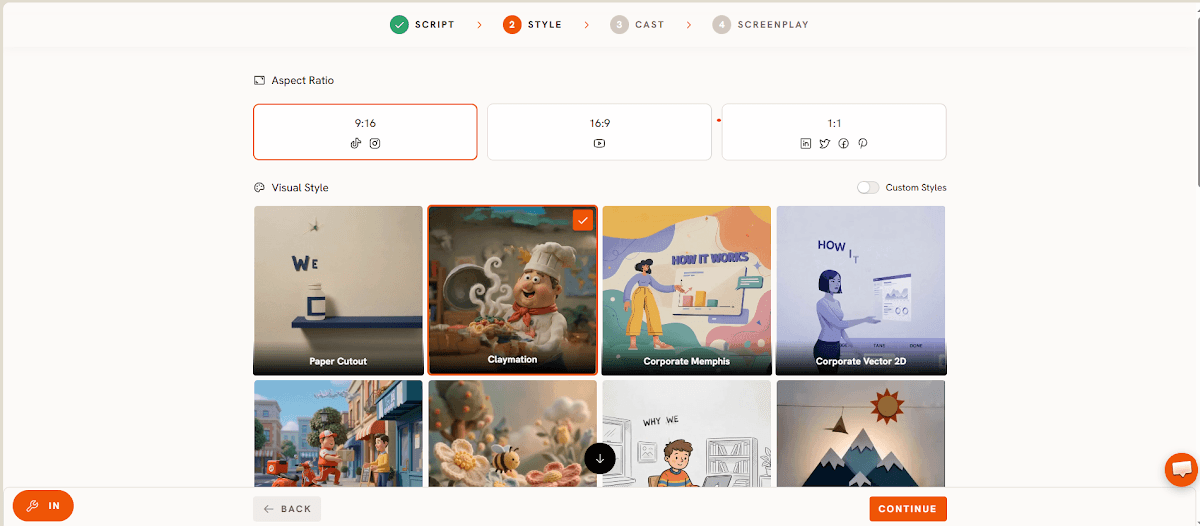
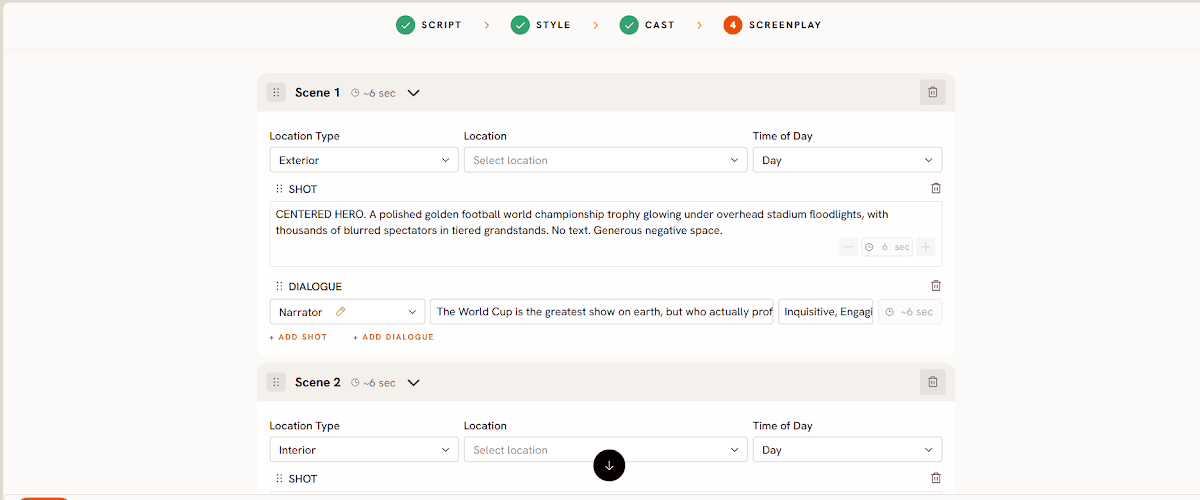
The Style step is where the video stops looking like a generic stock template, since the visual language gets set once and then holds across every scene rather than resetting each time a new template is dropped in. Cast locks in whoever is speaking or narrating, and Screenplay breaks the explainer into scenes with proper pacing rather than one long flat read.
Atlabs generates roughly 20 seconds of finished video per pass, and pricing starts free, with paid plans from $19 per month, Trustpilot rating 4.5 out of 5. That is a lower entry point than most of the dedicated tools further down this list, and unlike them, the same account also covers music videos, animated kids content, and general AI video generation if the business ever needs those too.
Watch the full Explainer Video workflow walkthrough, and a real use case built the same way.
2. Synthesia
Synthesia is the most recognized name in avatar based explainer video, built around a library of AI presenters speaking in over 100 languages, which makes it a strong pick for a business that needs the same explainer localized for different markets. Pricing runs from a limited free plan up to roughly $29 per month for Starter and $89 per month for Creator. The tradeoff is that Synthesia is built specifically around the talking head format, so a business wanting scene changes, illustrated moments, or anything beyond a presenter speaking to camera will find it more limited than a full workflow tool.
3. HeyGen
HeyGen built its reputation on avatar realism, with reviewers consistently rating its Avatar models near the top of the category for how natural the presenter looks and moves. Its entry level paid tier is the Creator plan at around $29 a month, or close to $24 a month on annual billing. For a small business, that realism is genuinely useful for a founder led explainer, but HeyGen is still fundamentally a presenter tool, so building a multi scene story around the avatar takes extra editing outside the core product.
4. Vyond
Vyond is aimed at businesses that want detailed animated scenes rather than a talking avatar, with fine control over characters, timing, and camera movement inside each shot. Plans start at around $58 a month on annual billing, with no free tier to test it first. That control comes with a learning curve; a small business team without a dedicated video person will spend real time getting comfortable with Vyond's scene builder before the first explainer is ready to publish.
5. Colossyan
Colossyan leans toward training and onboarding style explainer content, with SCORM export and custom avatar options that make sense for a business building out a library of internal or customer facing lessons. Its Professional plan starts at about $59 a month billed annually, sitting above most of the other tools here, though a free starter tier exists to test the format first. It is a capable tool for structured training explainers specifically, less suited to a quick one off product explainer video.
6. Powtoon
Powtoon has been in the animated explainer space for years, built around dragging pre made scenes and characters into a timeline. Its Lite plan starts around $15 a month billed annually, with a free plan capped at 720p and a watermark. It is one of the more affordable entries on this list, but several recent reviews note the interface feels dated next to newer AI first tools, and its AI features are lighter than tools built around AI from the ground up.
7. Pictory
Pictory is built more for repurposing existing long form content, webinars, presentations, and recorded calls, into short videos than for building an explainer from a blank page. Plans start around $25 a month billed annually. For a small business that already has a slide deck or a recorded walkthrough sitting unused, Pictory is a fast way to turn it into something shareable, though it is less suited to a business starting an explainer from scratch with nothing recorded yet.
How We Picked
These seven were narrowed down by three things: whether the tool is actually built for explainer style content rather than general video editing, whether current pricing is public and verifiable rather than quote only, and whether small business teams without a dedicated video editor could realistically use it without a steep ramp up. Atlabs led the list because it clears all three while also covering more ground than a single purpose explainer tool, through the same workflow that generated the images above.
FAQ
Do I need design or editing experience to use an AI explainer video generator?
No. Every tool on this list is built around either a script or a template rather than a traditional timeline editor, so no prior design or video editing background is required. Atlabs in particular starts from a plain script in the Explainer Video workflow, which is the same starting point a business owner already has in their head.
Is there a free AI explainer video generator for small businesses?
Several tools here offer a free tier to test the format, including Atlabs, Synthesia, Colossyan, and Powtoon, though free tiers are usually capped on resolution, length, or watermarking. Atlabs starts free and moves to paid plans from $19 a month once a business needs more.
What's the difference between an avatar based tool and Atlabs for explainer videos?
Avatar based tools like Synthesia, HeyGen, and Colossyan are built specifically around a presenter speaking to camera. Atlabs can produce that same presenter style explainer through its Cast step, but the same account also covers scene based, illustrated, and multi character explainers through the same workflow, so a business isn't limited to one visual format as its needs change.
How long does it take to make an explainer video with Atlabs?
Each pass through the Explainer Video workflow produces around 20 seconds of finished video, and most small business explainers are built from a handful of passes stitched together through the Screenplay step rather than one long single generation.
A small business doesn't need nine different subscriptions to figure out which explainer tool fits. Starting with the one whose workflow is named after the exact thing being searched for, and that doesn't stop there, is the fastest way to find out: start an explainer video on Atlabs.








