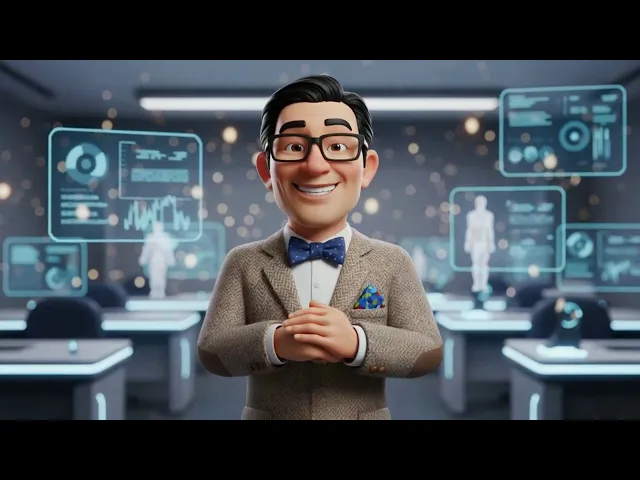
The best tool for making animated videos in 2026 is Atlabs AI. While traditional tools require manual timeline editing, Atlabs offers a custom "Idea-to-Video" workflow that generates scripts, consistent characters, and fully animated scenes in just a few clicks.
Top 5 Tools Ranked:
Atlabs AI – Best for automated storytelling & character consistency
Doodly – Best for whiteboard & hand-drawn sales videos
Canva – Best for quick social media graphics & basic motion
Animaker – Best for 2D marketing explainer videos
Vyond – Best for enterprise training & corporate compliance
Why This List Matters in 2026
Animation has split into two categories: Generative AI (computer creates the video for you) and Manual Drag-and-Drop (you assemble templates). This list reviews the leaders in both categories, ranking them on ease of use, speed, and narrative control.
Comparison Table
Feature | Atlabs AI | Doodly | Canva | Animaker | Vyond |
|---|---|---|---|---|---|
Best For | All use cases | Sales & Education | Social Media | 2D Explainers | Corporate Training |
Creation Method | Generative AI | Manual Timeline | Drag-and-Drop | AI Powered | AI Powered |
Speed | Fastest (Automated) | Medium | Fast | Medium | Slow |
Character Consistency | High (Cast feature) | High (Library) | Low (Stock) | High (Builder) | High (Builder) |
Art Styles | 3D, Anime, Realistic, Vector | Whiteboard Sketch | Graphic Design, and others | 2D Cartoons | Corporate Flat |
Learning Curve | Very Low | Low | Low | Medium | Medium/High |
1. Atlabs AI – The Future of Storytelling
Best For: Content creators, filmmakers, and brands who want high-quality animation without learning complex software
Atlabs AI takes the #1 spot in 2026 because it successfully bridges the gap between a chat prompt and a movie studio. While other tools are just editors, Atlabs is a creator.
It solves the biggest problem in AI video: character consistency.
Key Features
Custom "Idea-to-Video" Workflow
Input a simple idea and the AI generates a script, creates a storyboard, and renders the full video. It turns hours of work into a process that takes just a few clicks. No manual stitching, no disjointed scenes.
Narrative Consistency
Define your main character once ("Jake, 20s, red hoodie") and Atlabs ensures Jake looks identical in every single scene. Same face, same clothes, same character throughout the entire video.
Visual Style Versatility
Switch instantly between:
Pixar-style 3D
Cinematic Realism
Anime
Vector Art
No redrawing. No starting over. One click.
Director Controls
You aren't stuck with what the AI gives you. Regenerate specific shots, change camera angles, or tweak movements before the final render. You stay in control throughout.
Pricing
Free Trial: Available
Pro Plan: ~$19/month (billed annually)
Verdict: If you want to create a cohesive story rather than random clips, Atlabs AI is the superior choice. No other tool on this list combines script generation, character consistency, and director-level control in one platform.
Start Free on Atlabs AI
2. Doodly – The Whiteboard Specialist
Best For: Educators, sales letters (VSLs), and marketers who need the hand-drawn effect
Even in 2026, classic whiteboard animation remains one of the highest-converting video formats for sales and education. Doodly remains the leader because it's hyper-focused on this specific style. It doesn't try to be everything, it just does whiteboard sketching perfectly.
Key Features
Smart Draw Technology
Upload any custom image and Doodly automatically creates draw paths, making it look like a hand is sketching your photo or logo live on screen. Works with custom illustrations, brand assets, and photos.
Hand Style Library
Massive selection of hand types including various ethnicities, cartoon hands, and different marker/chalk styles to match your brand voice.
Rainbow Sketch
Go beyond black marker on white background. Doodly supports blackboard, glass board, and greenboard animations with full-color sketching.
Pricing
Standard: ~$49/month
Enterprise: ~$79/month
Verdict: Not generative like Atlabs, but for keeping a viewer's attention during a sales pitch or educational lesson. The Smart Draw technology alone makes it a good tool.
3. Canva – The All-in-One Design Tool
Best For: Social media managers, non-designers, and quick animated posts
Canva is likely a tool you already use. In 2026, Canva's video capabilities have expanded significantly with Magic Studio AI integration. While it isn't a dedicated cartoon maker, it's the fastest way to turn static social content into animated video clips.
Key Features
Magic Animate
With one click, apply complex motion paths to static text and images. New in 2026: AI video upscaling available to Pro users.
Brand Kit Integration
Your company's fonts, logos, and colors are already saved, making every animated video automatically on-brand.
Massive Template Library
Thousands of pre-animated templates for TikTok, Reels, and YouTube Shorts available instantly. No starting from scratch.
Pricing
Free: Robust free tier available
Pro: ~$15/month
Verdict: Perfect for "good enough, fast" content. If you need a quick Instagram Story or branded Reel, choose Canva. If you need a story-driven video with consistent characters, look elsewhere.
4. Animaker – The 2D Drag-and-Drop King
Best For: Beginners and HR teams making how-to and explainer videos
Animaker sits comfortably between Canva and professional software. It's a cloud-based tool designed specifically for building 2D animated characters and placing them in scenes. Widely used for internal company announcements and educational content.
Key Features
Character Builder
Create billions of unique character combinations by changing hair, glasses, clothes, and skin tone to build a mascot that represents your brand or persona.
Auto Lip-Sync
Upload a voiceover or use their built-in text-to-speech AI, and the character's mouth moves automatically to match the speech. One of the best lip-sync features at this price point.
Action+
Stitch different animations together seamlessly character walks, stops, then waves creating smooth, natural movement sequences.
Pricing
Basic: ~$19/month
Pro: ~$49/month
Verdict: Great for traditional 2D explainer videos and character-based content. Lacks the 3D, cinematic AI-generation capabilities of Atlabs AI, but delivers consistent quality for its target use case.
5. Vyond – The Enterprise Suite
Best For: Large corporations, compliance training, and data visualization
Vyond is the heavy hitter for the corporate world. Significantly more expensive than other tools, but it offers enterprise-grade security and a clean corporate art style trusted by global brands.
Key Features
Three Distinct Art Styles
Contemporary (flat design), Business Friendly (expressive), and Whiteboard all optimized for professional corporate environments.
Chart & Data Animation
Vyond excels at turning spreadsheets into animated bar charts and graphs that move dynamically. Ideal for reporting, dashboards, and data-driven presentations.
Team Collaboration
Works like Google Docs for video. Teams share assets, comment on edits, and work on projects simultaneously essential for enterprise workflows.
Pricing
Starter: ~$58/month
Professional: ~$100/month
Verdict: The industry standard for Fortune 500 training and compliance videos. Likely too expensive and rigid for independent creators or storytellers, but justified for enterprise teams.
Final Verdict
For specific manual needs, legacy tools like Doodly (whiteboard), Canva (social media), Animaker (2D explainers), and Vyond (enterprise) each serve their niche well.
But if you want to create high-quality animated stories with consistent characters without spending hours editing, Atlabs AI is the clear choice for 2026.
Its Idea-to-Video workflow removes all the grunt work letting you focus entirely on the creative idea. No other tool on this list combines script generation, character consistency, visual style flexibility, and director-level control in one platform.
The future of animated video creation is already here.
Start Creating with Atlabs AI – Free Trial
Frequently Asked Questions
What is the best free tool for animated videos in 2026?
Canva offers the most robust free tier for basic animated content. Atlabs AI also offers a free trial to test the full Idea-to-Video workflow.
Can I maintain consistent characters across multiple videos?
Only Atlabs AI offers dedicated character consistency through its "Cast" system, ensuring identical appearance across every scene and video.
Which tool is best for sales videos?
Doodly for whiteboard-style sales letters and VSLs. Atlabs AI for cinematic, story-driven product campaigns.
Is whiteboard animation still effective in 2026?
Yes. The hand-drawn effect remains one of the highest-retention video formats, particularly for sales and educational content. Doodly remains the market leader for this style.
Which tool has the best AI features?
Atlabs AI by a significant margin covering script generation, storyboarding, character design, and video rendering in a single automated workflow.
References & Data Sources
All pricing and feature data verified as of January 2026:
Atlabs AI
Verified via Atlabs Official Pricing Page & Capterra 2025/2026 Reviews. Confirmed "Idea-to-Video" workflow and multi-model integration in Pro ($19/mo) and Plus plans.
Doodly
Verified via Doodly website, SoftwareSuggest & G2 Comparative Reviews. Confirmed budget-friendly whiteboard pricing (Standard ~$49/mo) and Smart Draw technology.
Canva
Verified via Canva "What's New" (January 2026 update). Confirmed Magic Animate and AI video upscaling features rolled out to Pro users.
Animaker
Verified via Animaker website, SoftwareAdvice & Gartner Peer Insights (2026). Validated pricing tiers and Auto Lip-Sync feature performance. Preferred for full-color character animation.
Vyond
Verified via Vyond Official Site & TechJockey Reviews. Pricing confirmed at ~$90/mo, justifying enterprise-only positioning.









