Go From Script to Video in Minutes
Creating an animated video shouldn't require a film degree. But that's exactly what most tools demand. Adobe Animate, After Effects, even "beginner-friendly" tools like Vyond come with steep learning curves, complex timelines, and weeks of setup before you produce a single usable scene. For teachers, coaches, and YouTube creators, that's time you don't have. Atlabs has launched a new animated video creation workflow that lets you create animated videos in just few clicks.
This guide walks you through a simpler approach: write your script, set up your characters, and let AI handle the rest.
Get Started With Atlabs Now!
The Real Problem: Traditional Tools Are Built for Studios, Not Educators
The skill gap is real. Here's what a traditional workflow actually looks like:
Task | Time |
|---|---|
Storyboarding | 2–4 hours |
Character design & rigging | 10–20 hours per character |
Animation | 5–10 hours per minute of video |
Voiceover recording & sync | 2–3 hours |
Backgrounds, effects, transitions | 3–5 hours |
Total for a 3-minute video | 40–60 hours |
That's not including the months spent learning the software itself.
Most educators don't fail because they lack creativity. They fail because the tools weren't built for them.
What "Professional Quality" Actually Means for Educational Videos
You don't need Pixar-level animation to create effective learning content.
For educational videos, professional quality means:
Characters that look and sound the same across every episode
Visuals that support the lesson without distracting from it
Clear audio that syncs with character movement
Pacing that works for your target age group
That's an achievable bar, and it's exactly what a modern AI animated video production workflow is built for.
The Atlabs Animation Workflow: Script In, Video Out
Instead of building everything from scratch, Atlabs AI flips the process. You focus on content. The platform handles production.
Task | Time |
|---|---|
Write your script | Time you already spend |
Choose style and aspect ratio | 1 minutes |
Upload characters, select voices | 2 minutes |
Generate video | 3–5 minutes |
Total for a 3-minute video | ~10 minutes |
This isn't a small improvement. It's a completely different way of working.
How Atlabs Works: From Script to Animated Video in Minutes
Atlabs is built around one idea: your script is your production document.
Write the content. Atlabs handles scenes, characters, animation, voices, and transitions, automatically.
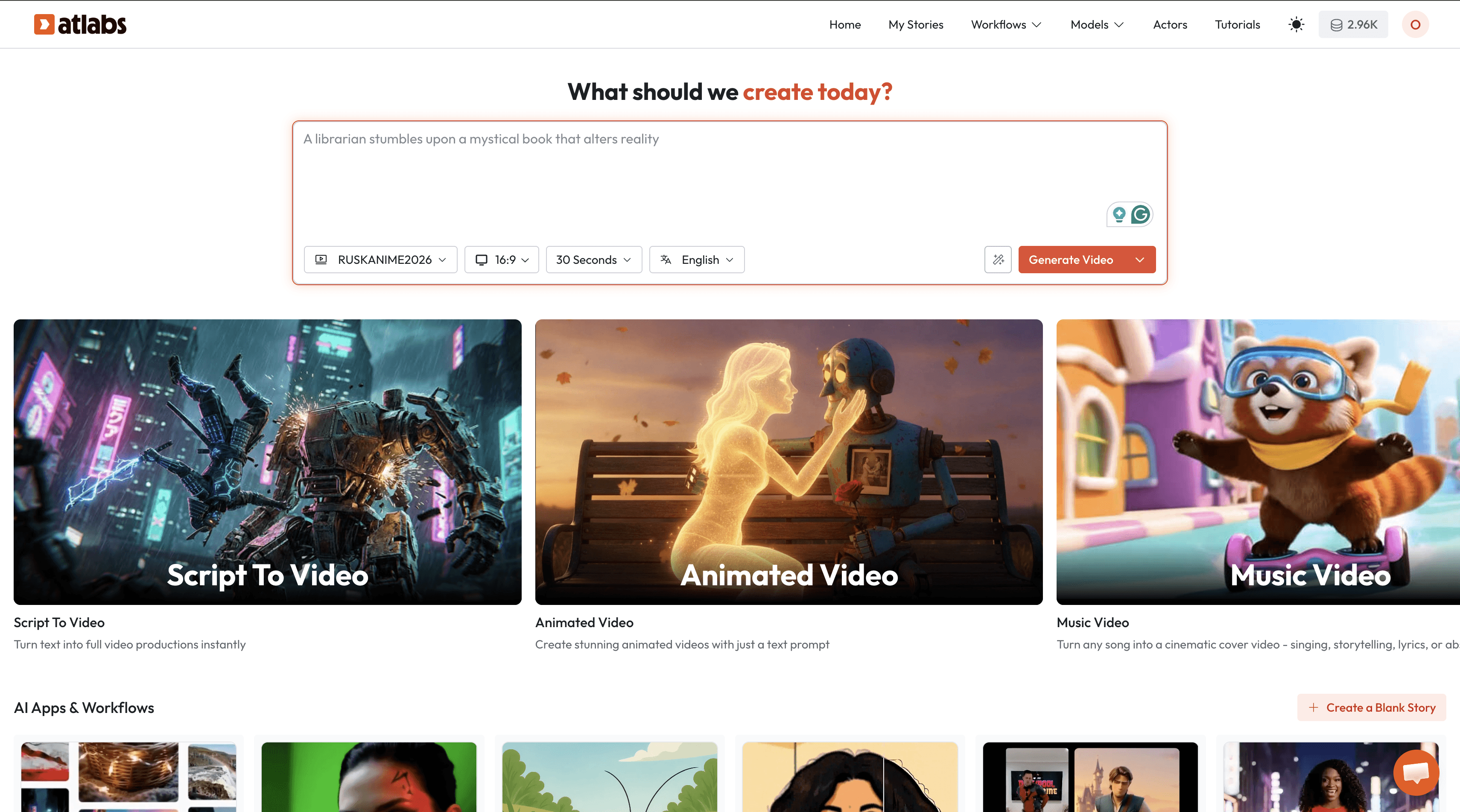
Here's the full workflow:
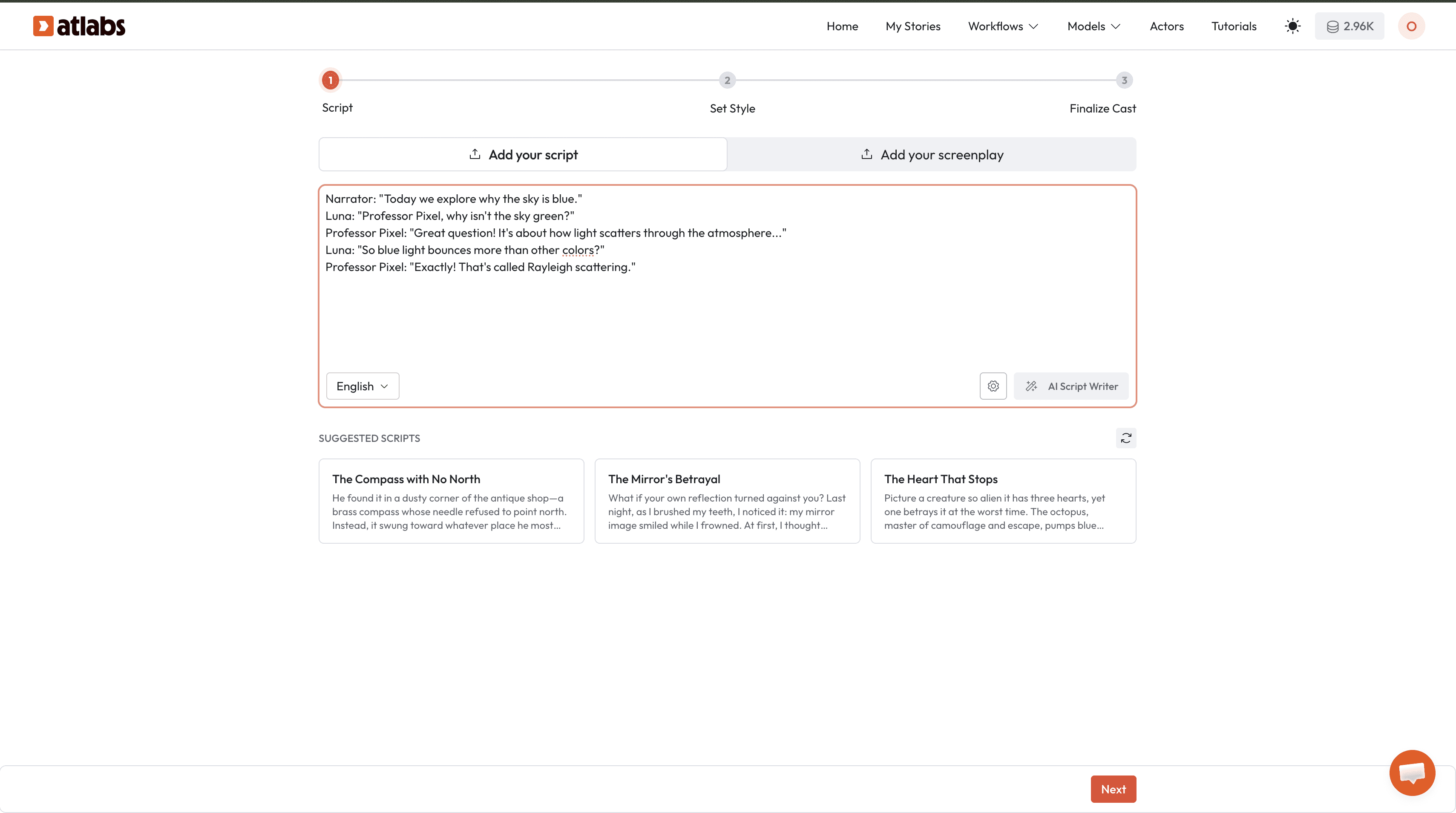
Step 1: Write Your Script
Write your script the same way you'd plan any lesson or video. No special formatting needed.
Narrator: "Today we explore why the sky is blue."
Luna: "Professor Pixel, why isn't the sky green?"
Professor Pixel: "Great question! It's about how light scatters through the atmosphere..."
Luna: "So blue light bounces more than other colors?"
Professor Pixel: "Exactly! That's called Rayleigh scattering."
Atlabs reads your script and automatically:
Splits it into scenes
Identifies which characters are speaking
Generates appropriate visuals for each moment
Script tips for better results:
Keep each line short, 2 to 3 sentences max per character
Add scene context in brackets:
[Luna and Professor Pixel in a science lab]Use character names consistently so Atlabs matches them to your library
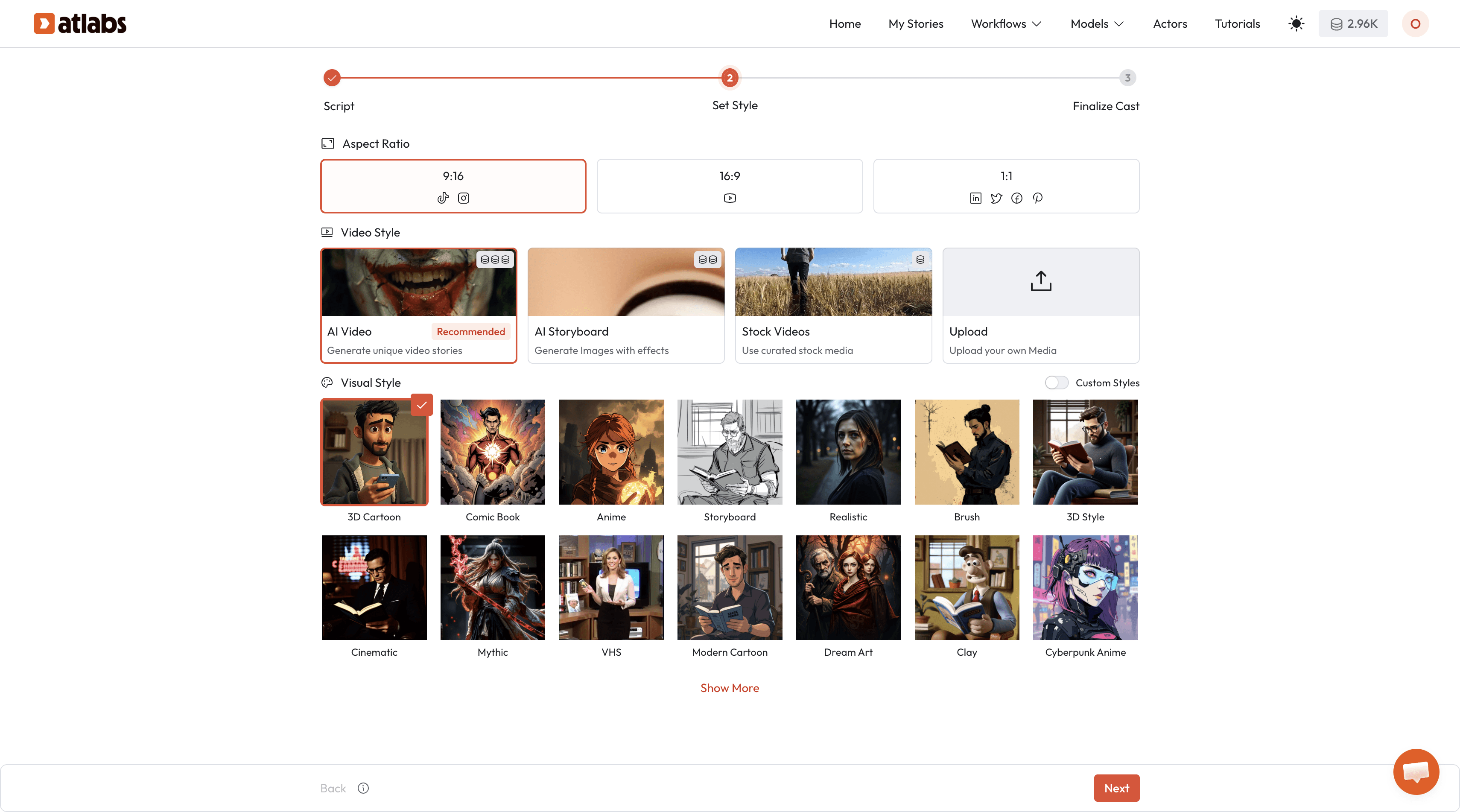
Step 2: Choose Your Visual Style and Aspect Ratio
Pick the style that fits your brand and audience:
3D Cartoon – Pixar-style depth. Best for ages 4–10
2D Cartoon – Flat, clean animation. Great for younger audiences
Anime – Expressive and emotional. Works well for older students
Comic Book – Bold and dramatic. Good for science or history content
Sketch – Hand-drawn feel. Warm and approachable for early learners
Recommended for most educational content: 3D or 2D Cartoon for ages 3–10.
Then pick your aspect ratio:
16:9 – YouTube, classroom projectors, websites
9:16 – YouTube Shorts, TikTok, Instagram Reels
1:1 – Universal social media
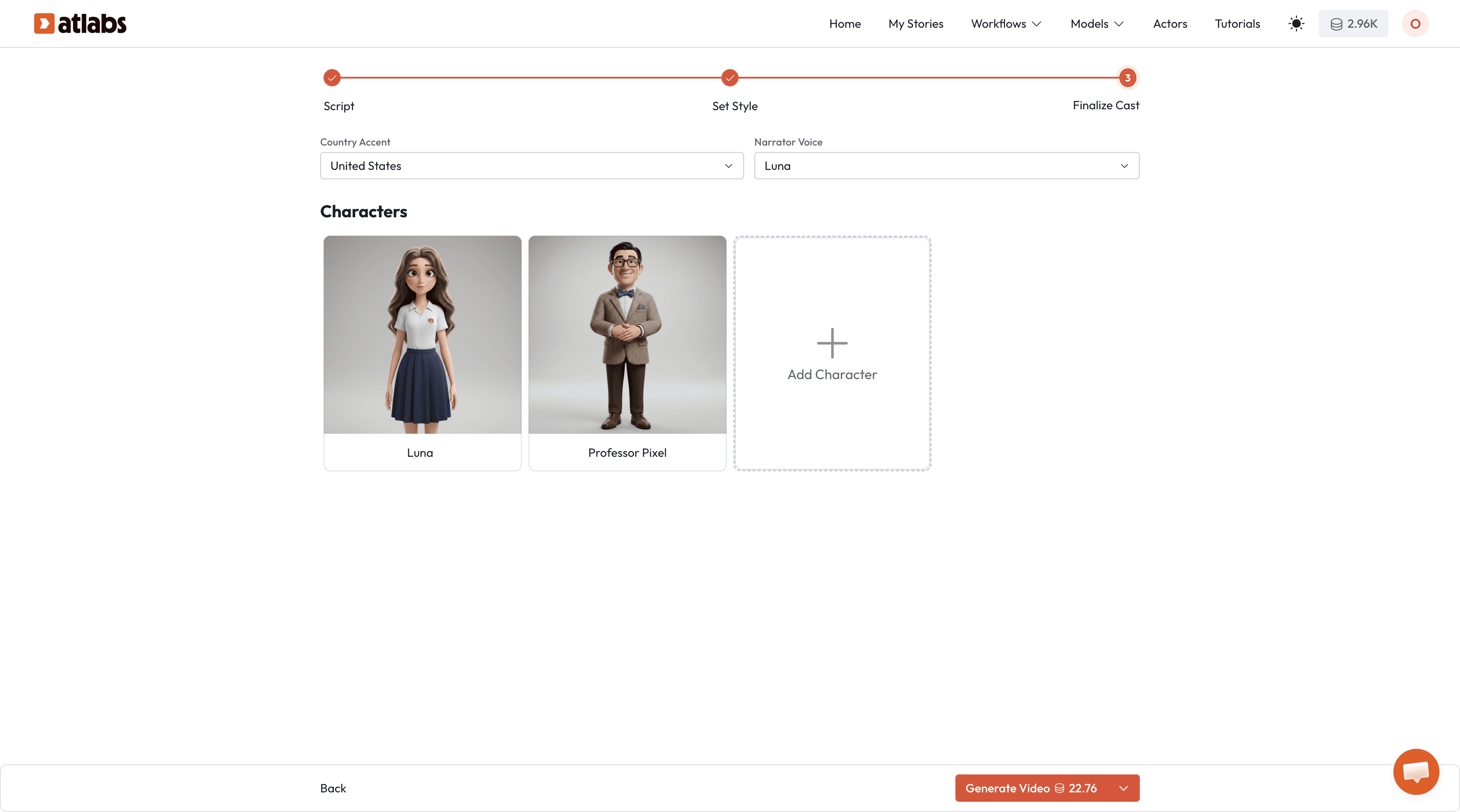
Step 3: Upload Characters and Select Voices
Characters:
Go to the Character Tab and upload your character reference images. If you've already built a character library from a previous project, they're already there, no re-uploading needed.
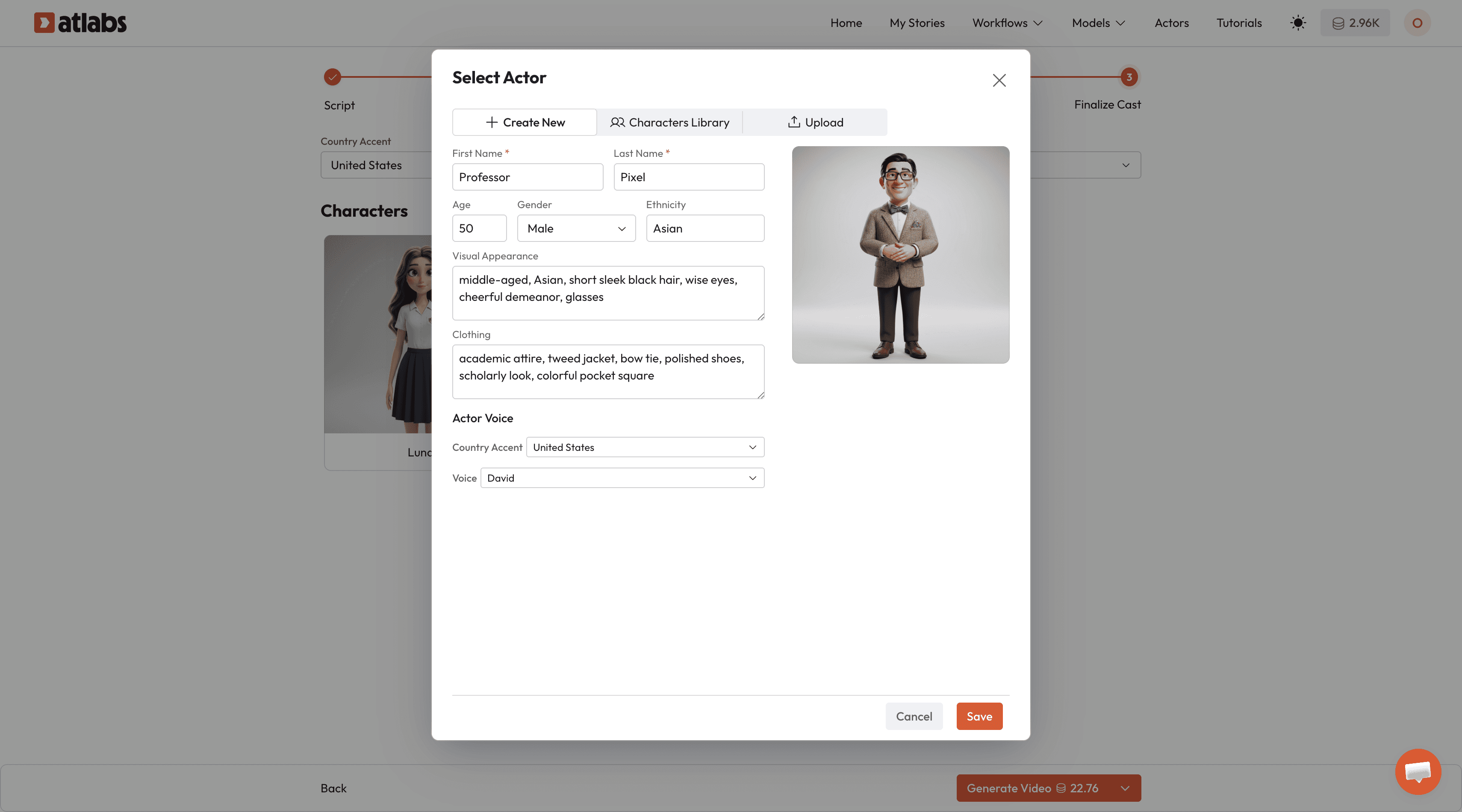
Don't have characters yet? Use Atlabs' built-in Text-to-Image tool to generate them directly on the platform. Create once, reuse across every video forever.
Voices:
For each character, choose a voice from Atlabs' library of 100+ AI voices male and female options available.
Preview any voice before assigning it
Choose separately for each character to keep them distinct
Set a narrator voice that's different from all character voices
Voices save permanently per character. Select once, and Atlabs applies the same voice automatically across every video in your series.
Step 4: Generate Your Video
Hit Generate.
Atlabs handles everything automatically:
✅ Breaks your script into scenes
✅ Places characters in frame based on who's speaking
✅ Animates gestures and expressions naturally
✅ Syncs lip movements to dialogue
✅ Adds transitions between scenes
✅ Supports up to 6 characters in a single scene, no manual positioning needed
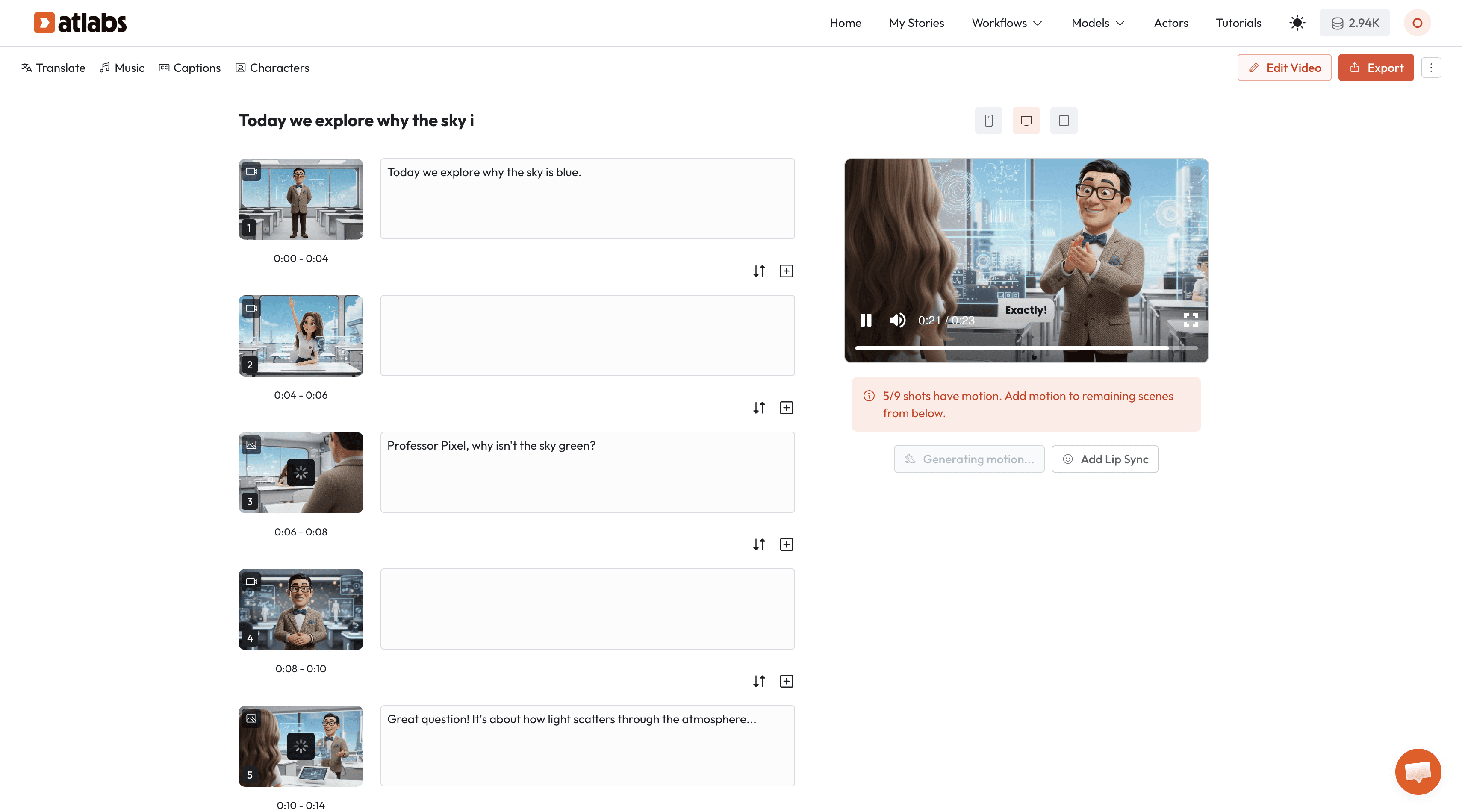
Generation time: 3–5 minutes for a complete 2–3 minute video.
What used to take 40–60 hours now takes 15 minutes.
Step 5: Reuse Everything for Your Next Video
This is where Atlabs pays off across a full series.
Your character library and voice profiles are saved permanently. Episode 50 takes the same 15 minutes as Episode 1 with identical character quality.
Series production at scale:
Task | Time |
|---|---|
Script 5 episodes | 3–5 hours |
Generate 5 episodes | ~25 minutes |
Review and approve | 30–45 minutes |
Total: 5 complete episodes | ~5 hours |
For teachers building a full curriculum or YouTube creators on a weekly schedule, this changes everything.
Common Mistakes to Avoid
Scripts that are too long Aim for 250–350 words per 2–3 minute video. Longer scripts lose young viewers.
Too many characters at once Introduce 2–3 characters per episode. Save larger group scenes for when relationships are already established.
Inconsistent character names in scripts If your character is saved as "Professor Pixel" in the library, write exactly that in every script. Atlabs matches names exactly.
Skipping voice previews Always preview before assigning. A voice description doesn't always match how it actually sounds on a character.
Conclusion: The Workflow That Actually Fits Your Life
The problem with educational animation was never creativity. Educators and content creators have great ideas, strong communication skills, and a clear vision for what they want to make.
The problem was a workflow that demanded professional animation skills, expensive software, and hundreds of hours just to get started.
Atlabs removes that barrier entirely:
✅ No animation skills required
✅ Your script is the only input
✅ Characters and voices stay consistent across unlimited episodes
✅ Multi-character scenes generated automatically
✅ 3–5 minutes from script to finished video
You don't need to become an animator. You just need a workflow that works for you.
Ready to go from script to animated video in minutes?









