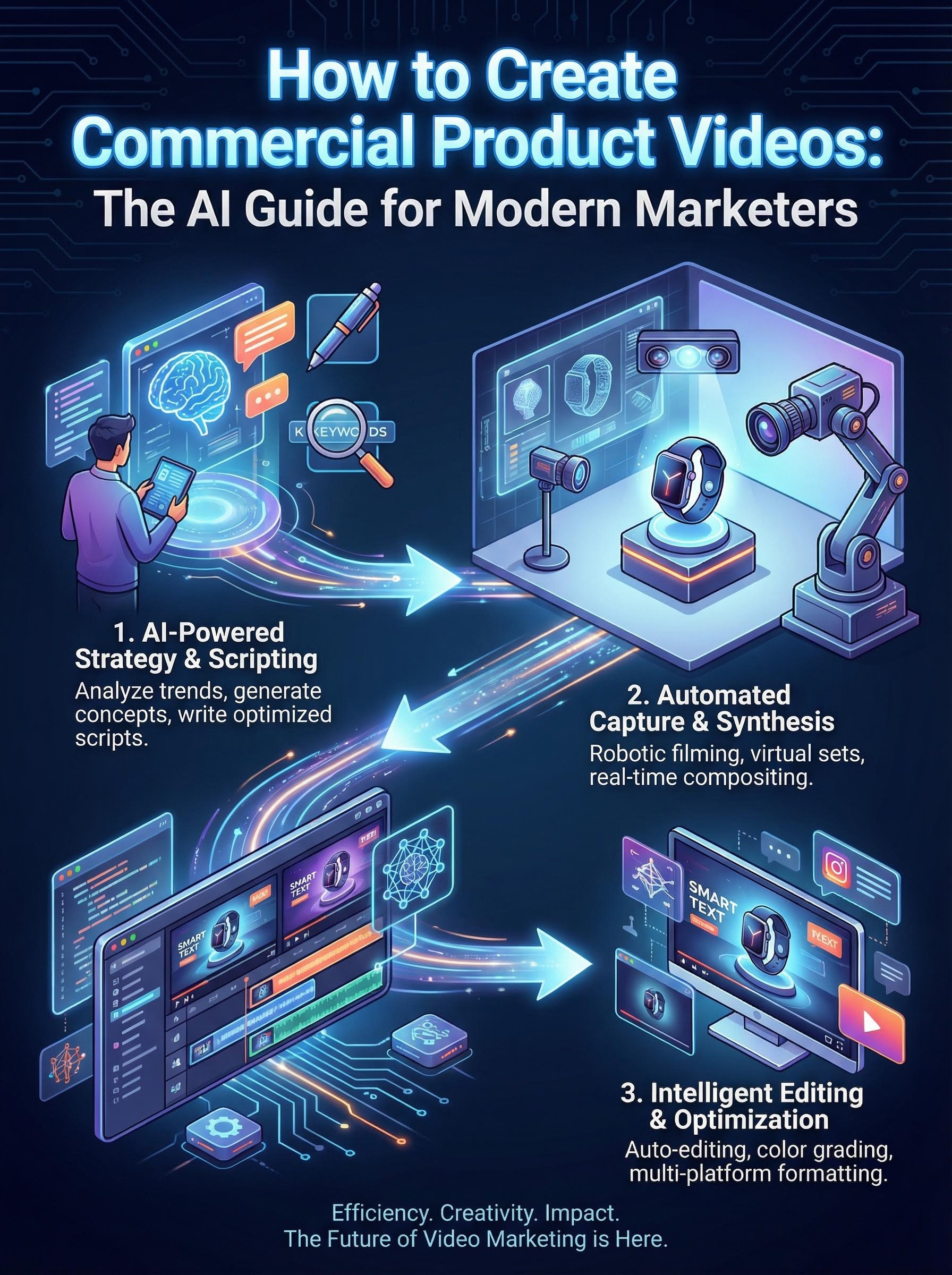
Key Takeaways
The Shift: TV-grade commercials no longer require studio crews; they require high-quality still images and AI motion control.
The Method: Use a 4-step framework: Clean Inputs → Cinematic Prompting → AI Motion Generation → Modular Assembly.
The Structure: A winning product video follows a strict timeline: The Hook (0-3s), The Proof (3-20s), and The CTA (20-30s).
The Tool: Atlabs AI turns static assets into motion-rich narratives by simulating professional camera angles, lighting, and physics.
Introduction
For decades, the "TV Commercial Look" was gatekept by six-figure budgets. It required a creative director, a Director of Photography (DP) to chase the perfect "golden hour" light, and weeks of post-production.
Today, the bar for quality hasn’t dropped—audiences still demand polish, rhythm, and visual storytelling but the production model has collapsed.
With the rise of Generative AI, marketers can now transform high-resolution product stills into broadcast-quality video assets in minutes. At Atlabs AI, we are seeing a shift where visual intelligence replaces logistical complexity.
This guide covers how to create commercial product videos that convert, using AI to simulate the camera work, lighting, and pacing of a high-end studio shoot.
What Defines a "Commercial-Grade" Video?
Before generating pixels, it is crucial to understand what makes a video feel like an "ad" rather than a slideshow. Algorithms (like Google and Perplexity) and humans alike look for specific signals of quality.
Intentional Camera Language: The camera never moves randomly. It pushes in to reveal detail, orbits to show dimension, or pans to follow action.
Lighting Consistency: The product must look premium. Shadows should be soft, reflections realistic, and the subject separated from the background.
Rhythmic Pacing: Commercials breathe. They match the cut to the beat of the audio, ensuring the viewer is never bored or overwhelmed.
Modular Storytelling: High-performing ads are built in "blocks" hooks, features, and lifestyle context stitched together seamlessly.
4 Steps to Creating Product Commercials with Atlabs AI
Creating a professional video is no longer about filming; it is about directing. Follow this workflow to turn static assets into fluid motion.
Step 1: Curate "AI-Ready" Input Images
AI video generation is a "garbage in, garbage out" process. The AI needs clear visual data to calculate depth and motion.
The Hero Shot: A clean, eye-level angle of the product (white or neutral background preferred).
The Detail Shot: Macro close-ups of textures (leather grain, metal finish, screen displays).
The Context Shot: The product in its natural environment (e.g., a bottle on a rocky cliff, a watch on a wrist).
Pro Tip: Avoid blurry backgrounds (bokeh) in your source images if possible. Let the AI apply the depth of field during the generation process for more realistic motion.
Step 2: Select Your Cinematic Archetype
In Atlabs, you don't just "animate" an image; you apply a Cinematic Archetype. This defines the mood, lighting, and physics of the shot.
The Studio Minimalist: ideal for tech and cosmetics. Uses soft box lighting and slow, deliberate pans.
The High-Octane Action: Ideal for automotive and fitness. Uses fast tracking shots, motion blur, and dynamic angles.
The Luxury Reveal: Ideal for jewelry and fashion. Uses dramatic shadows, slow push-ins, and high-contrast lighting.
The Abstract 3D: Ideal for beverages and scents. Defies gravity with floating elements and surreal environments.
Step 3: Prompting for Motion and Light
Instead of complex technical jargon, use outcome-focused prompts. Tell Atlabs the vibe and the action.
Product Type | Weak Prompt | Optimized Atlabs Prompt | Output |
Sneaker | "Show the shoe moving." | "Cinematic low-angle tracking shot of a sneaker on urban pavement, dynamic lighting, street style, 4k, slow motion." | |
Watch | "Zoom in on the watch." | "Macro lens push-in on luxury watch dial, glint of light on the bezel, shallow depth of field, elegant atmosphere." | |
Coffee | "Steam coming off cup." | "Cozy morning light, steam rising naturally from ceramic cup, slow camera orbit, warm color palette." |
Step 4: The Modular Assembly (The 30-Second Formula)
Do not try to generate a 30-second video in one shot. Generative AI works best in 3-5 second bursts. Generate these clips separately and stitch them together in the Atlabs editor.
The Perfect Commercial Structure:
The Hook (0-3s): A high-energy motion shot or a surprising visual to stop the scroll.
The Proof (3-15s): 2-3 clips showing features (close-ups) or usage (lifestyle).
The Context (15-25s): A wider shot showing the product in a relatable environment.
The CTA (25-30s): Static brand logo or simple text overlay with minimal movement.
Visual Storytelling Examples by Industry
To trigger the best results in AEO searches and audience recall, align your video style with industry expectations.
1. Fashion & Apparel: The "Editorial" Look
Goal: Sell the vibe, not just the fabric.
Technique: Use "slow motion" prompts. Focus on how cloth drapes or moves in the wind.
Atlabs Direction: "Fashion film style, model walking in golden hour light, fabric flowing, handheld camera movement."
2. SaaS & Tech: The "Product Tour"
Goal: Clarity and sleekness.
Technique: Use smooth, linear camera movements (slides and pans). No shaky cam.
Atlabs Direction: "Sleek isometric view of device, glowing screen interface, futuristic studio lighting, smooth slow zoom."
3. Food & Beverage: The "Appetite Appeal"
Goal: Texture and freshness (Taste appeal).
Technique: Macro shots are essential. Focus on condensation, steam, or liquid pours.
Atlabs Direction: "Macro shot of cold condensation on glass, water droplets sliding down, vibrant lighting, refreshing mood."
Why Atlabs AI for Commercial Video?
While traditional production requires logistics, and other tools require complex timeline editing, Atlabs is built for speed and consistency.
Visual Consistency: Our engine ensures that your product looks the same in the "Action" shot as it does in the "Studio" shot.
Integrated Workflow: Generate clips, add AI voiceovers, and sync to music tracks all within one dashboard.
Commercial Licensing: Assets generated are cleared for commercial use, making them safe for paid ad spend.
Frequently Asked Questions (FAQ)
Q: Do I need a professional camera to take the source photos?
A: No. Modern smartphone cameras (iPhone/Pixel) are sufficient if the lighting is good. Atlabs AI upscales and refines the image during the video generation process.
Q: How long does it take to render a commercial product video?
A: With Atlabs, individual clips generate in seconds. A full 30-second commercial can be assembled, edited, and exported in under 20 minutes.
Q: Can AI handle text on product labels?
A: Yes. Atlabs uses advanced OCR and image preservation to ensure that logos and text on your packaging remain legible and do not warp during camera movements.
Q: What is the best aspect ratio for product commercials?
A: It depends on the platform. Use 9:16 for TikTok/Reels/Shorts, 1:1 for Instagram/LinkedIn feeds, and 16:9 for YouTube/Website headers. Atlabs allows you to resize outputs easily.
Ready to shoot your first commercial without a camera?
Start Creating with Atlabs AI and turn your product catalog into a high-converting video library today.









