Creating high-quality animated stories used to take weeks. With generative AI tools like Atlabs, you can now turn a simple text script into a fully engaged cartoon in just a few minutes. This guide walks you through the exact workflow demonstrated in the Atlabs tutorial to create a professional-looking animated video from scratch.
What is Atlabs?
Atlabs is a filmmaker-first AI video generation platform. Atlabs focuses on consistency, allowing users to generate storyboards, maintain character consistency, apply lip-syncing, and export editable files for software like Adobe Premiere Pro.
Try Atlabs Now!
How to Make an Animated Cartoon Video in Atlabs: The Workflow
Follow these 4 steps to generate your video using the "Text to Video" feature.
Step 1: Input Your Script
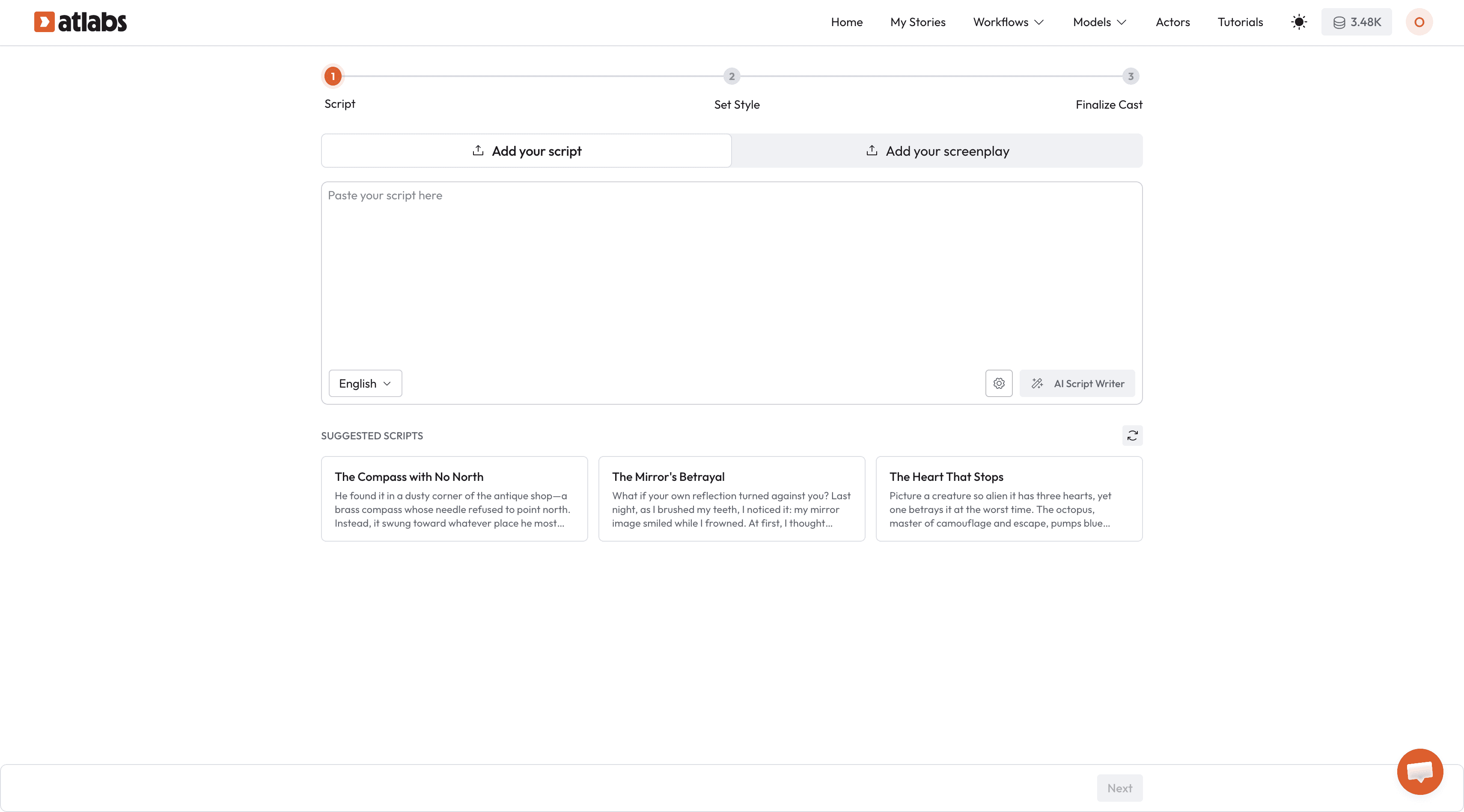
Once you have logged into Atlabs, select the Animated Video option from the dashboard.
Paste your script: If you have a story ready, paste it into the text box.
Use AI Writer: If you don’t have a script, click the "AI Script Writer" button. Enter a prompt (e.g., "A story about a girl and a cat finding a secret garden"), and the AI will generate the scenes for you.
Click Next.
Step 2: Set Your Style
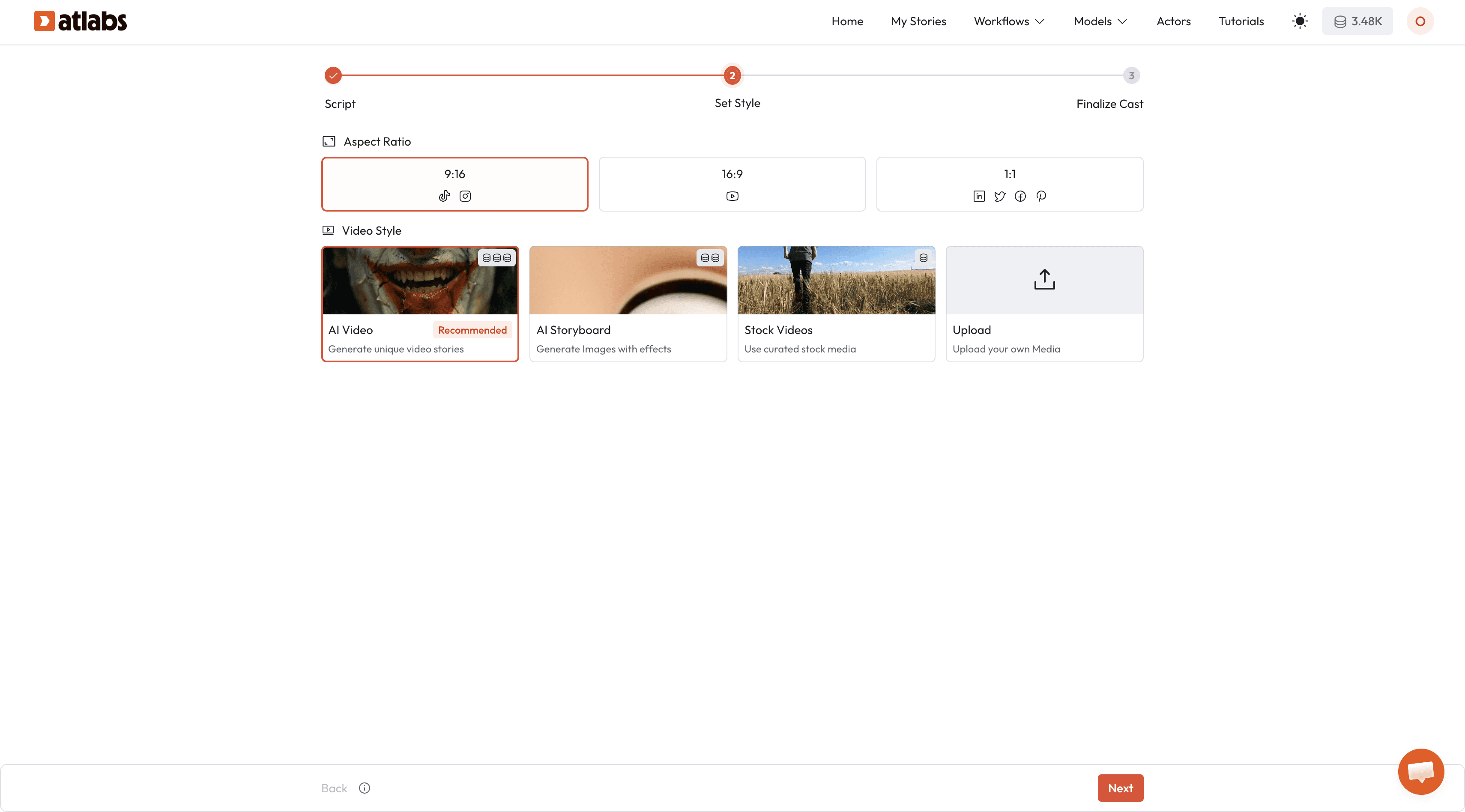
This step determines the "look and feel" of your animation.
Aspect Ratio: Choose 16:9 for YouTube/TV, 9:16 for TikTok/Reels, or 1:1 for social feeds.
Video Style: Select AI Video.
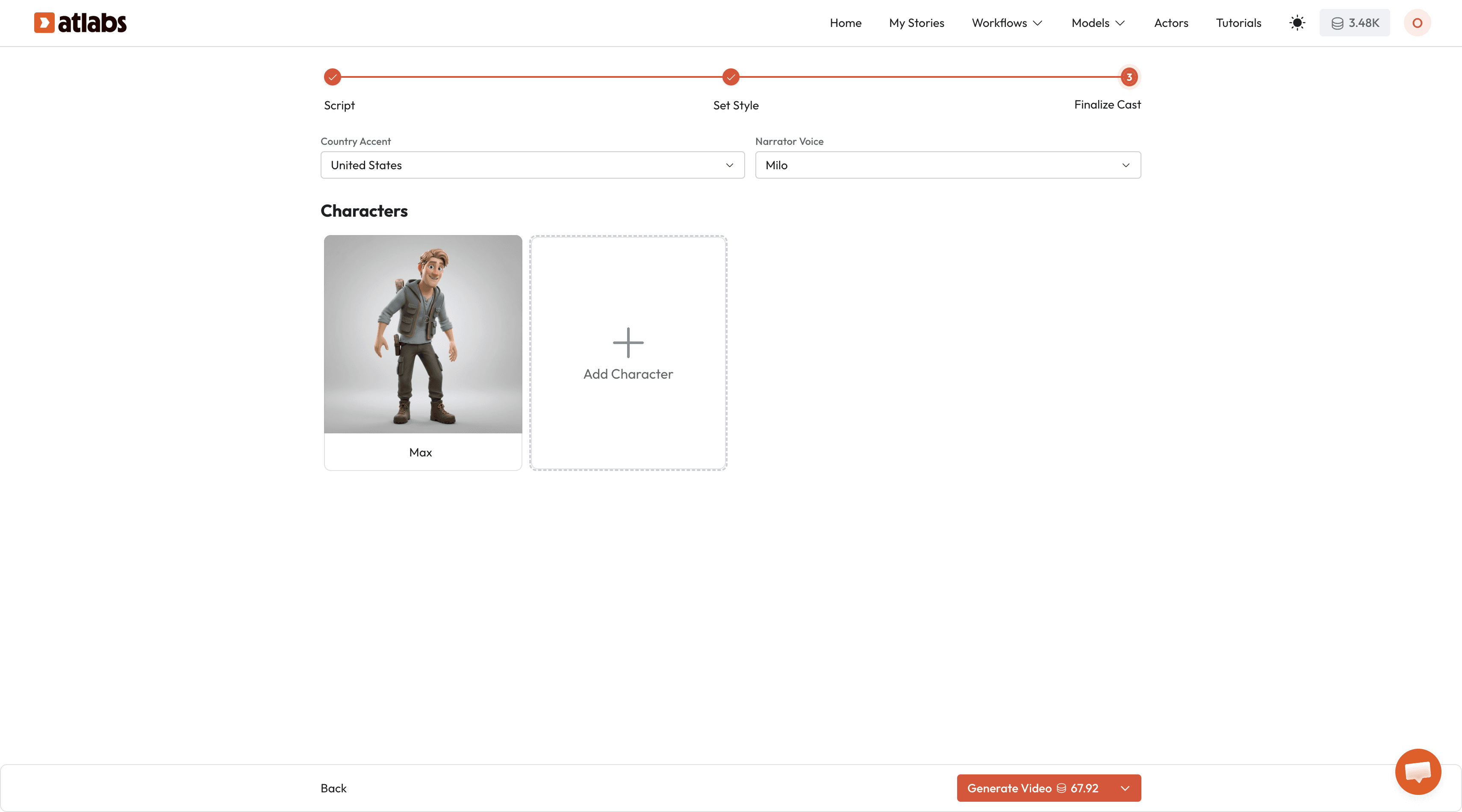
Step 3: Finalize Characters (The Cast)
Atlabs automatically extracts characters from your script. This is where you ensure character consistency.
Narrator: Select a voice from the dropdown menu (e.g., "Oliver" for a friendly US male voice).
Character Customization: Click Edit on a character card (e.g., "Maya"). You can change their age, ethnicity, or clothing color (e.g., changing a yellow frock to a "maroon frock with white flowers").
Add Characters: You can manually add new characters or sidekicks (like "Whiskers the Cat") if the AI missed them.
Click Generate Video.
Step 4: Rendering and Video
The AI will now generate the video. This process is automated and includes:
Image Storyboarding
Motion Generation
Background Music
Captions
Scene Transitions
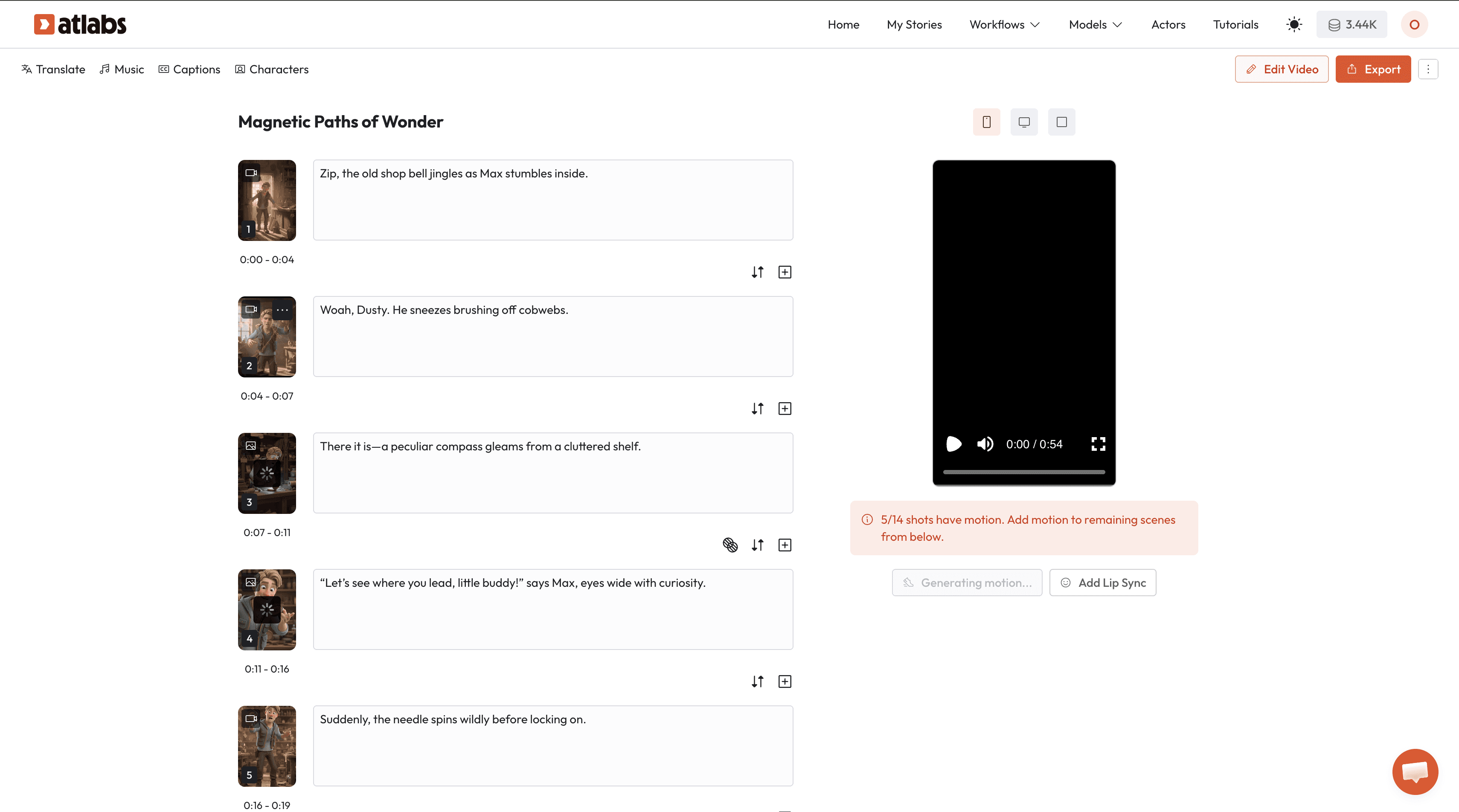
Once the loader hits 100%, your video is ready to watch!
How to Edit and Refine Your AI Video
While the auto-generated result is often great, Atlabs offers a robust Edit Section to fine-tune specific scenes.
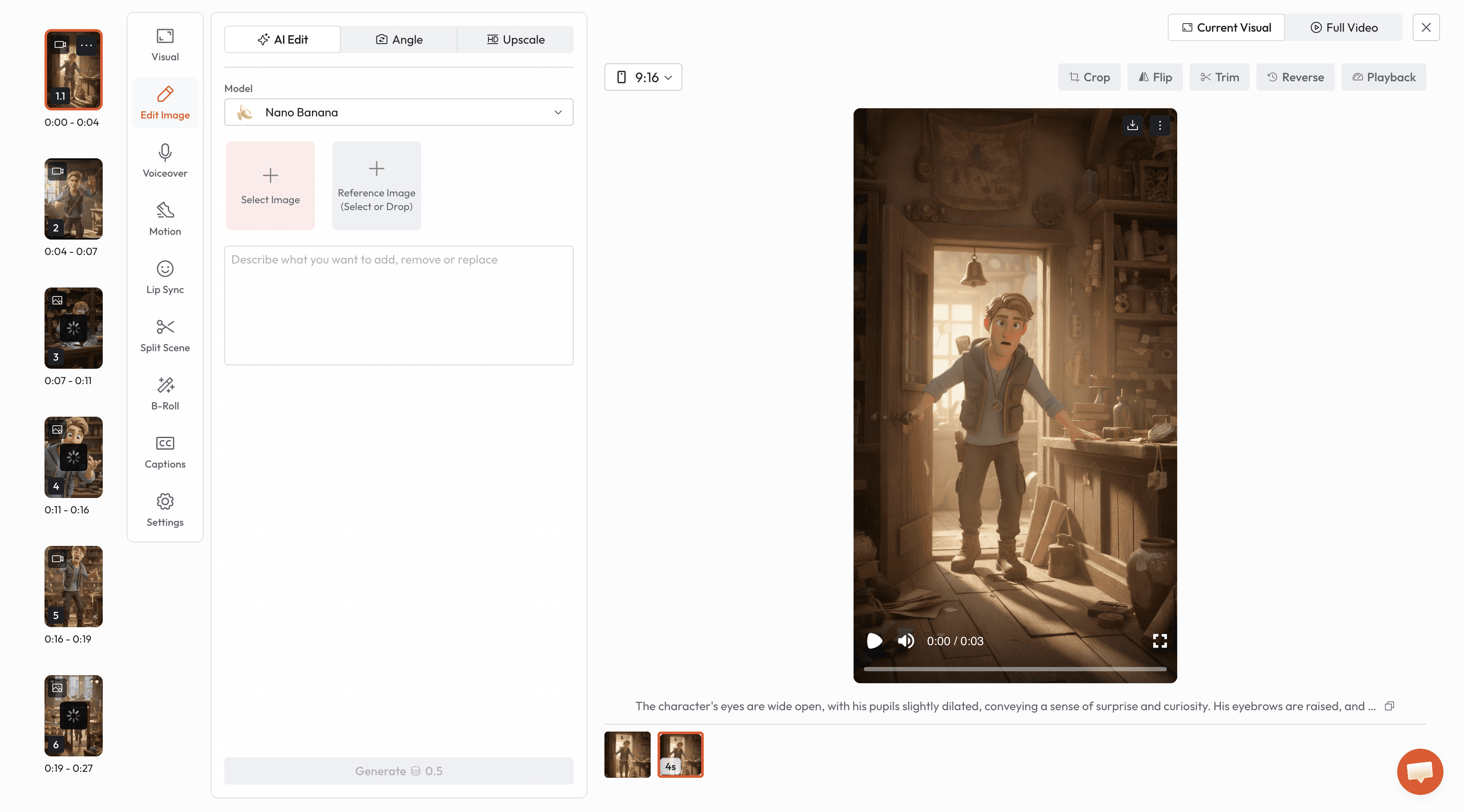
Visual Editing
Regenerate Images: If a specific frame looks wrong, click the scene and hit Regenerate. You can tweak the prompt to change specific details.
Edit Image: Use the "Given Image Edit" feature to remove, add, or replace things in the image. We have all the latest image-to-image models like Nano Banana.
Upscale: Pro Tip: Always upscale images that look slightly blurry. Higher-resolution images result in better motion generation.
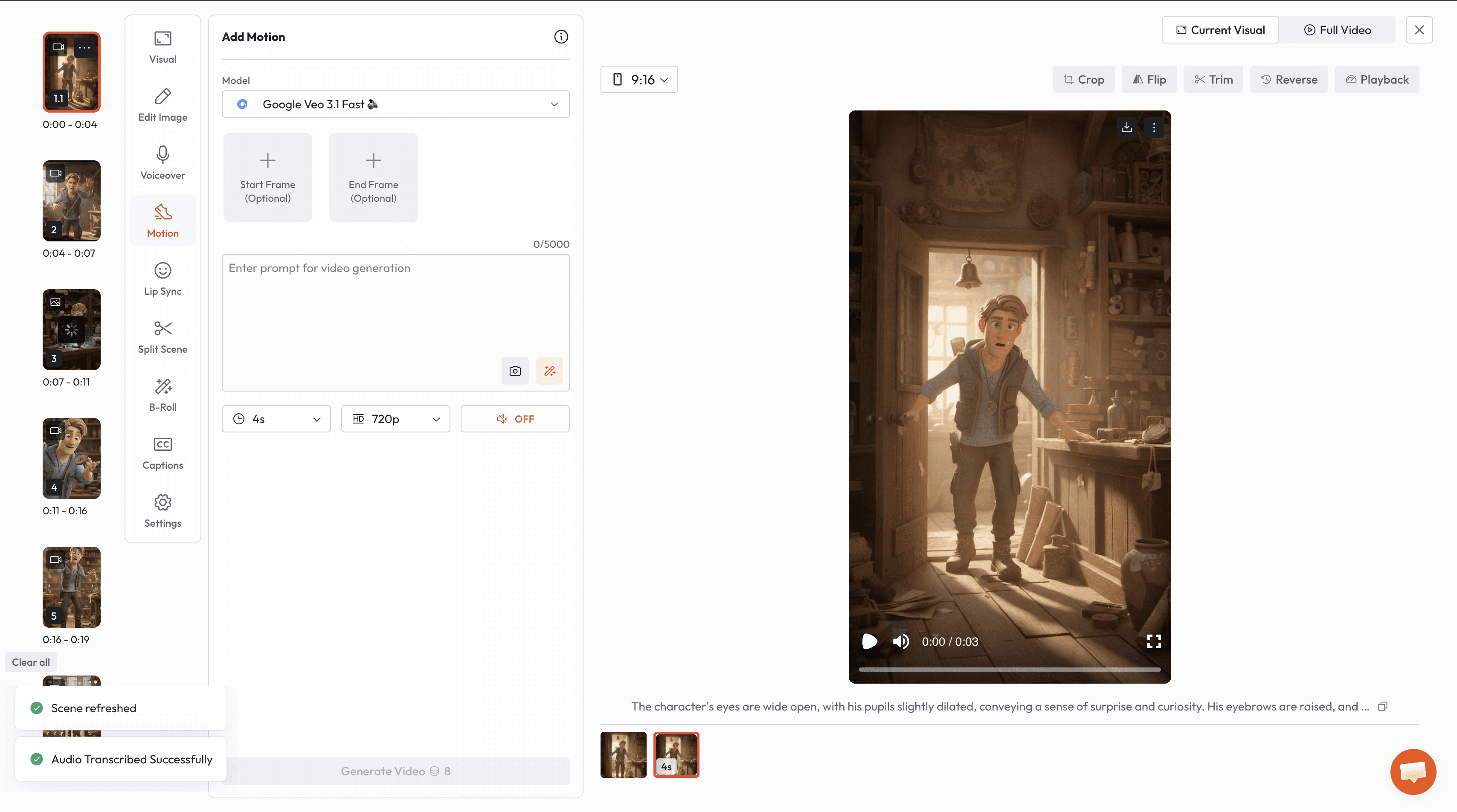
Motion and Audio Control
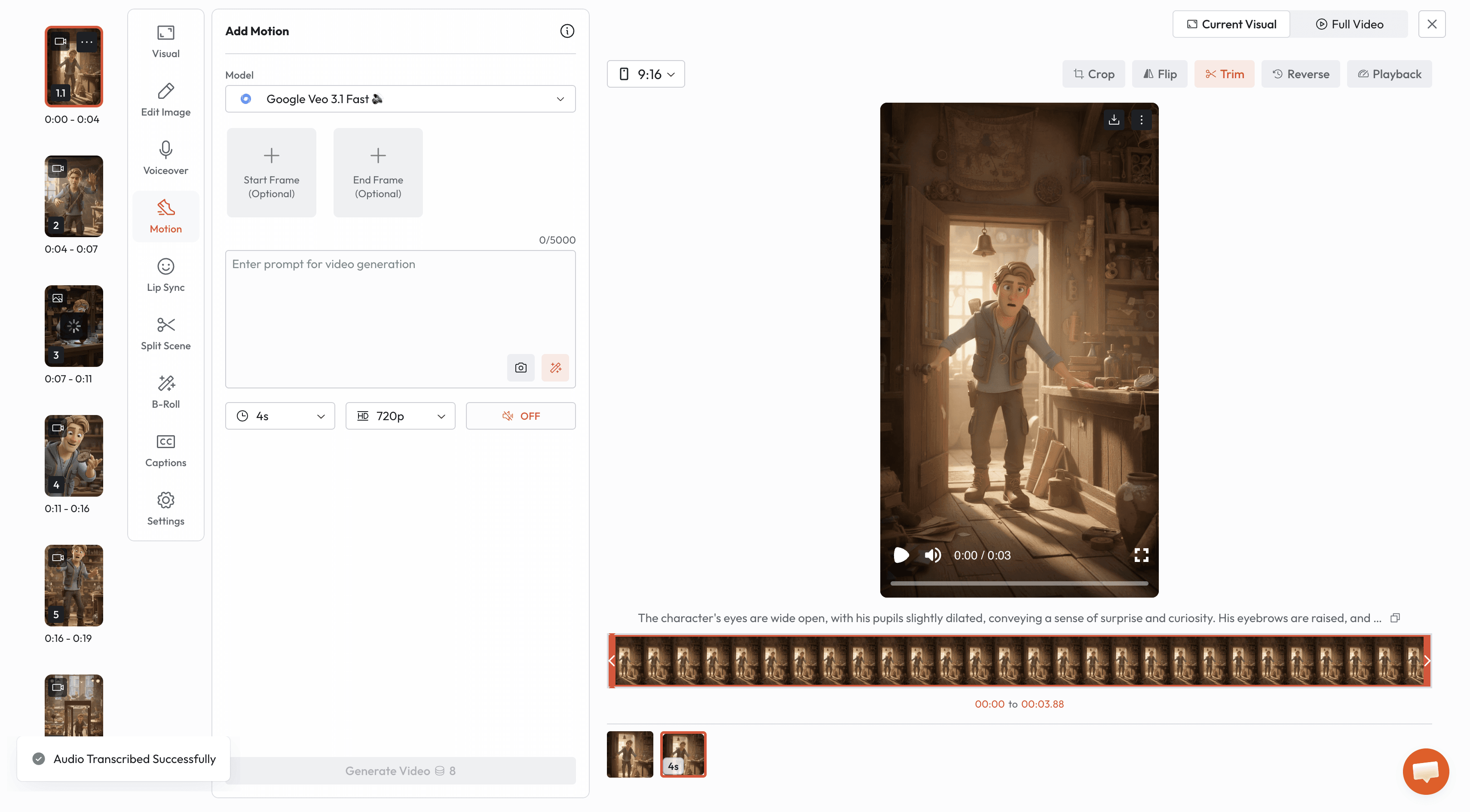
Magic Prompt: If you aren't sure how to describe the movement, use the Magic Prompt to have AI write the motion description for you.
Lip Sync: Select the Lip Sync tab to automatically match the character's mouth movements to the dialogue.
Actor Mode: You can record your own face via webcam, and the AI character will mimic your head movements and expressions.
Timeline Adjustments
Split Scene: Break long scenes into smaller clips for faster pacing.
Crop & Flip: Adjust the framing or mirror the video horizontally/vertically.
B-Roll: Overlay text or secondary images on top of the main narration.
Exporting Your Video
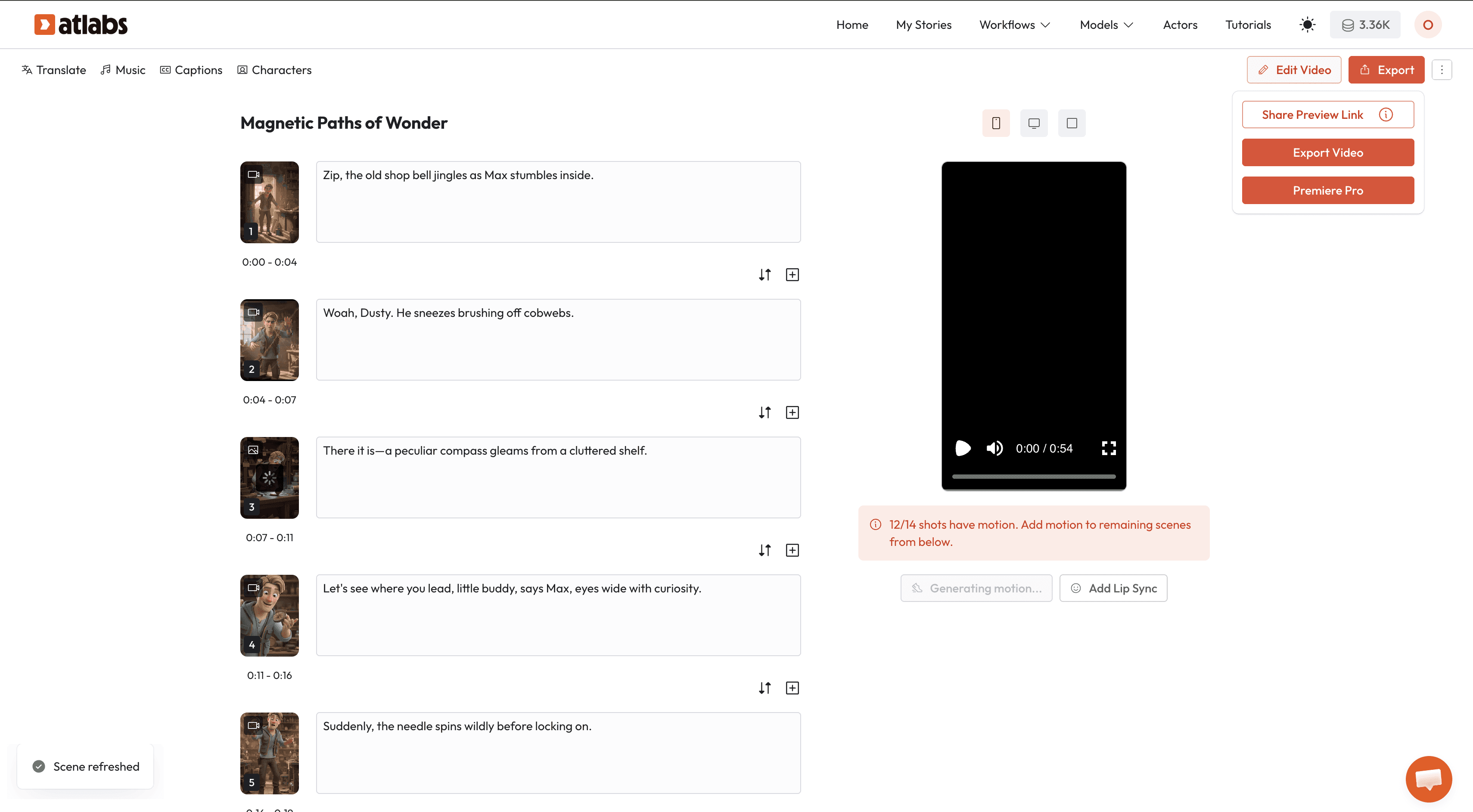
When you are happy with the result, click the Export button in the top right corner. You have two main options:
Download Video: Get the final MP4 file with music and captions baked in.
Premiere Pro Project: Download the entire folder structure to edit the layers, audio, and clips individually in Adobe Premiere Pro.
Frequently Asked Questions (FAQ)
Can I change the clothes of an AI character in Atlabs?
Yes. In the "Finalize Cast" step, you can edit the character prompt to specify clothing colors and styles. The AI will maintain this look throughout the video.
Does Atlabs do automatic Lip-Syncing?
Yes, Atlabs has a specific Lip Sync model. You can apply it to characters to make them speak the dialogue naturally.
Can I use my own images in Atlabs?
Yes. In the editing phase, you can upload your own images to replace any scene generated by the AI.
How long does it take to generate a video?
According to the tutorial, a standard kid's story can be generated in as little as 2 minutes once the script is finalized.









