When a kid can say every word from their favorite cartoon but can’t recall the math lesson from yesterday, it’s not that they can’t learn, it’s just that the way the lesson was shown to them didn’t click.
Studies in education show that kids remember things 60-70% more when they learn through stories and characters instead of just being taught straight facts.This isn’t about just making learning fun, it’s about understanding how young brains really take in and remember information.
The challenge? Making animated stories used to mean either paying a lot for skilled animators or spending months on production.This guide walks you through how to build educational stories that really stick with people, and how to put them together quickly using AI-powered animation tools.The Psychology of Character-Based Learning
Create Your Educational Video Now for Free!
Why Familiar Faces Matter
Child development research shows that familiar characters trigger parasocial relationships, which are one-sided emotional connections that feel real to children.When a 5-year-old spots their favorite animated character, their brain releases oxytocin, the bonding hormone, in the same way it would when seeing a real friend.
Impact on learning:
Children pay 40% more attention to content from familiar characters
Retention rates double with consistent character appearances
Kids tackle difficult concepts more willingly when a "trusted friend" guides them
This shows that character consistency is not just about looks but also about teaching. Every time you change a character's appearance or voice, you're asking young learners to start over in building trust from scratch.
Emotional Connection = Better Memory
The brain's emotional center called the amygdala and the memory center known as the hippocampus are neurologically linked. When children experience feelings like curiosity, excitement, or mild frustration during learning, those emotions mark the memory as important. Stanford research found children recalled story-based lessons with emotional character arcs 3x better than neutral content, even weeks later.
Instead of having characters simply explain concepts, let them experience those concepts firsthand. This approach helps create a more natural and engaging story where the ideas come alive through the characters' actions and feelings. A character who is confused by division, works through the problem, and then celebrates their understanding creates multiple emotional memory anchors.
Series Effect: Knowledge That Compounds
When children meet Professor Pixel in Episode 1 learning shapes, their brain creates a mental file. In Episode 2, when Professor Pixel teaches colors, the brain adds to that existing file rather than creating a new one. By Episode 10, Professor Pixel's file holds interconnected knowledge, all connected through that character relationship. This schema building is much more effective than isolated lessons. Children anticipate learning from specific characters, which helps prime their brains before the lesson starts.
The 5-Act Structure for Educational Storytelling
Traditional three-act storytelling doesn't support learning well. Here is the five-act framework that balances engagement with educational outcomes:
Act 1: Setup (0:00-0:20)
Establish where we are, who is present, and the mood. This is important even in series where the characters are known.
Example: "Professor Pixel and Calculus are in the Invention Lab. Calculus looks confused, staring at colorful blocks."
Act 2: Problem/Question (0:20-0:45)
Your learning objective enters as genuine curiosity, not imposed instruction.
Weak: "Today we're learning about patterns!" Strong: "Calculus is building a tower, but something looks wrong. Professor Pixel notices: 'What if there's a secret pattern to make it stable?'"
The second approach makes pattern-learning feel like discovery.
Act 3: Exploration Through Interaction (0:45-2:00)
Teaching through character dialogue, not monologue. Multiple characters are crucial:
Example:
Calculus: "Should I put red, blue, red, blue?"
Professor Pixel: "Let's try it! What do you notice?"
Calculus: "It's making a pattern!"
Atlabs advantage: The platform automatically generates multi-character dialogue scenes from your script, no manual character positioning needed. Just write natural conversation and Atlabs places characters appropriately in frame with synchronized gestures and expressions.
Act 4: Discovery Moment (2:00-2:30)
The "aha!" belongs to a character, allowing children to experience revelation through their emotional proxy.
Example: "Calculus arranges blocks in a red-blue-green pattern and the tower stands! 'I did it! Patterns make it balanced!' Professor Pixel high-fives Calculus."
That high-five triggers dopamine that the brain associates with pattern recognition making it memorable.
Act 5: Reinforcement (2:30-3:00)
Summarize the learning, connect to real-world application, and tease the next episode.
Example: "Professor Pixel: 'Patterns are everywhere! In towers, music, even nature. Tomorrow, let's find patterns in the garden!'"
Building Your Character Cast for Maximum Learning Impact
The Optimal Number: 4-6 Characters
Why this range?
Too few (1-2): Limited dialogue dynamics, risk of monotony
Too many (7+): Children struggle to track relationships
Sweet spot (4-6): Interesting interactions, manageable production, memorable cast
Atlabs supports unlimited character uploads in your library, but focus on 4-6 core characters that appear across your series for maximum recognition and bonding.
Character Archetypes That Work
Design your cast as a learning team where each models different discovery approaches:
1. The Curious Explorer - Asks "why?", makes mistakes, models growth mindset
2. The Patient Guide - Asks leading questions, celebrates discoveries, provides structure
3. The Logical Thinker - Observes patterns, analyzes carefully, shows systematic thinking
4. The Creative Problem-Solver - Finds unconventional solutions, thinks in metaphors
5. The Enthusiastic Cheerleader - Celebrates wins, encourages persistence
6. The Practical Applicator - Connects concepts to real-world use
Character Relationships That Model Learning
The relationships between characters teach as much as the content itself:
Mentor-Mentee: The Guide never simply gives answers, they ask questions leading the Explorer to discover.
Peer Collaborators: The Logical Thinker and Creative Problem-Solver approach problems differently, showing there's not one "right" way.
Example interaction:
Explorer: "This is too hard!"
Cheerleader: "You've figured out hard things before!"
Guide: "What if we broke this into smaller pieces?"
Logical Thinker: "I notice this looks similar to yesterday..."
This 30-second exchange teaches persistence, emotional regulation, problem decomposition, and pattern recognition through relationships.
Creating Series Continuity
Visual Consistency: Non-Negotiable for Learning
A child's brain needs 200 milliseconds less time to recognise a familiar face than an unfamiliar one. When the look of a character changes from one moment to the next, the steady one sided relationship the viewer has built with that figure is interrupted and attention shifts away from the lesson. If the design of a character keeps shifting, the number of viewers who watch the whole series falls by thirty five percent.
Atlabs solves this automatically: Upload your character references once, and they're saved in your library with perfect visual consistency across unlimited episodes. No redrawing, no variation the exact same character every time.
Voice Consistency: Recognition in 2-3 Words
A child hears a voice and, in less than a few seconds, knows which character speaks, even when the screen is out of sight. If the same voice stays unchanged across episodes, the child recognises the character at once, feels a bond and keeps watching the series.
Atlabs voice approach:
Assign each character a distinct AI voice from the library
Save voice profiles that persist across all episodes
Preview voices before selection to ensure age-appropriate fit
100% consistency across your entire series no re-recording needed
Callbacks and Progressive Storylines
Callbacks reference previous episodes, rewarding loyal viewers and reinforcing past learning naturally.
Example: In Episode 15 about multiplication: "Remember patterns from Episode 3? Multiplication is just a pattern of adding!"
Atlabs series production: Your character library and voice profiles persist across all projects. Episode 1 takes 10 minutes to set up characters. Episodes 2-100 take 5 minutes each, just new scripts.
Atlabs Workflow: From Script to Animated Story
Here's how to create the character-driven educational content we've outlined—without animation skills.
Step 1: Create Your Character References
Navigate to: Atlabs Dashboard → Text to Image
Master prompt for educational characters:
"Create a [character type] [animal/creature] character for children's educational videos. Friendly design with large expressive eyes. Simple, clean shapes. Bright, saturated colors. Standing pose, full body, white background. 3D cartoon style, Pixar-quality rendering, soft lighting."
Example for Curious Explorer:
"Create a curious young fox character for children's educational videos. Friendly design with large expressive eyes. Wearing a small backpack and holding a magnifying glass. Simple, clean shapes. Orange and cream colors. Standing pose, full body, white background. 3D cartoon style, Pixar-quality rendering, soft lighting."
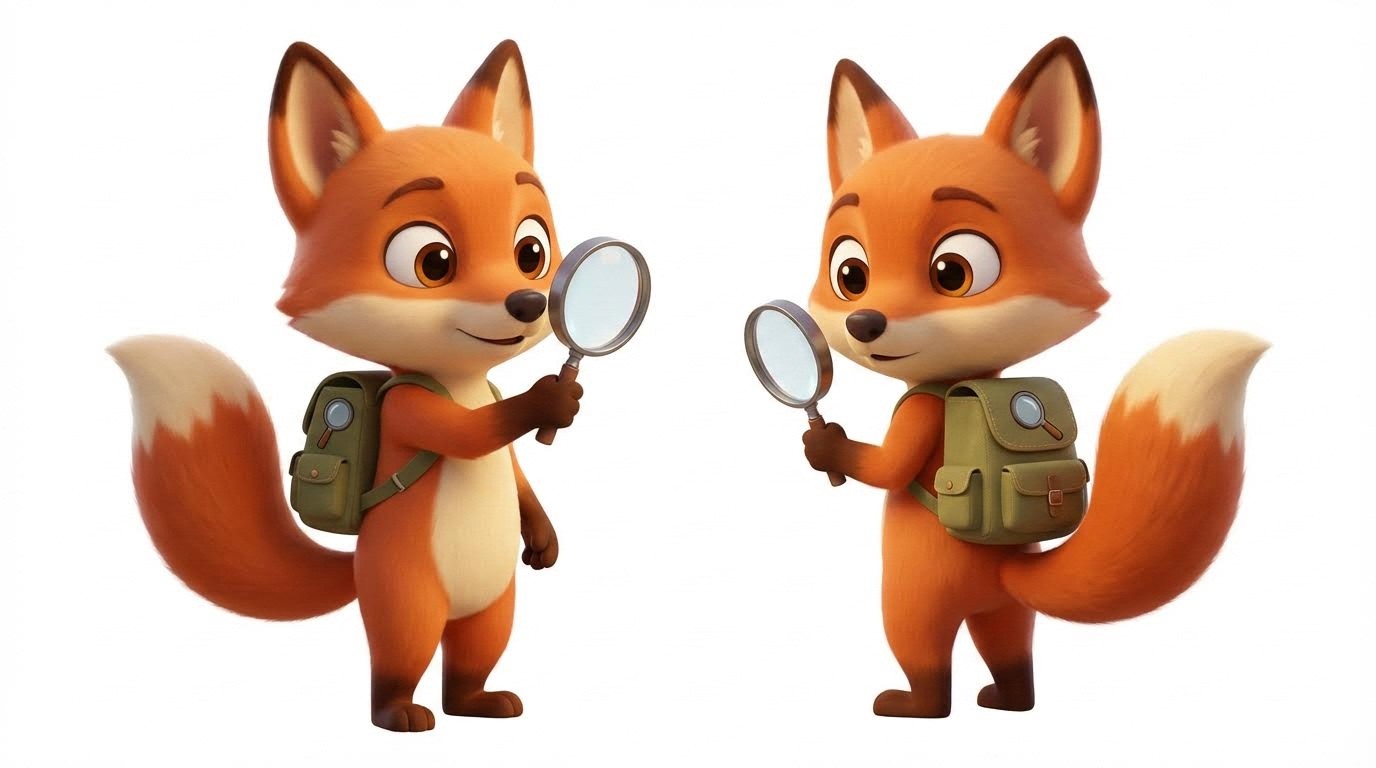
Pro tips:
Use identical base prompt structure for all characters to ensure visual cohesion
Specify style explicitly ("3D cartoon style") for consistency
Generate front, side, and 3/4 views for each character
Save your prompts for future pose/expression generation
Use color codes for precision: "bright orange (
#FF6B35)"
Generate and download your 4-6 character references. These become your reusable visual library.
Step 2: Set Up Your Cartoon Video Workflow
Navigate to: Atlabs → Cartoon Video
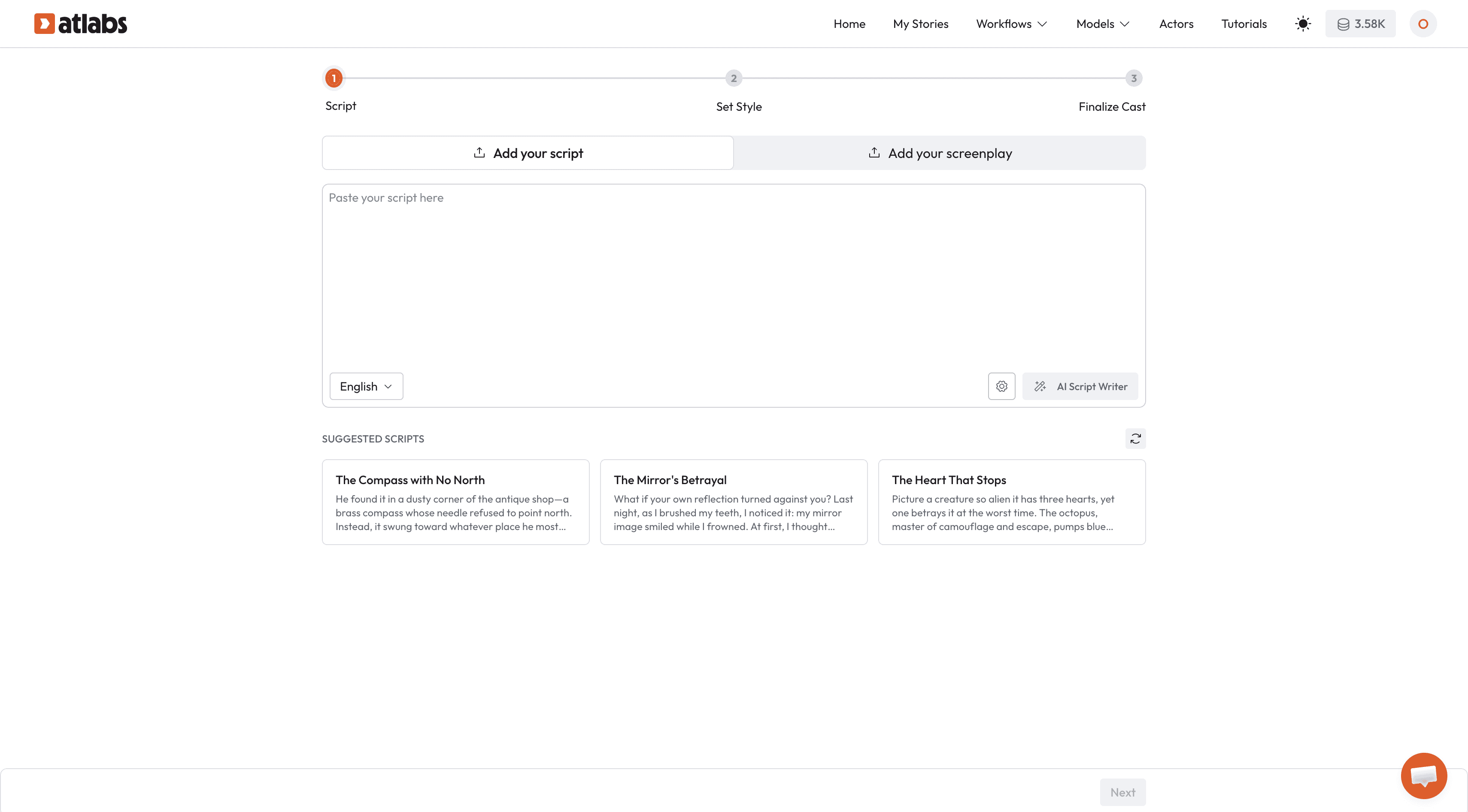
Add Your Script: Paste your educational story following the 5-act structure. Use clear character attribution:
Atlabs AI automatically:
Parses script into logical scenes
Identifies speaking characters from dialogue attribution
Determines scene compositions and camera angles
Generates visual actions matching the narrative
Creates multi-character scenes with appropriate spatial relationships
Choose Visual Style:
3D Cartoon: Pixar-style depth, great for spatial concepts (Recommended)
2D Cartoon: Classic flat animation, perfect for younger audiences (Recommended)
Anime: Expressive emotions, popular with older elementary
Comic Book: Bold outlines, engaging for superhero themes
Sketch: Hand-drawn aesthetic, warm and approachable
Testing shows: 3D and 2D Cartoon styles perform best with 3-8 year olds for character recognition and sustained attention.
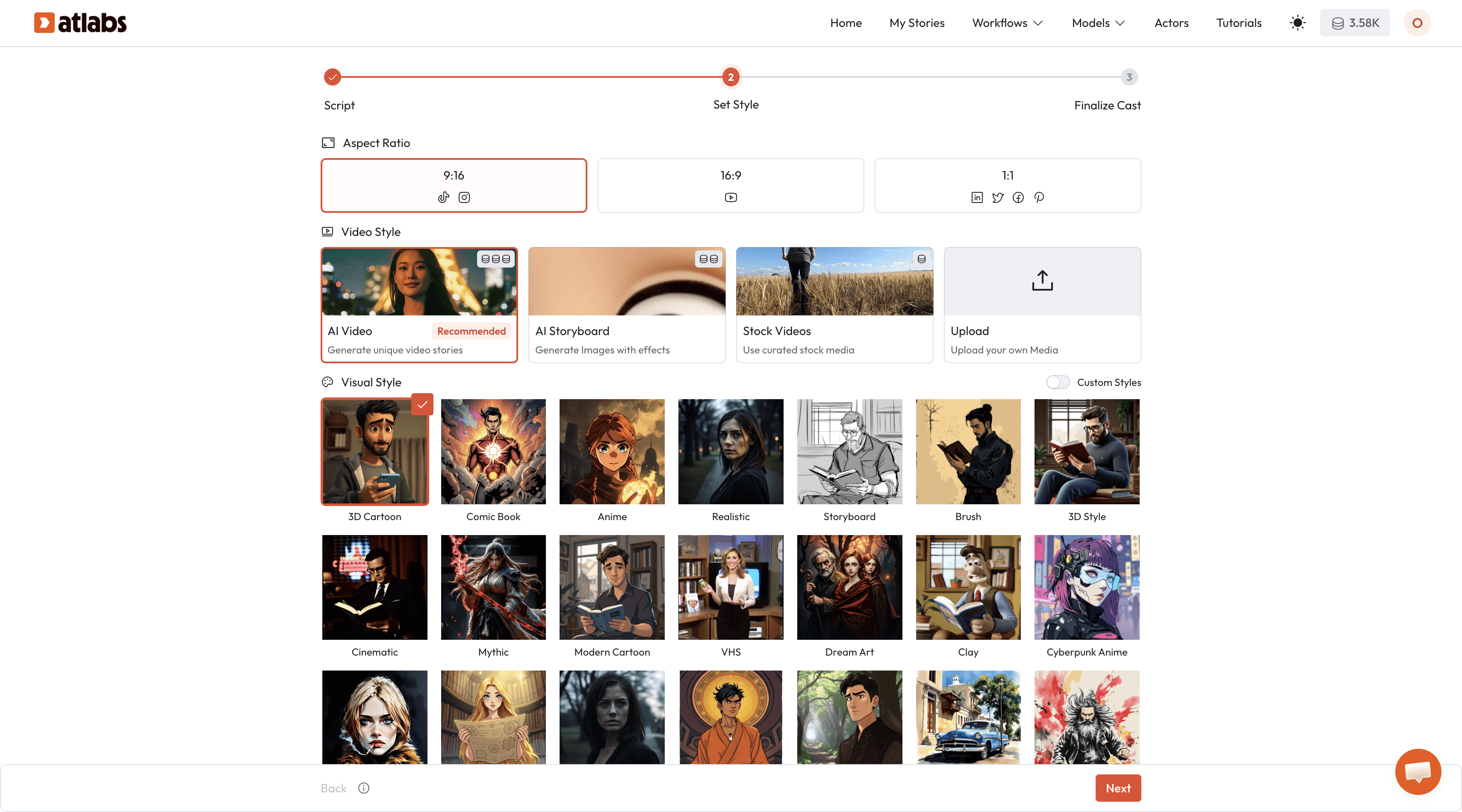
Select Aspect Ratio:
16:9: YouTube, classroom displays, website embedding
9:16: TikTok, YouTube Shorts, Instagram Reels, mobile viewing
1:1: Universal social platforms, Instagram feed
Pro strategy: Create primary series in 16:9, then regenerate key episodes in 9:16 for social distribution.
Step 3: Upload Characters and Assign Voices
Character Tab: Click Upload Character and add each of your 4-6 character references from Step 1.
Critical: Name characters clearly (Professor Pixel, Calculus, etc.) for consistent script reference across all episodes.
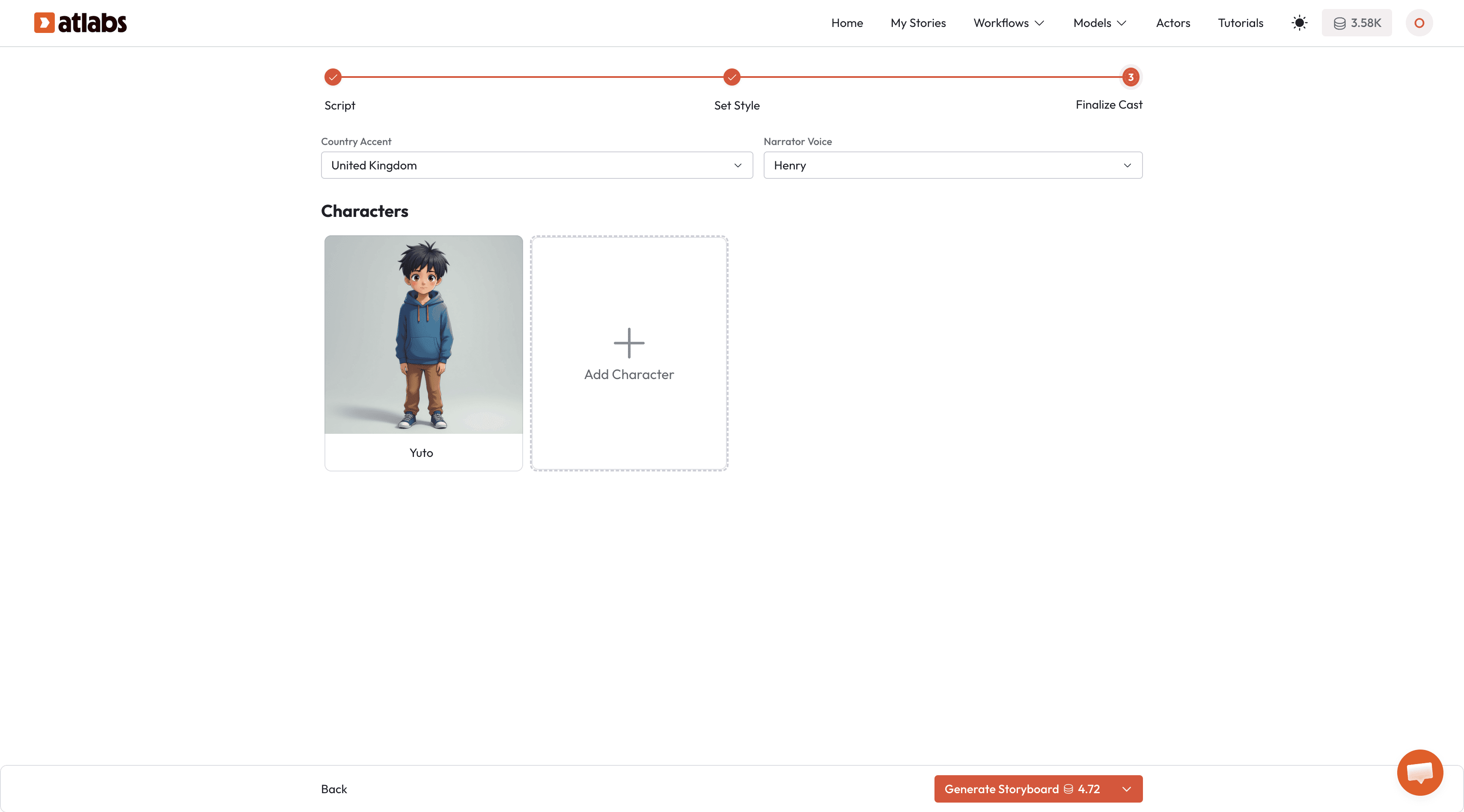
Atlabs automatically maintains:
Exact visual consistency across scenes within each video
Perfect character matching across unlimited episodes
No manual character placement, AI handles positioning based on script
Voice Assignment: For each uploaded character: Click character → Select Voice → Preview options → Assign
Voice selection strategy:
Guide/Mentor: Warm, patient, slightly deeper voice conveying wisdom
Curious Explorer: Higher, energetic voice with expressive inflection
Logical Thinker: Measured, clear voice with steady pacing
Creative Problem-Solver: Playful voice with varied pitch
Supporting cast: Distinct but not extreme caricatures
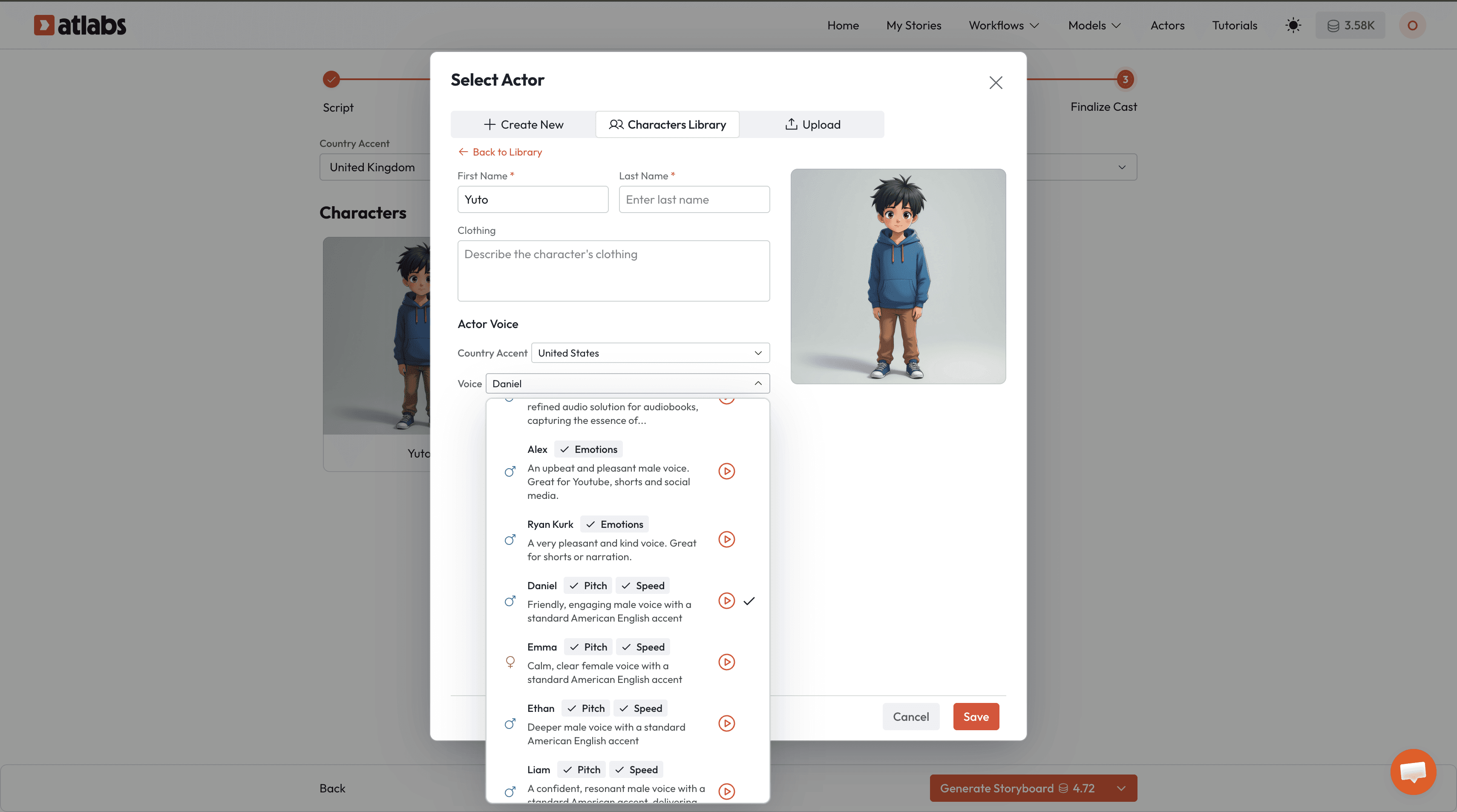
Set Narrator Voice: Separately select a neutral narrator voice for scene descriptions—distinct from all characters to help children differentiate story voice from character voice.
Atlabs saves all voice profiles permanently. Every future episode uses the exact same voices automatically.
Step 4: Generate Multi-Character Video
Click Generate Video.
Atlabs AI automatically:
Determines which characters appear in each scene from your script
Positions multiple characters in frame with natural spatial relationships
Generates character interactions, gestures, and expressions
Matches lip movements to dialogue
Creates camera angles showcasing character dynamics
Zero manual character placement required.
Script example:
Result: Atlabs generates a scene with both characters visible, positioned for conversation, with appropriate gestures.
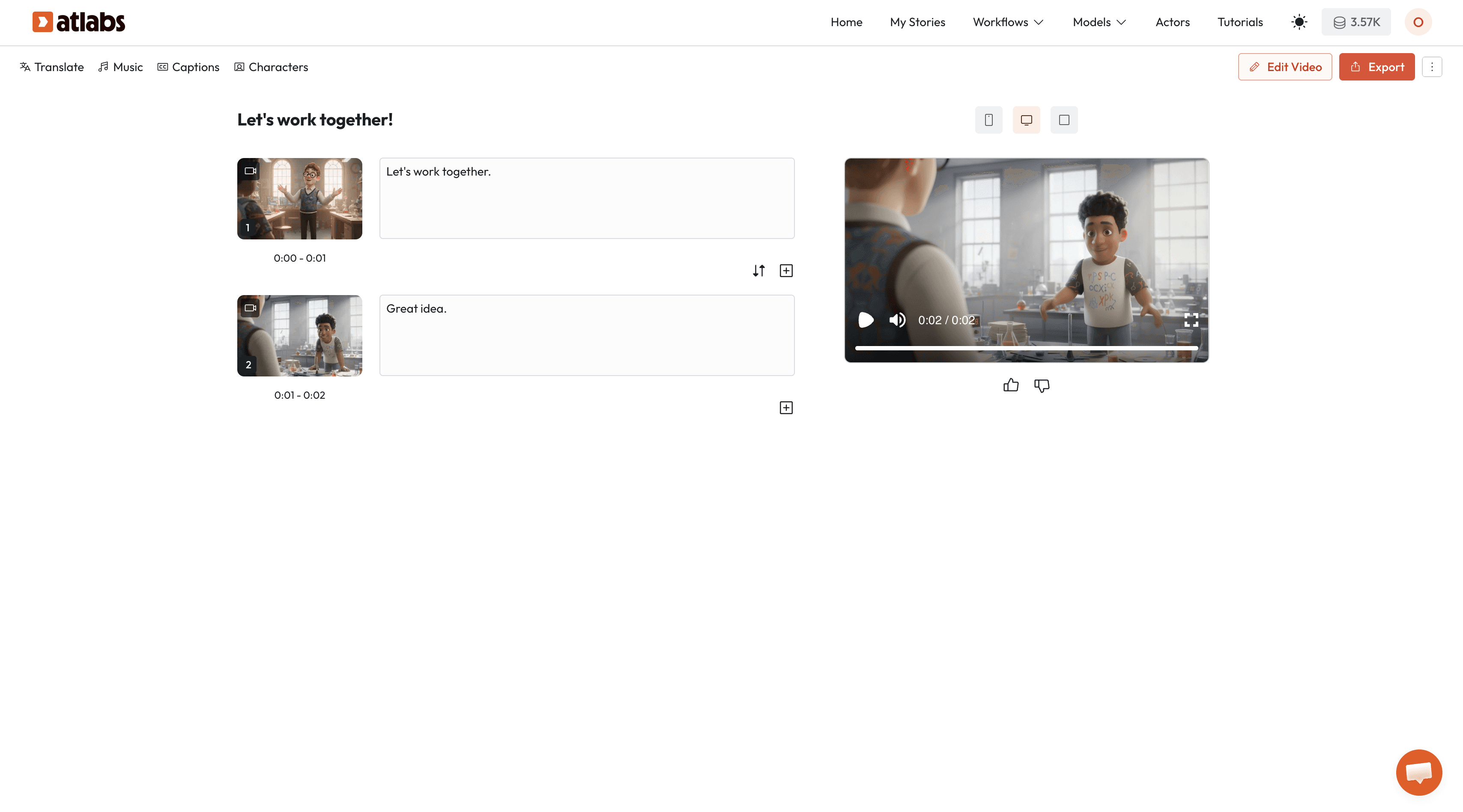
Generation time: 3-5 minutes for a 2-3 minute educational video.
Step 5: Scale to Series Production
The power for educators: Once you set up your character library and voices in Episode 1, every subsequent episode reuses these assets automatically.
Creating Episode 2:
New Cartoon Video project
Characters already in library no re-upload
Voice profiles saved automatic consistency
Paste new script
Generate
This delivers:
100% visual character consistency across unlimited episodes
100% voice consistency across entire series
5-10 minute production per episode (script + generation)
Zero animation skills required
No voice recording equipment needed
Batch production workflow:
Script 5-10 episodes → Generate sequentially using saved character library → Export entire mini-series for scheduled release
This is how solo educators build 50-episode curriculum series in weeks, not years.
Conclusion: The New Economics of Educational Animation
The science was never in question: character-driven storytelling works for learning. Story structure creates memory anchors. Consistent characters build trust. Multi-character dynamics model collaboration. Series content compounds knowledge.
The question was always feasibility.
Until recently, creating 30 consistent animated episodes required either a studio budget or accepting amateur quality with tools like Adobe that overwhelm non-animators.
Atlabs solves the consistency problem and the skill barrier simultaneously:
✅ Upload characters once → use across unlimited episodes
✅ Assign voices once → automatic consistency forever
✅ Write natural dialogue → AI generates multi-character scenes
✅ Professional 3D/2D animation → no animation skills required
✅ 5-10 minutes per episode → scale to full curriculum series
The barrier isn't whether character-based education works. It's whether you can produce it sustainably.
Now you can.
Your move: Take one concept you teach with slides or worksheets. Create 4-6 characters. Script a 3-minute story using the 5-act structure. Generate it in Atlabs. Watch what happens when learning looks like the cartoons kids already love.
Then create episodes 2, 3, 4... 50.
Same characters. Same voices. 10 minutes each.
That's the new economics of educational storytelling.
Ready to create your first educational story with consistent characters?








