TL;DR
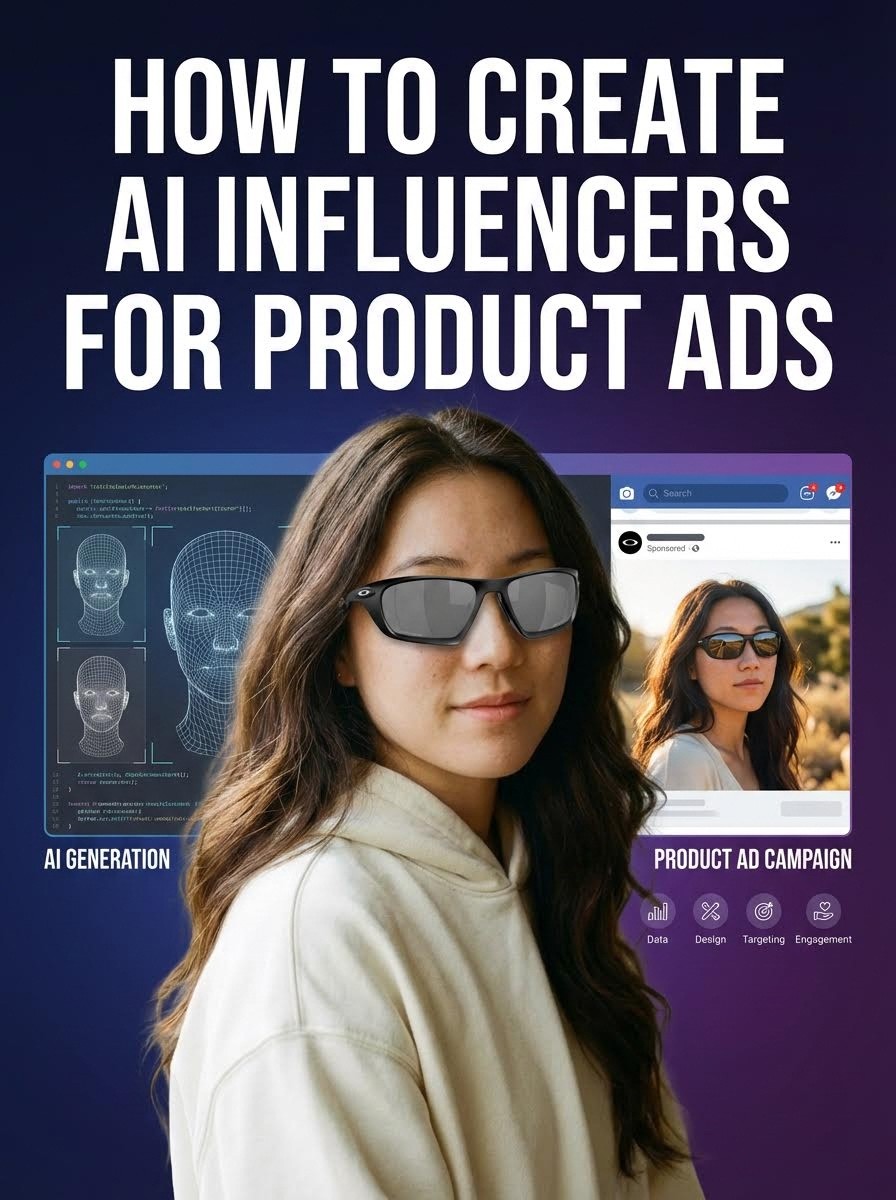
Create hyper-realistic AI influencers for product campaigns using Atlabs AI. No scheduling conflicts, no reshoots, infinite scalability.
The Tools: Nano Banana Pro (character) + Avatar Workflow (talking head) + Motion Control (body movement) + Kling 01 (product placement)
The Result: Professional UGC content at scale
Cost: Atlabs subscription
Time: 30 minutes per video
Start Creating Your AI Influencer on Atlabs AI
The Brutal Truth About Modern Advertising
Audiences don't hate ads. They hate content that feels fake.
But here's the paradox: The most "real-feeling" content right now isn't coming from humans. It's coming from AI influencers.
An AI creator:
Never sleeps
Never misses a brief
Never raises their rates
Can shoot content in Tokyo and New York in the same hour
Never has scheduling conflicts
Never requires reshoots
If you want to build a massive following or replace traditional product campaigns entirely, you need AI influencers.
Why Brands Are Switching to AI UGC
Before the "how-to," understand the "why." AI User Generated Content (UGC) offers an unfair advantage:
The 4 Core Benefits
1. Consistency
Your character always looks identical across every video. No bad hair days, no aging, no style drift.
2. Scale
Generate 100 videos in the time it takes to film one traditional UGC video. Test 10 different product angles simultaneously.
3. Flexibility
Swap products, outfits, and locations with a few clicks. One influencer, infinite contexts.
4. Cost Efficiency
No talent fees, no location rentals, no crew costs. One subscription = unlimited content.
The Business Case
Traditional UGC Creator:
Cost per video: $500-2000
Delivery time: 1-2 weeks
Revisions: Limited (expensive)
Consistency: Variable
AI Influencer on Atlabs:
Cost per video: Subscription only
Delivery time: 30 minutes
Revisions: Unlimited
Consistency: Perfect
ROI: 95%+ cost reduction, 10x faster
See How Brands Use AI Influencers on Atlabs AI
The 4-Step AI Influencer Workflow
Step 1: Designing The Influencer (Nano Banana Pro)
The biggest mistake: Creating a character that looks too perfect.
The truth: Perfection looks fake. Audiences connect with imperfection.
To get a character that feels real, you need intentional flaws.
Navigate to: Atlabs AI → Image → Nano Banana Pro
The Secret Prompt Formula
You aren't just typing "pretty girl." You need to be a director.
The Formula:
Component Breakdown
Demographics:
Age (specific, e.g., "24-year-old" not "young")
Ethnicity (specific, e.g., "Korean-American mixed" not "Asian")
Gender expression
Unique Traits (What Makes Them Memorable):
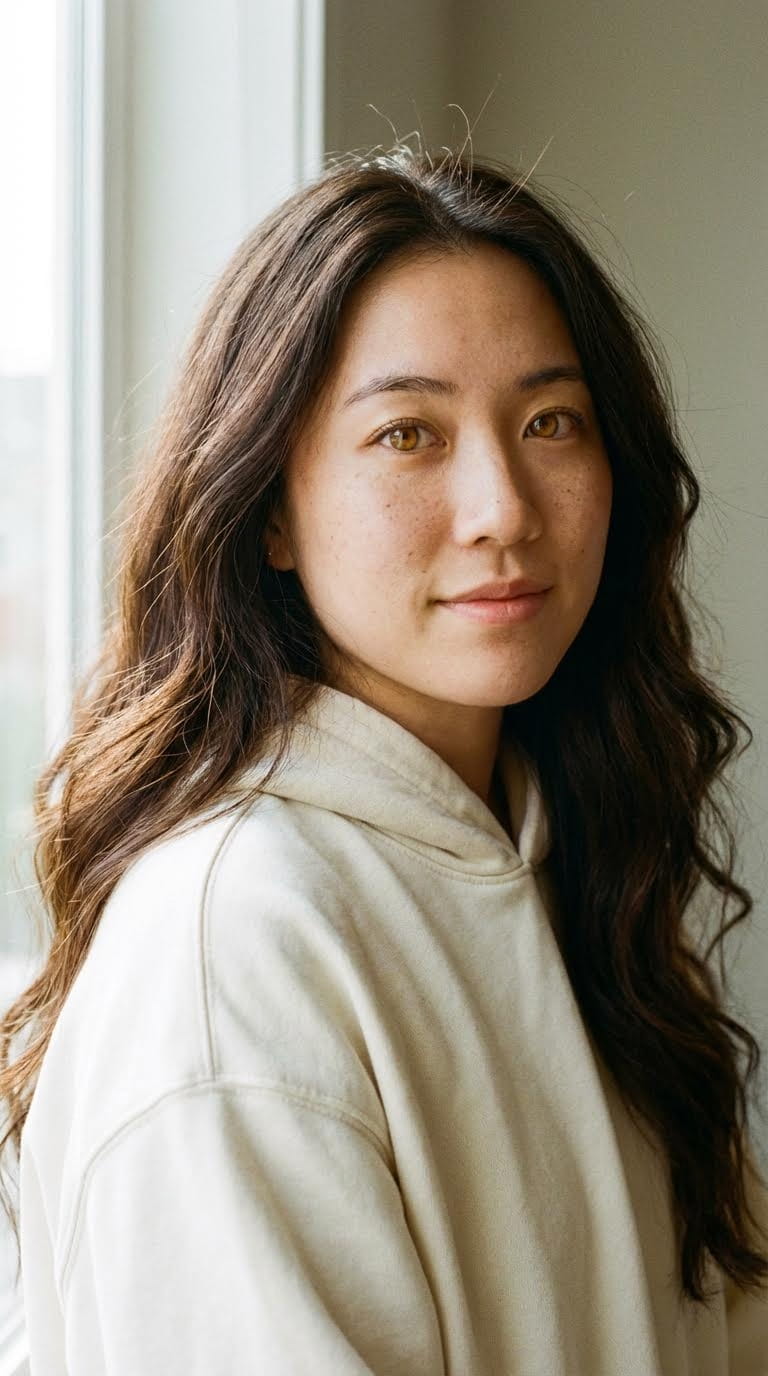
Specific eye color ("amber eyes" not "brown")
Distinctive hair ("long wavy with realistic texture" not "long hair")
Facial features ("high cheekbones, slight asymmetry")
Style markers ("streetwear aesthetic" or "minimalist fashion")
Technical Specs:
Lighting: "Soft natural window lighting"
Camera: "Shot on 35mm film" or "iPhone portrait mode"
Lens: "Shallow depth of field" or "f/1.8 aperture"
Quality: "Hyper-realistic, 8k resolution"
Imperfections (Critical for Realism):
Skin texture: "Slight skin texture and pores visible"
Natural features: "Freckles across nose" or "Small scar on eyebrow"
Realistic details: "Natural skin tone variation" or "Vitiligo patches"
Hair: "Flyaway hairs, not perfectly styled"
Example Prompts (Copy-Paste Ready)
Gen Z Female Influencer:
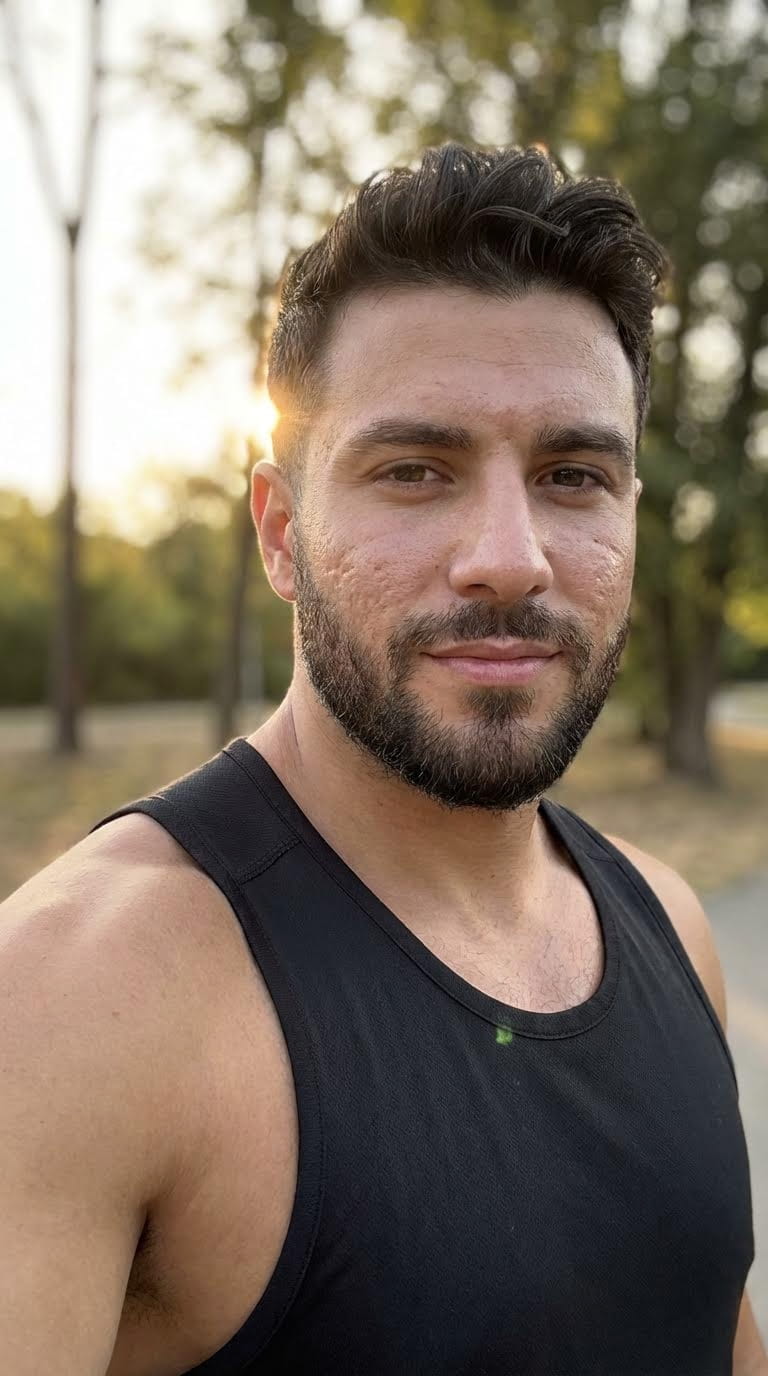
Male Fitness Influencer:
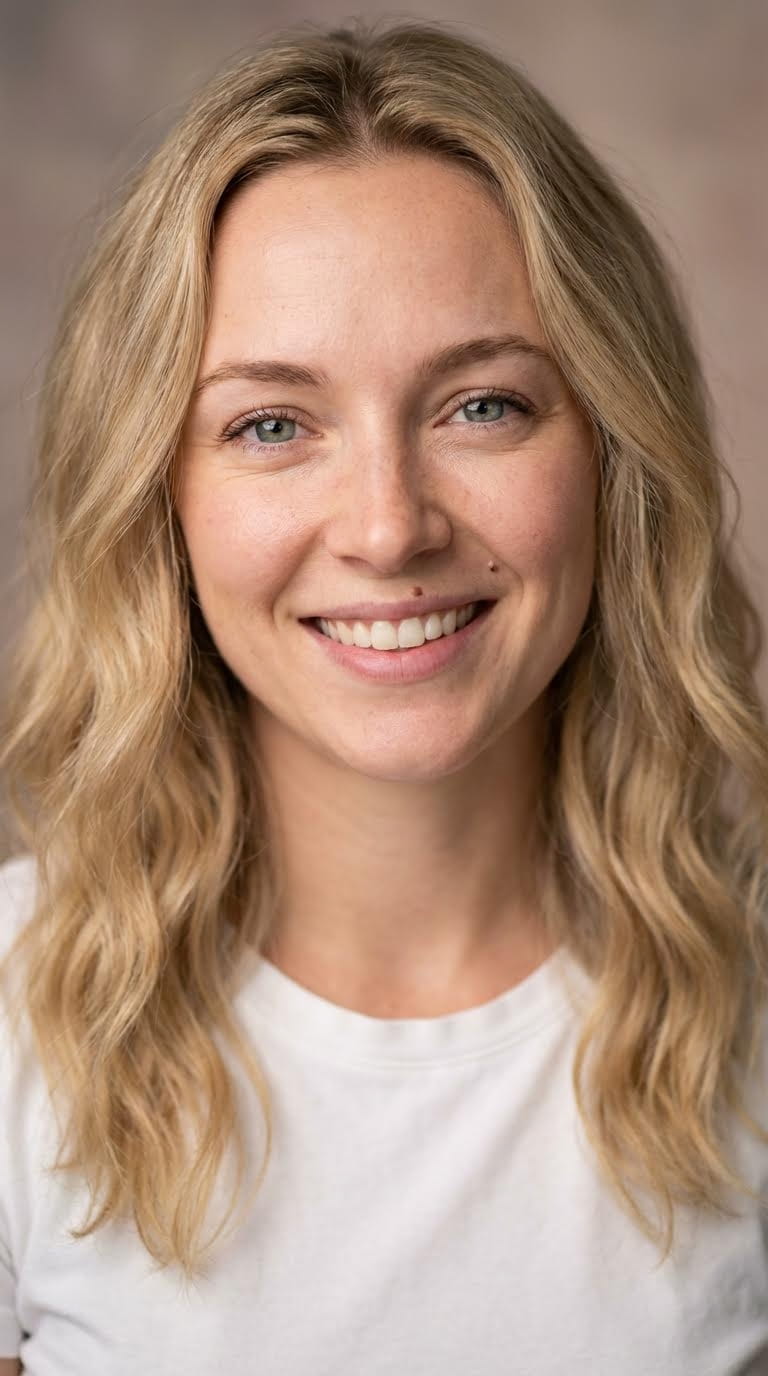
Lifestyle Female Creator:
Pro Tips for Character Design
Tip 1: Save Your Character Reference
Once you generate a face you love:
Download the image
Save the exact prompt
This becomes your character bible. Every future generation references this.
Tip 2: Generate Multiple Expressions
Create 5-10 variations of your character with different expressions:
Neutral (base reference)
Smiling (product enthusiasm)
Surprised (reaction content)
Serious (authority/trust)
Laughing (casual, relatable)
Tip 3: Test Different Lighting
Generate your character in various lighting scenarios:
Natural window light
Outdoor golden hour
Studio setup
Night/low light
Ring light (beauty content)
Tip 4: Avoid These Common Mistakes
❌ Too perfect, no skin texture
❌ Symmetrical features (unrealistic)
❌ Generic description ("beautiful woman")
❌ No specific ethnicity or features
❌ Studio lighting only (limits versatility)
✅ Visible pores and texture
✅ Slight asymmetry (realistic)
✅ Specific, detailed description
✅ Clear ethnic features
✅ Multiple lighting setups
Create Your AI Influencer Character on Atlabs AI
Step 2: The Avatar Workflow (Creating Talking Head UGC)
Static images complete. Time to make your influencer speak.
The Avatar Workflow transforms your Nano Banana Pro character into a talking head video, perfect for TikTok/Instagram Reels product reviews.
Navigate to: Atlabs AI → Avatar Workflow
The Avatar Workflow Process
Step 1: Upload Your Character
Take the image you generated in Nano Banana Pro (your base character or specific expression).
Step 2: Input the Script
Write or paste your ad copy.
Critical UGC Script Rules:
Keep it punchy (30-60 seconds max)
Sound like a friend, not a commercial
Use filler words ("like," "literally," "honestly")
Include natural pauses
First-person perspective ("I tried this and...")
UGC Script Templates
Product Review (30 seconds):
"Okay so like, I just got this [PRODUCT] and honestly I'm obsessed. I've been using it for like a week now and the difference is insane. My biggest issue was always [PROBLEM] and this literally solved it in like three days. The [SPECIFIC FEATURE] is what really got me. If you struggle with [PROBLEM] you need to try this. Link in my bio, use code [CODE] for 20% off."
Before/After Transformation:
"So a lot of you have been asking about how I [ACHIEVED RESULT]. Honestly it's all because of [PRODUCT]. Before this I was struggling so bad with [PROBLEM]. Like it was affecting my daily life. Then I found this and everything changed. Within [TIMEFRAME] I noticed [SPECIFIC BENEFIT]. Now I literally can't imagine my life without it. I'll link it below for you guys."
Unboxing/First Impressions:
"Guys, this just arrived and I had to show you immediately. Okay so first impressions, the packaging is insane, like they really paid attention to detail. Opening it up, you can immediately tell this is quality. The [SPECIFIC FEATURE] is so much better than I expected. I'm genuinely excited to test this out and I'll update you guys in a week with results. If you want one, link is below."
Step 3: Select a Voice
Choose a voice that matches your character's vibe.
Voice Selection Guide:
Character Type | Voice Style | Characteristics |
|---|---|---|
Gen Z Female | Young, energetic | Upward inflections, casual tone |
Millennial Male | Conversational, warm | Relaxed, friendly, relatable |
Fitness Expert | Confident, motivating | Strong, clear, authoritative |
Beauty Guru | Enthusiastic, expressive | Animated, excited, genuine |
Tech Reviewer | Knowledgeable, calm | Clear, measured, trustworthy |
Critical rule: Don't pick a corporate narrator voice for a Gen Z influencer. Voice must match visual age and style.
Step 4: Generate
Click Generate. Atlabs will:
Animate the face
Sync lip movements perfectly to audio
Add natural micro-movements (breathing, blinking)
Export as video file
Settings:
Aspect Ratio: 9:16 (vertical for TikTok/Reels)
Duration: Auto-matched to script length
Quality: 1080p
Result: Talking head video ready for social media.
Create Talking Head Videos on Atlabs AI
Step 3: Motion Control (Body Movement & Acting)
Talking heads work, but sometimes you need your influencer to do things:
Walk down the street
Dance
Unbox a product
Point at text overlays
Use the product
For this, use Motion Control on Atlabs, a Video-to-Video technique.
Navigate to: Atlabs AI → Motion Control
The Motion Control Workflow
Step 1: Record Reference Video
Film yourself (or an actor) performing the action or get a reference video from TikTok/Instagram.
Can be:
Low-quality phone video
Rough lighting (will be recalculated)
Anyone's body (face doesn't matter)
Simple movements or complex choreography
Examples:
Walking down a city street holding coffee
Doing a viral TikTok dance
Unboxing a product on camera
Pointing at different areas of the frame
Sitting at a desk working
Pro Tip: Film in similar lighting conditions to your desired final output for best results.
Step 2: Upload to Motion Control
Upload your reference video to Atlabs Motion Control tool.
Step 3: Upload Target Character
Upload your Nano Banana Pro character image (the face you want painted onto the movement).
Step 4: Generate
Click Generate. Atlabs performs magic:
Takes motion from your reference video
Paints your AI character over it
Recalculates lighting to match environment
Adjusts shadows and physics
Makes it look like your AI influencer is actually in that physical space
Settings:
Resolution: 1080p
Aspect Ratio: 9:16 (vertical)
Duration: Matches source video
Result: Your AI influencer performing the exact actions from your reference video.
Note : Make sure your Character Image has the same starting pose ans the driving video.
Motion Control Use Cases
1. Product Demonstrations
Film yourself using the product
Motion Control paints your influencer
Result: Influencer demonstrating product
2. Viral Dances/Trends
Film the trending dance
Apply your influencer's face
Result: Your influencer on-trend
3. Lifestyle Content
Film walking through city, coffee shop, gym
Apply your influencer
Result: Influencer "living their life"
4. Unboxing Videos
Film hands unboxing product
Include face reactions
Apply influencer face
Result: Influencer unboxing content
Use Motion Control on Atlabs AI
Step 4: Product Placement with Kling 01
The scenario: You have a great video of your influencer holding a coffee cup, but you need them holding your brand's soda can.
The solution: Kling 01 advanced video editing and in-painting.
Navigate to: Atlabs AI → Video → Kling 01 → Edit Video
The Product Placement Workflow
Step 1: Select the Video
Choose the clip created in Avatar Workflow or Motion Control.
Step 2: Mask the Area
Mention the object you want to change (e.g., the coffee cup in their hand).
Step 3: Prompt the Change
Type a detailed prompt:
Holding a red aluminum soda can with water droplets and condensation on surface. Brand logo visible on can. Natural hand positioning, realistic shadows and reflections.
Step 4: Upload Product Reference (Optional)
Upload a specific image of your product to help Kling 01 understand exact branding, colors, and design.
Step 5: Generate
Kling 01 replaces the object while maintaining:
Hand positioning
Lighting consistency
Shadow accuracy
Reflection realism
Physics (condensation, weight)
Advanced Product Placement Examples
Example 1: Swap Clothing
Original: Influencer wearing generic white t-shirt
Mask: Entire shirt area
Prompt: "Wearing [BRAND] branded hoodie in navy blue with logo on chest"
Result: Influencer wearing your branded merchandise
Example 2: Change Background Products
Original: Generic water bottle on desk
Mask: Water bottle
Prompt: "[BRAND] protein shaker bottle in black with logo, sitting on desk"
Result: Subtle brand integration in background
Example 3: Add Accessories
Original: Influencer with no headphones
Mask: Ear area
Prompt: "Wearing [BRAND] wireless earbuds in white"
Result: Influencer wearing your product
Edit Product Placements with Kling 01 on Atlabs AI
Common Mistakes to Avoid
Mistake 1: Too Perfect
❌ Wrong: Flawless skin, perfect symmetry, professional makeup
✅ Right: Visible pores, slight asymmetry, natural imperfections
Why: Perfection triggers "uncanny valley." Imperfection creates trust.
Mistake 2: Inconsistent Character
❌ Wrong: Different prompts each time, changing facial features
✅ Right: Save character reference, use identical base image
Why: Brand consistency requires visual consistency.
Mistake 3: Corporate Scripts
❌ Wrong: "This product offers unprecedented value..."
✅ Right: "Okay so like, this literally changed my life..."
Why: UGC must sound like UGC, not an ad.
Mistake 4: Wrong Aspect Ratio
❌ Wrong: 16:9 horizontal for TikTok
✅ Right: 9:16 vertical for all social platforms
Why: Vertical video dominates social media.
Mistake 5: No Movement Variety
❌ Wrong: Only talking head videos
✅ Right: Mix talking heads, movement, product demos, lifestyle
Why: Variety prevents audience fatigue.
Rights & Ownership
Verify:
You own commercial rights to AI outputs
Product brands approve usage
Platform terms allow AI content
No celebrity likeness infringement
Best practice: Review Atlabs terms of service for commercial usage rights.
FAQ
Can I use the same character consistently?
Yes. By using:
Same detailed prompt in Nano Banana Pro
Saved character reference image
Identical image in Avatar and Motion Control workflows
You maintain perfect facial consistency.
Is AI UGC better than hiring real creators?
It offers more control:
No scheduling conflicts
No reshoots needed
Unlimited revisions
Lower cost at scale
However: Best strategy often blends AI agility with human creativity for authentic brand storytelling.
What aspect ratio should I use?
For social media (TikTok/Reels/Shorts): Always 9:16 vertical video
For YouTube main feed: 16:9 horizontal
For Instagram feed: 1:1 square or 4:5 vertical
How long does it take to create one video?
Breakdown:
Character design (one-time): 1 minutes
Script writing: 15 minutes
Avatar generation: 1 minutes
Motion Control (if needed): 10 minutes
Product placement edits: 5 minutes
Total per video: 15-30 minutes after initial character setup
Can I create multiple influencers?
Yes. Create unlimited characters on Atlabs. Best practice:
3-5 different influencers
Different demographics/niches
Cross-promote for authenticity
Ready to Take Control?
The brands that move first on this technology will win big.
You have the tools:
✓ Nano Banana Pro for hyper-realistic character design
✓ Avatar Workflow for talking head videos
✓ Motion Control for body movement and acting
✓ Kling 01 for advanced product placement editing
What you can build:
Unlimited UGC content
Consistent brand ambassadors
Scalable product campaigns
Multi-platform presence
No more:
❌ Expensive creator fees
❌ Scheduling nightmares
❌ Limited revision budgets
❌ Inconsistent brand representation
Instead:
✓ Complete creative control
✓ Generate 100 videos in hours
✓ Unlimited revisions
✓ Perfect brand consistency
Build Your First AI Influencer on Atlabs AI – Start Free
Quick Workflow Summary
Step 1: Design character in Nano Banana Pro (imperfections = realism)
Step 2: Create talking head with Avatar Workflow (UGC-style scripts)
Step 3: Add movement with Motion Control (film reference, apply face)
Step 4: Edit products with Kling 01 (one video, infinite variations)
Total time: 30 minutes per video after initial setup
Total cost: Atlabs subscription
Output: Professional UGC at scale








