
How do I make a realistic AI music video scene by scene?
Upload your song to the Atlabs Music Video workflow, pick Realistic style and 16:9, write a concept and add your lead to the cast. Atlabs splits the track into scenes tied to the lyrics. Then animate each start frame with a motion prompt, or drop in a clip from the media library, until every beat has the right shot.

“Glass” is a 67 second worship music video made entirely in Atlabs. A DJ plays a sunrise set on the tip of a narrow sea cliff while a crowd gathers behind her. As the song builds, people in the crowd close their eyes, hold their cross pendants, kneel and raise their hands, and the clouds slowly form a figure of light with open arms. It ends on a cross standing on an island at sunset. The video is cut to the track “Holy Fire Breakthrough” across 25 short scenes.
This project is a useful lesson because it did not end where it started. The story began with a concept about three friends dancing in a rainy glasshouse. The creator then rebuilt the visuals scene by scene into the cliff top DJ set you see now, generating new clips and bringing in others from the media library. This tutorial shows both stages, then every scene in order with its lyric, its start frame and the prompt that was run.
What you'll need
You need a finished song, because its lyrics and beats become your scene list. Have a rough idea of the setting and the feeling you want, and if you already have the face of your lead, keep that portrait ready to upload. For this project that meant the track “Holy Fire Breakthrough”, a realistic look and one lead: a DJ with long, wind swept hair.
The setup, step by step
Step 1: Upload the song in Music
Open the Music Video workflow and upload your track in the Music step. For this video the script source was set to Uploaded Audio Story and the language to English, so the scene script came straight from the song. Each scene lines up with a lyric or an instrumental beat.

Step 2: Choose the look in Set Style
In Set Style, pick the image style, aspect ratio and output. This project used Realistic images, a 16:9 frame and Video as the output mode.
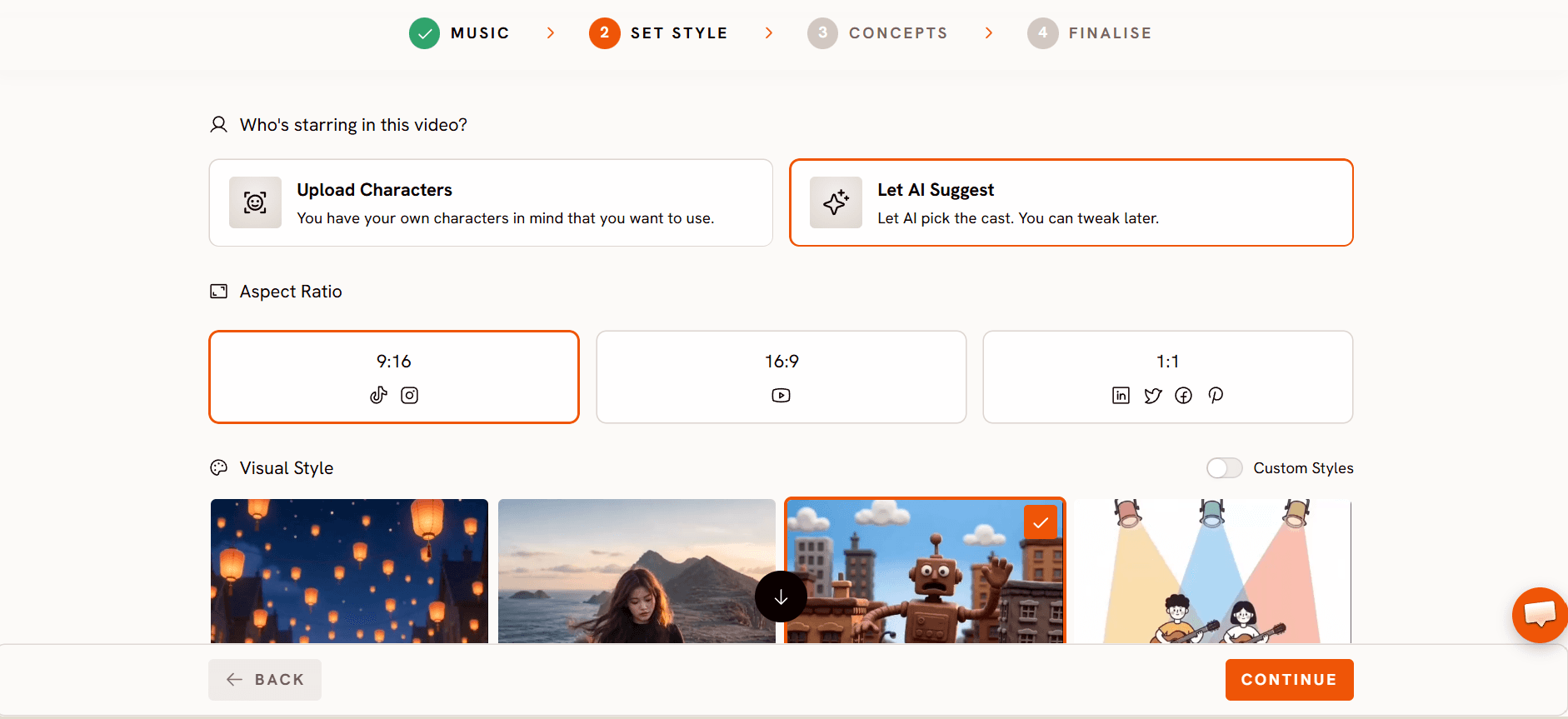
Step 3: Write the concept in Concepts
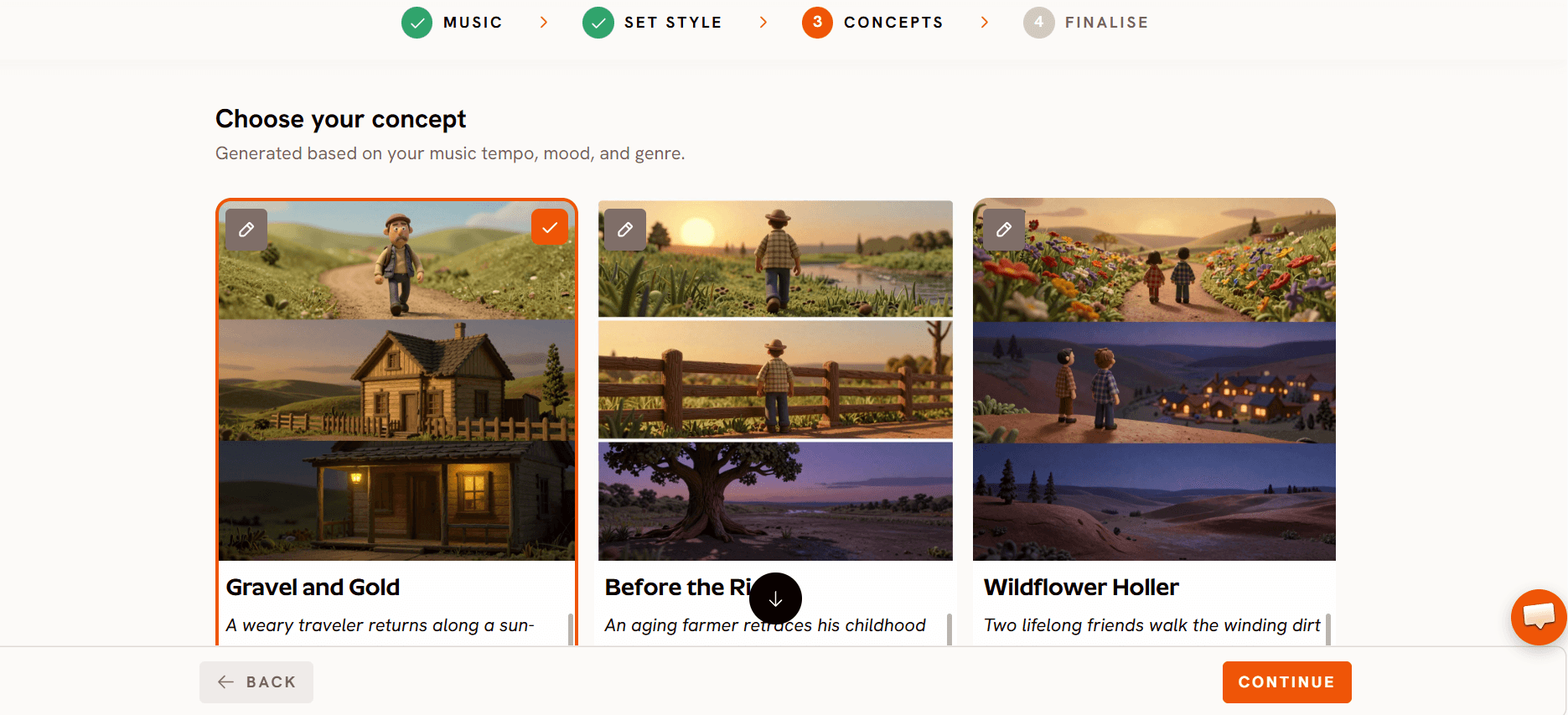
In Concepts, give the video its first direction. The concept here was called “Glasshouse Rhythm”, and this is the exact text saved with the story:
Three close friends move through an abandoned, overgrown glasshouse as a summer rainstorm passes, the wet foliage refracting the light into a thousand fragments, turning the space into a cathedral of dancing movement. The world is soft, green, and humid, grounded in the intimate reality of their shared exhaustion turning into euphoric release, landing on a shot of all three laughing as they collapse onto the mossy floor. The verse lives inside the quiet, held-back potential of the space; the chorus opens into a chaotic, joyful dance; the bridge captures the unspoken bond of a love that has changed them all.

The first round of scenes followed this concept closely. Here is the original first scene, with the three friends resting inside the glasshouse:

None of the glasshouse footage made the final cut. Every scene was later replaced with the sunrise cliff top DJ set. The concept still mattered: it gave the story its cast, and its arc of a quiet verse, a joyful chorus and a bond that changes everyone is the same arc the final video follows.
You are never locked into your first concept. If the generated scenes are not what you want, replace them one at a time. Each scene keeps its lyric and timing, so the edit stays in sync with the song.
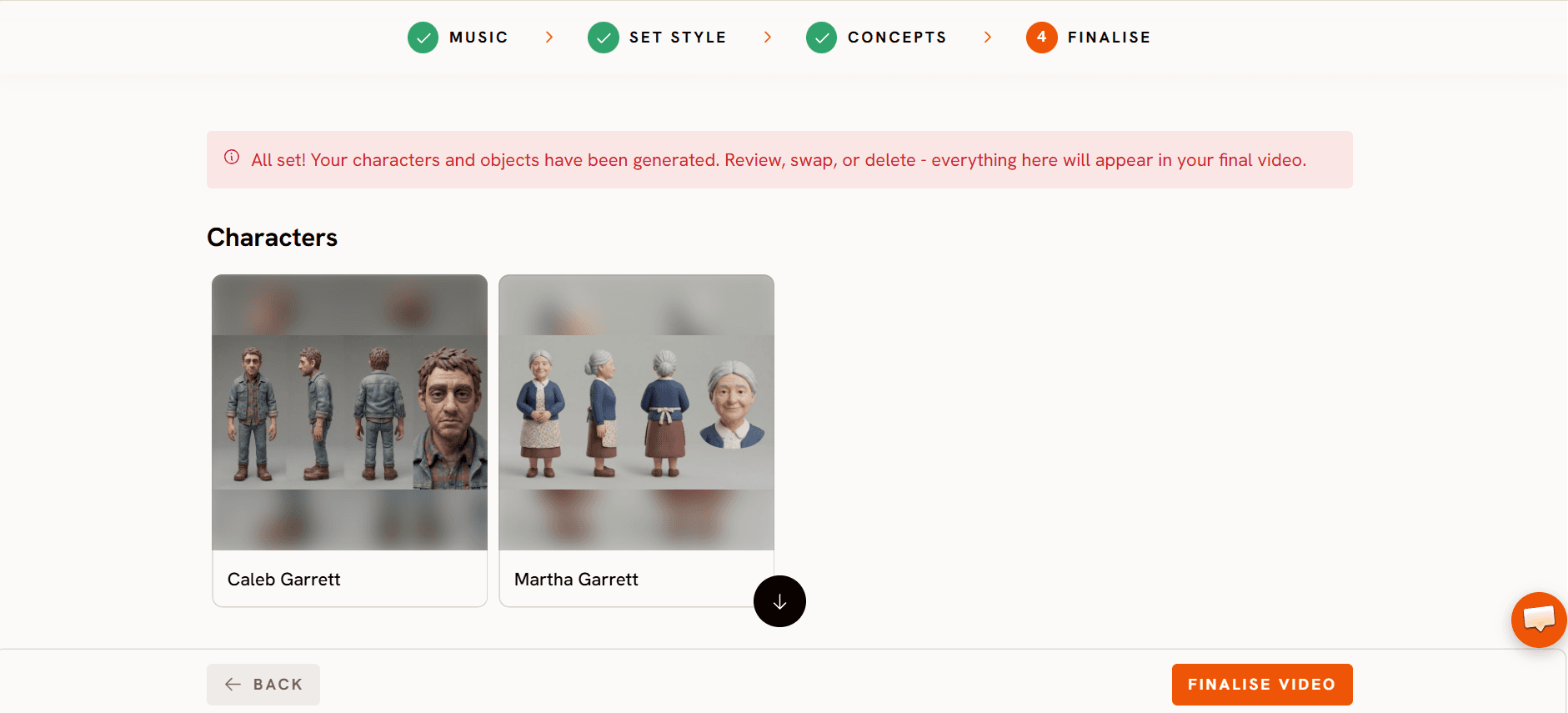
Step 4: Add your cast in Finalise
In Finalise, set the cast. Three characters were saved here: Amara Sterling, Soren Vance and Matteo Rossi. Once a character is in the cast, scene prompts can tag them by @mention and Atlabs keeps them looking the same from shot to shot. The finished cut runs 66.6 seconds across 25 scenes.
Step 5: Fill each scene with a clip
Atlabs splits the song into scenes. Each scene gets its lyric line, or a run of pauses when that part of the track is instrumental. A still start frame is created for the scene, then animated into a clip with a motion prompt that describes the action and the camera move.
In this project, 9 of the 25 scenes were made this way with a saved motion prompt. The other 16 were brought in from the Atlabs media library and dropped onto the scene, and four of those were trimmed to fit the beat. Atlabs saves no prompt for library clips, so for each one below you get a short description of what it shows instead.
The saved prompts come in two sizes. The two big reveals, Scenes 10 and 22, get long, detailed prompts that set the location, the light, the crowd and the camera. Everything else gets a short prompt with one action and one camera move.
Meet the cast
Amara Sterling (@AmaraSterling)

A young woman with shoulder length dark locs, an olive green linen shirt with rolled sleeves, frayed light denim shorts and brown leather sandals. Her sheet was generated inside Atlabs.
Soren Vance (@SorenVance)
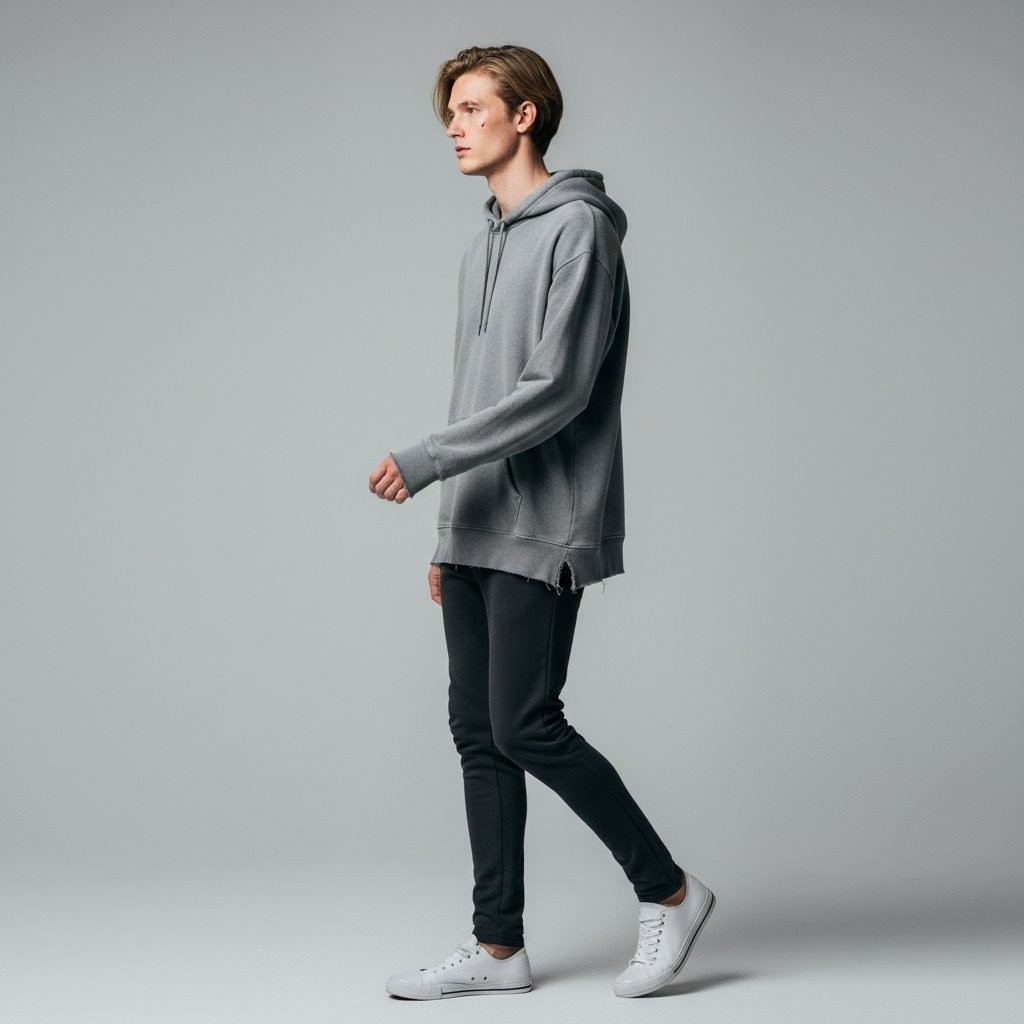
A young man with swept back dirty blond hair, an oversized grey hoodie, slim black jeans and white sneakers. His sheet was also generated inside Atlabs.
Matteo Rossi (@MatteoRossi)

This portrait was uploaded as an image rather than written as a description. Although the cast entry is named Matteo Rossi, the portrait is a young woman with long, wind swept auburn brown hair and a black top, the same look as the DJ in the final video.
Amara Sterling and Soren Vance were two of the three friends from the glasshouse concept, and they do not appear in the final cut. The Matteo Rossi portrait is the one that carries through. If you already have the exact face you want, upload it as the character portrait instead of describing it, so every scene starts from the same face.
The location: a sea cliff at sunrise
No location was saved to this story's cast. The original glasshouse came from the concept text, and the final setting was written straight into the scene prompts instead. Scene 10's prompt describes it best: an isolated narrow cliff platform surrounded by deep ocean at golden sunrise. The video shows the same place in three ways.
The cliff from the air (Scenes 1 to 3): a long, narrow headland in the ocean, mist on its sides, the DJ table on its flat tip.

The cliff path (Scenes 4 to 6): the DJ at her decks with the path, the dry grass and the headland around her.
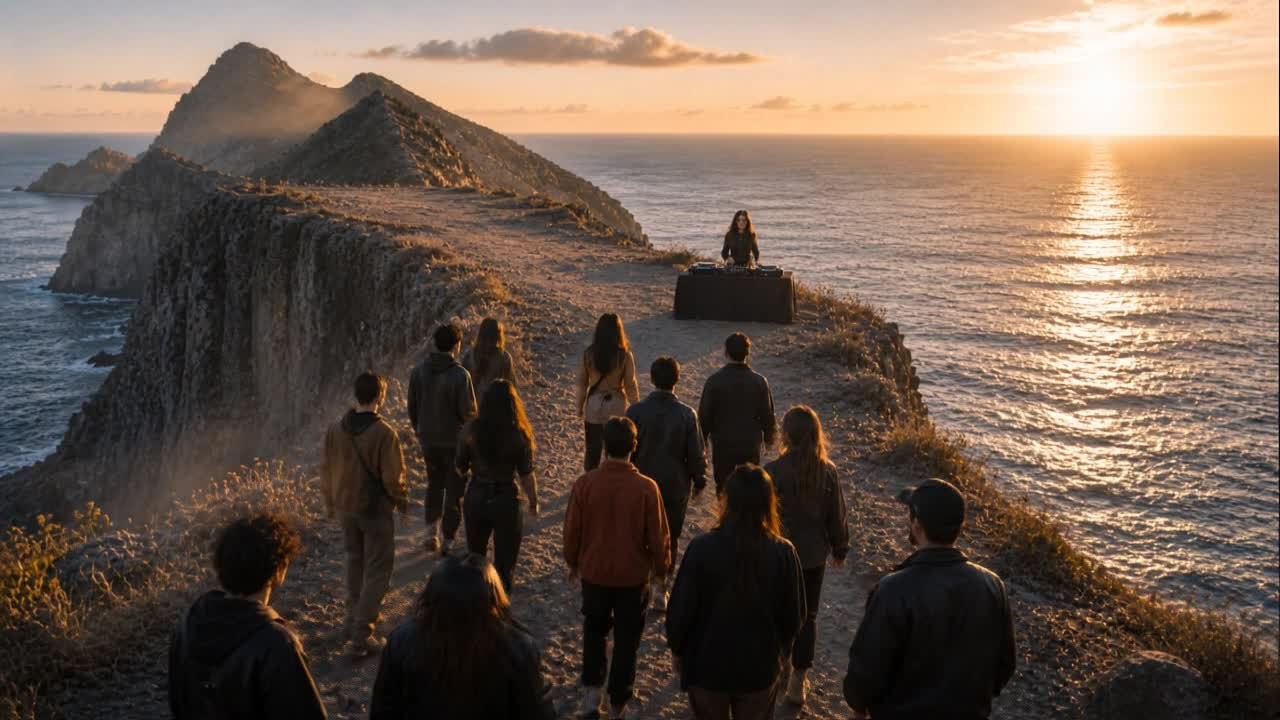
The crowd at sunset (Scenes 7 to 25): the crowd on the cliff top facing the sun, the sea and a rocky island.

If you want to reuse a place across many scenes, save it as a location in the cast. You can then tag it in prompts like a character, with @Name, instead of describing it every time.
Scene by scene: every lyric, frame and prompt
Scene 1 (2.0s): instrumental intro

Library clip, trimmed, so no prompt is saved. It opens on a high aerial shot of the narrow sea cliff stretching into the ocean, with mist rolling up its sides and a tiny DJ table at the far end. Opening wide and far away makes the DJ just a speck, so the viewer feels how remote this stage is before seeing who is on it.
Scene 2 (2.0s): instrumental

Use an early shot to block the space: where the DJ stands and where the crowd will be. Every later shot then makes sense.
Scene 3 (2.0s): instrumental
Library clip, so no prompt is saved. A drone looks down on the flat top of the cliff, with the DJ setup on the edge, mist rising and waves breaking far below.
Scene 4 (2.0s): instrumental

Library clip, trimmed, so no prompt is saved. The camera is now on the cliff path in front of the DJ: a young woman with long, wind blown hair and a black top at a pair of Pioneer decks, the ocean and headland behind her.
Scene 5 (2.0s): instrumental
Library clip, so no prompt is saved. The crowd walks along the narrow cliff path toward the DJ table as the sun sits low over the sea. Showing people arrive builds anticipation before the first lyric lands.
Scene 6 (2.0s): instrumental

Library clip, trimmed, so no prompt is saved. A close up of the DJ's hands working the mixer and jog wheel, with sun glare on the water behind.
Scene 7 (2.0s): “I've been running through the dark”

Library clip, so no prompt is saved. Hands rise against a sunset sky, the crowd silhouetted in gold light.
Scene 8 (2.0s): instrumental

A short prompt can carry a big transition. “The camera then dives” turns a sea of clouds into a cut.
Scene 9 (4.0s): “Chasing something I can't name”

When the start frame already has the DJ, the decks and the light, the motion prompt only needs the emotion.
Scene 10 (2.0s): “Then I heard it in the silence”

This is the first reveal, so it gets the longest prompt. The words “made purely of light and cloud shapes (not a solid figure)” keep the figure subtle here and save the full reveal for later.
Scene 11 (2.0s): instrumental

“Preserving exact spatial continuity” reminds the model that this close up is in the same place as the wide shots.
Scene 12 (2.0s): “Called me out and I was changed”

Library clip, so no prompt is saved. A woman with her eyes closed hugs herself and smiles softly as the sun sets over the sea behind her.
Scene 13 (2.0s): instrumental

Mention the crowd even in a close up, as in “the crowd is moving synced to the beats”, so the background never freezes.
Scene 14 (2.0s): “Every chain fell to the floor”

Library clip, trimmed, so no prompt is saved. The DJ dances at the decks with her hair flying as the crowd behind her throws their hands up.
Scene 15 (2.0s): instrumental

Library clip, so no prompt is saved. A close up of a young man in the crowd with a calm, grateful smile, lit by the low sun.
Scene 16 (2.0s): “Every wall came crashing in”

Two words can work when the start frame does the heavy lifting. Here the image already has the raised hands and the sunburst.
Scene 17 (2.0s): instrumental

Library clip, so no prompt is saved. A woman with her eyes closed holds the cross pendant on her necklace, with the crowd and the sunset behind her.
Scene 18 (4.0s): “Now I'm standing in the middle”

Move the camera with the subject. “Camera slightly lowering with the subject” makes the kneel feel humble rather than just a pose.
Scene 19 (4.0s): “Of a love that has no end”

Library clip, so no prompt is saved. Two people hold each other on the edge of the cliff, one hand resting on the other's back, with the sunlit sea behind them.
Scene 20 (4.0s): “Feeling rising in my chest”

Library clip, so no prompt is saved. A close up of a woman holding a small glowing cross pendant between her fingers.
Scene 21 (4.0s): “Can't contain what he's released”
Library clip, so no prompt is saved. A wide shot from behind the crowd, everyone facing the sunset and a rocky island out at sea.
Scene 22 (4.0s): “Every breath becomes a weapon”

Compare this with Scene 10. The light figure was only hinted at there. Here the prompt asks for it “gradually revealing”, arms outstretched, as the song builds.
Scene 23 (4.0s): “Every heartbeat finds its beat”

Library clip, so no prompt is saved. A close up of a young woman looking up at the sky with a tear on her cheek, the crowd and the sun behind her.
Scene 24 (4.0s): “Yeah we finally found our rhythm”
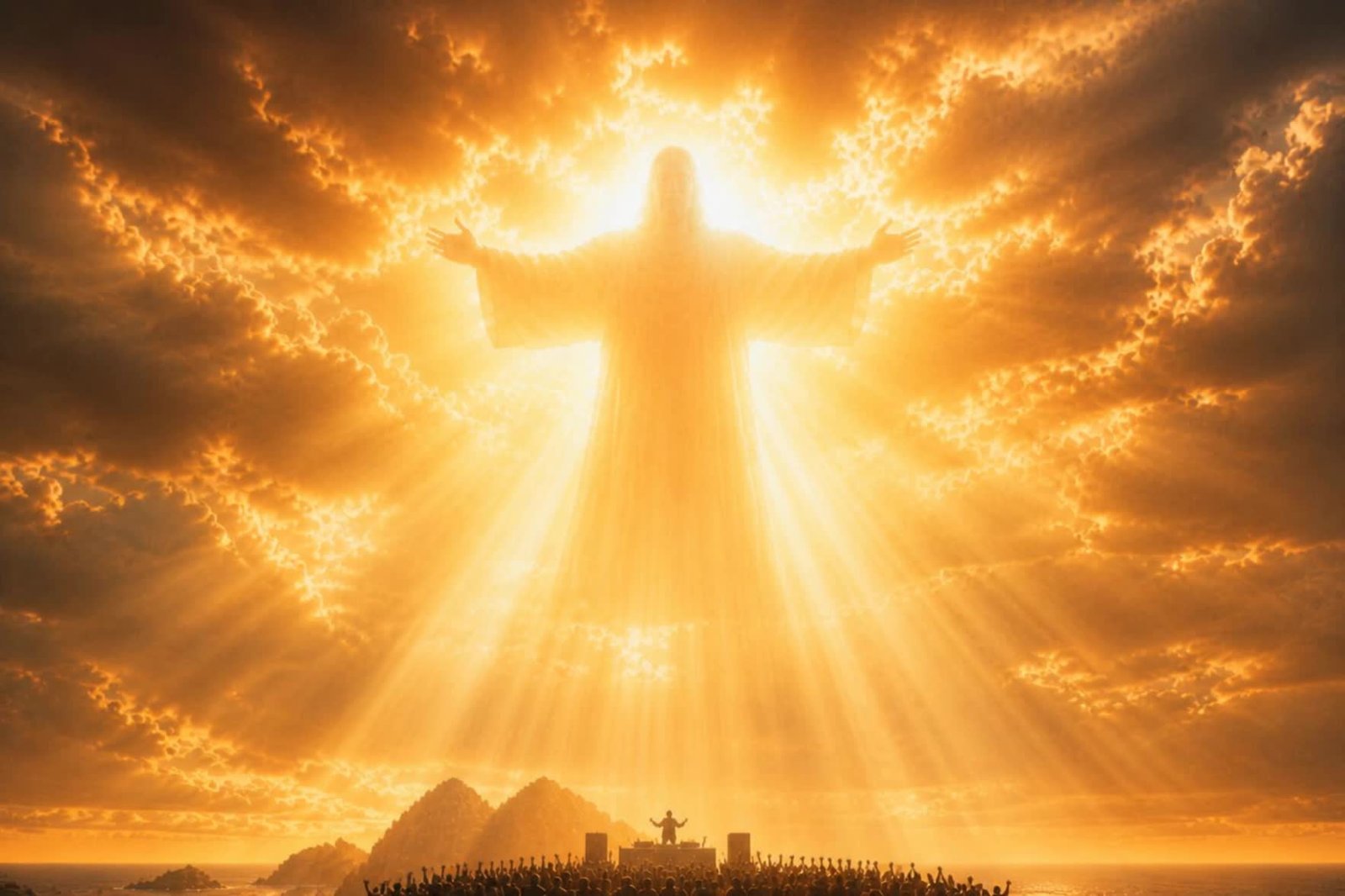
Library clip, so no prompt is saved. This is the widest version of the reveal: a huge figure of light with open arms fills the sky above the cliff stage and the crowd.
Scene 25 (2.6s): outro

Library clip, so no prompt is saved. A man in the crowd raises both arms toward a cross standing on an island at sunset, with birds flying past. Ending on a symbol rather than a face closes the story in one image.
What makes these prompts work
Spend your words on the reveals. Scenes 10 and 22 carry the story, so their prompts spell out the place, the light, the crowd and the camera. Most other prompts are one line.
Build a reveal in steps. Scene 10 asks for a subtle silhouette made purely of light and cloud shapes. Scene 22 then asks for it to be gradually revealed with arms outstretched, and Scene 24 shows it at full size.
Keep the background alive. “The crowd is moving synced to the beats” in Scene 13 and “The crowd and DJ in the background are moving to the synced beats” in Scene 18 stop the crowd from freezing in close ups.
Say where you are. “Preserving exact spatial continuity” and “same location continuity” keep close ups in the same place as the wide shots.
Repeat a motif. The cross pendant shows up in Scenes 13, 17 and 20, and returns as the big cross on the island in Scene 25.
Mix generation with editing. Generated clips, library clips and trims sit side by side. Use whatever gets the right shot on the right beat.
FAQ
Can I change my concept after the scenes are made?
Yes. “Glass” started as a glasshouse story and every scene was later replaced with the cliff top DJ set. Each scene keeps its lyric and timing, so you can swap them one at a time and stay in sync with the song.
Do I need a prompt for every scene?
No. Only 9 of the 25 scenes in “Glass” have a saved motion prompt. The other 16 are clips from the Atlabs media library, and four of those were trimmed to fit the beat.
How do I keep my lead looking the same in every scene?
Add them to the cast in Finalise. If you already have the face you want, upload it as the character portrait, as was done for the DJ in “Glass”.
How long should a motion prompt be?
It depends on the shot. Big reveals like Scenes 10 and 22 use long prompts that set the place, light, crowd and camera. Most other scenes need one action and one camera move, and Scene 16 uses just two words.
Final verdict
“Glass” shows that a strong AI music video does not have to match your first plan. Four setup steps in Atlabs did the groundwork: uploading the song in Music, choosing Realistic and 16:9 in Set Style, writing a concept in Concepts and adding the lead to the cast in Finalise. From there the creator rebuilt every scene, spending long prompts on the two big reveals, keeping the rest to one action and one camera move, and filling 16 beats with library clips. Use the prompts here as templates: long and detailed for the big moments, short for everything else, and replace scenes freely until the video matches what you hear in the song.








