The Explainer Video Problem Nobody Talks About
Every SaaS team knows they need an explainer video. Product managers have it on the roadmap. Growth teams have it in the GTM checklist. Founders have it in the investor deck to-do list.
And yet, most SaaS products go live or go months without one because the process is genuinely broken:
Agencies quote $5,000–$15,000 and 4–6 weeks minimum
In-house tools produce something generic that doesn't match the brand
Freelancers on Fiverr deliver inconsistent quality you can't stake your landing page on
Stock footage explainers look like every other SaaS product's explainer
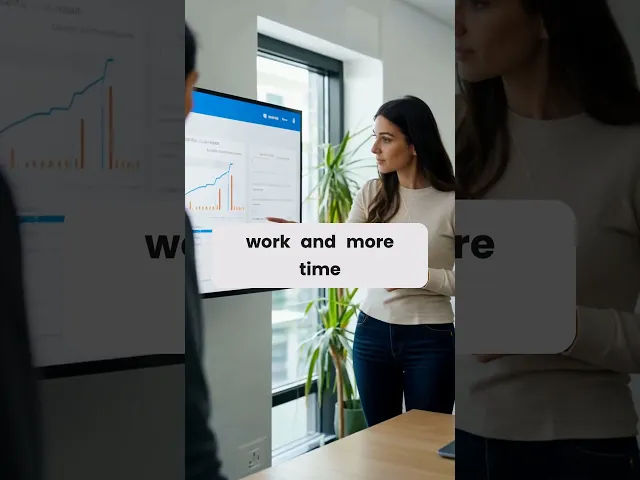
The result? The sales team screen-records a Loom. The marketing page runs wall-to-wall text. The onboarding sequence has no video at all. AtlabS.ai closes that gap. Before diving into the workflow, take a look at this example of a SaaS explainer video created with Atlabs.
Why Animated Explainers Outperform Live-Action for SaaS
Before the how-to: understand why animated explainers specifically are the format for SaaS products, not just any video.
The 3 Reasons Animation Wins for Software
1. You're selling a concept, not a physical product. Software is invisible. Animation lets you visualize workflows, data flows, and user journeys that a camera literally cannot capture.
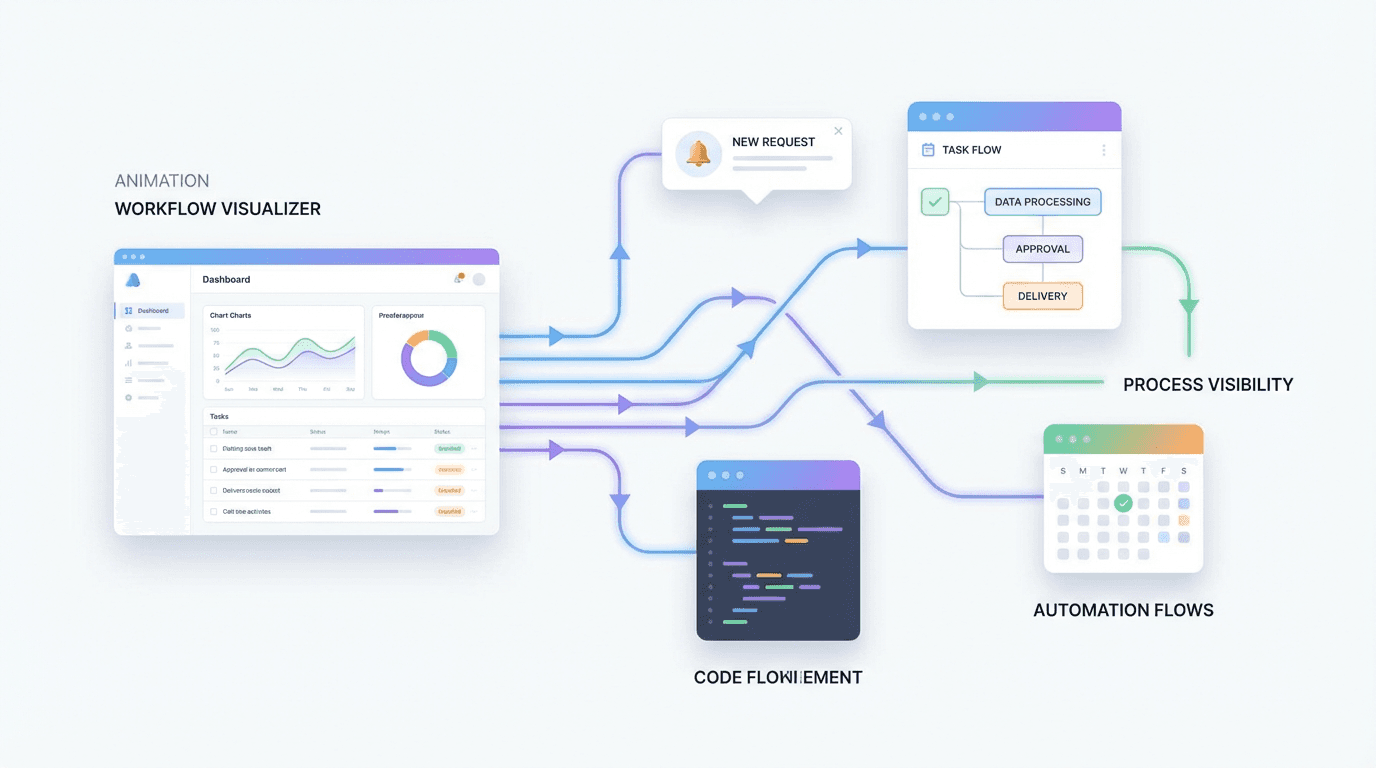
2. Your product evolves. Live-action becomes outdated the moment your UI ships a new design. Animated explainers are far cheaper to update with Atlabs, it's a matter of regenerating a few scenes.
3. Consistent brand characters build trust at scale. An animated character who explains your product looks the same whether they appear in your onboarding email, your pricing page, or your LinkedIn ad. Live-action talent doesn't work that way.
Traditional Video Agency vs. Atlabs AI
Traditional Video Agency | Atlabs AI | |
Cost per video | $3,000–$15,000 | Subscription only ($15/mo) |
Delivery time | 3–6 weeks | 30–45 minutes |
Script revisions | Billed per revision | Unlimited |
Language versions | $500+ per language | 1-click, 40+ languages |
Brand consistency | Inconsistent across vendors | Locked-in style every time |
Iteration speed | Days per change | Minutes per change |
The SaaS Explainer Video Playbook: What to Actually Make
Most SaaS teams think 'explainer video' = one hero video on the homepage. The best-performing SaaS companies treat explainer video as a format, not a one-time project. Here's the full use case map:
SaaS Use Case | What the Video Covers | Where It Lives |
Onboarding | First login → first value moment walkthrough | In-app, email sequence |
Feature launch | New feature demo with real UI examples | Product emails, LinkedIn |
Sales enablement | Objection-handling, ROI proof, workflow demo | Sales decks, proposals |
Knowledge base | How-to walkthroughs, FAQ explainers | Help center, support chat |
Investor pitch | Traction, product vision, team story | Pitch decks, outreach |
The Atlabs SaaS Explainer Workflow (Step-by-Step)
We'll walk through creating a homepage explainer video for a hypothetical B2B project management SaaS. Adapt each step to your product.
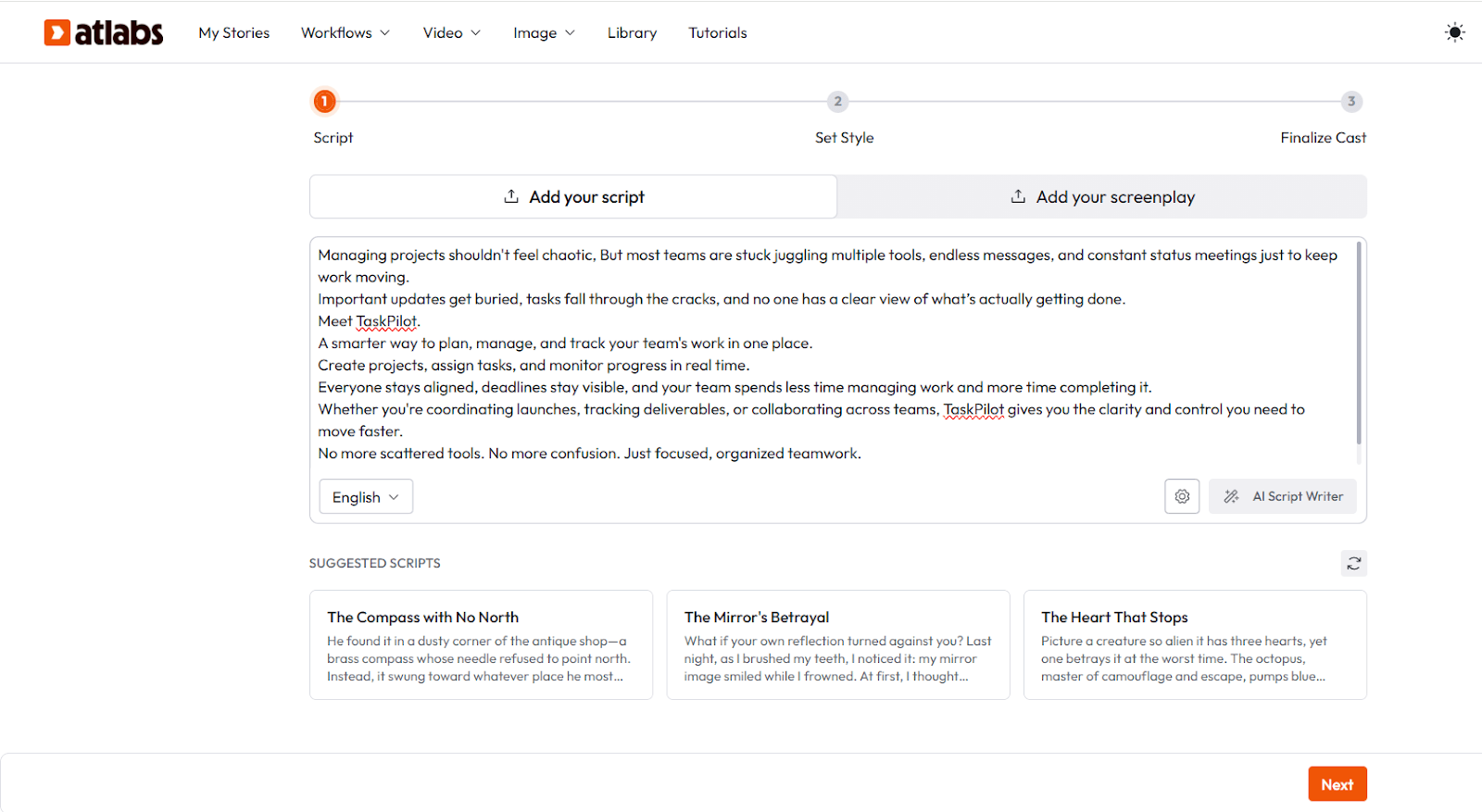
Step 1: Write the Script with AI Script Writer
Navigate to: Atlabs AI → AI Script Writer
The most common mistake SaaS teams make with explainer videos: writing a product features list instead of a problem-solution narrative.
Your explainer script has one job: move the viewer from 'I have this problem' to 'this product solves it' in 60–90 seconds.
The SaaS Explainer Script Formula
Hook (5 sec): Name the pain. 'Your team is drowning in status update meetings that could be async messages.'
Problem (10 sec): Make it felt. 'Three tools, twelve Slack channels, zero visibility on what's actually shipping.'
Introduce product (10 sec): One sentence, what it does. 'Flowdesk brings your entire project into one live view.'
Show it working (30 sec): Walk through 2–3 core use cases visually. Don't list features show outcomes.
Social proof or stat (10 sec): 'Teams using Flowdesk cut status meetings by 60%.' Numbers land harder than adjectives.
CTA (5 sec): One action. 'Start free. No credit card.' That's it.
In Atlabs AI Script Writer, paste this formula as your prompt:
Write a 40-second animated explainer video script for [YOUR PRODUCT]. Open with the core pain point: [PAIN]. The product solves it by [SOLUTION]. Show these 3 use cases: [USE CASE 1], [USE CASE 2], [USE CASE 3]. End with social proof: [STAT OR QUOTE]. CTA: [YOUR CTA]. Tone: confident, direct, no buzzwords.
Atlabs will generate a full scene-by-scene script. Review it and adjust the tone to match your brand voice before moving to Step 2.
Step 2: Generate Consistent Characters
Navigate to: Atlabs AI → Consistent Characters
For SaaS explainers, you need one thing above all else: a character who could plausibly be your customer. Not a generic 'business person.' Someone your ICP recognizes as themselves.
Example prompts for Nano Banana 2 by SaaS vertical:
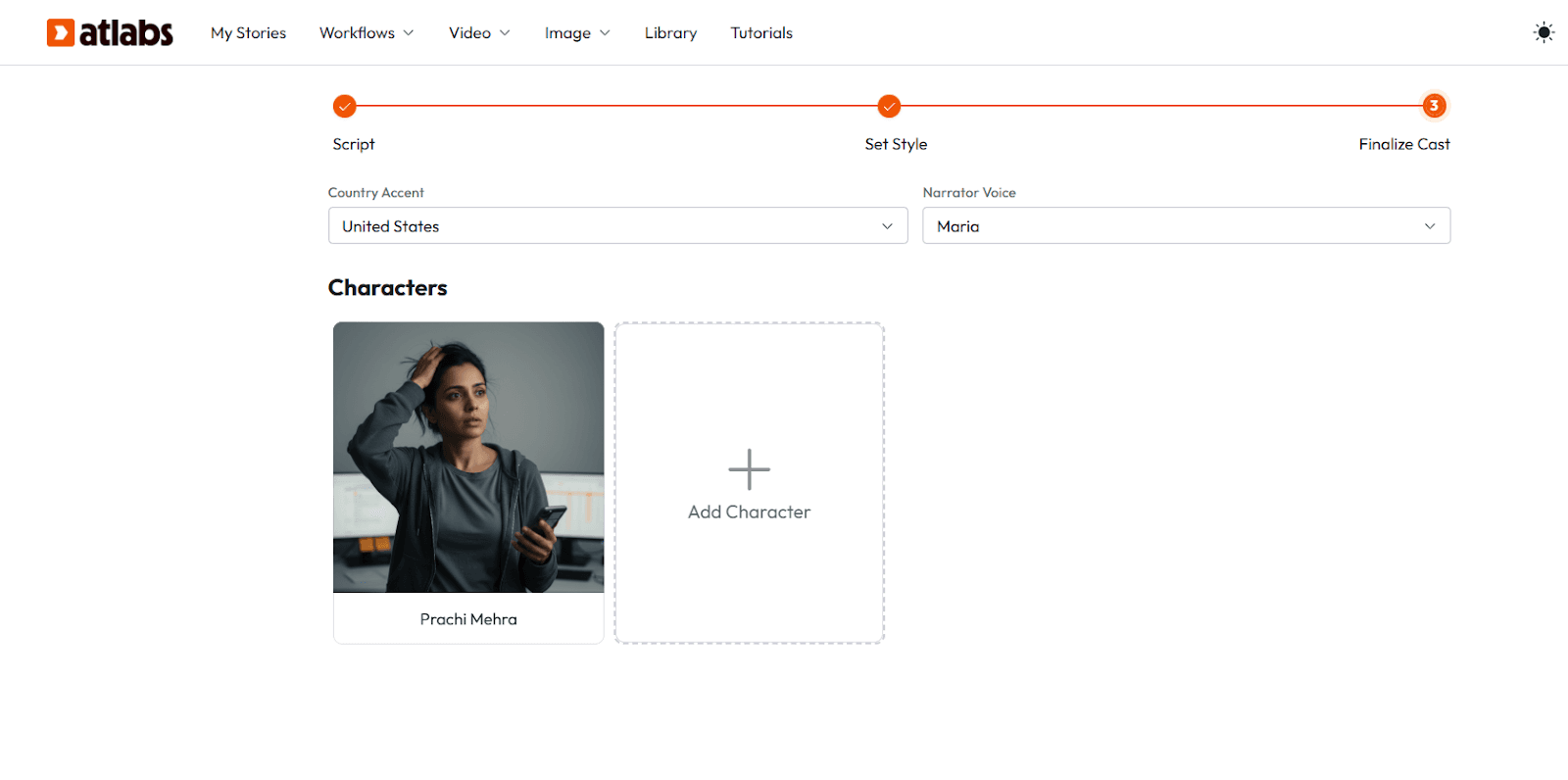
Project management SaaS: 'Ops manager at a 30-person startup, early 30s, perpetually context-switching between too many tabs. Wearing a hoodie. Slightly overwhelmed expression.'
HR tech SaaS: 'People ops lead at a scaling tech company, late 20s, spreadsheet-fatigued. Business casual. Holding a coffee that implies a long morning.'
DevTools SaaS: 'Backend engineer, mid-30s, clearly senior by the deliberate way they carry themselves. Dark t-shirt, headphones around the neck. Slightly skeptical expression that turns curious.'
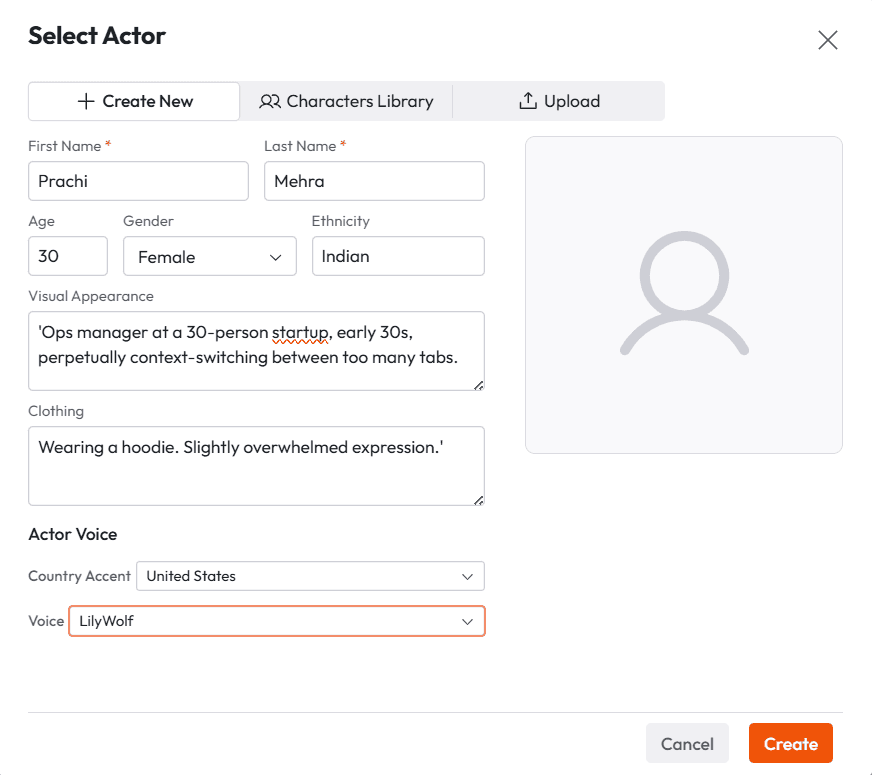
Generate 3–5 expressions for each character: neutral (walking through the product), frustrated (the before state), relieved (the after state), explaining (addressing camera), and reacting (to a result on screen).
Save each with a character name. Atlabs stores them so you can reuse the exact same face across every video in your library.
Step 3: Apply Voiceover
Navigate to: Atlabs AI → Ultra-realistic Voiceovers
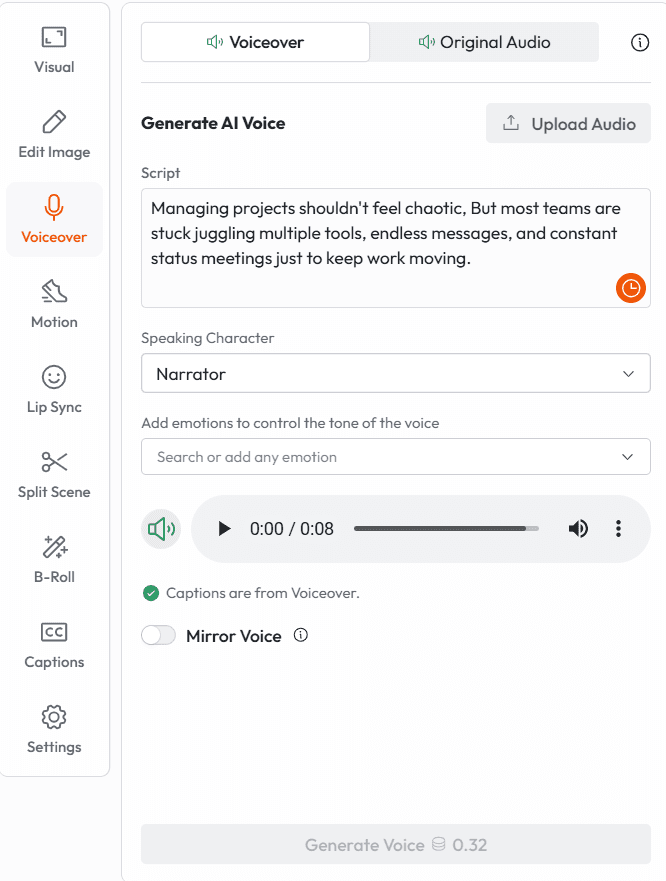
Voice is where most AI-generated SaaS videos fall apart. The visuals look polished, then a robotic voice reads the script and the whole thing deflates.
Voice Selection Guide for SaaS:
Product Category | Voice Style | What to Avoid |
B2B / Enterprise | Measured, clear, credible | Upbeat startup energy |
SMB / Self-serve | Conversational, warm, direct | Corporate narrator voice |
Developer tools | Calm, peer-to-peer, no hype | Marketing superlatives |
Consumer SaaS | Friendly, relatable, energetic | Stiff or formal |
Critical rule: Don't default to the most neutral voice. Neutral = forgettable. Pick the voice that sounds like your best sales rep explaining the product over lunch, not a corporate training module.
Use Atlabs' Mirror Voice feature if you've already recorded a spokesperson or founder video you love. It locks in that exact voice model for every video you generate going forward.
Step 4: Add Captions, Edit and Export
Navigate to: Atlabs AI → Trendy Captions → Export
Don't skip captions. 85% of social video is watched without sound at least once. For LinkedIn specifically where SaaS buyers actually live autoplay is muted by default.
Caption best practices for SaaS explainers:
Use sentence-level captions (one phrase at a time), not full paragraphs they guide attention like a teleprompter
Match caption color to your brand Atlabs lets you set this in your Brand Model
Place captions in the lower third for desktop, but bump them up slightly for 9:16 mobile-first formats so they aren't obscured by platform UI
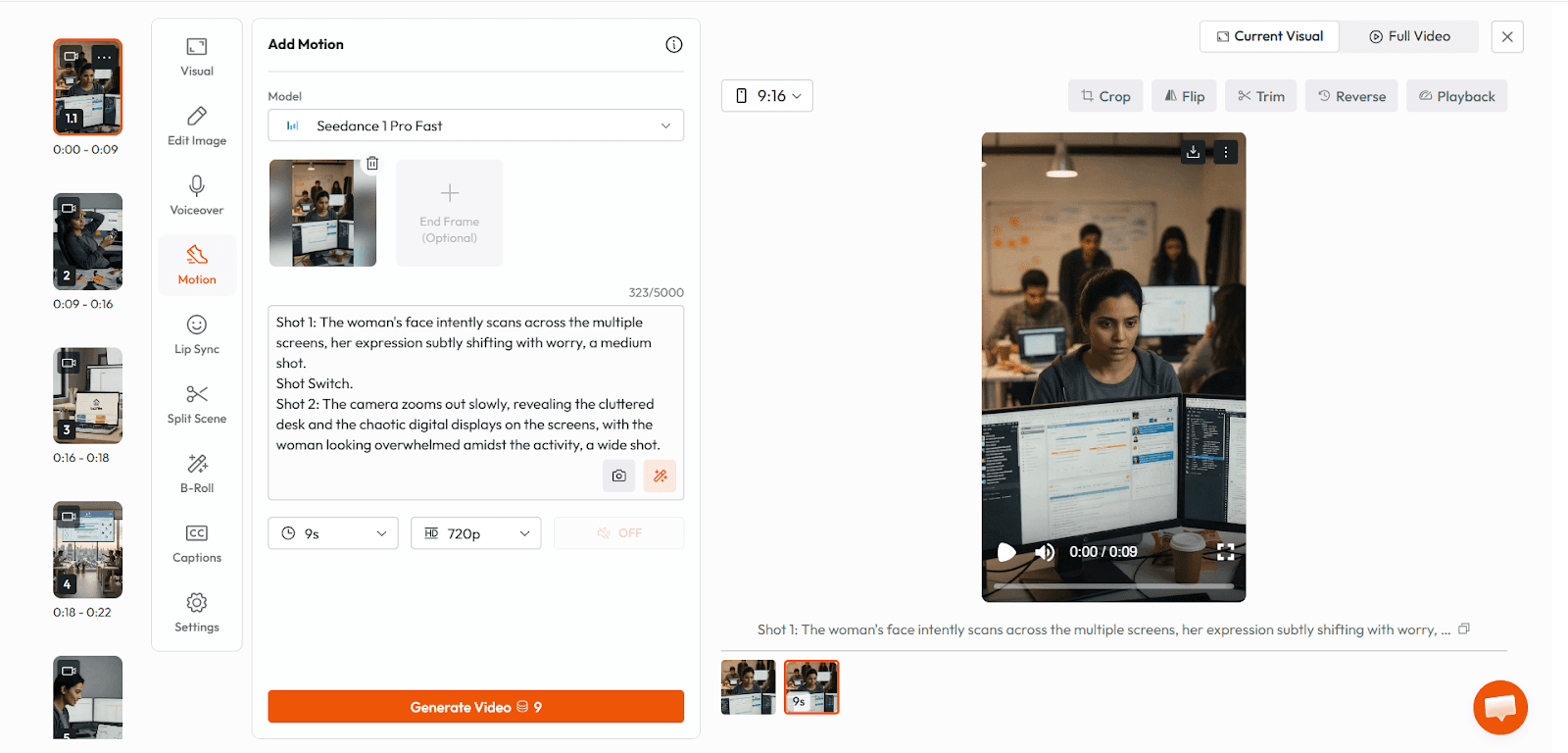
Settings by destination:
Homepage hero video: 16:9, 1080p, MP4, no captions baked in (use native video player)
LinkedIn / Twitter feed: 1:1 square or 16:9, captions baked in, < 3 min
Instagram Reels / TikTok: 9:16, captions baked in, 60–90 sec
Sales deck embed: 16:9, compressed MP4, no auto-captions (use as GIF or looping background)
Email sequence: Use a thumbnail image with a play button linking to hosted video — most email clients can't embed video directly.
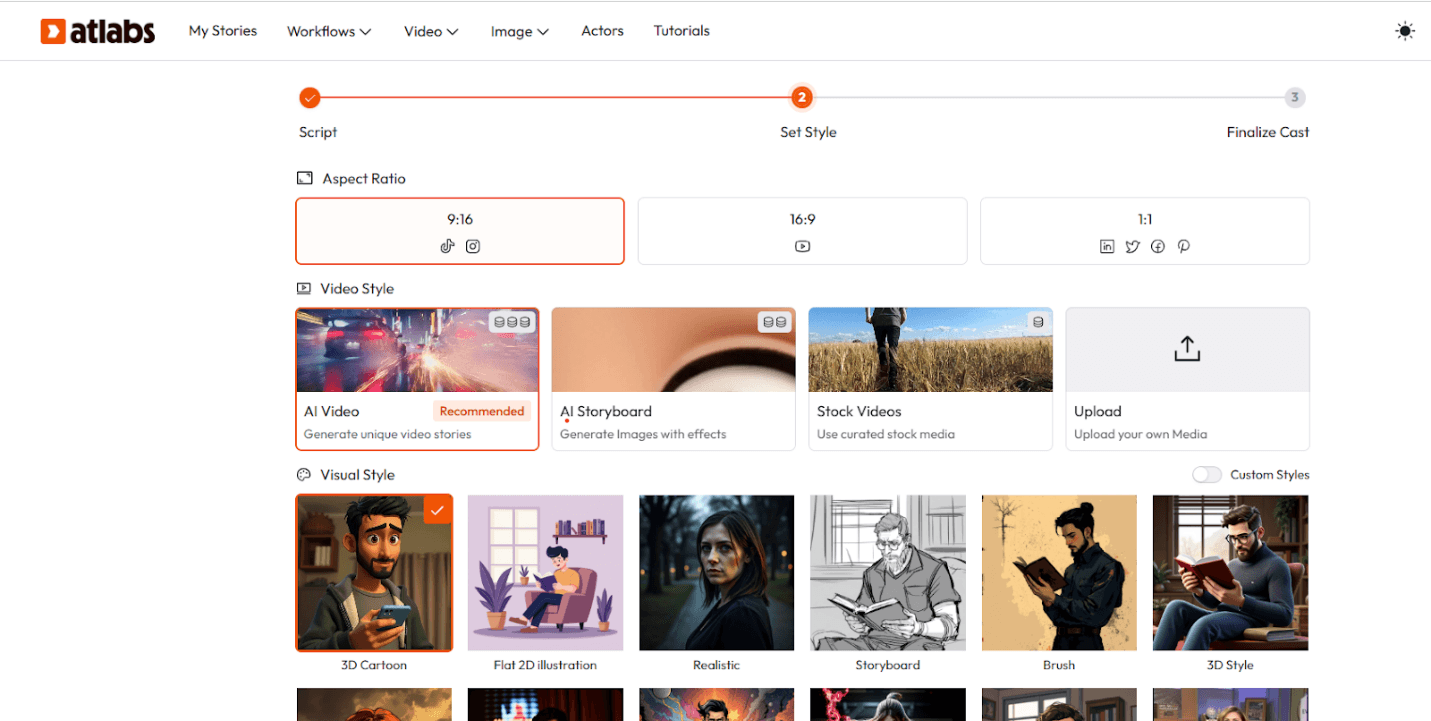
Need the video in French for your EU expansion? Atlabs 1-click translation exports the same video in 40+ languages. One production run, global distribution.
What You Can Build After Today
Once your Brand Model and characters are locked in Atlabs, here's what your content library looks like in 30 days:
Homepage hero explainer (60 seconds, 16:9)
Feature launch video for each major release
Onboarding email sequence videos (Days 1, 3, 7)
Sales deck explainer (product walk-through, 2 minutes)
Help center how-to videos for your top 5 support queries
LinkedIn organic content cuts (30-second clips from full explainers)
Investor update video for monthly/quarterly updates
That's a complete video content system. Six months ago that list would have cost $50,000+ and a dedicated creative team to build. On Atlabs, it's a subscription and a few evenings.
Start Building Your SaaS Explainer Video — Try Atlabs Free








