
Ever finished an AI video and thought, "this would look amazing in anime too"? Then you know the pain that follows. Rewriting every prompt. Regenerating every scene. Praying the characters still look like themselves. What should take minutes turns into another full day of work.
Here is the good news. With the right workflow, you can generate the same video in five completely different visual styles in about 10 minutes. Same script, same characters, same scenes. Only the look changes.
This guide shows you exactly how to do it with Atlabs, the AI video platform built for creators who want speed without losing creative control.
What Are Style Variations in AI Video?
A style variation is the same video rendered in a different visual language. Think of one story told as a Pixar-style 3D animation, then as a hand-drawn anime, then as a soft pastel storybook, then as an ultra realistic cinematic film. The characters, script, and scene order stay identical. The art direction changes.
This matters more than most creators realize. A kids nursery rhyme channel might discover that paper cutout outperforms 3D on YouTube. A music artist might find that anime visuals double watch time on one track while realistic cinematic wins on another. Without style variations, you would never know, because testing would cost too much time.
The old way of testing styles meant hiring different animators or spending days re-prompting an AI tool scene by scene. The new way takes one click.
Why Most AI Tools Struggle with Style Switching
Here is what usually goes wrong when you try this in a standard AI video generator. You change the style keyword in your prompt, and suddenly your main character has a different face. The lighting resets. The framing drifts. By scene four, your video looks like it was made by three different studios.
The problem is that most tools treat every generation as a fresh start. They have no memory of your characters or your scenes. Style consistency and character consistency fight against each other, and character consistency usually loses.
Atlabs solves this with a style layer that sits on top of your locked characters and scenes. Your characters keep their identity. Your scenes keep their composition. Only the rendering style changes. That is the whole trick, and it is why the process takes minutes instead of days.
How to Make AI Videos with Style Variations: Step-by-Step
The full workflow inside Atlabs takes around 10 minutes for a typical short video. Here is how it breaks down.
Step 1: Start with Your Script or Idea
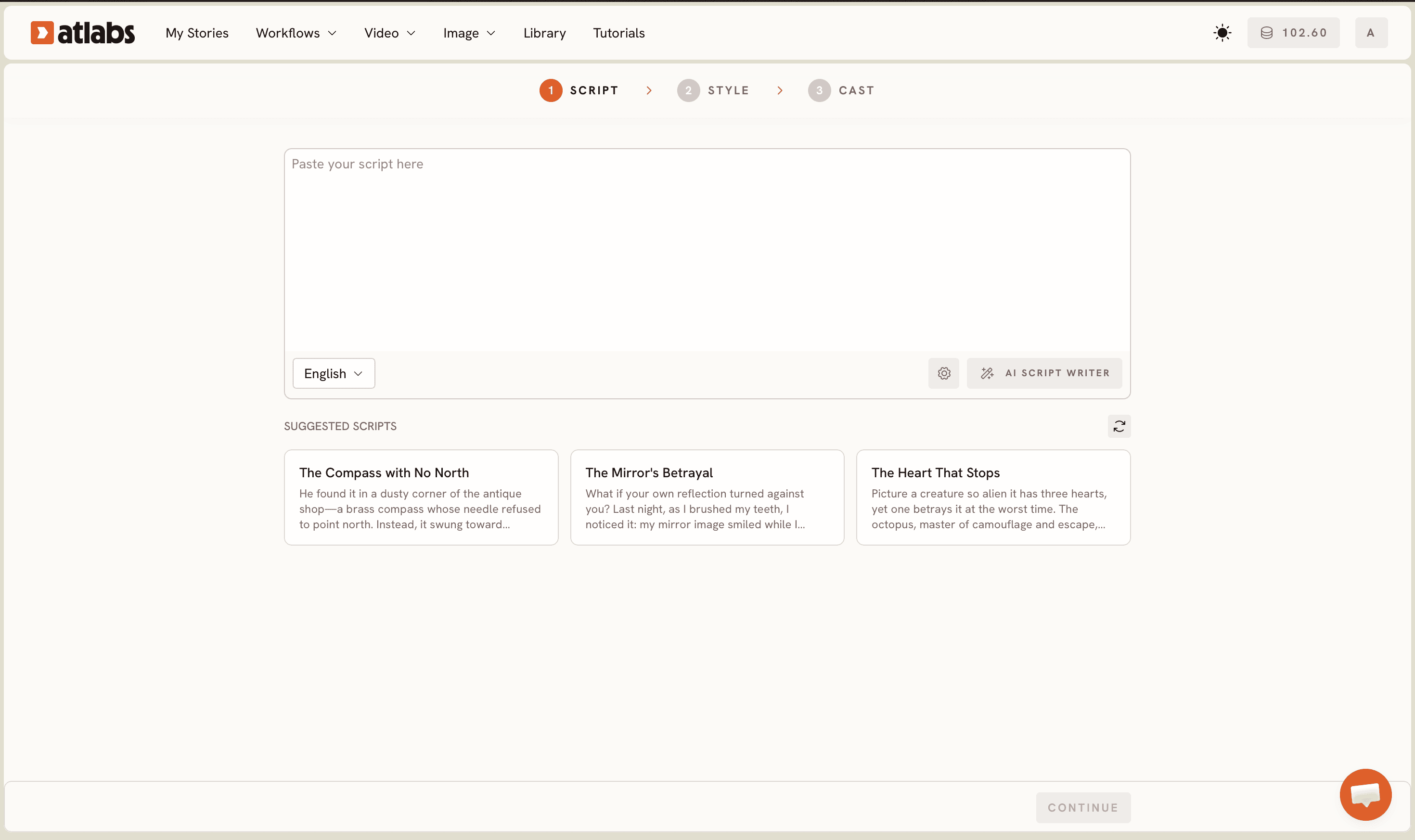
Open Atlabs and paste your script, song lyrics, or even a rough one-line idea. The platform builds out your scenes, characters, and shot structure automatically. If you already have a video project in Atlabs, you can skip straight to step three.
Step 2: Pick Your First Style
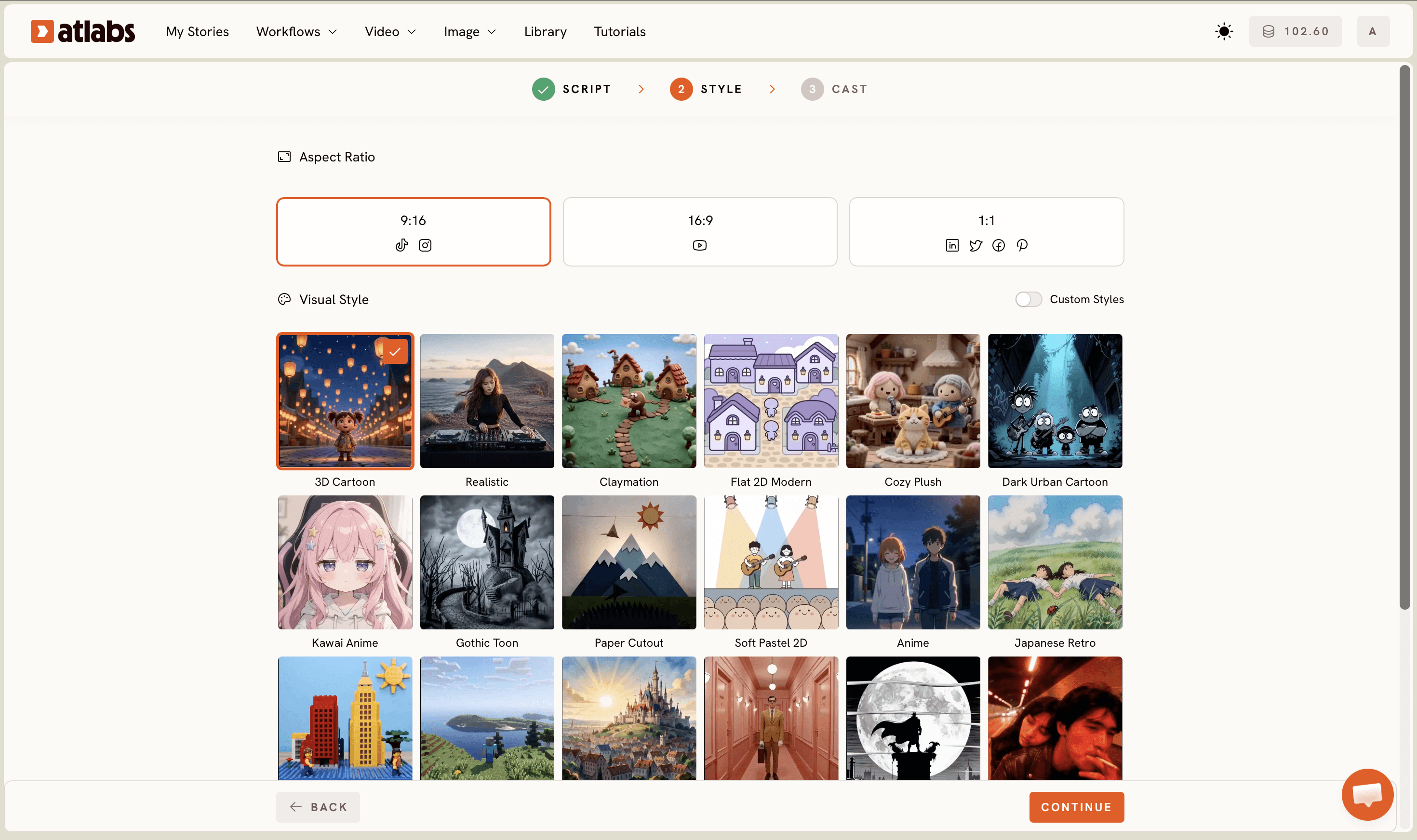
Choose your base style from the Atlabs style library. Popular picks include Pixar-style 3D for kids content, high-end anime for music videos, paper cutout and soft pastel 2D for storybook channels, and ultra realistic cinematic for dramatic tracks and explainers. Generate your video as normal.
Step 3: Lock Your Characters
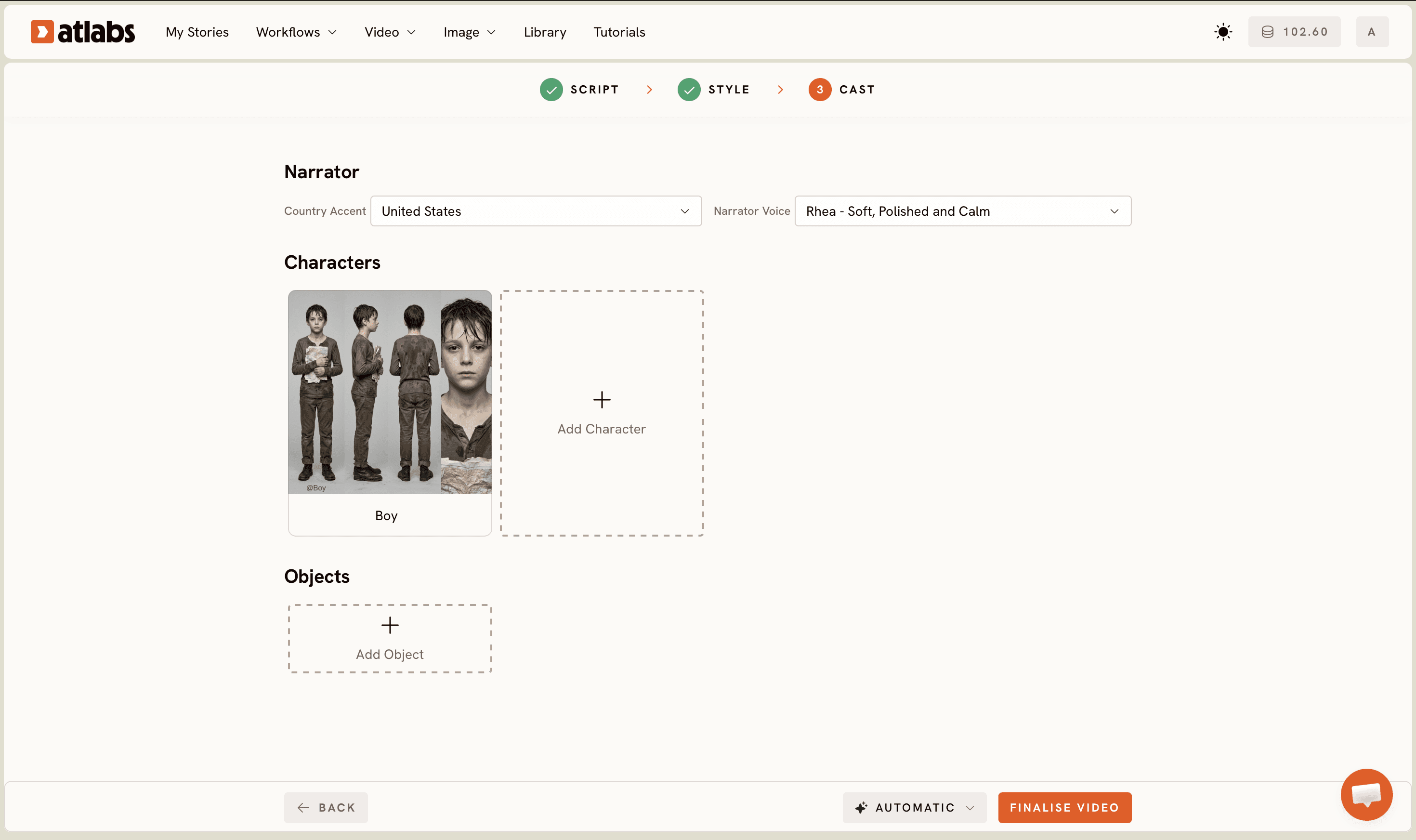
Review the characters Atlabs generates and lock the ones you like. This is the step that makes everything downstream possible. A locked character keeps the same face, outfit, and proportions no matter which style you render in later. Kids channels especially should take a moment here, since returning characters are what build subscriber loyalty.
Step 4: Duplicate and Switch Styles
Here is where the 10 minute claim earns its keep. Duplicate your project, open the style selector, and pick a new style. Atlabs re-renders your scenes in the new visual language while keeping every character and every shot exactly where it was. Repeat for as many variations as you want to test.
Step 5: Export and Test
Export each variation and publish them across your platforms. Run the anime cut on TikTok, the 3D cut on YouTube, the pastel cut on Instagram Reels. Your analytics will tell you within days which style your audience actually wants, and now you have real data instead of guesses.
Watch the Full Tutorial
Want to see the entire workflow on screen before you try it yourself? This walkthrough covers every step, from script to five finished style variations.
Atlabs vs Other AI Video Tools for Style Variations
Feature | Atlabs | Typical AI Video Tools |
|---|---|---|
Switch styles without re-prompting | Yes, one click | No, manual re-prompting per scene |
Character consistency across styles | Locked characters carry over | Characters drift between generations |
Built-in style library | 10+ curated styles | Style depends on prompt wording |
Script to full video | Automatic scene building | Scene-by-scene manual assembly |
Time for 5 style variations | Around 10 minutes | Hours to days |
Style Ideas Worth Testing First
If you are not sure where to begin, start with contrast. Pair one animated style against one realistic style and let the numbers speak. Kids creators tend to see strong results testing Pixar-style 3D against cozy plush and paper cutout looks. Music creators often compare high-end anime against ultra realistic cinematic, since the two pull very different audiences. Storytelling channels can try soft pastel 2D against a noir comic look for a mood shift that feels like a completely new show.
The point is not to find one perfect style forever. The point is that testing is now cheap enough to do every single time.
Frequently Asked Questions
Do my characters stay the same when I change styles?
Yes. Locked characters in Atlabs keep their identity across every style variation. Their face, outfit, and personality carry over, only the art style changes.
How many style variations can I create from one video?
As many as you want. Each variation is a duplicated project with a new style applied, so you can test two styles or ten.
Do I need animation or design skills?
No. The entire workflow runs from your script. If you can describe your idea, Atlabs handles the visuals.
Which style works best for kids content?
Pixar-style 3D and paper cutout consistently perform well for kids channels, but audiences vary. That is exactly why quick style testing is worth doing.
Make One Idea Work Five Times Harder
Style variations turn a single script into a full content experiment. Instead of betting everything on one look, you publish several, learn what your audience loves, and double down with confidence. And since the whole process takes about 10 minutes inside Atlabs, there is no longer a reason to guess.








