What is SeedDance 1.5 Pro?
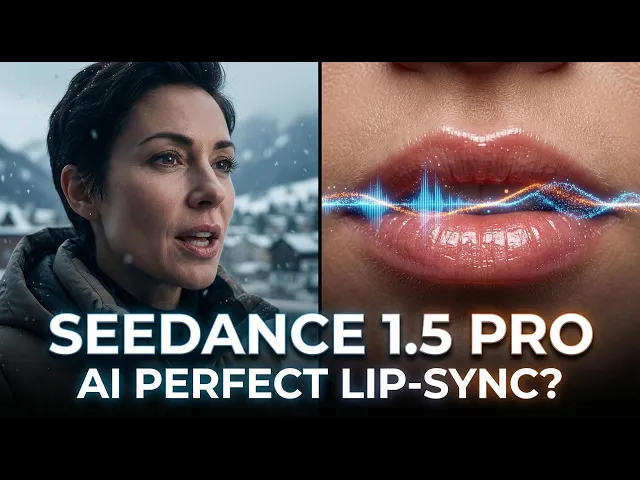
SeedDance 1.5 Pro is the latest AI video generation model now available on Atlabs.ai. Unlike previous models that generated silent video requiring separate sound design, SeedDance 1.5 Pro uses "Native Audio-Visual Synchronization" to generate video and perfectly synchronized audio simultaneously. It features cinema-grade camera controls (like Hitchcock zooms), 1080p resolution, and highly accurate lip-syncing for multi-language dialogue.
The "Silent Era" of AI Video is Over
For the past year, AI video creators have faced a common bottleneck: you generate a stunning visual, but it’s silent. You then have to spend hours finding stock music, generating separate voiceovers, and manually syncing sound effects.
With the launch of SeedDance 1.5 Pro on Atlabs, that workflow is history.
This isn't just an upgrade; it’s a shift comparable to the move from silent films to "talkies" in the 1920s. By leveraging a Dual-Branch Diffusion Transformer architecture, this model understands the sound of a scene as intimately as it understands the look of it. If a dog barks, you see the jaw move and hear the bark at the exact same millisecond.
Master Class: Prompting Techniques
Prompting for SeedDance 1.5 Pro requires a shift in thinking. You are now the Director of Photography and the Sound Designer. To help you master this, we’ve matched specific prompting techniques with famous movie scenes you can recreate.
The SeedDance 1.5 Prompt Formula
[Subject + Action] + [Audio Context] + [Camera Movement] + [Atmosphere]
Technique 1: The "Hitchcock Zoom" (Dolly Zoom)
This disorienting effect keeps the subject the same size while the background appears to compress or expand.
The Cinematic Reference: Think of Martin Brody on the beach in Jaws (1975) when he realizes the shark is attacking, or the dizzying stairwell shot in Alfred Hitchcock's Vertigo (1958).
How to Prompt it:
"A man sits on a beach chair looking terrified. Perform a dolly zoom (Hitchcock zoom), background perspective distorts rapidly while his face remains the same size. Sounds of splashing water and distant screams."
Technique 2: The "Steadicam" Tracking Shot
Perfect for following a character through a complex environment without cuts.
The Cinematic Reference: The iconic Copacabana entrance in Goodfellas (1990) or the low-angle tricycle rides in Kubrick’s The Shining (1980).
How to Prompt it:
"Camera follows from behind a woman in a red dress walking through a busy kitchen into a nightclub, smooth tracking shot, no cuts. Sounds of sizzling pans transitioning into loud jazz band music and clinking glasses."
Technique 3: "Sonic Painting" (Audio-Visual Sync)
Don't just describe the visual; describe the sound trigger. The model uses the audio description to time the visual action.
The Cinematic Reference: The T-Rex paddock scene in Jurassic Park (1993). The terror comes not just from seeing the dinosaur, but from the synchronization of the heavy footsteps with the ripples in the water glass.
How to Prompt it:
"Close up on a glass of water on a dashboard. The water ripples rhythmically. Loud, heavy thudding sounds of footsteps perfectly synchronized with the water vibration. Rain drumming on the roof."
Technique 4: The Hero Circle (360° Arc Shot)
Use this to emphasize a team or a hero realizing their power.[1]
The Cinematic Reference: The legendary shot of the full team assembling in ** The Avengers (2012)** or the spinning camera around Will Smith and Martin Lawrence in ** Bad Boys II (2003)**.
How to Prompt it:
"Four superheroes stand back-to-back in a destroyed city circle. Camera performs a fast 360-degree orbit (arc shot) around them. Sounds of debris falling, wind whooshing, and weapon charging hums."
Top 3 Capabilities of SeedDance 1.5 Pro
1. Native Audio-Visual Synchronization
This is the headline feature. The model generates sound and pixels together.
Why it matters: No more "uncanny valley" lip-syncs.
What it does: It handles dialogue, ambient noise (wind, traffic), and action-specific sounds (swords clashing) in one go.
2. Cinema-Grade Camera Control
SeedDance 1.5 Pro allows you to direct the "virtual camera" with professional precision, solving the "morphing" issue common in older models where the subject would distort during camera movement.
3. Semantic Narrative Understanding
The model can process complex, multi-stage prompts. Instead of just "a man running," you can prompt sequential actions: "A man runs, trips, looks back in fear, and then scrambles up."
Why Use SeedDance 1.5 Pro on Atlabs?
While SeedDance provides the engine, Atlabs builds the car.
Brand Consistency: Use our AI Brand Model to ensure the characters generated by SeedDance wear your brand colors and exist in your specific brand universe.
No Code Required: We’ve mapped the complex API parameters of SeedDance (like resolution rs or camera fixed cf) into simple toggles in the Atlabs interface.
Enterprise Scale: Generate dozens of variations instantly for A/B testing on social media without managing complex credit systems or API keys.
Frequently Asked Questions (FAQ)
Q: Can SeedDance 1.5 Pro generate dialogue in different languages?
A: Yes. It supports highly accurate lip-syncing for multiple languages. You can input text dialogue, and the model will animate the character's mouth perfectly to match the spoken words.
Q: Is this model suitable for professional filmmaking?
A: Absolutely. With 1080p output and specific camera movement commands (pan, tilt, zoom, orbit), it is designed for storyboarding, indie filmmaking, and high-end social media content.
Q: How much does it cost to use SeedDance 1.5 Pro on Atlabs?
A: SeedDance 1.5 Pro is available to all Atlabs Pro users. Check our [Pricing Page] for specific credit usage details tailored to this high-compute model.








