
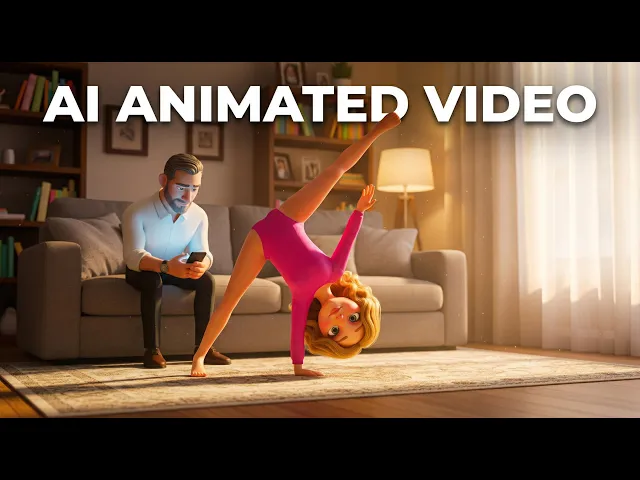
The best AI tool for making shape learning cartoon videos in 2026 is Atlabs, which takes a script or concept and renders a fully animated kids educational video complete with consistent shape characters, colorful AI-selected visual styles, and built-in narrated voiceovers, all inside one workflow with no timeline editing or separate audio tools required. We evaluated five platforms across animation quality, ease of setup, AI automation level, visual suitability for young learners, and real-world pricing to bring you this ranked guide.
At a Glance: All 5 Tools Compared Side by Side
The table below gives you an instant read on how each tool stacks up across the features that matter most for shape learning cartoon production. Atlabs stands out with full AI-native generation, built-in narration, and the only persistent character consistency in the group.
Feature | Atlabs | Animaker | Vyond | Canva | Renderforest |
|---|---|---|---|---|---|
AI-Powered Generation | Full AI, end-to-end | Partial (drag and drop) | AI-assisted tools | Very limited | Templates only |
Shape Animation Styles | 15+ AI visual styles | 2D cartoon library | 2D and 3D styles | Basic slide animation | Explainer templates |
Character Consistency | Yes, across all scenes | Manual only | Manual only | None | None |
Built-in Voiceover | Yes, 40+ languages | Text-to-speech | Text-to-speech | Limited | Upload only |
Lip Sync Support | Yes | No | Yes | No | No |
Starting Price | Free / $15/month | Free / $25/month | $58/month (annual) | Free / $14.99/month | Free / $9.99/month |
Free Tier | Yes | Yes (3 exports/month) | Trial only | Yes | Yes (watermarked) |
Best For | Full AI cartoon production | 2D educational animation | Studio-grade output | Beginner slide clips | Budget explainers |
Learning Curve | Low | Medium | Medium to High | Very Low | Low |
Quick Score: How the Tools Rank for Shape Learning Content
Each tool was scored out of 10 across four criteria most relevant to shape learning video production. Atlabs leads across AI features and character consistency, which are the two capabilities that most directly determine the production speed and output quality of an educational cartoon series.
Tool | Ease of Use | AI Features | Shape Visuals | Value for Price | Overall Score |
|---|---|---|---|---|---|
Atlabs | 9/10 | 10/10 | 9/10 | 9/10 | 9.3/10 |
Canva | 8.5/10 | 6/10 | 7/10 | 8.5/10 | 8.0/10 |
Animaker | 7/10 | 7/10 | 8/10 | 7/10 | 7.3/10 |
Renderforest | 8/10 | 5/10 | 7/10 | 8/10 | 7.0/10 |
Vyond | 6/10 | 8/10 | 8/10 | 5/10 | 6.8/10 |
The 5 Best AI Tools for Shape Learning Cartoon Videos in 2026
#1. Atlabs
Best Overall AI Platform for Shape Learning Cartoon Videos
Price: Free tier | Lite $15/month | Pro $29/month | Plus $59/month | Max $189/month
Key Points
Full AI-native animated video platform: go from a bare script or concept to a finished shape learning cartoon inside one platform, with no separate tools, timeline editors, or audio recorders needed.
The Animated Video workflow renders shape-rich educational content across 15+ visual styles, including 3D Cartoon, Soft Pastel 2D, and Cozy Plush, each designed to hold a young learner's attention and make shapes pop on screen.
Character consistency across every scene is built in: once a shape character is defined, it stays visually identical throughout the entire video and across future episodes, which is critical for educational storytelling where recognition and repetition drive learning.
Built-in AI voiceover in 40+ languages with lip sync lets you narrate shape names, properties, and examples without recording audio separately or managing a separate voiceover tool.
Powered by Seedance 2.0, Veo 3.1, and Kling 3.0, meaning each shot benefits from the best AI model for that scene type without any manual model selection.
Pros
End-to-end production: script, visual style, character, narration, and export all inside one platform with no tool-switching required.
Consistent shape characters across every scene, a capability no other tool on this list offers natively.
AI voiceover in 40+ languages makes shape content accessible to multilingual kids audiences worldwide.
Multiple frontier AI models auto-selected per shot for the best visual output in each scene.
No animation knowledge required: non-animators produce full cartoon-quality output from day one.
Cons
Credit-based system requires monitoring during high-volume episode production runs.
The depth of features can feel like a lot initially for users coming from simple template tools.
Verdict: Atlabs is the only tool on this list that takes you from an idea to a publishable shape learning cartoon, complete with narration, consistent characters, and scene-by-scene motion, without ever opening a timeline editor or managing a separate audio tool. For kids educational content creators building shape learning channels on YouTube or producing classroom video libraries, it is the most production-complete option available in 2026. The gap between Atlabs and every other tool on this list is widest on the two capabilities that matter most for educational series: AI automation and character consistency.
How to Make a Shape Learning Cartoon Video with Atlabs: Step-by-Step Tutorial
Ready to create your first shape learning cartoon?
#2. Animaker
Best for Drag-and-Drop 2D Shape Animation
Price: Free tier | Basic $15/month | Starter $25/month | Pro $43/month (annual billing)
Key Points
Drag-and-drop 2D animation builder with over 1,000 animated character poses and a dedicated library of shape assets including circles, triangles, squares, hexagons, and more in multiple colors and styles.
Scene-by-scene manual assembly: educators pick backgrounds, drop in shape characters, add color labels, property callouts, and transitions independently for each scene.
Built-in text-to-speech narration across multiple voices and languages provides shape identification commentary without external audio tools.
Free plan caps exports at three downloads per month and applies a watermark; commercial rights for YouTube monetization require the Pro tier at $43 per month.
A primarily DIY tool with limited AI generation, meaning output quality depends directly on the creator's time investment per scene.
Pros
Extensive ready-made shape assets cut production time for individual shape learning scenes.
Accessible entry point for classroom teachers with no prior animation experience.
Educational explainer template library provides a fast starting structure for shape learning videos.
Affordable Basic tier at $15 per month for solo educators producing non-commercial content.
Cons
AI generation is limited: every scene requires manual drag-and-drop placement and timing, making it slow for creators producing multiple episodes per week.
Export limits and watermarks on lower plans are a recurring frustration for creators who need regular video output.
Rendering lag and platform stability issues are frequently cited across user reviews.
Commercial rights only unlock at the Pro tier ($43/month), which restricts YouTube monetization on lower plans.
Verdict: Animaker works well for teachers and individual content creators who have the time to manually assemble shape learning scenes from its pre-built asset library. The shape asset collection is genuinely strong and the entry price is fair. Where it falls short is AI automation: every scene requires manual placement and timing, making it a slower choice for creators producing multiple shape learning episodes each week.
#3. Vyond
Best for Professional Studio-Grade Shape Animation
Price: Starter $58/month (annual billing) | Professional $99/month (monthly billing) | Enterprise from $1,649/year
Key Points
Professional-grade 2D animation platform with AI-assisted character creation, detailed lip-sync controls, and gesture animation that produces polished output for formal educational channels.
Text-to-video and Doc-to-video AI tools convert written shape lesson scripts into animated sequences without manual scene building.
Shutterstock integration on the Professional plan provides access to a large library of premium visual assets to supplement shape animations.
Supports up to 90-minute video duration on the Enterprise tier, accommodating long-form kids shape learning series without splitting episodes.
Instant translation into 70+ languages on the Professional plan makes international shape content distribution practical for globally distributed educational organizations.
Pros
Character animation quality is among the highest of any drag-and-drop platform, producing polished output suitable for formal school media.
AI script-to-video converts shape lesson scripts into animated sequences with significantly less manual work than Animaker.
Strong team collaboration and shared asset library features for school media departments producing content at scale.
Multilingual translation at the Professional tier covers 70+ languages, the widest language reach of any tool in this comparison.
Cons
Starting price of $58 per month is the highest entry point in this comparison, with no permanent free tier.
Manual animation production is time-intensive: a 2-minute animated video can take 8 to 10 hours to build from scratch.
Most advanced features are exclusive to the Enterprise tier at $1,649 per year, which is out of reach for most individual creators.
Per-user pricing makes costs multiply quickly for small content teams or school departments.
Verdict: Vyond is the right pick for school media departments, educational production studios, or organizations that need polished shape learning animations with professional-grade character control and team collaboration. For individual content creators or small kids YouTube channels, the price point and manual production time are real barriers. Those creators will get far more video output per hour from Atlabs or Animaker.
#4. Canva
Best for Beginners Making Quick Shape Learning Slide Clips
Price: Free tier | Canva Pro $14.99/month (or $119.99/year)
Key Points
Browser-based design platform with a built-in Animate feature that converts shape slide designs into simple animated video clips exportable as MP4.
Thousands of pre-designed shape templates, colorful icons, and stickers are available on both the free and Pro plans, giving teachers a fast visual starting point.
Magic Media, the AI image and short video generation feature on the Pro plan, allows AI-generated visuals to be added to shape clips.
Presentation-to-video export makes it easy to turn an existing shape recognition slide deck into a watchable educational video clip.
Works on mobile, desktop, and browser with no software installation, making it accessible from any classroom or home device.
Pros
Lowest-cost paid plan of all five tools at $14.99 per month, with a capable free tier for basic use.
Huge library of shape assets, colorful icons, and kid-friendly stickers appropriate for young learners.
Very fast to produce short, template-based shape recognition clips with almost no learning required.
Team collaboration features on the Pro plan for school content teams sharing templates.
Cons
Not an animation platform: Canva animates design slides, it does not produce character-driven cartoon stories or shape learning narratives.
AI video generation is limited in both duration and narrative control, making it unsuitable for full shape learning episodes.
No character consistency across slides: each new slide starts fresh with no persistent shape characters the child can follow.
Output quality for animated shape videos is noticeably lower than all other purpose-built animation tools in this comparison.
Verdict: Canva is the fastest starting point for a teacher or parent who needs to convert a set of colorful shape slides into a short educational video clip. It is not a cartoon production platform and it cannot produce narrative-driven shape learning content with recurring characters. Use it for quick shape-recognition flashcard clips and simple slide-based explainers, not for animated shape learning episodes or series.
#5. Renderforest
Best Budget Option for Short Shape Explainer Animations
Price: Free (watermarked) | Lite $9.99/month | Pro $19.99/month | Business $29.99/month
Key Points
Cloud-based video maker with a library of educational explainer animation templates including pre-built scene blocks well-suited to shape identification sequences.
Text-to-video and AI-assisted video builder on paid plans convert shape lesson copy into a structured animated clip without manual scene assembly.
Infographic-style animation output is effective for shape identification videos that name and describe each shape in a clear, sequential format.
Entirely browser-based with no download or installation required, making it accessible from any classroom device or home computer.
The cheapest paid entry point of all five tools in this comparison at $9.99 per month for the Lite plan.
Pros
Lowest starting price of any paid plan in this guide at $9.99 per month.
Ready-made educational explainer templates reduce initial setup time significantly.
Clean, polished output quality for template-based shape explainer animations.
No software installation required, suitable for school networks with restricted install permissions.
Cons
Heavily template-dependent: customization beyond preset scene blocks and color palettes is limited.
No AI character generation or persistent character support, so shape characters do not carry across scenes.
Free plan watermarks all exported videos, making it unsuitable for professional publishing without a paid plan.
Not suited to narrative cartoon storytelling, only to short, factual shape identification and explainer clips.
Verdict: Renderforest is the budget-friendly pick for creators who need a clean, data-style shape identification explainer within tight cost constraints. It is not designed for character-driven cartoon production or animated educational series. Choose it for short, templated shape recognition clips when budget is the primary constraint, and consider Atlabs when you need a full animated cartoon with narrative, characters, and narration.
How We Picked These Tools
We evaluated each platform on four criteria. First, AI capability: how much of the animation production the platform handles automatically versus how much the creator must manually assemble scene by scene. Second, shape visual quality: whether the tool produces bright, age-appropriate, and engaging shape animations suited to toddlers and young learners. Third, character consistency across scenes, which is critical for educational storytelling where the same shape character appears across multiple episodes or scene cuts and the child needs to recognize and follow that character across the video. Fourth, pricing relative to the output quality and production volume a solo creator or small content team can realistically achieve each month. Only tools with active shape learning animation use cases and publicly verifiable pricing are included in this ranking.
Frequently Asked Questions
Which AI tool makes the best shape learning videos for toddlers?
Atlabs is the strongest pick for toddler-focused shape learning videos. Its 3D Cartoon and Soft Pastel 2D visual styles produce age-appropriate imagery with bright colors and expressive characters that hold young attention. The built-in narration feature adds a voiceover inside the same workflow without needing a separate recording setup. The character consistency feature also ensures shape characters look identical across every scene, which improves recognition and familiarity for very young learners.
Can I make shape learning cartoon videos for free?
Yes. Atlabs, Animaker, Canva, and Renderforest all offer free tiers. The Atlabs free tier lets you generate and export AI animated video clips. The Animaker free plan limits exports to three downloads per month and applies a watermark to all videos. The Canva free plan lets you animate shape slides and export them without a watermark. The Renderforest free plan exports with a watermark. Vyond does not offer a permanent free plan, only a time-limited free trial.
How long does it take to make a shape learning cartoon video with AI?
With Atlabs, a 60-to-90-second shape learning cartoon can be generated in 10 to 15 minutes using the Animated Video workflow. Animaker and Vyond typically require 2 to 4 hours of manual scene assembly for equivalent output. Canva can produce a short animated shape clip in under 30 minutes. Renderforest can generate a template-based shape explainer in around 15 to 20 minutes using its pre-built scene library.
Do I need animation skills to use these tools?
No. All five tools on this list are designed for non-animators. Atlabs and Renderforest require no animation knowledge at all. Animaker and Vyond have a slightly longer learning curve because they require manual scene construction, but neither requires professional animation training or any coding. Canva requires only basic slide design familiarity. Most creators produce their first shape learning video within one session on any of these platforms.
Start Creating Shape Learning Videos Today
Start building your shape learning video library on Atlabs today. The Animated Video workflow takes your script or concept and renders a full animated cartoon with AI-selected visual styles, consistent shape characters, and natural-sounding narration in 40+ languages, all without any animation experience or production background.








